

Cloud fax reliability has quietly become one of those things businesses can’t afford to overlook. Whether it’s a hospital sending patient data or a financial firm handling sensitive records, the margin for failure is slim. This guide breaks down how cloud fax actually works, why reliability matters more than ever, and how enterprise-grade solutions are reshaping document transmission in regulated industries.
Cloud Fax Reliability: Why It Matters for Modern Businesses
Cloud fax reliability isn’t just a technical metric; it’s operational stability. When systems fail, workflows stall. When documents don’t arrive, processes break. Most organizations used to rely on a fax machine tied to a phone line. That setup worked, until it didn’t. Hardware failure, busy signals, and paper jams weren’t rare issues. They were routine interruptions.
Now, secure cloud fax reliability depends on distributed infrastructure, not a single device. That shift removes fragile points in the system and replaces them with scalable, monitored networks designed for continuity. Organizations adopting Healthcare Cloud Fax Solutions benefit from the same approach, combining secure document transmission with the reliability required for critical healthcare workflows.
And that’s exactly why industries dealing with sensitive information are moving toward enterprise cloud fax reliability models that prioritize uptime, encryption, and delivery assurance.
What Is Cloud Fax and How Does It Work?
Cloud fax, sometimes called internet fax or electronic fax, replaces physical machines with a digital system that sends documents through secure servers.
Instead of dialing a number from a fax machine, users can send a fax from a computer, email inbox, or browser-based platform. A document is uploaded, converted, and transmitted across encrypted networks. On the receiving side, it arrives digitally, no printing required.
Many businesses start by exploring a cloud fax solution that allows them to send and receive documents without hardware. Others focus on workflow efficiency and look into how to fax from a computer to simplify operations.
What’s changed isn’t just convenience, it’s reliability. Digital transmission eliminates mechanical failure and replaces it with monitored, automated systems.
Cloud Fax Reliability vs Traditional Fax Machines
Before comparing the two, it helps to look at how each system actually behaves under pressure. Reliability isn’t just about sending a document; it’s about what happens when something goes wrong.
| Feature | Cloud Fax | Traditional Fax |
| Uptime | High (redundant systems) | Dependent on one device |
| Transmission | Digital | Analog |
| Failure Risk | Distributed | Hardware-based |
| Scalability | Flexible | Fixed capacity |
| Maintenance | Minimal | Frequent |
Traditional fax systems rely on physical components. If one part fails, the entire process stops. On the other hand, cloud fax systems operate across multiple servers with failover mechanisms. If one route fails, another takes over automatically, often without the user even noticing. This level of resilience is one reason modern Healthcare Fax Solutions are increasingly replacing legacy fax infrastructure in organizations that depend on reliable document exchange. And honestly, that’s where online fax reliability really starts to show up in day-to-day operations.
Key Factors That Define Cloud Fax Reliability
Reliability doesn’t just happen on its own. It’s built into the system, piece by piece. It’s built into the system. Modern enterprise cloud fax reliability depends on redundancy, monitoring, and intelligent routing. Data centers replicate traffic, delivery attempts retry automatically, and audit trails record every transmission.
Businesses that handle high volumes often evaluate whether enterprise fax solutions offer reliable uptime before making a switch.
Encryption also plays a central role. Secure cloud fax reliability requires protocols that protect data both in transit and at rest, especially for regulated industries.
Is Cloud Fax More Secure Than Traditional Fax?
Traditional fax machines were never designed for modern security standards. Documents often sit exposed, and transmission over phone lines offers limited protection. Cloud fax systems take a different approach. Data is encrypted, access is controlled, and activity is logged.
Healthcare organizations, for example, rely on HIPAA fax solutions to ensure compliance. Many also review whether fax is HIPAA compliant before implementing new systems.
According to the U.S. Department of Health & Human Services, healthcare organizations must ensure that electronic protected health information is safeguarded. This is where secure cloud fax reliability becomes critical, not just for delivery, but for compliance and accountability.
Real-World Use Cases Where Reliability Is Critical
Cloud fax reliability becomes non-negotiable in environments where delays or errors directly impact outcomes.
In healthcare, documents move constantly: patient records, lab reports, and referrals. A missed fax isn’t just a delay; it can disrupt care. Many providers rely on hospital cloud fax solutions that integrate with clinical systems to ensure continuity.
Integration matters here. Reliable faxing is no longer isolated; it connects directly with digital workflows. That’s why organizations prioritize EHR integration to ensure documents move seamlessly between systems without manual intervention.
Insurance companies face similar pressure. Claims processing depends on timely document exchange. Financial institutions handle contracts and verification documents that must be transmitted securely and without interruption.
According to research, over 70% of healthcare organizations still rely on fax for document exchange, reinforcing the need for reliable digital fax infrastructure.
Beyond healthcare, adoption continues to rise across industries. According to CMS, fax remains one of the most widely used methods for exchanging clinical information due to its compatibility with existing systems.
Meanwhile, security benchmarks from Statista and IBM show that data breaches in healthcare average over $10 million per incident, reinforcing the need for secure cloud fax reliability in document transmission.

Can Cloud Fax Handle High Volume Sending Without Failure?
This is where enterprise cloud fax reliability truly stands apart from basic online fax services. High-volume environments, think hospitals, insurance firms, or large enterprises, don’t send a handful of faxes. They process thousands daily.
Reliable cloud fax systems handle this load through intelligent routing, load balancing, and retry mechanisms. If a transmission fails, the system automatically retries using alternate paths. This ensures delivery without manual intervention.
| Capability | Standard Online Fax | Enterprise Cloud Fax |
| Volume Handling | Limited | High throughput |
| Retry Logic | Basic | Advanced automated retries |
| API Support | Limited | Full integration |
| Workflow Automation | Minimal | End-to-end automation |
Organizations often explore whether cloud fax APIs support bulk faxing before scaling operations. This level of infrastructure is what defines true enterprise cloud fax reliability, not just sending faxes, but ensuring they arrive every time.
Businesses handling high-volume workflows typically move toward enterprise-grade platforms like Softlinx, where reliability is built into the infrastructure, not added as an afterthought.
How Cloud Fax Improves Workflow Reliability
Reliability doesn’t stop at delivery. It extends into how documents flow inside an organization. Cloud fax systems reduce human involvement in routing and handling documents. Incoming faxes can be automatically sorted, tagged, and delivered to the right department without manual steps.
Many organizations adopt solutions to automate electronic fax workflows and eliminate delays caused by manual processing. Automation also reduces errors. Misrouted documents, lost pages, and duplicate transmissions become far less common when workflows are system-driven.
In healthcare settings, this improves response times. In financial services, it speeds up approvals. That’s really the difference between just sending faxes and actually having a system you can rely on.
How to Ensure Cloud Fax Reliability in Daily Operations
Even the most advanced system depends on how it’s used day to day. And honestly, that’s where cloud fax reliability either holds up or quietly starts to break down.
For teams that send documents regularly, small habits make a noticeable difference. Before sending a fax from a computer or using an online fax service, it helps to verify file formats, confirm recipient numbers, and ensure encryption settings are active.
Many businesses also standardize how they send faxes from PC environments by routing documents through a centralized platform instead of individual tools. That reduces inconsistency and improves delivery success rates.
Another overlooked factor is monitoring. Reliable systems provide delivery confirmations, but teams still need to review logs, especially in high-volume environments. This is where enterprise cloud fax reliability stands apart from basic tools.
And here’s what often gets missed: reliability isn’t just about sending. It’s about how quickly issues are detected and resolved. Systems with built-in alerts and retry logic can prevent small failures from becoming operational problems.
Common Misconceptions About Online Fax Reliability
Some assumptions about online fax persist, even though technology has moved on.
| Misconception | Reality |
| Internet fax is less reliable | Distributed systems improve reliability |
| Free fax services are sufficient | Limited features and uptime |
| Cloud fax lacks security | Encryption and compliance standards apply |
| Fax machines are more stable | Hardware introduces more failure points |
These misconceptions often come from outdated experiences with early internet fax systems. Modern platforms operate very differently. Online fax reliability today is built on enterprise-grade infrastructure, not experimental technology.
Choosing a Reliable Cloud Fax Provider
Selecting a provider requires more than comparing features.
| Criteria | Why It Matters |
| Uptime SLA | Indicates system stability |
| Compliance Certifications | Required for regulated industries |
| API Capabilities | Supports integration |
| Support Availability | Ensures quick issue resolution |
Organizations looking for secure cloud fax reliability often prioritize providers that specialize in regulated industries rather than general-purpose fax services.
How to Transition Without Disrupting Reliability
Switching systems always carries risk, but with the right approach, it doesn’t have to disrupt operations. A structured migration typically starts with porting existing fax numbers, followed by system integration and controlled testing. This phased approach ensures continuity during the transition.
Businesses often review how to switch from a fax machine to a cloud fax to understand the process. What makes the difference is planning. Reliable providers support staged rollouts, parallel systems, and testing environments to ensure nothing breaks during the shift.
For organizations with compliance requirements, maintaining audit trails and data integrity during migration is just as important as uptime itself.
FAQs About Cloud Fax Reliability
Can I send a fax from my computer reliably without a phone line?
Yes. Modern cloud fax systems allow you to send a fax from a computer using internet-based transmission, which is often more reliable than traditional phone lines.
How does enterprise cloud fax reliability differ from free online fax services?
Enterprise systems offer redundancy, security, and automation, while free tools typically lack uptime guarantees and compliance features.
What makes secure cloud fax reliability important for compliance?
It ensures encrypted transmission, audit tracking, and controlled access, all of which are required in regulated industries like healthcare and finance.
How reliable is cloud fax compared to traditional fax?
Cloud fax is generally more reliable due to redundancy and automated failover systems.
What affects cloud fax reliability the most?
Infrastructure, uptime guarantees, encryption, and workflow automation all play a role.
Is secure cloud fax reliability suitable for healthcare?
Yes, especially when the provider meets HIPAA compliance requirements.
Does online fax reliability depend on internet speed?
Partially, but enterprise systems compensate with retry logic and routing.
How do I receive faxes online without interruptions?
Reliable providers use redundant systems to ensure consistent delivery.
Why Reliable Cloud Fax Is Now a Business Requirement
Cloud fax reliability has shifted from a technical feature to a business necessity. Organizations don’t just need to send documents anymore, they need systems that perform consistently under pressure, across departments, and at scale.
When reliability fails, it’s rarely a small issue. Delayed patient records, stalled insurance claims, missed approvals, these aren’t edge cases. They’re real operational risks that impact outcomes, compliance, and trust.
That’s why businesses are moving away from generic fax services and toward enterprise-grade infrastructure designed for regulated environments. Reliability today depends on more than uptime, it depends on integration, automation, and the ability to handle high-volume workflows without disruption.
Businesses that rely on consistent document delivery don’t leave reliability to chance. They move to infrastructure designed for regulated, high-volume environments. Softlinx delivers that level of reliability, built specifically for organizations where uptime, compliance, and workflow continuity are critical.
If your current fax system still depends on manual processes or outdated infrastructure, now is the time to evaluate a platform designed for modern business demands. Softlinx provides secure cloud fax reliability that supports healthcare, finance, and enterprise operations without compromise.

The cloud fax implementation timeline isn’t fixed. Some organizations switch in a few days, while others take several weeks due to integrations, compliance checks, and workflow complexity. What changes the timeline isn’t just the technology; it’s how deeply faxing is embedded in your operations.
Cloud Fax Implementation Timeline
The cloud fax implementation timeline reflects the shift from legacy fax systems to a secure, cloud-based fax solution. On paper, it sounds straightforward. In practice, it depends on how your current fax environment behaves, how many fax numbers you use, how documents move across departments, and whether those workflows are automated or manual.
A small team with basic faxing needs may go live almost immediately. A hospital system with EHR integration, compliance validation, and high fax volumes won’t move that quickly, and shouldn’t, especially in environments like healthcare where secure document exchange is critical.
What Is Cloud Fax and Why Timeline Matters?
Cloud fax allows organizations to send and receive faxes over the internet, removing the need for physical fax machines or on-premise servers. This also includes capabilities such as email-to-fax, which lets users send documents directly from their inbox without dedicated fax software. A modern cloud fax solution doesn’t just replicate fax; it reshapes how documents flow across systems.
But here’s where things get complicated. Many organizations still rely on legacy routing, manual handling, and disconnected systems. Replacing that with a structured platform, like Softlinx’s ReplixFax enterprise cloud fax system, means rebuilding workflows, not just installing software.
And that’s why the cloud fax implementation timeline matters. It determines whether the transition feels smooth or disruptive.
Despite widespread digital transformation, fax remains deeply embedded in regulated industries. According to a report, over 70% of healthcare communication still relies on fax-based workflows, largely due to compliance requirements and interoperability gaps.
At the same time, studies from KLAS Research show that organizations transitioning to cloud fax report measurable reductions in manual document handling errors and improved delivery reliability. This explains why the cloud fax implementation timeline isn’t just a technical upgrade; it’s an operational shift that directly affects risk, compliance, and efficiency.
Typical Cloud Fax Implementation Timeline Breakdown
Before looking at exact durations, it helps to see how the process unfolds in real-world deployments. Each phase builds on the previous one, and skipping steps often leads to delays later.
| Phase | Duration | Complexity | What Actually Happens |
| Assessment | 1–3 days | Low–Medium | Audit workflows, fax volumes, dependencies |
| Design | 2–5 days | Medium | Configure a secure cloud fax environment |
| Porting | 3–10 days | Medium–High | Transfer fax numbers, including the ability to keep your existing fax number during migration |
| Integration | 3–14 days | High | Connect APIs, EHR, internal systems |
| Testing | 2–5 days | Medium | Validate routing and delivery |
| Deployment | 1–3 days | Low | Rollout and onboarding |
What this timeline shows is that most delays don’t come from the technology itself; they come from integration depth and operational complexity, especially in environments where faxing is tied to critical workflows.
Key Factors That Affect Cloud Fax Implementation Timeline
Before diving into migration, it helps to understand what slows things down. Not every delay is technical; many are operational.
| Factor | Impact on Timeline | What It Means in Practice |
| Fax Volume | Medium–High | High-volume environments need load testing |
| Legacy Systems | High | Older systems require mapping and cleanup |
| Compliance Requirements | High | HIPAA, audits, and validation add steps |
| Integration Needs | High | APIs and EHR connections extend timelines |
| Number Porting | Medium | External carriers control speed |
| Internal Approval Cycles | Medium | Legal and IT reviews slow deployment |
What stands out here is that the timeline isn’t driven by the cloud fax provider alone; your internal complexity shapes it. Organizations that prepare early often move faster without cutting corners.

Cloud Fax Migration Steps
First, teams map how documents currently move through the business. That includes identifying where delays occur, where manual steps are involved, and where errors occur. Next, workflows are rebuilt inside the cloud faxing solution. With platforms like ReplixFax, this often includes automation rules, barcode routing, and API-driven document handling.
Then comes integration. Healthcare organizations, for example, connect directly with EHR systems through secure APIs. Healthcare Fax Solutions support workflows aligned with how to set up cloud fax API functionality, enabling systems to exchange documents securely and efficiently without disrupting existing processes.
In healthcare environments, integration often extends beyond basic EHR connectivity. Platforms like ReplixFax support direct integration with systems such as Epic, allowing inbound and outbound documents to flow automatically into patient records without manual intervention. This level of integration reduces delays, minimizes human error, and ensures that time-sensitive data, such as lab results or referrals, reaches the correct destination instantly.
Advanced workflow automation also plays a critical role here. Instead of routing faxes manually, enterprise cloud fax systems use barcode recognition, intelligent routing rules, and metadata extraction to direct documents automatically. For organizations managing high fax volumes, this eliminates bottlenecks that would otherwise extend the cloud fax implementation timeline.
Finally, testing ensures that documents reach the right destination without failure. Only after that does full deployment begin.
Consider a mid-sized hospital transitioning over 500 active fax lines tied to multiple departments. During early testing, routing inconsistencies caused critical documents to be delayed because legacy workflows were not fully mapped.
Once automated routing rules and API integrations were configured correctly, delivery times stabilized, and manual handling dropped significantly. This kind of scenario is common, and it highlights why rushing the cloud fax implementation timeline often creates more problems than it solves.
Is Cloud Fax More Secure Than Traditional Fax?
Yes, but only if implemented correctly. Traditional fax machines leave documents exposed, printed pages sit unattended, transmission logs are limited, and security depends heavily on physical control.
Cloud-based faxing changes that entirely. Modern secure cloud fax platforms use:
- End-to-end encryption (TLS, HTTPS)
- Role-based access control
- Detailed audit logs
- Secure storage environments
- Multi-factor authentication
Softlinx goes further with its enterprise-grade approach. ReplixFax is designed to align with strict compliance frameworks, including HIPAA requirements and audit-ready controls often associated with SOC 2 environments.
This includes detailed audit trails, secure transmission protocols, and controlled access to sensitive data, critical for organizations operating under regulatory oversight.
Organizations often evaluate whether fax is HIPAA-compliant before migrating. The reality is that compliance depends less on the technology itself and more on how it’s implemented.
Cloud Fax Reliability and Performance Expectations
Reliability isn’t just about uptime; it’s about consistency under pressure. A cloud fax server must handle spikes in fax volumes, simultaneous transmissions, and document-heavy workflows. At a technical level, enterprise cloud fax systems operate through a distributed infrastructure.
Incoming documents are received through secure gateways, processed through routing engines, and then delivered via APIs or user interfaces. This architecture allows systems like ReplixFax to handle high-volume transmission without the bottlenecks commonly seen in legacy fax servers. Here’s where enterprise cloud fax solutions differ from basic providers.
Platforms like ReplixFax are designed for high-volume environments, meaning they can process thousands of faxes without delays, dropped transmissions, or busy signals.
Softlinx also supports automated retry mechanisms, load balancing, real-time monitoring, and 24/7 US-based support for issue resolution. That last point matters more than most realize. When fax fails in healthcare or finance, it’s not just an inconvenience; it can disrupt operations.
Common Delays in Cloud Fax Implementation
Even well-planned migrations hit roadblocks. The difference is whether those risks are expected.
| Delay Type | Why It Happens | Real-World Impact |
| Number Porting Delays | Carrier dependencies | Slows full transition |
| Workflow Misalignment | Poor mapping of processes | Documents routed incorrectly |
| Integration Issues | API or system mismatch | Data flow disruptions |
| Compliance Approval | Legal/security reviews | Extended timelines |
| User Resistance | Change management issues | Slower adoption |
In real deployments, delays rarely come from the cloud fax provider; they come from gaps in preparation. That’s why structured planning matters more than speed.
What’s often overlooked is the cost of these delays. A misrouted fax in a healthcare setting isn’t just an inconvenience; it can delay treatment, impact patient outcomes, or trigger compliance violations. That’s why understanding the cloud fax implementation timeline isn’t just about speed; it’s about reducing operational risk.

Cloud Fax vs On-Premise Fax Timeline Comparison
The difference between cloud and on-premise isn’t just cost, it’s time.
| Factor | Cloud Fax | On-Premise Fax |
| Setup Time | Days to weeks | Weeks to months |
| Infrastructure | No hardware | Requires servers |
| Scalability | Immediate | Limited |
| Maintenance | Vendor-managed | Internal IT |
Organizations comparing options often find that cloud deployments eliminate weeks of infrastructure setup and significantly reduce long-term operational costs.
When Cloud Fax Implementation Can Be Completed in Days
Not every deployment is complex. Fast-track scenarios usually include no legacy system dependencies, no number porting required, simple send-and-receive workflows, and minimal compliance constraints.
In these cases, businesses can go live within days using cloud fax services. However, this is where many organizations underestimate their environment. What looks simple often includes hidden routing rules or undocumented workflows that surface during implementation.
Why Enterprise Cloud Fax ≠ Basic Cloud Fax
This is one of the biggest misunderstandings in the market. Basic cloud fax providers focus on sending and receiving documents. That works for small teams. Enterprise cloud fax solutions, like Softlinx, are built differently:
- API-driven architecture
- workflow automation
- EHR and system integration
- compliance frameworks
- high-volume performance
This difference directly affects the cloud fax implementation timeline. Simpler tools deploy faster, but they rarely scale or integrate the way enterprise systems need. Organizations evaluating Healthcare Cloud Fax Solutions often prioritize these enterprise capabilities to support secure, compliant, and high-volume document workflows.
Choosing a basic cloud fax provider may shorten initial setup time, but it often introduces long-term inefficiencies, manual routing, limited scalability, and integration gaps. For organizations handling sensitive or high-volume data, these limitations tend to surface quickly, forcing rework that ultimately extends the timeline further.
What Can Go Wrong During Implementation
Organizations often face incorrect routing rules leading to lost documents, incomplete integration causing data gaps, compliance failures due to misconfiguration, and delays from underestimated complexity. Many organizations also struggle to reduce fax errors without automation. These risks don’t disappear with better technology; they disappear with better planning.
FAQs About Cloud Fax Implementation Timeline
What is the fastest way to reduce the cloud fax implementation timeline?
Minimize dependencies, skip number porting, simplify workflows, and reduce integration requirements.
Can cloud fax be implemented without disrupting operations?
Yes, phased deployment allows parallel operation with existing fax systems during transition.
Does EHR integration increase implementation time?
Yes, integration adds complexity, especially in healthcare environments, but it improves long-term efficiency.
What causes delays in cloud fax migration?
Number porting, workflow mapping errors, and internal approvals are the most common causes.
Can multiple departments share one cloud fax system?
Yes, enterprise cloud fax solutions allow centralized systems with role-based access and routing.
How do I know if my organization is ready for cloud fax?
If your current fax systems involve manual handling, delays, or compliance risks, migration is worth evaluating.

Where This Leads Next
The cloud fax implementation timeline ultimately comes down to one decision: whether you prioritize speed alone or long-term reliability and compliance. Organizations that choose the right platform early avoid rework, reduce risk, and create workflows that scale with their operations.
If your current fax environment involves manual handling, delays, or compliance concerns, it may be time to evaluate a more structured approach. Solutions like Softlinx’s ReplixFax are built specifically for high-volume, regulated environments, where accuracy, security, and uptime aren’t optional.
The next step isn’t just switching to cloud fax. It’s choosing a system that gets it right the first time.

Fax hasn’t gone away, but the way it works has changed more than most people realize. If you’re trying to understand how fast does cloud fax deliver compared to traditional fax, the difference isn’t just technical; it directly affects how quickly businesses operate. In regulated industries like healthcare and finance, even a few minutes of delay can slow decisions, disrupt workflows, or impact compliance.
How Fast Does Cloud Fax Deliver Compared to Traditional Fax?
When you compare how fast does cloud fax deliver compared to traditional fax, the gap becomes obvious almost immediately. Traditional fax works one page at a time, over a phone line. It’s linear. It waits. It retries.
Cloud fax? It doesn’t wait around. Documents move through secure cloud infrastructure, often arriving in seconds. Not always instant, but close enough that most teams treat it that way.
Here’s the real difference:
- Traditional fax = delay-prone, line-dependent
- Cloud fax = scalable, near real-time delivery
And in environments where timing matters, that distinction isn’t small; it’s operational.
How Long Does It Take to Fax Something Using Traditional Fax Machines
Traditional fax machines still rely on analog transmission. Each document converts into signals, travels through a phone line, and gets reconstructed at the other end. Sounds simple. In reality, it rarely goes smoothly.
A single page might take 30–60 seconds. But that’s under perfect conditions. Add busy lines, retries, or multi-page documents, and things slow down quickly. Here’s what happens in practice:
| Scenario | Estimated Time |
| 1-page fax | 30–60 seconds |
| 10-page document | 5–10 minutes |
| Busy line retry | +2–5 minutes |
| Transmission failure | Manual resend required after 3 failed attempts |
Here’s the problem: Fax doesn’t just take time; it wastes time unpredictably.
How Long Does It Take to Fax Using Cloud Fax (Online Fax)
Cloud fax removes the bottlenecks that traditional systems can’t avoid. There’s no dialing. No waiting for a tone. No wondering if the line will connect.
Documents move digitally. Instantly queued, processed, and transmitted. In most cases, it’s almost immediate. Sometimes just seconds.
| Scenario | Estimated Time |
| 1-page fax | Seconds (under 30-60 seconds) |
| Multi-page fax | Under 1-2 minutes |
| Bulk sending | Parallel delivery |
That’s why organizations asking how long does it take for a fax to go through often rethink their entire approach once they test cloud fax.
Side-by-Side Comparison: Cloud Fax vs Traditional Fax Speed
| Factor | Traditional Fax | Cloud Fax |
| Transmission | Phone lines | Secure internet (uses HTTPS/TLS encryption to send faxes via email or web portals.) |
| Speed per page | 30–60 sec | Near instant |
| Scalability | Limited | High |
| Retry process | Manual | Automated |
| Reliability | Inconsistent | High uptime |
| Workflow integration | None | Full integration (integrate with EHR, CRM, and email systems seamlessly. |
And in enterprise environments, uptime matters just as much as speed. Cloud fax platforms are designed for high availability, ensuring documents move consistently, even during peak demand.
Why Traditional Fax Slows Down (Real Bottlenecks)
Here’s what actually happens in real life. It sounds manageable on paper. In practice? Not really. A document needs to go out. Someone walks to the machine. Feeds pages. Waits. Hears a busy signal. Tries again. Meanwhile, another fax waits behind it. This is where traditional fax breaks down.
- A single dedicated phone line limits throughput
- Hardware failures interrupt sending
- Line noise forces retransmissions
- Manual handling creates delays at every step
In compliance-driven environments, this isn’t just inefficient; it’s risky. Delays in sending financial documents or patient information can create operational gaps that ripple across teams.
Why Cloud Fax Is Faster in Real-World Workflows
Speed isn’t just about transmission; it’s about everything around it. Cloud fax removes friction across the entire process:
- Documents route automatically
- Multiple transmissions happen at once
- Systems integrate with business applications
- Delivery confirmations happen instantly
In secure cloud fax workflows, files don’t sit idle. They move. And when integrated with platforms like EHR systems, documents don’t just arrive faster—they land exactly where they’re needed, which is why Healthcare Cloud Fax Solutions have become essential for streamlining clinical communication and document routing.
That’s where enterprise fax infrastructure makes a difference. It’s not about sending one fax faster. It’s about handling thousands without slowing down.
Modern enterprise fax systems also extend beyond speed. They offer API-driven integrations that connect directly with business applications, along with audit trails, delivery confirmations, and uptime reliability that traditional fax systems simply can’t match. In compliance-driven environments, that level of visibility isn’t optional; it’s expected.
Is Fax Instant? The Truth About Fax Speed
People often ask, is fax instant? Not really. Not in the way most people expect. Traditional fax? Definitely not. Cloud fax gets close, but even then, there’s still processing happening behind the scenes. Here’s the distinction:
- Traditional fax → sequential, delay-heavy
- Cloud fax → near real-time, minimal latency
So while faxing isn’t technically instant, modern cloud fax behaves that way in most real-world use cases.
How Long Does It Take to Fax Medical Records?
This is where things get serious. Healthcare still depends heavily on fax. According to a study, more than 70% of healthcare providers continue to use fax for exchanging medical data.
In fact, industry estimates suggest healthcare organizations still transmit over 9+ billion fax pages each year in the U.S. alone, highlighting just how critical fax speed and reliability remain in real-world clinical workflows.
That’s a lot of sensitive information moving every day. Now imagine delays in that process. A traditional fax can take several minutes to send medical records. Add retries or failed transmissions, and delays grow. In urgent care situations, that lag matters.
Cloud fax changes the equation:
- Records transmit quickly
- Delivery is traceable
- Systems log every transaction
And in HIPAA-compliant environments, speed must work alongside security. That’s why organizations adopt HIPAA-compliant fax systems designed for compliance-driven environments, where timing and security carry equal weight.
Factors That Affect Fax Speed
Even with modern systems, a few variables still influence how fast a fax moves.
| Factor | Impact |
| File size | Larger files take longer |
| Image quality | Higher resolution slows processing |
| Network stability | Affects cloud transmission |
| Line quality | Affects traditional fax |
That said, cloud fax reduces the impact of most of these variables compared to traditional systems.
eFax vs Fax: Which One Is Faster for Businesses
For businesses, the question isn’t just speed, it’s consistency.
| Criteria | Traditional Fax | eFax / Cloud Fax |
| Speed | Moderate | High |
| Reliability | Variable | Consistent |
| Workflow efficiency | Manual | Automated |
| Multi-user access | Limited | Shared access |
| Compliance readiness | Low | High |
Here’s what that means in practice. A traditional fax might work for occasional use. But as volume increases, delays compound. At scale, it just keeps going. No slowdowns. That’s why organizations asking how fast do faxes go through at scale tend to shift toward digital systems.
How Fast Do Faxes Go Through in High-Volume Environments
This is where the gap widens dramatically. In high-volume settings, such as insurance claims, healthcare records, and financial documentation, traditional fax struggles to keep up. Healthcare Fax Solutions are designed to handle these demanding workflows more efficiently. One line. One document at a time.
Cloud fax doesn’t hit that wall. It just keeps going. It sends multiple documents simultaneously. Hundreds, even thousands, depending on infrastructure. And that’s the key difference:
- Traditional fax slows down as volume increases
- Cloud fax maintains speed regardless of load
For organizations managing large document flows, this isn’t optional; it’s necessary.
When Traditional Fax Might Still Be Used
Traditional fax hasn’t disappeared entirely. Some organizations still rely on it for legacy systems, backup communication, and low-volume usage. But here’s the reality.
As compliance requirements tighten and workflows scale, traditional fax becomes harder to justify. It lacks automation. It lacks visibility. And most importantly, it lacks speed where it matters.
FAQs About Cloud Fax Vs Traditional Fax Speed
Is cloud fax instant or just faster than regular fax?
It’s not technically instant, but it operates close to real time in most use cases.
How long does it take to fax medical records securely?
Traditional fax may take several minutes. Cloud fax can deliver securely within seconds to a minute.
Does fax speed depend on the internet or phone line quality?
Yes. Traditional fax depends on phone lines, while cloud fax depends on internet stability.
How fast do faxes go through in bulk sending situations?
Traditional fax slows down. Cloud fax maintains speed through parallel processing.
Is eFax faster than traditional fax machines?
Yes. eFax (cloud fax) is significantly faster due to digital transmission and automation.
Why does traditional fax take longer to send documents?
Because it relies on analog signals, sequential transmission, and manual retries.
What This Means for Your Business
So, how fast does cloud fax deliver compared to traditional fax? It delivers faster. More consistently. And without the delays that slow teams down. But here’s the bigger point.
This isn’t just about speed, it’s about control. Organizations operating in regulated industries need reliable transmission, audit-ready tracking, and secure document handling. That’s where enterprise-grade cloud fax solutions come into play.
If your current fax setup still relies on outdated infrastructure, it’s already costing you time. Small delays add up. Missed transmissions add more. And this is where the shift becomes necessary, not optional.
Explore how Softlinx delivers secure cloud fax workflows designed for compliance-driven environments, with the reliability, integration, and scalability required for high-volume operations. If speed, security, and control matter to your organization, it’s time to move to a system built for how modern businesses actually work.

High-volume faxing used to mean one thing: delays. Either the line was busy, or someone was waiting for documents to go through one by one. That’s no longer how it works.
Cloud fax changed the structure entirely. Instead of depending on physical lines or machines, it routes documents through a secure infrastructure built for scale. So yes, if you’re wondering, can cloud fax handle high volume sending? It can, and in most cases, it handles it far better than legacy systems ever could.
Can Cloud Fax Handle High Volume Sending?
Yes, and not just in theory, but in day-to-day operations across industries that rely heavily on document exchange. Traditional faxing has a built-in limitation: it moves one document per line at a time. Add more volume, and things slow down. Add urgency, and things break. That’s where cloud fax steps in.
Instead of sending faxes sequentially, cloud systems distribute them. Multiple transmissions happen at once. No waiting, no stacked queues sitting on a single machine, no busy signals blocking progress.
Here’s what I’ve seen across organizations: once they switch, the question isn’t whether cloud fax can handle volume; it’s why they didn’t move earlier.
What Is Cloud Fax and How It Works in High Volume Environments
If you strip it down, cloud fax is simply fax communication over the internet. No physical fax machines. No dedicated phone lines.
A user uploads a fax document, maybe through email, maybe through a web portal, and the system handles the rest. It routes the document, processes it, and delivers it to the recipient’s fax number using digital infrastructure.
Now, here’s where high volume changes the picture. Instead of relying on one device, cloud fax systems operate inside distributed data centers. That means sending faxes isn’t tied to a single point of failure. When demand spikes, the system doesn’t stall; it adapts. And that’s the key difference. Traditional faxing reacts to load. Cloud fax absorbs it.
How Cloud Fax Handles High Volume Fax Workflows
High-volume faxing isn’t just about sending more documents. It’s about how those documents move. Older setups rely on linear processing. One job finishes, then the next begins. That works, until it doesn’t.
Cloud fax works differently. Healthcare Cloud Fax Solutions help organizations split workloads and manage transmissions more efficiently. Instead of waiting in line, transmissions can happen in parallel, allowing hundreds or even thousands of documents to be processed depending on the setup.
There’s also queue management happening behind the scenes. Documents don’t pile up randomly. They’re distributed intelligently across available capacity. That keeps delivery consistent, even during peak demand.
And then there’s automation. Many organizations don’t manually send each fax anymore. They connect systems using APIs. Through solutions like bulk and broadcast fax APIs, entire batches move automatically from one system to another.
So what you end up with isn’t just faster faxing. It’s a workflow that runs without constant oversight.
Cloud Fax vs Traditional Faxing for High Volume Sending
The contrast becomes obvious when volume increases.
| Feature | Traditional Faxing | Cloud Fax |
| Transmission flow | One at a time | Multiple at once |
| Infrastructure | Physical fax machines | Cloud-based systems |
| Busy signals | Common | Rarely occur |
| Scalability | Limited | Expands automatically |
| Workflow integration | Minimal | Built for integration |
Traditional fax machines were never designed for scale. They were designed for occasional use. Cloud fax, on the other hand, was built with volume in mind.
Real-World Use Cases of High Volume Fax Sending
This isn’t theoretical. High volume faxing happens every day.
Healthcare is the clearest example. Patient records, referrals, and lab results these documents move constantly. Systems like managing high volume faxes in healthcare exist for a reason. Without automation, the workload becomes unmanageable.
Insurance companies process claims in bulk. Financial institutions send compliance documents across departments. Government agencies distribute official records at scale.
In all of these environments, speed matters, but consistency matters more. Cloud fax delivers both.
Benefits of Cloud Fax for High Volume Sending
When volume increases, inefficiencies show up quickly. Cloud fax addresses that in a few practical ways.
First, it improves efficiency. Documents move without manual intervention. That alone reduces delays that usually come from handling paperwork.
Second, it enhances security. Data doesn’t sit on machines or paper trays. It moves through controlled systems with encryption and access controls.
Third, it provides visibility. You don’t have to guess whether a fax went through. You can check in real time.
Organizations looking into the broader benefits of cloud fax for businesses often notice the same pattern: fewer interruptions, more predictable workflows.
Security and Compliance in High Volume Fax Communication
Security becomes more critical as volume grows. More documents mean more exposure, unless the system is designed properly.
Cloud fax platforms address this through layered protection. Data is encrypted. Access is restricted. Every transmission leaves a record.
In healthcare, compliance isn’t optional. Tools like HIPAA-compliant fax help ensure sensitive data stays protected. Many organizations also review whether fax is HIPAA-compliant before adopting new systems.
So here’s the takeaway: cloud fax doesn’t just handle volume, it does so while maintaining compliance.
Cloud Fax Infrastructure: Why It Scales Without Breaking
Scaling isn’t magic. It’s architecture.
| Component | Role |
| Data centers | Handle processing |
| Virtual fax servers | Manage routing |
| APIs | Enable automation |
| Cloud storage | Store documents |
| Load balancers | Distribute demand |
Traditional systems require upgrades when demand increases. Cloud fax doesn’t. It adjusts automatically, which is why performance stays stable even during high usage.
Common Challenges in High Volume Faxing (And How Cloud Fixes Them)
When fax volume increases, problems don’t show up gradually, they tend to surface all at once. Systems that worked fine at low volume start breaking under pressure.
One of the first issues is transmission failure. In traditional setups, even a small disruption, a dropped line or weak signal, can interrupt an entire batch. That often leads to retries, delays, and sometimes lost documents. Cloud fax avoids this by rerouting transmissions automatically. If one path fails, another takes over without manual intervention.
Then there’s document routing. In busy environments, faxes often end up in the wrong department or inbox. That creates extra work and, in healthcare settings, increases compliance risks. With cloud fax, routing rules are predefined. Incoming documents are directed based on metadata, sender details, or workflow logic. This is where many organizations see a noticeable shift, especially those trying to streamline operations through automated routing workflows.
Another common issue is visibility. Traditional faxing offers very little insight into what’s happening after a document is sent. Staff are left wondering whether it went through or not. Cloud systems remove that uncertainty. Every fax document has a status, sent, delivered, failed, and it updates in real time.
Capacity limits also create friction. A single fax machine can only process so much at once. Add more volume, and queues build up quickly. Cloud fax distributes that load across multiple channels, so the system doesn’t slow down when demand spikes.
Here’s how those challenges compare in practical terms:
| Challenge | Traditional Faxing | Cloud Fax Approach |
| Transmission failure | Requires manual resend | Automatic rerouting |
| Document routing | Manual sorting | Rule-based automation |
| Status tracking | Limited visibility | Real-time tracking |
| Capacity limits | Fixed by hardware | Dynamically scalable |
| Error handling | Reactive | Preventive controls |
What stands out isn’t just the improvement, it’s the consistency. Once the system stabilizes, these issues stop recurring.
Can Cloud Fax Replace Enterprise Fax Servers Completely?
In many environments, that transition has already happened. Enterprise fax servers were designed for a different era. They rely on on-site infrastructure, require ongoing maintenance, and need regular upgrades to keep up with demand. As volume grows, so does the complexity of managing those systems. IT teams end up spending more time maintaining infrastructure than improving workflows.
Cloud fax shifts that responsibility away from internal teams. There’s no hardware to maintain, no capacity planning tied to physical limits, and no need to scale infrastructure manually. Everything runs through managed environments that expand as needed.
Another factor is integration. Modern organizations rarely operate in isolation. Systems such as EHR platforms, billing applications, and document management tools need to exchange information continuously. Cloud fax platforms are built with that in mind. They integrate directly into existing workflows, rather than sitting outside them.
Security also becomes easier to manage. Instead of securing multiple devices or servers, organizations work within centralized systems that apply consistent policies across all transmissions. That reduces gaps and simplifies compliance efforts.
So while there are still cases where hybrid setups exist, most organizations handling high volume communication find that cloud fax can replace enterprise fax servers without sacrificing performance or control.
How to Choose the Right Cloud Fax Solution for High Volume Needs
Choosing a cloud fax solution isn’t just about features. It’s about how the system behaves when demand increases.
Reliability comes first. High volume environments don’t allow for downtime. If the system slows or becomes unavailable, operations stall. That’s why uptime guarantees and infrastructure redundancy matter. A solution built on distributed systems will handle spikes more smoothly than one relying on limited capacity.
Then there’s throughput. Some platforms can send large batches, but not all maintain consistent speed. It’s worth looking at how the system processes concurrent transmissions. Does it queue efficiently? Does it scale without delays? These details often separate average solutions from enterprise-ready ones.
Integration should not be overlooked. A cloud fax service should fit into existing workflows without requiring major adjustments. Whether it connects to an EHR system, a CRM, or internal applications, the process should feel seamless rather than forced.
Security and compliance are equally important, especially in regulated industries. Encryption, access control, and audit logging should be standard, not optional.
Support is another factor that tends to get overlooked until something goes wrong. In high volume environments, issues need immediate attention. A responsive support team can make the difference between a minor disruption and a major delay.
The right choice isn’t always the most visible brand. It’s the one that performs consistently under pressure.
Is Concord Cloud Fax Suitable for High Volume Sending?
Concord Cloud Fax is often part of the conversation when organizations explore digital fax solutions. It offers basic cloud-based functionality, which may work for moderate usage levels.
However, high volume environments tend to expose limitations more quickly. Performance under heavy load depends on how the system manages concurrency, routing, and automation. If those elements are not built for scale, delays and bottlenecks can still occur.
Another consideration is workflow flexibility. Some platforms focus on simple send-and-receive functionality, while others are designed for deeper integration and automation. In environments where fax workflows are tied to core operations, such as healthcare or financial services, Healthcare Fax Solutions can make a significant difference by supporting more efficient and reliable document e
So while Concord Cloud Fax may meet certain needs, organizations dealing with sustained high volume often look for solutions that are built specifically for enterprise-level demand and complex workflows.
Can Cloud Fax Handle High Volume Sending?
Yes, cloud fax can handle high volume sending, and it does so reliably. It removes the constraints of fax machines and replaces them with scalable infrastructure. It supports automation, integrates with existing systems, and maintains security even when document flow increases. For organizations that rely on fax communication, that shift changes everything.
FAQs
Can Cloud Fax send thousands of faxes at once?
Yes. Cloud fax systems use parallel processing, allowing multiple transmissions at the same time instead of sequential sending.
Does cloud fax eliminate busy signals?
In most cases, yes. Because it doesn’t rely on a single phone line, cloud fax avoids the congestion that causes busy signals.
Is cloud fax secure for high volume communication?
Yes. Most cloud fax solutions include encryption, access controls, and audit logs to protect sensitive data.
Can cloud fax integrate with business systems?
Yes. Many platforms offer APIs that connect fax workflows directly to applications such as EHRs or CRM systems.
Do I need hardware for cloud fax?
No. Cloud fax operates through internet-based systems, so physical fax machines and servers are not required.
Take the Next Step Toward Scalable Faxing
If high volume faxing still depends on machines, manual routing, or overloaded fax servers, it may be time to rethink the setup.
Softlinx cloud fax solutions are designed for organizations that need reliability at scale, especially in healthcare and other regulated industries. With secure infrastructure, workflow automation, and integration-ready systems, they support high volume fax communication without disruption.
Explore how a modern cloud fax approach can fit into your environment and support your daily operations without slowing them down.

Insurance claims faxing hasn’t disappeared the way many expected. If anything, it has quietly adapted. Insurers, healthcare providers, and claims processors still rely on fax to move sensitive documents securely across systems that don’t always talk to each other. What has changed is how those faxes move. Instead of noisy machines in back offices, today’s workflows rely on secure, cloud-based Healthcare Fax Solutions that keep records traceable, compliant, and easier to manage.
Insurance claims faxing remains a critical link in regulated document exchange. This article explains how modern secure faxing improves accuracy, compliance, and workflow efficiency across insurance operations while replacing outdated systems.
Insurance Claims Faxing: Why It Still Drives Critical Workflows
Insurance claims faxing sits right in the middle of a complicated ecosystem. Claims don’t move in a straight line. They pass through providers, billing teams, insurers, and sometimes third-party administrators. Each step involves documents. A lot of them.
And here’s the thing, those documents don’t always live in the same system. That’s where insurance claims faxing still holds its ground. It gives organizations a way to send a fax securely without worrying about compatibility issues. Whether it’s a claim form, a referral, or supporting medical records, faxing insurance documents keeps everything moving when digital systems hit a wall.
You won’t hear people say it out loud, but in regulated industries, reliability matters more than trendiness. Faxing delivers that reliability.
Why the Insurance Industry Still Relies on Faxing
It’s easy to assume faxing should have disappeared by now. But that assumption doesn’t hold up in real-world insurance operations.
Regulations are a big reason. Sensitive information, especially healthcare-related claims, needs protection. According to the U.S. Department of Health & Human Services, organizations must ensure secure transmission of protected data. Faxing, when handled through secure systems, still meets those expectations.
Then there’s interoperability. Insurance companies don’t operate in isolation. They exchange data with hospitals, clinics, labs, and external vendors. Not all those systems integrate neatly. Insurance claims faxing fills that gap without forcing system changes.
There’s also a practical angle. Faxed documents remain widely accepted as official records. That alone keeps faxing relevant, especially in audits or disputes. So while technology evolves, faxing sticks around, not because it’s outdated, but because it still works where it counts.
How Insurance Claims Faxing Works in Real Workflows
Claims processing isn’t just about sending documents. It’s about how those documents move, where they land, and who handles them next.
| Stage | What Happens with Insurance Claims Faxing |
| Submission | Providers (Clinics, labs, hospitals, doctors) send fax claims (CMS-1500 or UB-04 forms) and attachments via fax number |
| Intake | Systems receive incoming faxes and log them |
| Routing | Documents are directed automatically or manually |
| Review | Claims teams evaluate faxed records |
| Storage | Documents are archived with timestamps and logs |
A provider might send a claim from their billing system. That document travels through a secure faxing service and lands in an intake system. From there, it gets routed (via OCR), sometimes automatically, to the right department.
That routing step matters more than most people realize. Without it, documents pile up, delays creep in, and errors multiply. Modern systems don’t just receive faxes. They organize them. And that’s what makes insurance claims faxing still usable at scale.
Key Challenges in Traditional Faxing for Insurance Claims
Traditional setups don’t hold up well under pressure. Manual processes introduce mistakes. A single digit off in a fax number can send sensitive documents somewhere they shouldn’t go. That’s not just inconvenient, it’s risky.
Volume is another issue. Insurance companies process thousands of claims every day. A standard fax machine can’t keep pace with that kind of demand.
Tracking also becomes a problem. Once a document is sent, there’s often no clear visibility into whether it was received or processed. Security concerns linger, too. Paper sitting in a fax tray isn’t exactly protected. Anyone nearby can see it. These issues don’t always show up immediately. But over time, they slow everything down.
Secure Faxing and Compliance in Insurance Claims Processing
Security isn’t optional in insurance claims faxing. It’s built into the process. Sensitive documents need protection at every stage, from transmission to storage. Modern secure faxing systems use encryption to ensure documents travel safely. Access controls limit who can view or handle those documents.
Audit trails add another layer. Every action gets recorded. Who sent the fax, when it was received, and who accessed it, it’s all logged. For organizations navigating compliance requirements, understanding HIPAA-compliant fax processes helps clarify what secure faxing actually looks like in practice.
And that’s where modern systems stand apart. They don’t just send documents. They prove that those documents were handled correctly.
Cloud Fax vs Fax Machine for Insurance Claims
The shift from fax machines to cloud-based systems didn’t happen overnight. But it’s happening.
| Feature | Fax Machine | Cloud Fax |
| Security | Basic | Encrypted, controlled access |
| Capacity | Limited | Scales easily |
| Tracking | Minimal | Real-time tracking |
| Integration | None | Connects with systems |
| Access | Physical location | Remote access |
Cloud fax allows organizations to send a fax without relying on physical hardware. Documents move through secure online platforms instead.If you’re weighing options, comparing on-premise vs cloud fax systems can highlight the operational differences. The change isn’t just technical. It’s operational.
Benefits of Online Faxing for Insurance Companies
Online faxing doesn’t change the nature of insurance claims faxing; it refines how it works behind the scenes. One noticeable improvement is consistency. Documents reach the intended recipient without the guesswork that often comes with manual processes. That reduces rework and follow-ups.
Another advantage is visibility. Teams can track whether a fax was delivered, received, and processed. That alone removes a lot of uncertainty from claims handling. Operational flexibility improves as well. Staff can send a fax from anywhere without being tied to a specific device or location. That becomes especially useful for distributed teams.
There’s also better control over document handling. Digital storage makes it easier to locate records, which supports audits and internal reviews. Security strengthens, too. Modern systems protect sensitive documents through encryption and controlled access, which helps organizations handle insurance claims with greater confidence.
And over time, these improvements tend to reduce administrative friction. Not dramatically overnight, but steadily.
Integrating Faxing Solutions into Insurance Workflows
Integration is where insurance claims faxing starts to feel less like a separate task and more like part of a continuous process. In many organizations, faxing now connects directly with claims platforms or healthcare systems through solutions such as Healthcare Cloud Fax Services. That connection allows documents to move without manual uploads or downloads. It simply becomes part of the workflow.
For example, when fax integrates with clinical systems, documents can move directly between systems without extra handling. Understanding how fax connects with EHR environments shows how this works in practice.
Automation adds another layer. Incoming documents can be routed automatically based on predefined rules. That reduces delays and helps teams avoid manual sorting.
There’s also the API side. Some organizations embed faxing directly into their applications. That way, users don’t even think about faxing; they just complete a task, and the system handles the rest.
When these elements come together, faxing doesn’t disappear. It just becomes quieter and more efficient.
How to Send Insurance Claims via Secure Online Fax
The process has become more structured and predictable with secure online faxing. It begins with document preparation. Claims and supporting records are converted into digital formats that are clear and readable. Quality at this stage matters because poor documents slow down the review later.
Next comes access to the faxing platform. Users log into a secure system that manages document transmission. The recipient’s fax number is entered carefully. Accuracy here is critical. A small error can lead to misdirected documents.
Documents are then attached or uploaded into the system. Many organizations rely on email-based workflows for this step. Understanding how email-to-fax works in business environments helps clarify how messages, attachments, and routing are handled within the process.
Before sending, details are reviewed. This includes verifying the recipient, confirming document completeness, and checking for any missing pages. Once sent, the system processes the transmission through secure channels. Unlike traditional machines, modern systems provide delivery status updates.
Finally, confirmation is logged. This creates a record that the fax was delivered, which becomes important for compliance and tracking. Each step may seem simple on its own. But together, they create a process that reduces errors and improves reliability.

Managing High-Volume Insurance Claims: Faxing Efficiently
Handling a few documents is one thing. Handling thousands is another. Insurance claims faxing at scale requires systems that can manage simultaneous transmissions without slowing down. Without that capability, queues build quickly.
Load distribution plays a role here. Modern systems balance traffic to avoid bottlenecks. That keeps documents moving even during peak periods. Reliability matters just as much. If the system goes down, claims processing can stall. That’s why many organizations look closely at uptime guarantees when evaluating solutions.
Incoming document management is another piece of the puzzle. High volumes mean nothing if documents aren’t routed properly. Automated routing helps ensure that each document reaches the right team without delay.
Organizations that explore high-volume fax management strategies often find that efficiency improves not through one change, but through several small adjustments working together.
Common Mistakes When Faxing Insurance Documents
Even with modern tools, mistakes still happen. And in insurance claims faxing, small errors can create larger issues down the line.
| Mistake | Impact on Claims Processing |
| Incorrect fax number | Documents sent to unintended recipients |
| Missing cover information | Delays in routing and identification |
| Poor document clarity | Slower review and possible resubmission |
| Incomplete submissions | Additional follow-ups required |
| Lack of verification | No proof of delivery or receipt |
Each of these issues adds friction. Some slow down processing. Others introduce compliance risks. Reducing these mistakes often comes down to improving verification steps and using systems that support tracking and validation.
Future of Insurance Claims Faxing
Insurance claims faxing is shifting, but not disappearing. The change is gradual and tied to how organizations adopt new systems.
| Trend | What It Means for Insurance Claims Faxing |
| Cloud adoption | Reduced reliance on physical machines |
| Workflow automation | Faster document routing and processing |
| System integration | Seamless data exchange between platforms |
| Enhanced security | Stronger protection for sensitive data |
| Hybrid environments | Fax and digital tools working together |
These trends point toward a more integrated future. Faxing becomes less visible but remains part of the workflow. Organizations aren’t replacing it entirely. They’re reshaping how it operates.
Choosing the Right Faxing Solution for Insurance Claims
Choosing a solution isn’t just about features. It’s about how well that solution fits into existing operations. Security should be evaluated first. Systems need to protect sensitive documents at every stage, transmission, storage, and access.
Integration capability follows closely. A solution that connects with existing platforms reduces manual work and improves efficiency. Exploring modern cloud fax platforms can provide insight into what integration looks like today.
Scalability is another factor. As claim volumes grow, systems must handle increased demand without affecting performance. Reliability matters too. Consistent uptime ensures that workflows continue without interruption.
And then there’s usability. A system that’s difficult to use often leads to workarounds, which can introduce risks. The right solution doesn’t stand out because it’s flashy. It works because it fits.
FAQs
What is insurance claims faxing?
Insurance claims faxing is the process of sending claim-related documents between providers and insurers using fax technology, often through secure online systems.
Is faxing still used in the insurance industry?
Yes, insurance claims faxing remains widely used because it supports compliance, interoperability, and secure document exchange.
Is faxing insurance documents secure?
It can be secure when handled through encrypted systems with access controls and audit trails.
Can I send insurance claims without a fax machine?
Yes, modern systems allow you to send a fax through the internet without physical hardware.
Why do insurers prefer fax over email?
Faxing provides a more controlled and traceable method for handling sensitive documents.
How do cloud fax systems improve insurance workflows?
They reduce manual errors, improve tracking, and support high-volume document processing.
Can insurance claims faxing handle large volumes?
Yes, cloud-based systems are designed to manage high-volume faxing efficiently.
What happens if a fax is sent to the wrong number?
Misdirected faxes can lead to compliance risks, which is why verification and secure systems are critical.
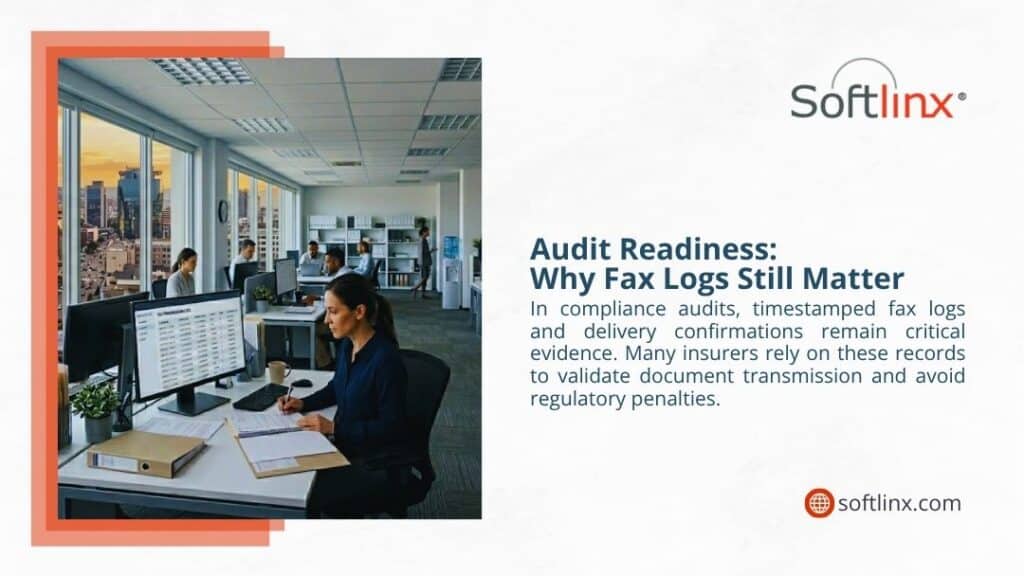
Strengthening Your Claims Workflow with Smarter Faxing
Insurance claims faxing continues to support critical communication across the insurance ecosystem. What’s changed is how organizations approach it. Modern systems bring structure, visibility, and security into a process that once relied heavily on manual effort. That shift reduces risk while improving efficiency.
For organizations still relying on outdated setups, there’s an opportunity to move toward something more reliable and scalable. If improving document security, workflow efficiency, and compliance is a priority, exploring how Softlinx approaches secure cloud faxing can help you take the next step with confidence.

Fax hasn’t disappeared. In fact, in healthcare, finance, and government environments, it still handles a large share of sensitive document exchange. That continued reliance is especially visible in healthcare: an MGMA Stat poll found that 89% of healthcare leaders said their organization uses a fax machine, which helps explain why reducing fax overhead still matters in real-world operations.
The problem isn’t the fax itself; it’s how it’s managed. Older systems quietly introduce delays, manual effort, and compliance concerns. This article explains how to reduce faxing overhead by shifting how fax communication operates, without forcing organizations to abandon the workflows they depend on.
How to Reduce Faxing Overhead in Modern Business Environments
Ask any operations team where time disappears, and fax rarely shows up at the top of the list. Yet it’s often sitting in the background, slowing processes, creating bottlenecks, and requiring constant attention. That’s usually where the issue starts.
Understanding how to reduce faxing overhead begins with recognizing that fax remains part of mission-critical communication. It’s still used to exchange health information, process insurance documents, and move regulated data between systems that don’t always speak the same language. Healthcare Cloud Fax Solutions help modernize these workflows by improving security, efficiency, and document accessibility.
But here’s the problem. Most organizations still rely on workflows built around traditional fax machines. Those workflows weren’t designed for real-time operations or integrated environments. So instead of supporting efficiency, they quietly work against it.
The Hidden Costs of Traditional Fax Systems
The following are the hidden costs of a traditional fax system.
Infrastructure Expenses and Maintenance Burden
Traditional fax machines come with a footprint that extends beyond the device itself. There are dedicated phone lines, hardware maintenance, supplies, and the occasional service call when something breaks at the wrong time.
Individually, these costs don’t always raise alarms. Together, they create a steady operational drain. A closer look at the hidden costs of traditional fax often reveals expenses that go unnoticed because they’re spread across departments.
Labor-Intensive Document Processing
Now consider how documents move through the system. Someone prints a file. Someone dials a number. Someone waits for confirmation. If the line is busy, they try again. If a page fails, they resend. Multiply that by hundreds, or thousands, of faxed documents each week, and the time adds up quickly. And that’s before errors enter the picture.
Compliance Risks in Regulated Industries
In industries like healthcare, fax is still tied to compliance. But the way it’s handled matters more than the method itself. Misdirected faxes, unsecured storage, or incomplete audit trails can create risk. That’s why understanding how to prevent HIPAA violations when faxing medical records has become part of day-to-day operations rather than a one-time checklist.
Traditional Fax vs Cloud Fax Cost Comparison
Before moving forward, it helps to compare how traditional systems and cloud-based approaches differ in day-to-day operations.
| Cost Factor | Traditional Fax Machines | Cloud Fax Service |
| Hardware | Physical equipment required | No hardware |
| Maintenance | Ongoing servicing | Managed remotely |
| Phone Lines | Required | Not needed |
| Labor | Manual handling | Reduced involvement |
| Scalability | Limited | Flexible |
This comparison reflects more than cost differences. It highlights how infrastructure decisions shape operational efficiency.
What Is a Digital Fax and Why Does It Change Everything
So what is a digital fax, really? At its core, it’s still fax communication, but without the physical layer. Documents move through secure internet-based systems instead of phone lines. This is where terms like virtual fax or online faxing come into play.
A secure online fax setup allows users to send and receive faxed documents through email, applications, or web portals. No printing. No dialing. No waiting by a machine.
For organizations transitioning from older systems, exploring a cloud fax environment often marks the point where fax stops being a bottleneck and starts fitting into modern workflows.
How Cloud Fax Technologies Reduce Operational Overhead
The shift from traditional fax to cloud-based systems changes how documents move, how systems interact, and how teams operate.
Eliminating Physical Infrastructure
One of the most immediate changes comes from removing physical dependencies. No fax machines. No dedicated phone lines. No maintenance schedules. For organizations still comparing options, understanding a fax server setup versus a cloud-based model often highlights how much infrastructure can be simplified.
Centralized Document Management
Instead of paper trails, documents are stored digitally. That changes how teams access, track, and manage information. Audit trails become easier to maintain. Retrieval becomes faster. And document management shifts from reactive to structured.
Real-Time Fax Communication
With cloud fax technologies, transmission doesn’t rely on the availability of lines or physical devices. Documents move in real time, and delivery status is visible immediately. That removes a layer of uncertainty that traditional fax systems often introduce.
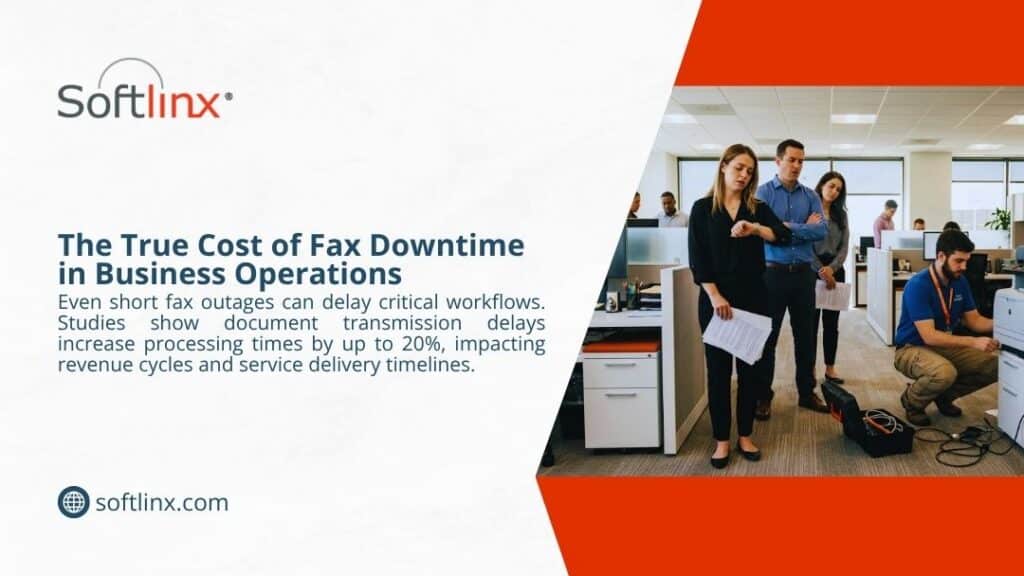
Operational Efficiency Gains with Cloud Fax
When workflows shift to cloud-based systems, the operational impact becomes more visible.
| Workflow Element | Legacy Fax Systems | Cloud Fax Technologies |
| Routing | Manual sorting | Automated |
| Tracking | Limited | Real-time visibility |
| Storage | Paper-based | Digital |
| Error Rate | Higher | Lower |
These changes are not limited to speed. They affect accuracy, accountability, and overall process reliability.
Automating Fax Workflows to Reduce Overhead
Automation addresses one of the biggest contributors to overhead: manual handling.
Automating the Routing of Incoming Faxes
Manual sorting slows everything down. Automation changes that. Instead of someone reviewing each incoming fax, systems can route documents based on predefined rules. A structured approach to automating incoming fax routing reduces delays and keeps documents moving where they need to go.
API-Based Fax Integration
This is where things start to scale. APIs allow fax systems to connect directly with business applications. That means documents don’t just arrive; they flow into workflows automatically. Organizations looking into cloud fax APIs for bulk and broadcast faxing often do so because manual processes can’t keep up with volume.
Reducing Human Intervention
Less manual input usually means fewer errors. It also means fewer delays. When systems handle repetitive steps, staff can focus on exceptions instead of routine processing.
Integrating Fax with Business Systems and EHR Platforms
Integration plays a central role in reducing fax overhead, especially in healthcare environments.
Connecting Fax to Electronic Health Records
Healthcare workflows depend heavily on electronic health records. When fax operates outside those systems, inefficiencies appear. Integration changes that. Understanding how to connect a fax to EHR helps align document flow with clinical workflows.
Improving Fax Interoperability in Healthcare
Interoperability has become a requirement rather than a goal. The Office of the National Coordinator for Health Information Technology reported that, by 2023, between 78% and 92% of hospitals said they at least sometimes engaged in each core interoperability domain, find, send, receive, and integrate, showing how strongly healthcare workflows now depend on connected information exchange.
Systems need to exchange data reliably, even when they weren’t designed to work together. Understanding fax interoperability in healthcare shows how modern faxing solutions support that exchange.
Streamlining Insurance and Claims Faxing
Insurance processes often involve large volumes of documents moving between organizations. Integrated faxing reduces delays and keeps processing consistent.
Secure Online Fax and Compliance Considerations
Compliance remains one of the most critical aspects of fax communication, especially in healthcare and financial sectors.
Is Fax HIPAA Compliant in 2026?
Fax can meet compliance standards, but only when proper safeguards are in place. The question of whether fax is HIPAA compliant depends on encryption, access controls, and monitoring capabilities.
Features of HIPAA Compliant Fax Services
Modern systems include encryption during transmission and storage, role-based access controls, and detailed audit trails. That approach lines up with HHS guidance on the HIPAA Security Rule, which requires regulated entities to apply administrative, physical, and technical safeguards to protect electronic protected health information. These features help organizations maintain consistent compliance across workflows.
Organizations relying on HIPAA-compliant fax services benefit from built-in safeguards that reduce risk without complicating operations.
Protecting Health Information During Transmission
Protecting health information involves more than secure transmission. It requires visibility into who accessed data, when it was accessed, and how it was handled. Cloud fax technologies provide this level of oversight.
Compliance Comparison
| Feature | Traditional Fax | Cloud Fax Solution |
| Encryption | Limited | Advanced |
| Audit Trails | Basic | Detailed |
| Access Control | Minimal | Role-based |
| Compliance Support | Manual | Built-in |
How to Reduce Fax Errors and Improve Accuracy
Errors in fax communication often stem from small issues that compound over time. Incorrect fax numbers, incomplete documents, and failed transmissions all contribute to inefficiencies.
Reducing these errors requires both process improvements and technology support. Systems that validate fax numbers, confirm delivery, and track document status reduce uncertainty.
A closer review of how to reduce fax errors shows that automation plays a key role in maintaining accuracy, especially in high-volume environments where manual oversight becomes difficult.
Managing High-Volume Faxing Without Increasing Costs
Handling large volumes of faxed documents presents a unique challenge. Traditional systems often require additional hardware and staff as volume increases.
Cloud-based solutions approach this differently. They scale without requiring additional infrastructure, allowing organizations to manage demand more efficiently.
Managing high-volume faxes in healthcare demonstrates how organizations maintain performance while keeping operational demands stable. Real-time monitoring, automated routing, and centralized management all contribute to handling volume without increasing overhead.
How to Switch from Legacy Fax to Cloud Fax Without Disruption
Transitioning from traditional fax systems does not require immediate replacement. Many organizations adopt a phased approach.
Transition Strategy: A full replacement isn’t always necessary. Many organizations move in stages, maintaining existing workflows while gradually introducing new systems.
Retaining Existing Fax Numbers: Keeping existing fax numbers is often possible. Businesses can review whether existing fax numbers can be retained during migration.
Understanding On-Premise vs Cloud Fax: Choosing the right model requires understanding trade-offs. An on premise vs cloud fax comparison can help clarify the differences.
Benefits of Cloud Fax for Long-Term Cost Control
Cloud fax technologies influence cost control by changing how resources are used rather than simply reducing expenses.
| Operational Area | Traditional Fax Impact | Cloud Fax Impact |
| Resource Allocation | Distributed and manual | Centralized and controlled |
| Maintenance Effort | Ongoing | Minimal |
| Document Handling | Labor-intensive | Streamlined |
| Scalability | Limited | Flexible |
| Visibility | Fragmented | Unified |
These improvements often support better planning, improved workflow consistency, and reduced operational strain over time.
Industry-Specific Use Cases for Reducing Fax Overhead
Healthcare Organizations
Healthcare environments depend on fax for patient records, referrals, and coordination between providers. Solutions such as hospital cloud fax systems and Healthcare Fax Solutions help reduce administrative workload while supporting compliance requirements.
Financial and Insurance Institutions
Financial organizations rely on secure document exchange. Cloud fax systems provide controlled environments that align with regulatory expectations while improving efficiency.
Government and Education
Public sector organizations often deal with strict documentation requirements. Modern fax solutions help manage large volumes of documents while maintaining compliance standards.
FAQs
What is the fastest way to reduce faxing overhead?
The fastest improvement usually comes from removing manual steps. Moving to a cloud fax service and automating document routing reduces delays immediately.
Do I need new equipment for digital faxing?
No. Digital faxing works through existing devices such as computers or integrated systems, without dedicated hardware.
How does virtual fax improve document management?
Virtual fax allows documents to be stored, organized, and accessed digitally, which reduces manual filing and improves retrieval speed.
How to stop receiving unwanted faxes?
Unwanted faxes can be reduced by controlling who can send to your fax number and how inbound traffic is managed. With older fax setups, that often means manual blocking or telecom-level changes. With a cloud fax platform, administrators can apply routing rules, restrict unknown senders, and direct inbound fax traffic more precisely. That helps reduce spam without interrupting legitimate business fax communication.
What must never be sent by fax?
Sensitive information should never be sent by fax unless the system is secure and appropriate controls are in place. That includes protected health information, financial records, passwords, payment details, and other confidential documents sent through unsecured workflows. In regulated environments, documents should only move through secure, monitored fax systems with access controls and audit trails.
What has replaced faxing?
Faxing has not been fully replaced in industries that still depend on secure, documented information exchange. What has changed is the delivery method. Cloud fax technologies, secure digital workflows, encrypted file exchange, and system integrations now handle many of the functions once tied to traditional fax machines. In healthcare, finance, and government, fax often remains part of the workflow, but the infrastructure behind it has become more modern.
Which countries still use fax?
Fax is still used in several countries, especially in sectors with strict documentation and compliance requirements. The United States, Germany, Japan, and other parts of Europe continue to use fax in healthcare, legal, government, and financial workflows. Usage levels vary by industry, but fax remains active where reliability, formal records, and legacy interoperability still matter.
Who is the cheapest to fax?
The lowest-cost fax option depends on the full operating model, not just the monthly service fee. Traditional fax machines carry costs tied to hardware, maintenance, paper, toner, and phone lines. Cloud fax services often reduce those overhead costs by removing physical infrastructure and simplifying administration. For business users, the better question is usually which fax solution delivers the best operational value, security, and reliability.
Why is faxing safer than email?
Faxing can be safer than email in certain regulated workflows because it offers a more controlled transmission path, especially when used through a secure cloud fax platform. Email can be exposed to phishing, misdelivery, and forwarding risks. Secure fax systems can provide direct delivery, access controls, transmission records, and audit trails, which help organizations protect sensitive information and support compliance requirements.
Is virtual fax secure for healthcare use?
When implemented correctly with encryption and access controls, virtual fax solutions can meet healthcare compliance requirements.
Can existing fax numbers be used with cloud fax?
In most cases, organizations can retain their existing fax numbers during the transition.
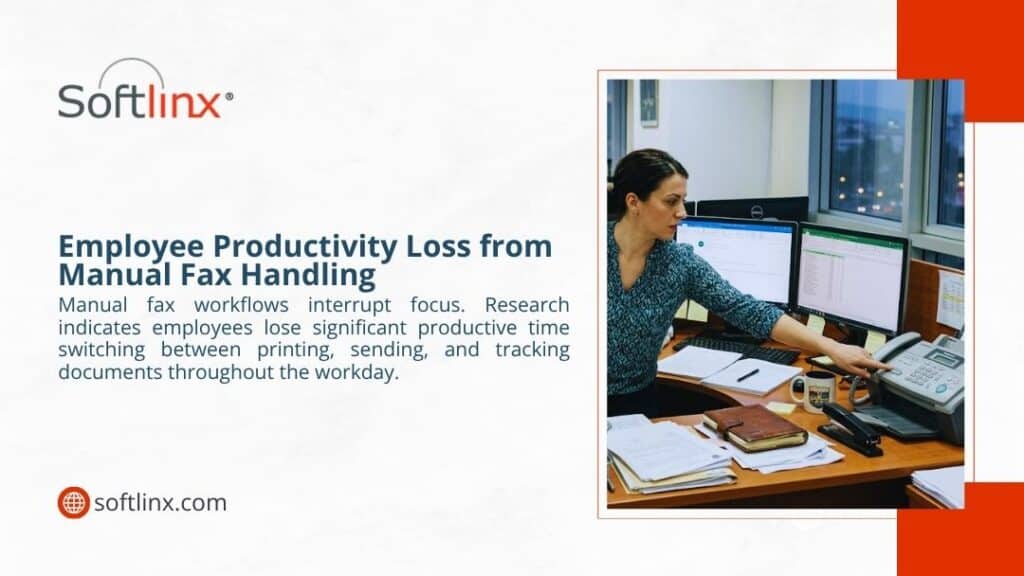
Modernizing Fax Without Disrupting What Works
Reducing faxing overhead does not require abandoning fax. It requires changing how it operates within the organization.
When fax becomes part of a connected system, integrated with workflows, supported by automation, and aligned with compliance, it stops creating friction. Instead, it supports efficiency.
For organizations evaluating next steps, solutions built around secure cloud fax, integration, and workflow automation, like those offered by Softlinx, can provide a practical path forward without disrupting existing operations.

If incoming faxes feel scattered, delayed, or hard to track, the issue usually isn’t volume; it’s structure. This guide breaks down how to organize incoming faxes using real-world workflows, automation, and secure cloud systems, with a strong focus on healthcare and regulated industries where accuracy and compliance matter most.
How to Organize Incoming Faxes (Step-by-Step Framework)
Most teams don’t actually organize faxes. They react to them. A document comes in. Someone prints it. Maybe it gets handed off. Maybe it sits there for a while. Then someone asks, Did we receive that fax? and that’s where the trouble starts.
So here’s what I’ve seen work in real environments. Every reliable fax workflow follows a simple path. First, the fax arrives. Then it gets identified. After that, it’s routed. Finally, it’s stored somewhere people can actually find it later.
That sounds obvious, but the breakdown usually happens in the middle. Classification and routing are where things fall apart. That’s exactly why learning how to organize incoming faxes isn’t about folders; it’s about control.
What Is the Best Way to Organize Incoming Faxes?
The best way to organize incoming faxes isn’t a single tool or method. It’s a combination of structure, automation, and visibility. At a basic level, every fax should follow a defined path. It arrives, gets identified, moves automatically to the right destination, and is stored in a searchable format.
But in practice, the best way depends on how the system handles complexity. Here’s a simplified comparison:
| Approach | Outcome |
| Manual handling | Inconsistent and slow |
| Basic digital setup | Improved storage, limited workflow |
| Automated cloud system | Consistent, scalable, and traceable |
Modern organizations, especially in healthcare, tend to rely on automated cloud-based workflows and Healthcare Cloud Fax Solutions. Not because they’re newer, but because they remove uncertainty, improve document handling, and support more reliable communication.
What matters most is predictability. When every document follows the same process, teams don’t have to stop and think about what to do next. And that’s where organization truly starts to work.
Why Fax Organization Still Matters in 2026
You might expect fax to disappear by now. It hasn’t. In healthcare alone, 9 billion pages still move through fax systems every year. That’s not slowing down anytime soon. And here’s why.
Fax is still trusted for regulated communication. Especially when patient data is involved. If you’ve ever looked into HIPAA fax compliance, you’ll know the rules aren’t flexible.
So organization isn’t just about efficiency. It’s about staying compliant, avoiding exposure, and making sure information lands exactly where it should. And that’s why it matters.
Common Problems with Incoming Fax Management
If you walk into most offices, the problems look familiar. Documents go missing. Not permanently, but long enough to cause issues. Sometimes they’re sitting on a machine. Sometimes they’re scanned but never routed. Sometimes they land in the wrong department entirely.
Then there’s a delay. A fax comes in at 9 a.m. but doesn’t get processed until the afternoon. Multiply that across dozens of documents, and it adds up quickly. Security is another concern. If a document contains sensitive data and sits unattended, that’s already a risk.
Most of these issues come back to one thing. No clear system for how to organize incoming faxes.
Manual vs Digital Fax Organization Systems
There’s a noticeable gap between older methods and newer ones. It shows up in speed, accuracy, and how easy it is to scale.
| Method | Speed | Accuracy | Scalability | Compliance |
| Paper-based | Slow | Inconsistent | Limited | Risk-prone |
| Fax server | Moderate | Better | Moderate | Controlled |
| Cloud fax | Fast | High | Strong | Secure |
A traditional fax server gives more control than paper, but it still needs maintenance. A cloud fax system shifts everything into a centralized environment where documents can be tracked and managed without physical limitations.
Traditional Methods to Organize Incoming Faxes
Even now, some organizations still depend on physical workflows. Not because they prefer them, but because that’s what has always been in place. If you look closely, most manual systems follow a few recognizable patterns.
One common method involves time-based sorting, where incoming faxes are grouped by date and time, then distributed later in batches. Another approach uses department trays, where each unit, billing, referrals, and administration, has a designated inbox.
There’s also the logbook method, where every fax gets recorded before it moves anywhere else. This creates a paper trail, but it slows things down. To make it clearer, here’s how these methods typically operate in practice:
| Method Type | How It Works | Where It Breaks Down |
| Time-based sorting | Faxes are grouped and processed in batches | Delays build quickly |
| Department trays | Documents are manually placed per team | Misplacement risk |
| Logbook tracking | Entries recorded before routing | Time-consuming |
| Individual handling | Staff distribute faxes directly | No consistency |
The issue isn’t that these methods don’t work. They do at low volume. But once activity increases, the cracks start to show. That’s usually when teams begin searching for better ways to handle how to organize incoming faxes without relying on manual steps.
Digital Fax Management Systems Explained
Digital fax systems don’t just replace paper. They change how documents move entirely. Instead of receiving a fax and deciding what to do next, the system already knows.
Faxes arrive directly into a centralized interface. That could be a browser portal, an email inbox, or a connected application. From there, documents become immediately visible, not just to one person, but to the right people.
One detail that often gets overlooked is indexing. Digital systems don’t just store documents; they tag them. Sender details, timestamps, and even content identifiers allow teams to search instead of sift.
That’s a major shift. In many environments, especially healthcare, teams rely on fax through the internet because it removes physical bottlenecks entirely. No machine. No waiting. No dependency on location.
Another advantage is audit visibility. Every action leaves a trace. That matters when accountability is required. So while traditional systems depend on memory and manual effort, digital systems rely on structure and traceability.
Automating Routing of Incoming Faxes
Routing is where most workflows either hold together or fall apart. In a manual setup, someone has to decide where each fax goes. That decision gets repeated dozens, sometimes hundreds of times per day. It’s not sustainable.
Automation changes that. Instead of reacting to each document, rules are set in advance. These rules can be simple, like sending all lab results to one department. Or more refined, such as identifying specific providers, document types, or keywords.
In more advanced setups, routing becomes layered. A document might first be categorized, then prioritized, then assigned. To understand how structured routing works in real environments, automating incoming fax routing demonstrates how incoming documents can be directed automatically based on predefined rules, improving efficiency and reducing manual handling.
What stands out isn’t just speed, it’s predictability. Every fax follows a defined path. No guesswork involved.
How Fax Automation Improves Organization
Once automation is active, the workflow starts to feel different. There’s less waiting. Less checking. Fewer follow-ups asking where a document ended up.
What actually improves is flow. Documents move continuously instead of sitting in queues. Teams don’t need to monitor intake constantly because the system handles distribution. And errors, while never eliminated, become far less frequent.
Another aspect worth mentioning is consistency. Manual workflows depend on people remembering steps. Automated systems don’t forget. This is where fax automation stops being an upgrade and becomes part of the foundation.
It also supports accountability. When something goes wrong, you can trace exactly where the process broke.
Organizing High-Volume Fax Workflows (Healthcare & Enterprise)
High-volume environments operate under different conditions. In healthcare, for example, incoming faxes don’t arrive evenly. There are spikes. Morning surges. End-of-day backlogs. Without structure, those patterns create bottlenecks.
That’s why systems designed for handling high-volume fax workflows rely on separation. Not all faxes are treated the same. Urgent referrals move immediately. Routine updates follow standard queues. Administrative documents can wait without affecting patient care.
Queue visibility becomes important here. Teams need to see what’s pending, what’s processed, and what requires attention. Without that visibility, volume turns into noise.
Integrating Fax with Business Systems
At a certain point, organization alone isn’t enough. Systems need to connect. When fax workflows remain isolated, teams end up re-entering information manually. Healthcare Fax Solutions help connect these workflows, reducing delays and decreasing the chance of errors.
Integration removes that gap. When a fax arrives, it can flow directly into an internal system, such as an EHR, without manual input. That means data moves once, not twice.
When connecting fax to EHR systems, organizations typically focus on how they approach integration in real settings. What changes isn’t just efficiency. Its reliability. Data stays consistent across systems.
Security and Compliance in Fax Organization
Security isn’t optional. Especially in healthcare. Understanding whether a fax is HIPAA compliant depends on how the system is set up. Encryption, access controls, and audit logs all play a role.
There’s also the human side. Processes need to be clear and consistently followed. Preventing HIPAA violations when faxing depends on reducing common errors, improving staff awareness, and ensuring that sensitive information is handled with proper safeguards at every step. An organization without security doesn’t hold up. Both need to work together.
Best Practices to Reduce Fax Errors and Improve Accuracy
Errors don’t usually come from complex issues. They come from small inconsistencies repeated over time. One practical approach is standardization. When documents follow the same naming and classification structure, they’re easier to track.
Another factor is verification. Confirming receipt and delivery reduces uncertainty. It sounds simple, but many workflows skip this step. Automation also plays a role here. Systems that flag incomplete or misrouted documents help teams catch issues early.
Organizations aiming to improve accuracy often adopt structured approaches similar to those used in reducing fax errors. It’s less about adding steps and more about removing unnecessary ones.
Transitioning from Fax Machines to Organized Cloud Systems
Moving away from fax machines doesn’t happen overnight. But once it starts, the benefits show quickly.
| Feature | Fax Machine | Cloud Fax |
| Accessibility | Limited | Remote |
| Storage | Physical | Digital |
| Automation | None | Advanced |
| Integration | None | Full |
If you’re considering the shift, moving from fax machines to cloud fax highlights what to expect during the transition.

Key Features to Look for in a Fax Organization Solution
Not every system supports proper organization. Some only handle transmission. When evaluating solutions, a few capabilities tend to make the biggest difference.
| Feature | Why It Matters |
| Automated routing | Ensures documents reach the right place |
| Centralized dashboard | Provides visibility across all faxes |
| Audit tracking | Supports compliance and accountability |
| Role-based access | Controls who can view or manage documents |
| API integration | Connects fax workflows to business systems |
| High-volume handling | Maintains performance under load |
| Secure encryption | Protects sensitive data |
Reliability also needs attention. Systems that fail under pressure create more problems than they solve. This is why organizations often review uptime considerations through enterprise fax reliability before making decisions.
Real-World Use Cases Across Industries
Fax workflows don’t look identical across industries, but the purpose remains consistent: secure, trackable document exchange. Here’s how different sectors typically apply structured fax organization:
| Industry | Typical Use Case | Key Requirement |
| Healthcare | Patient records, referrals | Compliance, accuracy |
| Insurance | Claims processing | Speed, traceability |
| Finance | Secure document exchange | Confidentiality |
| Government | Official communication and documentation | Audit readiness |
| Manufacturing | Orders and supplier communication | Reliability |
What ties these together is the need for consistency. Without structure, even simple workflows become difficult to manage.
Benefits of an Organized Fax Workflow
Once a system becomes structured, the difference is noticeable, not just operationally, but across teams.
| Benefit | Impact on Workflow |
| Faster processing | Documents move without delay |
| Reduced manual handling | Less time spent sorting or searching |
| Improved compliance | Clear audit trails and controlled access |
| Better visibility | Teams know where documents are at all times |
| Lower error rates | Fewer misrouted or lost faxes |
Organizations that shift toward structured systems often begin to see these improvements quickly, especially when exploring the broader benefits of cloud fax.
FAQs
How do I organize incoming faxes without paper?
You can receive faxes digitally through cloud-based systems. Documents are stored electronically, which makes them searchable and easier to manage.
What is the easiest way to route incoming faxes?
Rule-based automation works best. Faxes can be routed automatically based on sender details, keywords, or document type.
Is cloud fax better for an organization?
In most cases, yes. Cloud systems provide visibility, automation, and integration that traditional methods lack.
Can I integrate fax with my existing systems?
Yes. Many platforms support integration with EHR, CRM, and other business tools, which reduces manual entry.
How do healthcare organizations manage fax volume?
They rely on automation, queue management, and prioritization to handle large volumes efficiently.
Where This Leaves Your Fax Workflow
If your current setup feels inconsistent, that’s usually a sign the system needs structure, not just effort.
Once you understand how to organize incoming faxes properly, the next step becomes clearer. Build a workflow that reduces manual steps, improves visibility, and supports compliance from the ground up.
And if your organization is still relying on outdated methods, it might be time to rethink how those faxes move through your system today.
If you’re reviewing how to organize incoming faxes in your organization, it may be worth looking at how modern platforms handle routing, integration, and compliance from the ground up. Solutions like Softlinx’s cloud fax platform are built specifically for high-volume, secure environments where fax still plays a critical role, and where getting it right actually matters.

Concord alternatives have gained attention as organizations reassess how contract management and document workflows operate in real business environments. While Concord remains a recognizable name, many teams now look for tools with more flexible pricing, clearer audit trails, smoother user interface design, or deeper workflow support.
This article examines the top 6 Concord alternatives with a neutral lens, focusing on strengths, trade-offs, and realistic use cases rather than marketing claims.
Concord alternatives worth evaluating for contract workflows in 2026
Concord alternatives exist because contract management needs have shifted. Teams no longer want a single repository with e-signatures. They expect full contract lifecycle management (CLM), visibility into approvals, reliable audit trails, and integrations that connect documents to real business systems such as Google Workspace or healthcare platforms. That context matters because not every Concord alternative solves the same problem.
Before comparing vendors, it helps to understand why companies move away from Concord in the first place. Common reasons include pricing rigidity as teams scale, limited customization in workflows, or the need for stronger compliance evidence in regulated environments. None of these issues is universal, but they explain why the market for Concord alternatives continues to grow.
How the leading Concord alternatives compare at a glance
The table below provides a high-level comparison of widely discussed Concord alternatives in 2026. It highlights where each option tends to fit best. Not every platform listed below is a dedicated CLM system. Some tools support contract workflows indirectly through secure document transmission, compliance tracking, or operational document management.
| Platform | Best suited for | Primary capability | Notable limitation |
| Softlinx – ReplixFax | Regulated organizations | Secure document transmission & compliance workflows | Not a pure CLM platform |
| DocuSign CLM | Large enterprises | End-to-end contract lifecycle management | Cost and setup complexity |
| PandaDoc | Sales-driven teams | Ease of use and document creation | Limited deep CLM controls |
| Conga CLM | Legal and procurement teams | Rule-based lifecycle automation | Steep learning curve |
| Ironclad | Legal departments | Contract analytics and risk review | Premium pricing |
| Oneflow | SMBs and mid-market | Simple lifecycle management | Fewer enterprise controls |
1. Softlinx ReplixFax (Secure document workflow platform for regulated environments)
Softlinx ReplixFax focuses on secure document transmission, traceability, and compliance-oriented workflows in regulated environments. Some organizations evaluate it alongside Concord alternatives because contracts frequently move through broader document exchange systems, particularly in regulated industries.
Unlike CLM software that manages drafting, negotiation, and contract repositories, ReplixFax supports the secure delivery and tracking of documents across systems and departments.
ReplixFax focuses on controlled document transmission, traceability, and reliability. In regulated industries such as healthcare, contracts often coexist with referrals, authorizations, and records exchanged via fax. In those cases, teams prioritize audit trails, uptime, and integration more than contract drafting features. That is where ReplixFax, along with Healthcare Fax Solutions, tends to fit.
Organizations that already rely on a secure fax server environment often see value in extending those workflows through cloud-based document exchange, rather than introducing a separate CLM layer. For healthcare teams managing regulated communications, this overlap becomes practical when paired with HIPAA-aligned cloud fax workflows.
A closer look at modern cloud fax platforms shows why some businesses evaluate them alongside Concord alternatives, especially when contract approvals and document delivery intersect. Softlinx details these use cases within its broader cloud fax offerings, which focus on traceability and system integration rather than contract authoring alone.
ReplixFax complements contract workflows by ensuring reliable document delivery, audit trails, and compliance tracking when contracts move between systems, departments, or external partners. Its value appears when organizations need reliable document delivery, compliance tracking, and system integrations surrounding contracts rather than contract authoring itself.
Pros and cons
| Pros | Cons |
| Strong audit trails and delivery confirmation | Focused on document transmission rather than contract authoring |
| Reliable for high-volume, regulated workflows | Limited contract drafting features |
| Integrates with enterprise systems and healthcare environments | Best value appears in compliance-heavy use cases |
2. DocuSign CLM
DocuSign CLM is often the first name mentioned when teams compare Concord alternatives. It offers a comprehensive contract lifecycle management platform that covers drafting, negotiation, approval workflows, execution, and storage.
Its strength lies in scale. Enterprises with global operations benefit from its integrations with Google Workspace, CRM platforms, and identity systems. DocuSign CLM also supports detailed audit trails, which appeals to compliance teams.
That said, complexity remains a frequent concern. Smaller organizations sometimes find that the feature depth exceeds their operational and financial needs.
Pros and cons
| Pros | Cons |
| Comprehensive CLM functionality | Higher cost at scale |
| Strong integration ecosystem | Setup and training time |
| Recognized enterprise standard | Overkill for small teams |
3. PandaDoc

PandaDoc enters the Concord alternatives conversations from a different angle. It emphasizes usability and speed, particularly for sales-led organizations. Teams that generate proposals, agreements, and renewals in high volume often prefer PandaDoc’s streamlined user interface.
While it includes contract lifecycle elements, PandaDoc does not aim to replace legal-centric CLM systems. Its value shows when speed and clarity matter more than complex governance.
Pros and cons
| Pros | Cons |
| Intuitive user interface | Limited advanced CLM logic |
| Fast document creation and approvals | Less suitable for regulated industries |
| Lower barrier to adoption | Fewer customization controls |
4. Conga CLM
Conga CLM appeals to organizations with formal contract governance. Legal and procurement departments often favor it for its configurable workflows, approval hierarchies, and reporting depth.
As a Concord alternative, Conga CLM works best when contract lifecycle management forms a core operational discipline. However, its flexibility requires thoughtful implementation, which can slow initial adoption.
Pros and cons
| Pros | Cons |
| Deep lifecycle automation | Steeper learning curve |
| Strong audit trails and compliance support | Longer implementation cycle |
| Suitable for complex organizations | Requires process maturity |
5. Ironclad
Ironclad differentiates itself through contract analytics and legal insight. Rather than focusing solely on workflow, it helps teams understand risk, obligations, and clause usage across agreements.
For legal teams that treat contracts as data assets, Ironclad offers depth that many Concord alternatives lack. Pricing and specialization, however, make it less accessible to smaller organizations.
Pros and cons
| Pros | Cons |
| Advanced contract analysis | Premium pricing |
| Legal-focused design | Narrower audience |
| Strong governance tools | Less sales-oriented |
6. Oneflow
Oneflow often appeals to small and mid-sized businesses looking for clarity rather than complexity. It provides contract lifecycle basics with a clean interface and fewer configuration requirements.
As Concord alternatives go, Oneflow prioritizes ease of use over depth. That balance works for teams without heavy compliance or multi-layer approval structures.
Pros and cons
| Pros | Cons |
| Simple onboarding | Limited enterprise controls |
| Clean user interface | Fewer customization options |
| Suitable for SMB workflows | Not ideal for regulated sectors |
Where document workflows intersect with Concord alternatives
One pattern often overlooked in Concord alternatives content is how contracts interact with broader document exchange. In healthcare, finance, and insurance, contracts frequently move alongside referrals, records, and authorizations. That reality explains why some organizations evaluate CLM tools alongside secure document delivery platforms.
For example, teams managing regulated communications often rely on HIPAA-aligned fax workflows to ensure compliance and traceability. In those cases, understanding whether fax is HIPAA compliant remains a key consideration, especially when contracts contain protected information.
Modern platforms that support fax through the internet help bridge legacy workflows with cloud systems, reducing manual handling without abandoning compliance requirements. This overlap does not replace contract lifecycle management, but it influences how Concord alternatives fit into real operational environments.
In regulated industries such as healthcare, contract workflows often intersect with broader document exchange requirements. Organizations handling protected health information (PHI) frequently rely on Healthcare Cloud Fax Solutions to securely transmit contracts, authorizations, referrals, and other sensitive documents while maintaining compliance, auditability, and operational efficiency across connected systems.
Choosing among Concord alternatives without overthinking it
Choosing among Concord alternatives often feels harder than it should, mainly because many platforms promise similar outcomes while solving very different problems. The key is to step back and look at how contracts actually move through your organization. Some teams draft and sign agreements daily but rarely revisit them. Others manage renewals, compliance checks, and approvals across departments, vendors, and regulatory frameworks.
The first question to ask is whether contracts operate as legal records or operational assets. If agreements trigger downstream actions such as billing, authorizations, or compliance reporting, then workflow visibility and audit trails matter far more than document editing tools. In contrast, sales teams tend to value speed, template reuse, and a clean user interface over complex governance layers.
Another factor that often gets overlooked is integration reality. A platform that works well on its own but struggles to connect with systems like Google Workspace, ERP tools, or document delivery platforms will eventually create friction. This is where many Concord alternatives differ meaningfully, even when feature lists look similar on paper.
In short, the easiest way to narrow your options is to match the software to how contracts behave in real life, not how vendors describe them in demos.
Why Concord alternatives keep gaining ground
The steady rise of Concord alternatives reflects a broader shift in how organizations view contract management. Contracts no longer sit at the edge of operations. They influence compliance, revenue timing, vendor relationships, and audit readiness. As expectations expand, many teams discover that a single, static tool cannot keep pace with evolving workflows.
Another factor is operational diversity. Modern organizations rarely run a single process across all departments. Legal, procurement, finance, and operations each interact with contracts differently. Tools that lack flexibility or impose rigid workflows tend to create bottlenecks over time, prompting teams to explore alternatives that better reflect how work actually happens.
The table below outlines the core reasons why Concord alternatives continue to gain adoption, framed around practical business realities rather than feature marketing.
| Business shift | What changed | Why alternatives appeal |
| Workflow complexity | Contracts now move through multiple departments and systems | Alternatives offer configurable workflows that adapt to real processes |
| Compliance pressure | Audit requirements and documentation standards increased | Platforms with stronger audit trails and traceability reduce review risk |
| Integration expectations | Contracts must connect to productivity and record systems | Many alternatives integrate more smoothly with tools like Google Workspace |
| Pricing sensitivity | Teams’ scale usage is uneven across departments | Flexible pricing models allow selective adoption |
| User adoption | Employees resist tools that slow routine tasks | Cleaner user interface designs encourage consistent use |
| Risk management | Organizations seek clearer visibility into obligations | Some alternatives provide better lifecycle insight and accountability |
As these pressures converge, organizations gravitate toward tools that reflect operational reality rather than theoretical workflows. That momentum explains why Concord alternatives continue to attract attention across industries and company sizes, not because Concord fails outright, but because expectations keep rising.
A practical next step that holds up over time
Choosing from the growing list of Concord alternatives should not feel like a gamble. The strongest decisions usually come from understanding how contracts function beyond signatures. In many organizations, agreements trigger approvals, documentation exchanges, compliance checks, and long-term record retention. When those surrounding processes break down, even well-designed CLM software falls short.
That reality explains why some teams move beyond traditional contract tools and look for systems that support document reliability, traceability, and operational continuity. In regulated and high-volume environments, contracts often depend on secure delivery, verified transmission, and defensible audit records. Those requirements do not disappear once a contract is signed. They follow the document for its entire lifecycle.
If your organization is evaluating Concord alternatives with long-term reliability in mind, it may be time to look beyond feature comparisons and consider how your contracts live within everyday operations. Exploring how Softlinx supports secure, traceable document workflows can help you build a contract process that remains dependable as requirements evolve.

Fax interoperability healthcare continues to play a central role in modern medical communication. Despite the expansion of electronic health records, healthcare organizations still rely on fax systems to exchange clinical documents, referrals, prescriptions, and patient records. This is why many providers turn to Healthcare Fax Services that enable secure document exchange across different technologies without requiring compatible platforms.
This guide explains how fax interoperability healthcare functions inside hospitals, clinics, laboratories, and pharmacies. It also explores why fax machines still exist, how cloud fax modernizes document exchange, and how healthcare organizations use modern faxing to connect EHR systems securely while maintaining HIPAA compliance.
Why Fax Interoperability Still Shapes Healthcare Communication
Healthcare technology has changed dramatically during the last two decades. Hospitals now use electronic health records, digital imaging, telemedicine platforms, and connected medical devices. Yet a technology invented in the nineteenth century still handles a significant portion of healthcare communication. That technology is a fax.
Fax interoperability healthcare refers to the ability of fax systems to exchange patient information across different organizations, systems, and software platforms without compatibility barriers. Hospitals, laboratories, insurance providers, pharmacies, and physician offices rely on fax because it provides a universal communication layer when other systems cannot easily share data.
The numbers support this reality. According to a healthcare interoperability study, approximately 70% of healthcare organizations still use fax to exchange medical information across institutions.
While many industries abandoned fax machines decades ago, healthcare continues to depend on them because secure document exchange remains a complex challenge. Fax interoperability in healthcare allows organizations with different electronic health records to send and receive clinical information without technical barriers. And that is why fax remains part of the healthcare ecosystem.
Fax Interoperability Healthcare
Fax interoperability in healthcare describes the use of fax systems as a universal bridge between healthcare technologies. In practice, it allows hospitals, clinics, laboratories, and pharmacies to exchange patient documents even when their systems cannot communicate directly. Many organizations now rely on Healthcare Cloud Fax Services to improve secure document exchange while maintaining compatibility across different platforms.
Healthcare interoperability usually refers to the ability of different health information systems to share data electronically. Ideally, electronic health records would communicate seamlessly through standardized protocols. However, healthcare systems often operate on different platforms and vendor software. This is where fax becomes valuable.
Fax systems allow healthcare organizations to send and receive documents regardless of software compatibility. A physician using one electronic health record system can transmit patient records to a hospital using another system without requiring integration.
In many healthcare operations, inbound documents such as referrals, discharge summaries, insurance forms, and lab results arrive through healthcare fax channels. Staff then upload the documents into electronic health records or document management systems.
Because fax operates over universal communication networks, fax interoperability enables healthcare functions even when other digital communication methods fail.
What Is a Fax Machine and Why Fax Machines Still Exist in Healthcare
To understand fax interoperability in healthcare, it helps to revisit a basic question: What is a fax machine? A fax machine is a device that converts printed documents into electronic signals transmitted over telephone networks. The receiving machine reconstructs the signals into a printed or digital copy.
Although fax machines may appear outdated, the technology behind them remains reliable and widely supported. Many healthcare organizations still use fax machines because the infrastructure already exists and the workflow fits medical documentation requirements.
This leads to a common question: Are fax machines obsolete? In most industries, the answer might be yes. But in healthcare, the situation differs.
Fax machines still exist because they offer several advantages in medical environments. They provide a standardized method for document exchange, and they remain compatible with legacy systems that hospitals still operate.
Another factor that explains why fax machines still work well in healthcare communication is reliability. Unlike email systems that rely on internet protocols and security layers, fax transmissions follow a consistent process that has remained stable for decades.
This explains why healthcare providers continue to rely on fax machines for clinical documentation and why fax interoperability in healthcare still supports daily medical operations.
Why Healthcare Organizations Still Use Fax Machines
Healthcare professionals often ask why fax machines are still used when modern digital communication technologies exist. The answer lies in operational realities inside healthcare organizations.
Medical communication involves sensitive patient data, strict regulatory requirements, and complex networks of independent institutions. Fax systems continue to function within these constraints because they provide universal compatibility and predictable transmission.
Physicians still use fax when sending referrals to specialists, transmitting prescription documentation, or exchanging laboratory results. Pharmacies also rely on fax for prescription verification and medication authorization.
A pharmacy may receive prescription information through healthcare fax systems because many physician offices still rely on fax workflows. The use of fax machines in pharmacy communication helps pharmacists confirm prescription details and maintain documentation records.
Healthcare communication often involves multiple organizations. Hospitals exchange patient information with outpatient clinics, diagnostic centers, and rehabilitation facilities. Because these organizations may use different electronic health record platforms, fax interoperability enables reliable document exchange.
Another reason fax remains widely used relates to compliance. Healthcare regulations require strict control over patient data transmission. Fax systems provide documented communication channels that healthcare organizations trust.
For these reasons, healthcare fax systems continue to support medical operations even in an era dominated by digital technology.
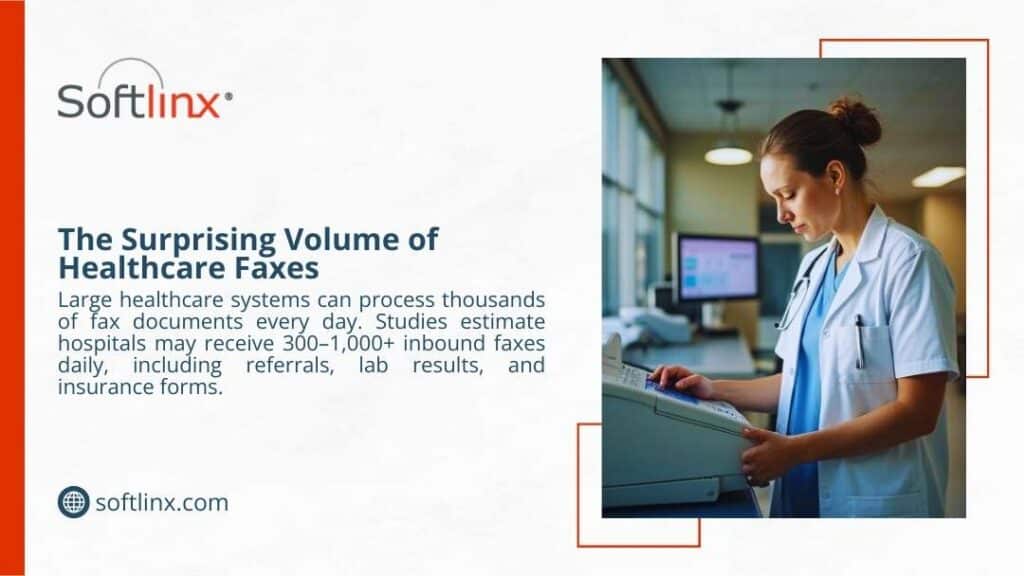
How Fax Interoperability Supports Healthcare Communication
Fax interoperability healthcare enables critical communication across the healthcare ecosystem. Hospitals, physicians’ offices, diagnostic laboratories, pharmacies, and insurance companies rely on fax systems to exchange patient information.
Healthcare organizations use fax to send and receive medical records, insurance authorization documents, referral forms, laboratory results, and imaging reports. Many healthcare operations depend on inbound documents arriving through fax channels.
When a physician refers a patient to a specialist, the referral documents often travel through fax communication. The receiving clinic then processes the documents and uploads them into the patient’s electronic health record.
Insurance providers also communicate with healthcare organizations through fax systems when verifying coverage or approving procedures.
The ability to transmit documents without requiring compatible software systems explains why fax interoperability healthcare remains valuable in medical environments.
Healthcare Communication Methods
| Communication Method | Compatibility | Security | Interoperability |
| Fax systems | Universal | High | High |
| Limited | Moderate | Low | |
| EHR messaging | Platform dependent | High | Medium |
| Health information exchange networks | Limited adoption | High | Medium |
Fax remains the most universally compatible communication method among healthcare organizations.
The Relationship Between Fax, EHR Systems, and Healthcare Interoperability
Electronic health records transformed how healthcare organizations manage patient data. Yet interoperability between EHR systems remains limited.
Healthcare software vendors often design systems that operate best within their own ecosystems. When organizations use different EHR platforms, direct communication between them becomes difficult.
Fax interoperability healthcare solves this challenge by acting as a neutral communication layer. Documents generated within electronic health records can be transmitted via fax and received by organizations using different software platforms. Staff members then attach the received documents to patient records inside their own systems.
Healthcare organizations also integrate fax services directly with electronic health record systems. For example, a hospital may connect its fax system to its EHR platform so staff can send documents without leaving the patient record interface.
Interoperability standards also play a role in healthcare communication. The HL7 standard defines messaging protocols used by healthcare applications. Another modern interoperability standard, FHIR, enables structured healthcare data exchange across digital platforms.
Despite these standards, healthcare organizations still rely on fax interoperability because not all systems support the same protocols.
Traditional Fax Machines vs Modern Cloud Fax in Healthcare
Healthcare communication has evolved beyond traditional fax machines. Many organizations now adopt cloud fax solutions that provide digital faxing capabilities without physical hardware.
Cloud fax platforms allow healthcare organizations to send and receive documents through secure internet networks. Staff can access fax services from electronic health records, web portals, or email systems.
Organizations interested in modernizing healthcare fax infrastructure often explore secure cloud fax services designed for healthcare communication to reduce reliance on physical fax machines.
The transition from traditional fax machines to cloud fax improves healthcare interoperability because digital fax platforms integrate with existing software systems.
Traditional Fax vs Cloud Fax
| Feature | Traditional Fax Machine | Cloud Fax |
| Hardware | Required | Not required |
| Paper usage | Required | Digital |
| Integration with EHR | Limited | Supported |
| Security | Phone network | Encrypted internet transmission |
| Automation | Manual workflows | Automated routing |
Cloud fax solutions extend the capabilities of fax interoperability healthcare by allowing healthcare organizations to manage document workflows digitally.
Healthcare Faxing Workflows That Depend on Interoperability
Healthcare faxing workflows support several clinical operations. These workflows rely on fax interoperability healthcare to transmit patient information across institutions.
One of the most common workflows involves patient referrals. When primary care physicians refer patients to specialists, the referral documentation often travels through fax communication.
Laboratories also send test results to physicians through healthcare fax systems. Diagnostic centers frequently transmit imaging reports and test summaries using fax because the receiving physician may use a different software platform.
Pharmacies represent another example. Pharmacists communicate with physician offices through fax when verifying prescriptions, requesting clarifications, or receiving prescription authorization forms.
Healthcare organizations often process high volumes of fax documents each day. Hospitals may receive hundreds of inbound faxes containing referrals, patient records, or administrative documentation.
Organizations seeking to improve document handling frequently explore methods for managing high-volume faxes in healthcare environments to prevent delays in clinical workflows. These operational realities illustrate why fax interoperability healthcare continues to support essential medical communication processes.
Security and HIPAA Compliance in Healthcare Faxing
Security remains a major concern in healthcare communication. Medical records contain protected health information that must remain confidential during transmission.
Healthcare organizations must follow regulations established by the Health Insurance Portability and Accountability Act. HIPAA requires healthcare providers to implement safeguards that protect patient information from unauthorized access.
Fax communication can satisfy these regulatory requirements when healthcare organizations implement proper security controls. Fax transmissions occur over dedicated communication channels, and many organizations treat fax documents as secure records.
Healthcare providers often review guidelines explaining whether fax meets HIPAA compliance requirements to ensure their fax workflows follow regulatory standards.
Modern digital fax systems provide additional security features such as encryption, authentication controls, and secure document storage. These capabilities strengthen fax interoperability in healthcare by allowing organizations to exchange patient data safely.
Healthcare providers also examine HIPAA rules governing faxing medical records to maintain compliance when transmitting sensitive information.
How Cloud Fax Improves Healthcare Interoperability
Cloud fax technologies extend the benefits of fax interoperability healthcare while eliminating the limitations of traditional fax machines. Modern digital fax platforms allow healthcare organizations to route inbound documents automatically, categorize patient records, and integrate fax data directly into electronic health records.
Healthcare IT teams often evaluate methods for automating incoming fax routing to improve document processing speed and reduce administrative workload.
Cloud fax services also support integration with healthcare applications through software interfaces. Developers can build communication workflows that send and receive fax documents automatically when certain events occur in electronic health records.
Organizations developing healthcare software sometimes explore cloud fax APIs that support bulk or broadcast faxing when they need to automate high-volume document delivery. These capabilities allow healthcare organizations to maintain the interoperability advantages of fax while modernizing document workflows.
Healthcare Interoperability Technologies
| Technology | Role in Healthcare |
| HL7 | Standard messaging for healthcare applications |
| FHIR | API-based healthcare interoperability |
| Electronic health records | Patient record management |
| Cloud fax | Universal document exchange |
Each technology contributes to healthcare interoperability, but fax systems remain one of the few methods compatible with every organization.
Challenges in Healthcare Fax Interoperability
Despite its advantages, fax interoperability healthcare also presents operational challenges. Traditional fax machines require manual document handling, which increases administrative workload.
Healthcare staff must often review inbound documents, categorize patient records, and upload files into electronic health record systems. This process consumes time and increases the possibility of human error.
Misrouted documents can create delays in patient care, especially when healthcare organizations handle high volumes of fax communication.
Healthcare administrators, therefore, investigate ways to reduce fax errors in clinical workflows and improve document accuracy.
Another challenge involves the cost of maintaining traditional fax machines. Hardware maintenance, paper supplies, and dedicated communication lines create operational expenses.
Healthcare organizations examining modernization strategies sometimes evaluate hidden costs associated with traditional fax infrastructure when deciding whether to adopt cloud fax technologies.
The Future of Fax Interoperability in Healthcare
Healthcare communication continues to evolve as digital technologies improve interoperability between medical systems. Electronic health record vendors now support more standardized communication protocols. Government initiatives also promote health information exchange networks designed to enable secure patient data sharing across institutions.
Even with these advances, fax interoperability in healthcare remains relevant because healthcare organizations still operate diverse software environments. Until universal interoperability becomes reality, fax will continue to bridge communication gaps.
The future of healthcare faxing, therefore, involves modernization rather than elimination. Cloud fax systems, automated document processing, and EHR integrations allow healthcare organizations to maintain interoperability while reducing manual workload.
Healthcare IT teams increasingly explore internet-based fax transmission technologies that provide digital communication capabilities without traditional fax hardware.
Why Fax Remains a Universal Bridge in Healthcare Communication
Fax interoperability healthcare persists because it solves a problem that modern technologies have not fully addressed: universal compatibility.
Hospitals, clinics, laboratories, pharmacies, and insurance providers operate different information systems. These systems cannot always communicate directly due to vendor differences, regulatory constraints, and infrastructure limitations.
Fax systems bypass these barriers. They allow healthcare organizations to transmit patient documents without requiring shared platforms or software integration. As long as healthcare organizations operate diverse systems, fax will continue to function as a universal communication bridge.
Moving Toward Modern Healthcare Communication
Fax interoperability healthcare will remain critical as long as healthcare organizations operate different systems and need a reliable way to exchange patient information. What’s changing isn’t the need for fax; it’s how fax operates in modern healthcare environments.
Legacy fax machines are giving way to secure, integrated platforms that connect directly with healthcare systems and electronic health records. Modern solutions allow organizations to maintain the interoperability of fax while eliminating manual workflows, paper handling, and fragmented communication.
For healthcare providers looking to modernize without disrupting established workflows, platforms from Softlinx offer a practical path forward. Their healthcare-focused cloud fax technology helps organizations maintain secure document exchange while bringing fax communication fully into today’s digital healthcare ecosystem.

Organizations that still rely on fax, especially in healthcare, finance, and government, often face a fundamental infrastructure decision: maintain an on-premise fax server or adopt a cloud-based fax platform. Understanding on-premise vs cloud fax systems is no longer just an IT concern. It directly affects compliance, operational efficiency, document workflows, and long-term infrastructure costs. This guide examines both technologies, explains how they work, and evaluates the practical implications for enterprises and healthcare organizations.
Why Fax Infrastructure Decisions Matter in 2026
Fax remains surprisingly resilient in regulated industries. Healthcare organizations in the United States still exchange billions of faxed documents annually because fax supports secure document transmission and standardized workflows. According to the research, nearly 70% of healthcare providers still rely on fax during patient information exchange.
Because of that reality, IT teams continue to evaluate on-premise vs cloud fax infrastructure. The decision affects network architecture, compliance obligations, integration capabilities, and system reliability. Some organizations still maintain premise servers connected to phone lines and telephony hardware. Others rely on cloud fax service platforms that deliver fax through the internet.
Understanding the differences between on-premises and cloud fax systems helps organizations choose the model that fits operational requirements, compliance policies, and future scalability.
On-Premise vs Cloud Fax
The phrase on-premise vs cloud fax describes two fundamentally different ways organizations send and receive fax documents.
In an on-premise model, fax infrastructure resides inside the organization’s network. A premise fax server manages fax routing, telephony hardware, and communication with external fax numbers.
Cloud fax uses a cloud-based platform hosted in external infrastructure. Instead of local hardware and phone lines, fax transmission occurs through encrypted internet connections managed by the provider, enabling solutions such as Healthcare Cloud Fax Solutions for organizations that require secure and reliable document exchange.
The difference affects nearly every operational factor: infrastructure complexity, IT workload, scalability, compliance management, and long-term system reliability.
What Is an On-Premise Fax Server?
An on-premise fax system places the entire fax infrastructure within a company’s local network. IT teams maintain hardware, install software, and manage telecommunications connectivity.
Organizations often deploy a dedicated fax server within their network environment. The system connects to the telephony infrastructure and routes inbound and outbound faxes.
To understand the mechanics behind traditional infrastructure, it helps to review how a typical fax server architecture works through an enterprise fax platform. In a typical deployment, the server connects to analog lines or VoIP gateways and handles document conversion before transmitting the fax through telecommunication networks.
Core Infrastructure Requirements
On-premise environments rely on several components working together.
| Component | Purpose |
| Premise servers | Host fax management software |
| Telephony boards | Interface with phone lines |
| Phone lines or SIP trunks | Enable fax transmission |
| Storage infrastructure | Archive inbound and outbound faxes |
| IT administration | Maintain updates and reliability |
Each component must remain operational for the system to function. Maintenance, updates, and troubleshooting become part of the organization’s ongoing IT workload.
Typical Deployment Environments
On-premise systems historically appeared in organizations with strict internal infrastructure policies. Large enterprises or hospitals often prefer full control over document routing and local storage.
However, maintaining premise servers can introduce operational complexity over the long term, particularly as telecommunication technologies evolve away from analog networks.
What Is a Cloud-Based Fax Service?
A cloud fax service replaces local infrastructure with hosted systems that transmit fax documents through secure internet connections. Instead of maintaining premise servers, organizations connect to a provider’s cloud platform using web portals, email gateways, or application integrations.
Many organizations now send documents through a dedicated cloud fax platform. This approach removes the need for telephony hardware and reduces reliance on traditional phone lines.
How Cloud Fax Works
Cloud fax platforms convert digital documents into fax transmissions within secure data centers. The process typically involves document encryption, routing through redundant infrastructure, and delivery confirmation once the recipient system accepts the transmission.
Many organizations also rely on fax through the internet, which uses secure IP networks rather than analog telephony lines.
Architecture of Cloud Fax Platforms
| Layer | Function |
| Web portal interface | Allows users to send and manage faxes |
| Cloud processing engine | Converts documents and handles routing |
| Secure network transmission | Encrypts documents during delivery |
| Storage and logging systems | Maintain audit trails and archives |
This architecture allows organizations to send fax documents without maintaining hardware or managing telecom connectivity.
Cloud Fax vs On-Premise Fax Servers: Core Differences
Understanding on-premise vs cloud fax becomes easier when the two systems are compared directly.
| Category | On-Premise Fax | Cloud Fax |
| Infrastructure | Premise servers and telephony hardware (PSTN/PRI lines). | Hosted a cloud-based platform |
| Connectivity | Phone lines or SIP trunks | Internet-based delivery (example, email or HTTPS) |
| IT maintenance | The internal IT team is responsible | Managed by the provider |
| Scalability | Limited by hardware capacity | Easily expanded |
| Remote access | Often restricted to the internal network | Accessible from secure portals |
These differences explain why many organizations now reassess on-premise vs cloud fax infrastructure when modernizing communication workflows.
Infrastructure and IT Management Comparison
Maintaining traditional fax infrastructure requires continuous oversight. IT teams must manage hardware, telephony services, and software updates while ensuring that systems remain compatible with modern networks.
The operational differences between on-premises and cloud fax environments become clearer when examining infrastructure responsibilities.
| Infrastructure Element | On-Premise Fax System | Cloud Fax System |
| Hardware management | Internal servers and telephony boards are required | Hosted infrastructure maintained by the provider |
| Phone line management | Requires analog or SIP telephony lines | No phone lines required |
| Software maintenance | IT staff responsible for updates and patches | Updates handled by the provider |
| System monitoring | Internal monitoring required | Managed monitoring and uptime tracking |
| Capacity scaling | Additional hardware required | Scales automatically through cloud infrastructure |
Cloud fax removes many operational responsibilities. Infrastructure upgrades, system monitoring, and capacity management occur within the provider’s platform rather than the organization’s network. These differences explain why organizations evaluating on-premise vs cloud fax often consider the operational burden of maintaining premise servers.
Security, Compliance, and HIPAA Considerations
Security plays a central role when organizations compare on-premise vs cloud fax infrastructure. Sensitive documents, including patient records, financial data, and legal documents, must remain protected during transmission.
Healthcare providers in particular must comply with HIPAA regulations governing protected health information.
| Security Factor | On-Premise Fax | Cloud Fax |
| Data encryption | Depends on local configuration | Typically encrypted by default (Uses AES 256-bit encryption for storage and Transport Layer Security (TLS) for transmission) |
| Access control | Managed internally | Centralized identity management |
| Audit logging | Requires internal configuration | Automated audit tracking |
| Compliance monitoring | Internal responsibility | Often supported by the provider (example, BAA for HIPAA). |
| Disaster recovery | Local backup infrastructure required | Redundant cloud infrastructure |
Organizations that require compliant healthcare communication often rely on dedicated HIPAA-compliant fax services. Understanding how security responsibilities differ helps organizations determine which approach better supports compliance requirements.
Cost Structure: Infrastructure vs Operational Model
Cost considerations frequently influence decisions involving on-premises vs cloud fax infrastructure. On-premise systems often require significant upfront investment in hardware, telephony connectivity, and server infrastructure.
| Cost Category | On-Premise Fax | Cloud Fax |
| Hardware | Required | Not required |
| Telephony lines | Required | Not required |
| Maintenance | Internal IT costs | Included in service |
| Upgrades | Hardware replacement | Provider managed |
Organizations that evaluate the hidden costs of traditional fax infrastructure often discover that maintaining premise servers can become expensive over time. The difference in cost models is one of the most visible factors when comparing on-premises vs cloud fax systems.

Reliability, Scalability, and High-Volume Fax Workflows
Large enterprises often transmit thousands of fax documents daily. Systems must handle peak workloads without delays or failed transmissions. The operational differences between on-premise vs cloud fax become particularly evident when examining system capacity.
| Performance Factor | On-Premise Fax | Cloud Fax |
| Transmission capacity | Limited by local hardware | Scales through distributed infrastructure |
| System redundancy | Requires duplicate servers | Built-in redundancy |
| Downtime recovery | The IT team is responsible for restoration | Managed failover systems |
| Queue management | Limited by server capacity | High-volume processing support |
Organizations that process high document volumes frequently explore enterprise fax platforms capable of supporting large workloads. For healthcare organizations exchanging clinical documentation, reliable fax transmission remains essential.
Integration With Business Applications and EHR Systems
Modern organizations rarely rely on fax alone. Fax systems must integrate with electronic health records, document management platforms, and business applications. When comparing on-premise vs cloud fax, integration capabilities often influence the final decision.
| Integration Feature | On-Premise Fax | Cloud Fax |
| Application integration | Custom development often required | API-based integrations available |
| EHR connectivity | Requires internal configuration | Often built-in support |
| Workflow automation | Limited capabilities | Advanced routing and automation |
| Remote access | Restricted network access | Accessible through secure portals |
Healthcare organizations frequently connect fax systems with clinical software to streamline patient information exchange. Automation can also route incoming documents to appropriate departments. These integration capabilities illustrate why cloud infrastructure often simplifies document workflows.
Healthcare Industry Considerations
Healthcare organizations represent one of the largest users of fax technology. Patient referrals, insurance authorizations, laboratory reports, and prescription documents often travel through fax networks.
The Office of the National Coordinator for Health IT acknowledges that fax remains a widely used method of exchanging medical information during healthcare coordination. Hospitals and clinics, therefore, evaluate on-premise vs cloud fax systems carefully before adopting new communication platforms.
Many providers now deploy specialized hospital cloud fax solutions that support secure healthcare workflows. These systems often integrate with clinical applications and patient record systems.
Hidden Costs of Traditional Fax Infrastructure
Organizations often underestimate the operational costs associated with premise servers. Hardware maintenance, telecom contracts, and infrastructure upgrades can accumulate over time.
| Hidden Cost Category | Description |
| Hardware replacement | Servers and telephony boards require periodic replacement |
| Telecom services | Analog or VoIP lines create recurring expenses |
| IT administration | Staff time spent on maintenance and troubleshooting |
| Downtime impact | System outages disrupt communication workflows |
| Infrastructure upgrades | Network compatibility updates may require hardware replacement |
Many organizations examining on-premise vs cloud fax discover that traditional infrastructure carries long-term operational costs. Healthcare providers also evaluate strategies for reducing fax costs in healthcare environments. Understanding these financial factors helps organizations make informed infrastructure decisions.
When On-Premise Fax Still Makes Sense
Despite the growth of cloud services, some organizations continue to maintain on-premise fax infrastructure. These deployments usually occur in environments where strict network isolation policies apply.
Certain government agencies, defense contractors, and financial institutions operate closed network environments that restrict external connectivity. In such cases, maintaining premise servers allows administrators to control every aspect of document routing and storage.
Organizations with long-standing telecom infrastructure investments may also retain on-premise systems. Hospitals that installed fax servers years ago sometimes continue using them because they remain integrated with legacy clinical applications.
Another factor involves organizational policy. Some institutions maintain internal infrastructure standards that prioritize local data storage over external hosting.
However, even in these environments, organizations still evaluate on-premise vs cloud fax options as part of long-term modernization strategies.
When Cloud Fax Is the Better Option
Cloud infrastructure becomes particularly valuable when organizations operate across multiple locations or support remote staff. Employees can send documents through secure portals or email interfaces without requiring local hardware.
Cloud platforms also simplify document workflows by allowing organizations to transmit files directly from business applications. Many enterprises rely on email-to-fax workflows to streamline document delivery.
Healthcare organizations frequently adopt cloud fax systems because they support secure document exchange between clinics, hospitals, laboratories, and insurance providers. Hospitals often deploy hospital cloud fax solutions designed to support secure patient data exchange across clinical departments. These capabilities make cloud infrastructure a practical option for organizations seeking scalable communication systems.
Migration Strategy: Moving From Fax Servers to Cloud Platforms
Transitioning from premise servers to cloud infrastructure requires careful planning. Organizations must migrate fax numbers, configure integrations, and ensure compliance during the transition.
A typical migration strategy begins with infrastructure assessment. IT teams review existing fax servers, telecommunication connections, and application integrations to determine which components require modification.
Next comes number porting. Organizations usually retain existing fax numbers when moving to cloud platforms to avoid disrupting external communication workflows. Integration testing follows. Systems must connect correctly with email gateways, document management platforms, and business applications.
Organizations considering this transition often evaluate the benefits of cloud fax for enterprise communication. By approaching migration strategically, organizations can transition to cloud infrastructure without disrupting document workflows.
Choosing the Right Fax Infrastructure
Selecting the right system requires evaluating operational priorities. The debate around on-premise vs cloud fax often comes down to infrastructure control versus operational simplicity.
Organizations that prioritize full control over hardware and network configuration may continue using premise servers. These environments allow IT teams to customize system behavior and maintain direct oversight of infrastructure.
However, organizations focused on scalability and workflow automation often favor cloud platforms. Cloud infrastructure reduces hardware dependencies and simplifies system maintenance.
Healthcare organizations, in particular, often choose cloud fax platforms because they support secure communication between multiple facilities and clinical applications. Ultimately, evaluating on-premise vs cloud fax involves balancing infrastructure control with long-term operational efficiency.
Where Fax Infrastructure Is Headed
Enterprise communication systems continue to move toward cloud infrastructure. Telecommunication networks are gradually shifting away from analog technologies, and organizations increasingly rely on internet-based communication platforms.
As this shift continues, many enterprises are reassessing on-premise vs cloud fax strategies to ensure their systems remain compatible with modern infrastructure and compliance standards.
Organizations that rely on secure document exchange, especially healthcare providers, often benefit from platforms designed specifically for regulated industries.
Softlinx provides secure Healthcare Fax Solutions built for organizations that require reliable document transmission across healthcare, finance, education, and government sectors. Its platform supports secure workflows, integration with business systems, and scalable fax infrastructure designed for modern enterprise environments.
Organizations evaluating on-premise vs cloud fax can explore how Softlinx cloud fax services support secure and compliant communication across distributed teams and regulated industries.