HIPAA Fax: Your Step-by-Step Recipe for Secure Healthcare Document Transmission

Most doctors assume HIPAA fax compliance means they can’t use fax machines at all. Wrong. The government knows healthcare still runs on these ancient machines. But you need to do it right. One slip-up and you’re looking at fines that can put a small practice out of business.

What is HIPAA Fax?

HIPAA doesn’t ban faxing. The rules permit the transmission of protected health information via fax, provided that you follow their security requirements. The problem is that most practices have no idea what those requirements actually are.

Traditional fax machines are basically ancient technology. They send information over phone lines with zero encryption. That’s like shouting patient information across a crowded room and hoping only the right person hears it. Not exactly secure.

The magic phrase here is “reasonable safeguards.” Sounds vague because it is. Basically, you need to prove you’re trying to protect patient information during transmission. How you do that depends on your setup, but there are some non-negotiables.

How Does a Good HIPAA Fax Setup Look Like

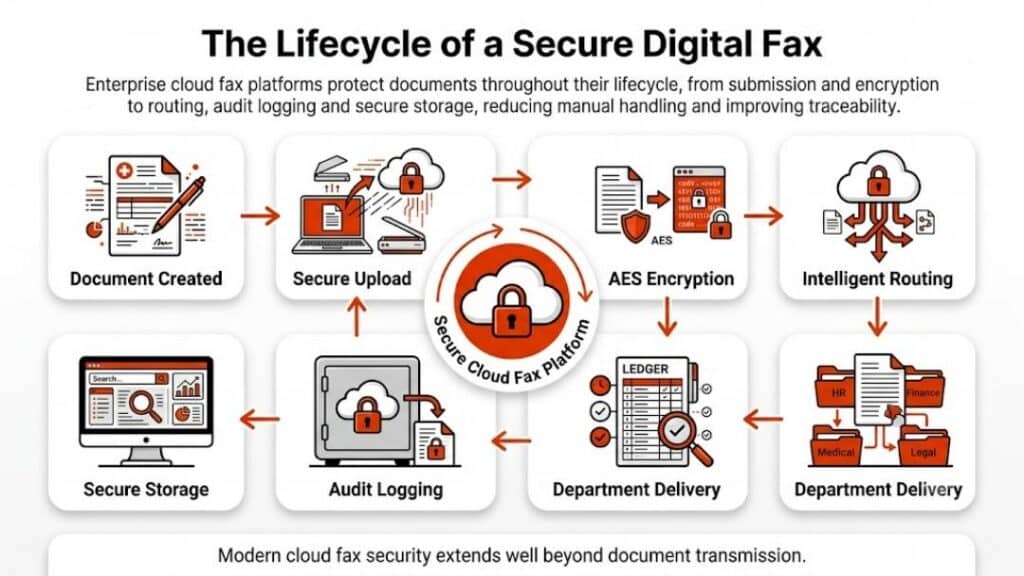
Every HIPAA fax setup needs certain basic elements. Skip any of these and you’re asking for trouble.

First, secure transmission. Your fax method has to protect data while it’s traveling from point A to point B. This could be encryption, secure phone lines, or internet-based systems designed for healthcare.

Second, user authentication. Everyone who can send or receive faxes needs their own login. No sharing passwords. No generic accounts. Each person gets their own access, and it should match what they actually need for their job.

Third, documentation for everything. Every fax sent, every fax received, every failed attempt. If an auditor asks what happened six months ago, you’d better have records to show them.

Fourth, error prevention. Most HIPAA violations happen because someone made a simple mistake. This is where most practices struggle with how to prevent HIPAA violations when faxing, especially when processes rely too heavily on memory instead of safeguards. Clear systems that catch errors before transmission do far more to protect patient data than policies alone. Wrong fax number, wrong recipient, forgot to remove sensitive information. You need systems to catch these errors before they happen.

Step 1: Choose Your Fax Method

Three main options here, and each one has pros and cons depending on your situation.

Upgraded Traditional Fax Machines

Yes, you can still use a regular fax machine for HIPAA compliance. But it’s going to cost more than you think. You need secure phone lines, proper storage for received documents, and someone watching the machine to make sure papers don’t sit around where anyone can see them.

Most practices find this route more trouble than it’s worth. You’re constantly worrying about who has access to the machine and whether documents are sitting in the output tray too long.

Internet Fax Services 

This is where most smart practices end up. Fax through the internet services built for healthcare handle most of the compliance stuff automatically. They encrypt everything, track who sent what, and let you send faxes from your computer or phone.

The learning curve is minimal, costs are predictable, and you don’t need a computer science degree to figure it out. For most practices, this is the obvious choice.

Dedicated Fax Servers 

Big health systems sometimes go this route. A fax server integrates with existing computer systems and can handle massive volumes. But unless you’re sending hundreds of faxes daily and have dedicated IT staff, it’s probably overkill.

Quick rule of thumb: small practice, go internet fax. Large operation with serious volume, consider a server. Anything in between, still probably internet fax.

Step 2: Set Up Security

This is where most practices screw up. They get a secure fax system and then configure it wrong. 

User Access Controls 

Every staff member gets their own login credentials. No exceptions. And these passwords need to be actual passwords, not “123456” or the practice name. Change them regularly and use two-factor authentication if possible.

Different people need different levels of access. The front desk doesn’t need to see psychiatric evaluations. Nurses don’t need access to billing documents. Set up user roles that match actual job responsibilities.

Encryption Requirements 

Everything needs to be encrypted – documents during transmission and anything stored on servers. AES-256 encryption is best, but AES-128 is acceptable. Don’t just trust vendor claims about security. Ask for specifics about their encryption standards.

Physical Security 

If you’re using any kind of physical fax machine or server, control who can access it. Received documents shouldn’t sit around where anyone can grab them. Failed transmissions need to be handled securely. Basic stuff, but it matters.
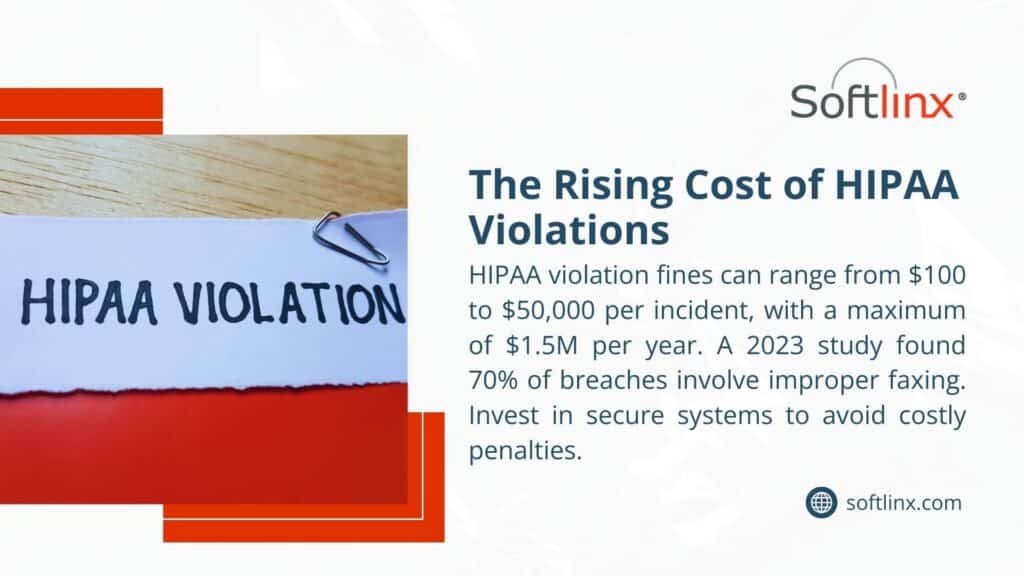
A document labeled "HIPAA VIOLATION" with a Softlinx infographic, highlighting fines from 0 to .5M and 70% of breaches from improper faxing.

Step 3: Create Your Workflow

Security systems are worthless if people don’t use them properly. The key is making compliance easy enough that staff actually follow procedures instead of finding shortcuts.

Document Preparation 

Before sending anything, verify the recipient information and remove any unnecessary patient identifiers. Create a simple checklist: right person, right fax number, appropriate information only.

This takes about thirty seconds per document but prevents hours of cleanup when something goes wrong. Most practices find that simple checklists eliminate 90% of transmission errors.

Double-Check Everything 

Wrong fax numbers are responsible for most HIPAA violations involving fax. Someone transposes two digits and suddenly, patient records are sitting on a stranger’s desk. Always verify fax numbers against your contact database before sending.

Some practices require two people to verify sensitive documents. One person prepares, another checks and sends. It’s slightly slower but virtually eliminates misdirected faxes.

Monitor Transmissions 

Your system should tell you immediately whether a fax went through successfully. If something fails, you need to know right away. Don’t let failed faxes sit in a queue for hours without anyone noticing.

Step 4: Keep Records

Documentation saves practices from HIPAA violations more than any other single factor. When auditors show up, your records prove you’re actually following the rules.

Transmission Logs 

Every fax generates a permanent record with date, time, sender, recipient, page count, and transmission status. Most modern systems create these automatically, but make sure you’re actually keeping them somewhere secure.

Store these logs according to your state’s record retention requirements. And back them up. A hard drive crash shouldn’t wipe out years of compliance documentation.

Error Tracking 

When things go wrong – and they will – document what happened and how you fixed it. Failed transmissions, wrong numbers, system problems, all of it needs to be recorded.

Good error documentation often prevents violations from becoming penalties. Auditors want to see that you’re actively managing compliance, not just ignoring problems.

Regular Reviews 

Look at your transmission logs monthly. Check for patterns, unusual activity, or potential security issues. Catching problems early beats dealing with violations later.

Quarterly reviews should examine overall system performance and staff compliance. Annual assessments help determine if your current system still meets your practice’s needs.

Step 5: Train Your Staff

The best fax system in the world won’t help if people don’t know how to use it properly. Most HIPAA violations happen because of human error, not technical failures.

Initial Training 

Everyone who touches the fax system needs comprehensive training on both how to use it and why the security measures matter. People follow procedures better when they understand the reasoning behind them.

Include hands-on practice and real-world scenarios. Don’t just lecture about compliance – show staff how to handle common situations they’ll actually encounter.

Ongoing Education 

HIPAA rules change, technology evolves, and new staff members join the practice. Schedule regular refresher training and update procedures when needed.

Test understanding, don’t just track attendance. Staff should be able to demonstrate proper procedures, not just sit through presentations.

Incident Response 

When someone accidentally sends patient information to the wrong number, what happens next? Your team needs clear, step-by-step procedures for handling these emergencies.

A fast response can often prevent a simple mistake from becoming a major violation. But people need to know what to do and feel comfortable reporting problems without fear of punishment.
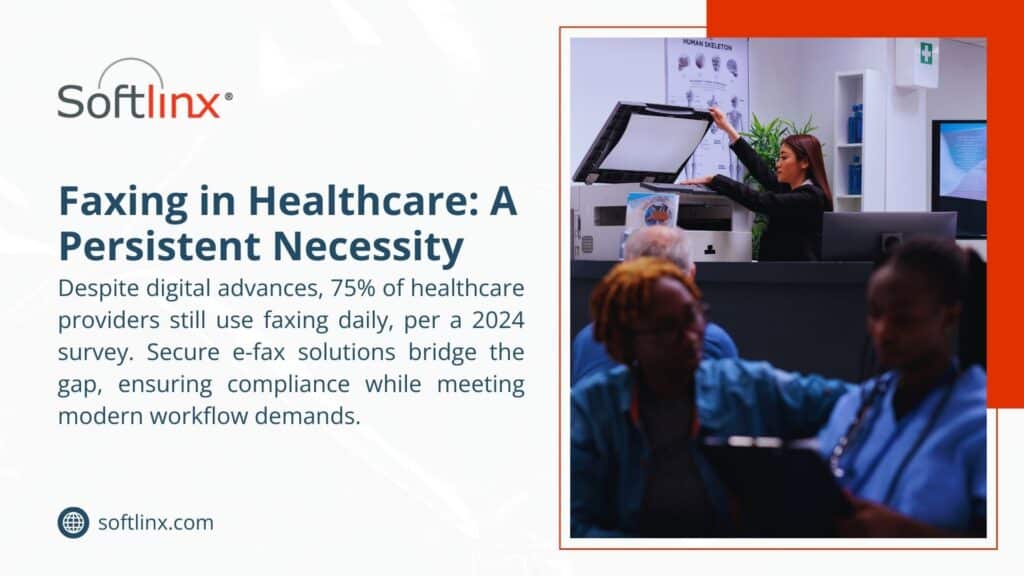
Image highlighting faxing in healthcare as a persistent necessity, showing a person operating a fax machine, with text noting 75% of providers use faxing daily per a 2024 survey, and secure e-fax solutions aid compliance and workflow.

Common Problems and Solutions

Even perfect setups run into issues. Here are the problems most practices face and what actually works to fix them.

Volume Bottlenecks 

High-volume practices often find that their fax systems can’t keep up during busy periods. The solution isn’t always more bandwidth – smart queuing systems can prioritize urgent documents while handling routine stuff during slower times.

Load balancing across multiple transmission channels helps, too. Instead of one overloaded system, spread the work across several connections.

Integration Issues 

Your practice management software, electronic health records, and fax system need to work together smoothly. Otherwise, staff will find workarounds that compromise security.

Look for fax solutions with pre-built integrations for popular healthcare software. The upfront cost of proper integration pays for itself through reduced errors and improved efficiency.

Mobile Access 

Doctors need to send faxes from outside the office, but mobile access creates new security challenges. The solution is secure mobile apps that maintain the same compliance standards as office-based systems.

Email forwarding and screenshot workarounds defeat the purpose of having secure fax systems. Invest in proper mobile solutions or restrict fax access to office computers only.

Advanced Strategies

Once basic compliance is handled, there are ways to make HIPAA fax systems work even better for your practice.

Automated Workflows 

Modern systems can integrate with practice management software to automatically route routine documents. Insurance authorizations, referral forms, and lab results can be sent without manual intervention.

Automation reduces errors and frees up staff time for patient care. But make sure automated systems maintain proper audit trails and approval processes for sensitive information.

Smart Document Handling 

Some advanced systems automatically identify document types and apply appropriate security measures. Lab results might get extra encryption, while appointment reminders follow standard procedures.

This reduces the chance of human error in applying security protocols while ensuring consistent handling of different document types.

Predictive Analytics 

Large practices can use data analytics to optimize transmission times, predict system capacity needs, and identify unusual patterns that might indicate security problems.

Analytics help balance compliance requirements with operational efficiency while providing insights for continuous improvement.

Measuring Success

How do you know if your HIPAA fax system is actually working? Success metrics go beyond just avoiding violations.

Track transmission success rates (should be above 98%), average completion times, user adoption levels, and security incident frequency. These numbers tell you whether your system is reliable and whether staff are using it properly.

Monthly reviews should focus on operational performance and user feedback. Quarterly assessments should examine compliance documentation and security effectiveness. Annual reviews determine if your current system still meets evolving practice needs.

Different Approaches for Different Practice Sizes

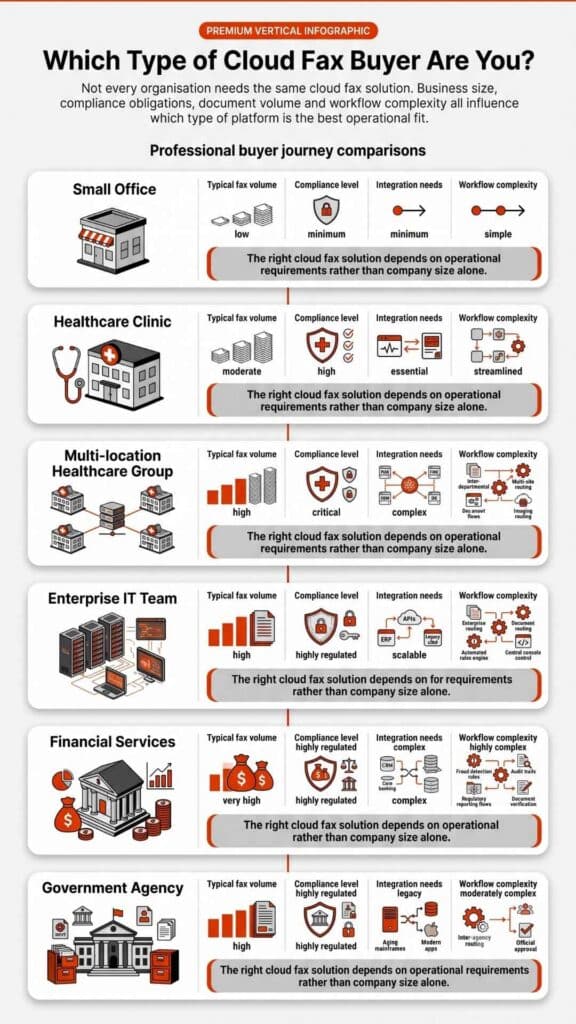
What works for a solo practitioner won’t necessarily work for a large health system. Here’s what typically makes sense for different practice sizes.

Small Practices (1-5 providers)

Internet-based fax services usually offer the best combination of features, compliance, and cost. Look for services that include customer support and don’t require extensive technical knowledge to maintain.

Cloud-based solutions eliminate most maintenance headaches while providing enterprise-level security features at small practice prices.

Medium Practices (5-25 providers) 

You’ll need better user management, integration capabilities, and volume handling. Look for solutions that can grow with your practice and offer advanced reporting for compliance monitoring.

Integration with existing practice management and EMR systems becomes more important as volume increases and workflows become more complex.

Large Organizations (25+ providers) 

Enterprise solutions with on-premises options might be necessary. These systems should integrate seamlessly with existing IT infrastructure and provide extensive customization options.

Large organizations typically need dedicated IT resources to properly implement and maintain enterprise fax systems, but the operational efficiencies justify the investment.
A doctor and patient holding hands with a Softlinx infographic, noting 85% prioritize data security and secure HIPAA-compliant faxing builds trust.

The Cost of Getting This Wrong

Every day a practice operates without proper HIPAA fax procedures, they’re gambling with their future. HIPAA violations can cost anywhere from thousands to millions of dollars, depending on the severity and whether the practice has previous violations.

But the financial penalties are just the beginning. Practices face reputation damage, patient trust issues, and potential legal action from affected patients. Some violations result in criminal charges for practice owners and staff members.

The irony is that proper HIPAA fax compliance often makes practices run better, not worse. Secure systems reduce errors, improve communication with other providers, and create operational efficiencies that benefit both staff and patients.

Implementing proper fax procedures actually saves money through reduced errors, improved efficiency, and avoided violations. The upfront investment pays for itself quickly through operational improvements alone.

Don’t wait for an audit to discover compliance gaps in your fax procedures. Every transmission without proper safeguards is a potential violation waiting to happen. The time to act is now, before problems become penalties.

If you’re ready to stop worrying about HIPAA fax compliance and start using secure document transmission as a competitive advantage, then Softlinx is for you. The right system protects patients while making your practice more efficient and profitable.

We’ll show you how proper HIPAA fax implementation can transform your practice’s document handling from a compliance headache into an operational advantage.

For More:

  1. Cloud Fax for Improved Coordination Between Home Healthcare and Hospitals
  2. Cloud Fax for Better Coordination in Integrated Delivery Networks (IDNs)
  3. Why Every Business Still Needs a Decent Fax Server

Security & Compliance

HIPAA-Compliant Since 1999 25+ years of secure, encrypted fax transmission for healthcare organizations.

HIPAA
PCI-DSS
Encrypted
Audit Trail
25+ Years Experience
100% HIPAA Compliant
Learn About Our Compliance

Industries We Serve

Healthcare Cloud Fax Solutions

Healthcare & Medical

Financial Services

Insurance Companies

Government Agencies

Manufacturing

Higher Education

Trusted by Fortune 1000 companies including State Street, IBM, HSBC, and United Nations.

Explore Industry Solutions

Why Choose Softlinx

No Hardware Required Eliminate costly fax servers and infrastructure. Cloud-based solution accessible anywhere, anytime.

Seamless Integration Easy API integration with your EHR, EMR, or business applications. Epic-certified integration available.

Enterprise Reliability 99.9% uptime SLA. No busy signals. Disaster recovery in real-time with automatic failover.

Superior Support U.S.-based technical support team. Dedicated account management for enterprise clients.

Cost Savings Reduce IT overhead by up to 60%. Pay only for what you use with flexible, scalable pricing.

Ready to Go Cloud?

Join healthcare leaders, financial institutions, and Fortune 1000 companies who trust Softlinx for secure, compliant faxing.

(978) 881-0560

Headquarters: 19321 US Highway 19 N, Suite 607
Clearwater, FL 33764 | help@softlinx.com

Trusted By Industry Leaders

"For over 25 years, Fortune 1000 companies and healthcare organizations have relied on Softlinx for mission-critical document transmission."

State Street
IBM
HSBC
Ericsson
Fannie Mae
United Nations
500+ Clients Worldwide
4.8★ Capterra Rating

Latest Articles By Softlinx

A team reviews document workflow systems at shared office workstations, illustrating what businesses need to know about cloud fax reliability before switching.

Cloud Fax Reliability: What Businesses Need to Know Before Switching

Cloud fax reliability has quietly become one of those things businesses can’t afford to overlook. Whether it’s a hospital sending patient data or a financial firm handling sensitive records, the margin for failure is slim. This guide breaks down how cloud fax actually works, why reliability matters more than ever, and how enterprise-grade solutions are reshaping document transmission in regulated industries.

Cloud Fax Reliability: Why It Matters for Modern Businesses

Cloud fax reliability isn’t just a technical metric; it’s operational stability. When systems fail, workflows stall. When documents don’t arrive, processes break. Most organizations used to rely on a fax machine tied to a phone line. That setup worked, until it didn’t. Hardware failure, busy signals, and paper jams weren’t rare issues. They were routine interruptions.

Now, secure cloud fax reliability depends on distributed infrastructure, not a single device. That shift removes fragile points in the system and replaces them with scalable, monitored networks designed for continuity.

And that’s exactly why industries dealing with sensitive information are moving toward enterprise cloud fax reliability models that prioritize uptime, encryption, and delivery assurance.

What Is Cloud Fax and How Does It Work?

Cloud fax, sometimes called internet fax or electronic fax, replaces physical machines with a digital system that sends documents through secure servers.

Instead of dialing a number from a fax machine, users can send a fax from a computer, email inbox, or browser-based platform. A document is uploaded, converted, and transmitted across encrypted networks. On the receiving side, it arrives digitally, no printing required.

Many businesses start by exploring a cloud fax solution that allows them to send and receive documents without hardware. Others focus on workflow efficiency and look into how to fax from a computer to simplify operations.

What’s changed isn’t just convenience, it’s reliability. Digital transmission eliminates mechanical failure and replaces it with monitored, automated systems.

Cloud Fax Reliability vs Traditional Fax Machines

Before comparing the two, it helps to look at how each system actually behaves under pressure. Reliability isn’t just about sending a document; it’s about what happens when something goes wrong.

FeatureCloud FaxTraditional Fax
UptimeHigh (redundant systems)Dependent on one device
TransmissionDigitalAnalog
Failure RiskDistributedHardware-based
ScalabilityFlexibleFixed capacity
MaintenanceMinimalFrequent

Traditional fax systems rely on physical components. If one part fails, the entire process stops. On the other hand, cloud fax systems operate across multiple servers with failover mechanisms. If one route fails, another takes over automatically, often without the user even noticing. And honestly, that’s where online fax reliability really starts to show up in day-to-day operations.

Key Factors That Define Cloud Fax Reliability

Reliability doesn’t just happen on its own. It’s built into the system, piece by piece. It’s built into the system. Modern enterprise cloud fax reliability depends on redundancy, monitoring, and intelligent routing. Data centers replicate traffic, delivery attempts retry automatically, and audit trails record every transmission.

Businesses that handle high volumes often evaluate whether enterprise fax solutions offer reliable uptime before making a switch.

Encryption also plays a central role. Secure cloud fax reliability requires protocols that protect data both in transit and at rest, especially for regulated industries.

Is Cloud Fax More Secure Than Traditional Fax?

Traditional fax machines were never designed for modern security standards. Documents often sit exposed, and transmission over phone lines offers limited protection. Cloud fax systems take a different approach. Data is encrypted, access is controlled, and activity is logged.

Healthcare organizations, for example, rely on HIPAA fax solutions to ensure compliance. Many also review whether fax is HIPAA compliant before implementing new systems.

According to the U.S. Department of Health & Human Services, healthcare organizations must ensure that electronic protected health information is safeguarded. This is where secure cloud fax reliability becomes critical, not just for delivery, but for compliance and accountability.

Real-World Use Cases Where Reliability Is Critical

Cloud fax reliability becomes non-negotiable in environments where delays or errors directly impact outcomes.

In healthcare, documents move constantly: patient records, lab reports, and referrals. A missed fax isn’t just a delay; it can disrupt care. Many providers rely on hospital cloud fax solutions that integrate with clinical systems to ensure continuity.

Integration matters here. Reliable faxing is no longer isolated; it connects directly with digital workflows. That’s why organizations prioritize EHR integration to ensure documents move seamlessly between systems without manual intervention.

Insurance companies face similar pressure. Claims processing depends on timely document exchange. Financial institutions handle contracts and verification documents that must be transmitted securely and without interruption.

According to research, over 70% of healthcare organizations still rely on fax for document exchange, reinforcing the need for reliable digital fax infrastructure.

Beyond healthcare, adoption continues to rise across industries. According to CMS, fax remains one of the most widely used methods for exchanging clinical information due to its compatibility with existing systems. 

Meanwhile, security benchmarks from Statista and IBM show that data breaches in healthcare average over $10 million per incident, reinforcing the need for secure cloud fax reliability in document transmission.

IT technicians monitor a system status wall display showing 99.97% server uptime, illustrating what 99.99% fax availability actually means for enterprises.

Can Cloud Fax Handle High Volume Sending Without Failure?

This is where enterprise cloud fax reliability truly stands apart from basic online fax services. High-volume environments, think hospitals, insurance firms, or large enterprises, don’t send a handful of faxes. They process thousands daily.

Reliable cloud fax systems handle this load through intelligent routing, load balancing, and retry mechanisms. If a transmission fails, the system automatically retries using alternate paths. This ensures delivery without manual intervention.

CapabilityStandard Online FaxEnterprise Cloud Fax
Volume HandlingLimitedHigh throughput
Retry LogicBasicAdvanced automated retries
API SupportLimitedFull integration
Workflow AutomationMinimalEnd-to-end automation

Organizations often explore whether cloud fax APIs support bulk faxing before scaling operations. This level of infrastructure is what defines true enterprise cloud fax reliability, not just sending faxes, but ensuring they arrive every time. 

Businesses handling high-volume workflows typically move toward enterprise-grade platforms like Softlinx, where reliability is built into the infrastructure, not added as an afterthought.

How Cloud Fax Improves Workflow Reliability

Reliability doesn’t stop at delivery. It extends into how documents flow inside an organization. Cloud fax systems reduce human involvement in routing and handling documents. Incoming faxes can be automatically sorted, tagged, and delivered to the right department without manual steps. 

Many organizations adopt solutions to automate electronic fax workflows and eliminate delays caused by manual processing. Automation also reduces errors. Misrouted documents, lost pages, and duplicate transmissions become far less common when workflows are system-driven. 

In healthcare settings, this improves response times. In financial services, it speeds up approvals. That’s really the difference between just sending faxes and actually having a system you can rely on.

How to Ensure Cloud Fax Reliability in Daily Operations

Even the most advanced system depends on how it’s used day to day. And honestly, that’s where cloud fax reliability either holds up or quietly starts to break down.

For teams that send documents regularly, small habits make a noticeable difference. Before sending a fax from a computer or using an online fax service, it helps to verify file formats, confirm recipient numbers, and ensure encryption settings are active.

Many businesses also standardize how they send faxes from PC environments by routing documents through a centralized platform instead of individual tools. That reduces inconsistency and improves delivery success rates.

Another overlooked factor is monitoring. Reliable systems provide delivery confirmations, but teams still need to review logs, especially in high-volume environments. This is where enterprise cloud fax reliability stands apart from basic tools.

And here’s what often gets missed: reliability isn’t just about sending. It’s about how quickly issues are detected and resolved. Systems with built-in alerts and retry logic can prevent small failures from becoming operational problems.

Workers manage large volumes of paper documents and printers in a busy enterprise mail room, illustrating how enterprises process millions of fax pages monthly.

Common Misconceptions About Online Fax Reliability

Some assumptions about online fax persist, even though technology has moved on.

MisconceptionReality
Internet fax is less reliableDistributed systems improve reliability
Free fax services are sufficientLimited features and uptime
Cloud fax lacks securityEncryption and compliance standards apply
Fax machines are more stableHardware introduces more failure points

These misconceptions often come from outdated experiences with early internet fax systems. Modern platforms operate very differently. Online fax reliability today is built on enterprise-grade infrastructure, not experimental technology.

Choosing a Reliable Cloud Fax Provider

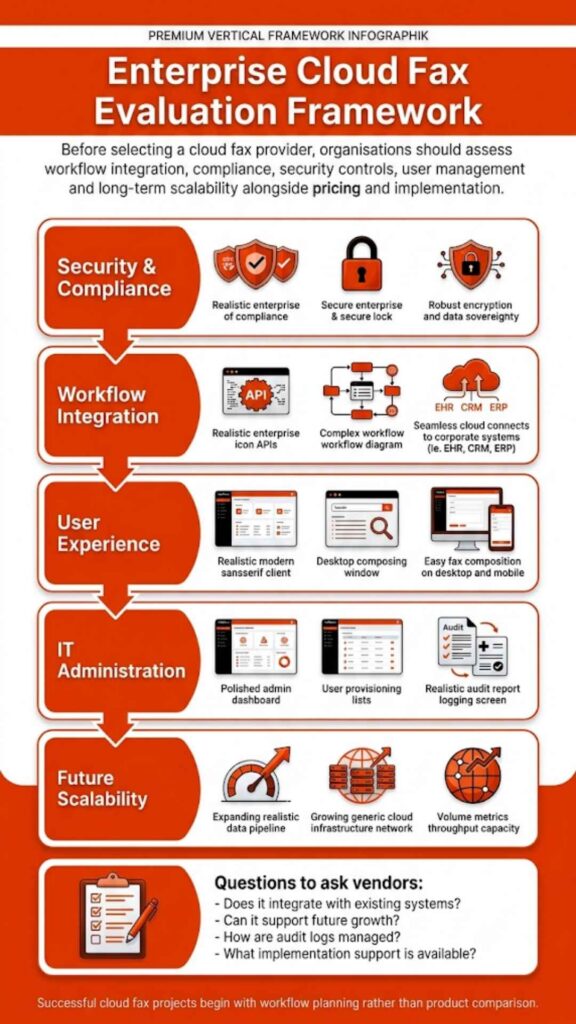
Selecting a provider requires more than comparing features.

CriteriaWhy It Matters
Uptime SLAIndicates system stability
Compliance CertificationsRequired for regulated industries
API CapabilitiesSupports integration
Support AvailabilityEnsures quick issue resolution

Organizations looking for secure cloud fax reliability often prioritize providers that specialize in regulated industries rather than general-purpose fax services.

How to Transition Without Disrupting Reliability

Switching systems always carries risk, but with the right approach, it doesn’t have to disrupt operations. A structured migration typically starts with porting existing fax numbers, followed by system integration and controlled testing. This phased approach ensures continuity during the transition.

Businesses often review how to switch from a fax machine to a cloud fax to understand the process. What makes the difference is planning. Reliable providers support staged rollouts, parallel systems, and testing environments to ensure nothing breaks during the shift.

For organizations with compliance requirements, maintaining audit trails and data integrity during migration is just as important as uptime itself.

FAQs About Cloud Fax Reliability

Can I send a fax from my computer reliably without a phone line?

Yes. Modern cloud fax systems allow you to send a fax from a computer using internet-based transmission, which is often more reliable than traditional phone lines.

How does enterprise cloud fax reliability differ from free online fax services?

Enterprise systems offer redundancy, security, and automation, while free tools typically lack uptime guarantees and compliance features.

What makes secure cloud fax reliability important for compliance?

It ensures encrypted transmission, audit tracking, and controlled access, all of which are required in regulated industries like healthcare and finance.

How reliable is cloud fax compared to traditional fax?

Cloud fax is generally more reliable due to redundancy and automated failover systems.

What affects cloud fax reliability the most?

Infrastructure, uptime guarantees, encryption, and workflow automation all play a role.

Is secure cloud fax reliability suitable for healthcare?

Yes, especially when the provider meets HIPAA compliance requirements.

Does online fax reliability depend on internet speed?

Partially, but enterprise systems compensate with retry logic and routing.

How do I receive faxes online without interruptions?

Reliable providers use redundant systems to ensure consistent delivery.

Staff process documents at workstations in a regulated office environment, illustrating compliance in action through secure document handling in regulated industries.

Why Reliable Cloud Fax Is Now a Business Requirement

Cloud fax reliability has shifted from a technical feature to a business necessity. Organizations don’t just need to send documents anymore, they need systems that perform consistently under pressure, across departments, and at scale.

When reliability fails, it’s rarely a small issue. Delayed patient records, stalled insurance claims, missed approvals, these aren’t edge cases. They’re real operational risks that impact outcomes, compliance, and trust.

That’s why businesses are moving away from generic fax services and toward enterprise-grade infrastructure designed for regulated environments. Reliability today depends on more than uptime, it depends on integration, automation, and the ability to handle high-volume workflows without disruption.

Businesses that rely on consistent document delivery don’t leave reliability to chance. They move to infrastructure designed for regulated, high-volume environments. Softlinx delivers that level of reliability, built specifically for organizations where uptime, compliance, and workflow continuity are critical.

If your current fax system still depends on manual processes or outdated infrastructure, now is the time to evaluate a platform designed for modern business demands. Softlinx provides secure cloud fax reliability that supports healthcare, finance, and enterprise operations without compromise.

A presenter points to a cloud fax implementation roadmap on a boardroom screen, showing how long cloud fax implementation really takes in 2026.

Cloud Fax Implementation Timeline: How Long It Really Takes in 2026

The cloud fax implementation timeline isn’t fixed. Some organizations switch in a few days, while others take several weeks due to integrations, compliance checks, and workflow complexity. What changes the timeline isn’t just the technology; it’s how deeply faxing is embedded in your operations.

Cloud Fax Implementation Timeline

The cloud fax implementation timeline reflects the shift from legacy fax systems to a secure, cloud-based fax solution. On paper, it sounds straightforward. In practice, it depends on how your current fax environment behaves, how many fax numbers you use, how documents move across departments, and whether those workflows are automated or manual.

A small team with basic faxing needs may go live almost immediately. A hospital system with EHR integration, compliance validation, and high fax volumes won’t move that quickly, and shouldn’t, especially in environments like healthcare where secure document exchange is critical.

What Is Cloud Fax and Why Timeline Matters?

Cloud fax allows organizations to send and receive faxes over the internet, removing the need for physical fax machines or on-premise servers. This also includes capabilities such as email-to-fax, which lets users send documents directly from their inbox without dedicated fax software. A modern cloud fax solution doesn’t just replicate fax; it reshapes how documents flow across systems.

But here’s where things get complicated. Many organizations still rely on legacy routing, manual handling, and disconnected systems. Replacing that with a structured platform, like Softlinx’s ReplixFax enterprise cloud fax system, means rebuilding workflows, not just installing software.

And that’s why the cloud fax implementation timeline matters. It determines whether the transition feels smooth or disruptive.

Despite widespread digital transformation, fax remains deeply embedded in regulated industries. According to a report, over 70% of healthcare communication still relies on fax-based workflows, largely due to compliance requirements and interoperability gaps. 

At the same time, studies from KLAS Research show that organizations transitioning to cloud fax report measurable reductions in manual document handling errors and improved delivery reliability. This explains why the cloud fax implementation timeline isn’t just a technical upgrade; it’s an operational shift that directly affects risk, compliance, and efficiency.

Typical Cloud Fax Implementation Timeline Breakdown

Before looking at exact durations, it helps to see how the process unfolds in real-world deployments. Each phase builds on the previous one, and skipping steps often leads to delays later.

PhaseDurationComplexityWhat Actually Happens
Assessment1–3 daysLow–MediumAudit workflows, fax volumes, dependencies
Design2–5 daysMediumConfigure a secure cloud fax environment
Porting3–10 daysMedium–HighTransfer fax numbers, including the ability to keep your existing fax number during migration
Integration3–14 daysHighConnect APIs, EHR, internal systems
Testing2–5 daysMediumValidate routing and delivery
Deployment1–3 daysLowRollout and onboarding

What this timeline shows is that most delays don’t come from the technology itself; they come from integration depth and operational complexity, especially in environments where faxing is tied to critical workflows.

Key Factors That Affect Cloud Fax Implementation Timeline

Before diving into migration, it helps to understand what slows things down. Not every delay is technical; many are operational.

FactorImpact on TimelineWhat It Means in Practice
Fax VolumeMedium–HighHigh-volume environments need load testing
Legacy SystemsHighOlder systems require mapping and cleanup
Compliance RequirementsHighHIPAA, audits, and validation add steps
Integration NeedsHighAPIs and EHR connections extend timelines
Number PortingMediumExternal carriers control speed
Internal Approval CyclesMediumLegal and IT reviews slow deployment

What stands out here is that the timeline isn’t driven by the cloud fax provider alone; your internal complexity shapes it. Organizations that prepare early often move faster without cutting corners.

A stressed office worker reacts to a system downtime error on screen, illustrating the hidden downtime risk during a fax migration in critical industries.

Cloud Fax Migration Steps

First, teams map how documents currently move through the business. That includes identifying where delays occur, where manual steps are involved, and where errors occur. Next, workflows are rebuilt inside the cloud faxing solution. With platforms like ReplixFax, this often includes automation rules, barcode routing, and API-driven document handling.

Then comes integration. Healthcare organizations, for example, connect directly with EHR systems through secure APIs. For application development, Softlinx supports workflows aligned with how to set up cloud fax API functionality, enabling systems to exchange documents securely and efficiently without disrupting existing processes.

In healthcare environments, integration often extends beyond basic EHR connectivity. Platforms like ReplixFax support direct integration with systems such as Epic, allowing inbound and outbound documents to flow automatically into patient records without manual intervention. This level of integration reduces delays, minimizes human error, and ensures that time-sensitive data, such as lab results or referrals, reaches the correct destination instantly.

Advanced workflow automation also plays a critical role here. Instead of routing faxes manually, enterprise cloud fax systems use barcode recognition, intelligent routing rules, and metadata extraction to direct documents automatically. For organizations managing high fax volumes, this eliminates bottlenecks that would otherwise extend the cloud fax implementation timeline.

Finally, testing ensures that documents reach the right destination without failure. Only after that does full deployment begin.

Consider a mid-sized hospital transitioning over 500 active fax lines tied to multiple departments. During early testing, routing inconsistencies caused critical documents to be delayed because legacy workflows were not fully mapped. 

Once automated routing rules and API integrations were configured correctly, delivery times stabilized, and manual handling dropped significantly. This kind of scenario is common, and it highlights why rushing the cloud fax implementation timeline often creates more problems than it solves.

Is Cloud Fax More Secure Than Traditional Fax?

Yes, but only if implemented correctly. Traditional fax machines leave documents exposed, printed pages sit unattended, transmission logs are limited, and security depends heavily on physical control.

Cloud-based faxing changes that entirely. Modern secure cloud fax platforms use:

  • End-to-end encryption (TLS, HTTPS)
  • Role-based access control
  • Detailed audit logs
  • Secure storage environments
  • Multi-factor authentication

Softlinx goes further with its enterprise-grade approach. ReplixFax is designed to align with strict compliance frameworks, including HIPAA requirements and audit-ready controls often associated with SOC 2 environments. 

This includes detailed audit trails, secure transmission protocols, and controlled access to sensitive data, critical for organizations operating under regulatory oversight.

Organizations often evaluate whether fax is HIPAA-compliant before migrating. The reality is that compliance depends less on the technology itself and more on how it’s implemented.

Cloud Fax Reliability and Performance Expectations

Reliability isn’t just about uptime; it’s about consistency under pressure. A cloud fax server must handle spikes in fax volumes, simultaneous transmissions, and document-heavy workflows. At a technical level, enterprise cloud fax systems operate through a distributed infrastructure. 

Incoming documents are received through secure gateways, processed through routing engines, and then delivered via APIs or user interfaces. This architecture allows systems like ReplixFax to handle high-volume transmission without the bottlenecks commonly seen in legacy fax servers. Here’s where enterprise cloud fax solutions differ from basic providers.

Platforms like ReplixFax are designed for high-volume environments, meaning they can process thousands of faxes without delays, dropped transmissions, or busy signals.

Softlinx also supports automated retry mechanisms, load balancing, real-time monitoring, and 24/7 US-based support for issue resolution. That last point matters more than most realize. When fax fails in healthcare or finance, it’s not just an inconvenience; it can disrupt operations.

Common Delays in Cloud Fax Implementation

Even well-planned migrations hit roadblocks. The difference is whether those risks are expected.

Delay TypeWhy It HappensReal-World Impact
Number Porting DelaysCarrier dependenciesSlows full transition
Workflow MisalignmentPoor mapping of processesDocuments routed incorrectly
Integration IssuesAPI or system mismatchData flow disruptions
Compliance ApprovalLegal/security reviewsExtended timelines
User ResistanceChange management issuesSlower adoption

In real deployments, delays rarely come from the cloud fax provider; they come from gaps in preparation. That’s why structured planning matters more than speed.

What’s often overlooked is the cost of these delays. A misrouted fax in a healthcare setting isn’t just an inconvenience; it can delay treatment, impact patient outcomes, or trigger compliance violations. That’s why understanding the cloud fax implementation timeline isn’t just about speed; it’s about reducing operational risk.

An office worker sorts through large stacks of incoming, outgoing, and urgent fax documents at her desk, illustrating the real cost of manual fax handling.

Cloud Fax vs On-Premise Fax Timeline Comparison

The difference between cloud and on-premise isn’t just cost, it’s time.

FactorCloud FaxOn-Premise Fax
Setup TimeDays to weeksWeeks to months
InfrastructureNo hardwareRequires servers
ScalabilityImmediateLimited
MaintenanceVendor-managedInternal IT

Organizations comparing options often find that cloud deployments eliminate weeks of infrastructure setup and significantly reduce long-term operational costs.

When Cloud Fax Implementation Can Be Completed in Days

Not every deployment is complex. Fast-track scenarios usually include no legacy system dependencies, no number porting required, simple send-and-receive workflows, and minimal compliance constraints.

In these cases, businesses can go live within days using cloud fax services. However, this is where many organizations underestimate their environment. What looks simple often includes hidden routing rules or undocumented workflows that surface during implementation.

Why Enterprise Cloud Fax ≠ Basic Cloud Fax

This is one of the biggest misunderstandings in the market. Basic cloud fax providers focus on sending and receiving documents. That works for small teams. Enterprise cloud fax solutions, like Softlinx, are built differently:

  • API-driven architecture
  • workflow automation
  • EHR and system integration
  • compliance frameworks
  • high-volume performance

That difference directly affects the cloud fax implementation timeline. Simpler tools deploy faster, but they rarely scale or integrate the way enterprise systems need.

Choosing a basic cloud fax provider may shorten initial setup time, but it often introduces long-term inefficiencies, manual routing, limited scalability, and integration gaps. For organizations handling sensitive or high-volume data, these limitations tend to surface quickly, forcing rework that ultimately extends the timeline further.

What Can Go Wrong During Implementation

Organizations often face incorrect routing rules leading to lost documents, incomplete integration causing data gaps, compliance failures due to misconfiguration, and delays from underestimated complexity. Many organizations also struggle to reduce fax errors without automation. These risks don’t disappear with better technology; they disappear with better planning.

FAQs About Cloud Fax Implementation Timeline

What is the fastest way to reduce the cloud fax implementation timeline?

Minimize dependencies, skip number porting, simplify workflows, and reduce integration requirements.

Can cloud fax be implemented without disrupting operations?

Yes, phased deployment allows parallel operation with existing fax systems during transition.

Does EHR integration increase implementation time?

Yes, integration adds complexity, especially in healthcare environments, but it improves long-term efficiency.

What causes delays in cloud fax migration?

Number porting, workflow mapping errors, and internal approvals are the most common causes.

Can multiple departments share one cloud fax system?

Yes, enterprise cloud fax solutions allow centralized systems with role-based access and routing.

How do I know if my organization is ready for cloud fax?

If your current fax systems involve manual handling, delays, or compliance risks, migration is worth evaluating.

A team reviews datacenter performance dashboards in a meeting room, illustrating why the testing phase determines go-live success in system migrations.

Where This Leads Next

The cloud fax implementation timeline ultimately comes down to one decision: whether you prioritize speed alone or long-term reliability and compliance. Organizations that choose the right platform early avoid rework, reduce risk, and create workflows that scale with their operations.

If your current fax environment involves manual handling, delays, or compliance concerns, it may be time to evaluate a more structured approach. Solutions like Softlinx’s ReplixFax are built specifically for high-volume, regulated environments, where accuracy, security, and uptime aren’t optional.

The next step isn’t just switching to cloud fax. It’s choosing a system that gets it right the first time.

A businesswoman points to a digital fax delivery confirmation screen beside a traditional fax machine, comparing cloud fax speed to traditional fax delivery.

How Fast Does Cloud Fax Deliver Compared to Traditional Fax?

Fax hasn’t gone away, but the way it works has changed more than most people realize. If you’re trying to understand how fast does cloud fax deliver compared to traditional fax, the difference isn’t just technical; it directly affects how quickly businesses operate. In regulated industries like healthcare and finance, even a few minutes of delay can slow decisions, disrupt workflows, or impact compliance.

How Fast Does Cloud Fax Deliver Compared to Traditional Fax?

When you compare how fast does cloud fax deliver compared to traditional fax, the gap becomes obvious almost immediately. Traditional fax works one page at a time, over a phone line. It’s linear. It waits. It retries.

Cloud fax? It doesn’t wait around. Documents move through secure cloud infrastructure, often arriving in seconds. Not always instant, but close enough that most teams treat it that way.

Here’s the real difference:

  • Traditional fax = delay-prone, line-dependent
  • Cloud fax = scalable, near real-time delivery

And in environments where timing matters, that distinction isn’t small; it’s operational.

How Long Does It Take to Fax Something Using Traditional Fax Machines

Traditional fax machines still rely on analog transmission. Each document converts into signals, travels through a phone line, and gets reconstructed at the other end. Sounds simple. In reality, it rarely goes smoothly.

A single page might take 30–60 seconds. But that’s under perfect conditions. Add busy lines, retries, or multi-page documents, and things slow down quickly. Here’s what happens in practice:

ScenarioEstimated Time
1-page fax30–60 seconds
10-page document5–10 minutes
Busy line retry+2–5 minutes
Transmission failureManual resend required after 3 failed attempts

Here’s the problem: Fax doesn’t just take time; it wastes time unpredictably.

How Long Does It Take to Fax Using Cloud Fax (Online Fax)

Cloud fax removes the bottlenecks that traditional systems can’t avoid. There’s no dialing. No waiting for a tone. No wondering if the line will connect.

Documents move digitally. Instantly queued, processed, and transmitted. In most cases, it’s almost immediate. Sometimes just seconds.

ScenarioEstimated Time
1-page faxSeconds (under 30-60 seconds)
Multi-page faxUnder 1-2 minutes
Bulk sendingParallel delivery

That’s why organizations asking how long does it take for a fax to go through often rethink their entire approach once they test cloud fax.

Side-by-Side Comparison: Cloud Fax vs Traditional Fax Speed

FactorTraditional FaxCloud Fax
TransmissionPhone linesSecure internet (uses HTTPS/TLS encryption to send faxes via email or web portals.)
Speed per page30–60 secNear instant
ScalabilityLimitedHigh
Retry processManualAutomated
ReliabilityInconsistentHigh uptime
Workflow integrationNoneFull integration (integrate with EHR, CRM, and email systems seamlessly.

And in enterprise environments, uptime matters just as much as speed. Cloud fax platforms are designed for high availability, ensuring documents move consistently, even during peak demand.

Why Traditional Fax Slows Down (Real Bottlenecks)

Here’s what actually happens in real life. It sounds manageable on paper. In practice? Not really. A document needs to go out. Someone walks to the machine. Feeds pages. Waits. Hears a busy signal. Tries again. Meanwhile, another fax waits behind it. This is where traditional fax breaks down.

  • A single dedicated phone line limits throughput
  • Hardware failures interrupt sending
  • Line noise forces retransmissions
  • Manual handling creates delays at every step

In compliance-driven environments, this isn’t just inefficient; it’s risky. Delays in sending financial documents or patient information can create operational gaps that ripple across teams.

Two healthcare workers manage stacks of paper documents and a fax machine at a busy medical office, showing the hidden cost of manual fax handling.

Why Cloud Fax Is Faster in Real-World Workflows

Speed isn’t just about transmission; it’s about everything around it. Cloud fax removes friction across the entire process:

  • Documents route automatically
  • Multiple transmissions happen at once
  • Systems integrate with business applications
  • Delivery confirmations happen instantly

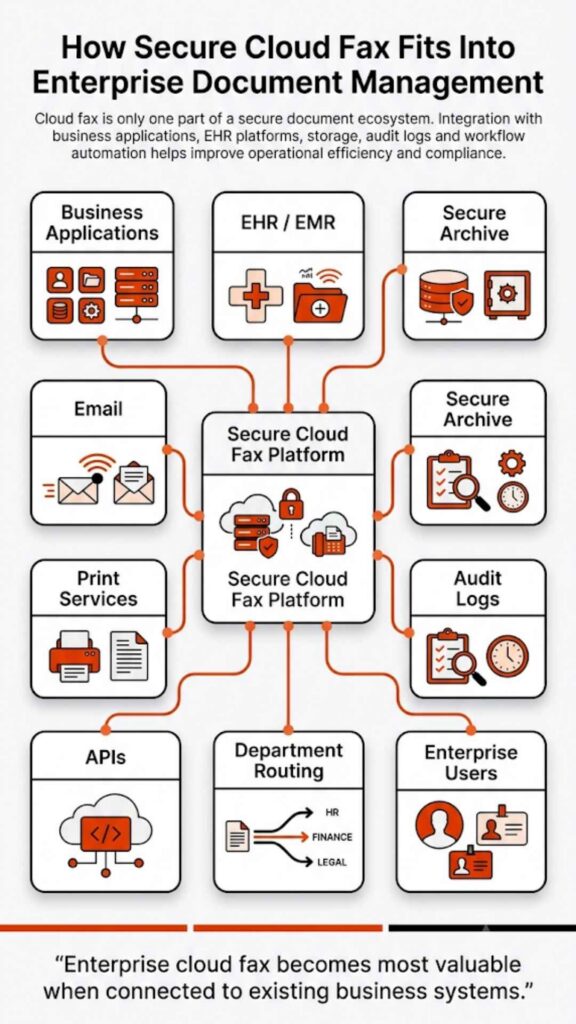
In secure cloud fax workflows, files don’t sit idle. They move. And when integrated with platforms like EHR systems, documents don’t just arrive faster, they land exactly where they’re needed.

That’s where enterprise fax infrastructure makes a difference. It’s not about sending one fax faster. It’s about handling thousands without slowing down.

Modern enterprise fax systems also extend beyond speed. They offer API-driven integrations that connect directly with business applications, along with audit trails, delivery confirmations, and uptime reliability that traditional fax systems simply can’t match. In compliance-driven environments, that level of visibility isn’t optional; it’s expected.

Is Fax Instant? The Truth About Fax Speed

People often ask, is fax instant? Not really. Not in the way most people expect. Traditional fax? Definitely not. Cloud fax gets close, but even then, there’s still processing happening behind the scenes. Here’s the distinction:

  • Traditional fax → sequential, delay-heavy
  • Cloud fax → near real-time, minimal latency

So while faxing isn’t technically instant, modern cloud fax behaves that way in most real-world use cases.

How Long Does It Take to Fax Medical Records?

This is where things get serious. Healthcare still depends heavily on fax. According to a study, more than 70% of healthcare providers continue to use fax for exchanging medical data.

In fact, industry estimates suggest healthcare organizations still transmit over 9+ billion fax pages each year in the U.S. alone, highlighting just how critical fax speed and reliability remain in real-world clinical workflows.

That’s a lot of sensitive information moving every day. Now imagine delays in that process. A traditional fax can take several minutes to send medical records. Add retries or failed transmissions, and delays grow. In urgent care situations, that lag matters.

Cloud fax changes the equation:

  • Records transmit quickly
  • Delivery is traceable
  • Systems log every transaction

And in HIPAA-compliant environments, speed must work alongside security. That’s why organizations adopt HIPAA-compliant fax systems designed for compliance-driven environments, where timing and security carry equal weight.

Factors That Affect Fax Speed

Even with modern systems, a few variables still influence how fast a fax moves.

FactorImpact
File sizeLarger files take longer
Image qualityHigher resolution slows processing
Network stabilityAffects cloud transmission
Line qualityAffects traditional fax

That said, cloud fax reduces the impact of most of these variables compared to traditional systems.

eFax vs Fax: Which One Is Faster for Businesses

For businesses, the question isn’t just speed, it’s consistency.

CriteriaTraditional FaxeFax / Cloud Fax
SpeedModerateHigh
ReliabilityVariableConsistent
Workflow efficiencyManualAutomated
Multi-user accessLimitedShared access
Compliance readinessLowHigh

Here’s what that means in practice. A traditional fax might work for occasional use. But as volume increases, delays compound. At scale, it just keeps going. No slowdowns. That’s why organizations asking how fast do faxes go through at scale tend to shift toward digital systems.

A healthcare worker logs into a secure EHR document transfer system, illustrating why HIPAA compliance depends on secure document transmission.

How Fast Do Faxes Go Through in High-Volume Environments

This is where the gap widens dramatically. In high-volume settings, such as insurance claims, healthcare records, and financial documentation, traditional fax struggles to keep up. One line. One document at a time.

Cloud fax doesn’t hit that wall. It just keeps going. It sends multiple documents simultaneously. Hundreds, even thousands, depending on infrastructure. And that’s the key difference:

  • Traditional fax slows down as volume increases
  • Cloud fax maintains speed regardless of load

For organizations managing large document flows, this isn’t optional; it’s necessary.

When Traditional Fax Might Still Be Used

Traditional fax hasn’t disappeared entirely. Some organizations still rely on it for legacy systems, backup communication, and low-volume usage. But here’s the reality.

As compliance requirements tighten and workflows scale, traditional fax becomes harder to justify. It lacks automation. It lacks visibility. And most importantly, it lacks speed where it matters.

FAQs About Cloud Fax Vs Traditional Fax Speed

Is cloud fax instant or just faster than regular fax?

It’s not technically instant, but it operates close to real time in most use cases.

How long does it take to fax medical records securely?

Traditional fax may take several minutes. Cloud fax can deliver securely within seconds to a minute.

Does fax speed depend on the internet or phone line quality?

Yes. Traditional fax depends on phone lines, while cloud fax depends on internet stability.

How fast do faxes go through in bulk sending situations?

Traditional fax slows down. Cloud fax maintains speed through parallel processing.

Is eFax faster than traditional fax machines?

Yes. eFax (cloud fax) is significantly faster due to digital transmission and automation.

Why does traditional fax take longer to send documents?

Because it relies on analog signals, sequential transmission, and manual retries.

A developer works across dual monitors displaying code and system dashboards, illustrating how fax API integration powers modern enterprise workflows.

What This Means for Your Business

So, how fast does cloud fax deliver compared to traditional fax? It delivers faster. More consistently. And without the delays that slow teams down. But here’s the bigger point.

This isn’t just about speed, it’s about control. Organizations operating in regulated industries need reliable transmission, audit-ready tracking, and secure document handling. That’s where enterprise-grade cloud fax solutions come into play.

If your current fax setup still relies on outdated infrastructure, it’s already costing you time. Small delays add up. Missed transmissions add more. And this is where the shift becomes necessary, not optional.

Explore how Softlinx delivers secure cloud fax workflows designed for compliance-driven environments, with the reliability, integration, and scalability required for high-volume operations. If speed, security, and control matter to your organization, it’s time to move to a system built for how modern businesses actually work.

Skip to content