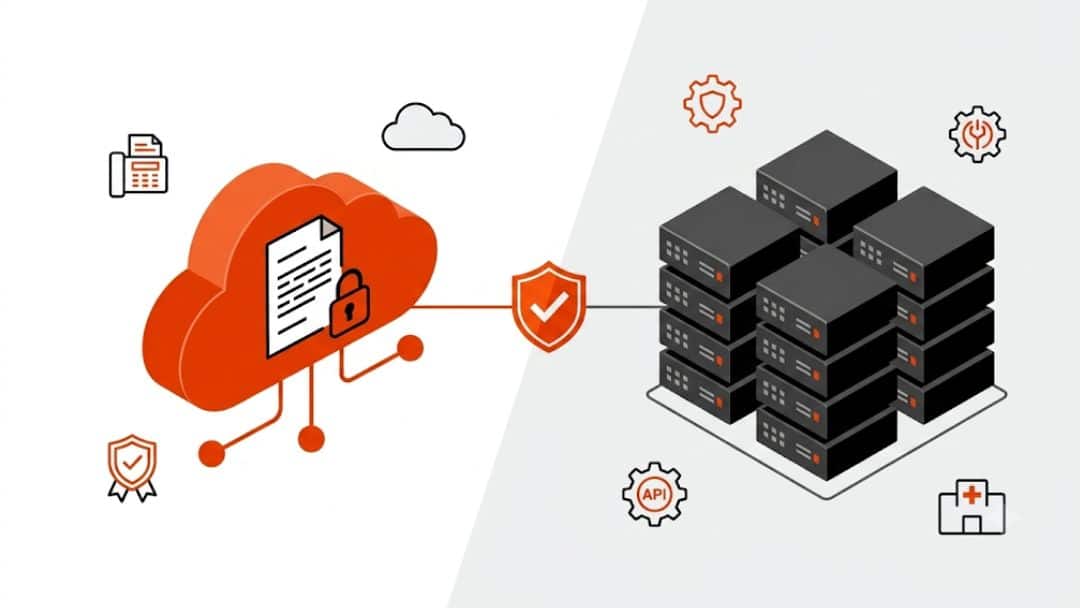
Organizations that still rely on fax, especially in healthcare, finance, and government, often face a fundamental infrastructure decision: maintain an on-premise fax server or adopt a cloud-based fax platform. Understanding on-premise vs cloud fax systems is no longer just an IT concern. It directly affects compliance, operational efficiency, document workflows, and long-term infrastructure costs. This guide examines both technologies, explains how they work, and evaluates the practical implications for enterprises and healthcare organizations.
Why Fax Infrastructure Decisions Matter in 2026
Fax remains surprisingly resilient in regulated industries. Healthcare organizations in the United States still exchange billions of faxed documents annually because fax supports secure document transmission and standardized workflows. According to the research, nearly 70% of healthcare providers still rely on fax during patient information exchange.
Because of that reality, IT teams continue to evaluate on-premise vs cloud fax infrastructure. The decision affects network architecture, compliance obligations, integration capabilities, and system reliability. Some organizations still maintain premise servers connected to phone lines and telephony hardware. Others rely on cloud fax service platforms that deliver fax through the internet.
Understanding the differences between on-premises and cloud fax systems helps organizations choose the model that fits operational requirements, compliance policies, and future scalability.
On-Premise vs Cloud Fax
The phrase on-premise vs cloud fax describes two fundamentally different ways organizations send and receive fax documents.
In an on-premise model, fax infrastructure resides inside the organization’s network. A premise fax server manages fax routing, telephony hardware, and communication with external fax numbers.
Cloud fax uses a cloud-based platform hosted in external infrastructure. Instead of local hardware and phone lines, fax transmission occurs through encrypted internet connections managed by the provider, enabling solutions such as Healthcare Cloud Fax Solutions for organizations that require secure and reliable document exchange.
The difference affects nearly every operational factor: infrastructure complexity, IT workload, scalability, compliance management, and long-term system reliability.
What Is an On-Premise Fax Server?
An on-premise fax system places the entire fax infrastructure within a company’s local network. IT teams maintain hardware, install software, and manage telecommunications connectivity.
Organizations often deploy a dedicated fax server within their network environment. The system connects to the telephony infrastructure and routes inbound and outbound faxes.
To understand the mechanics behind traditional infrastructure, it helps to review how a typical fax server architecture works through an enterprise fax platform. In a typical deployment, the server connects to analog lines or VoIP gateways and handles document conversion before transmitting the fax through telecommunication networks.
Core Infrastructure Requirements
On-premise environments rely on several components working together.
| Component | Purpose |
| Premise servers | Host fax management software |
| Telephony boards | Interface with phone lines |
| Phone lines or SIP trunks | Enable fax transmission |
| Storage infrastructure | Archive inbound and outbound faxes |
| IT administration | Maintain updates and reliability |
Each component must remain operational for the system to function. Maintenance, updates, and troubleshooting become part of the organization’s ongoing IT workload.
Typical Deployment Environments
On-premise systems historically appeared in organizations with strict internal infrastructure policies. Large enterprises or hospitals often prefer full control over document routing and local storage.
However, maintaining premise servers can introduce operational complexity over the long term, particularly as telecommunication technologies evolve away from analog networks.
What Is a Cloud-Based Fax Service?
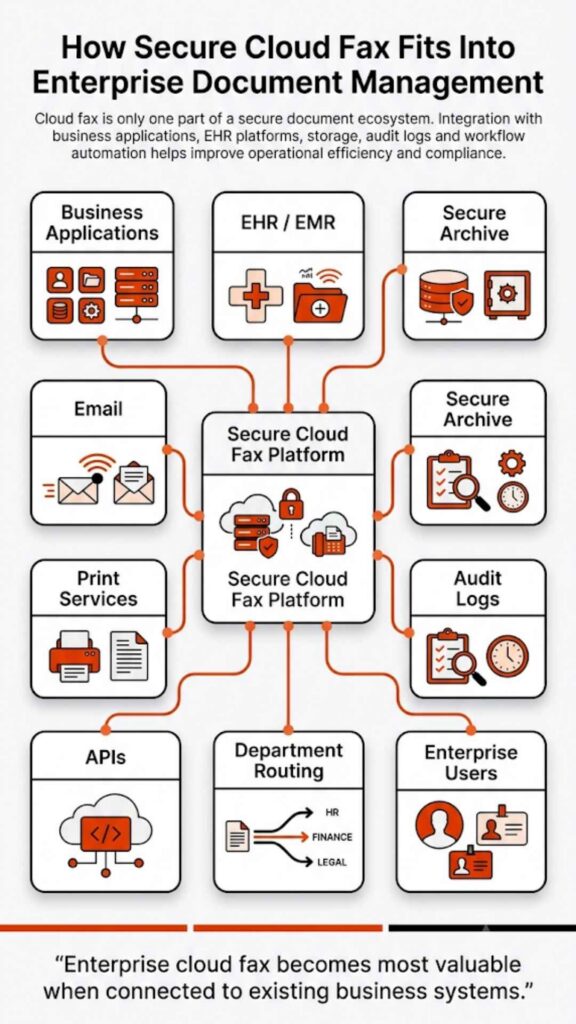
A cloud fax service replaces local infrastructure with hosted systems that transmit fax documents through secure internet connections. Instead of maintaining premise servers, organizations connect to a provider’s cloud platform using web portals, email gateways, or application integrations.
Many organizations now send documents through a dedicated cloud fax platform. This approach removes the need for telephony hardware and reduces reliance on traditional phone lines.
How Cloud Fax Works
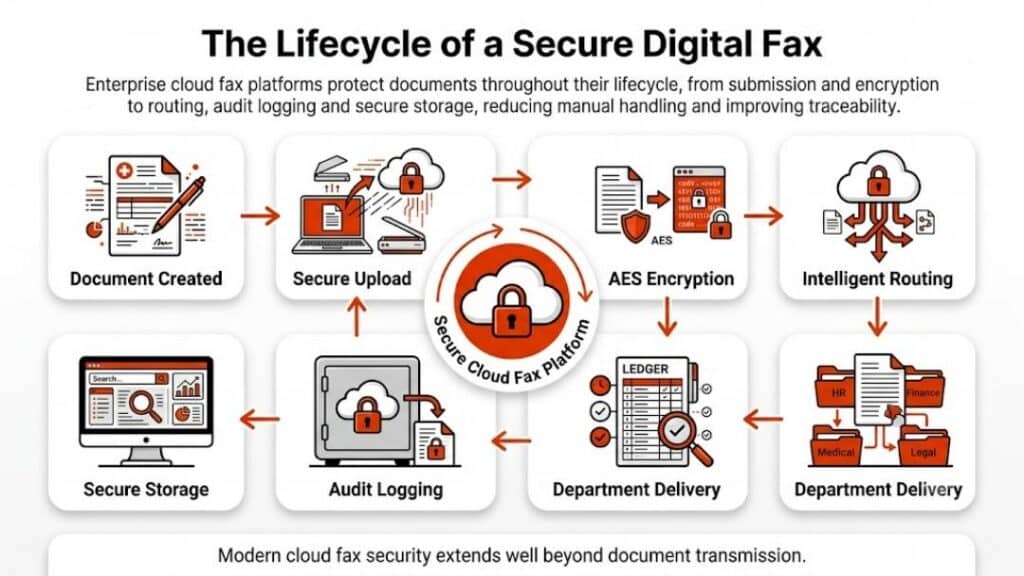
Cloud fax platforms convert digital documents into fax transmissions within secure data centers. The process typically involves document encryption, routing through redundant infrastructure, and delivery confirmation once the recipient system accepts the transmission.
Many organizations also rely on fax through the internet, which uses secure IP networks rather than analog telephony lines.
Architecture of Cloud Fax Platforms
| Layer | Function |
| Web portal interface | Allows users to send and manage faxes |
| Cloud processing engine | Converts documents and handles routing |
| Secure network transmission | Encrypts documents during delivery |
| Storage and logging systems | Maintain audit trails and archives |
This architecture allows organizations to send fax documents without maintaining hardware or managing telecom connectivity.
Cloud Fax vs On-Premise Fax Servers: Core Differences
Understanding on-premise vs cloud fax becomes easier when the two systems are compared directly.
| Category | On-Premise Fax | Cloud Fax |
| Infrastructure | Premise servers and telephony hardware (PSTN/PRI lines). | Hosted a cloud-based platform |
| Connectivity | Phone lines or SIP trunks | Internet-based delivery (example, email or HTTPS) |
| IT maintenance | The internal IT team is responsible | Managed by the provider |
| Scalability | Limited by hardware capacity | Easily expanded |
| Remote access | Often restricted to the internal network | Accessible from secure portals |
These differences explain why many organizations now reassess on-premise vs cloud fax infrastructure when modernizing communication workflows.
Infrastructure and IT Management Comparison
Maintaining traditional fax infrastructure requires continuous oversight. IT teams must manage hardware, telephony services, and software updates while ensuring that systems remain compatible with modern networks.
The operational differences between on-premises and cloud fax environments become clearer when examining infrastructure responsibilities.
| Infrastructure Element | On-Premise Fax System | Cloud Fax System |
| Hardware management | Internal servers and telephony boards are required | Hosted infrastructure maintained by the provider |
| Phone line management | Requires analog or SIP telephony lines | No phone lines required |
| Software maintenance | IT staff responsible for updates and patches | Updates handled by the provider |
| System monitoring | Internal monitoring required | Managed monitoring and uptime tracking |
| Capacity scaling | Additional hardware required | Scales automatically through cloud infrastructure |
Cloud fax removes many operational responsibilities. Infrastructure upgrades, system monitoring, and capacity management occur within the provider’s platform rather than the organization’s network. These differences explain why organizations evaluating on-premise vs cloud fax often consider the operational burden of maintaining premise servers.
Security, Compliance, and HIPAA Considerations
Security plays a central role when organizations compare on-premise vs cloud fax infrastructure. Sensitive documents, including patient records, financial data, and legal documents, must remain protected during transmission.
Healthcare providers in particular must comply with HIPAA regulations governing protected health information.
| Security Factor | On-Premise Fax | Cloud Fax |
| Data encryption | Depends on local configuration | Typically encrypted by default (Uses AES 256-bit encryption for storage and Transport Layer Security (TLS) for transmission) |
| Access control | Managed internally | Centralized identity management |
| Audit logging | Requires internal configuration | Automated audit tracking |
| Compliance monitoring | Internal responsibility | Often supported by the provider (example, BAA for HIPAA). |
| Disaster recovery | Local backup infrastructure required | Redundant cloud infrastructure |
Organizations that require compliant healthcare communication often rely on dedicated HIPAA-compliant fax services. Understanding how security responsibilities differ helps organizations determine which approach better supports compliance requirements.
Cost Structure: Infrastructure vs Operational Model
Cost considerations frequently influence decisions involving on-premises vs cloud fax infrastructure. On-premise systems often require significant upfront investment in hardware, telephony connectivity, and server infrastructure.
| Cost Category | On-Premise Fax | Cloud Fax |
| Hardware | Required | Not required |
| Telephony lines | Required | Not required |
| Maintenance | Internal IT costs | Included in service |
| Upgrades | Hardware replacement | Provider managed |
Organizations that evaluate the hidden costs of traditional fax infrastructure often discover that maintaining premise servers can become expensive over time. The difference in cost models is one of the most visible factors when comparing on-premises vs cloud fax systems.

Reliability, Scalability, and High-Volume Fax Workflows
Large enterprises often transmit thousands of fax documents daily. Systems must handle peak workloads without delays or failed transmissions. The operational differences between on-premise vs cloud fax become particularly evident when examining system capacity.
| Performance Factor | On-Premise Fax | Cloud Fax |
| Transmission capacity | Limited by local hardware | Scales through distributed infrastructure |
| System redundancy | Requires duplicate servers | Built-in redundancy |
| Downtime recovery | The IT team is responsible for restoration | Managed failover systems |
| Queue management | Limited by server capacity | High-volume processing support |
Organizations that process high document volumes frequently explore enterprise fax platforms capable of supporting large workloads. For healthcare organizations exchanging clinical documentation, reliable fax transmission remains essential.
Integration With Business Applications and EHR Systems
Modern organizations rarely rely on fax alone. Fax systems must integrate with electronic health records, document management platforms, and business applications. When comparing on-premise vs cloud fax, integration capabilities often influence the final decision.
| Integration Feature | On-Premise Fax | Cloud Fax |
| Application integration | Custom development often required | API-based integrations available |
| EHR connectivity | Requires internal configuration | Often built-in support |
| Workflow automation | Limited capabilities | Advanced routing and automation |
| Remote access | Restricted network access | Accessible through secure portals |
Healthcare organizations frequently connect fax systems with clinical software to streamline patient information exchange. Automation can also route incoming documents to appropriate departments. These integration capabilities illustrate why cloud infrastructure often simplifies document workflows.
Healthcare Industry Considerations
Healthcare organizations represent one of the largest users of fax technology. Patient referrals, insurance authorizations, laboratory reports, and prescription documents often travel through fax networks.
The Office of the National Coordinator for Health IT acknowledges that fax remains a widely used method of exchanging medical information during healthcare coordination. Hospitals and clinics, therefore, evaluate on-premise vs cloud fax systems carefully before adopting new communication platforms.
Many providers now deploy specialized hospital cloud fax solutions that support secure healthcare workflows. These systems often integrate with clinical applications and patient record systems.
Hidden Costs of Traditional Fax Infrastructure
Organizations often underestimate the operational costs associated with premise servers. Hardware maintenance, telecom contracts, and infrastructure upgrades can accumulate over time.
| Hidden Cost Category | Description |
| Hardware replacement | Servers and telephony boards require periodic replacement |
| Telecom services | Analog or VoIP lines create recurring expenses |
| IT administration | Staff time spent on maintenance and troubleshooting |
| Downtime impact | System outages disrupt communication workflows |
| Infrastructure upgrades | Network compatibility updates may require hardware replacement |
Many organizations examining on-premise vs cloud fax discover that traditional infrastructure carries long-term operational costs. Healthcare providers also evaluate strategies for reducing fax costs in healthcare environments. Understanding these financial factors helps organizations make informed infrastructure decisions.
When On-Premise Fax Still Makes Sense
Despite the growth of cloud services, some organizations continue to maintain on-premise fax infrastructure. These deployments usually occur in environments where strict network isolation policies apply.
Certain government agencies, defense contractors, and financial institutions operate closed network environments that restrict external connectivity. In such cases, maintaining premise servers allows administrators to control every aspect of document routing and storage.
Organizations with long-standing telecom infrastructure investments may also retain on-premise systems. Hospitals that installed fax servers years ago sometimes continue using them because they remain integrated with legacy clinical applications.
Another factor involves organizational policy. Some institutions maintain internal infrastructure standards that prioritize local data storage over external hosting.
However, even in these environments, organizations still evaluate on-premise vs cloud fax options as part of long-term modernization strategies.
When Cloud Fax Is the Better Option
Cloud infrastructure becomes particularly valuable when organizations operate across multiple locations or support remote staff. Employees can send documents through secure portals or email interfaces without requiring local hardware.
Cloud platforms also simplify document workflows by allowing organizations to transmit files directly from business applications. Many enterprises rely on email-to-fax workflows to streamline document delivery.
Healthcare organizations frequently adopt cloud fax systems because they support secure document exchange between clinics, hospitals, laboratories, and insurance providers. Hospitals often deploy hospital cloud fax solutions designed to support secure patient data exchange across clinical departments. These capabilities make cloud infrastructure a practical option for organizations seeking scalable communication systems.
Migration Strategy: Moving From Fax Servers to Cloud Platforms
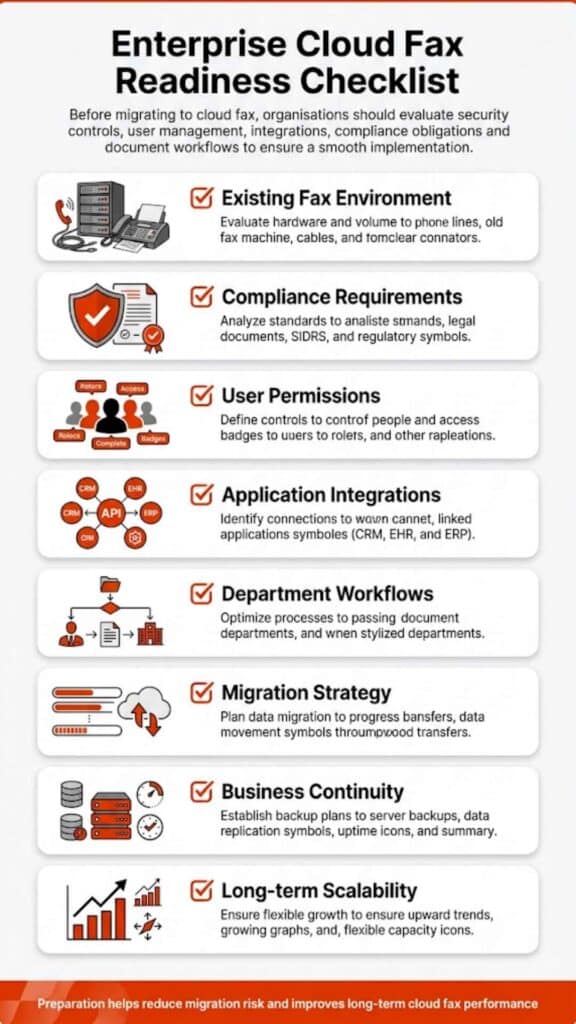
Transitioning from premise servers to cloud infrastructure requires careful planning. Organizations must migrate fax numbers, configure integrations, and ensure compliance during the transition.
A typical migration strategy begins with infrastructure assessment. IT teams review existing fax servers, telecommunication connections, and application integrations to determine which components require modification.
Next comes number porting. Organizations usually retain existing fax numbers when moving to cloud platforms to avoid disrupting external communication workflows. Integration testing follows. Systems must connect correctly with email gateways, document management platforms, and business applications.
Organizations considering this transition often evaluate the benefits of cloud fax for enterprise communication. By approaching migration strategically, organizations can transition to cloud infrastructure without disrupting document workflows.
Choosing the Right Fax Infrastructure
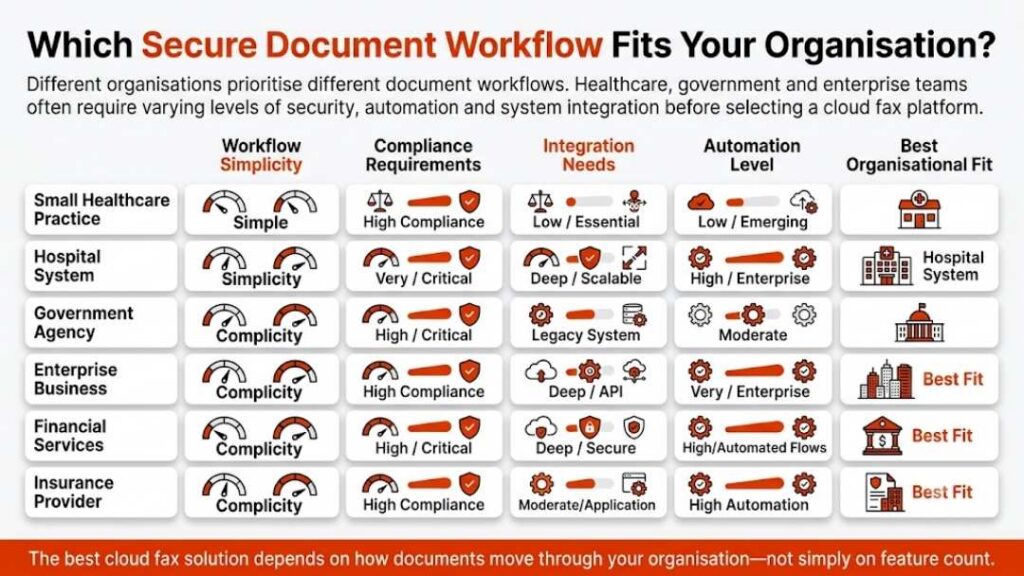
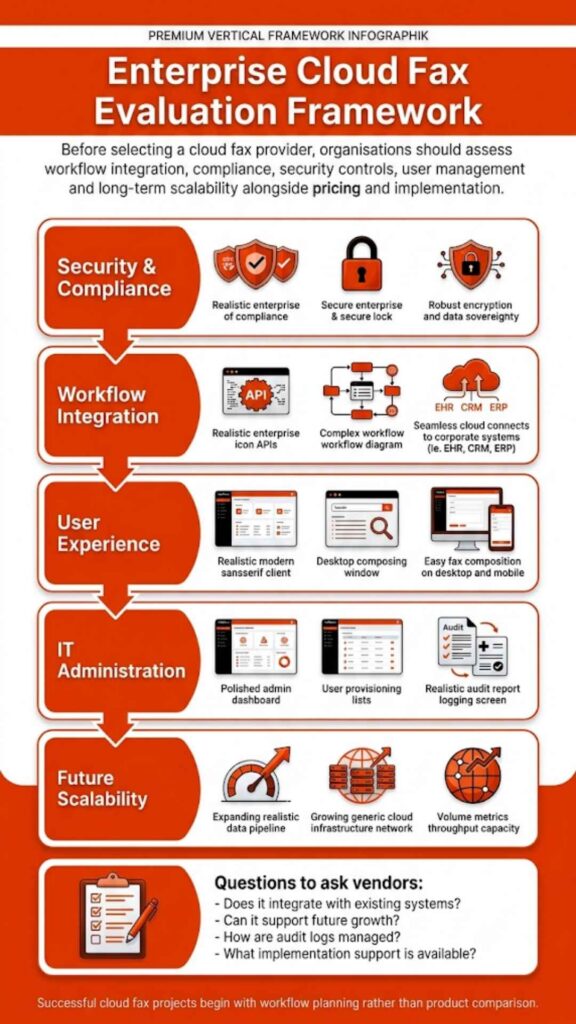
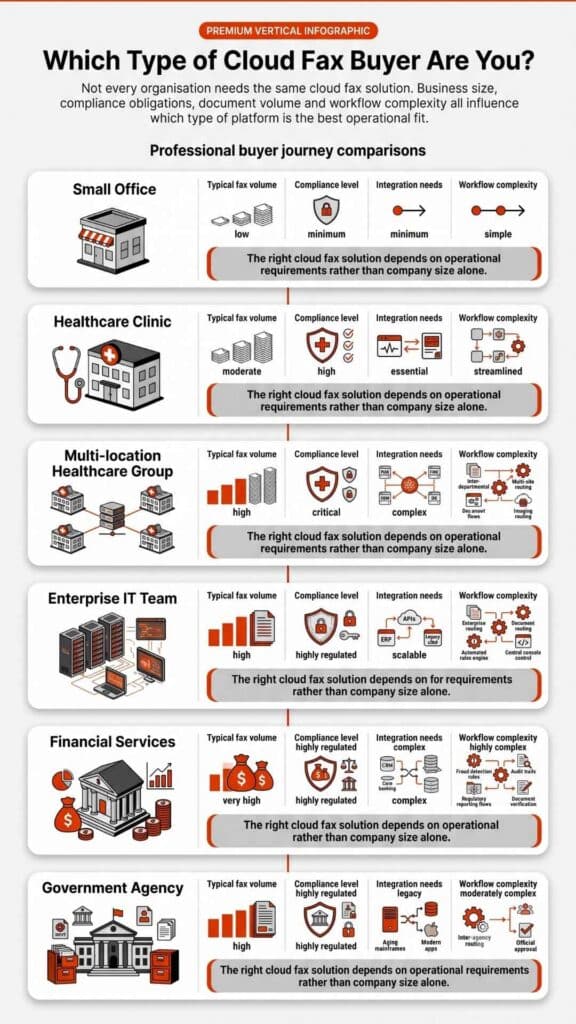
Selecting the right system requires evaluating operational priorities. The debate around on-premise vs cloud fax often comes down to infrastructure control versus operational simplicity.
Organizations that prioritize full control over hardware and network configuration may continue using premise servers. These environments allow IT teams to customize system behavior and maintain direct oversight of infrastructure.
However, organizations focused on scalability and workflow automation often favor cloud platforms. Cloud infrastructure reduces hardware dependencies and simplifies system maintenance.
Healthcare organizations, in particular, often choose cloud fax platforms because they support secure communication between multiple facilities and clinical applications. Ultimately, evaluating on-premise vs cloud fax involves balancing infrastructure control with long-term operational efficiency.
Where Fax Infrastructure Is Headed
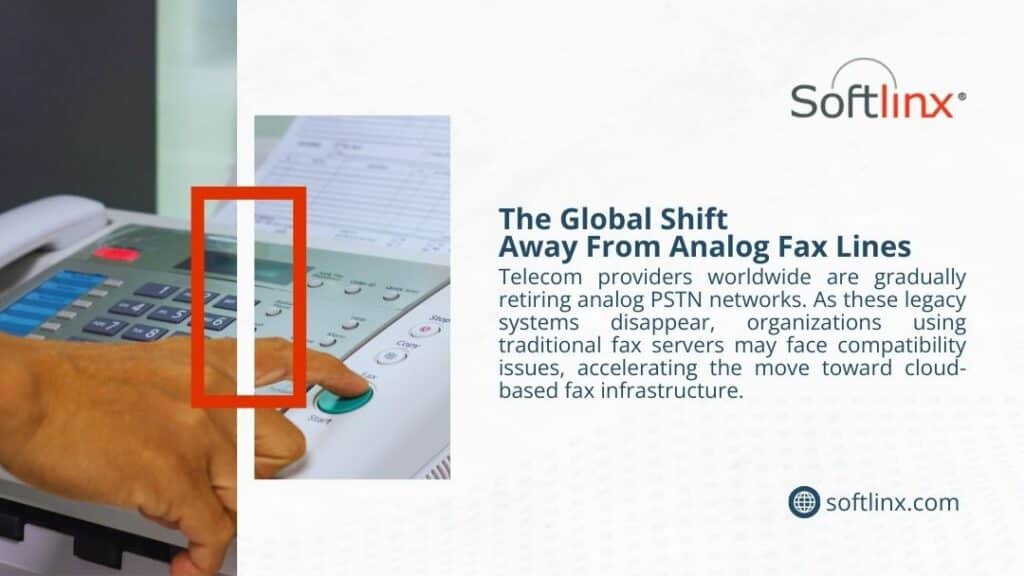
Enterprise communication systems continue to move toward cloud infrastructure. Telecommunication networks are gradually shifting away from analog technologies, and organizations increasingly rely on internet-based communication platforms.
As this shift continues, many enterprises are reassessing on-premise vs cloud fax strategies to ensure their systems remain compatible with modern infrastructure and compliance standards.
Organizations that rely on secure document exchange, especially healthcare providers, often benefit from platforms designed specifically for regulated industries.
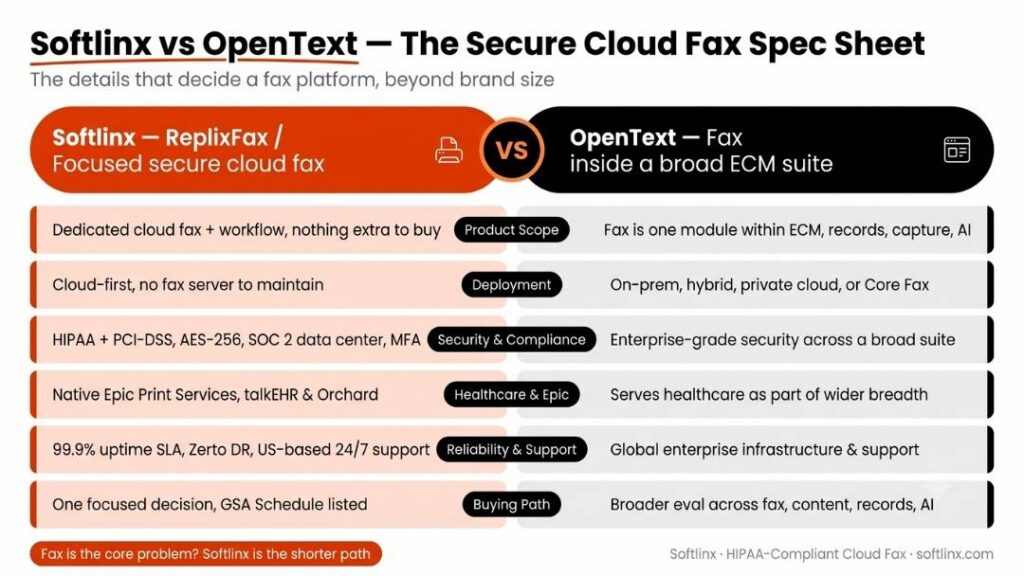
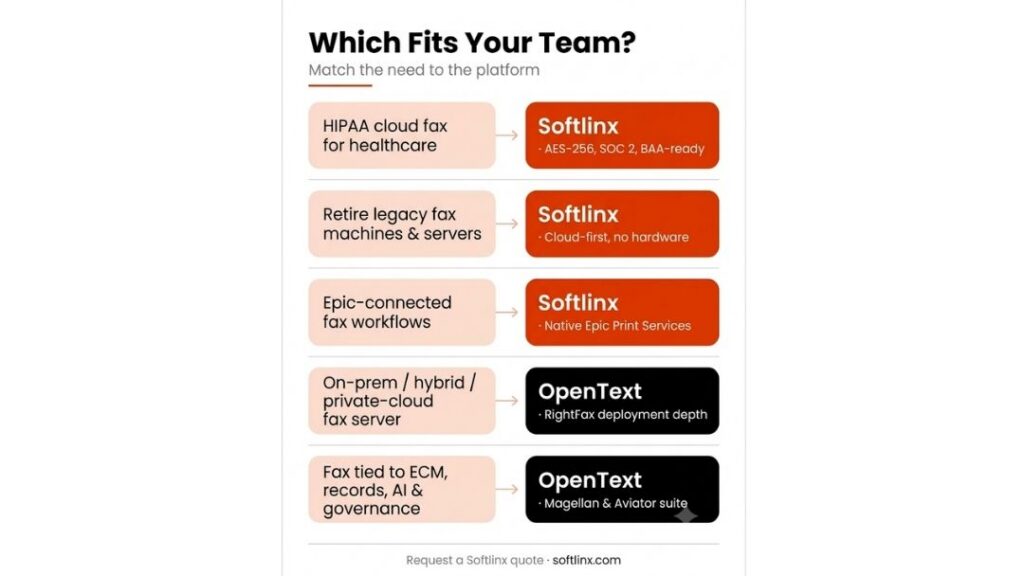
Softlinx provides secure Healthcare Fax Solutions built for organizations that require reliable document transmission across healthcare, finance, education, and government sectors. Its platform supports secure workflows, integration with business systems, and scalable fax infrastructure designed for modern enterprise environments.
Organizations evaluating on-premise vs cloud fax can explore how Softlinx cloud fax services support secure and compliant communication across distributed teams and regulated industries.