HIPAA Rules for Faxing Medical Records: What Healthcare Teams Must Know in 2025

HIPAA rules for faxing medical records still apply to a majority of U.S. hospitals and clinics that rely on fax for referrals, authorizations, lab reports, and release of information requests. Three federal rules control every faxed document that contains PHI: the HIPAA Privacy Rule, the HIPAA Security Rule, and the Breach Notification Rule. 

These rules decide when a provider may send patient medical records by fax, who may receive them, how they must be protected, and what happens when a fax reaches the wrong recipient.

The Privacy Rule defines lawful use and disclosure of PHI. The Security Rule requires safeguards for electronic faxes and stored images, including authentication, access limits, and, where reasonable and appropriate, encryption. 

The Breach Notification Rule dictates the steps a covered entity must take when PHI reaches an unauthorized person. Fax remains legal under HIPAA, but only when HIPAA rules for faxing medical records shape every part of the workflow. 

Fax-related incidents continue to appear in OCR investigations, especially when devices are unsecured or numbers are misdialed, which shows these risks are still very real.

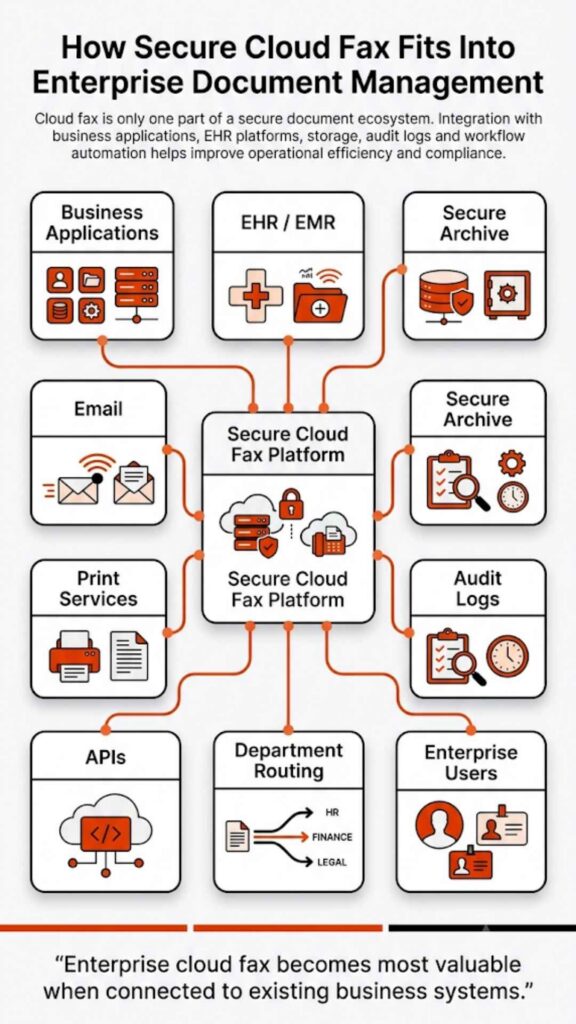
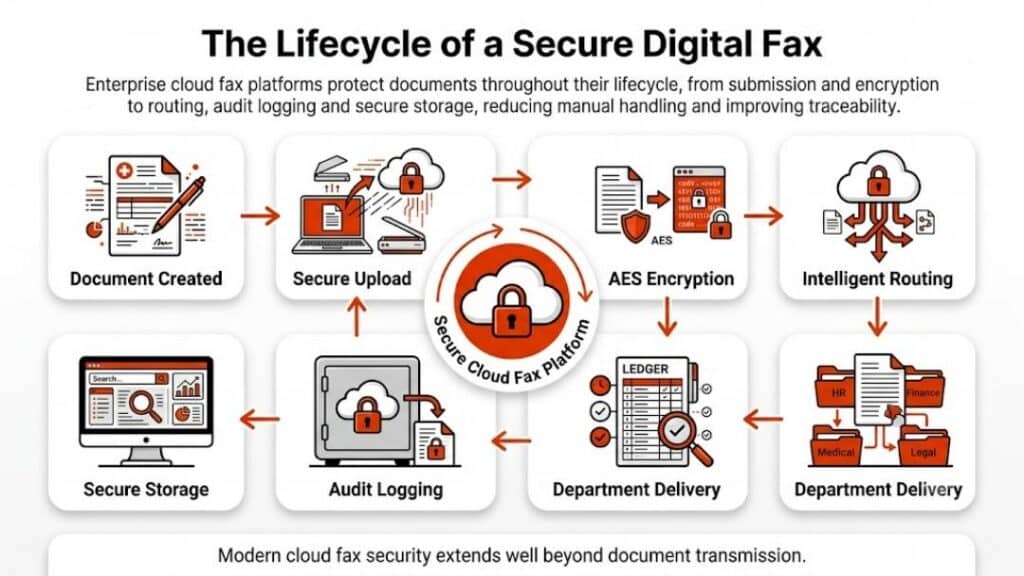
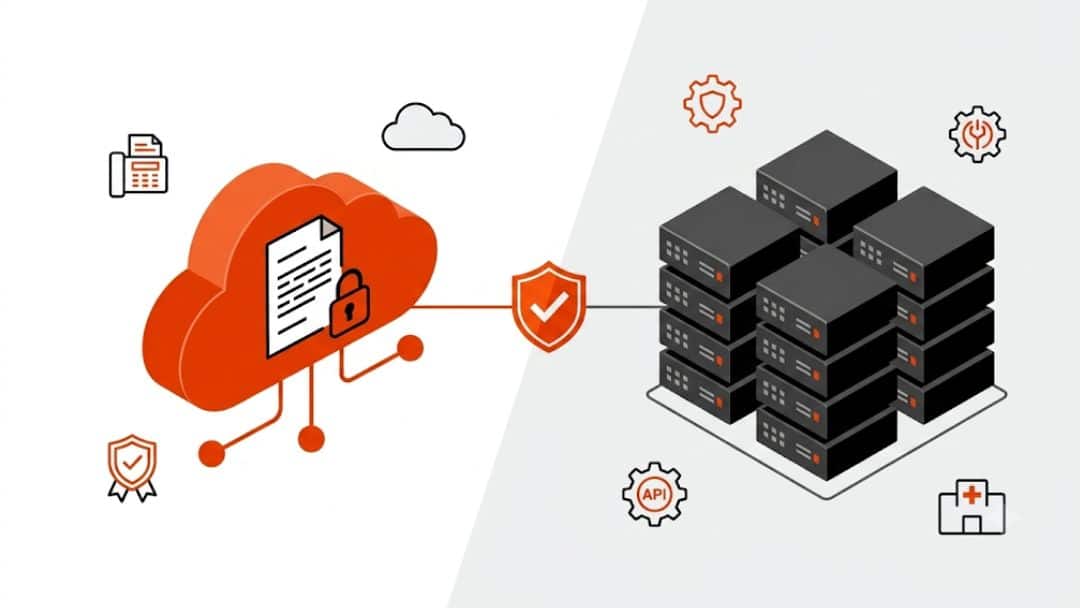
Healthcare organizations close most of these risks through modern HIPAA-compliant cloud fax with verified fax numbers, access control, audit trails, and controlled routing into an EHR. 

Softlinx builds its secure cloud fax platform around these requirements so hospitals, clinics, and specialty practices follow HIPAA rules for faxing medical records without slowing down clinical tasks.

Why HIPAA rules for faxing medical records still matter in 2025

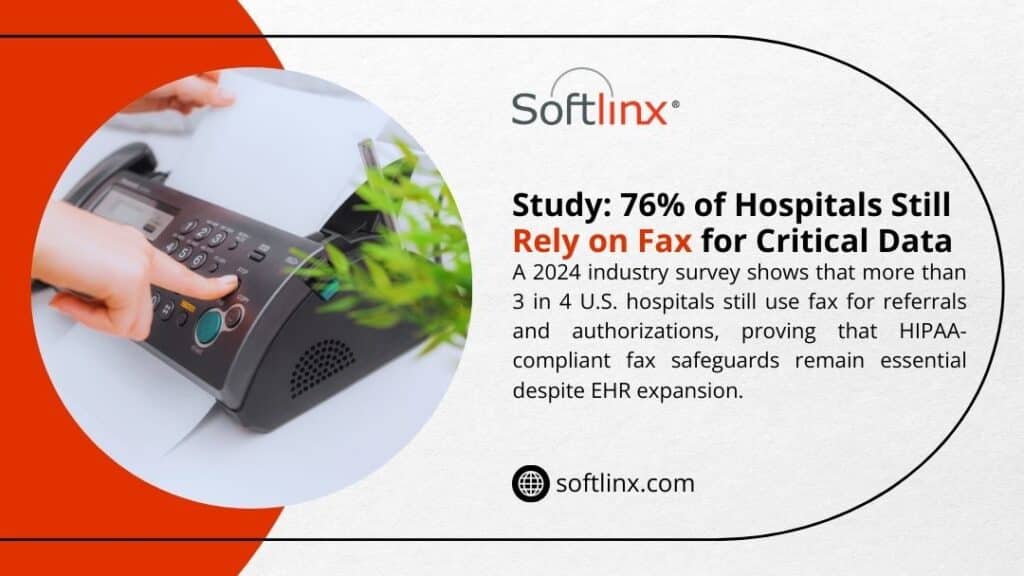
Fax never fully left healthcare. Surveys and industry reports show that a large portion of hospitals and physician groups still depend on fax for coordination with external partners, payers, and pharmacies.

At the same time, regulators now look harder at data security and access rights than at any previous point. The HIPAA Privacy Rule still grants patients a clear right of access to medical records, while the Security Rule and new enforcement pressure focus on gaps that lead to breaches.

That context places HIPAA rules for faxing medical records in a tight spotlight:

  • A misdirected fax with PHI can count as a HIPAA breach and trigger breach notification duties.
  • A slow or clumsy fax workflow can interfere with a patient’s right to receive copies of records within the time frames set in 45 CFR 164.524.
  • Old fax machines that sit in public areas weaken physical safeguards that the HIPAA Security Rule expects from covered entities.

Cloud fax and electronic health records (EHR) have not erased fax numbers from referral forms. Instead, HIPAA rules for faxing medical records push health systems toward secure cloud fax platforms that match the Privacy Rule, Security Rule, and Breach Notification Rule without forcing staff to abandon familiar fax workflows.

Can you fax medical records under HIPAA?

Yes. HIPAA allows fax transmission of PHI such as lab reports, consult notes, and discharge summaries, as long as covered entities use reasonable safeguards. The Office for Civil Rights (OCR) states that a physician may fax patient medical information to another provider for treatment purposes and may disclose PHI by fax for other standard HIPAA use cases.

The key question is not “fax or no fax,” but “do current processes match HIPAA rules for faxing medical records when those records leave your system?”

The main HIPAA rules for faxing medical records sit in three pillars:

HIPAA ruleRelevance for faxed medical recordsPractical effect on fax workflows
HIPAA Privacy RuleSets rules for use and disclosure of PHI, grants patient rights such as access, and defines permitted disclosures without authorization.Staff must follow minimum necessary standards for fax content, respect patient rights to copies of records, and use a valid HIPAA authorization or HIPAA release form when the use case falls outside treatment, payment, or health care operations.
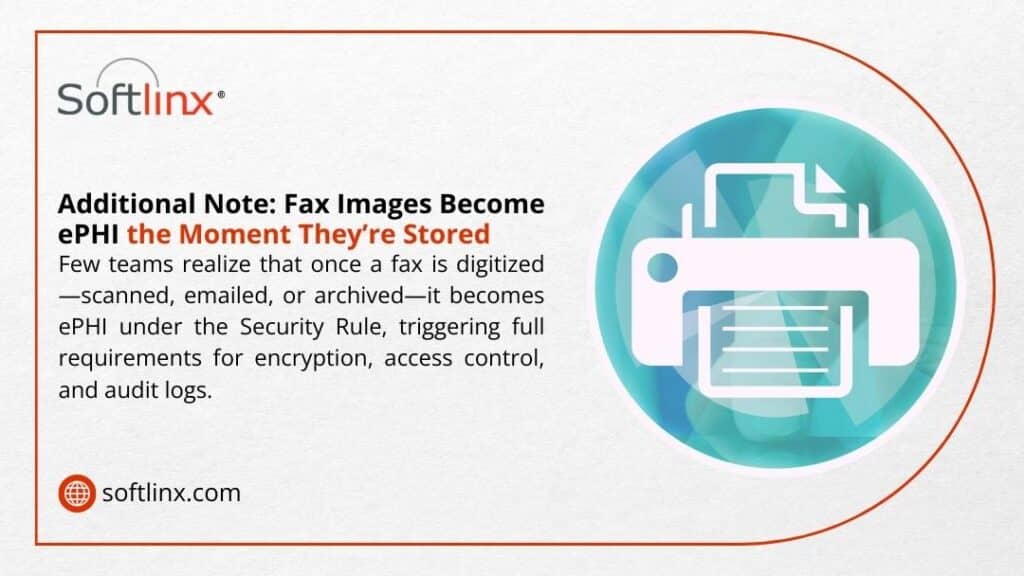
HIPAA Security RuleCovers electronic PHI and expects administrative, physical, and technical safeguards for data security.As soon as a faxed document becomes an electronic fax or stored file, access control, encryption, and audit logs must protect it. Modern cloud fax platforms such as Softlinx treat these fax images as ePHI under the Security Rule. 
Breach Notification RuleSets the duty to notify patients, OCR, and sometimes the media when unsecured PHI faces compromise. A fax that lands at the wrong number, sits in a lobby tray, or exposes patient medical records to unauthorized staff can create a breach under HIPAA and force your privacy officer to carry out a risk assessment and notification process.

In short, HIPAA rules for faxing medical records do not ban fax machines, but they treat any faxed document that contains PHI as part of the same regulatory framework that covers EHR entries and other digital medical records. For deeper policy detail, Softlinx already covers the high-level questions around HIPAA fax and common myths about HIPAA-compliant fax workflows.
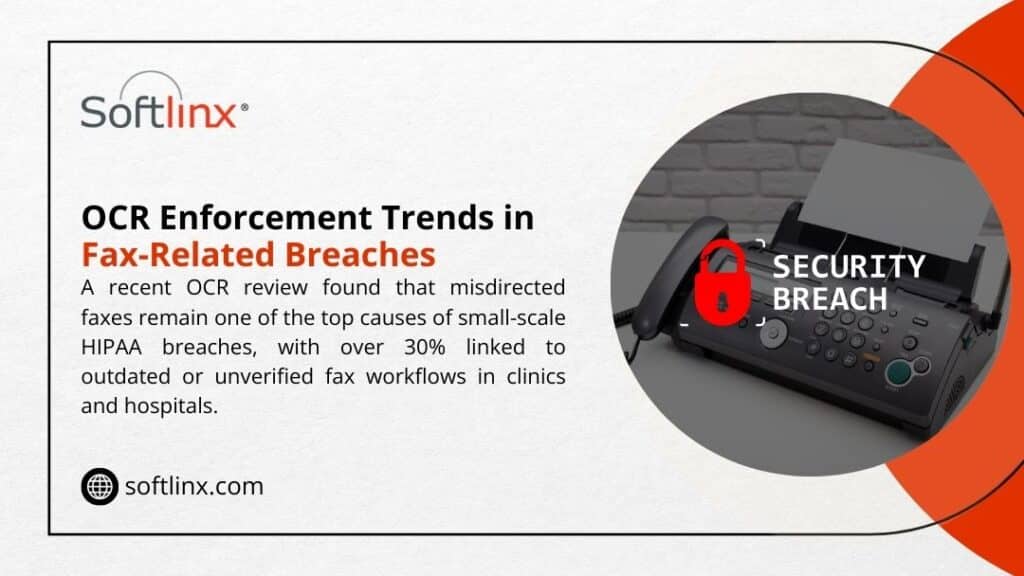
OCR Enforcement Trends – Misdirected faxes are a top cause of HIPAA breaches; >30% tied to outdated fax workflows in clinics & hospitals. HIPAA rules for faxing medical records.

Core HIPAA rules for faxing medical records in daily operations

When a nurse, registrar, or medical records clerk presses “send,” several specific risks and safeguards come into play. OCR expects covered entities to prevent unauthorized access in ways that match the size and complexity of each organization.

The table below condenses how HIPAA rules for faxing medical records map to concrete actions.

Risk areaWhat HIPAA expectsExample of better practice with secure fax
Wrong fax numberReasonable steps to verify recipient identity and contact details before disclosure of PHI.Staff confirm the fax number in the EHR or scheduling system, then select it from a verified list inside a HIPAA-compliant fax solution instead of dialing digits on a physical fax machine keypad.
Unnecessary PHI on the faxMinimum necessary use and disclosure under the Privacy Rule.HIPAA rules for faxing medical records favor concise packets: only the pages that relate to the clinical question or claim review, not the entire designated record set.
PHI seen in a public areaPhysical safeguards under the Security Rule, plus Privacy Rule expectations around incidental disclosure.Fax delivery moves to a secure cloud fax portal with user logins, rather than a hallway fax tray. If a multi-function device still receives paper, it sits in a restricted office, not a lobby.
Weak access control for electronic faxesTechnical safeguards such as unique user IDs, role-based access, and access logging.Electronic faxes sit inside a cloud fax service that ties into single sign-on, logs every view and download, and limits PHI access to staff whose roles fit that patient’s care or billing work.
No fax cover sheet or weak warningsReasonable safeguards, plus OCR guidance on limiting disclosure to intended recipients.Every fax that carries PHI uses a fax cover sheet template with a strong confidentiality notice, sender and recipient details, and a request to destroy misdirected faxes.
No audit trailDocumentation requirements for HIPAA compliance and breach investigation.The fax system keeps a durable log: date, time, fax number, user ID, and delivery status for each faxed document. In a cloud fax portal, staff can export this log during an audit.

These safeguards sit at the heart of HIPAA rules for faxing medical records. They protect protected health information (PHI) at each stage: creation, transmission, receipt, storage, and disposal. 

Providers that still rely on analog devices can reach part of that standard, but secure cloud fax platforms give far stronger control over PHI in healthcare while still allowing staff to send faxes with a familiar workflow. 

If your team still depends on legacy telephony, Softlinx explains how modern fax through the internet resolves many of those exposure points without ripping out every existing process.

What are the minimum safeguards for a HIPAA compliant fax?

AI overviews and PAA boxes tend to spotlight a simple version of this question. The short answer: HIPAA rules for faxing medical records expect a mix of policy, training, and technical safeguards that cover both paper faxes and electronic faxes.

Safeguard typeConcrete requirement for faxed medical recordsNotes for compliance teams
AdministrativeWritten HIPAA fax policy that covers verification, release of information procedures, incident response, and HIPAA violation reporting.Policies must clarify who may fax records, who may approve a HIPAA authorization, how to respond when a fax goes to the wrong number, and how to record a HIPAA breach.
Workforce practiceTraining on PHI, HIPAA privacy rule basics, and practical steps, such as confirming a fax number and picking up faxes right away.Staff must know what counts as PHI, what the HIPAA privacy law permits, and what happens if they violate HIPAA through careless fax habits. Routine drills and spot checks help here.
PhysicalControlled placement of fax devices, secure storage of fax output, and shredding procedures for outdated or duplicate faxed documents. For any remaining fax machines, keep them out of public sightlines and route hard-copy faxes to a locked bin as soon as staff collect them.
TechnicalUser authentication, role-based permissions, encryption for electronic faxes in transit and at rest, and audit logs.A HIPAA-compliant fax service typically handles this layer: it encrypts traffic, stores images in secure data centers, and records who accessed each patient’s fax.

Cloud fax services that Softlinx describes as HIPAA-compliant fax wrap these safeguards into a managed platform. That framework reduces the chance that one missed step by front-line staff turns a simple fax into a HIPAA violation. 

How HIPAA rules for faxing medical records affect different care settings

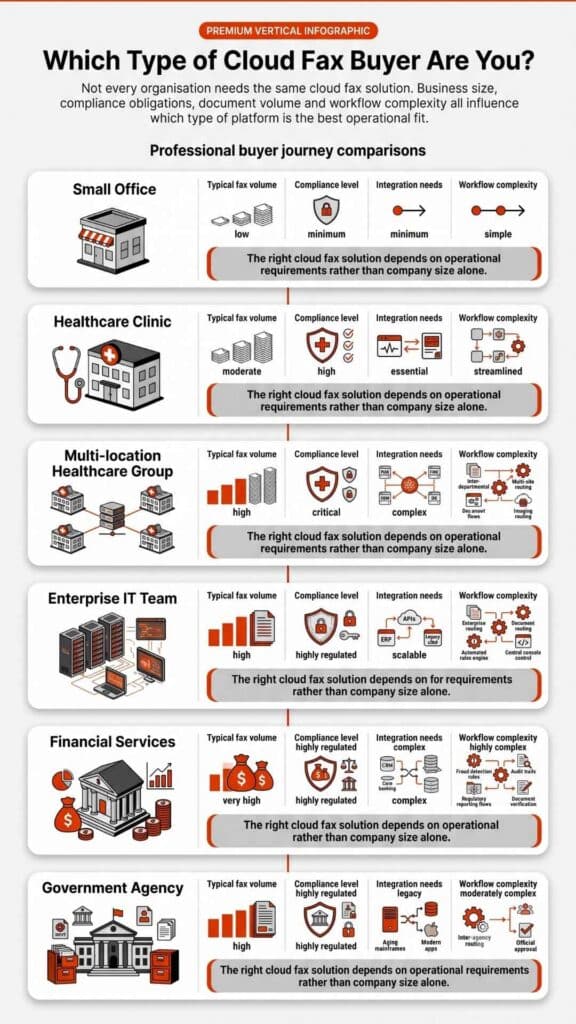
Compliance risk shifts slightly from one setting to another, but HIPAA rules for faxing medical records set the same core obligations for every covered entity. The table below illustrates how common care environments face specific fax risks and how targeted cloud fax solutions help.

Care settingTypical fax useKey HIPAA riskCloud fax angle
Acute-care hospitalDischarge summaries, transfer packets, referrals, and payer authorizations.High fax volume makes it easy for patient information to reach the wrong floor or external number.A hospital cloud fax solution routes inbound faxes directly into the EHR or secure folders and ties each faxed document to the right medical record number.
Community clinicSpecialty referrals, charity care documents, and release of medical records.Shared devices and small spaces make paper faxes visible to visitors.A clinic cloud fax solution replaces paper trays with inboxes inside a secure web portal that staff reach with unique logins.
Urgent care centerWork notes, test results, referrals to primary care.Fast pace tempts staff to shortcut verification of fax numbers.An urgent care cloud fax solution lets staff pick recipients from verified directories instead of keying in full fax numbers at speed.
Dental and specialty practicesTreatment notes, pre-authorizations, images, or reports.Many practices sit outside hospital IT and may not have mature HIPAA safeguards for fax devices.A dental office cloud fax solution or other specialty package adds HIPAA compliance without the cost of a full in-house infrastructure.

Softlinx publishes separate guidance for hospital, clinic, and other specialty cloud fax solutions, which helps each practice map HIPAA rules for faxing medical records to its own scale and workflow mix.
How HIPAA rules for faxing medical records intersect with the right of access and release of information

HIPAA does more than restrict disclosure; it also gives patients a clear set of rights. The Privacy Rule grants patients the right to access, inspect, and receive a copy of medical records from covered entities, with only limited exceptions and with time limits that appear in 45 CFR 164.524.

Fax still plays a role in those rights:

Patient-centered issueRelevance of HIPAA rules for faxing medical records
Right of accessMany patients ask, “How can I get my medical records fast?” HIPAA allows providers to send copies by fax if the patient requests that method and accepts related risks. Staff must confirm the fax number, document the request, and send only the PHI the patient has requested.
“Who can access my medical records without my permission?”HIPAA laws permit certain disclosures without explicit authorization, such as treatment, payment, health care operations, and specific public health or law-enforcement scenarios. The same rules apply when PHI travels by fax, so any such fax requires the same minimum necessary standard and safeguards.
Release of information to third partiesAn attorney’s request on HIPAA rules for faxing medical records, an employer’s request, or a life-insurance request usually needs a signed HIPAA authorization or HIPAA medical release form. Fax remains a common channel here, but the presence of that HIPAA release form does not excuse poor security practices.
Access to digital medical recordsMany systems route faxed documents into an electronic health record, where they become part of the designated record set. Patients then exercise HIPAA rights through patient portals and other digital means.

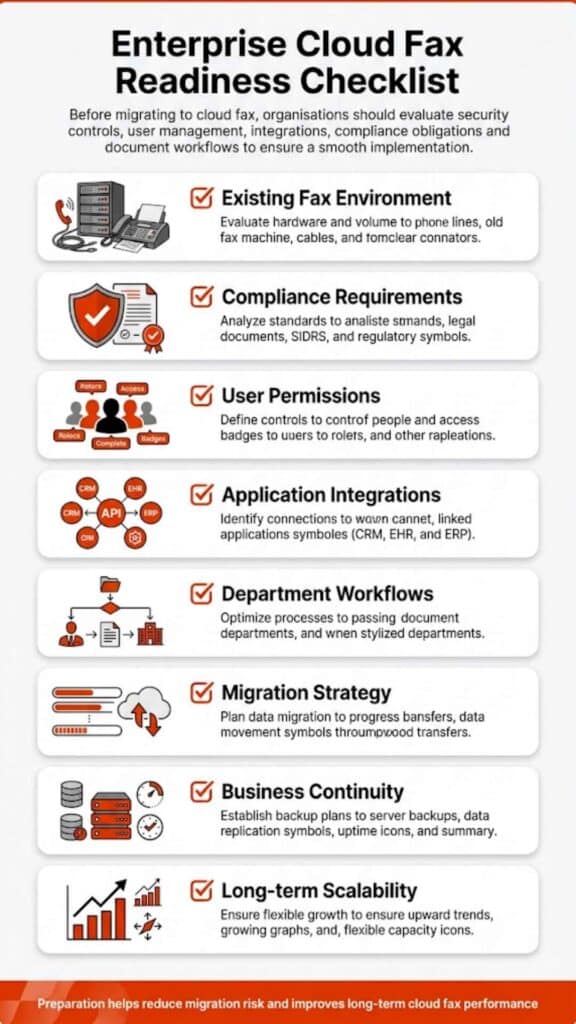
Because faxed medical records often end up as scanned images inside the EHR, teams need strong integration between their fax solution and the core clinical systems. Softlinx outlines EHR integration patterns that tie cloud fax directly into registration, coding, and clinical workflows so that each faxed document lands in the right chart instead of a shared inbox.

From legacy fax machines to secure cloud fax and VoIP fax

Traditional fax devices rely on analog phone lines with no encryption. That weakness turns every outbound fax that carries PHI into a potential exposure point. Modern HIPAA rules for faxing medical records favor digital options that deliver better data security:

ApproachSecurity profileRole in a modern HIPAA compliance plan
Legacy fax machine on an analog lineNo encryption, paper output, weak logging, and are often placed in public areas.Suitable only as a stopgap, with strict physical safeguards, low PHI volume, and tight manual controls.
VoIP fax on the general phone systemMoves traffic to IP networks but can still lack full end-to-end encryption and audit trails.Better than analog, but still often below the standard that a full HIPAA-compliant fax platform aims to provide.
Cloud fax integrated with EHREncryption in transit and at rest, strong authentication, role-based access, detailed audit logs, and direct links into the EHR and practice management system.Often, the most practical route to meet HIPAA compliance requirements while staff to continue to send faxes through familiar workflows.

Softlinx describes how fax through the internet, VoIP fax, and cloud fax differ in practice and how a cloud platform can still respect existing PSTN or SIP routes where needed. The company’s material on bulk fax APIs, electronic fax workflow automation, and API setup for healthcare applications shows how health systems can keep HIPAA rules for faxing medical records front and center while still modernizing infrastructure and reducing manual work.

Softlinx also explains in plain terms how to email a fax number inside a HIPAA-compliant framework, which can help physicians and care managers who live in their email client but still need fax for external partners.

Key takeaways on HIPAA fax rules for over-stretched compliance teams

Key pointWhy it matters
HIPAA permits faxing of PHIHIPAA rules for faxing medical records do not forbid faxing; they require clear safeguards across Privacy, Security, and Breach Notification Rules.
Safeguards must match riskOCR expects covered entities to apply reasonable administrative, physical, and technical safeguards; small clinics and large health systems both face scrutiny.
Patient rights still applyRight of access, HIPAA patients’ rights, and release of information processes do not stop at the fax machine; they extend to every faxed document that contains PHI.
Cloud fax closes many gapsA mature HIPAA-compliant fax service with EHR integration, audit logs, and encryption eases compliance pressure and helps prevent unauthorized access.
Policy plus technology winsWritten HIPAA fax rules, staff training, and modern cloud fax platforms together reduce the odds of a breach under HIPAA and simplify audits.
Softlinx infographic: Fax Images Become ePHI the Moment They’re Stored – Once digitized (scanned/emailed/archived), faxes trigger full HIPAA Security Rule requirements.

Why these HIPAA fax rules deserve a place in your next risk review

HIPAA rules for faxing medical records touch almost every corner of a health system: front-desk registration, clinical teams, HIM, revenue cycle, and legal. Every fax that carries patient medical records reflects your stance on HIPAA compliance, HIPAA privacy, and HIPAA security in a single transmission.

If your current process still leans on stand-alone fax machines, shared trays, or ad-hoc email attachments, now is the time to map each workflow against HIPAA regulations and your own risk appetite. 

A structured review that pairs written policy with secure technology cuts down on HIPAA violations, protects PHI in healthcare, and answers the recurring question “what information can be shared without violating HIPAA?” with clear, defensible rules.

Softlinx designs HIPAA-compliant cloud fax for hospitals, clinics, health systems, and enterprise partners that want stronger data security without extra friction for staff. If you want a practical path from legacy fax machines to a secure, auditable cloud fax platform that matches HIPAA rules for faxing medical records, explore the Softlinx healthcare cloud fax service and then request a quote for your environment:

Move from fax risk to fax control today with Softlinx. Visit the healthcare fax service and start a tailored discussion through Softlinx.

Security & Compliance

HIPAA-Compliant Since 1999 25+ years of secure, encrypted fax transmission for healthcare organizations.

HIPAA
PCI-DSS
Encrypted
Audit Trail
25+ Years Experience
100% HIPAA Compliant
Learn About Our Compliance

Industries We Serve

Healthcare Cloud Fax Solutions

Healthcare & Medical

Financial Services

Insurance Companies

Government Agencies

Manufacturing

Higher Education

Trusted by Fortune 1000 companies including State Street, IBM, HSBC, and United Nations.

Explore Industry Solutions

Why Choose Softlinx

No Hardware Required Eliminate costly fax servers and infrastructure. Cloud-based solution accessible anywhere, anytime.

Seamless Integration Easy API integration with your EHR, EMR, or business applications. Epic-certified integration available.

Enterprise Reliability 99.9% uptime SLA. No busy signals. Disaster recovery in real-time with automatic failover.

Superior Support U.S.-based technical support team. Dedicated account management for enterprise clients.

Cost Savings Reduce IT overhead by up to 60%. Pay only for what you use with flexible, scalable pricing.

Ready to Go Cloud?

Join healthcare leaders, financial institutions, and Fortune 1000 companies who trust Softlinx for secure, compliant faxing.

(978) 881-0560

Headquarters: 19321 US Highway 19 N, Suite 607
Clearwater, FL 33764 | help@softlinx.com

Trusted By Industry Leaders

"For over 25 years, Fortune 1000 companies and healthcare organizations have relied on Softlinx for mission-critical document transmission."

State Street
IBM
HSBC
Ericsson
Fannie Mae
United Nations
500+ Clients Worldwide
4.8★ Capterra Rating

Latest Articles By Softlinx

Hand pulling a printed document from a fax machine, representing the question of whether you can use your existing fax number with cloud fax.

Can I Use My Existing Fax Number With a Cloud Fax Service?

Yes, in many cases, you can use your existing fax number with a cloud fax service. The usual path is number porting, which lets you move the number from a legacy fax line or landline setup to an online fax service without changing the digits your customers, referral partners, and staff already know. 

The catch is that port approval depends on accurate carrier records, an active line, and a clean porting request. And one rule matters more than most: do not cancel your current fax service before the port is complete, because FCC guidance warns that early termination can disrupt the transfer process.

When businesses ask, Can I use my existing fax number with a cloud fax service?, they are usually asking two things at once. First, can the number stay the same? Second, will the switch break the workflow that keeps documents moving every day? 

For most U.S. businesses, the short answer is yes, an existing fax number can often be retained by porting it to a cloud fax provider. But here’s the problem: a number port is not just a formality. It is a carrier-level process tied to account data, service eligibility, and timing. If any of those pieces are off, the move can stall.

That is exactly why this topic matters more in healthcare, finance, insurance, government, and other document-heavy sectors. A fax number is not just a line on a business card. It may already be part of referral workflows, EHR templates, intake forms, directories, and established partner records. Softlinx positions its cloud fax platform around those business needs, with support for healthcare IT providers, enterprises, software vendors, secure document exchange, EHR integration, email to fax, web portal faxing, and HIPAA-aligned workflows.

Can I use my existing fax number with a cloud fax service?

Yes, in many situations, you can use your existing fax number with a cloud fax service by submitting a number porting request through the new provider. FCC guidance says customers who switch providers and remain in the same geographic area can generally keep their existing number, and the FCC also warns customers not to terminate service with the old provider before the new service is in place. That same logic applies when a business moves a fax line from a traditional setup to a digital fax service or online fax service.

That said, can I use my existing fax number with a cloud fax service? does not always have a blanket yes attached to it. Some numbers are easy to port. Others get delayed because the business name does not match the carrier record, the line was canceled too early, the account number is wrong, or the number sits in a rate-center setup that the new provider cannot support. So the better answer is this: in many cases, yes, but only if the porting process is handled carefully and the provider has a dependable process for validation, coordination, and cutover.

What number porting really means for your fax line

A lot of people still think the fax number lives with the fax machine. It does not. The number is tied to the telephone carrier record, not the hardware itself. That is why businesses can move from a fax machine and landline to a cloud fax platform while keeping the same fax number. The device changes. The number often does not.

So here’s how it works. Your new provider submits a porting request to take control of the number. Once the transfer is approved and completed, the number routes through the new cloud fax service instead of the old fax line. After that, your team can usually manage fax traffic through a browser, email workflow, API, mobile device, or application integration rather than a stand-alone fax machine. Softlinx’s platform, for example, supports web portal faxing, email to fax, print to fax, and integration-driven workflows designed for enterprise operations and healthcare environments.

When a port usually works, and when it can hit a wall

Most ports go through when the number is active, the business stays within the relevant geographic framework, and the submitted account details match the current carrier record. That is the clean version. The messy version is more common than many provider pages admit. A porting request can fail or slow down if the authorized contact is incorrect, the billing address is outdated, the line has a carrier freeze, or account changes are made midway through the request.

Businesses moving from a legacy landline, fax server, or analog fax machine should be especially careful. If the fax number is bundled with a broader telephone service package, a careless port request can affect more than the fax line. If someone cancels service before the number porting is complete, the number may no longer be eligible for transfer. That one mistake causes a lot of unnecessary pain.

Fax setupCan the number usually be ported?What to verify first
Stand-alone business fax lineOften yesActive status, account number, service address
Fax number tied to a landlineOften yes, but may need extra reviewWhether other services are attached to the line
Multi-line business accountOften yes, though slowerAuthorized contact, cutover timing, and carrier records
Disconnected fax numberOften noWhether the carrier can restore the line first
Legacy fax machine with analog lineOften yesWhether the new provider supports that number’s location

This is why the question is not only about whether a number can move. It is really a question about eligibility, documentation, timing, and how well the new provider manages business continuity during the transition.

Person feeding a document into a fax machine, illustrating how fax number porting is regulated to protect businesses switching providers.

What you need before you submit a porting request

Most providers ask for the same core details. They typically need a signed authorization, the current provider name, the fax number to be ported, the account number, and the exact billing or service address on file. The typical process involves signing up for the service, reviewing the authorization document, and, in some cases, receiving a temporary fax number while the transfer is in progress.

The exact paperwork varies a bit, but the principle stays the same. The new provider needs enough information to prove you control the number and to ask the old provider to release it. If anything is off by even a small margin, the request can bounce back. That is why businesses should pull a recent invoice and use the account data exactly as the current carrier has it on record. This is one of the most common reasons number ports are delayed.

Document or detailWhy it mattersCommon issue
Signed porting authorizationLet the new provider act on your behalfMissing signature or wrong signer
Recent bill copyConfirms account and service detailsOutdated or incomplete invoice
Exact business name on recordMust match the carrier databaseTrade name used instead of legal name
Service addressValidates ownership and locationOld office address still on file
Account numberIdentifies the current serviceEntered incorrectly or omitted

How the porting process usually unfolds

First, the business opens the new cloud fax service account. Next comes the porting request, with the supporting records attached. Then the new provider sends the request to the current carrier. If the old carrier approves it, both sides coordinate a cutover date. During the transition period, some vendors may provide a temporary fax number so teams can begin sending faxes immediately, while incoming faxes continue to arrive on the existing line until the porting process is fully completed.

In practical terms, that means your team can start testing the new online fax service before the permanent fax number fully lands there. That helps a lot. It lets staff learn the new workflow, check user permissions, confirm email-to-fax behavior, and verify whether inbound documents are routing to the right inboxes or folders. If your business relies on cloud fax or needs to fax through the internet, that overlap period can reduce risk during the move. That kind of controlled transition matters far more to business users than a simple promise that porting is easy.

How long does number porting take?

FCC material says simple ports have specific timing rules, but real-world business ports are not always simple. A single-line transfer with clean records is usually faster than a port tied to a larger business telephone setup, a bundled service, or multiple lines. The FCC’s own consumer guidance notes that simple ports are governed by FCC rules, while the old and new providers coordinate the actual move.

So here’s what happened in the market: fax service providers often describe number porting as quick and straightforward, and in some cases, it can be. But business buyers should still expect variance. A clean request may move without much drama. A messy one can drag because one detail in the record does not match. That is why the safest planning approach is not to promise a rigid deadline internally until the new provider confirms it. For organizations with shared workflows, compliance requirements, or multiple departments, realistic planning is more valuable than optimistic estimates.

The mistakes that delay ports most often

The biggest issue is bad data. A billing address mismatch, a wrong account number, or a signer who is not authorized can stop the process cold. Early cancellation is another one. The FCC explicitly warns against terminating service before the new service is established, and other provider guidance says the same thing in plain terms: never cancel before the port completes.

There is also the internal side of the problem. Teams sometimes update stationery, directories, contact records, or workflow rules before the port is finished. That creates confusion if the number does not move on the expected date. The cleaner route is to treat number porting like a controlled change, not a casual provider swap. If your business uses VoIP fax or is weighing whether to modernize from analog infrastructure to digital fax, planning matters just as much as the provider choice.

Delay triggerWhat causes itHow to avoid it
Account mismatchCarrier records and submitted data do not matchUse a recent bill and copy the details exactly
Service was canceled too earlyThe number becomes unavailable for transferKeep the old line active until completion
Wrong authorized contactCarrier rejects the requestUse a signer with account authority
Bundled services on the lineOther phone services complicate the releaseReview everything attached to the line first
No testing planProblems show up only after cutoverRun send/receive tests before and after port

What changes after the number moves to cloud fax

Once the fax number ports successfully, the number stays familiar, but the workflow changes quite a bit. Instead of standing by a fax machine, users usually send and receive through a browser, email inbox, mobile app, or integrated business application. That is the real operational value. A cloud fax service keeps the public-facing number stable while changing the back-end process into something easier to track, route, and secure.For many organizations, that also means the fax process can move closer to daily work instead of living off to the side. Staff can send from desktops, receive by email, or route documents into a workflow. Businesses that need to email to a fax number or want a stronger fax server alternative usually care less about the device and more about continuity, auditability, and convenience. That is where cloud fax becomes more than a hardware replacement. It becomes part of a broader document workflow strategy.

Hands operating a fax machine, illustrating why businesses prefer keeping the same fax number during a cloud fax transition.

Why this matters even more in healthcare

Healthcare has its own twist on this question. When a practice asks, can I use my existing fax number with a cloud fax service?, it is not just trying to preserve convenience. It is trying to avoid disruption to referrals, records exchange, orders, authorizations, and care coordination.

The HHS HIPAA Security Rule says electronic protected health information must be protected with administrative, physical, and technical safeguards. That does not mean every cloud fax product is automatically appropriate. It means the provider and the workflow both need to support those safeguards. 

For healthcare organizations, keeping the number is only one part of the decision. The larger issue is whether the service can support secure document delivery, access controls, auditability, and dependable routing.

That is one reason healthcare still leans on fax more than many outsiders expect. An ASTP/ONC Quick Stat updated in February 2026 shows hospitals still often or sometimes use mail or fax to exchange health information. In 2025, 40% of hospitals reported they often used mail or fax to send information, and 35% said they often used it to receive information; another 34% said they sometimes used it to send, and 46% said they sometimes used it to receive. So yes, digital exchange is rising, but fax remains part of real clinical operations.

That makes the cloud fax move less about replacing communication and more about modernizing it. Softlinx leans into that angle by emphasizing secure transmission, audit trails, BAA support, encryption, and EHR integration with healthcare systems such as Epic, Cerner, and Allscripts. 

If a healthcare organization is evaluating HIPAA fax, whether fax is HIPAA compliant, or HIPAA-compliant fax services, the number port is only one part of the decision. The larger issue is whether the new system protects PHI and fits the clinical workflow.

EHR workflows, continuity, and the hidden cost of switching badly

A fax number may already be embedded in EHR templates, contact directories, referral instructions, and medical records processes. If the number changes, someone must update all of that. If the number stays the same, the change is much easier to absorb. That is why many healthcare buyers ask whether they can keep their current fax number when moving to cloud fax before they ask almost anything else. Keeping the number can reduce operational friction during the switch.That is also where integration matters. Softlinx positions its platform for EHR integration and offers content around how to connect fax to EHR and how to prevent HIPAA violations when faxing medical records. For a medical office, hospital, or clinic, the goal is not merely to keep sending faxes. The goal is to keep documents moving without losing visibility, accountability, or control.

Hands holding a tablet with floating digital data icons, illustrating how cloud fax improves document tracking with logs and searchable archives.

What businesses should check before they switch

Before a business ports a number, it should confirm who owns the line, which services are attached to it, what the exact billing record says, and how inbound fax traffic will be handled during the transition. It should also test what the new platform will feel like after cutover. Can users send from email? Can they send from a browser? Can the team receive documents securely on multiple devices? Can admins track activity? Those questions matter more than marketing promises.

For healthcare organizations, one more layer belongs in the review: whether the service supports a business associate agreement, audit trails, encryption, and practical controls around user access and routing. HHS makes clear that ePHI requires safeguards, and Softlinx’s healthcare content consistently emphasizes those operational controls rather than generic convenience claims. That makes the cloud fax decision part compliance issue, part workflow decision, and part migration project.

So, can you keep the number and lose the hassle?

Yes, in many cases, you can. That is the plain answer to can I use my existing fax number with a cloud fax service? But the better takeaway is this: number porting is not just about keeping digits. It is about preserving business continuity while replacing the old fax line, fax machine, or landline process with something more flexible and easier to manage. FCC guidance supports number portability in many cases, and healthcare guidance from HHS makes clear that the security side of the workflow matters just as much as the transport method.

For Softlinx, the strongest brand-safe message is straightforward. Businesses often can port an existing fax number to cloud fax, but they should choose a provider that can handle the transfer carefully, keep traffic moving during the change, and support the security and integration demands behind that number. 

That is the real differentiator: not simply offering online fax, but supporting a reliable transition, compliant workflows, and integration-ready document delivery for organizations that cannot afford disruption. If the goal is to keep the number, modernize the workflow, and reduce disruption, this can help you start in the right place: evaluate the porting process, review your current line records, and look closely at the broader benefits of cloud fax before making the move.

Person at a laptop holding a glowing cloud icon with data icons, representing the step-by-step process of switching from fax machine to cloud fax.

How to Switch From Fax Machine to Cloud Fax: (Step-by-Step Guide)

Many organizations still depend on fax for exchanging documents, particularly in industries such as healthcare, finance, and government. Yet traditional fax machines rely on aging phone infrastructure and manual workflows. 

This guide explains how to switch from fax machine to cloud fax, outlining the migration process, technical considerations, and operational benefits. By the end, you will understand how cloud faxing works, how to migrate your existing fax numbers, and how businesses can move toward a more secure and scalable communication method.

How to Switch From Fax Machine to Cloud Fax

Organizations researching how to switch from fax machine to cloud fax usually face the same challenge: traditional fax machines depend on physical hardware, dedicated phone lines, and manual document handling. A modern cloud fax solution replaces these requirements with internet-based document delivery.

A typical transition from traditional fax machines to cloud-based faxing follows several practical stages. First, organizations review their current fax infrastructure. Many companies still operate fax servers or analog machines connected to phone lines. Those systems often require maintenance, hardware replacement, and telecom contracts. Businesses evaluating modernization often begin by comparing their current environment with a cloud alternative, such as an enterprise fax server solution or a hosted platform.

Next comes number portability. In most cases, organizations want to keep their existing fax numbers. A cloud provider can transfer those numbers into the new environment through a process known as number porting. After the transfer, inbound faxes route directly to digital systems rather than physical machines.

Once the numbers migrate, organizations configure users and workflows. Departments that previously shared a physical fax machine receive individual or shared accounts. Employees can then send and receive faxes through a web interface, email integration, or an online cloud fax platform.

The final step involves retiring hardware. When teams confirm that digital fax workflows function correctly, traditional machines can be removed from the network.

Cloud Fax vs Traditional Fax Machines

The difference between a traditional fax machine and a cloud-based fax system extends beyond hardware. Cloud fax services transform how documents move through an organization.

FeatureTraditional Fax MachinesCloud Fax Solutions
InfrastructureRequires physical machines and phone linesOperates through the internet infrastructure
Document deliveryPaper documents sent via analog signalsDigital files sent through secure cloud networks
AccessibilityMust be near a machineAccessible from the web portal or mobile app
StoragePaper storage or manual scanningIntegrated digital document management
ScalabilityAdditional machines requiredNew users added through the software

Traditional fax machines rely on analog transmission across copper phone lines. In contrast, cloud faxing solutions transmit documents through encrypted internet channels while preserving compatibility with existing fax numbers.

Why Businesses Are Replacing Fax Machines With Cloud Fax

Organizations exploring how to switch from fax machines to cloud fax often do so because operational demands have changed. Workforces have become more distributed, and document workflows increasingly occur in digital environments.

A key factor is accessibility. Traditional fax machines require staff to be physically present. A cloud faxing service allows employees to send and receive faxes through a browser, email client, or mobile interface.

Security also plays a role. Digital fax platforms can implement encryption and access controls that protect documents during transmission. Many providers support secure cloud fax infrastructure that helps organizations maintain confidentiality when sending sensitive records.Another factor involves document management. Paper-based fax processes require manual scanning, filing, and archiving. With cloud faxing, documents enter digital workflows immediately, making indexing and retrieval easier. According to the U.S. CIO, organizations adopting cloud technologies often improve operational efficiency and system scalability through centralized infrastructure management

Person feeding paper into a fax machine, illustrating why global fax usage is still surprisingly high across healthcare, finance, and legal sectors.

How Cloud Faxing Works

Understanding the mechanics of cloud faxing for business clarifies why organizations migrate away from traditional machines.

When a user sends a document through a cloud faxing solution, the system converts the file into a fax-compatible format. The platform then transmits the data through the internet infrastructure rather than analog phone lines.

The receiving system converts the transmission back into a document that can reach the destination fax number. For organizations using digital fax platforms, inbound faxes arrive through secure web portals, email inboxes, or document management systems.

Some providers also support fax through the internet, enabling organizations to integrate digital fax transmission into their communication systems. For teams that rely on email workflows, platforms may allow users to send faxes directly from their inboxes. 

Key Infrastructure Changes Driving Cloud Fax Adoption

Telecommunications infrastructure continues to evolve. Several major carriers have gradually retired legacy copper networks in favor of modern digital communication systems.

For example, telecommunications companies have discussed plans to transition away from copper infrastructure toward fiber-based systems as part of modernization initiatives. These changes affect legacy phone services, including analog fax lines.

When organizations rely on traditional fax machines connected to Verizon copper line infrastructure or other analog circuits, future service availability can become uncertain. Cloud communication technologies provide an alternative that operates independently of copper phone networks.

As businesses adopt internet-based communications, cloud fax solutions allow organizations to maintain fax compatibility while modernizing their infrastructure.

Industries That Benefit Most From Cloud Fax Solutions

Although many sectors have shifted toward digital communication, fax remains widely used in industries where document authenticity and regulatory compliance matter.

Healthcare organizations often rely on fax to exchange patient records and clinical documentation. Digital systems such as hospital cloud fax solutions support these workflows while maintaining compatibility with healthcare systems.

Medical facilities also integrate fax into clinical software. A secure EHR integration system can help automate document routing. Outside healthcare, financial institutions continue to exchange contracts, approvals, and identity documents through fax. Government agencies and insurance companies also rely on fax because many regulatory processes still require document transmission through fax numbers.

Manufacturing and logistics organizations use fax for purchase orders, shipping documentation, and vendor communication.

Cloud Fax Integration With Business Systems

A key reason companies explore how to switch from fax machine to cloud fax is integration. Traditional machines operate separately from digital systems, which creates fragmented workflows.

Cloud fax platforms allow organizations to connect fax transmission with business applications. For example, healthcare providers can route documents directly to patient records through secure integrations.

Organizations concerned with regulatory compliance often implement HIPAA fax solutions to maintain secure document transmission when exchanging medical records. Similarly, businesses that handle protected health information often rely on HIPAA-compliant fax services to maintain encryption, audit logging, and controlled access. These integrations allow digital documents to move directly into electronic systems rather than remaining in paper form.

Cost Comparison: Fax Machines vs Cloud Fax

Financial considerations often influence the decision to switch to cloud faxing solutions. Traditional fax machines require several ongoing costs that organizations sometimes overlook.

Expense CategoryTraditional Fax MachineCloud Fax
HardwareFax machine purchase and maintenanceNo physical device required
SuppliesPaper, toner, and maintenance partsDigital document transmission
Phone linesDedicated fax phone linesInternet connectivity
StorageFiling cabinets and scanning systemsDigital document storage

Organizations evaluating operational expenses sometimes review the hidden operational costs of legacy fax infrastructure, including maintenance, supply procurement, and telecom charges.

Common Migration Challenges (And How to Avoid Them)

Switching to cloud-based faxing usually proceeds smoothly, but organizations occasionally encounter challenges during the transition.

One challenge involves workflow changes. Staff who previously used physical machines may require training to adopt digital fax workflows. However, most platforms replicate familiar processes, such as sending documents through email or uploading files.

Another issue involves routing inbound faxes. Traditional machines receive documents through a single device, whereas digital systems can route incoming faxes to different departments or users. Organizations can automate this process through workflow tools that support automating the routing of incoming faxes. A final challenge involves high-volume environments. Businesses that process large numbers of documents must ensure their platform supports enterprise-level throughput. Many enterprise providers offer systems designed to handle high-volume fax workloads with reliable uptime.

Person holding a tablet with a glowing cloud and connectivity icons, illustrating how Fax Over IP technology made cloud fax possible.

Choosing the Right Cloud Fax Provider

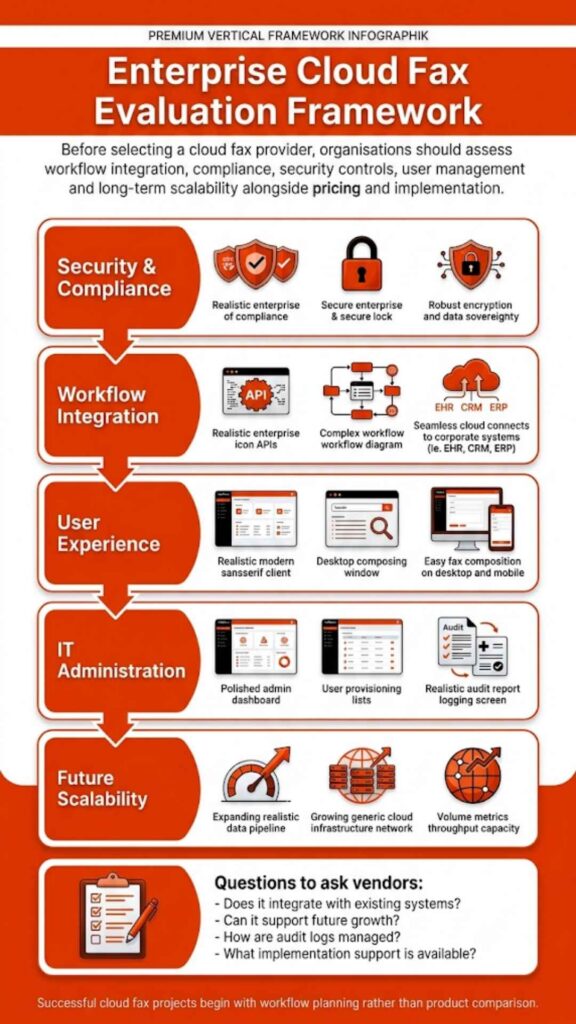
Selecting a reliable provider represents the final step in switching from a fax machine to cloud fax. Not all cloud fax services offer the same features or security capabilities. Enterprises typically evaluate several criteria before adopting a platform.

Evaluation FactorWhy It Matters
SecurityProtects confidential documents
ComplianceMeets regulatory requirements
ScalabilitySupports high fax volume
IntegrationConnects with existing business systems

Businesses exploring modern cloud fax solutions often consider how the platform supports enterprise workflows. Cloud fax providers that support integration, automation, and secure communication typically deliver the most operational value.

FAQs About Switching to Cloud Fax

Can I keep my existing fax number when switching to cloud fax?

Yes. Most cloud fax providers support number porting, which allows businesses to transfer their current fax numbers to a cloud platform. This means your contacts can continue sending documents to the same number while you use a digital cloud faxing solution.

Do I need a fax machine to use cloud fax?

No. A cloud-based fax system removes the need for physical fax machines. Users can send and receive faxes through a web portal, email, or integrated business software.

How secure is cloud faxing for sensitive documents?

Many secure cloud fax platforms use encryption, access controls, and audit logs to protect documents during transmission and storage. Organizations in regulated industries often choose services designed to meet compliance requirements such as HIPAA.

Can employees send faxes from email or mobile devices?

Yes. Most cloud faxing services allow users to send documents directly from email clients or mobile apps. This approach allows staff to send and receive online faxes from virtually any location with internet access.

Will cloud fax work with traditional fax numbers?

Yes. Even though cloud fax solutions use internet infrastructure, they remain compatible with traditional fax numbers and machines. Documents can still be sent to or received from standard fax lines.

How long does it take to switch from a fax machine to cloud fax?

The migration timeline varies depending on the organization’s infrastructure. In many cases, the transition, including number porting and user configuration, can take anywhere from a few days to a couple of weeks.

Person at a laptop interacting with a digital cloud file system, showing how cloud fax reduces document processing time by up to 40%.

Where Fax Technology Is Heading Next

Organizations that understand how to switch from fax machine to cloud fax are no longer tied to aging hardware, paper workflows, or dedicated phone lines. Cloud infrastructure allows businesses to maintain fax compatibility while moving document communication into secure digital systems. 

Teams can send and receive faxes from web portals, email clients, and integrated applications, while documents flow directly into modern document management environments.

For industries that still rely heavily on fax, especially healthcare, finance, insurance, and government, the shift to secure cloud fax helps maintain regulatory compliance while improving operational efficiency. Instead of managing machines and supplies, organizations gain centralized control, searchable records, and flexible user access.

Businesses exploring how to switch from fax machine to cloud fax should also consider long-term infrastructure reliability. As telecom providers continue modernizing networks and reducing reliance on legacy copper phone systems, cloud-based communication platforms offer a more stable path forward.

Organizations that want to modernize fax workflows without disrupting existing processes often start by evaluating enterprise cloud faxing solutions that support integration, scalability, and compliance. If your organization is preparing to move beyond traditional fax machines, a secure cloud fax platform can help maintain fax interoperability while improving document workflows. Learn more about how Softlinx’s cloud fax technology works and how it supports secure business communication by exploring its enterprise cloud fax services.

Healthcare worker operating secure fax machine to transmit medical records with proper authentication and encryption, demonstrating HIPAA-compliant faxing procedures for protected health information.

How to Prevent HIPAA Violations When Faxing Medical Records in 2026

Faxing remains deeply embedded in healthcare communication, even in 2026. The question is no longer whether faxing is allowed under HIPAA, but how to prevent HIPAA violations when faxing patient information. Federal guidance confirms that faxing PHI is permitted; however, violations continue to occur because safeguards break down at the human, technical, and procedural levels. This article explains how to prevent HIPAA violations when faxing by aligning daily fax practices with HIPAA rules, security standards, and modern compliance expectations.

How to Prevent HIPAA Violations When Faxing

Understanding how to prevent HIPAA violations when faxing starts with a simple truth: HIPAA does not prohibit faxing medical records. The HIPAA Privacy Rule allows fax transmission of protected health information for treatment, payment, and healthcare operations, provided reasonable safeguards exist. According to the U.S. Department of Health and Human Services, covered entities must protect PHI from intentional or accidental disclosure when using fax machines or electronic fax systems. That’s where most violations begin.

Many organizations assume fax equals compliance. That assumption causes breaches. HIPAA violations during faxing typically happen because of misdialed numbers, unattended fax machines, shared access, or unsecured storage. Preventing violations requires consistent controls, not outdated habits.

What HIPAA Actually Says About Faxing PHI

Healthcare professionals often ask: Is fax HIPAA compliant, or are faxes HIPAA compliant by default? The answer sits in nuance. HIPAA permits faxing PHI, but only when safeguards are applied. HHS guidance makes it clear that covered entities must use reasonable administrative, technical, and physical protections to limit unnecessary disclosures.

HIPAA fax requirements do not list specific technologies, which means responsibility falls on the organization. Whether a provider uses a traditional fax machine, a fax server, or cloud fax software, compliance depends on execution, not the medium.

The table below summarizes how HIPAA views faxing medical records.

HIPAA AreaWhat HIPAA AllowsWhere Violations Occur
Privacy RuleFaxing PHI for care and operationsWrong recipient, no cover sheet
Security RuleElectronic safeguards for ePHIUnencrypted digital fax systems
Administrative SafeguardsPolicies and workforce trainingNo documentation or staff oversight

This distinction matters. Faxing PHI is allowed, but unsafe faxing is not.

Common Ways HIPAA Fax Violations Happen

Most HIPAA fax violations occur during routine, everyday tasks rather than extraordinary events, which is exactly why they’re so dangerous.

Violation ScenarioWhy It HappensHIPAA Risk Created
Fax sent to the wrong numberOld contact lists or manual dialingUnauthorized disclosure of PHI
Unattended fax printoutsBusy staff and shared devicesPHI viewed by unauthorized individuals
Shared fax inboxesNo user-level access controlsNo accountability or traceability
Reused fax confirmation sheetsAssumed accuracy without verificationFalse proof of disclosure
Faxing more data than requiredLack of a minimum necessary reviewExcessive exposure of PHI

These incidents rarely involve malicious intent, yet they still qualify as reportable breaches under HIPAA.

Administrative Safeguards That Reduce Faxing Risk

Administrative safeguards focus on people, decisions, and accountability rather than technology. Written faxing policies should clearly define who is authorized to send PHI, under which circumstances, and how approval is documented. Without that clarity, compliance becomes guesswork.

Ongoing training plays a larger role than most organizations admit. Staff turnover, role changes, and workflow pressure slowly erode compliance unless refresher education is routine. Administrative safeguards also require assigning ownership, meaning someone is responsible for monitoring fax practices, reviewing incidents, and correcting patterns before they escalate.

Organizations that treat faxing as a regulated disclosure, rather than a background task, tend to experience fewer violations over time.

Technical Safeguards That Support HIPAA Fax Compliance

Technical safeguards determine whether PHI remains protected during transmission and storage, especially as faxing shifts into digital environments.

Technical ControlFunctionCompliance Benefit
Encryption in transitProtects data while sendingPrevents interception
User authenticationLimits system accessEnsures authorized use
Role-based permissionsRestricts PHI visibilityEnforces the minimum necessary
Transmission logsRecords fax activitySupports audits
Secure digital storagePrevents local exposureReduces paper risk

When these controls work together, faxing PHI becomes traceable, reviewable, and far less prone to silent failure.

Physical Safeguards Still Matter

Physical safeguards are often underestimated because they feel basic, yet they remain a major source of HIPAA violations. Fax machines placed in open areas invite accidental exposure, especially in high-traffic clinical settings.

Controlled placement, restricted access, and timely removal of documents reduce the likelihood that sensitive information sits unattended. Even in digital fax environments, workstations and shared printers must follow access control standards. Physical safeguards serve as the final barrier when administrative rules and technical systems fall short.

Fax Cover Sheets and Verification Protocols

Fax cover sheets and verification steps act as procedural safety nets when human error occurs.

PracticePurposeRisk Reduced
Confidentiality disclaimerAlerts unintended recipientsLimits further disclosure
Sender and recipient detailsIdentifies responsibilityImproves accountability
Pre-send number verificationConfirms destinationPrevents misdelivery
Approved fax directoriesStandardizes contactsReduces dialing errors
Error instructionsGuides recipientsMitigates breach impact

These steps may feel repetitive, but repetition is exactly what prevents one-time mistakes from becoming reportable violations.

Healthcare worker in scrubs operating fax machine, illustrating how human error and misdirected faxes cause HIPAA breaches and PHI disclosure in medical facilities.

Documentation, Audit Trails, and Accountability

HIPAA compliance depends on proof, not assumptions. Audit trails establish who accessed PHI, when it was sent, and whether delivery occurred as intended.

Documentation ElementWhat It CapturesWhy It Matters
Transmission timestampDate and timeEstablishes timeline
Sender identificationUser or departmentAssigns responsibility
Recipient confirmationDelivery statusConfirms disclosure
Access logsViewing activityDetects misuse
Retention recordsStorage durationSupports compliance reviews

Without documentation, even well-intentioned fax practices become difficult to defend during audits or investigations.

Comparing Traditional Faxing and Secure Digital Faxing

The table below illustrates how different fax approaches affect HIPAA compliance risk.

Fax MethodCompliance StrengthPrimary Risk
Analog fax machineAllowed under HIPAAPhysical exposure
Network fax serverControlled accessInternal misuse
Cloud-based faxingEncrypted, auditableVendor oversight

Organizations sending high volumes of PHI often move away from standalone fax machines toward cloud-based systems because oversight becomes manageable.

Healthcare providers exploring fax through the internet models often cite better control, fewer errors, and clearer accountability.

Industry-Specific Faxing Considerations

HIPAA fax compliance looks different depending on the care setting. Hospitals manage high-volume intake across departments, which increases exposure if routing fails. Secure hospital cloud fax solutions reduce that complexity by centralizing control.

Clinics face different challenges, such as staff multitasking and limited IT oversight. Clinic cloud fax solutions help standardize faxing without adding workflow friction.

Specialty providers, from urgent care to rehabilitation centers, rely on faxing during referrals and transitions of care. Tailored systems, such as outpatient clinic cloud fax solutions, reduce handoffs that cause mistakes.

Person holding document near fax machine with security lock icons overlaid, representing HIPAA-reportable fax breaches and compliance requirements for protected health information disclosure.

Why HIPAA Fax Compliance Still Breaks Down

Compliance breakdowns rarely stem from ignorance of the rules. They come from fatigue, pressure, and normalization of risk. Staff begin to trust systems without verification, reuse old habits, and assume nothing will go wrong this time.

Over time, minor deviations stack up. A skipped confirmation here, an unattended document there, until one incident triggers a breach notification. HIPAA compliance erodes gradually, not suddenly, which makes proactive oversight essential.

Where Secure Faxing Is Headed in 2026

Faxing remains relevant because healthcare ecosystems move slowly. However, compliance expectations continue to rise. Regulators expect better documentation, faster breach response, and fewer excuses.

Organizations that rely on HIPAA-compliant fax services with built-in auditability place themselves in a stronger position when scrutiny arrives. Modern compliance depends less on intent and more on evidence.

Modern fax machine with security shield icon, illustrating how HIPAA compliance requires documented proof of access controls and audit logs rather than relying on intent or procedures alone.

Why This Matters More Than Ever

HIPAA enforcement has become more sophisticated, and tolerance for preventable disclosures has shrunk. Patients expect privacy, regulators expect evidence, and organizations bear the consequences when either is missing.

Preventing HIPAA violations when faxing protects more than compliance status. It protects trust, reputation, and operational continuity. Healthcare organizations that want reliable, compliant faxing at scale increasingly turn to experienced providers who understand both regulation and reality.

If your organization is reassessing how it handles faxed PHI, Softlinx offers secure, healthcare-focused fax solutions designed to support compliance without disrupting care delivery. Now is the moment to replace risk with control and uncertainty with accountability.

Skip to content