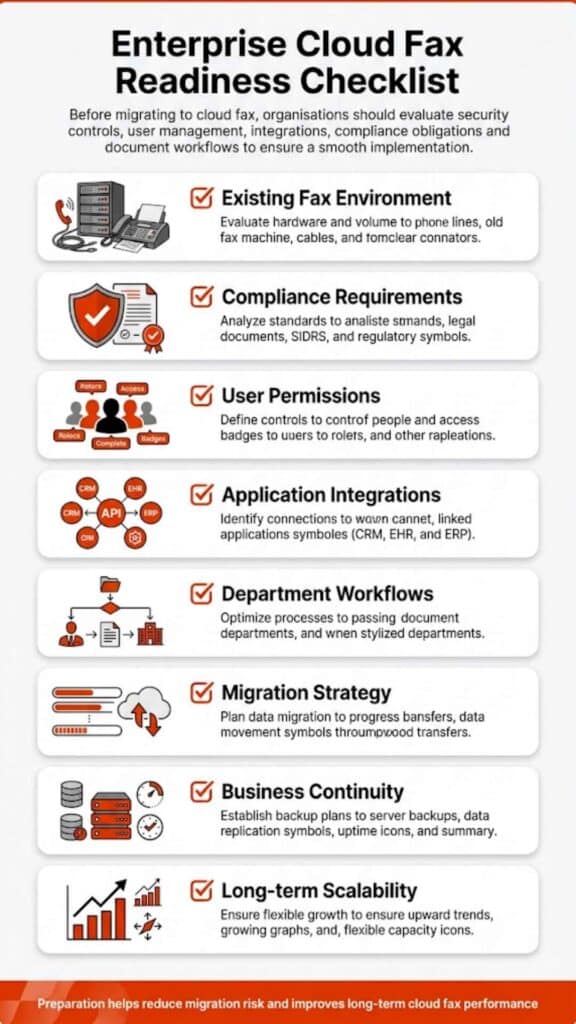
The cloud fax implementation timeline isn’t fixed. Some organizations switch in a few days, while others take several weeks due to integrations, compliance checks, and workflow complexity. What changes the timeline isn’t just the technology; it’s how deeply faxing is embedded in your operations.
Cloud Fax Implementation Timeline
The cloud fax implementation timeline reflects the shift from legacy fax systems to a secure, cloud-based fax solution. On paper, it sounds straightforward. In practice, it depends on how your current fax environment behaves, how many fax numbers you use, how documents move across departments, and whether those workflows are automated or manual.
A small team with basic faxing needs may go live almost immediately. A hospital system with EHR integration, compliance validation, and high fax volumes won’t move that quickly, and shouldn’t, especially in environments like healthcare where secure document exchange is critical.
What Is Cloud Fax and Why Timeline Matters?
Cloud fax allows organizations to send and receive faxes over the internet, removing the need for physical fax machines or on-premise servers. This also includes capabilities such as email-to-fax, which lets users send documents directly from their inbox without dedicated fax software. A modern cloud fax solution doesn’t just replicate fax; it reshapes how documents flow across systems.
But here’s where things get complicated. Many organizations still rely on legacy routing, manual handling, and disconnected systems. Replacing that with a structured platform, like Softlinx’s ReplixFax enterprise cloud fax system, means rebuilding workflows, not just installing software.
And that’s why the cloud fax implementation timeline matters. It determines whether the transition feels smooth or disruptive.
Despite widespread digital transformation, fax remains deeply embedded in regulated industries. According to a report, over 70% of healthcare communication still relies on fax-based workflows, largely due to compliance requirements and interoperability gaps.
At the same time, studies from KLAS Research show that organizations transitioning to cloud fax report measurable reductions in manual document handling errors and improved delivery reliability. This explains why the cloud fax implementation timeline isn’t just a technical upgrade; it’s an operational shift that directly affects risk, compliance, and efficiency.
Typical Cloud Fax Implementation Timeline Breakdown
Before looking at exact durations, it helps to see how the process unfolds in real-world deployments. Each phase builds on the previous one, and skipping steps often leads to delays later.
| Phase | Duration | Complexity | What Actually Happens |
| Assessment | 1–3 days | Low–Medium | Audit workflows, fax volumes, dependencies |
| Design | 2–5 days | Medium | Configure a secure cloud fax environment |
| Porting | 3–10 days | Medium–High | Transfer fax numbers, including the ability to keep your existing fax number during migration |
| Integration | 3–14 days | High | Connect APIs, EHR, internal systems |
| Testing | 2–5 days | Medium | Validate routing and delivery |
| Deployment | 1–3 days | Low | Rollout and onboarding |
What this timeline shows is that most delays don’t come from the technology itself; they come from integration depth and operational complexity, especially in environments where faxing is tied to critical workflows.
Key Factors That Affect Cloud Fax Implementation Timeline
Before diving into migration, it helps to understand what slows things down. Not every delay is technical; many are operational.
| Factor | Impact on Timeline | What It Means in Practice |
| Fax Volume | Medium–High | High-volume environments need load testing |
| Legacy Systems | High | Older systems require mapping and cleanup |
| Compliance Requirements | High | HIPAA, audits, and validation add steps |
| Integration Needs | High | APIs and EHR connections extend timelines |
| Number Porting | Medium | External carriers control speed |
| Internal Approval Cycles | Medium | Legal and IT reviews slow deployment |
What stands out here is that the timeline isn’t driven by the cloud fax provider alone; your internal complexity shapes it. Organizations that prepare early often move faster without cutting corners.

Cloud Fax Migration Steps
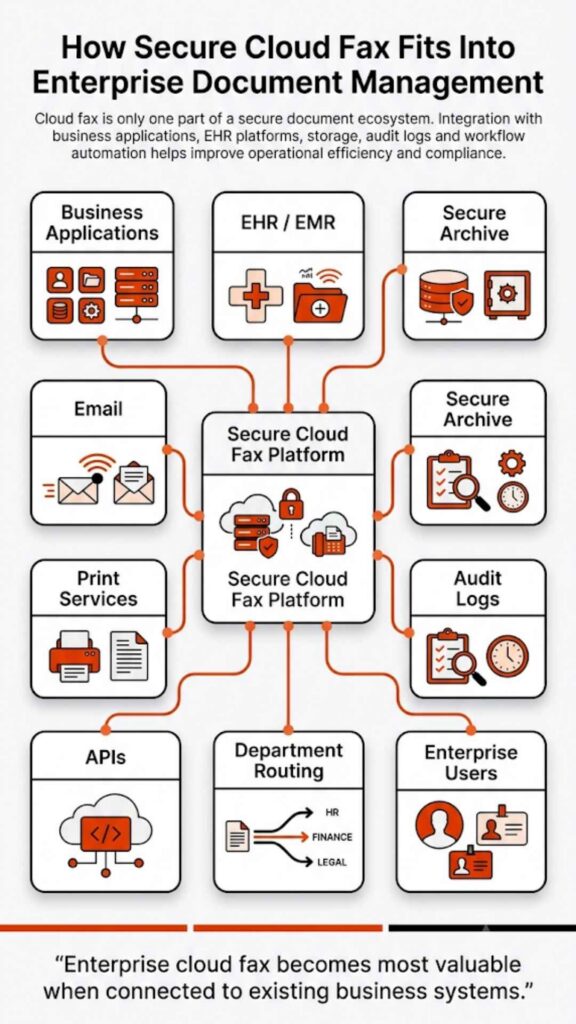
First, teams map how documents currently move through the business. That includes identifying where delays occur, where manual steps are involved, and where errors occur. Next, workflows are rebuilt inside the cloud faxing solution. With platforms like ReplixFax, this often includes automation rules, barcode routing, and API-driven document handling.
Then comes integration. Healthcare organizations, for example, connect directly with EHR systems through secure APIs. Healthcare Fax Solutions support workflows aligned with how to set up cloud fax API functionality, enabling systems to exchange documents securely and efficiently without disrupting existing processes.
In healthcare environments, integration often extends beyond basic EHR connectivity. Platforms like ReplixFax support direct integration with systems such as Epic, allowing inbound and outbound documents to flow automatically into patient records without manual intervention. This level of integration reduces delays, minimizes human error, and ensures that time-sensitive data, such as lab results or referrals, reaches the correct destination instantly.
Advanced workflow automation also plays a critical role here. Instead of routing faxes manually, enterprise cloud fax systems use barcode recognition, intelligent routing rules, and metadata extraction to direct documents automatically. For organizations managing high fax volumes, this eliminates bottlenecks that would otherwise extend the cloud fax implementation timeline.
Finally, testing ensures that documents reach the right destination without failure. Only after that does full deployment begin.
Consider a mid-sized hospital transitioning over 500 active fax lines tied to multiple departments. During early testing, routing inconsistencies caused critical documents to be delayed because legacy workflows were not fully mapped.
Once automated routing rules and API integrations were configured correctly, delivery times stabilized, and manual handling dropped significantly. This kind of scenario is common, and it highlights why rushing the cloud fax implementation timeline often creates more problems than it solves.
Is Cloud Fax More Secure Than Traditional Fax?
Yes, but only if implemented correctly. Traditional fax machines leave documents exposed, printed pages sit unattended, transmission logs are limited, and security depends heavily on physical control.
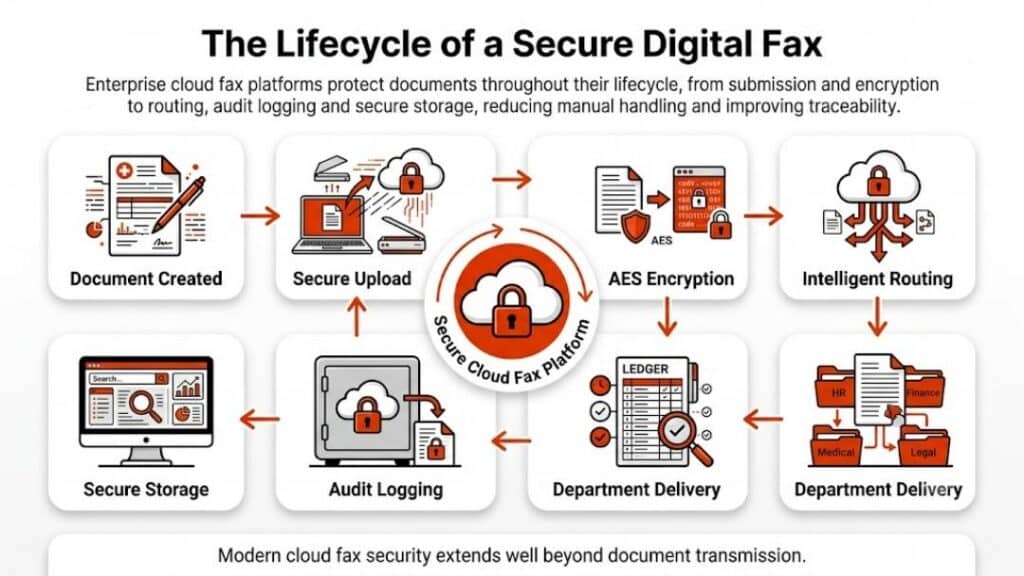
Cloud-based faxing changes that entirely. Modern secure cloud fax platforms use:
- End-to-end encryption (TLS, HTTPS)
- Role-based access control
- Detailed audit logs
- Secure storage environments
- Multi-factor authentication
Softlinx goes further with its enterprise-grade approach. ReplixFax is designed to align with strict compliance frameworks, including HIPAA requirements and audit-ready controls often associated with SOC 2 environments.
This includes detailed audit trails, secure transmission protocols, and controlled access to sensitive data, critical for organizations operating under regulatory oversight.
Organizations often evaluate whether fax is HIPAA-compliant before migrating. The reality is that compliance depends less on the technology itself and more on how it’s implemented.
Cloud Fax Reliability and Performance Expectations
Reliability isn’t just about uptime; it’s about consistency under pressure. A cloud fax server must handle spikes in fax volumes, simultaneous transmissions, and document-heavy workflows. At a technical level, enterprise cloud fax systems operate through a distributed infrastructure.
Incoming documents are received through secure gateways, processed through routing engines, and then delivered via APIs or user interfaces. This architecture allows systems like ReplixFax to handle high-volume transmission without the bottlenecks commonly seen in legacy fax servers. Here’s where enterprise cloud fax solutions differ from basic providers.
Platforms like ReplixFax are designed for high-volume environments, meaning they can process thousands of faxes without delays, dropped transmissions, or busy signals.
Softlinx also supports automated retry mechanisms, load balancing, real-time monitoring, and 24/7 US-based support for issue resolution. That last point matters more than most realize. When fax fails in healthcare or finance, it’s not just an inconvenience; it can disrupt operations.
Common Delays in Cloud Fax Implementation
Even well-planned migrations hit roadblocks. The difference is whether those risks are expected.
| Delay Type | Why It Happens | Real-World Impact |
| Number Porting Delays | Carrier dependencies | Slows full transition |
| Workflow Misalignment | Poor mapping of processes | Documents routed incorrectly |
| Integration Issues | API or system mismatch | Data flow disruptions |
| Compliance Approval | Legal/security reviews | Extended timelines |
| User Resistance | Change management issues | Slower adoption |
In real deployments, delays rarely come from the cloud fax provider; they come from gaps in preparation. That’s why structured planning matters more than speed.
What’s often overlooked is the cost of these delays. A misrouted fax in a healthcare setting isn’t just an inconvenience; it can delay treatment, impact patient outcomes, or trigger compliance violations. That’s why understanding the cloud fax implementation timeline isn’t just about speed; it’s about reducing operational risk.

Cloud Fax vs On-Premise Fax Timeline Comparison
The difference between cloud and on-premise isn’t just cost, it’s time.
| Factor | Cloud Fax | On-Premise Fax |
| Setup Time | Days to weeks | Weeks to months |
| Infrastructure | No hardware | Requires servers |
| Scalability | Immediate | Limited |
| Maintenance | Vendor-managed | Internal IT |
Organizations comparing options often find that cloud deployments eliminate weeks of infrastructure setup and significantly reduce long-term operational costs.
When Cloud Fax Implementation Can Be Completed in Days
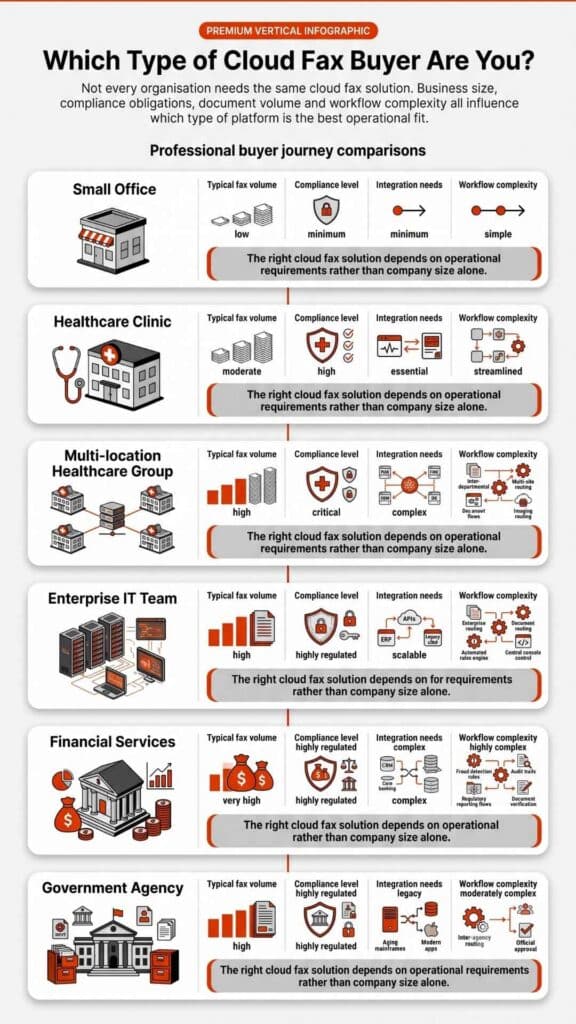
Not every deployment is complex. Fast-track scenarios usually include no legacy system dependencies, no number porting required, simple send-and-receive workflows, and minimal compliance constraints.
In these cases, businesses can go live within days using cloud fax services. However, this is where many organizations underestimate their environment. What looks simple often includes hidden routing rules or undocumented workflows that surface during implementation.
Why Enterprise Cloud Fax ≠ Basic Cloud Fax
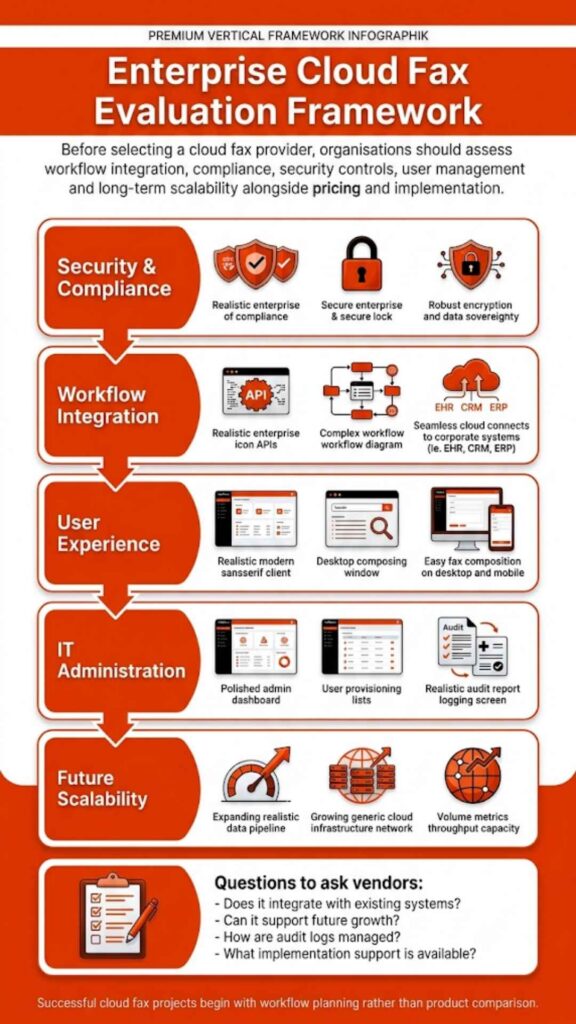
This is one of the biggest misunderstandings in the market. Basic cloud fax providers focus on sending and receiving documents. That works for small teams. Enterprise cloud fax solutions, like Softlinx, are built differently:
- API-driven architecture
- workflow automation
- EHR and system integration
- compliance frameworks
- high-volume performance
This difference directly affects the cloud fax implementation timeline. Simpler tools deploy faster, but they rarely scale or integrate the way enterprise systems need. Organizations evaluating Healthcare Cloud Fax Solutions often prioritize these enterprise capabilities to support secure, compliant, and high-volume document workflows.
Choosing a basic cloud fax provider may shorten initial setup time, but it often introduces long-term inefficiencies, manual routing, limited scalability, and integration gaps. For organizations handling sensitive or high-volume data, these limitations tend to surface quickly, forcing rework that ultimately extends the timeline further.
What Can Go Wrong During Implementation
Organizations often face incorrect routing rules leading to lost documents, incomplete integration causing data gaps, compliance failures due to misconfiguration, and delays from underestimated complexity. Many organizations also struggle to reduce fax errors without automation. These risks don’t disappear with better technology; they disappear with better planning.
FAQs About Cloud Fax Implementation Timeline
What is the fastest way to reduce the cloud fax implementation timeline?
Minimize dependencies, skip number porting, simplify workflows, and reduce integration requirements.
Can cloud fax be implemented without disrupting operations?
Yes, phased deployment allows parallel operation with existing fax systems during transition.
Does EHR integration increase implementation time?
Yes, integration adds complexity, especially in healthcare environments, but it improves long-term efficiency.
What causes delays in cloud fax migration?
Number porting, workflow mapping errors, and internal approvals are the most common causes.
Can multiple departments share one cloud fax system?
Yes, enterprise cloud fax solutions allow centralized systems with role-based access and routing.
How do I know if my organization is ready for cloud fax?
If your current fax systems involve manual handling, delays, or compliance risks, migration is worth evaluating.

Where This Leads Next
The cloud fax implementation timeline ultimately comes down to one decision: whether you prioritize speed alone or long-term reliability and compliance. Organizations that choose the right platform early avoid rework, reduce risk, and create workflows that scale with their operations.
If your current fax environment involves manual handling, delays, or compliance concerns, it may be time to evaluate a more structured approach. Solutions like Softlinx’s ReplixFax are built specifically for high-volume, regulated environments, where accuracy, security, and uptime aren’t optional.
The next step isn’t just switching to cloud fax. It’s choosing a system that gets it right the first time.