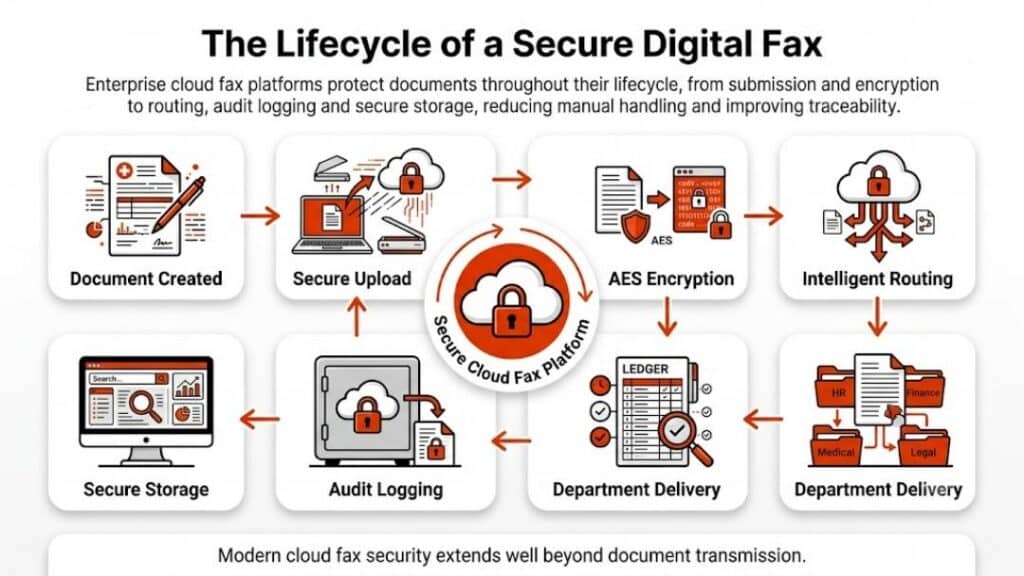
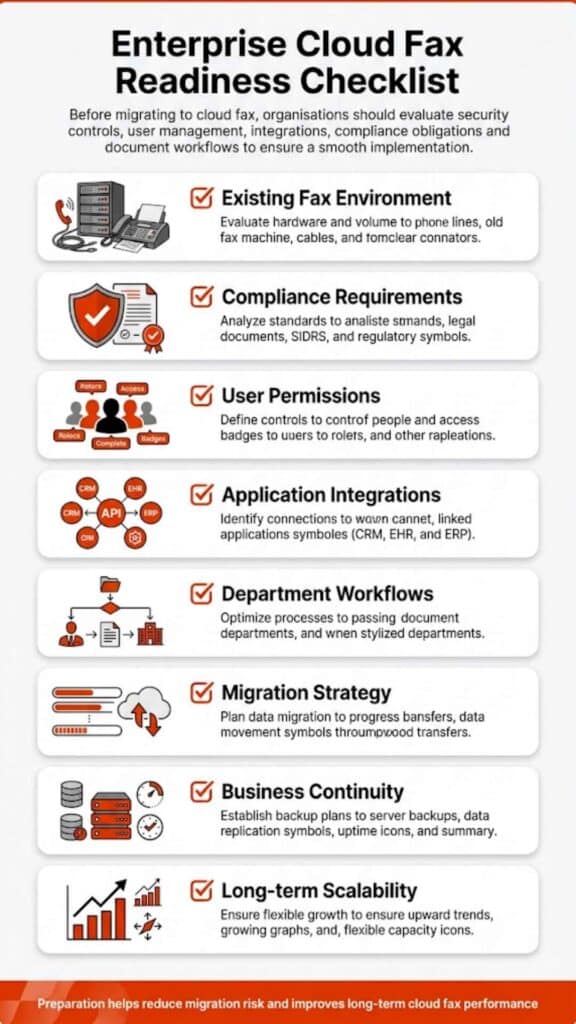
Shifting away from legacy fax systems isn’t just a technical upgrade anymore. Across the U.S., telecom changes, compliance pressure, and workflow inefficiencies are forcing businesses to rethink how they send and receive documents. This guide breaks down cloud fax migration steps in a practical, real-world format, grounded in how enterprises actually operate and aligned with the capabilities organizations expect from providers like Softlinx.
Cloud Fax Migration Steps
The phrase cloud fax migration steps refers to the structured transition from traditional fax infrastructure, think aging phone lines, fax machines, and on-premise servers, to a secure, cloud-based fax environment.
Here’s the thing. Most organizations don’t move because they want to. They move because the underlying infrastructure is fading. The decline of the copper network and the ongoing conversation around Verizon copper retirement are pushing IT teams into action. Systems that once felt stable now fail without warning. That’s where cloud fax comes in. Not as a replacement alone, but as a long-term fix.
Why Businesses Are Moving Away from Traditional Fax Infrastructure
The shift away from legacy fax isn’t driven by a single factor. It’s a mix of infrastructure decay, operational inefficiencies, and rising compliance demands. Many teams don’t realize how deeply these issues affect daily workflows until disruptions begin to pile up. Below is a closer look at where traditional systems fall short:
| Area | Limitations of Traditional Fax | Operational Impact |
| Infrastructure | Dependent on physical phone lines | Frequent service instability |
| Scalability | Limited by hardware capacity | Difficult to handle high volume |
| Accessibility | On-site access only | Remote work limitations |
| Security | Minimal encryption | Increased compliance risk |
| Maintenance | Hardware-dependent upkeep | Higher operational overhead |
These limitations don’t always appear at once. But over time, they create friction that slows down document workflows and increases risk exposure.
Decline of Copper Network and Landlines
Telecom providers have been phasing out copper-based systems for years. What used to be a gradual shift has now reached a point where many businesses are directly affected. Questions like Is Verizon getting rid of landlines reflect a real concern, not speculation.
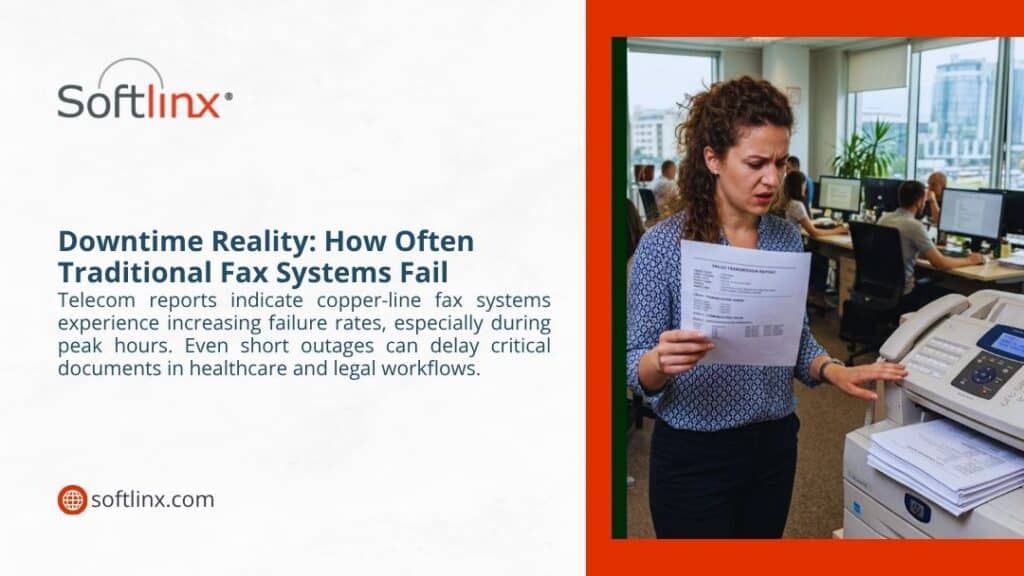
As part of the broader Verizon copper-to-fiber migration, traditional fax lines tied to copper infrastructure face disruptions. Delayed transmissions, dropped connections, and inconsistent delivery reports are becoming more common.
And that’s where the risk sits. Fax remains critical in regulated industries, but the network behind it doesn’t offer the same reliability it once did.
Limitations of Fax Machines and Fax Servers
Traditional fax systems rely on physical devices and on-premise infrastructure. At first glance, they seem straightforward. In reality, they introduce inefficiencies that build up over time.
| Component | Limitation | Business Impact |
| Fax Machines | Manual handling required | Slower document processing |
| Fax Servers | Complex maintenance | Increased IT workload |
| Phone Lines | Fixed capacity | Bottlenecks during peak usage |
| Legacy Systems | Limited integration | Disconnected workflows |
Over time, these limitations affect productivity in ways that aren’t always obvious. A missed fax here, a delayed transmission there, it adds up. Many organizations start noticing these issues when evaluating outdated fax server infrastructure against modern alternatives.

Pre-Migration Assessment: What Needs to Be Evaluated First
Before diving into cloud fax migration steps, organizations need a clear picture of their current setup. Skipping this stage often leads to misaligned workflows later.
Start with a full audit. Identify how many fax numbers are active, how departments use them, and where bottlenecks occur. Look closely at routing rules, document handling processes, and any manual intervention points.
Compliance requirements also deserve attention early on. Healthcare organizations, for example, must align with strict standards. Reviewing HIPAA fax compliance requirements helps ensure that the new system supports secure document exchange from day one.
Step-by-Step Cloud Fax Migration Process
The actual transition doesn’t happen in a single move. It unfolds in phases, each building on the previous one.
Step 1: Define Migration Goals and Use Cases
Migration starts with purpose. Some organizations aim to improve document flow, while others focus on compliance or reducing reliance on physical infrastructure. Identifying these goals helps shape the entire process.
Step 2: Choose a Cloud Fax Provider
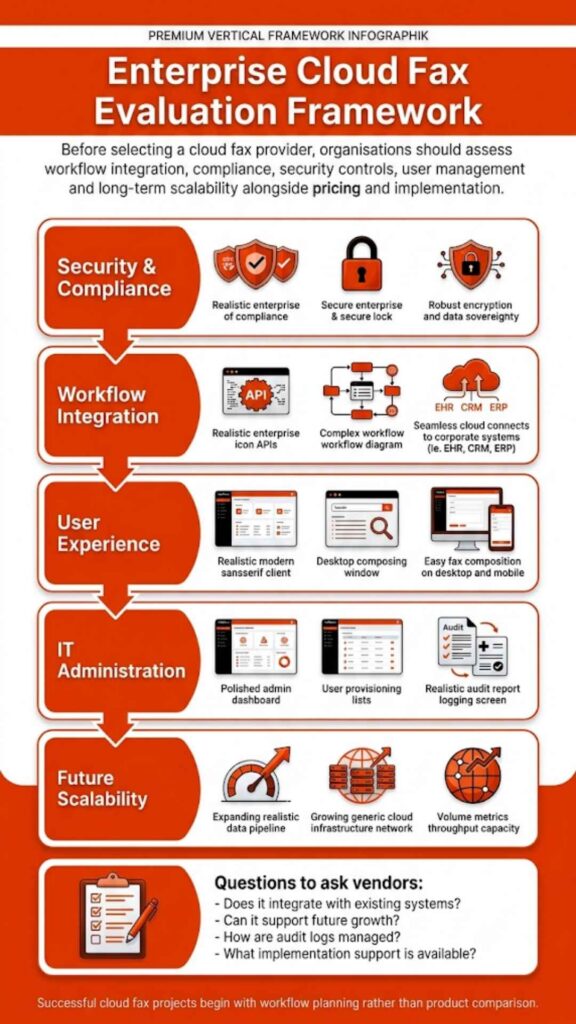
Not all providers are built for enterprise needs. Security certifications, uptime reliability, and integration capabilities should guide the selection process. For example, exploring a dedicated cloud fax platform reveals how modern systems support both security and scalability without requiring additional hardware.
Step 3: Plan Number Porting and Routing
Maintaining continuity matters. Many businesses prefer to retain their existing fax numbers. A structured plan ensures that inbound and outbound communications remain uninterrupted during migration.
Step 4: Integrate with Business Systems
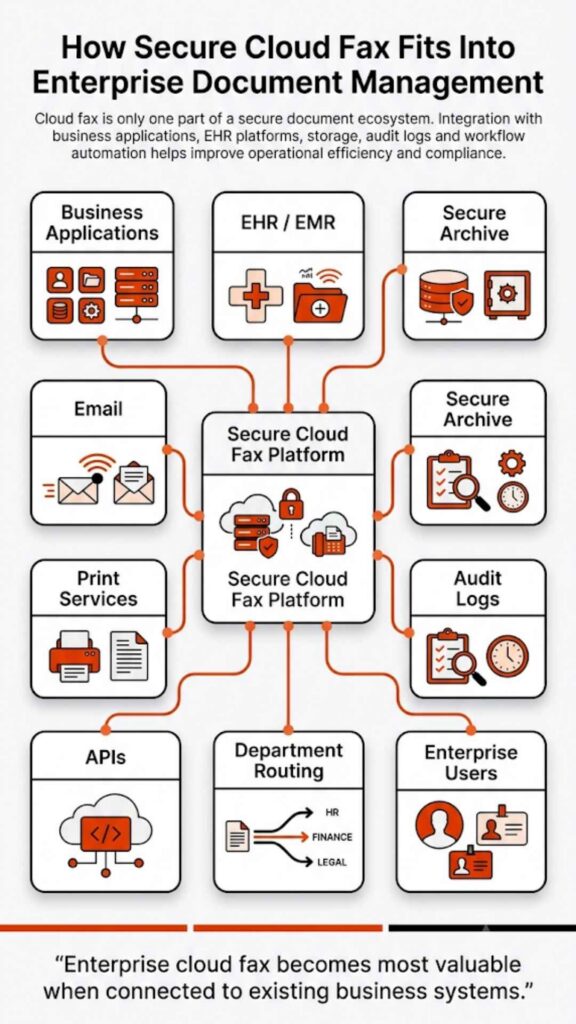
Cloud fax does not operate in isolation. Integration with document management systems, CRMs, or EHR platforms ensures smooth workflows. In many environments, this also extends to flexible transmission methods such as web portal faxing, email-to-fax, and print-to-fax, allowing teams to send and receive documents without changing how they already work. Organizations in healthcare often prioritize EHR integration to connect fax communication directly with patient records.
Step 5: Configure Security and Compliance Controls
At this stage, encryption protocols, user permissions, and audit tracking come into play. This ensures that all fax communications meet industry regulations.
Step 6: Test Fax Workflows in Real Time
Testing helps identify issues early. Sending and receiving faxes across departments ensures that routing rules and delivery confirmations function as expected.
Step 7: Train Teams and Roll Out Gradually
Adoption takes time. A phased rollout allows employees to adapt while minimizing operational disruption.
At this stage, many organizations realize that migration isn’t just a technical shift, it’s a workflow transformation. If your current setup still depends on manual routing or aging infrastructure, exploring an enterprise-ready cloud fax platform like Softlinx can help simplify the transition without disrupting operations.
Integration Considerations for Healthcare and Regulated Industries
In regulated sectors, integration isn’t just about convenience. It’s about compliance and efficiency.
Healthcare providers rely heavily on fax for patient data exchange. Healthcare Fax Solutions help connect fax workflows directly with clinical systems, reducing manual handling and improving accuracy.
Softlinx has spent over 25 years supporting enterprise fax workflows, particularly in healthcare environments where compliance and reliability are non-negotiable.
Integration also extends to automation. Routing incoming faxes based on metadata, linking documents to records, and enabling real-time access all contribute to smoother operations.
Common Challenges During Cloud Fax Migration (And How to Avoid Them)
Even with planning, challenges tend to surface. The key is recognizing them early.
| Challenge | Root Cause | How to Address It |
| Workflow disruption | Poor mapping of processes | Conduct pre-migration workflow audits |
| User resistance | Lack of training | Introduce phased onboarding |
| Integration gaps | System incompatibility | Choose API-capable platforms |
| Compliance risks | Misconfigured settings | Implement strict access controls |
When these issues are handled upfront, migration becomes far more predictable.
Cloud Fax vs Traditional Fax: Operational Comparison
When comparing both systems side by side, the differences become clear.
| Feature | Traditional Fax | Cloud Fax |
| Infrastructure | Hardware and phone lines | Internet-based |
| Accessibility | Location-bound | Remote access |
| Security | Basic safeguards | Advanced encryption |
| Scalability | Limited | Flexible |
| Maintenance | Continuous upkeep | Minimal |
This comparison highlights why many organizations are rethinking their approach to fax infrastructure.
Migration Timeline and What to Expect
Migration timelines vary depending on system complexity. Still, most follow a similar structure.
| Phase | Duration | Key Activities |
| Assessment | 1–2 weeks | Infrastructure review |
| Planning | 2–3 weeks | Provider selection |
| Implementation | 3–6 weeks | Integration setup |
| Testing | 1–2 weeks | Workflow validation |
This phased approach helps reduce disruption while ensuring a stable transition.
Security and Compliance in Cloud Fax Environments
Security tends to be the deciding factor in most cloud fax migration steps, especially for organizations handling regulated data. The difference between legacy fax and cloud-based systems isn’t just technical; it’s structural.
As noted by HIMSS, fax remains deeply embedded in healthcare workflows because it provides a universally accepted method for secure document exchange, highlighting why modernization, not elimination, is the priority.
Traditional fax relies on analog transmission. Once a document is sent, visibility is limited. There’s no clear audit trail, no controlled access, and often no encryption at all. That creates exposure, particularly in healthcare and financial environments.
Cloud fax changes that dynamic entirely. Instead of relying on unsecured phone lines, documents move through encrypted channels, often protected by protocols such as TLS and AES-level encryption. Access is controlled through user permissions, and every action sent, received, or viewed is logged.
That level of visibility matters. It’s not just about preventing breaches; it’s about proving compliance when required.
According to the U.S. Department of Health & Human Services, covered entities must implement technical safeguards to protect electronic protected health information (ePHI). That expectation has pushed many organizations to rethink how fax fits into their security model.
Beyond encryption, modern platforms introduce features that legacy systems simply cannot support:
- Role-based access control
- Detailed audit logs
- Secure storage environments
- Real-time monitoring
This is where Softlinx differentiates itself. Its enterprise-grade cloud fax platform supports compliance-first workflows, built for industries where regulatory alignment is not optional. Security, in this context, isn’t a feature; it’s the foundation.
Real-World Use Cases Across Industries
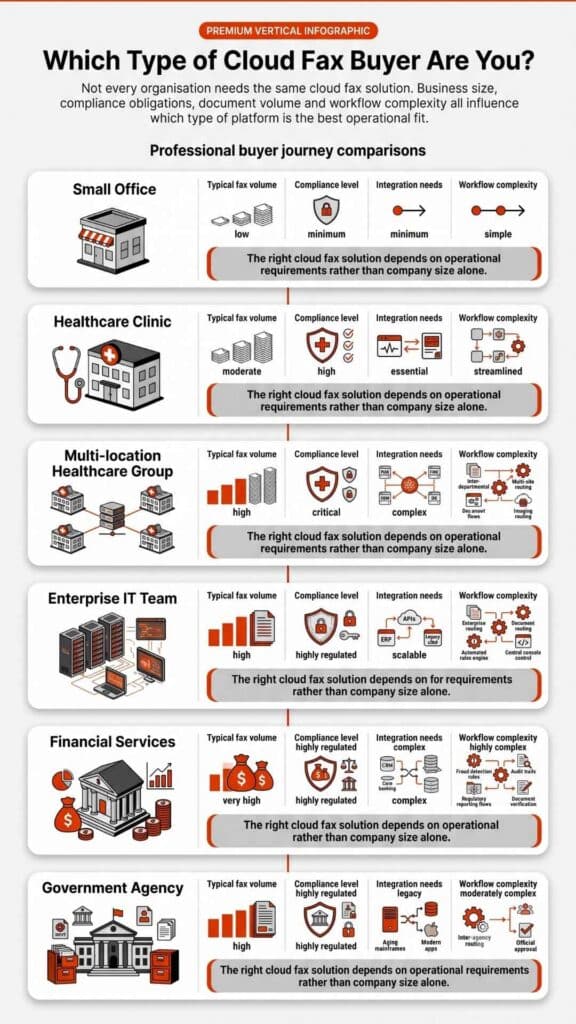
Cloud fax doesn’t operate in theory. Its value shows up in daily operations, often in places where reliability and compliance intersect.
In healthcare, fax remains a primary channel for exchanging patient records, referrals, and lab results. Healthcare Cloud Fax Solutions help documents move instantly, while integration with clinical systems ensures they reach the right destination without manual sorting. A delay of even a few minutes can affect care coordination.
Financial institutions rely on fax for document verification and approvals. These workflows require both speed and confidentiality. A cloud-based approach ensures that documents are transmitted securely while maintaining a clear audit trail.
Insurance companies face similar demands. Claims processing often involves high volumes of documents moving between departments. Manual fax handling slows this process. Automation—particularly through API-driven workflows—helps route documents based on predefined rules.
Government agencies also depend on fax for secure communication. In many cases, legacy infrastructure still exists, but cloud fax provides a bridge between traditional workflows and modern systems.
What stands out across all these industries is consistency. Secure delivery, reliable transmission, and improved visibility all contribute to smoother operations.
Softlinx supports these environments at scale, with workflow automation and API integrations that reduce manual handling and improve document accuracy across departments.

Cost and Operational Impact Over Time
Cost discussions around cloud fax often miss the bigger picture. It’s not just about reducing expenses; it’s about how operations evolve. Here’s how the operational impact compares over time:
| Cost Area | Traditional Fax Impact | Cloud Fax Impact |
| Hardware | Ongoing replacement and repair | Eliminated |
| Phone Lines | Monthly telecom expenses | Reduced or removed |
| IT Maintenance | Continuous support required | Minimal oversight |
| Workflow Efficiency | Manual routing and delays | Automated processes |
| Error Rates | Higher due to manual handling | Lower with automation |
What becomes clear over time is that the shift isn’t just financial, it’s structural. Processes become faster, errors decrease, and teams spend less time managing documents.
Softlinx’s platform strengthens this advantage through automation capabilities and enterprise-scale reliability, allowing organizations to handle high-volume fax workflows without added complexity.
That’s why many organizations don’t just view cloud fax as a replacement. They see it as a long-term operational upgrade.
Moving Forward with Cloud Fax Migration
Cloud fax migration steps are no longer optional for many organizations; they’ve become a necessary shift as legacy infrastructure continues to decline. Infrastructure changes, compliance requirements, and operational challenges continue to push businesses toward modern solutions.Softlinx brings more than just cloud fax; it delivers enterprise-grade reliability, automation, and compliance built for high-volume environments. If your organization is planning cloud fax migration steps, now is the right time to evaluate a platform that supports long-term growth, not just short-term fixes. Connect with Softlinx to map out a migration strategy that aligns with how your business actually operates.