Do I Need Special Equipment to Use a HIPAA Compliant Electronic Fax Service for Healthcare?

This article outlines the equipment requirements for implementing a HIPAA-compliant electronic fax service in healthcare settings. Healthcare providers often question whether transitioning from traditional fax machines requires significant infrastructure investments or specialized hardware. 

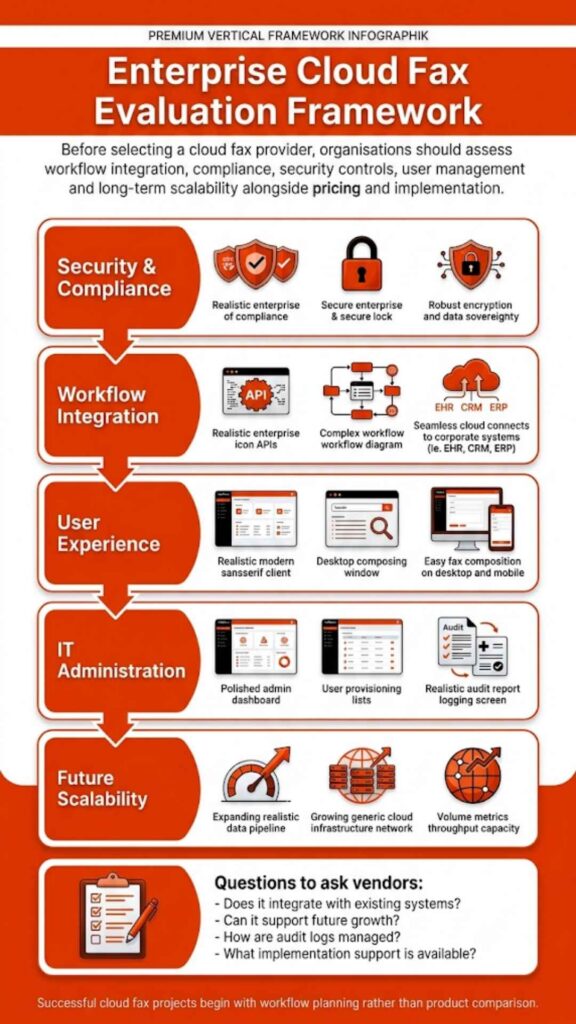
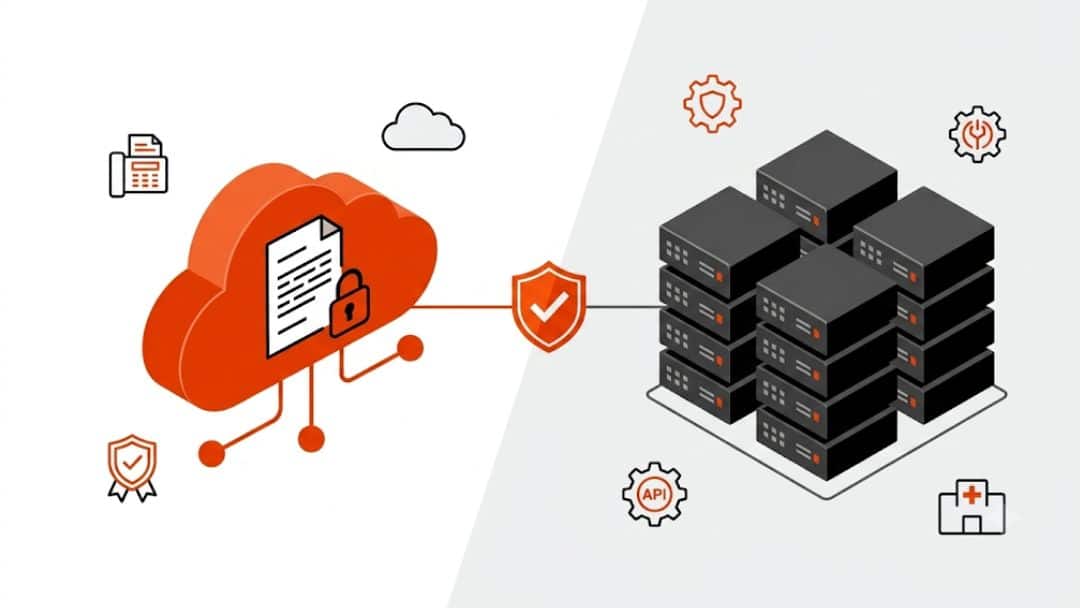
The answer is straightforward: modern cloud-based fax solutions eliminate the need for dedicated fax machines, phone lines, or on-premise servers. Healthcare facilities can securely transmit patient information through existing devices, including computers, smartphones, tablets, and multifunction printers, while maintaining full compliance with the Health Insurance Portability and Accountability Act (HIPAA). 

This guide examines the technical requirements, compliance standards, and practical implementation steps for electronic fax systems in medical practices, hospitals, and clinics.

Do I need special equipment to use a HIPAA compliant electronic fax service for healthcare?

The short answer is no. Healthcare organizations do not need special equipment to use a HIPAA compliant electronic fax service. Unlike traditional fax machines that require dedicated phone lines, fax servers, and physical hardware, modern electronic fax solutions operate through the internet on devices already present in most healthcare facilities.

A HIPAA compliant fax service works with standard computers, smartphones, tablets, and existing multifunction printers. The transition from legacy fax infrastructure to cloud-based fax systems eliminates hardware dependencies while strengthening security protocols for patient data transmission.

Healthcare providers can send and receive faxes through web portals, email clients, or direct integration with electronic health record systems. This approach removes the physical limitations of traditional fax machines and creates a more flexible document workflow that adapts to clinical operations.

What Equipment Healthcare Facilities Already Have

Most healthcare organizations possess all the necessary equipment to deploy electronic fax services immediately. The infrastructure requirements are minimal because cloud-based fax platforms leverage existing technology rather than demanding new investments.

Device TypeCurrent Use in HealthcareElectronic Fax Capability
Desktop ComputersAdministrative tasks, EHR access, and billingWeb portal fax access, email-to-fax transmission
LaptopsMobile clinical documentation, remote workFull fax functionality from any location
SmartphonesClinical communication, on-call dutiesMobile app access for urgent fax transmission
TabletsBedside documentation, patient roundsTouch-optimized fax interfaces for quick access
Multifunction PrintersDocument scanning, printing, and copyingDirect fax transmission from the device panel

Standard office equipment becomes part of the fax infrastructure without modifications. A clinic administrator can transmit referral documents from their desktop computer through a web browser. Physicians can receive lab results as faxes directly in their email inbox. 

Nurses can scan discharge paperwork on the department’s multifunction printer and route it to specialists through the printer’s interface.

The cloud fax approach transforms existing technology into secure transmission channels without requiring specialized fax hardware. Healthcare facilities avoid the capital expenditure associated with purchasing dedicated fax servers or maintaining analog phone lines for fax machines.

How does HIPAA view fax and electronic fax in healthcare?

HIPAA does not forbid fax. The HIPAA Privacy Rule allows a physician or healthcare organization to fax patient medical information to another provider for treatment, payment, or healthcare operations, as long as appropriate safeguards protect that information. The focus sits on the protection of patient data, not on a specific fax machine or device.

Key principles that shape any HIPAA compliant fax solution:

PrincipleWhat it means in practice
Device-neutral regulationHIPAA does not declare one specific fax machine or fax app “approved”. It requires safeguards around any system that sends or receives patient information.
Safeguards over technology labelsAdministrative, technical, and physical safeguards apply whether you use a traditional fax machine or a HIPAA compliant online fax service.
Vendor relationshipsCovered entities must sign BAAs with any vendor that handles ePHI, including providers of HIPAA compliant fax services.
Documentation and oversightPolicies, procedures, and audit trails must show how your organization controls access to secure faxes and received faxes.

In other words, Do I need special equipment to use a HIPAA compliant electronic fax service for healthcare? is less critical than the question of whether your faxing solution satisfies HIPAA requirements for encryption, access controls, audit logs, and BAAs. 

A simple desktop fax machine with open paper trays can break HIPAA rules even though it looks familiar. A HIPAA compliant digital fax service that runs in the cloud, with audit trails and access controls, can meet HIPAA fax compliance without a single analog fax line on-site.

Softlinx describes these expectations in detail in its dedicated resource on HIPAA compliant fax requirements and how a HIPAA compliant fax service protects patient data inside healthcare workflows.

What your team actually needs on site

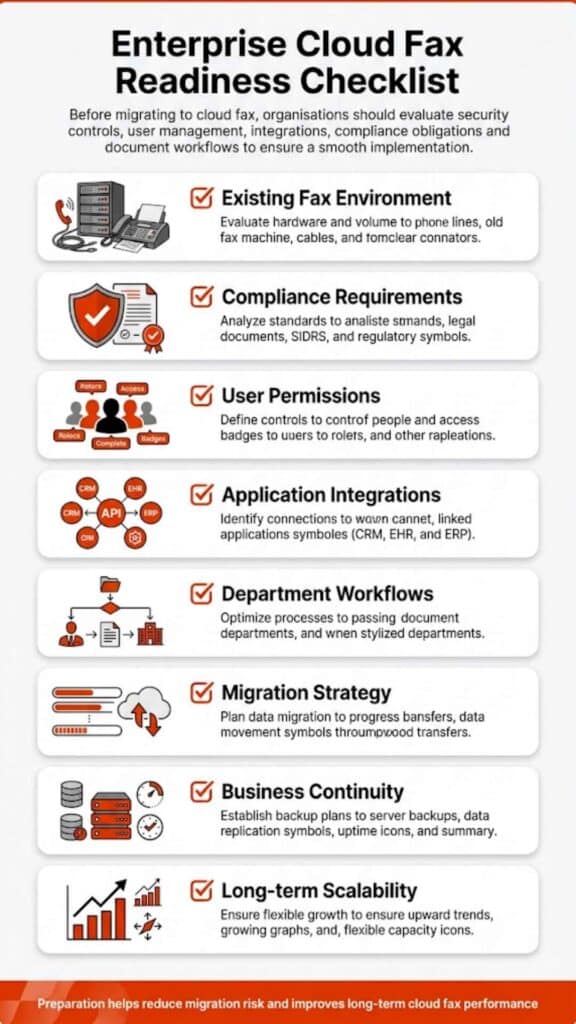
A HIPAA compliant fax service does not require specialized proprietary hardware in your facility. The table below sets out the usual components and whether they count as “special equipment”.

ComponentTypical reality in a healthcare settingSpecial equipment required?Why it matters for HIPAA compliant electronic fax
WorkstationsExisting PCs or laptops for clinical and administrative staffNoStaff send and receive electronic faxes through a secure web portal, EHR screen, or email client.
Network and internetExisting secure LAN and internet connectionNo extra hardware in most casesThe HIPAA compliant online fax platform runs in the cloud; your network only needs stable, secure access.
Physical fax machineLegacy desktop unit in a corner office or nurses’ stationNot requiredA modern HIPAA compliant digital fax service replaces the traditional fax machine; staff can still print when necessary, without relying on physical paper trays for PHI storage.
Fax serverLegacy on-prem fax server racks with fax boards and telephony connectionsNot required with cloud faxA HIPAA compliant cloud fax service removes the need for an in-house fax server and its telephony hardware.
Multi-function printers (MFPs)Shared printers and scanners in departmentsOptionalMFPs can still print received faxes or scan documents into workflows but no longer carry full responsibility for HIPAA fax compliance.
Telephony hardwareFax boards, gateways, analog or PRI linesNot required on your side with true cloud faxThe provider maintains secure fax telephony in the data center; your team connects through HTTPS and secure APIs.

If you still run an internal fax system, Softlinx also explains legacy fax server setups and shows how to move away from on-prem fax hardware without disrupting clinical workflows.
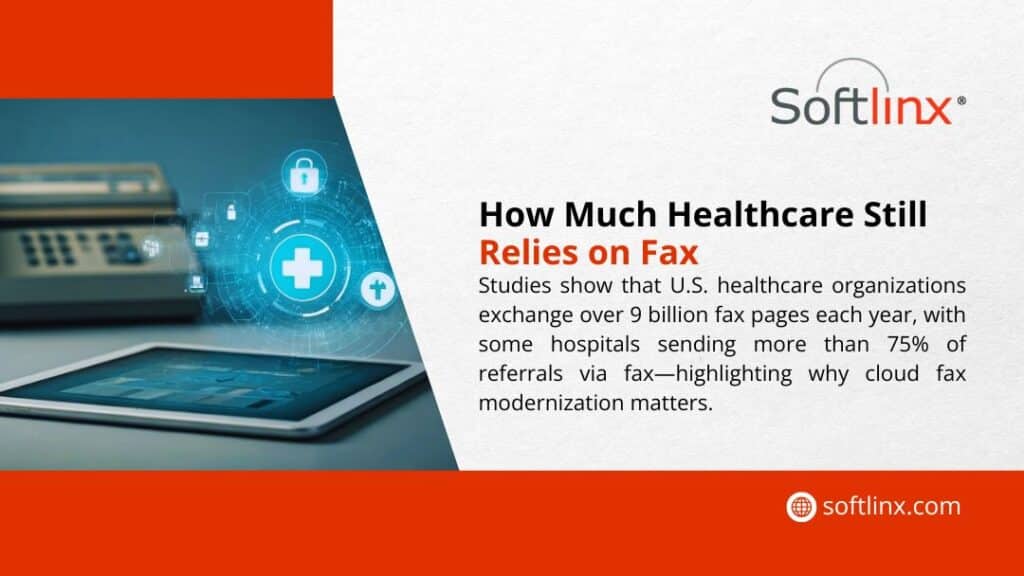
How Much Healthcare Still Relies on Fax – U.S. organizations exchange over 9 billion fax pages yearly; some hospitals send >75% of referrals via fax.

Do I need special equipment to use a HIPAA compliant electronic fax service for healthcare in different care settings?

Healthcare still depends heavily on fax. Various industry sources have estimated that around seven out of ten healthcare organizations use fax in core information exchange, including referrals, prior authorizations, and diagnostic reporting. 

That cuts across hospitals, outpatient clinics, and multi-specialty centers. Each type of organization asks the same core question in its own way: Do I need special equipment to use a HIPAA compliant electronic fax service for healthcare in my environment?

Hospitals

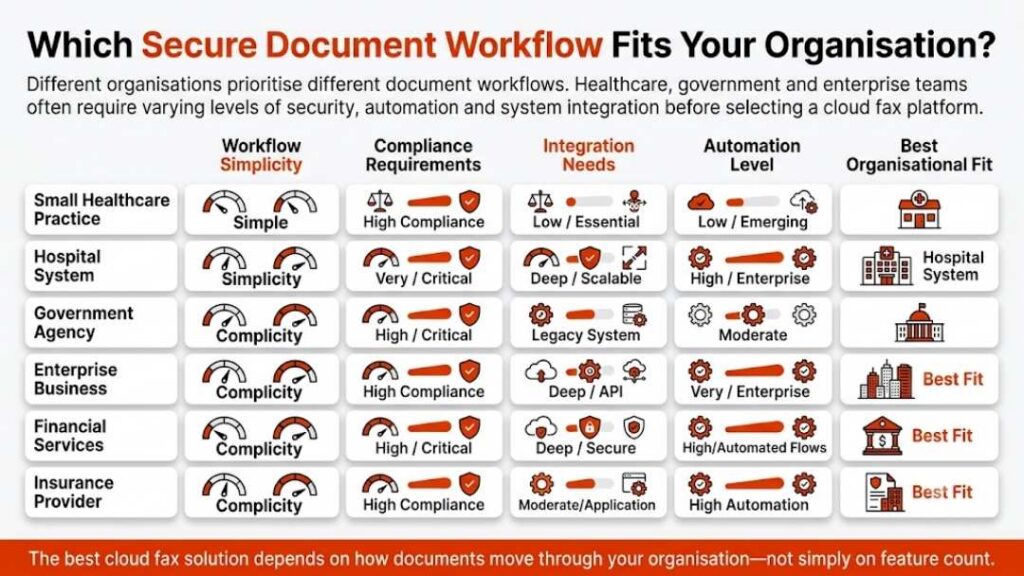
Large hospitals often maintain older fax server infrastructure with multiple phone lines and complex routing rules. A HIPAA compliant electronic fax service for healthcare replaces that hardware with secure cloud fax queues, role-based access for clinical and revenue cycle teams, and integration with EHR or document management systems.

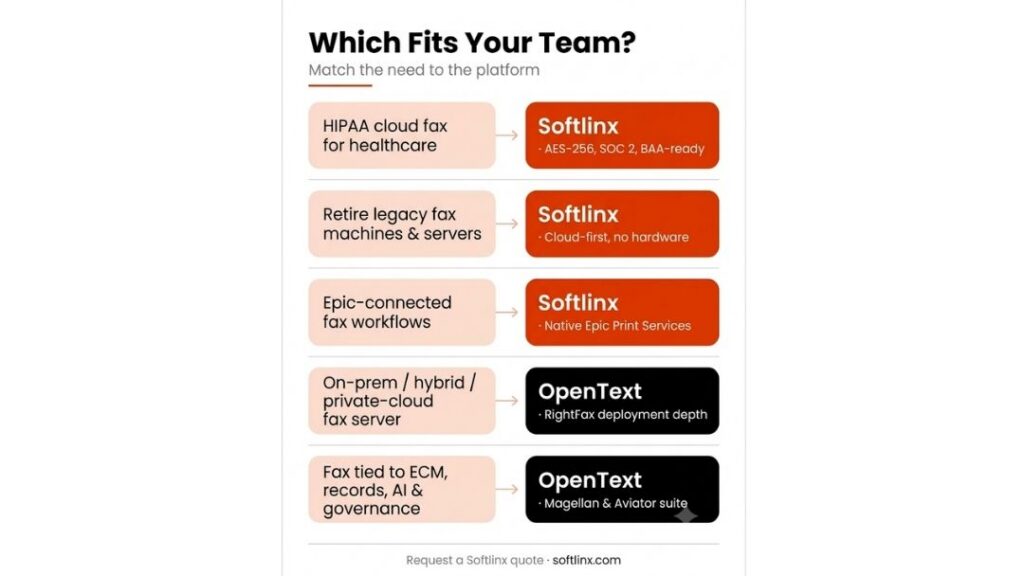
For hospital teams, the “equipment” question turns into an integration question. Most hospitals already have an identity system, a security perimeter, and standard endpoints that can support a HIPAA compliant cloud fax service. No new proprietary boxes are usually required. Softlinx provides dedicated hospital cloud fax solutions that plug into existing clinical systems instead of forcing a new device layer.

Outpatient and primary care clinics

Smaller clinics often depend on one physical fax machine at the front desk, with inbound pages stacked in the open. That layout puts patient data at risk and can delay referrals or authorizations when staff step away.

A HIPAA compliant online fax service gives these clinics secure portal access from existing computers and tablets. The only new elements are user accounts in a secure fax application and basic staff training on password hygiene and folder use. 

No new fax device is required. Softlinx tailors clinic cloud fax solutions so clinics can retire old fax machines while keeping familiar workflows for referrals, insurance forms, and lab results.

Medical centers and multi-site groups

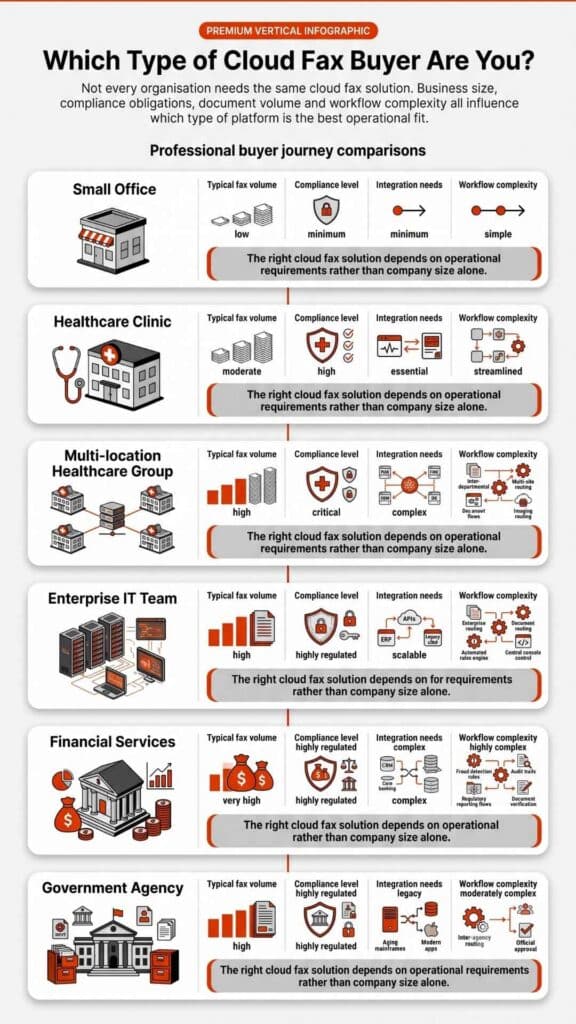
Multi-specialty centers and large medical groups face volume as their main challenge. HIPAA compliant fax services that run in the cloud handle thousands of pages per day without on-site fax servers. Document traffic routes through encrypted channels to folders, MFPs, or EHR queues that staff already monitor.

Softlinx provides medical center cloud fax solutions for these environments, with encryption at rest, transport security, and full audit trails for every fax event.

Across all three settings, one conclusion stays consistent: Do I need special equipment to use a HIPAA compliant electronic fax service for healthcare has a stable answer. A proper HIPAA compliant fax service sits in the cloud, respects your existing hardware footprint, and focuses on security, workflow, and compliance rather than more devices.
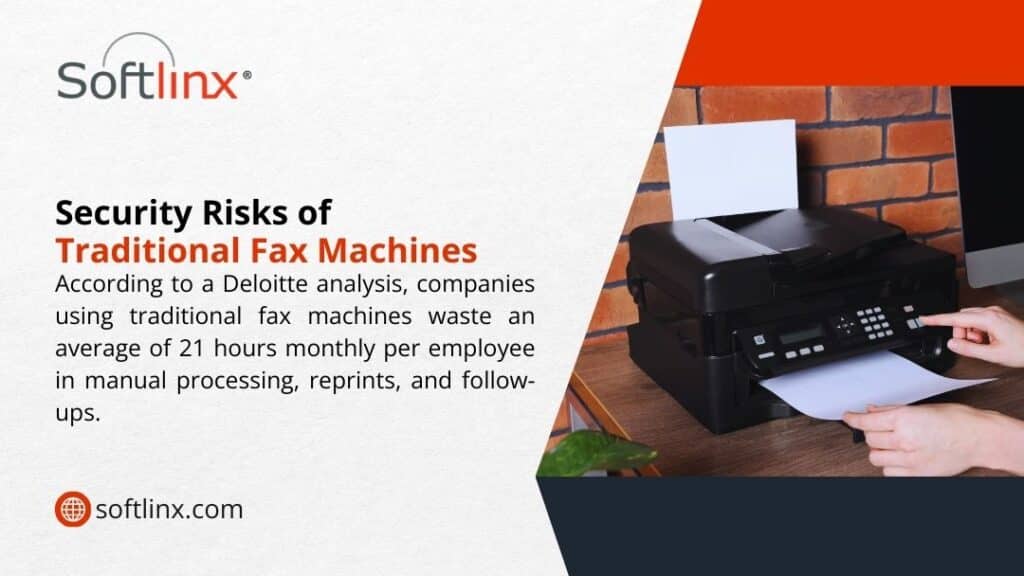
Security Risks of Traditional Fax Machines – Deloitte: companies waste 21 hours/employee monthly on manual fax processing, reprints & follow-ups.

Equipment vs responsibilities: who handles what in a HIPAA compliant electronic fax setup?

The greatest risk in healthcare fax rarely comes from the model number on the device. It comes from gaps in responsibilities and weak process control. HIPAA expects clear lines between the covered entity and the vendor. For a HIPAA compliant fax service, that split often looks like the table below.

AreaWhat the cloud fax provider coversWhat your healthcare organization covers
Core fax systemSecure fax telephony, virtual fax channels, delivery confirmation, and capacity managementDecision to retire or keep local fax machines during transition, and how those devices are used day to day
Security controlsEncryption at rest and in transit, firewall rules, intrusion detection, secure data centerEndpoint security on workstations, secure Wi-Fi, VPN policies, and  patching on internal systems
Access controlsRole-based access within the fax application, secure login mechanisms, and session managementUser account lifecycle, least-privilege policies, staff off-boarding, internal approvals for access changes
Audit trailsDetailed logs of sent, received, and deleted faxes, as well as view and download historyReview of logs, internal monitoring procedures, investigation, and documentation when something looks wrong
Compliance postureHIPAA compliant cloud fax status, SOC audits, documented technical controls, and BAA termsRisk analysis, HIPAA training, written policies for fax use, and internal compliance oversight
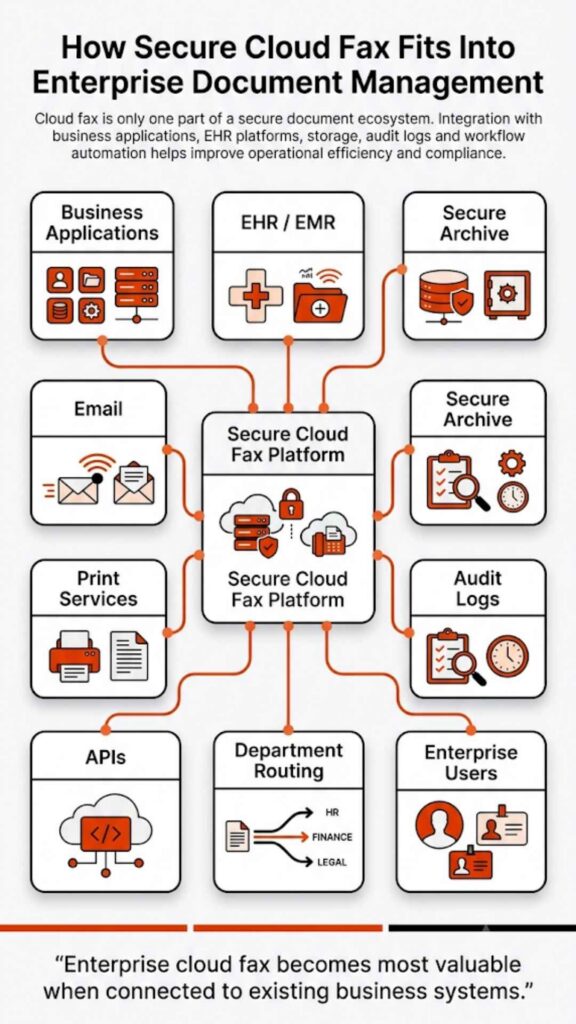
IntegrationAPIs, Epic and EHR integration kits, secure routing options to folders and applicationsChoice of workflows, mapping of processes to integration paths, testing, and validation before go-live

HIPAA guidance also expects covered entities to sign BAAs with third-party services that handle ePHI, including providers of HIPAA compliant fax services. Softlinx works as a HIPAA compliant fax service provider and offers BAAs that define each side’s duties.

For organizations that want to double-check the regulatory angle, Softlinx maintains a separate resource that responds directly to a frequent question: Is fax HIPAA compliant when you modernize your fax infrastructure and move to the cloud?

How Softlinx removes the need for special fax hardware

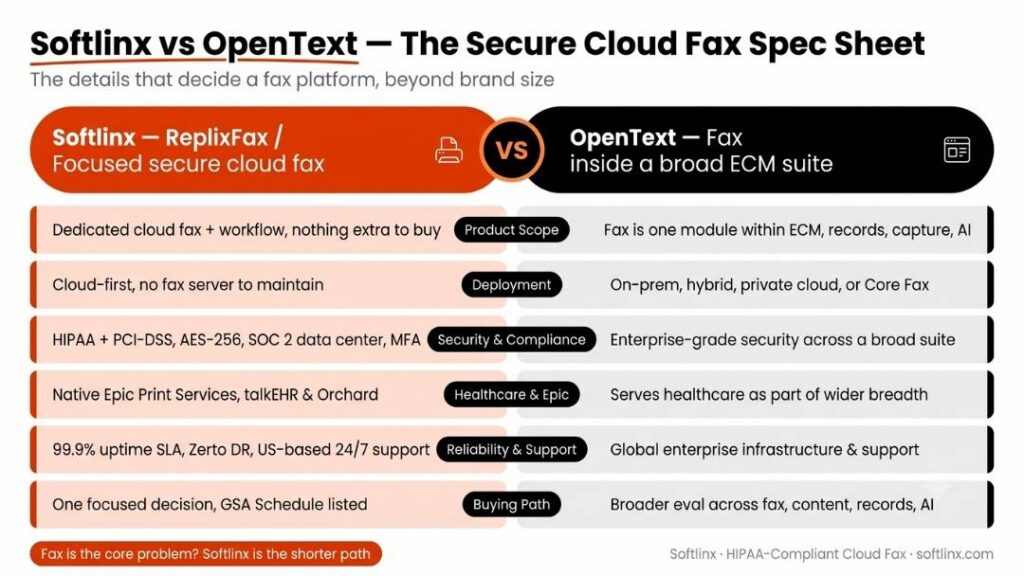
Softlinx focuses on HIPAA compliant cloud fax service for healthcare, finance, insurance, and other regulated sectors. The ReplixFax platform runs as a cloud-based faxing solution that removes the burden of local fax hardware and supports strict HIPAA fax compliance.

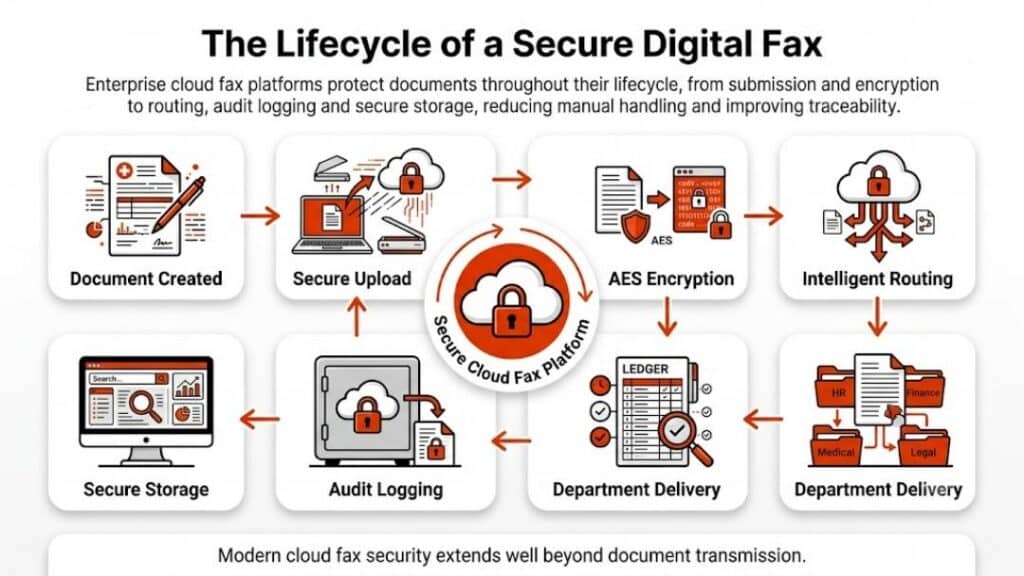
ReplixFax resides in a HIPAA-compliant, SOC-audited data center. Fax images and related metadata stay encrypted at rest, and all communication between your environment and the service uses secure transport protocols. These controls protect patient information without forcing you to install new fax boards or gateways inside your own network.

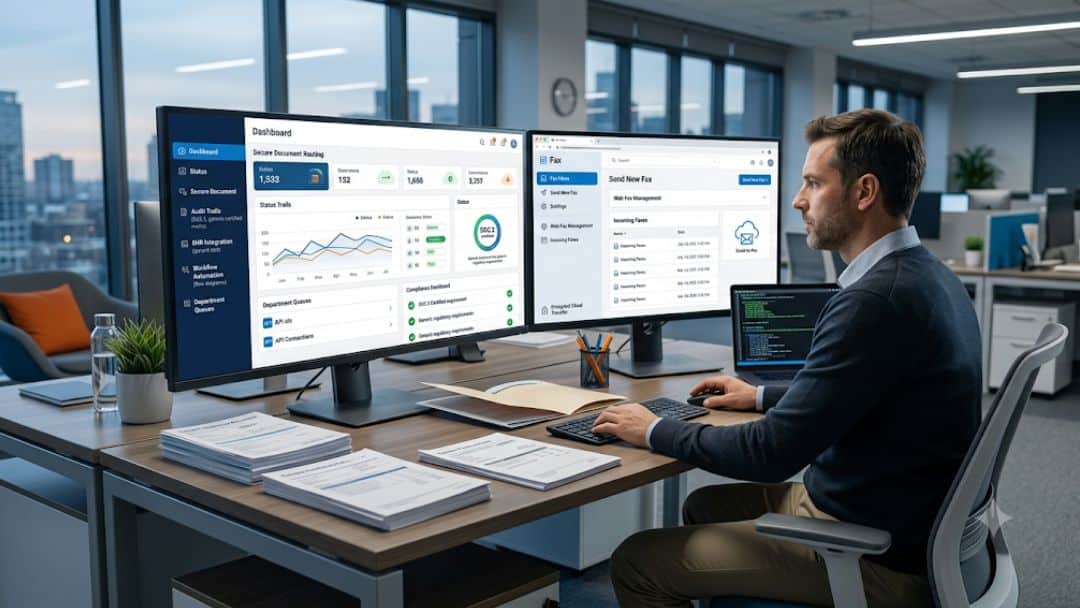
Access to this HIPAA compliant fax service runs through web applications, EHR integrations, and secure tools such as email-to-fax and print-to-fax drivers. Multi-factor authentication and role-based access govern who can send and receive faxes, who can view archived documents, and who can export data. This focus on access controls and audit trails addresses core HIPAA requirements and removes the need to lock down physical machines in every department.

For organizations that rely on Epic or other major EHR platforms, Softlinx offers specific integration paths so that staff can send and receive faxes directly inside the EHR. This approach lets healthcare teams treat fax as part of their normal clinical workflow rather than a separate, hardware-bound process.

Softlinx describes this approach in its cloud fax overview, where the emphasis sits on secure transmission over IP networks, reduced dependence on legacy phone lines, and a central HIPAA compliant fax solution instead of scattered devices.

For teams that want to see how this looks in practice, Softlinx also explains how to fax through the internet while keeping the security requirements of healthcare organizations intact and without adding new on-premise fax infrastructure.

So when a stakeholder asks, again, Do I need special equipment to use a hipaa compliant electronic fax service for healthcare with Softlinx?, the answer stays consistent: the heavy infrastructure runs inside Softlinx; your staff uses secured endpoints and applications that already exist in your environment.

Role of automation, workflow, and EHR integration

Once hardware moves off-site, the strongest value of a HIPAA compliant electronic fax service for healthcare appears in automation and integration rather than in the fax transport itself. Healthcare organizations still depend on fax for referrals, prior authorizations, lab results, claims, and discharge summaries; delays in these flows can affect patient care and revenue. 

Surveys in the health IT space have reported that a high share of organizations, sometimes above 80% in specific samples, have seen fax-related delays influence patient care or financial outcomes.

A HIPAA compliant cloud fax service with automation routes inbound faxes to the right department, provider, or work queue. Fax numbers can tie to service lines, clinics, or individual clinicians, which reduces misrouted documents. Document classification and barcodes shorten manual indexing time, and integration with EHR or document management systems reduces repetitive data entry.

Softlinx examines these scenarios in detail in its guide on how to automate electronic fax workflow for business and healthcare operations, with real examples of routing rules, queue design, and alerting.

On the clinical side, Softlinx offers EHR integration paths so staff can send and receive secure faxes directly within the patient record. This model keeps clinicians in one system, lowers error rates, and makes HIPAA compliant faxing part of the documented care process rather than a disconnected step at a physical fax device. Softlinx’s dedicated HIPAA compliant fax service shows how hospitals, clinics, and medical practices use the platform to move lab results, orders, and authorizations securely, again without on-site fax servers.
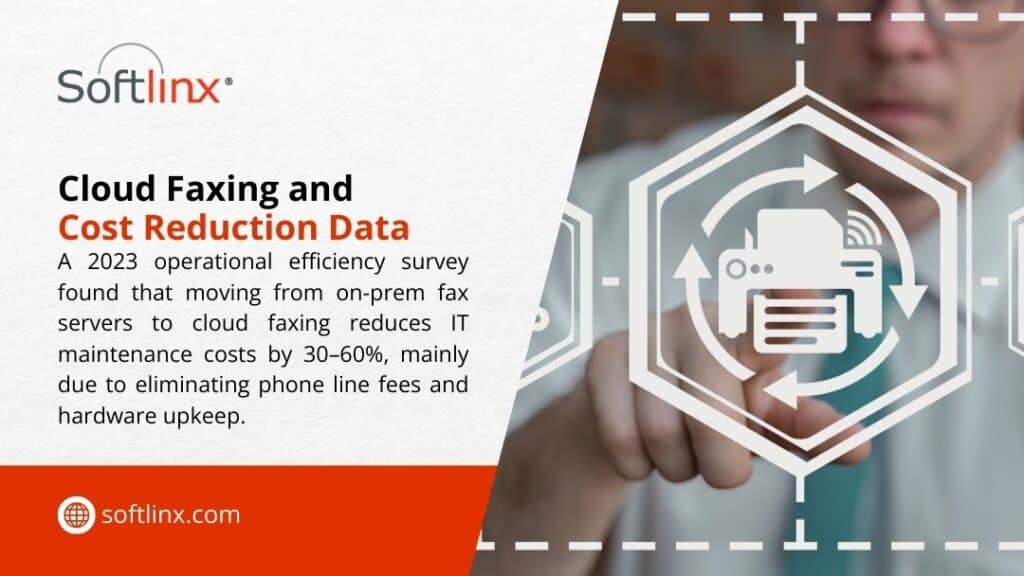
Cloud Faxing & Cost Reduction – 2023 survey shows switching from on-prem fax servers to cloud fax cuts IT maintenance costs 30–60% by eliminating phone lines & hardware.

Key takeaways 

Key pointWhy it matters
HIPAA allows faxing with safeguardsFax remains acceptable under the Privacy Rule as long as reasonable safeguards protect patient information before, during, and after transmission.
Focus on safeguards, not hardwareA traditional fax machine with open trays can break HIPAA rules; a HIPAA compliant online fax service with encryption and access controls can satisfy them without special equipment.
Cloud fax shifts infrastructure off-siteA HIPAA compliant cloud fax service runs telephony, storage, and encryption in the provider’s data center, which removes the need for local fax servers.
Existing endpoints are usually enoughMost hospitals, clinics, and medical centers already own the workstations and secure networks needed for HIPAA compliant faxing. No unique device is required.
Responsibilities must be definedBAAs, policies, and audit reviews matter more than hardware purchases. Clear responsibilities between the provider and vendor support HIPAA compliance.
Integration improves patient care and efficiencyWhen fax flows inside EHR and workflow tools, staff spend less time chasing paper and more time on clinical work, while still meeting HIPAA compliance.

Softlinx’s healthcare cloud fax service brings these pieces together for hospitals, clinics, diagnostic centers, and other providers that still rely on fax to move patient data. It concentrates on HIPAA compliant fax solutions that use standard equipment on your side and advanced controls in the cloud.

Why your next fax decision matters more than new equipment

Healthcare still depends on fax for a large share of clinical and administrative communication, even with widespread EHR adoption and secure portals. As a result, your choice of fax strategy has a direct effect on HIPAA compliance, staff workload, and the reliability of information exchange between providers, payers, and partners.

Sticking with traditional fax hardware locks your organization into analog phone lines, on-site maintenance, and a security model built around doors and paper trays. A breach or misdirected document in that world can be difficult to trace and costly to fix. 

A shift to a HIPAA compliant electronic fax service for healthcare changes the landscape. Fax becomes a controlled application service, with encryption, access controls, detailed audit trails, and documented BAAs that describe how patient information is protected.

Softlinx’s HIPAA compliant cloud fax service reduces dependence on physical fax machines and in-house fax servers, protects patient data with encryption and structured security controls, and connects to EHR and business applications so staff can send and receive secure faxes where they already work. 

That path answers the question Do I need special equipment to use a hipaa compliant electronic fax service for healthcare? With a practical no, while also improving how your organization handles HIPAA fax compliance daily.

If your team wants to move away from fragile hardware, improve HIPAA fax compliance, and align fax workflows with modern healthcare IT, this is the right time to review your fax landscape. You can explore Softlinx’s broader secure cloud fax portfolio or speak with the team about a deployment that matches your environment and regulatory needs.

To discuss a HIPAA compliant electronic fax service for healthcare that fits your hospital, clinic, or medical group, start here: Request a secure healthcare fax assessment and quote from Softlinx.

Security & Compliance

HIPAA-Compliant Since 1999 25+ years of secure, encrypted fax transmission for healthcare organizations.

HIPAA
PCI-DSS
Encrypted
Audit Trail
25+ Years Experience
100% HIPAA Compliant
Learn About Our Compliance

Industries We Serve

Healthcare Cloud Fax Solutions

Healthcare & Medical

Financial Services

Insurance Companies

Government Agencies

Manufacturing

Higher Education

Trusted by Fortune 1000 companies including State Street, IBM, HSBC, and United Nations.

Explore Industry Solutions

Why Choose Softlinx

No Hardware Required Eliminate costly fax servers and infrastructure. Cloud-based solution accessible anywhere, anytime.

Seamless Integration Easy API integration with your EHR, EMR, or business applications. Epic-certified integration available.

Enterprise Reliability 99.9% uptime SLA. No busy signals. Disaster recovery in real-time with automatic failover.

Superior Support U.S.-based technical support team. Dedicated account management for enterprise clients.

Cost Savings Reduce IT overhead by up to 60%. Pay only for what you use with flexible, scalable pricing.

Ready to Go Cloud?

Join healthcare leaders, financial institutions, and Fortune 1000 companies who trust Softlinx for secure, compliant faxing.

(978) 881-0560

Headquarters: 19321 US Highway 19 N, Suite 607
Clearwater, FL 33764 | help@softlinx.com

Trusted By Industry Leaders

"For over 25 years, Fortune 1000 companies and healthcare organizations have relied on Softlinx for mission-critical document transmission."

State Street
IBM
HSBC
Ericsson
Fannie Mae
United Nations
500+ Clients Worldwide
4.8★ Capterra Rating

Latest Articles By Softlinx

Office professional organizing incoming faxes efficiently using dual-monitor digital document management system for modern businesses.

How to Organize Incoming Faxes Efficiently (Complete Guide for Modern Businesses)

If incoming faxes feel scattered, delayed, or hard to track, the issue usually isn’t volume; it’s structure. This guide breaks down how to organize incoming faxes using real-world workflows, automation, and secure cloud systems, with a strong focus on healthcare and regulated industries where accuracy and compliance matter most.

How to Organize Incoming Faxes (Step-by-Step Framework)

Most teams don’t actually organize faxes. They react to them. A document comes in. Someone prints it. Maybe it gets handed off. Maybe it sits there for a while. Then someone asks, Did we receive that fax? and that’s where the trouble starts.

So here’s what I’ve seen work in real environments. Every reliable fax workflow follows a simple path. First, the fax arrives. Then it gets identified. After that, it’s routed. Finally, it’s stored somewhere people can actually find it later.

That sounds obvious, but the breakdown usually happens in the middle. Classification and routing are where things fall apart. That’s exactly why learning how to organize incoming faxes isn’t about folders; it’s about control.

What Is the Best Way to Organize Incoming Faxes?

The best way to organize incoming faxes isn’t a single tool or method. It’s a combination of structure, automation, and visibility. At a basic level, every fax should follow a defined path. It arrives, gets identified, moves automatically to the right destination, and is stored in a searchable format.

But in practice, the best way depends on how the system handles complexity. Here’s a simplified comparison:

ApproachOutcome
Manual handlingInconsistent and slow
Basic digital setupImproved storage, limited workflow
Automated cloud systemConsistent, scalable, and traceable

Modern organizations, especially in healthcare, tend to rely on automated cloud-based workflows. Not because they’re newer, but because they remove uncertainty.

What matters most is predictability. When every document follows the same process, teams don’t have to stop and think about what to do next. And that’s where organization truly starts to work.

Why Fax Organization Still Matters in 2026

You might expect fax to disappear by now. It hasn’t. In healthcare alone, 9 billion pages still move through fax systems every year. That’s not slowing down anytime soon. And here’s why.

Fax is still trusted for regulated communication. Especially when patient data is involved. If you’ve ever looked into HIPAA fax compliance, you’ll know the rules aren’t flexible.

So organization isn’t just about efficiency. It’s about staying compliant, avoiding exposure, and making sure information lands exactly where it should. And that’s why it matters.

Common Problems with Incoming Fax Management

If you walk into most offices, the problems look familiar. Documents go missing. Not permanently, but long enough to cause issues. Sometimes they’re sitting on a machine. Sometimes they’re scanned but never routed. Sometimes they land in the wrong department entirely.

Then there’s a delay. A fax comes in at 9 a.m. but doesn’t get processed until the afternoon. Multiply that across dozens of documents, and it adds up quickly. Security is another concern. If a document contains sensitive data and sits unattended, that’s already a risk.

Most of these issues come back to one thing. No clear system for how to organize incoming faxes.

Manual vs Digital Fax Organization Systems

There’s a noticeable gap between older methods and newer ones. It shows up in speed, accuracy, and how easy it is to scale.

MethodSpeedAccuracyScalabilityCompliance
Paper-basedSlowInconsistentLimitedRisk-prone
Fax serverModerateBetterModerateControlled
Cloud faxFastHighStrongSecure

A traditional fax server gives more control than paper, but it still needs maintenance. A cloud fax system shifts everything into a centralized environment where documents can be tracked and managed without physical limitations.

Traditional Methods to Organize Incoming Faxes

Even now, some organizations still depend on physical workflows. Not because they prefer them, but because that’s what has always been in place. If you look closely, most manual systems follow a few recognizable patterns.

One common method involves time-based sorting, where incoming faxes are grouped by date and time, then distributed later in batches. Another approach uses department trays, where each unit, billing, referrals, and administration, has a designated inbox.

There’s also the logbook method, where every fax gets recorded before it moves anywhere else. This creates a paper trail, but it slows things down. To make it clearer, here’s how these methods typically operate in practice:

Method TypeHow It WorksWhere It Breaks Down
Time-based sortingFaxes are grouped and processed in batchesDelays build quickly
Department traysDocuments are manually placed per teamMisplacement risk
Logbook trackingEntries recorded before routingTime-consuming
Individual handlingStaff distribute faxes directlyNo consistency

The issue isn’t that these methods don’t work. They do at low volume. But once activity increases, the cracks start to show. That’s usually when teams begin searching for better ways to handle how to organize incoming faxes without relying on manual steps.

Office worker manually sorting fax documents taking 5–15 minutes each, compared to seconds with automated fax processing systems.

Digital Fax Management Systems Explained

Digital fax systems don’t just replace paper. They change how documents move entirely. Instead of receiving a fax and deciding what to do next, the system already knows.

Faxes arrive directly into a centralized interface. That could be a browser portal, an email inbox, or a connected application. From there, documents become immediately visible, not just to one person, but to the right people.

One detail that often gets overlooked is indexing. Digital systems don’t just store documents; they tag them. Sender details, timestamps, and even content identifiers allow teams to search instead of sift.

That’s a major shift. In many environments, especially healthcare, teams rely on fax through the internet because it removes physical bottlenecks entirely. No machine. No waiting. No dependency on location.

Another advantage is audit visibility. Every action leaves a trace. That matters when accountability is required. So while traditional systems depend on memory and manual effort, digital systems rely on structure and traceability.

Automating Routing of Incoming Faxes

Routing is where most workflows either hold together or fall apart. In a manual setup, someone has to decide where each fax goes. That decision gets repeated dozens, sometimes hundreds of times per day. It’s not sustainable.

Automation changes that. Instead of reacting to each document, rules are set in advance. These rules can be simple, like sending all lab results to one department. Or more refined, such as identifying specific providers, document types, or keywords.

In more advanced setups, routing becomes layered. A document might first be categorized, then prioritized, then assigned. To understand how structured routing works in real environments, automating incoming fax routing demonstrates how incoming documents can be directed automatically based on predefined rules, improving efficiency and reducing manual handling.

What stands out isn’t just speed, it’s predictability. Every fax follows a defined path. No guesswork involved.

How Fax Automation Improves Organization

Once automation is active, the workflow starts to feel different. There’s less waiting. Less checking. Fewer follow-ups asking where a document ended up.

What actually improves is flow. Documents move continuously instead of sitting in queues. Teams don’t need to monitor intake constantly because the system handles distribution. And errors, while never eliminated, become far less frequent.

Another aspect worth mentioning is consistency. Manual workflows depend on people remembering steps. Automated systems don’t forget. This is where fax automation stops being an upgrade and becomes part of the foundation.

It also supports accountability. When something goes wrong, you can trace exactly where the process broke.

Organizing High-Volume Fax Workflows (Healthcare & Enterprise)

High-volume environments operate under different conditions. In healthcare, for example, incoming faxes don’t arrive evenly. There are spikes. Morning surges. End-of-day backlogs. Without structure, those patterns create bottlenecks.

That’s why systems designed for handling high-volume fax workflows rely on separation. Not all faxes are treated the same. Urgent referrals move immediately. Routine updates follow standard queues. Administrative documents can wait without affecting patient care.

Queue visibility becomes important here. Teams need to see what’s pending, what’s processed, and what requires attention. Without that visibility, volume turns into noise.

Integrating Fax with Business Systems

At a certain point, organization alone isn’t enough. Systems need to connect. When fax workflows remain isolated, teams end up re-entering information manually. That introduces delays and increases the chance of error.

Integration removes that gap. When a fax arrives, it can flow directly into an internal system, such as an EHR, without manual input. That means data moves once, not twice.

When connecting fax to EHR systems, organizations typically focus on how they approach integration in real settings. What changes isn’t just efficiency. Its reliability. Data stays consistent across systems.

Security and Compliance in Fax Organization

Security isn’t optional. Especially in healthcare. Understanding whether a fax is HIPAA compliant depends on how the system is set up. Encryption, access controls, and audit logs all play a role.

There’s also the human side. Processes need to be clear and consistently followed. Preventing HIPAA violations when faxing depends on reducing common errors, improving staff awareness, and ensuring that sensitive information is handled with proper safeguards at every step. An organization without security doesn’t hold up. Both need to work together.

Best Practices to Reduce Fax Errors and Improve Accuracy

Errors don’t usually come from complex issues. They come from small inconsistencies repeated over time. One practical approach is standardization. When documents follow the same naming and classification structure, they’re easier to track.

Another factor is verification. Confirming receipt and delivery reduces uncertainty. It sounds simple, but many workflows skip this step. Automation also plays a role here. Systems that flag incomplete or misrouted documents help teams catch issues early.

Organizations aiming to improve accuracy often adopt structured approaches similar to those used in reducing fax errors. It’s less about adding steps and more about removing unnecessary ones.

Transitioning from Fax Machines to Organized Cloud Systems

Moving away from fax machines doesn’t happen overnight. But once it starts, the benefits show quickly.

FeatureFax MachineCloud Fax
AccessibilityLimitedRemote
StoragePhysicalDigital
AutomationNoneAdvanced
IntegrationNoneFull

If you’re considering the shift, moving from fax machines to cloud fax highlights what to expect during the transition.

Misrouted fax labelled 'misplaced for billing' in office tray, showing how misrouted faxes disrupt healthcare and finance operations.

Key Features to Look for in a Fax Organization Solution

Not every system supports proper organization. Some only handle transmission. When evaluating solutions, a few capabilities tend to make the biggest difference.

FeatureWhy It Matters
Automated routingEnsures documents reach the right place
Centralized dashboardProvides visibility across all faxes
Audit trackingSupports compliance and accountability
Role-based accessControls who can view or manage documents
API integrationConnects fax workflows to business systems
High-volume handlingMaintains performance under load
Secure encryptionProtects sensitive data

Reliability also needs attention. Systems that fail under pressure create more problems than they solve. This is why organizations often review uptime considerations through enterprise fax reliability before making decisions.

Real-World Use Cases Across Industries

Fax workflows don’t look identical across industries, but the purpose remains consistent: secure, trackable document exchange. Here’s how different sectors typically apply structured fax organization:

IndustryTypical Use CaseKey Requirement
HealthcarePatient records, referralsCompliance, accuracy
InsuranceClaims processingSpeed, traceability
FinanceSecure document exchangeConfidentiality
GovernmentOfficial communication and documentationAudit readiness
ManufacturingOrders and supplier communicationReliability

What ties these together is the need for consistency. Without structure, even simple workflows become difficult to manage.

Benefits of an Organized Fax Workflow

Once a system becomes structured, the difference is noticeable, not just operationally, but across teams.

BenefitImpact on Workflow
Faster processingDocuments move without delay
Reduced manual handlingLess time spent sorting or searching
Improved complianceClear audit trails and controlled access
Better visibilityTeams know where documents are at all times
Lower error ratesFewer misrouted or lost faxes

Organizations that shift toward structured systems often begin to see these improvements quickly, especially when exploring the broader benefits of cloud fax.

Healthcare office fax machine overloaded with documents, illustrating high average daily fax volume causing backlogs and processing delays.

FAQs

How do I organize incoming faxes without paper?

You can receive faxes digitally through cloud-based systems. Documents are stored electronically, which makes them searchable and easier to manage.

What is the easiest way to route incoming faxes?

Rule-based automation works best. Faxes can be routed automatically based on sender details, keywords, or document type.

Is cloud fax better for an organization?

In most cases, yes. Cloud systems provide visibility, automation, and integration that traditional methods lack.

Can I integrate fax with my existing systems?

Yes. Many platforms support integration with EHR, CRM, and other business tools, which reduces manual entry.

How do healthcare organizations manage fax volume?

They rely on automation, queue management, and prioritization to handle large volumes efficiently.

Where This Leaves Your Fax Workflow

If your current setup feels inconsistent, that’s usually a sign the system needs structure, not just effort.

Once you understand how to organize incoming faxes properly, the next step becomes clearer. Build a workflow that reduces manual steps, improves visibility, and supports compliance from the ground up.

And if your organization is still relying on outdated methods, it might be time to rethink how those faxes move through your system today.

If you’re reviewing how to organize incoming faxes in your organization, it may be worth looking at how modern platforms handle routing, integration, and compliance from the ground up. Solutions like Softlinx’s cloud fax platform are built specifically for high-volume, secure environments where fax still plays a critical role, and where getting it right actually matters.

Hands using contract management platform interface with verified documents and green checkmark, representing Concord alternatives for smarter contract workflows

Top 6 Concord Alternatives for Contract and Document Workflows in 2026

Concord alternatives have gained attention as organizations reassess how contract management and document workflows operate in real business environments. While Concord remains a recognizable name, many teams now look for tools with more flexible pricing, clearer audit trails, smoother user interface design, or deeper workflow support. 

This article examines the top 6 Concord alternatives with a neutral lens, focusing on strengths, trade-offs, and realistic use cases rather than marketing claims.

Concord alternatives worth evaluating for contract workflows in 2026

Concord alternatives exist because contract management needs have shifted. Teams no longer want a single repository with e-signatures. They expect full contract lifecycle management (CLM), visibility into approvals, reliable audit trails, and integrations that connect documents to real business systems such as Google Workspace or healthcare platforms. That context matters because not every Concord alternative solves the same problem.

Before comparing vendors, it helps to understand why companies move away from Concord in the first place. Common reasons include pricing rigidity as teams scale, limited customization in workflows, or the need for stronger compliance evidence in regulated environments. None of these issues is universal, but they explain why the market for Concord alternatives continues to grow.

How the leading Concord alternatives compare at a glance

The table below provides a high-level comparison of widely discussed Concord alternatives in 2026. It highlights where each option tends to fit best. Not every platform listed below is a dedicated CLM system. Some tools support contract workflows indirectly through secure document transmission, compliance tracking, or operational document management.

PlatformBest suited forPrimary capabilityNotable limitation
Softlinx – ReplixFaxRegulated organizationsSecure document transmission & compliance workflowsNot a pure CLM platform
DocuSign CLMLarge enterprisesEnd-to-end contract lifecycle managementCost and setup complexity
PandaDocSales-driven teamsEase of use and document creationLimited deep CLM controls
Conga CLMLegal and procurement teamsRule-based lifecycle automationSteep learning curve
IroncladLegal departmentsContract analytics and risk reviewPremium pricing
OneflowSMBs and mid-marketSimple lifecycle managementFewer enterprise controls

1. Softlinx ReplixFax (Secure document workflow platform for regulated environments)

Healthcare professionals reviewing tablet with secure cloud fax technology for HIPAA-compliant medical document transmission

Softlinx ReplixFax focuses on secure document transmission, traceability, and compliance-oriented workflows in regulated environments. Some organizations evaluate it alongside Concord alternatives because contracts frequently move through broader document exchange systems, particularly in regulated industries.

Unlike CLM software that manages drafting, negotiation, and contract repositories, ReplixFax supports the secure delivery and tracking of documents across systems and departments.

ReplixFax focuses on controlled document transmission, traceability, and reliability. In regulated industries such as healthcare, contracts often coexist with referrals, authorizations, and records exchanged via fax. In those cases, teams prioritize audit trails, uptime, and integration more than contract drafting features. That is where ReplixFax tends to fit.

Organizations that already rely on a secure fax server environment often see value in extending those workflows through cloud-based document exchange, rather than introducing a separate CLM layer. For healthcare teams managing regulated communications, this overlap becomes practical when paired with HIPAA-aligned cloud fax workflows.

A closer look at modern cloud fax platforms shows why some businesses evaluate them alongside Concord alternatives, especially when contract approvals and document delivery intersect. Softlinx details these use cases within its broader cloud fax offerings, which focus on traceability and system integration rather than contract authoring alone.

ReplixFax complements contract workflows by ensuring reliable document delivery, audit trails, and compliance tracking when contracts move between systems, departments, or external partners. Its value appears when organizations need reliable document delivery, compliance tracking, and system integrations surrounding contracts rather than contract authoring itself.

Pros and cons

ProsCons
Strong audit trails and delivery confirmationFocused on document transmission rather than contract authoring
Reliable for high-volume, regulated workflowsLimited contract drafting features
Integrates with enterprise systems and healthcare environmentsBest value appears in compliance-heavy use cases

2. DocuSign CLM

Woman using DocuSign CLM contract lifecycle management platform to manage and streamline business contracts efficiently

DocuSign CLM is often the first name mentioned when teams compare Concord alternatives. It offers a comprehensive contract lifecycle management platform that covers drafting, negotiation, approval workflows, execution, and storage.

Its strength lies in scale. Enterprises with global operations benefit from its integrations with Google Workspace, CRM platforms, and identity systems. DocuSign CLM also supports detailed audit trails, which appeals to compliance teams.

That said, complexity remains a frequent concern. Smaller organizations sometimes find that the feature depth exceeds their operational and financial needs.

Pros and cons

ProsCons
Comprehensive CLM functionalityHigher cost at scale
Strong integration ecosystemSetup and training time
Recognized enterprise standardOverkill for small teams

3. PandaDoc

PandaDoc proposal management platform for creating, managing, tracking, and esigning business documents and proposals

PandaDoc enters the Concord alternatives conversations from a different angle. It emphasizes usability and speed, particularly for sales-led organizations. Teams that generate proposals, agreements, and renewals in high volume often prefer PandaDoc’s streamlined user interface.

While it includes contract lifecycle elements, PandaDoc does not aim to replace legal-centric CLM systems. Its value shows when speed and clarity matter more than complex governance.

Pros and cons

ProsCons
Intuitive user interfaceLimited advanced CLM logic
Fast document creation and approvalsLess suitable for regulated industries
Lower barrier to adoptionFewer customization controls

4. Conga CLM

Conga CLM software reducing contract cycle times with AI-integrated contract lifecycle management for legal and procurement teams

Conga CLM appeals to organizations with formal contract governance. Legal and procurement departments often favor it for its configurable workflows, approval hierarchies, and reporting depth.

As a Concord alternative, Conga CLM works best when contract lifecycle management forms a core operational discipline. However, its flexibility requires thoughtful implementation, which can slow initial adoption.

Pros and cons

ProsCons
Deep lifecycle automationSteeper learning curve
Strong audit trails and compliance supportLonger implementation cycle
Suitable for complex organizationsRequires process maturity

5. Ironclad

Ironclad AI contract lifecycle management platform for creating, reviewing, and managing business contracts efficiently

Ironclad differentiates itself through contract analytics and legal insight. Rather than focusing solely on workflow, it helps teams understand risk, obligations, and clause usage across agreements.

For legal teams that treat contracts as data assets, Ironclad offers depth that many Concord alternatives lack. Pricing and specialization, however, make it less accessible to smaller organizations.

Pros and cons

ProsCons
Advanced contract analysisPremium pricing
Legal-focused designNarrower audience
Strong governance toolsLess sales-oriented

6. Oneflow

Oneflow AI contract lifecycle management platform transforming contracts into actionable assets with insights and risk detection

Oneflow often appeals to small and mid-sized businesses looking for clarity rather than complexity. It provides contract lifecycle basics with a clean interface and fewer configuration requirements.

As Concord alternatives go, Oneflow prioritizes ease of use over depth. That balance works for teams without heavy compliance or multi-layer approval structures.

Pros and cons

ProsCons
Simple onboardingLimited enterprise controls
Clean user interfaceFewer customization options
Suitable for SMB workflowsNot ideal for regulated sectors

Where document workflows intersect with Concord alternatives

One pattern often overlooked in Concord alternatives content is how contracts interact with broader document exchange. In healthcare, finance, and insurance, contracts frequently move alongside referrals, records, and authorizations. That reality explains why some organizations evaluate CLM tools alongside secure document delivery platforms.

For example, teams managing regulated communications often rely on HIPAA-aligned fax workflows to ensure compliance and traceability. In those cases, understanding whether fax is HIPAA compliant remains a key consideration, especially when contracts contain protected information.

Modern platforms that support fax through the internet help bridge legacy workflows with cloud systems, reducing manual handling without abandoning compliance requirements. This overlap does not replace contract lifecycle management, but it influences how Concord alternatives fit into real operational environments.

Choosing among Concord alternatives without overthinking it

Choosing among Concord alternatives often feels harder than it should, mainly because many platforms promise similar outcomes while solving very different problems. The key is to step back and look at how contracts actually move through your organization. Some teams draft and sign agreements daily but rarely revisit them. Others manage renewals, compliance checks, and approvals across departments, vendors, and regulatory frameworks.

The first question to ask is whether contracts operate as legal records or operational assets. If agreements trigger downstream actions such as billing, authorizations, or compliance reporting, then workflow visibility and audit trails matter far more than document editing tools. In contrast, sales teams tend to value speed, template reuse, and a clean user interface over complex governance layers.

Another factor that often gets overlooked is integration reality. A platform that works well on its own but struggles to connect with systems like Google Workspace, ERP tools, or document delivery platforms will eventually create friction. This is where many Concord alternatives differ meaningfully, even when feature lists look similar on paper.

In short, the easiest way to narrow your options is to match the software to how contracts behave in real life, not how vendors describe them in demos.

Why Concord alternatives keep gaining ground

The steady rise of Concord alternatives reflects a broader shift in how organizations view contract management. Contracts no longer sit at the edge of operations. They influence compliance, revenue timing, vendor relationships, and audit readiness. As expectations expand, many teams discover that a single, static tool cannot keep pace with evolving workflows.

Another factor is operational diversity. Modern organizations rarely run a single process across all departments. Legal, procurement, finance, and operations each interact with contracts differently. Tools that lack flexibility or impose rigid workflows tend to create bottlenecks over time, prompting teams to explore alternatives that better reflect how work actually happens.

The table below outlines the core reasons why Concord alternatives continue to gain adoption, framed around practical business realities rather than feature marketing.

Business shiftWhat changedWhy alternatives appeal
Workflow complexityContracts now move through multiple departments and systemsAlternatives offer configurable workflows that adapt to real processes
Compliance pressureAudit requirements and documentation standards increasedPlatforms with stronger audit trails and traceability reduce review risk
Integration expectationsContracts must connect to productivity and record systemsMany alternatives integrate more smoothly with tools like Google Workspace
Pricing sensitivityTeams’ scale usage is uneven across departmentsFlexible pricing models allow selective adoption
User adoptionEmployees resist tools that slow routine tasksCleaner user interface designs encourage consistent use
Risk managementOrganizations seek clearer visibility into obligationsSome alternatives provide better lifecycle insight and accountability

As these pressures converge, organizations gravitate toward tools that reflect operational reality rather than theoretical workflows. That momentum explains why Concord alternatives continue to attract attention across industries and company sizes, not because Concord fails outright, but because expectations keep rising.

A practical next step that holds up over time

Choosing from the growing list of Concord alternatives should not feel like a gamble. The strongest decisions usually come from understanding how contracts function beyond signatures. In many organizations, agreements trigger approvals, documentation exchanges, compliance checks, and long-term record retention. When those surrounding processes break down, even well-designed CLM software falls short.

That reality explains why some teams move beyond traditional contract tools and look for systems that support document reliability, traceability, and operational continuity. In regulated and high-volume environments, contracts often depend on secure delivery, verified transmission, and defensible audit records. Those requirements do not disappear once a contract is signed. They follow the document for its entire lifecycle.

If your organization is evaluating Concord alternatives with long-term reliability in mind, it may be time to look beyond feature comparisons and consider how your contracts live within everyday operations. Exploring how Softlinx supports secure, traceable document workflows can help you build a contract process that remains dependable as requirements evolve.

Hand pressing start on a multifunction office fax machine with documents loaded, illustrating fax interoperability and why fax still connects medical systems.

Fax Interoperability Healthcare: Why Fax Still Connects Medical Systems

Fax interoperability healthcare continues to play a central role in modern medical communication. Despite the expansion of electronic health records, healthcare organizations still rely on fax systems to exchange clinical documents, referrals, prescriptions, and patient records. The reason is simple: fax works across different technologies without requiring compatible platforms.

This guide explains how fax interoperability healthcare functions inside hospitals, clinics, laboratories, and pharmacies. It also explores why fax machines still exist, how cloud fax modernizes document exchange, and how healthcare organizations use modern faxing to connect EHR systems securely while maintaining HIPAA compliance.

Why Fax Interoperability Still Shapes Healthcare Communication

Healthcare technology has changed dramatically during the last two decades. Hospitals now use electronic health records, digital imaging, telemedicine platforms, and connected medical devices. Yet a technology invented in the nineteenth century still handles a significant portion of healthcare communication. That technology is a fax.

Fax interoperability healthcare refers to the ability of fax systems to exchange patient information across different organizations, systems, and software platforms without compatibility barriers. Hospitals, laboratories, insurance providers, pharmacies, and physician offices rely on fax because it provides a universal communication layer when other systems cannot easily share data.

The numbers support this reality. According to a healthcare interoperability study, approximately 70% of healthcare organizations still use fax to exchange medical information across institutions.

While many industries abandoned fax machines decades ago, healthcare continues to depend on them because secure document exchange remains a complex challenge. Fax interoperability in healthcare allows organizations with different electronic health records to send and receive clinical information without technical barriers. And that is why fax remains part of the healthcare ecosystem.

Fax Interoperability Healthcare

Fax interoperability in healthcare describes the use of fax systems as a universal bridge between healthcare technologies. In practice, it allows hospitals, clinics, laboratories, and pharmacies to exchange patient documents even when their systems cannot communicate directly.

Healthcare interoperability usually refers to the ability of different health information systems to share data electronically. Ideally, electronic health records would communicate seamlessly through standardized protocols. However, healthcare systems often operate on different platforms and vendor software. This is where fax becomes valuable.

Fax systems allow healthcare organizations to send and receive documents regardless of software compatibility. A physician using one electronic health record system can transmit patient records to a hospital using another system without requiring integration.

In many healthcare operations, inbound documents such as referrals, discharge summaries, insurance forms, and lab results arrive through healthcare fax channels. Staff then upload the documents into electronic health records or document management systems.

Because fax operates over universal communication networks, fax interoperability enables healthcare functions even when other digital communication methods fail.

What Is a Fax Machine and Why Fax Machines Still Exist in Healthcare

To understand fax interoperability in healthcare, it helps to revisit a basic question: What is a fax machine? A fax machine is a device that converts printed documents into electronic signals transmitted over telephone networks. The receiving machine reconstructs the signals into a printed or digital copy.

Although fax machines may appear outdated, the technology behind them remains reliable and widely supported. Many healthcare organizations still use fax machines because the infrastructure already exists and the workflow fits medical documentation requirements.

This leads to a common question: Are fax machines obsolete? In most industries, the answer might be yes. But in healthcare, the situation differs.

Fax machines still exist because they offer several advantages in medical environments. They provide a standardized method for document exchange, and they remain compatible with legacy systems that hospitals still operate.

Another factor that explains why fax machines still work well in healthcare communication is reliability. Unlike email systems that rely on internet protocols and security layers, fax transmissions follow a consistent process that has remained stable for decades.

This explains why healthcare providers continue to rely on fax machines for clinical documentation and why fax interoperability in healthcare still supports daily medical operations.

Why Healthcare Organizations Still Use Fax Machines

Healthcare professionals often ask why fax machines are still used when modern digital communication technologies exist. The answer lies in operational realities inside healthcare organizations.

Medical communication involves sensitive patient data, strict regulatory requirements, and complex networks of independent institutions. Fax systems continue to function within these constraints because they provide universal compatibility and predictable transmission.

Physicians still use fax when sending referrals to specialists, transmitting prescription documentation, or exchanging laboratory results. Pharmacies also rely on fax for prescription verification and medication authorization.

A pharmacy may receive prescription information through healthcare fax systems because many physician offices still rely on fax workflows. The use of fax machines in pharmacy communication helps pharmacists confirm prescription details and maintain documentation records.

Healthcare communication often involves multiple organizations. Hospitals exchange patient information with outpatient clinics, diagnostic centers, and rehabilitation facilities. Because these organizations may use different electronic health record platforms, fax interoperability enables reliable document exchange.

Another reason fax remains widely used relates to compliance. Healthcare regulations require strict control over patient data transmission. Fax systems provide documented communication channels that healthcare organizations trust.

For these reasons, healthcare fax systems continue to support medical operations even in an era dominated by digital technology.

Healthcare worker in scrubs operating a fax machine in a clinical setting, highlighting the surprising volume of daily healthcare faxes processed by hospitals.

How Fax Interoperability Supports Healthcare Communication

Fax interoperability healthcare enables critical communication across the healthcare ecosystem. Hospitals, physicians’ offices, diagnostic laboratories, pharmacies, and insurance companies rely on fax systems to exchange patient information.

Healthcare organizations use fax to send and receive medical records, insurance authorization documents, referral forms, laboratory results, and imaging reports. Many healthcare operations depend on inbound documents arriving through fax channels.

When a physician refers a patient to a specialist, the referral documents often travel through fax communication. The receiving clinic then processes the documents and uploads them into the patient’s electronic health record.

Insurance providers also communicate with healthcare organizations through fax systems when verifying coverage or approving procedures.

The ability to transmit documents without requiring compatible software systems explains why fax interoperability healthcare remains valuable in medical environments.

Healthcare Communication Methods

Communication MethodCompatibilitySecurityInteroperability
Fax systemsUniversalHighHigh
EmailLimitedModerateLow
EHR messagingPlatform dependentHighMedium
Health information exchange networksLimited adoptionHighMedium

Fax remains the most universally compatible communication method among healthcare organizations.

The Relationship Between Fax, EHR Systems, and Healthcare Interoperability

Electronic health records transformed how healthcare organizations manage patient data. Yet interoperability between EHR systems remains limited.

Healthcare software vendors often design systems that operate best within their own ecosystems. When organizations use different EHR platforms, direct communication between them becomes difficult.

Fax interoperability healthcare solves this challenge by acting as a neutral communication layer. Documents generated within electronic health records can be transmitted via fax and received by organizations using different software platforms. Staff members then attach the received documents to patient records inside their own systems.

Healthcare organizations also integrate fax services directly with electronic health record systems. For example, a hospital may connect its fax system to its EHR platform so staff can send documents without leaving the patient record interface.

Interoperability standards also play a role in healthcare communication. The HL7 standard defines messaging protocols used by healthcare applications. Another modern interoperability standard, FHIR, enables structured healthcare data exchange across digital platforms.

Despite these standards, healthcare organizations still rely on fax interoperability because not all systems support the same protocols.

Traditional Fax Machines vs Modern Cloud Fax in Healthcare

Healthcare communication has evolved beyond traditional fax machines. Many organizations now adopt cloud fax solutions that provide digital faxing capabilities without physical hardware.

Cloud fax platforms allow healthcare organizations to send and receive documents through secure internet networks. Staff can access fax services from electronic health records, web portals, or email systems.

Organizations interested in modernizing healthcare fax infrastructure often explore secure cloud fax services designed for healthcare communication to reduce reliance on physical fax machines.

The transition from traditional fax machines to cloud fax improves healthcare interoperability because digital fax platforms integrate with existing software systems.

Traditional Fax vs Cloud Fax

FeatureTraditional Fax MachineCloud Fax
HardwareRequiredNot required
Paper usageRequiredDigital
Integration with EHRLimitedSupported
SecurityPhone networkEncrypted internet transmission
AutomationManual workflowsAutomated routing

Cloud fax solutions extend the capabilities of fax interoperability healthcare by allowing healthcare organizations to manage document workflows digitally.

Healthcare Faxing Workflows That Depend on Interoperability

Healthcare faxing workflows support several clinical operations. These workflows rely on fax interoperability healthcare to transmit patient information across institutions.

One of the most common workflows involves patient referrals. When primary care physicians refer patients to specialists, the referral documentation often travels through fax communication.

Laboratories also send test results to physicians through healthcare fax systems. Diagnostic centers frequently transmit imaging reports and test summaries using fax because the receiving physician may use a different software platform.

Pharmacies represent another example. Pharmacists communicate with physician offices through fax when verifying prescriptions, requesting clarifications, or receiving prescription authorization forms.

Healthcare organizations often process high volumes of fax documents each day. Hospitals may receive hundreds of inbound faxes containing referrals, patient records, or administrative documentation.

Organizations seeking to improve document handling frequently explore methods for managing high-volume faxes in healthcare environments to prevent delays in clinical workflows. These operational realities illustrate why fax interoperability healthcare continues to support essential medical communication processes.

Security and HIPAA Compliance in Healthcare Faxing

Security remains a major concern in healthcare communication. Medical records contain protected health information that must remain confidential during transmission.

Healthcare organizations must follow regulations established by the Health Insurance Portability and Accountability Act. HIPAA requires healthcare providers to implement safeguards that protect patient information from unauthorized access.

Fax communication can satisfy these regulatory requirements when healthcare organizations implement proper security controls. Fax transmissions occur over dedicated communication channels, and many organizations treat fax documents as secure records.

Healthcare providers often review guidelines explaining whether fax meets HIPAA compliance requirements to ensure their fax workflows follow regulatory standards.

Modern digital fax systems provide additional security features such as encryption, authentication controls, and secure document storage. These capabilities strengthen fax interoperability in healthcare by allowing organizations to exchange patient data safely.

Healthcare providers also examine HIPAA rules governing faxing medical records to maintain compliance when transmitting sensitive information.

Hand feeding a document into an office fax machine, illustrating how fax serves as a reliable backup communication channel during EHR system outages.

How Cloud Fax Improves Healthcare Interoperability

Cloud fax technologies extend the benefits of fax interoperability healthcare while eliminating the limitations of traditional fax machines. Modern digital fax platforms allow healthcare organizations to route inbound documents automatically, categorize patient records, and integrate fax data directly into electronic health records.

Healthcare IT teams often evaluate methods for automating incoming fax routing to improve document processing speed and reduce administrative workload.

Cloud fax services also support integration with healthcare applications through software interfaces. Developers can build communication workflows that send and receive fax documents automatically when certain events occur in electronic health records.

Organizations developing healthcare software sometimes explore cloud fax APIs that support bulk or broadcast faxing when they need to automate high-volume document delivery. These capabilities allow healthcare organizations to maintain the interoperability advantages of fax while modernizing document workflows.

Healthcare Interoperability Technologies

TechnologyRole in Healthcare
HL7Standard messaging for healthcare applications
FHIRAPI-based healthcare interoperability
Electronic health recordsPatient record management
Cloud faxUniversal document exchange

Each technology contributes to healthcare interoperability, but fax systems remain one of the few methods compatible with every organization.

Challenges in Healthcare Fax Interoperability

Despite its advantages, fax interoperability healthcare also presents operational challenges. Traditional fax machines require manual document handling, which increases administrative workload.

Healthcare staff must often review inbound documents, categorize patient records, and upload files into electronic health record systems. This process consumes time and increases the possibility of human error.

Misrouted documents can create delays in patient care, especially when healthcare organizations handle high volumes of fax communication.

Healthcare administrators, therefore, investigate ways to reduce fax errors in clinical workflows and improve document accuracy.

Another challenge involves the cost of maintaining traditional fax machines. Hardware maintenance, paper supplies, and dedicated communication lines create operational expenses.

Healthcare organizations examining modernization strategies sometimes evaluate hidden costs associated with traditional fax infrastructure when deciding whether to adopt cloud fax technologies.

The Future of Fax Interoperability in Healthcare

Healthcare communication continues to evolve as digital technologies improve interoperability between medical systems. Electronic health record vendors now support more standardized communication protocols. Government initiatives also promote health information exchange networks designed to enable secure patient data sharing across institutions.

Even with these advances, fax interoperability in healthcare remains relevant because healthcare organizations still operate diverse software environments. Until universal interoperability becomes reality, fax will continue to bridge communication gaps.

The future of healthcare faxing, therefore, involves modernization rather than elimination. Cloud fax systems, automated document processing, and EHR integrations allow healthcare organizations to maintain interoperability while reducing manual workload.

Healthcare IT teams increasingly explore internet-based fax transmission technologies that provide digital communication capabilities without traditional fax hardware.

Why Fax Remains a Universal Bridge in Healthcare Communication

Fax interoperability healthcare persists because it solves a problem that modern technologies have not fully addressed: universal compatibility.

Hospitals, clinics, laboratories, pharmacies, and insurance providers operate different information systems. These systems cannot always communicate directly due to vendor differences, regulatory constraints, and infrastructure limitations.

Fax systems bypass these barriers. They allow healthcare organizations to transmit patient documents without requiring shared platforms or software integration. As long as healthcare organizations operate diverse systems, fax will continue to function as a universal communication bridge.

Person holding a tablet with a glowing AI chip graphic, representing how AI and OCR technology are beginning to automatically read and route medical faxes.

Moving Toward Modern Healthcare Communication

Fax interoperability healthcare will remain critical as long as healthcare organizations operate different systems and need a reliable way to exchange patient information. What’s changing isn’t the need for fax; it’s how fax operates in modern healthcare environments.

Legacy fax machines are giving way to secure, integrated platforms that connect directly with healthcare systems and electronic health records. Modern solutions allow organizations to maintain the interoperability of fax while eliminating manual workflows, paper handling, and fragmented communication.

For healthcare providers looking to modernize without disrupting established workflows, platforms from Softlinx offer a practical path forward. Their healthcare-focused cloud fax technology helps organizations maintain secure document exchange while bringing fax communication fully into today’s digital healthcare ecosystem.

Skip to content