Financial Services

find out Softlinx’s secure faxing solutions for financial services, designed to streamline communication and ensure compliance.

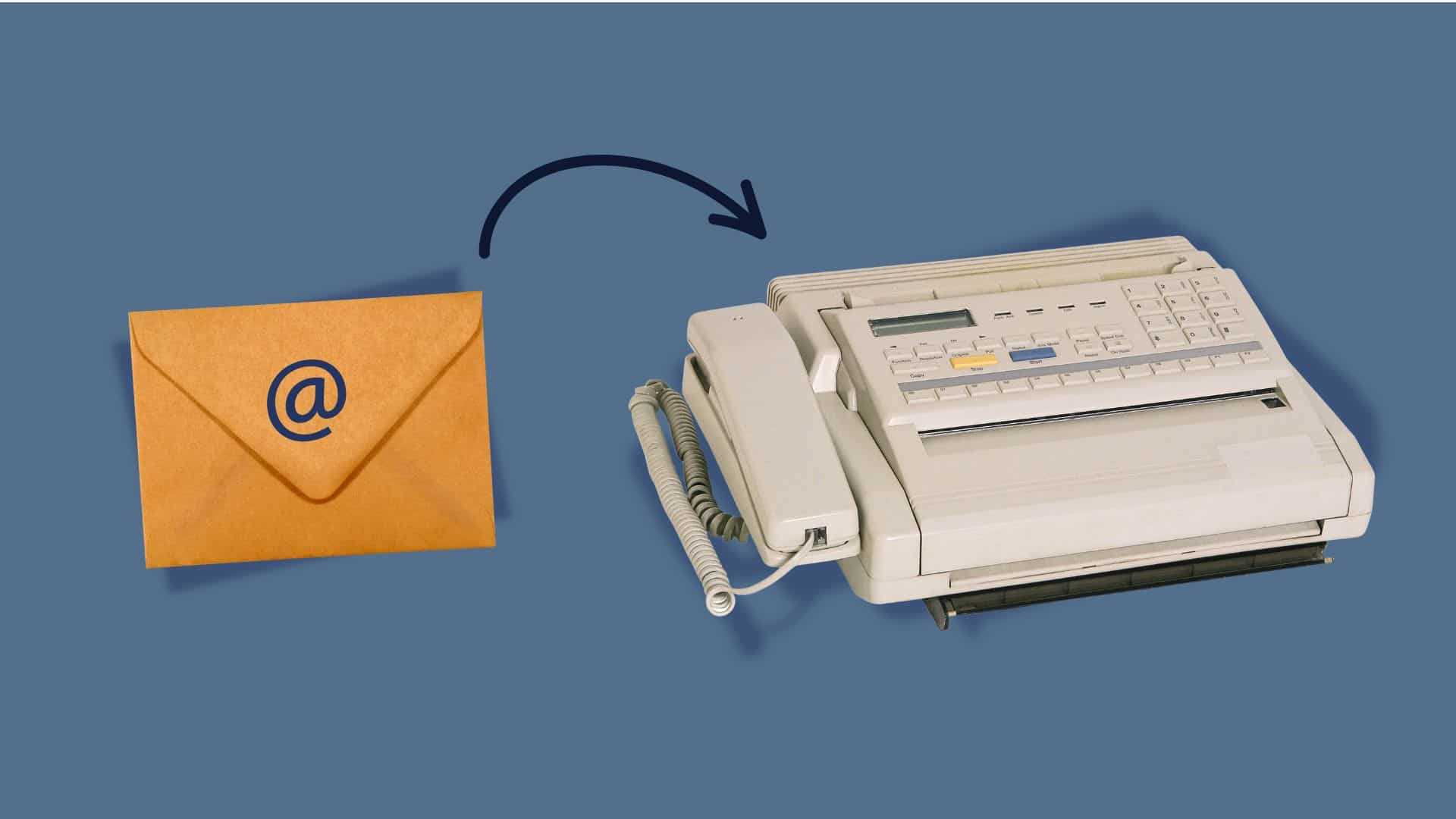
Image of an envelope with an email symbol transforming into a fax machine, illustrating the integration of email and fax technology on a blue background.

How to Email to a Fax Number?

Fax machines are weird relics that somehow refuse to die. While everyone’s moved on to Slack and Teams, plenty of businesses still get stuck dealing with how to email a fax number because some clients, government offices, or partners insist on this ancient communication method.

The reality is frustrating but simple – certain industries like healthcare and legal services haven’t caught up with the times. 

They’re still demanding fax signatures and documents because “that’s how we’ve always done it.” But nobody needs those clunky machines anymore.

So, How to Email a Fax Number?

Let’s say that someone sends an email to what looks like a regular email address, except it ends up spitting out of a fax machine somewhere across town. That’s basically what email-to-fax does – it takes digital stuff and converts it into those weird beeping sounds that fax machines understand.

The whole process is pretty clever when broken down. A service receives the email, looks at where it’s going, then converts everything into a format that works with fax technology from the 1980s. It’s like having a translator who speaks both modern internet and ancient fax machines.

Most people don’t realize that fax machines basically send pictures over phone lines using audio signals. When someone emails a document, the service turns it into the same kind of audio pattern and sends it through regular phone networks.

The Behind-the-Scenes

The email hits a server that recognizes it’s meant for fax transmission based on the address format. The system grabs any attachments, converts them into TIFF or PDF format (because that’s what fax machines can handle), then dials up the destination number.

Once connected, it plays those familiar screeching sounds that anyone who lived through the 90s remembers. The receiving fax machine interprets these sounds and prints out a paper copy of the original document. It’s remarkably backwards but surprisingly reliable.
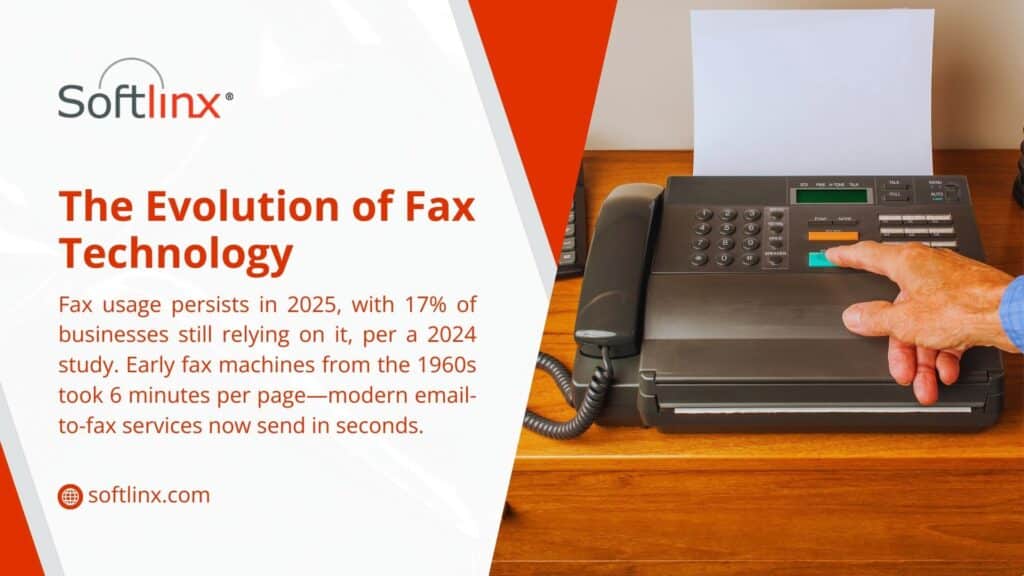
Image showing a hand pressing a button on a fax machine. Text highlights fax technology evolution, noting 17% of businesses still use it in 2025, down from 6-minute pages in the 1960s to seconds today.

Getting Started With Sending an Email

Setting up email-to-fax does require picking the right service. Most cloud fax providers make it pretty straightforward – sign up, pick a plan based on how many pages get sent monthly, and start faxing from any email account.

The trickiest part is usually figuring out the pricing. Some services charge per page, others offer monthly allowances, and enterprise options can get expensive fast. Reading the fine print helps avoid surprise charges when monthly limits get exceeded.

What different services offer:

Service TypeGood ForMonthly Cost RangeCatch
Basic onlineSmall businesses$10-30Page limits bite
ProfessionalRegular fax users$30-100Features cost extra
EnterpriseHigh volume$100+Complex contracts
Pay-per-pageOccasional use$0.10-0.50/pageAdds up quickly

Making Emails Work as Faxes

The addressing gets weird with email-to-fax. Instead of regular email addresses, recipients get formatted like “5551234567@faxservice.com” where the numbers are the actual fax number. Different services use different formats, so checking their documentation prevents bounced messages.

Subject lines matter more than usual because they often become the cover page header. Keeping them professional and clear helps, especially since some older fax machines cut off long subjects or display them poorly.

Email content should stay simple. Fancy formatting, images embedded in the message body, or complex HTML often get mangled during conversion. Plain text with attachments works better than trying to get creative with message formatting.

Picking the Right Tech Setup

The technology choice depends on existing infrastructure and specific needs. Cloud fax solutions work for most businesses because they’re simple to set up and don’t require any special equipment or software installation.

Companies with serious security concerns or high volumes might want a dedicated fax server instead. This means more control over the process but also more complexity and upfront costs. It’s overkill for most situations but it makes sense for organizations with strict compliance requirements.

Businesses already using VoIP phone systems sometimes find integrated fax capabilities convenient. The phone service provider handles fax transmission alongside regular calls, which can simplify billing and support but might limit service options.

Comparing the Options

Online services dominate the market because they’re easy and cheap. Sign up online, get instructions, start sending faxes within minutes. The downside is less control and potential reliability issues during high-traffic periods.

On-premise solutions appeal to larger organizations that want complete control over fax transmission. Setting up a fax server means handling maintenance, security updates, and troubleshooting internally. It’s more work but provides better integration with existing business systems.

Hybrid approaches try to split the difference by keeping sensitive data on-site while using cloud infrastructure for actual transmission. This works well for organizations with compliance requirements but limited IT resources.
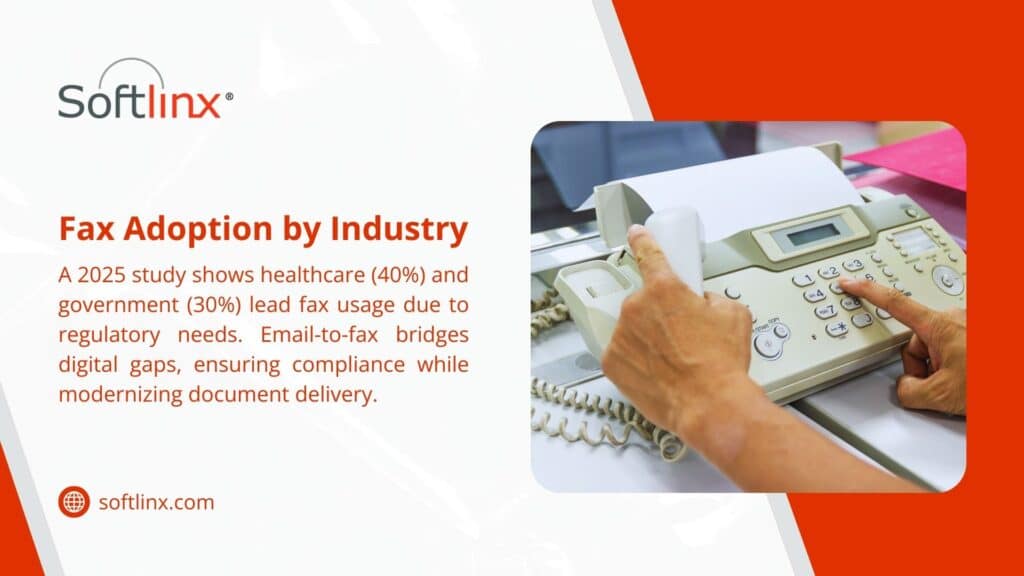
Image showing a hand pressing a button on a fax machine. Text highlights fax technology evolution, noting 17% of businesses still use it in 2025, down from 6-minute pages in the 1960s to seconds today.

Security of the Email-to-Fax Transmission

Email-to-fax transmission creates some interesting security challenges. The document travels through email servers, conversion systems, phone networks, and finally lands on a fax machine that might sit unattended in a busy office. That’s a lot of potential exposure points.

Most reputable services encrypt data during transmission and storage, but the final destination – that fax machine – probably isn’t secure at all. Anyone walking by can grab printed faxes, which is why some industries still prefer this method (ironically, they think paper is more secure than digital).

Compliance gets complicated because different industries have different rules. Healthcare organizations deal with HIPAA requirements, financial companies worry about SOX regulations, and government contractors have their own security standards to meet.

What to Do When Things Go Wrong

Fax transmission fails more often than most people expect. Phone lines get busy, numbers change, machines run out of paper or toner, and documents get formatted incorrectly. The good news is that most problems are fixable with some basic troubleshooting.

Document formatting causes the most headaches. Complex layouts, unusual fonts, or high-resolution images often don’t transmit properly. Keeping documents simple and using standard fonts prevents most formatting issues.

Common problems and quick fixes:

What Went WrongWhy It HappenedHow to Fix It
Fax never arrivedWrong number or busy lineUse Arial/Times and a simple layout
Text looks terribleWeird fonts or formattingTry sending as a PDF
Only got half the pagesConnection droppedMost services auto-retry
Double-check the number and retryTheir machine doesn’t like the formatTry sending as PDF

Making It Work with Other Business Tools

Modern email-to-fax services often integrate with popular business software. Customer management systems can automatically fax contracts, accounting software can send invoices, and document management platforms can fax stored files without manual intervention.

API access lets technical teams build custom integrations that automate fax sending based on specific business events. For example, when a contract gets approved in the system, it could automatically fax copies to all relevant parties.

These integrations save time and reduce errors compared to manual fax sending. They also create better records of what got sent when, which helps with compliance and customer service issues.
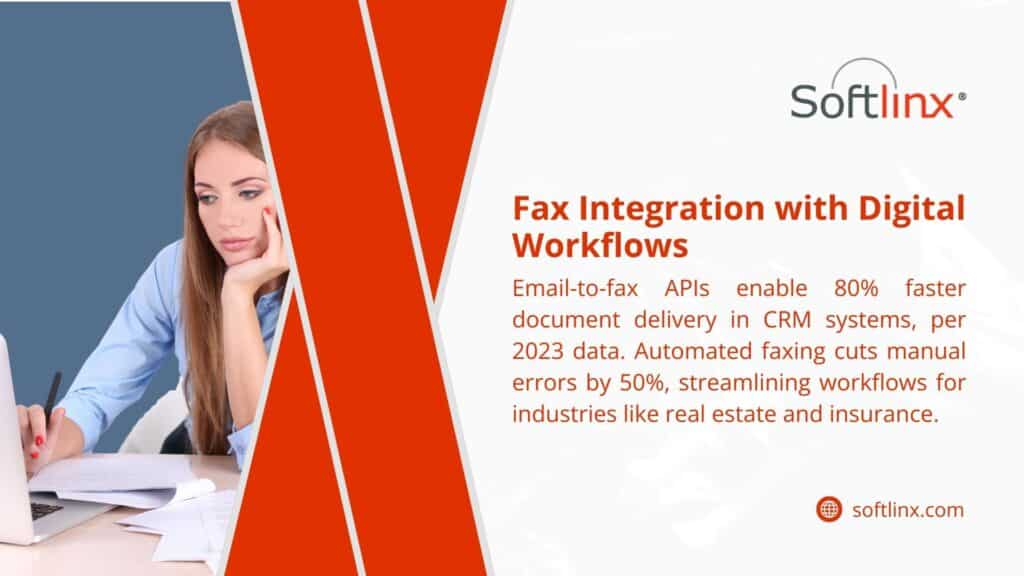
Image of a woman working at a desk with a laptop and papers, with text on fax integration with digital workflows. Highlights email-to-fax APIs for 80% faster CRM delivery and 50% error reduction.

Stop Fighting with Fax Machines

Dealing with fax requirements doesn’t have to involve clunky machines, busy signals, and paper jams. Softlinx provides modern communication solutions that handle fax transmission through simple email interfaces while maintaining the security and reliability that businesses need.

Our platform works with existing email systems and business software, eliminating the hassle of traditional fax infrastructure while ensuring important documents reach their destinations reliably.
The image depicts a hand interacting with a holographic interface above a laptop, featuring a download icon and document icons, symbolizing cloud fax technology.

Why Cloud Fax is Changing How Businesses Handle Document Transmission

Remember those old fax machines? The ones that would jam right when you needed to send something urgent? Well, they’re not in use anymore. Cloud fax has come along and changed the game completely.

Most people don’t realize how much time and money they waste with traditional fax machines until they try something different. The whole process of walking over to the machine, dialing the number, listening to those weird screeching sounds, then crossing your fingers that it actually went through – it’s kind of ridiculous when you think about it.

With cloud fax, all that hassle disappears. Everything happens online, which means no more paper jams, no more busy signals, and definitely no more of that annoying beeping when something goes wrong. It’s basically like email, but for faxes.

How Cloud Fax Works (It’s Simpler Than You Think)

The technology behind this isn’t complicated. Basically, you upload your document to a web portal or send it through email, and the service converts it into a proper fax format. Then it gets transmitted over the internet instead of phone lines.

A bunch of companies are combining this with their VoIP fax setups. Since everything’s already digital anyway, it makes sense to keep it all in one place. Less equipment to maintain, fewer things that can break down.

The coolest part is learning how to email to a fax number. You just send an email – attach your document, put the fax number followed by the provider’s domain in the “to” field, and hit send. That’s it. 

Some providers let you reply to incoming faxes the same way. Get a fax in your email inbox, hit reply, attach your response, and send. It’s so much easier than the old way.
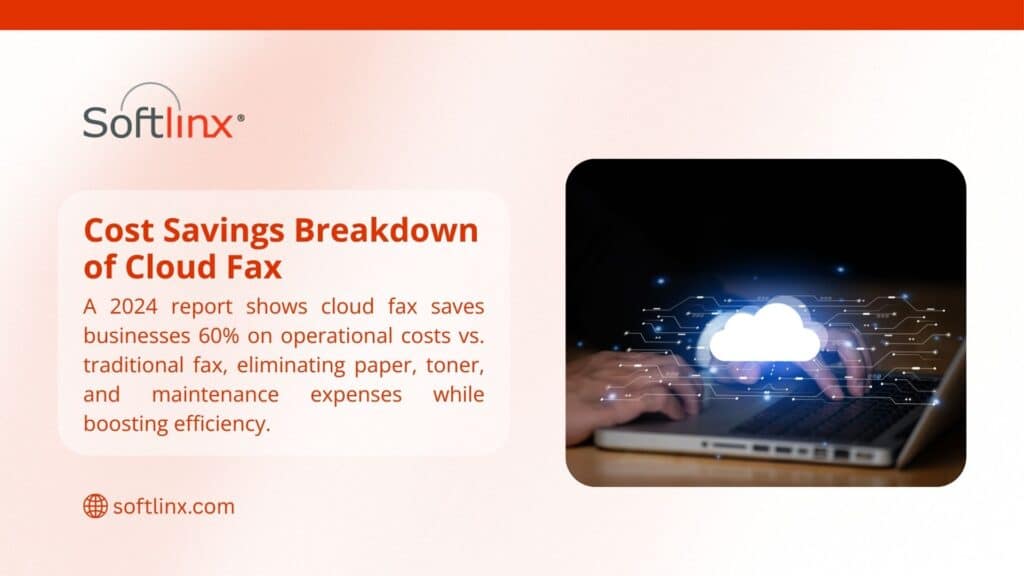
Hand on laptop with cloud graphic, text showing a 2024 report where cloud fax saves businesses 60% on operational costs vs. traditional fax by eliminating paper, toner, and maintenance expenses while boosting efficiency.

What It Costs

Here’s where things get interesting. Traditional fax machines seem cheap until you add up all the hidden costs:

Cost FactorTraditional SetupCloud Service
Equipment$400-800 upfrontUsually nothing
Phone Line$35-65 monthlyNot needed
Supplies$25-50 monthlyZero
RepairsYour headacheNot your problem
SpaceTakes up desk spaceLives in the cloud
Scaling UpBuy more machinesAdd users online

The monthly savings are obvious, but there are other things too. No more running out of toner at the worst possible moment. No more calling the repair guy when the machine decides to die on a Friday afternoon. No more dealing with paper jams during important deadlines.

Security Features

Traditional fax machines are actually pretty insecure when you think about it. Documents sit in the output tray where anyone can grab them. There’s no record of who saw what. If someone intercepts the phone line, they can potentially read everything.

Cloud fax services encrypt everything during transmission. The documents get stored securely online with access controls, so only authorized people can see them. There’s usually an audit trail too, which is great for compliance stuff.

This matters a lot for healthcare offices, law firms, accounting firms – basically anyone dealing with confidential information. HIPAA compliance, attorney-client privilege, and financial privacy rules – cloud fax providers have already figured out how to meet these requirements.
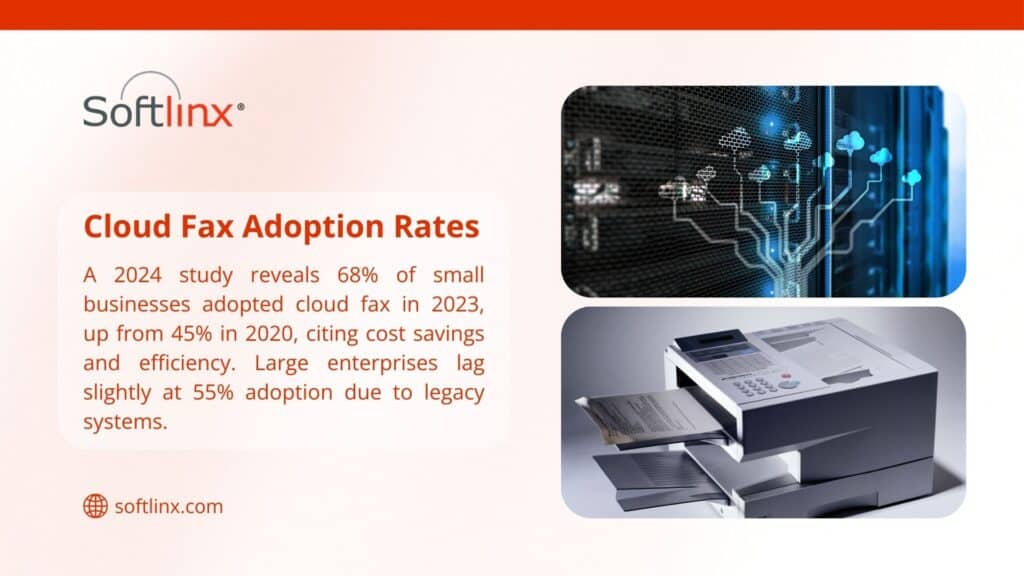
Hand on laptop with cloud network graphic and fax machine, text showing a 2024 study where 68% of small businesses adopted cloud fax in 2023 (up from 45% in 2020) for cost savings and efficiency, while large enterprises lag at 55% due to legacy systems.

Integration With Existing Systems

Most cloud fax services play nice with whatever software companies are already using. Email integration is standard – you can usually send and receive faxes right from Outlook or Gmail without switching applications.

If a business already has a fax server running, many cloud providers can work alongside it instead of replacing it completely. This lets companies test things out without scrapping their existing setup.

Document management systems, CRM platforms, and accounting software – most of these can connect with cloud fax services through APIs or built-in integrations. When everything works together, the whole workflow becomes smoother.

Performance and Reliability

Here’s something most people don’t expect: cloud fax is usually more reliable than physical machines. Good providers maintain multiple data centers with redundant systems, so if one server goes down, traffic automatically switches to another one.

Delivery confirmation is built in. Instead of wondering whether that contract actually made it to the recipient, detailed reports show exactly when documents were delivered. Some services even provide read receipts.

The uptime statistics are impressive too. Most reputable providers guarantee 99.9% availability, which is better than what most businesses achieve with in-house fax machines.

Making the Switch

The transition usually isn’t as painful as people expect. Most providers offer migration assistance, which mainly involves updating contact information and doing some basic staff training.

Training is minimal since the interfaces are designed to be intuitive. If someone knows how to use email, they can probably figure out cloud fax in about five minutes.

One nice benefit is disaster recovery. Physical fax machines become useless if the office floods, burns down, or loses power. Cloud fax keeps working as long as there’s an internet connection somewhere.
Laptop screen showing cloud fax interface, text noting a 2024 survey where 72% of users prefer cloud fax for real-time tracking, with 85% citing improved security over traditional fax as of August 2025.

Industry-Specific Benefits

Healthcare offices love the HIPAA compliance features and integration with electronic health records. Law firms appreciate the audit trails and secure document handling. Real estate offices use the mobile capabilities to send contracts from anywhere.

Manufacturing companies often integrate cloud fax with their supply chain management systems for purchase orders and shipping documents. The automation saves time and reduces errors.

If you are ready to dump that ancient fax machine for something that actually works, SoftLinx provides you with cloud fax services that integrate with existing business systems while delivering enterprise-level security and reliability.

You May Also Like These:

  1. Why Every Business Still Needs a Decent Fax Server
  2. How to Cut Costs with Electronic Fax Filing
  3. Enhancing Care Transition Processes with Cloud Fax Technology
Image of a doctor holding a patient's hand

Enhancing Care Transition Processes with Cloud Fax Technology

The Importance of Smooth Care Transitions

In healthcare, care transitions—the process of moving patients between providers, facilities, or levels of care—are pivotal moments in a patient’s journey. These handoffs, such as a hospital discharge to home health care or a referral from a primary care provider to a specialist, are high-risk points for communication breakdowns. When coordination fails during these transitions, the consequences can be serious. Patients may experience delays in treatment, medication errors, or even unnecessary hospital readmissions. According to the Agency for Healthcare Research and Quality (AHRQ), poor care transitions are among the leading causes of preventable harm in the healthcare system. To support safer and more efficient transitions, many healthcare providers are turning to cloud fax technology — a secure, modern, and scalable solution that bridges communication gaps without relying on outdated paper processes or incompatible EHR systems.

Defining Care Transition Processes

Care transitions refer to the coordinated movement of patients between different care settings or healthcare providers. These transitions can occur at many points throughout a patient’s healthcare journey, including:
  • Hospital discharge to home care services
  • Transfer from a primary care physician to a specialist
  • Movement between nursing homes and hospitals
  • Transition from inpatient rehabilitation to outpatient therapy
These moments are vulnerable to errors due to several factors:
  • Incomplete transfer of medical records
  • Miscommunication about care plans or medications
  • Lack of interoperability between systems
  • Time-sensitive decisions being delayed by missing information
In value-based care models, where providers are evaluated based on patient outcomes, minimizing these risks is more important than ever.

Challenges in Care Transitions Today

Despite growing emphasis on care coordination, healthcare organizations still face significant barriers to smooth transitions:

1. Fragmented Communication Systems

Many facilities operate in silos, using disparate systems that don’t communicate with one another. This fragmentation leads to delays, misinterpretation, and duplicated efforts.

2. Manual, Paper-Based Processes

Fax machines, printed discharge papers, and physical documentation are still common in many settings. These outdated processes are slow, error-prone, and labor-intensive.

3. Limited EHR Interoperability

Even with the adoption of electronic health records (EHRs), true interoperability remains elusive. Different platforms may not speak the same language or easily share data, especially between providers in different networks.

4. HIPAA Compliance Risks

Manual faxes, unsecured emails, and improperly stored paper files expose organizations to compliance risks. Any breach of patient data can lead to legal, financial, and reputational damage.

5. Administrative Overload

Nurses, case managers, and administrative teams already juggle demanding workloads. The burden of chasing missing documentation or reconciling fragmented information adds unnecessary strain and slows down care.

How Cloud Fax Improves Care Transitions

Cloud faxing provides a powerful alternative to traditional fax machines by enabling providers to send and receive documents securely over the internet. Solutions like Softlinx Cloud Fax are purpose-built for the healthcare industry and offer HIPAA-compliant, scalable, and interoperable communication tools.

Benefits for Healthcare Providers and Patients

  • Reduces Readmissions: Timely and accurate information exchange ensures that post-acute care teams receive clear instructions, reducing the likelihood of readmission due to missing details or misunderstood follow-up care.
  • Improves Patient Experience: Patients benefit from faster service, fewer delays, and more coordinated care. They don’t need to repeat their histories or worry about gaps in communication.
  • Empowers Care Teams: With immediate access to discharge summaries, test results, and treatment plans, post-acute providers are better prepared to support patient recovery.
  • Decreases Administrative Burden: Cloud fax eliminates the need to manually scan, print, and chase paperwork, giving healthcare workers more time to focus on care instead of clerical tasks.
  • Enhances HIPAA Compliance: Softlinx uses end-to-end encryption, audit trails, and access controls to safeguard patient information and support compliance with HIPAA and other healthcare data standards.

Real-World Impact: Why Care Transition Tools Matter Now More Than Ever

The urgency to improve care transitions is growing — not just because of patient safety concerns, but also due to increasing regulatory and financial pressures on healthcare organizations.

Rising Costs from Readmissions

Unplanned readmissions cost the U.S. healthcare system over $26 billion annually. Many of these readmissions are avoidable and stem from poor communication at discharge or during transitions. Cloud fax solutions help close this gap by ensuring that accurate, timely documentation reaches the right hands at the right time.

Penalties in Value-Based Care Models

Hospitals and providers operating under value-based care and accountable care organizations (ACOs) are penalized for high readmission rates and low patient satisfaction scores. By adopting secure cloud fax, organizations can improve both care quality and operational performance.

Growing Complexity in Post-Acute Networks

As health systems expand partnerships with home health agencies, specialty clinics, and rehab centers, communication becomes more complex. Cloud fax allows diverse providerseven those without shared EHR platforms—to exchange information securely and efficiently. By modernizing how information flows across care settings, healthcare organizations can meet today’s challenges head-on—protecting patients, reducing risk, and strengthening long-term outcomes.

Frequently Asked Questions (FAQ)

What is cloud fax technology? Cloud fax uses the internet to securely transmit faxes without physical fax machines or phone lines. With Softlinx cloud fax, healthcare providers can send and receive patient documents directly from desktops, EHR systems, or secure email platforms. How does cloud fax improve care transitions? It enables real-time, secure document sharing between providers, ensuring that discharge instructions, lab results, and medical histories are delivered without delay — essential for seamless transitions of care. Is cloud fax secure enough for sensitive patient data? Yes. Softlinx cloud fax is HIPAA-compliant and offers multiple layers of security, including TLS encryption, user authentication, and detailed audit logs to protect sensitive patient information. Can cloud fax integrate with our EHR system? Absolutely. Softlinx offers flexible API and EHR integrations that streamline workflows and allow providers to send faxes directly from within their existing platforms — minimizing disruption and maximizing efficiency. What support does Softlinx offer during implementation? Softlinx provides dedicated onboarding, training, and ongoing customer support to ensure a smooth transition. Whether you’re a small practice or a large healthcare network, our team is here to help every step of the way.

Strengthen Your Care Transitions with Softlinx

In an era where patient outcomes, safety, and satisfaction are more important than ever, investing in better communication tools isn’t optional — it’s essential. Cloud fax technology allows providers to close the loop in care transitions, reduce costly errors, and improve the overall patient experience. Softlinx has been a trusted partner to healthcare organizations across the country, offering secure, reliable, and scalable communication solutions tailored to modern care delivery needs. Ready to improve your care transition process? Contact Softlinx today to get a quote or speak with a solutions expert.  
Image of a person working on a laptop in a medical setting

How Cloud Fax Supports Efficient Management of Patient Safety Reports

Patient safety is essential to quality healthcare, and effective reporting systems play a critical role in documenting incidents, investigating risks, and preventing future harm. Yet, managing these sensitive reports is increasingly challenging as healthcare organizations handle large volumes of data while maintaining strict compliance with privacy regulations. Traditional methods like paper-based systems fall short, making cloud fax technology a secure, efficient solution for transmitting and managing patient safety reports. With streamlined workflows, enhanced security, and reliable compliance support, solutions like Softlinx cloud fax can transform how healthcare providers manage patient safety.

What Are Patient Safety Reports?

Definition and Purpose

Patient safety reports are formal documents used within healthcare settings to record incidents that affect or have the potential to affect patient well-being. These include actual errors, near misses, or even potential hazards that could compromise patient safety. The primary goal of these reports is clear: to identify risks, drive improvements in patient care, and prevent similar incidents from happening in the future. By documenting these events thoroughly and consistently, healthcare organizations create a culture of continuous learning and safety.

Types of Patient Safety Reports

Patient safety reports can be categorized into several types, each serving a distinct purpose in safeguarding patient health:
  • Incident Reports These reports detail adverse events, such as medication errors, patient falls, equipment malfunctions, or procedural mistakes. Documenting these incidents helps healthcare providers understand what went wrong and how to prevent recurrence.
  • Near-Miss Reports Near misses occur when an error is caught just in time, before it reaches the patient. Although no harm occurs, these reports are invaluable for understanding vulnerabilities in systems and processes.
  • Hazard Reports Even when no event has taken place, potential risks or hazards must be identified. Hazard reports allow healthcare facilities to proactively address unsafe conditions before they lead to actual incidents.

Importance in Healthcare

The role of patient safety reports extends beyond internal improvements. These reports:
  • Support continuous quality improvement initiatives, helping healthcare organizations refine their protocols and care delivery.
  • Enhance regulatory compliance with accrediting bodies like The Joint Commission and government health agencies.
  • Foster a culture of transparency and accountability, encouraging staff to actively participate in safety efforts and trust the process of reporting.
  • Provide valuable data for training and education, enabling healthcare teams to learn from past incidents and strengthen preventive practices.
  • Strengthen patient trust and community reputation, as proactive safety reporting demonstrates a commitment to high-quality, safe patient care.

The Challenges in Managing Patient Safety Reports

Volume and Complexity of Reports

Healthcare environments generate enormous amounts of data. From electronic health records (EHRs) to lab results and incident reports, managing this growing volume of patient safety information is increasingly complex. Without efficient systems, critical data can become siloed, leading to delays in addressing safety issues.

Compliance with Healthcare Regulations

Regulations such as HIPAA (Health Insurance Portability and Accountability Act) impose strict guidelines on the handling of patient information. Healthcare providers must ensure that all patient safety reports are transmitted and stored securely to avoid hefty fines and reputational damage.

Manual Processes and Their Limitations

Many healthcare facilities still rely on manual, paper-based methods or traditional fax machines to manage safety reports. These methods are time-consuming, error-prone, and susceptible to breaches. Misplaced papers, fax machine errors, or unauthorized access can compromise patient safety and privacy.

How Cloud Fax Solutions Improve Patient Safety Report Management

Centralized Document Management

Cloud fax centralizes patient safety reports in a secure, searchable repository. This consolidation simplifies data management, making it easy to retrieve documents for audits, regulatory reporting, or internal reviews. With advanced search capabilities, healthcare teams can quickly locate specific reports to address safety concerns promptly.

Rapid Scalability for Growing Healthcare Networks

As healthcare networks expand, so do their communication needs. Cloud fax solutions scale effortlessly to support new departments, additional locations, or increased reporting volumes without requiring new hardware investments. This scalability ensures uninterrupted operations and consistent report management, regardless of growth.

Real-Time Monitoring and Tracking Capabilities

Cloud fax platforms provide real-time monitoring tools that track report delivery, receipt, and acknowledgment. This transparency helps healthcare teams follow up on critical reports, ensuring they are addressed in a timely manner and supporting accountability across the organization.

User-Friendly Interface for Healthcare Staff

Adopting new technology should not be a burden. Softlinx’s cloud fax solutions feature intuitive, user-friendly interfaces designed for healthcare staff. Simplified workflows encourage quick adoption, enabling teams to focus more on patient care and less on navigating complex systems.

FAQ: Cloud Fax and Patient Safety Report Management

How is cloud fax different from email or traditional fax when handling sensitive healthcare data?

While email can be convenient, it often lacks the end-to-end encryption and compliance certifications required for transmitting protected health information. Traditional fax machines are physical devices prone to errors, paper jams, and security risks if left unattended. Cloud fax, on the other hand, is purpose-built for secure data exchange, using encryption, access controls, and audit trails to meet HIPAA and HITECH requirements, ensuring both compliance and reliability.

Can cloud fax integrate with our existing healthcare IT systems?

Yes, many cloud fax solutions, including those from Softlinx, are designed to integrate seamlessly with electronic health record systems, practice management software, and other healthcare applications. This integration allows for automatic routing of patient safety reports, eliminating manual steps and reducing administrative workload.

How does cloud fax support remote and hybrid healthcare teams?

Cloud fax provides secure, web-based access, so healthcare professionals can send, receive, and manage patient safety reports from any location. This flexibility is especially valuable for hybrid work models and offsite teams who need to collaborate on safety initiatives in real time.

What happens if there’s a system outage or internet disruption?

Reputable cloud fax providers maintain multiple redundancies, data centers, and failover systems to ensure high availability. In the rare event of an outage, your documents remain securely stored and will automatically be transmitted once service is restored. You also receive notifications about any delays or issues.

Is cloud fax scalable for small clinics as well as large healthcare networks?

Absolutely. Cloud fax solutions are highly scalable, making them an excellent fit for both small practices looking to modernize their workflows and large healthcare systems managing thousands of patient safety reports across multiple locations. Plans and features can be tailored to the specific needs and growth of your organization.

How does cloud fax improve accountability in patient safety workflows?

Cloud fax platforms provide detailed audit trails, delivery confirmations, and real-time status updates. This transparency ensures that every report is tracked from submission to receipt, supporting accountability at every step and allowing for quick follow-up on unresolved issues.

In Conclusion

Efficient management of patient safety reports is not just an administrative task — it is a critical component of delivering safe, high-quality healthcare. The ability to capture, transmit, and act on safety information quickly can make the difference between preventing harm and allowing risks to persist unnoticed. Cloud fax solutions, like those offered by Softlinx, play a transformative role in modernizing patient safety report management. With robust security, seamless accessibility, cost savings, and scalability, cloud fax empowers healthcare organizations to improve efficiency, maintain compliance, and, most importantly, protect their patients.

Contact Softlinx

Healthcare organizations looking to enhance their patient safety reporting processes should explore the benefits of Softlinx’s cloud fax solutions. To learn more or get a quote, contact our team today. Discover how Softlinx can help you build a safer, more efficient future for your healthcare organization.
Image of a pulmonogist's office

Cloud Fax for Improved Coordination in Pulmonology Practices


Pulmonology practices face complex coordination challenges, such as managing chronic respiratory diseases and responding swiftly to acute emergencies requires fast, accurate communication across multiple providers. Patients with conditions like COPD, asthma, lung cancer, or pulmonary embolism often depend on input from specialists, rapid diagnostics, and timely referrals to receive effective care. However, many practices still rely on outdated paper faxes and fragmented systems, risking delays and errors that compromise patient safety. Cloud fax technology offers a modern, secure solution, streamlining the flow of critical patient information, enhancing collaboration among care teams, and supporting better patient outcomes through efficient, reliable communication.

The Importance of Efficient Communication in Pulmonology

In pulmonology, care coordination goes far beyond a single provider. Pulmonologists routinely collaborate with primary care physicians, radiologists, cardiologists, oncologists, sleep specialists, and rehabilitation centers to deliver comprehensive care. Smooth coordination ensures that patients move seamlessly through the care continuum, from diagnosis to treatment to ongoing management.

With each patient generating a high volume of data — including pulmonary function tests, CT scans, lab reports, and imaging studies — practices must handle an overwhelming amount of information daily. Timely exchange of this data is crucial, especially for urgent cases like pulmonary embolisms or acute respiratory distress, where every second counts.

Efficient communication reduces the risk of errors caused by misplaced or delayed information. It also supports continuity of care for patients with chronic respiratory diseases who need long-term monitoring and coordinated treatment plans. By enhancing the flow of information, practices can accelerate decision-making, streamline care pathways, and ultimately improve patient outcomes.

Limitations of Traditional Fax Systems in Pulmonology

Despite the critical need for fast, reliable communication, many pulmonology practices still rely on traditional fax systems. These outdated methods come with serious drawbacks:

  • Delays Due to Paper-Based Processes: Manual faxing and paper handling slow down the transfer of critical information, leading to treatment delays.
  • Risks of Lost or Misfiled Documents: Physical documents can easily be lost, misplaced, or accidentally destroyed, compromising patient care and data integrity.
  • Lack of Security Compliance: Standard fax machines often fail to meet HIPAA compliance standards, putting sensitive patient information at risk.
  • High Operational Costs: Maintaining fax machines, paper supplies, and equipment repairs consumes valuable resources that could be better allocated to patient care.

These limitations create bottlenecks in pulmonology practices, impacting both clinical efficiency and patient safety.

How Cloud Fax Enhances Pulmonology Practice Coordination

Streamlined Document Sharing

Cloud fax solutions enable fast, reliable transmission of essential documents like patient records, imaging studies, and lab results. Unlike traditional faxing, cloud fax offers real-time access to files for multiple providers simultaneously, allowing pulmonologists and care teams to review critical information without delays. Whether it’s a sleep study report or a chest X-ray, information flows quickly and securely between stakeholders.

Key documents easily shared through cloud fax include:

  • Chest X-rays and CT scans, essential for diagnosing lung conditions and monitoring disease progression.
  • Pulmonary function tests (PFTs), providing detailed insights into lung capacity and respiratory efficiency.
  • Sleep study reports, crucial for diagnosing and managing conditions like sleep apnea.
  • Specialist referrals and consultation notes, ensuring seamless transitions of care between providers.
  • Lab results, including blood gas analyses and other respiratory-related diagnostics.
  • Discharge summaries and follow-up care instructions, keeping the entire care team aligned on patient management.

Faster Response Times for Critical Cases

For patients experiencing respiratory emergencies, time is of the essence. Cloud fax solutions support immediate transmission of vital reports, enabling faster diagnoses and treatments for life-threatening conditions like pulmonary embolisms or acute respiratory distress.

Additionally, cloud fax accelerates the referral process to specialists, ensuring prompt consultations and interventions. Providers can deliver rapid updates on patient status during emergencies or hospital admissions, and collaborate more effectively in critical care scenarios — all of which contribute to improved patient outcomes.

Improved Collaboration with Multidisciplinary Teams

Pulmonology care often requires input from multiple disciplines. Cloud fax systems facilitate seamless information sharing among pulmonologists, radiologists, cardiologists, and sleep specialists. This is particularly valuable for managing complex cases such as interstitial lung disease or sleep apnea, where a coordinated approach improves both diagnosis and long-term management.

By enabling better collaboration, cloud fax helps ensure that every provider involved has access to up-to-date, accurate information for informed decision-making.

Enhanced Security and HIPAA Compliance

Cloud fax solutions use advanced encryption protocols, secure data storage, and strict access controls to protect sensitive patient information. Features like audit trails provide clear visibility into who accessed or transmitted each document, supporting compliance with HIPAA and other healthcare regulations. This level of security not only protects patient privacy but also builds trust among providers and patients, reinforcing the practice’s commitment to high standards of care.

Mobility and Remote Accessibility

One of the greatest advantages of cloud fax is its mobility. Pulmonologists can securely send and receive faxes from any internet-connected device, whether they’re in the clinic, at the hospital, or working remotely.

This flexibility supports telehealth and remote patient management, allowing providers to access critical patient information from anywhere. Cloud fax also facilitates quick communication with home health services, rehabilitation centers, and outpatient clinics, ensuring continuity of care even when providers are off-site or on call.

Integration with Pulmonology Practice Management Systems

Seamless EHR and Practice Software Integration

One of the standout advantages of cloud fax solutions is their ability to integrate with existing electronic health records and pulmonology-specific practice management systems. By automating the transmission of patient documents, imaging, and test results directly into patient records, cloud fax eliminates manual data entry and minimizes the risk of transcription errors. This integration ensures that pulmonologists and their care teams have immediate access to the latest patient information, supporting more informed clinical decisions.

Automating Routine Communications

Cloud fax can automate many routine but critical communications, such as appointment confirmations, referral transmissions, and follow-up care instructions. Automating these workflows not only saves time but also ensures consistency in patient communications, helping to maintain high standards of care and patient satisfaction.

Simplifying Insurance and Billing Processes

Beyond clinical coordination, cloud fax also streamlines administrative tasks like insurance verifications, prior authorizations, and claims submissions. Fast, reliable document transmission reduces processing times and supports quicker reimbursements, which helps keep practice revenue cycles healthy and efficient.

Future-Proofing Your Practice

As pulmonology practices grow and adopt more advanced diagnostic tools and treatment protocols, the need for scalable, interoperable solutions becomes even more critical. Cloud fax offers the flexibility to adapt alongside technological advancements, ensuring your practice remains efficient and future-ready without the need for costly infrastructure upgrades.

In Summary

For pulmonology practices, fast and accurate communication is essential to delivering high-quality patient care. Cloud fax solutions offer a powerful tool to overcome the limitations of traditional fax systems, providing secure, efficient, and scalable document management.

By streamlining workflows, enhancing collaboration across care teams, and ensuring compliance with healthcare regulations, cloud fax transforms pulmonology practice coordination. The result is improved patient care, operational efficiency, and peace of mind for providers handling sensitive respiratory cases.

Why Choose Softlinx for Cloud Fax Solutions?

Softlinx delivers cloud fax solutions designed specifically for the complex needs of healthcare practices, including pulmonology. With secure, scalable, and reliable services, Softlinx ensures your practice stays compliant, connected, and efficient.

Whether you’re managing high volumes of imaging reports or coordinating care across multiple specialties, Softlinx has you covered with advanced cloud fax technology.

Ready To Improve Coordination in Your Pulmonology Practice?
Contact Softlinx today to learn how our secure cloud fax solutions can streamline your workflows, enhance patient care, and keep your practice compliant with healthcare regulations. Request a quote now to get started.


Image of two pharmacists

Using Cloud Fax to Improve Communication Between Pharmacies and Providers


Every day, pharmacies and healthcare providers exchange a high volume of critical information—prescriptions, prior authorizations, dosage changes, and clarification requests. These communications are essential for ensuring that patients receive the correct medications on time and that treatment plans are carried out as intended.

The stakes are high. Delays or errors in communication can affect medication adherence, interrupt treatment plans, and put patient safety at risk. Yet pharmacies and providers often work with different systems, protocols, and workflows, making consistent and timely communication more difficult than it should be.

Healthcare organizations need a reliable way to bridge the communication gap. Cloud fax technology offers a practical, secure solution that improves the speed, accuracy, and visibility of information exchange between pharmacies and providers.

Where Traditional Communication Falls Short

Despite growing digitization in healthcare, many organizations still rely on outdated and inefficient methods to share sensitive information.

Paper faxes are still widely used but are slow, difficult to track, and vulnerable to misdelivery or loss. Phone calls and voicemails can interrupt workflows and require back-and-forth coordination that wastes time. These interruptions often lead to unnecessary delays in prescription fulfillment.

Another significant challenge is the lack of interoperability between electronic health record systems. Providers and pharmacies may use entirely different platforms, making it difficult to share and retrieve the data needed to process prescriptions or verify prior authorizations. In some cases, documents are manually transcribed or faxed, increasing the risk of human error.

Unsecured communication channels, such as unencrypted email or printed forms, also raise compliance concerns. Healthcare organizations must ensure they meet strict regulatory standards such as HIPAA when transmitting patient information.

Cloud Fax: Closing the Gaps in Medication Management

Cloud fax offers a modern solution to many of these challenges. Unlike traditional faxing, cloud fax uses secure internet-based platforms to send and receive documents. These systems are designed to integrate with healthcare workflows while meeting all security and compliance requirements.

With cloud fax, prescriptions, prior authorizations, and clarifications can be exchanged quickly and securely between providers and pharmacies. There is no need to print, scan, or re-enter data manually. Cloud fax eliminates many of the manual steps that slow down traditional processes, helping pharmacies fulfill prescriptions faster and reducing wait times for patients.

How Pharmacies and Providers Benefit

Implementing cloud fax can significantly improve operational efficiency and clinical outcomes.

Pharmacies are able to fulfill prescriptions more quickly, which supports better adherence and reduces delays in treatment. For patients, this translates to improved health outcomes and a smoother experience.

Providers and pharmacists benefit from reduced administrative burdens. Cloud fax eliminates the need for repeated follow-ups, missed calls, and manual documentation. Communications are delivered and logged automatically, and audit trails ensure that both parties have proof of transmission and receipt.

Prior authorization requests and responses also become more manageable. With cloud fax, documents can be submitted, reviewed, and returned without delay, allowing patients to begin treatment sooner and with fewer interruptions.

Enhancing Compliance and Reducing Risk with Secure Document Exchange

In healthcare, every communication that involves patient information must meet strict regulatory standards. Traditional fax machines and unsecured email platforms fall short when it comes to ensuring HIPAA compliance, putting organizations at risk for fines, data breaches, and reputational damage.

The need for secure communication is more urgent than ever. According to IBM’s 2023 Cost of a Data Breach Report, the average healthcare data breach cost reached $10.93 million, making it the most expensive industry for data breaches for the 13th year in a row.

By implementing a secure cloud fax solution, organizations not only protect their patients’ data—they also protect themselves from regulatory risk and the operational disruptions that can result from compliance violations.

Reducing Operational Bottlenecks Across the Medication Lifecycle

Communication between providers and pharmacies doesn’t just affect patient care—it also impacts daily workflows, staffing, and overall operational efficiency. Manual processes, delays in responses, and redundant administrative tasks can create costly bottlenecks that limit how quickly medications are approved and dispensed.

Cloud fax helps streamline these workflows by reducing friction at every step of the medication lifecycle. By replacing phone calls, manual paperwork, and disconnected systems with secure, real-time communication, organizations gain the efficiency they need to serve more patients in less time.

Key ways cloud fax reduces operational strain include:

  • Eliminating time spent tracking down paper faxes or voicemails
  • Reducing repeated follow-ups between providers and pharmacies
  • Automating the confirmation and routing of incoming documents
  • Supporting faster prior authorization cycles
  • Minimizing errors from manual data re-entry
  • Enabling better workload distribution through centralized document access

By removing these bottlenecks, cloud fax allows pharmacy teams and care providers to focus less on logistics and more on delivering high-quality care.

Supporting Patient Safety and Medication Adherence

Efficient communication plays a direct role in maintaining patient safety. When a pharmacist receives timely clarification from a provider, they are better equipped to avoid potential issues such as drug interactions, incorrect dosages, or contraindicated medications.

Cloud fax helps reduce these risks by enabling faster, more accurate information exchange at key moments in the care process. It supports safer medication management in several ways:

  • Prevents harmful drug interactions by facilitating quick clarification of prescriptions
  • Reduces the risk of incorrect dosages or duplicated therapies
  • Ensures specialty medication instructions are delivered clearly and without delay
  • Avoids treatment gaps caused by missing or misrouted paperwork
  • Supports secure transmission of medication changes or updates between care teams

For patients with chronic conditions or those prescribed specialty medications, delays in receiving medication can have serious consequences. Cloud fax ensures that all stakeholders have the information they need when they need it, improving coordination and reducing the risk of missed prescriptions or treatment gaps.

Looking Toward a Connected Future

Cloud fax is not only a solution for today’s communication challenges; it is a foundational tool for the future of healthcare.

As more providers and pharmacies join integrated networks and adopt value-based care models, the need for secure, real-time communication will only grow. Cloud fax supports this transition by acting as a bridge between organizations, regardless of their existing infrastructure.

Emerging capabilities such as automated document routing and AI-assisted verification are making cloud fax even more efficient. Healthcare organizations can streamline processes, reduce manual errors, and ensure that sensitive documents are sent to the right recipient every time.

Cloud fax also plays a role in broader patient-centered communication strategies. By ensuring that communication flows quickly and securely between all parties involved in a patient’s care, cloud fax helps build a more coordinated, responsive, and effective healthcare ecosystem.

Next Steps: How to Get Started with Softlinx

For pharmacies and healthcare providers looking to modernize their communication workflows, Softlinx offers a powerful and easy-to-implement cloud fax solution. The onboarding process is straightforward, with dedicated support teams guiding you through setup, training, and system integration. Whether you’re a small independent pharmacy or part of a large healthcare system, Softlinx ensures that your organization can begin realizing the benefits of cloud fax without disrupting your current operations. Contact us to learn more, or request a free quote now.

Image of outpatient care

Cloud Fax Solutions for Enhancing Outpatient Care Services


Outpatient care is an essential pillar of modern healthcare delivery, offering everything from diagnostic tests and minor procedures to physical therapy and routine check-ups. However, many outpatient facilities continue to face significant communication challenges due to outdated, manual, and non-integrated systems. These barriers slow down patient care, increase administrative burden, and elevate the risk of errors.

In environments where speed, accuracy, and security are paramount, cloud fax technology offers a modern, HIPAA-compliant solution for exchanging critical patient information. As outpatient care models continue to evolve, cloud fax is proving to be a vital tool for improving communication, coordination, and care outcomes.

Defining Outpatient Care

Outpatient care includes medical services that do not require an overnight stay in a hospital. It is delivered in settings such as clinics, outpatient departments, ambulatory surgery centers, and diagnostic imaging centers. Common examples include:

  • Routine physical exams and wellness visits
  • Diagnostic tests such as X-rays, MRIs, and blood work
  • Minor surgical procedures
  • Rehabilitation and physical therapy
  • Preventive screenings

The growth of outpatient care is reshaping the healthcare industry. According to the Centers for Medicare & Medicaid Services (CMS), spending on physician and clinical services—which encompasses a significant portion of outpatient care—increased by 7.4% to $978.0 billion in 2023, accounting for 20% of total national health expenditures.

Outpatient environments require high-volume, high-velocity communication between providers, labs, specialists, and insurance companies. These workflows depend on accurate, secure, and timely document exchange—something many legacy systems struggle to deliver.

Current Communication Barriers in Outpatient Care

Despite its increasing importance, outpatient care often relies on outdated communication infrastructure, which poses serious challenges:

  • Legacy fax systems still dominate, requiring paper-based workflows and frequent manual intervention
  • Delays and miscommunication can result from lost paperwork, slow fax transmissions, or lack of delivery confirmation
  • Compliance risks arise when sensitive patient data is sent through unsecured channels or improperly stored
  • Staff overload is common as administrative teams must track, scan, file, and follow up on documents across fragmented systems

These inefficiencies not only burden providers and administrators but also negatively impact patient care and satisfaction.

Enhancing Patient Care with Cloud Fax Solutions

Cloud fax offers a secure, digital method of sending and receiving documents via encrypted internet channels—without the need for physical fax machines. It addresses the shortcomings of traditional faxing while preserving interoperability with external organizations that still rely on fax as a standard communication method.

For outpatient clinics and care centers, the benefits are substantial:

  • Faster referrals and specialist coordination help patients get timely access to the care they need
  • Quick sharing of lab results and treatment plans ensures that care teams are aligned and responsive
  • Reduced waiting times and fewer follow-up calls boost patient satisfaction and trust in their care providers
  • Improved continuity of care across departments, especially when managing chronic or multi-disciplinary cases

By streamlining these key touchpoints, cloud fax contributes directly to better clinical outcomes and a more efficient care experience.

Key Features of Softlinx Cloud Fax for Outpatient Services

Softlinx provides enterprise-grade healthcare cloud fax solutions specifically designed for the demands of outpatient care providers. Key features include:

  • End-to-end encryption and advanced security protocols to safeguard protected health information (PHI)
  • Scalable architecture that grows with your practice, whether you’re a single-location clinic or a multi-site outpatient network
  • API and direct EHR integrations to eliminate manual steps and enable document exchange from within existing platforms
  • Centralized fax management with searchable archives, user access controls, and automatic audit logging
  • Real-time notifications for incoming and outgoing transmissions, reducing the risk of missed documents

These tools allow outpatient providers to modernize workflows without disrupting existing operations or requiring costly new infrastructure.

Driving Cost Savings and Operational Efficiency in Outpatient Settings

Beyond improving patient care, cloud fax plays a pivotal role in reducing costs and streamlining operations for outpatient clinics. Many facilities still rely on legacy fax hardware, dedicated phone lines, and labor-intensive workflows to manage document exchange—leading to unnecessary overhead and resource waste.

Cloud fax replaces these outdated systems with a centralized, digital platform that not only lowers infrastructure costs but also improves overall productivity. With fewer manual steps and reduced reliance on physical documents, staff can focus more time on clinical care and less on administrative tasks.

Key ways cloud fax helps outpatient clinics reduce costs and improve efficiency:

  • Eliminates the need for on-site fax machines, toner, and paper
  • Reduces IT maintenance by eliminating analog fax servers and lines
  • Lowers risk of human error and duplicate data entry
  • Streamlines communication workflows, reducing follow-up calls and faxes
  • Improves turnaround time for referrals, authorizations, and test results

Future Trends: The Evolving Role of Cloud Fax in Outpatient Care

As digital transformation accelerates across healthcare, cloud fax is evolving into a more intelligent, integrated part of the care continuum. Outpatient providers are increasingly embracing:

  • Paperless workflows that eliminate printing, scanning, and filing
  • Telehealth integration, enabling faster document sharing for remote consultations
  • AI-powered document routing and smart indexing, reducing manual workload and improving accuracy
  • Predictive analytics, allowing clinics to proactively manage patient care and documentation workflows
  • Greater interoperability across outpatient services, payers, and health systems

Cloud fax is no longer just a secure transmission tool—it’s becoming a strategic asset in the shift toward more coordinated, data-driven outpatient care.

Conclusion

Efficient and secure communication is essential for delivering high-quality outpatient care. Cloud fax addresses long-standing pain points by providing fast, secure, and integrated document exchange, which enhances patient outcomes, reduces administrative strain, and improves provider collaboration.

Outpatient facilities that invest in modern communication infrastructure are better positioned to deliver timely, accurate, and patient-centered care—and Softlinx is here to help make that transformation simple.

Getting Started with Softlinx Cloud Fax Solutions

Softlinx makes it easy for outpatient clinics and care centers to modernize their fax workflows with a simple, guided implementation process. Our team offers:

  • Dedicated onboarding and system integration support
  • Comprehensive training resources for clinical and administrative staff
  • Scalable pricing plans designed for outpatient environments
  • Ongoing customer service and product updates to meet evolving needs

Contact Softlinx today to request a quote, and discover how cloud fax can transform your outpatient care communications.

Graphic image illustrating customer data

Enhancing Customer Data Protection in Banking with Cloud Faxing


Safeguarding customer data is paramount for banking institutions. As technology continues to advance, banks must adopt innovative solutions to enhance security while ensuring efficient operations. Cloud faxing is a critical tool in the arsenal of data protection measures, offering secure transmission of sensitive information. Learn more about the significance of customer data protection in banking and how cloud faxing can address the challenges banks face in securely transmitting data from this article from Softlinx.

What is Customer Data in Banking?

In banking, customer data encompasses a wide array of information, such as:

  • Personal identifiers
  • Names
  • Addresses
  • Social security numbers
  • Financial records
  • Transaction histories
  • Credit scores

This data is critical for banks to assess creditworthiness, manage accounts, and deliver personalized services to customers. However, the sheer volume and sensitivity of this data pose significant challenges in terms of protection and confidentiality. Banks must implement stringent security measures to safeguard customer data throughout its lifecycle, from collection and storage to transmission and disposal.

Costliness of Data Breaches in Banking

The financial services sector is particularly vulnerable to cybercrime, with a staggering average of 449,855 sensitive files exposed in breaches. Worldwide cybercrime costs are projected to reach $10.5 trillion annually by 2025, highlighting the escalating threat landscape faced by banks and financial institutions. Given the significant financial and reputational risks associated with data breaches, it is imperative for banks to prioritize cybersecurity measures, including the adoption of secure communication technologies like cloud faxing.

The following chart illustrates the average total cost of a data breach in the financial industry worldwide from 2019 to 2023:

By investing in cybersecurity measures and leveraging technologies like cloud faxing to ensure secure data transmission, banks can protect their customers’ sensitive information.Top of Form

The Challenge of Secure Data Transmission

One of the most pressing challenges banks deal with is securely transmitting sensitive customer data between internal departments, branch offices, and external partners. Traditional methods of data transmission, such as email or physical mail, pose inherent risks, including interception, tampering, and unauthorized access.

Moreover, regulatory bodies impose strict requirements on banks regarding data privacy and security, mandating compliance with industry standards such as the Gramm-Leach-Bliley Act (GLBA) and the Payment Card Industry Data Security Standard (PCI DSS). Failure to adhere to these regulations can result in severe legal and financial repercussions, including hefty fines and reputational damage.

The Benefits of Cloud Faxing

Cloud faxing provides numerous advantages for banks seeking to enhance their data protection measures and streamline communication processes:

  • Enhanced Security: Cloud faxing utilizes encrypted communication channels to ensure the secure transmission of sensitive customer data. This encryption protects information from interception and unauthorized access, mitigating the risk of data breaches.
  • Compliance Assurance: Digital faxing services often include features designed to facilitate compliance with regulatory requirements. Automated data retention policies enable banks to effortlessly adhere to data retention regulations by managing and storing faxed documents for the required periods.
  • Reduced Operational Costs: It is estimated that switching even 5% of fax usage to online fax would save an estimated 10 billion pages of paper, with the average ink cartridge costing between $20 to $50. By eliminating the need for traditional fax machines and associated maintenance costs, cloud faxing helps banks reduce operational expenses.
  • Improved Accessibility: Online faxing allows for greater accessibility to faxed documents, as they can be securely accessed from any location with an internet connection. This accessibility enhances collaboration among bank employees and facilitates remote working arrangements.

Cloud Faxing in Banking

Ensure Compliance and Security

Cloud faxing solutions ensure compliance with banking regulations by providing encrypted transmission channels and robust authentication mechanisms. By encrypting fax transmissions end-to-end, cloud faxing mitigates the risk of interception and unauthorized access, ensuring the confidentiality and integrity of customer data.

Furthermore, cloud faxing solutions offer features such as audit trails and access controls, allowing banks to track and monitor fax transmissions in real-time and prevent unauthorized access to sensitive information.

Streamline Banking Operations

Cloud faxing streamlines various banking processes, such as:

  • Loan approvals
  • Account management
  • Customer inquiries and requests
  • Compliance documentation
  • Internal communications
  • Document archiving and retrieval
  • Vendor and partner communications

Cloud faxing eliminates the need for manual sorting and distribution. This ensures that critical documents reach their intended recipients promptly. This streamlining of operations enhances efficiency and productivity, allowing banks to deliver faster and more responsive services to their customers.

Enhance Customer Trust

Secure cloud faxing can enhance customer trust in the banking institution by demonstrating a commitment to protecting sensitive information. Leveraging encrypted communication channels and robust security measures allows banks to assure customers that their data is safe. This enhanced trust fosters stronger relationships between banks and their clientele, driving customer loyalty and satisfaction.

Improve Data Analytics

Cloud faxing facilitates better data analytics by providing structured, digital data that can be easily analyzed for insights. Banks can gain valuable insights into customer behavior and trends by digitizing faxed documents and integrating them into data analytics platforms. This data-driven approach enables banks to make informed decisions.

In Conclusion

Cloud faxing offers a secure, compliant, and efficient solution for banks to protect customer data and streamline operations. By leveraging encrypted communication channels, automated data retention policies, and robust security features, banks can transmit sensitive information securely while ensuring compliance with regulatory requirements. Additionally, cloud faxing enhances efficiency, fosters customer trust, and enables data-driven decision-making, positioning banks for success in today’s digital landscape.

Softlinx: The Best Cloud Faxing Solution for Banks

Softlinx is a trusted provider of secure and compliant cloud faxing services for banking institutions. Our cloud faxing solutions offer advanced security features, including end-to-end encryption and access controls, to safeguard sensitive customer data. With automated data retention policies and streamlined document routing capabilities, Softlinx helps banks ensure compliance with regulatory requirements while enhancing operational efficiency. Contact Softlinx today to learn more about our cloud faxing services and secure your banking operations, or schedule your demo now.

Image of a person using a smart phone with financial icons floating above it on Softlinx' website

How to Cut Costs with Electronic Fax Filing

Faxing is an essential mode of communication and document transmission for many companies across the world. It’s one of the most secure and convenient ways to transport a document from point A to point B and is a safer method of sending private data than many alternatives. But with the latest technological improvements and a newfound focus on software over hardware, the traditional fax system is outdated. However, electronic fax filing is a direct alternative that takes the convenience and security of faxing and consolidates it with your internet-based workflow. By migrating to cloud services rather than continuing with outmoded legacy units, you’ll save your company money and time while promoting increased productivity among your employees. This guide will take you through some of the top reasons to switch to electronic fax filing and explain how your business can benefit from cloud services.

What Is Electronic Fax Filing?

Many industries use fax services to transmit information. It’s been a staple of offices around the world for the past few decades and remains a popular method of sending and receiving documents and data. But with the advancements in cloud-based services and software technology, the traditional methods have been decreasing in popularity, and more companies are turning to alternative options, like electronic fax filing.

Online faxing — also referred to as online cloud faxing, electronic fax filing or e-fax — is one of the top options, directly resolving many issues related to traditional faxing and providing multiple benefits as well. It’s a reliable form of data transmission that uses internet services, rather than telephone lines, to send transmissions, and they can save businesses a significant amount of time and money.

The goal of any e-fax solution is to virtualize and streamline your communication processes. Traditional faxing systems are prohibitive and can often hold your employees back. They require the sender or receiver to be on-premises, can only process one job at a time and leave a few security risks unchecked. While they were the best option for security at one point, advancements in business technology and software have allowed for a much safer and more capable process.

By using a cloud fax service, you can allow your workers more freedom and provide them with a system that integrates smoothly into their workflow. The electronic fax filing software provides each individual with a dashboard that’s accessible anywhere that has available internet access. They can send and receive faxes with ease and process multiple requests simultaneously, all while remaining compliant with industry security standards.

Online cloud fax is an excellent choice for companies in every industry, especially those that have to send confidential or sensitive documents back and forth. Many of these businesses are also subject to restrictions that prohibit them from sending private data via email or any other unsecured medium. For example, healthcare companies must observe and comply with HIPAA, which requires them to send sensitive information through secure online channels and restricts sending it in email format.

However, electronic fax filing makes compliance easy, as it’s more secure than email and traditional faxing. Sending faxes through online channels, rather than telephone lines, allows for encryption and ensures the information goes directly to your recipient. The document will safely sit in their inbox until they are ready to open and download it.

How Do You Use Electronic Fax Filing?

The process of using cloud fax services is relatively simple, especially if you’re familiar with the cloud. It’s a method of virtual hosting where a provider uses remote servers to store, process and access data, allowing your company to use the servers as a replacement for on-premises units. Moving your servers off-site is valuable, as it takes pressure off of your IT department, promotes cost savings and simplifies your workflow.

The faxing part of the equation is relatively similar to standard faxing, so there isn’t much of an understanding gap when you migrate from one to the other. Using cloud services can make the process simpler for most employees, reducing the amount of time you spend faxing and increasing overall productivity.

To use online faxing, you must first find a reliable provider like Softlinx. Once you’ve installed the relevant software and are on a service plan, you can begin faxing. Sending information is as easy as uploading your documents to the e-fax solution and inputting your desired recipient’s fax number or email. The software works to encrypt your data and transmit the documents to the correct address, providing your team with an easy way to send data, receive faxes and remain compliant.

Traditional Faxing vs. E-Fax

While traditional faxing has been the standard for years, e-fax use is gaining popularity. Online cloud faxing services are widely considered a stark improvement to the outdated traditional process, and companies that migrate to the new and improved version are seeing several benefits.

Here are the major differences between the traditional method of faxing and online fax services:

Traditional Faxing

Traditional faxing is an older form of transmitting documents, and it hasn’t changed much since it’s original inception. Still, many companies have used it as a reliable form of sending and receiving information in the past.

Some of the main characteristics of traditional faxing include:

  • Requires supplies: To send and receive traditional faxes, you have to keep your office stocked with the proper kinds of paper and toner. They enable you to send and receive faxes, and keeping the units filled is essential to transmitting data.
  • One fax at a time: Legacy faxes can only send or receive one document at a time. While that might be acceptable for small businesses that only send a few faxes per day, it can be a nuisance and cause a decline in productivity for larger companies and enterprises.
  • Decent security: Since the beginning of faxing services, the process of transmitting information through fax has been a reliable and relatively secure way to send or receive data. However, it does leave some risk, as printed faxes remain open and available in a tray until the recipient files it safely. Also, every fax prints as a physical document, making the information susceptible to loss and requiring your employees to scan it to create a digital copy.
  • On-premise system: Traditional faxing systems require your company to host your services on-premise, meaning you must have any necessary hardware internally. Additionally, maintenance and repairs are the responsibility of your IT department.
  • Telephone service: Landline telephone services were much more popular during the early days of fax systems. Legacy units require telephone lines to transmit information to the recipient. As companies are moving away from using traditional telephone providers, they’re also moving towards cloud-based fax systems.

Electronic Fax Filing

While it does follow the same premise as traditional faxing, e-fax has a few significant advantages. Overall, it’s easier to integrate with the rest of your processes and workflow and can help you boost your company’s productivity while decreasing costs.

Some of the main characteristics of implementing an online fax service include:

  • Direct downloading: Rather than printing as the sender transmits data, the recipient can download the files directly to their computer as a secure file. They can print the document if necessary, but the system doesn’t require it. However, the services are also backward compatible, meaning even legacy systems can decode the transmission if your recipient doesn’t use cloud services or requests you send to their fax number.
  • Simultaneous fax capability: Since cloud faxing uses internet servers rather than telephone lines, the systems allow your employees to send or accept multiple faxes simultaneously. All they have to do is submit multiple documents or multiple fax jobs to the software.
  • Excellent security: Where traditional faxing creates physical copies for anyone to see, online cloud faxing is about the safest way you can send sensitive data. It doesn’t print upon receipt. Instead, once you send a fax through the cloud server, it goes directly to the recipient’s inbox, encrypted and protected by their computer and email passwords. It removes the risk of accidental loss or theft from the equation.
  • Off-premise system: When you partner with an online fax service provider, you have the advantage of the off-premise system. This shift means you won’t have to store, maintain or stock any hardware or supplies for the sake of faxing. You can complete every function from a computer, and your IT department won’t have to worry about resolving fax issues or preventing downtime. The off-premise setup also means e-fax costs are significantly lower than traditional systems.
  • Versatility: As long as you have a secure internet connection, you can send and receive faxes from anywhere. The cloud servers allow your employees to fax from their work or home computers, tablets or smartphones. There’s no need to access a physical fax unit or wait for each document to go through individually.
  • Internet service: Every company uses internet services. As the need and desire for integration increases, the cloud is becoming a more popular tool. With the development of Voice over Internet Protocol (VoIP) and Fax over Internet Protocol (FoIP), cloud-based services have nearly eliminated the need for telephone lines, consolidating all communication functions to online dashboards and off-premise centers. Cloud fax services are no different, integrating your faxing capabilities with your online software and workflow.

How Online Faxing Cuts Costs

Beyond all the benefits online faxing provides your employees and your company as a whole, migrating to cloud-based services can also help you significantly cut costs. And the savings begin as soon as you switch. By creating a less expensive faxing system for your employees, you’ll boost your budget and promote productivity, regardless of the industry you serve.

Here are several reasons why using cloud services is a fax cost-saver:

Hardware

With traditional faxing, you need specific hardware to support your document transmissions. To send or receive faxes, you need to be near the equipment, and to send information immediately, you have to make sure no one else is using the device at the same time.

With online faxing, you won’t need to rely on hardware at all. Cloud services move all of the physical elements off premises, meaning there’s no line to send a fax, and you don’t need to commit storage space to legacy units. You’ll save in several ways by moving off-premises, including creating more usable space, reducing your electricity usage and avoiding the need for costly repairs or IT department fixes.

Maintenance

Speaking of your IT department, using cloud-based faxing means they won’t have to spend their time on maintenance. In traditional systems where hardware is necessarily internal, your team is responsible for any repairs, replacements, software upgrades and bug fixes. More severe issues can cause costly downtime and prevent your employees from getting their work done. You also have to factor any replacement parts and labor into your budget.

When you migrate to online faxing, your IT team no longer has to provide regular maintenance or be responsible for repairs. The service provider you partner with takes on those responsibilities. They ensure that if any issues arise, they deal with them quickly and effectively. With no need to maintain legacy units, you can save money on hardware, IT costs and the risk for downtime.

Supplies

Office supplies can rack up significant costs when you’re using them regularly. Traditional faxing requires you to order enough paper and toner to support the number of faxes you send. If your employees collectively send a large number of faxes per day, your fax expenses can use a large portion of your supply budget.

Since e-fax services allow you to move all hardware off-premises, you can cut down on the supplies you order each month, significantly decreasing your spending.

Services

Consolidating your faxing to your existing online service allows you to send and receive faxes through your high-speed internet, removing the need for a separate telephone carrier or line plan. Faxing through the traditional method requires you to pay for a telephone line, and if you don’t already have one or send a large number of faxes, you’ll often need an independent line for the fax alone. Without a separate plan for your phone line, faxing can interrupt or affect the quality of calls.

This extra plan can drive up your expenses. An individual telephone fax-only line can cost your company hundreds of dollars per year on average, without the addition of any long distance charges.

Since cloud services operate solely online, you can use your current high-speed internet service. You may also have versatile payment options depending on how often your company sends faxes.

Power

When it comes to saving costs, reducing your electricity bill will both decrease your expenses and do the planet a favor. Legacy fax systems typically use a significant amount of electricity each day, as you have to leave them running to accept calls and receive documents. While they sit in standby mode, they use energy and drive your bill higher. If your employees send and receive a large number of faxes daily, it can raise your electricity bill significantly.

Cloud-based faxing helps you decrease your electricity bill and bring your power usage down, reducing your company’s carbon footprint. By moving your systems off-premises and relying on your high-speed internet services rather than a telephone line and internal hardware, you’ll cut a portion of your electricity costs.

Also, when your systems are directly connected to your office’s power, your units are susceptible to any outages or weather interference your building experiences. If your faxing is on-premises, this can mean an inability to send and receive documents until the outage is resolved. With cloud services, your employees can continue conducting business off-site through laptops, home computers or any other smart device with an internet connection.

Why Choose Softlinx?

When it comes to choosing a cloud fax service provider, it’s essential to partner with a company that has your business’s best interests in mind. Softlinx ReplixFax is an excellent way to migrate to cloud faxing while reducing your fax costs significantly.

1. Easy Migration

With Softlinx, electronic fax filing is easy and fast, allowing you to get back to work and start saving in no time. Our customer support will provide your company with same day service, shifting your system from on-premises faxing to a virtual cloud server with no delay.

Softlinx also has a variety of plans to suit every need and budget. We let you decide whether you want to pay as a monthly or annual subscription and flexible plans to allow for shifts in faxing volume.

2. Straightforward User Interface

Softlinx’s services include a full suite of electronic fax filing tools, all of which integrate into your current systems with ease. With our full suite, you can receive and send faxes through a multitude of mediums, including PC and mobile web interfaces, email providers and Windows applications. There’s virtually no learning curve, and with minimal training needs from your staff, you’ll be able to shift entirely to cloud faxing quickly.

Our fax services also include an easy-to-use web portal, which allows you to manage users and conduct internal user-related administrative tasks, while we take care of the system-related administration efforts.

3. Powerful and Secure Systems

For companies that need to meet specific data regulations, secure faxing is essential. Softlinx Enterprise Cloud Fax Service is compliant with government and industry regulations, including HIPAA and PCI-DSS. When you send documents through our secure servers, we secure the information throughout the transmission process and host it in a reliable data center using AES-256 bit encryption standards and continual virus scanning.

While traditional faxing may present a significant amount of downtime or force your employees to wait for service availability, our systems are consistently up and running, ready to take on any amount of transmissions. Our cloud infrastructure supports far more than the traditional fax systems, providing you with continued service availability and limited disruption.

4. Advanced Customer Support

If you have any service issues or questions, response time makes all the difference. With fast responses and real-time performance monitoring, Softlinx ensures your systems are running smoothly, and our service infrastructure is error-free. If we detect any complications, our servers send out an immediate notification, allowing our team to take care of the issue fast and providing maximum uptime and availability.

At Softlinx, we also offer 24/7 technical customer support to handle your problems as soon as they arise. You can get in touch with our support team by way of email, phone and web conferencing at any time, whichever medium best suits your needs.

Upgrade to Online Cloud Faxing With Softlinx

The future of fax is cloud-based. Migrating to an electronic fax filing solution will bring your company to a new level of communication, and Softlinx is here to help you make the change. With our versatile, competitive and comprehensive systems, your employees will see higher levels of productivity with almost no learning period. Meanwhile, you’ll benefit from lower costs, increased uptime and data security.

Start your transition today with Softlinx — fill out our form for a free quote or contact us with any questions.

Skip to content