OpenText Alternatives (2026 Guide)

OpenText Alternatives have become a serious discussion inside IT departments, healthcare systems, financial institutions, and government agencies that want modern document control without legacy weight. 

Some organizations look for simpler deployments. Others want stronger compliance alignment, cloud-native flexibility, or specialized workflow depth. In 2026, the shift is increasingly driven by AI-native architectures that treat information as actionable data rather than static files.

This guide reviews 10 OpenText Alternatives in 2026, including enterprise content management platforms and secure document exchange providers. Each option is assessed on deployment model, compliance readiness, integration strength, scalability, and industry suitability. The goal is clarity, not hype.

OpenText Alternatives

OpenText, the OpenText company known for enterprise information management, serves large organizations with content governance, digital process automation, and records management. It has deep capabilities, yet complexity, licensing structure, implementation time, and integration demands often push organizations to explore OpenText Alternatives.

The enterprise content management market continues to expand. Current market data for 2026 values the global ECM sector at approximately $57.47 billion, with cloud-based deployments now accounting for over 68.76% of new implementations. This reflects a strong demand for digital document control and automation.  

At the same time, healthcare organizations must align document workflows with HIPAA safeguards under guidance from the U.S. Department of Health & Human Services. Federal agencies require FedRAMP authorization for cloud services handling government data.

This matters because OpenText Alternatives are no longer just document repositories. Buyers now evaluate compliance posture, API depth, cloud readiness, workflow orchestration, and uptime guarantees.

How We Evaluated the Best OpenText Competitors

Each solution in this list was reviewed across five core dimensions:

Evaluation FactorWhy It Matters
Deployment ModelCloud-native, hybrid, or on-premise flexibility impacts scalability and maintenance.
Compliance ReadinessHIPAA, FedRAMP Moderate, FedRAMP High, and encryption standards reduce regulatory risk.
Workflow DepthAutomation capabilities affect routing, records handling, and lifecycle control.
API & IntegrationREST APIs, EHR integration, ERP compatibility, and developer tools determine extensibility.
Industry FitHealthcare, finance, government, manufacturing, and education each require tailored features.

This framework ensures that OpenText Alternatives are assessed beyond surface-level feature lists.

Top 10 OpenText Alternatives in 2026

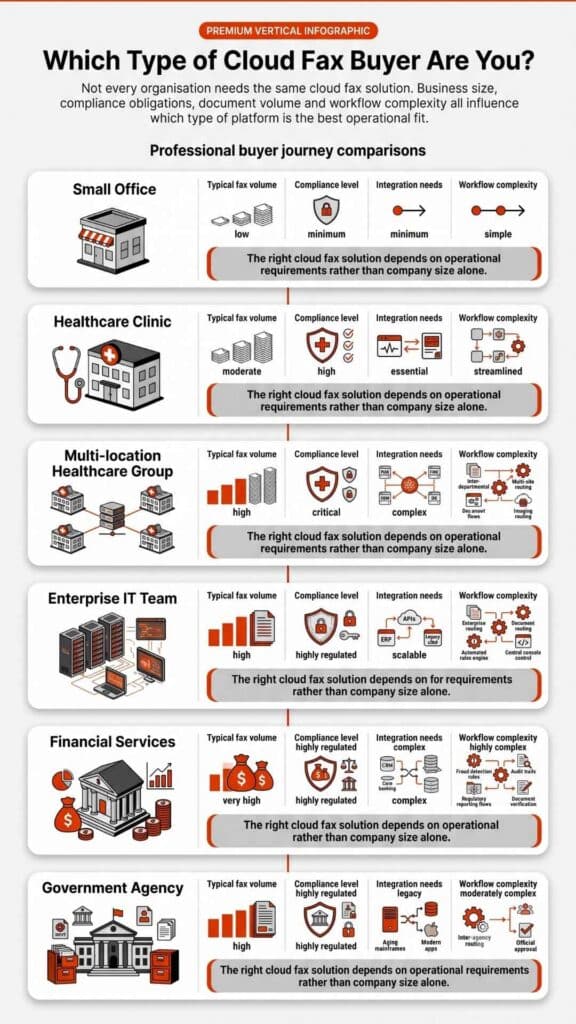
Organizations searching for OpenText Alternatives usually want one of three things. Some want a lighter enterprise content management system. Others want modern cloud collaboration tools. A growing number simply want secure, reliable document exchange without maintaining a large infrastructure.

Below are widely recognized OpenText Alternatives used across enterprise, healthcare, government, and regulated industries.

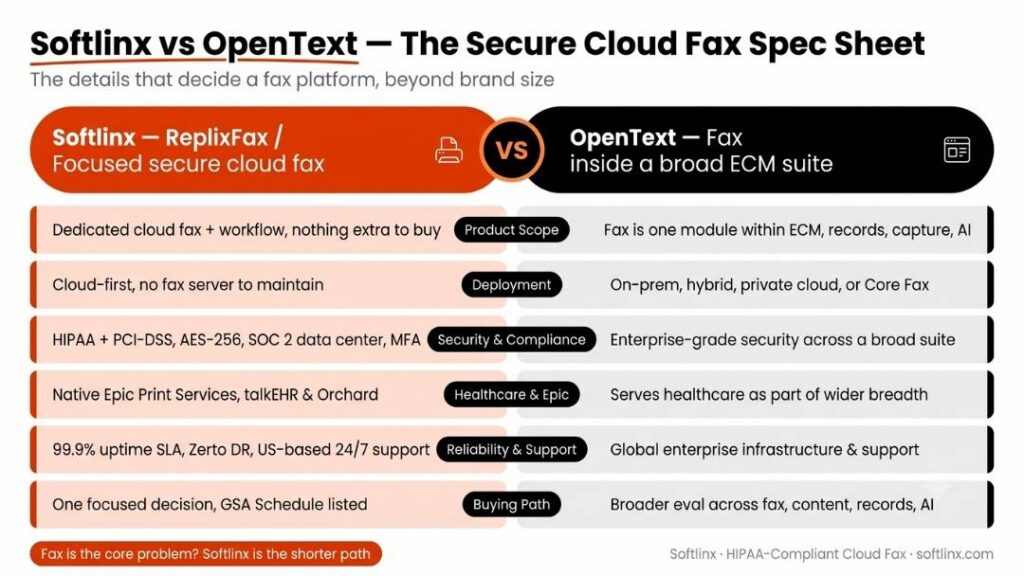
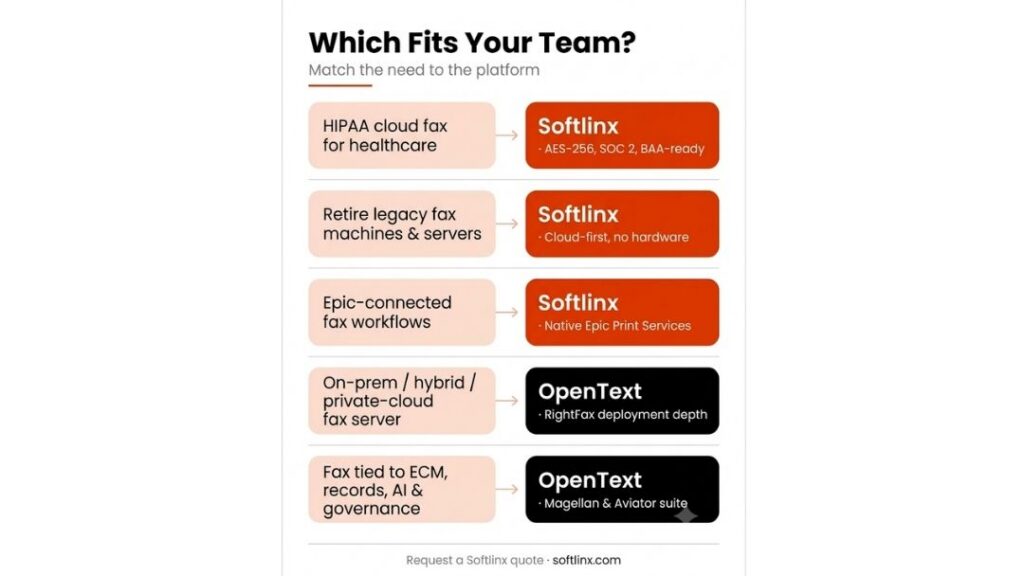
1. Softlinx (ReplixFax): Best for Secure Cloud Fax and Healthcare Document Exchange
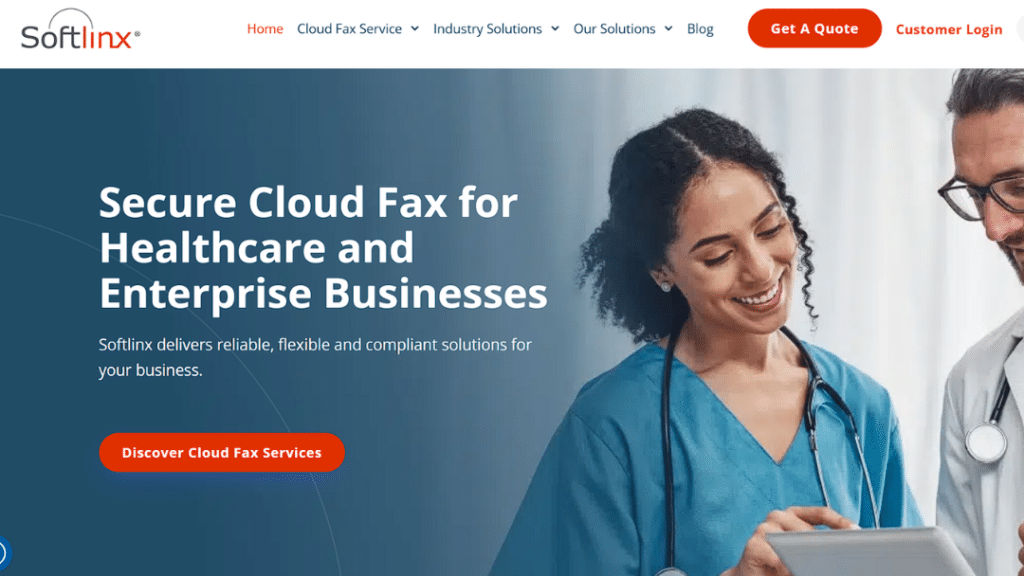
Healthcare professionals reviewing tablet with secure cloud fax technology for HIPAA-compliant medical document transmission

Softlinx approaches document management from a different direction than traditional enterprise content platforms. Instead of replacing ECM entirely, its ReplixFax platform focuses on the secure movement of documents between organizations, particularly in regulated sectors such as healthcare, insurance, and finance.

Many hospitals, clinics, and laboratories still exchange large volumes of documents through fax-based workflows because of regulatory compatibility and interoperability across healthcare networks. ReplixFax modernizes that workflow using a cloud-based fax infrastructure designed for enterprise reliability.

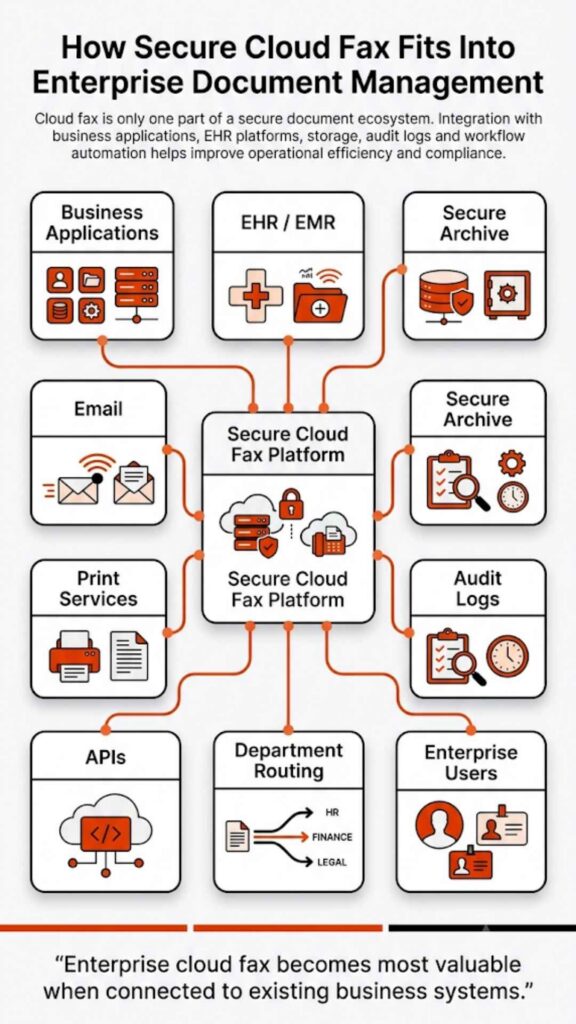
The platform allows organizations to send and receive faxes through web portals, email integrations, and application APIs. IT teams can automate routing rules, connect the platform to electronic health record systems, and monitor document transmission activity from a centralized administrative interface.

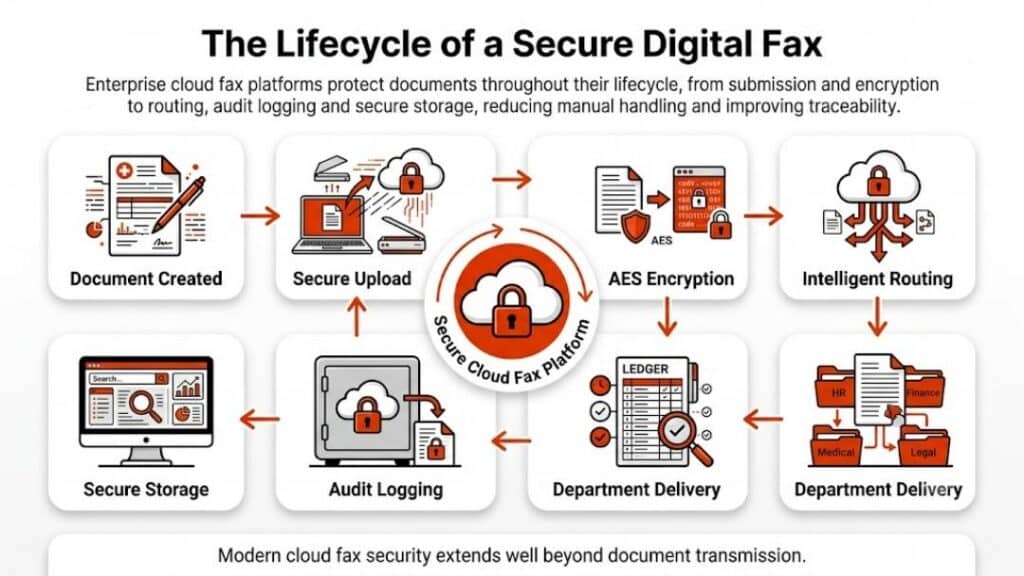
Healthcare organizations often prioritize these capabilities because document exchange must comply with strict regulatory safeguards. ReplixFax focuses heavily on security controls, audit trails, encryption standards, and workflow management that support compliance-driven environments.

This makes ReplixFax particularly relevant for organizations evaluating OpenText Alternatives not because they want another content repository, but because they want a secure document transmission platform integrated with enterprise systems.

ProsCons
Designed for secure enterprise document exchangeNot intended to replace a full ECM repository
Strong healthcare and regulated-industry focusOrganizations needing digital asset management may require additional tools
Supports automation, routing, and API integrationsPrimarily focused on document transmission workflows
Cloud architecture reduces dependency on fax hardwareLess relevant for marketing or content publishing workflows

Best for: Healthcare systems, clinics, laboratories, insurance companies, and regulated enterprises that require reliable document transmission with compliance safeguards.

2. Laserfiche: Best Overall ECM Replacement

Laserfiche homepage promoting AI-powered document management solutions with the tagline 'Run Security Smarter' for smarter operations.

Laserfiche frequently appears among OpenText Alternatives because it delivers a modern enterprise content management environment with a strong focus on automation and compliance.

The platform allows organizations to capture, classify, store, and retrieve documents within a centralized repository. Workflow automation features allow business processes such as approvals, document routing, and records management to operate without manual intervention.

Laserfiche has also invested in AI-assisted classification tools that help organizations automatically categorize incoming documents. This reduces the amount of manual indexing that traditionally slowed down document management systems.

Because of its flexibility, Laserfiche is widely used across industries such as government agencies, financial institutions, and higher education.

ProsCons
Comprehensive ECM platform with automation capabilitiesImplementation planning can require careful configuration
Cloud and self-hosted deployment optionsPricing models can vary depending on the licensing structure
Strong records management capabilitiesAdvanced customization sometimes requires consulting support
AI-assisted document classificationComplex deployments may require experienced administrators

Best for: Organizations seeking a modern enterprise content management platform with strong workflow automation.

3. M-Files: Best Metadata-Driven Document Management

M-Files homepage showcasing its metadata-driven, context-first document management platform rated 4.3–4.5 stars across review sites.

M-Files approaches document management differently from many traditional systems. Instead of organizing documents into rigid folders, the platform relies on metadata-driven architecture.

Documents are categorized based on contextual data such as project names, client identifiers, or document types. This allows users to find documents based on attributes rather than physical storage locations.

Many organizations adopt M-Files when traditional folder structures become difficult to maintain or when teams struggle to locate information across large repositories.

The platform also supports workflow automation, version control, and compliance controls, which makes it suitable for regulated environments such as financial services and healthcare.

ProsCons
Metadata-driven architecture improves search and retrievalRequires adjustment for users accustomed to folder systems
Built-in automation features for document workflowsInitial configuration may require careful planning
Strong compliance and records management capabilitiesIntegration with legacy systems may require customization
Cloud-first deployment architectureEnterprise licensing can vary by deployment model

Best for: Organizations that need advanced document search capabilities and metadata-driven document classification.

4. Hyland OnBase: Best for Enterprise Workflow Automation
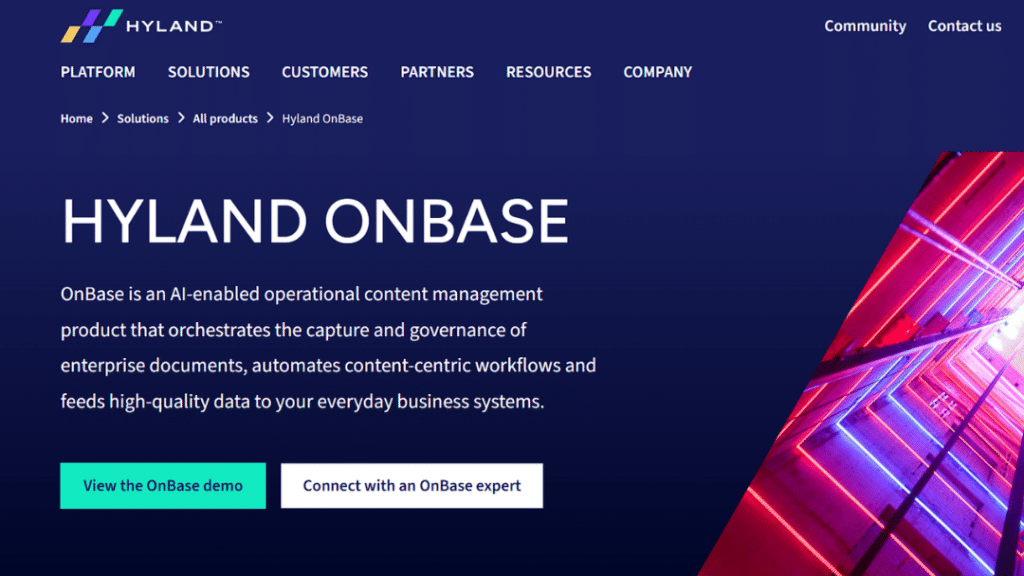
Hyland OnBase homepage presenting its AI-enabled content management platform for enterprise document capture, governance, and workflow automation.

Hyland OnBase combines enterprise content management with case management and workflow orchestration. Many organizations adopt OnBase because it allows them to connect documents directly to operational processes.

For example, healthcare providers may use OnBase to manage patient documentation while connecting those documents to billing workflows, compliance checks, or administrative reviews.

The platform is particularly common in healthcare systems, financial institutions, and government organizations, where document processing is tightly integrated with business processes.

ProsCons
Mature workflow and case management capabilitiesEnterprise deployment can involve significant implementation planning
Strong healthcare adoption and integration ecosystemLicensing structures can vary based on modules
Flexible document lifecycle managementRequires trained administrators for advanced configurations
Supports integration with enterprise systemsInfrastructure requirements may increase for large deployments

Best for: Large enterprises that require deep workflow automation tied to document processing.

5. Microsoft SharePoint: Best for Microsoft Ecosystems

Microsoft SharePoint homepage displaying its knowledge platform for Copilot and agents with a laptop showing the SharePoint interface.

Microsoft SharePoint remains one of the most widely used collaboration and document management platforms. Many organizations adopt SharePoint as an OpenText Alternative because it integrates directly with Microsoft 365 applications such as Teams, Outlook, and OneDrive.

SharePoint allows teams to create collaborative document libraries, automate approval workflows, and manage organizational knowledge.

While SharePoint is not always considered a traditional ECM replacement, its flexibility and ecosystem integration make it a practical alternative for organizations already operating within the Microsoft environment.

ProsCons
Deep integration with Microsoft 365Governance policies require careful configuration
Collaboration tools for distributed teamsNot designed as a full enterprise records management system
Extensive third-party integration ecosystemCustom workflows may require development resources
Cloud-based infrastructure with scalable deploymentCompliance features depend on configuration

Best for: Enterprises already standardized on Microsoft technologies.

6. DocuWare: Best for Mid-Size Businesses

DocuWare homepage featuring an AI lightbulb graphic, promoting intelligent document management and workflow automation for businesses.

DocuWare focuses on simplifying document management for organizations that want a cloud-based solution without complex enterprise infrastructure.

The platform offers document storage, workflow automation, and secure access control. It is particularly popular among mid-sized companies transitioning away from paper-based workflows.

DocuWare’s interface is designed to be approachable for non-technical teams, which helps organizations adopt digital document management without extensive training.

ProsCons
Easy-to-use interface for document storage and workflowLimited advanced ECM governance features
Cloud deployment simplifies infrastructure managementCustom integrations may require additional tools
Workflow automation supports approvals and routingEnterprise-scale customization options are more limited
Strong mid-market adoptionLess specialized for highly regulated environments

Best for: Mid-sized businesses digitizing document workflows.

7. Box: Best Cloud Collaboration Alternative

Box homepage highlighting its Content + AI platform for intelligent content management, secure collaboration, and automated workflows.

Box is widely known as a cloud collaboration platform that enables secure file sharing and document collaboration across distributed teams.

Organizations often adopt Box as an OpenText Alternative when collaboration and accessibility become more important than strict records management.

The platform integrates with many SaaS tools and provides APIs that allow developers to embed document access into business applications.

ProsCons
Cloud-native collaboration platformNot designed as a full enterprise records system
Strong API ecosystemLifecycle governance features may require additional tools
Integrates with numerous SaaS platformsLess specialized for compliance-heavy industries
Easy sharing and collaboration capabilitiesAdvanced document management requires configuration

Best for: Distributed teams focused on collaboration and secure document sharing.

8. Adobe Experience Manager: Best for Digital Experience Platforms

Adobe Experience Manager homepage promoting omnichannel content management with asset management, digital forms, and personalized experiences.

Adobe Experience Manager serves a different role than most ECM systems. Instead of focusing on document repositories, it specializes in managing digital assets and web content across marketing channels.

Organizations that manage large volumes of digital media often adopt Adobe Experience Manager because it connects directly with Adobe’s broader creative ecosystem.

ProsCons
Strong digital asset management capabilitiesNot designed primarily for enterprise document records
Integration with Adobe Creative ToolsEnterprise licensing structure
Supports web content managementComplex deployment architecture
Scalable cloud infrastructureLess relevant for regulated document workflows

Best for: Marketing teams managing digital content and brand assets.

9. Alfresco: Best Open-Source OpenText Alternative

Hyland Alfresco homepage promoting intelligent content and process management solutions to accelerate business workflow automation.

Alfresco offers an open-source approach to enterprise content management. Organizations with strong technical teams often adopt Alfresco because it allows deep customization.

The platform supports document management, workflow automation, and collaboration tools. Because of its open-source nature, companies can modify the system to align with internal workflows.

ProsCons
Open-source flexibilityRequires technical expertise to maintain
Customizable architectureInternal teams often manage infrastructure
Supports hybrid deployment modelsEnterprise support may require subscription plans
Strong developer communityImplementation complexity varies

Best for: Organizations with strong development teams that require customization.

10. Canon Therefore: Best Structured Document Lifecycle Platform

Canon Therefore homepage showcasing its AI-enhanced document management system, recognized as a 2025 Data Quadrant Champion by Info-Tech.

Canon Therefore focuses on document lifecycle management, including document capture, storage, workflow routing, and records retention.

The platform is used by organizations that want structured control over document flows without implementing a large ECM infrastructure.

Canon Therefore integrates with Canon’s document capture ecosystem, which allows organizations to digitize paper workflows more efficiently.

ProsCons
Structured document lifecycle managementSmaller integration ecosystem than large ECM suites
Workflow automation for approvals and routingCustomization capabilities are more limited
Cloud deployment options availableLess suited for marketing content management
Compliance-ready document controlsIntegration depth varies by configuration

Best for: Organizations that require structured document lifecycle management with integrated capture workflows.

OpenText vs Alternatives: Enterprise Comparison

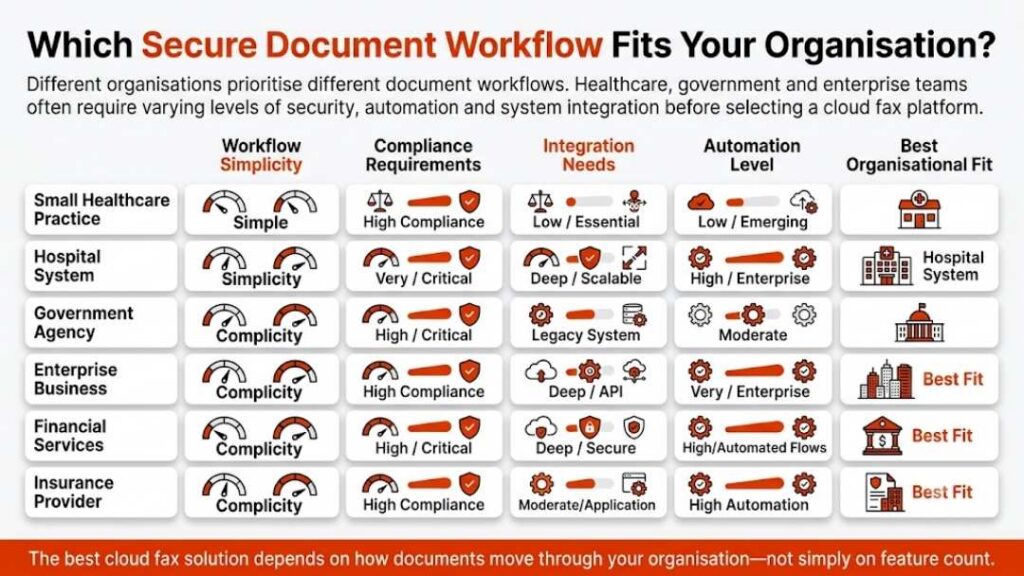
Organizations evaluating OpenText Alternatives rarely compare software based on a single feature. IT teams normally assess several factors at once: deployment architecture, compliance readiness, automation capabilities, and integration flexibility.

The table below summarizes how widely used OpenText alternatives compare across core enterprise requirements.

PlatformDeploymentCompliance StrengthWorkflow DepthAPI AccessIdeal Industry
Softlinx ReplixFaxCloudHIPAA-alignedHigh (fax workflow)YesHealthcare, Insurance
LaserficheCloud/HybridBroad complianceHighYesEnterprise
M-FilesCloudStrong metadata complianceModerate to HighYesFinance, Healthcare
OnBaseHybridHealthcare-alignedVery HighYesHealthcare, Finance
SharePointCloudConfigurableModerateYesGeneral Enterprise
DocuWareCloudModerateModerateYesMid-size Business
BoxCloudStrong SaaS complianceModerateYesCollaboration-focused
AEMCloudModerateModerateYesMarketing
AlfrescoHybridConfigurableModerateYesTechnical Enterprises
Canon ThereforeCloudModerateModerateLimitedDocument-focused

This comparison highlights an important shift. Many companies no longer expect a single platform to perform every information-management task. Instead, organizations combine specialized platforms that handle document storage, collaboration, and secure document exchange.

AI Capabilities Among OpenText Alternatives

Artificial intelligence has become a defining factor in document management systems. By 2026, most enterprise platforms include automation tools that reduce manual document classification and improve information retrieval.

Some OpenText Alternatives focus on AI-driven document classification. Others prioritize workflow automation or intelligent routing. The comparison below outlines how different platforms approach artificial intelligence.

PlatformAI Capability FocusTypical Use Case
Softlinx ReplixFaxAutomated document routing and transmission workflowsHigh-volume document exchange
LaserficheAI-assisted document classificationEnterprise content indexing
M-FilesMetadata-based AI search and document categorizationKnowledge discovery
OnBaseIntelligent workflow orchestrationOperational process automation
SharePointMicrosoft AI services integrationCollaborative knowledge management
DocuWareAI document capture and recognitionPaper-to-digital transformation
BoxAI content discovery toolsDocument collaboration
Adobe Experience ManagerAI-driven asset taggingDigital marketing workflows
AlfrescoAI extensions through an open-source ecosystemCustom document intelligence
Canon ThereforeIntelligent capture and document processingStructured document lifecycle

AI does not replace enterprise document systems. Instead, it reduces manual work associated with indexing, routing, and retrieving information.

Organizations searching for OpenText Alternatives increasingly evaluate whether a platform can automate repetitive document processes while maintaining regulatory compliance.

Compliance and Regulatory Considerations

Enterprise information systems must align with strict regulatory requirements, especially in industries such as healthcare, finance, and government.

Healthcare organizations must follow the Health Insurance Portability and Accountability Act (HIPAA). The U.S. Department of Health and Human Services states that electronic document transmission must protect patient data through encryption, access controls, and audit tracking.

FedRAMP authorization levels generally include:

FedRAMP LevelTypical Data Sensitivity
LowPublic data
ModerateControlled government information
HighHighly sensitive federal systems

Organizations evaluating OpenText Alternatives should verify whether a platform aligns with relevant compliance frameworks before adopting it.

Healthcare systems, for example, frequently prioritize platforms that support HIPAA-aligned document workflows and secure transmission capabilities.

OpenText Migration Decision Framework

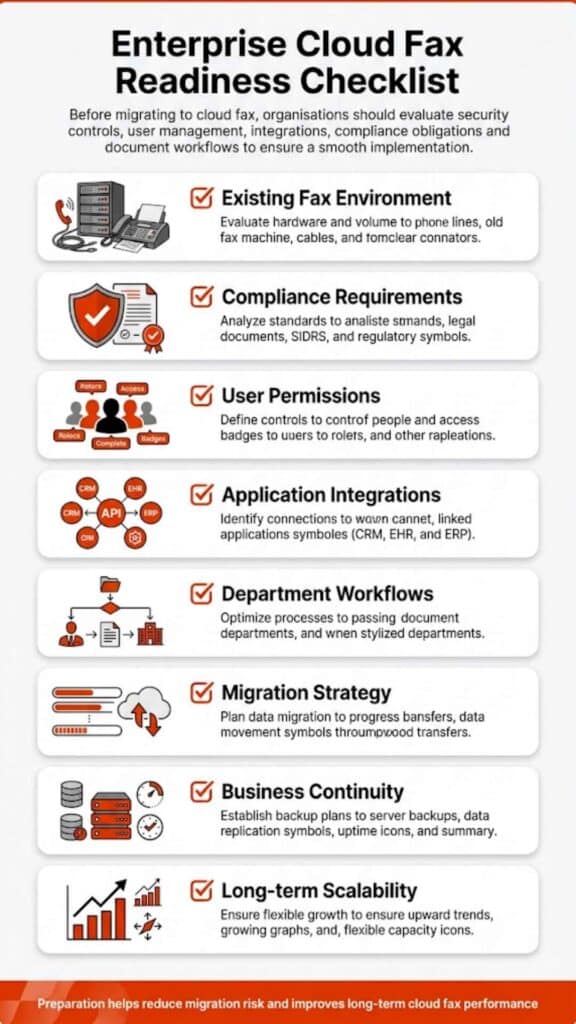
Organizations rarely replace enterprise platforms without careful evaluation. IT leaders typically review several decision factors before moving away from OpenText.

Decision FactorKey Question
Infrastructure complexityDoes the current system require heavy maintenance?
Integration capabilitiesCan the system connect with enterprise applications?
Compliance readinessDoes it meet regulatory standards?
Workflow efficiencyAre manual processes slowing operations?
ScalabilityCan the system support future growth?

Many organizations adopt hybrid strategies where different platforms handle storage, collaboration, and document transmission.

What This Means for Organizations Evaluating OpenText Alternatives

The enterprise information management landscape has changed dramatically. Organizations once relied on large, monolithic systems to manage every document process. Today, many companies build flexible ecosystems composed of specialized platforms.

For some organizations, a modern ECM platform remains the best path forward. For others, secure document exchange and workflow automation deliver more immediate operational value.

The most effective strategy begins with a clear understanding of operational requirements, regulatory obligations, and integration needs. Once those priorities are defined, evaluating OpenText Alternatives becomes far easier.

Organizations that approach this process carefully often discover that the right combination of platforms can deliver both reliability and flexibility.

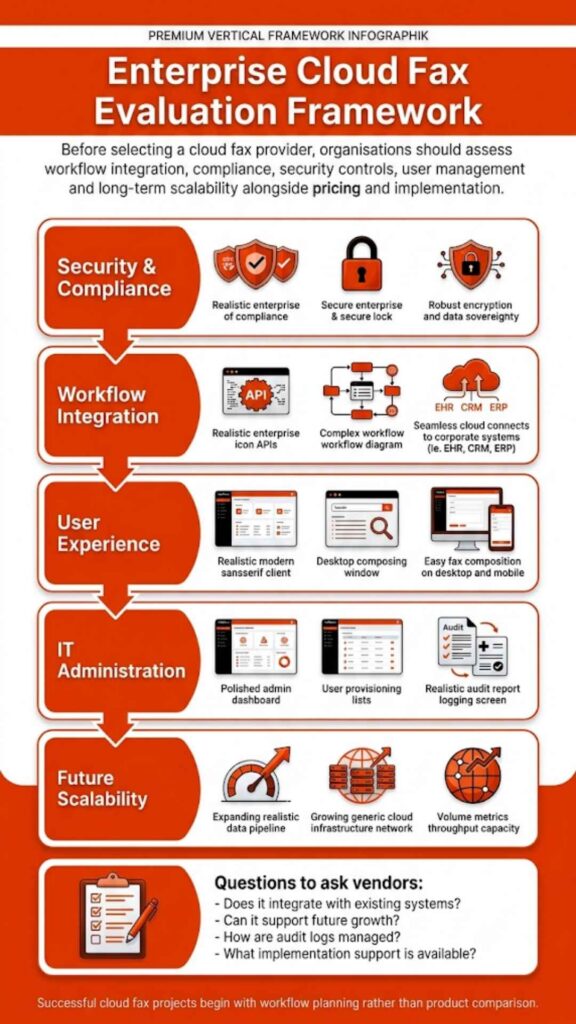
And in a world where information flows across departments, partners, and industries, that balance matters more than ever.For IT teams assessing OpenText Alternatives, secure document transmission is often a critical part of the workflow. Softlinx’s ReplixFax cloud fax platform provides a secure infrastructure for organizations that require dependable document exchange and integration with enterprise applications.

Security & Compliance

HIPAA-Compliant Since 1999 25+ years of secure, encrypted fax transmission for healthcare organizations.

HIPAA
PCI-DSS
Encrypted
Audit Trail
25+ Years Experience
100% HIPAA Compliant
Learn About Our Compliance

Industries We Serve

Healthcare Cloud Fax Solutions

Healthcare & Medical

Financial Services

Insurance Companies

Government Agencies

Manufacturing

Higher Education

Trusted by Fortune 1000 companies including State Street, IBM, HSBC, and United Nations.

Explore Industry Solutions

Why Choose Softlinx

No Hardware Required Eliminate costly fax servers and infrastructure. Cloud-based solution accessible anywhere, anytime.

Seamless Integration Easy API integration with your EHR, EMR, or business applications. Epic-certified integration available.

Enterprise Reliability 99.9% uptime SLA. No busy signals. Disaster recovery in real-time with automatic failover.

Superior Support U.S.-based technical support team. Dedicated account management for enterprise clients.

Cost Savings Reduce IT overhead by up to 60%. Pay only for what you use with flexible, scalable pricing.

Ready to Go Cloud?

Join healthcare leaders, financial institutions, and Fortune 1000 companies who trust Softlinx for secure, compliant faxing.

(978) 881-0560

Headquarters: 19321 US Highway 19 N, Suite 607
Clearwater, FL 33764 | help@softlinx.com

Trusted By Industry Leaders

"For over 25 years, Fortune 1000 companies and healthcare organizations have relied on Softlinx for mission-critical document transmission."

State Street
IBM
HSBC
Ericsson
Fannie Mae
United Nations
500+ Clients Worldwide
4.8★ Capterra Rating

Latest Articles By Softlinx

A businesswoman points to a digital fax delivery confirmation screen beside a traditional fax machine, comparing cloud fax speed to traditional fax delivery.

How Fast Does Cloud Fax Deliver Compared to Traditional Fax?

Fax hasn’t gone away, but the way it works has changed more than most people realize. If you’re trying to understand how fast does cloud fax deliver compared to traditional fax, the difference isn’t just technical; it directly affects how quickly businesses operate. In regulated industries like healthcare and finance, even a few minutes of delay can slow decisions, disrupt workflows, or impact compliance.

How Fast Does Cloud Fax Deliver Compared to Traditional Fax?

When you compare how fast does cloud fax deliver compared to traditional fax, the gap becomes obvious almost immediately. Traditional fax works one page at a time, over a phone line. It’s linear. It waits. It retries.

Cloud fax? It doesn’t wait around. Documents move through secure cloud infrastructure, often arriving in seconds. Not always instant, but close enough that most teams treat it that way.

Here’s the real difference:

  • Traditional fax = delay-prone, line-dependent
  • Cloud fax = scalable, near real-time delivery

And in environments where timing matters, that distinction isn’t small; it’s operational.

How Long Does It Take to Fax Something Using Traditional Fax Machines

Traditional fax machines still rely on analog transmission. Each document converts into signals, travels through a phone line, and gets reconstructed at the other end. Sounds simple. In reality, it rarely goes smoothly.

A single page might take 30–60 seconds. But that’s under perfect conditions. Add busy lines, retries, or multi-page documents, and things slow down quickly. Here’s what happens in practice:

ScenarioEstimated Time
1-page fax30–60 seconds
10-page document5–10 minutes
Busy line retry+2–5 minutes
Transmission failureManual resend required after 3 failed attempts

Here’s the problem: Fax doesn’t just take time; it wastes time unpredictably.

How Long Does It Take to Fax Using Cloud Fax (Online Fax)

Cloud fax removes the bottlenecks that traditional systems can’t avoid. There’s no dialing. No waiting for a tone. No wondering if the line will connect.

Documents move digitally. Instantly queued, processed, and transmitted. In most cases, it’s almost immediate. Sometimes just seconds.

ScenarioEstimated Time
1-page faxSeconds (under 30-60 seconds)
Multi-page faxUnder 1-2 minutes
Bulk sendingParallel delivery

That’s why organizations asking how long does it take for a fax to go through often rethink their entire approach once they test cloud fax.

Side-by-Side Comparison: Cloud Fax vs Traditional Fax Speed

FactorTraditional FaxCloud Fax
TransmissionPhone linesSecure internet (uses HTTPS/TLS encryption to send faxes via email or web portals.)
Speed per page30–60 secNear instant
ScalabilityLimitedHigh
Retry processManualAutomated
ReliabilityInconsistentHigh uptime
Workflow integrationNoneFull integration (integrate with EHR, CRM, and email systems seamlessly.

And in enterprise environments, uptime matters just as much as speed. Cloud fax platforms are designed for high availability, ensuring documents move consistently, even during peak demand.

Why Traditional Fax Slows Down (Real Bottlenecks)

Here’s what actually happens in real life. It sounds manageable on paper. In practice? Not really. A document needs to go out. Someone walks to the machine. Feeds pages. Waits. Hears a busy signal. Tries again. Meanwhile, another fax waits behind it. This is where traditional fax breaks down.

  • A single dedicated phone line limits throughput
  • Hardware failures interrupt sending
  • Line noise forces retransmissions
  • Manual handling creates delays at every step

In compliance-driven environments, this isn’t just inefficient; it’s risky. Delays in sending financial documents or patient information can create operational gaps that ripple across teams.

Two healthcare workers manage stacks of paper documents and a fax machine at a busy medical office, showing the hidden cost of manual fax handling.

Why Cloud Fax Is Faster in Real-World Workflows

Speed isn’t just about transmission; it’s about everything around it. Cloud fax removes friction across the entire process:

  • Documents route automatically
  • Multiple transmissions happen at once
  • Systems integrate with business applications
  • Delivery confirmations happen instantly

In secure cloud fax workflows, files don’t sit idle. They move. And when integrated with platforms like EHR systems, documents don’t just arrive faster, they land exactly where they’re needed.

That’s where enterprise fax infrastructure makes a difference. It’s not about sending one fax faster. It’s about handling thousands without slowing down.

Modern enterprise fax systems also extend beyond speed. They offer API-driven integrations that connect directly with business applications, along with audit trails, delivery confirmations, and uptime reliability that traditional fax systems simply can’t match. In compliance-driven environments, that level of visibility isn’t optional; it’s expected.

Is Fax Instant? The Truth About Fax Speed

People often ask, is fax instant? Not really. Not in the way most people expect. Traditional fax? Definitely not. Cloud fax gets close, but even then, there’s still processing happening behind the scenes. Here’s the distinction:

  • Traditional fax → sequential, delay-heavy
  • Cloud fax → near real-time, minimal latency

So while faxing isn’t technically instant, modern cloud fax behaves that way in most real-world use cases.

How Long Does It Take to Fax Medical Records?

This is where things get serious. Healthcare still depends heavily on fax. According to a study, more than 70% of healthcare providers continue to use fax for exchanging medical data.

In fact, industry estimates suggest healthcare organizations still transmit over 9+ billion fax pages each year in the U.S. alone, highlighting just how critical fax speed and reliability remain in real-world clinical workflows.

That’s a lot of sensitive information moving every day. Now imagine delays in that process. A traditional fax can take several minutes to send medical records. Add retries or failed transmissions, and delays grow. In urgent care situations, that lag matters.

Cloud fax changes the equation:

  • Records transmit quickly
  • Delivery is traceable
  • Systems log every transaction

And in HIPAA-compliant environments, speed must work alongside security. That’s why organizations adopt HIPAA-compliant fax systems designed for compliance-driven environments, where timing and security carry equal weight.

Factors That Affect Fax Speed

Even with modern systems, a few variables still influence how fast a fax moves.

FactorImpact
File sizeLarger files take longer
Image qualityHigher resolution slows processing
Network stabilityAffects cloud transmission
Line qualityAffects traditional fax

That said, cloud fax reduces the impact of most of these variables compared to traditional systems.

eFax vs Fax: Which One Is Faster for Businesses

For businesses, the question isn’t just speed, it’s consistency.

CriteriaTraditional FaxeFax / Cloud Fax
SpeedModerateHigh
ReliabilityVariableConsistent
Workflow efficiencyManualAutomated
Multi-user accessLimitedShared access
Compliance readinessLowHigh

Here’s what that means in practice. A traditional fax might work for occasional use. But as volume increases, delays compound. At scale, it just keeps going. No slowdowns. That’s why organizations asking how fast do faxes go through at scale tend to shift toward digital systems.

A healthcare worker logs into a secure EHR document transfer system, illustrating why HIPAA compliance depends on secure document transmission.

How Fast Do Faxes Go Through in High-Volume Environments

This is where the gap widens dramatically. In high-volume settings, such as insurance claims, healthcare records, and financial documentation, traditional fax struggles to keep up. One line. One document at a time.

Cloud fax doesn’t hit that wall. It just keeps going. It sends multiple documents simultaneously. Hundreds, even thousands, depending on infrastructure. And that’s the key difference:

  • Traditional fax slows down as volume increases
  • Cloud fax maintains speed regardless of load

For organizations managing large document flows, this isn’t optional; it’s necessary.

When Traditional Fax Might Still Be Used

Traditional fax hasn’t disappeared entirely. Some organizations still rely on it for legacy systems, backup communication, and low-volume usage. But here’s the reality.

As compliance requirements tighten and workflows scale, traditional fax becomes harder to justify. It lacks automation. It lacks visibility. And most importantly, it lacks speed where it matters.

FAQs About Cloud Fax Vs Traditional Fax Speed

Is cloud fax instant or just faster than regular fax?

It’s not technically instant, but it operates close to real time in most use cases.

How long does it take to fax medical records securely?

Traditional fax may take several minutes. Cloud fax can deliver securely within seconds to a minute.

Does fax speed depend on the internet or phone line quality?

Yes. Traditional fax depends on phone lines, while cloud fax depends on internet stability.

How fast do faxes go through in bulk sending situations?

Traditional fax slows down. Cloud fax maintains speed through parallel processing.

Is eFax faster than traditional fax machines?

Yes. eFax (cloud fax) is significantly faster due to digital transmission and automation.

Why does traditional fax take longer to send documents?

Because it relies on analog signals, sequential transmission, and manual retries.

A developer works across dual monitors displaying code and system dashboards, illustrating how fax API integration powers modern enterprise workflows.

What This Means for Your Business

So, how fast does cloud fax deliver compared to traditional fax? It delivers faster. More consistently. And without the delays that slow teams down. But here’s the bigger point.

This isn’t just about speed, it’s about control. Organizations operating in regulated industries need reliable transmission, audit-ready tracking, and secure document handling. That’s where enterprise-grade cloud fax solutions come into play.

If your current fax setup still relies on outdated infrastructure, it’s already costing you time. Small delays add up. Missed transmissions add more. And this is where the shift becomes necessary, not optional.

Explore how Softlinx delivers secure cloud fax workflows designed for compliance-driven environments, with the reliability, integration, and scalability required for high-volume operations. If speed, security, and control matter to your organization, it’s time to move to a system built for how modern businesses actually work.

Large office with multiple workstations showing fax transmission errors and pending queues, illustrating cloud fax high-volume sending challenges.

Can Cloud Fax Handle High Volume Sending? What Businesses Need to Know

High-volume faxing used to mean one thing: delays. Either the line was busy, or someone was waiting for documents to go through one by one. That’s no longer how it works.

Cloud fax changed the structure entirely. Instead of depending on physical lines or machines, it routes documents through a secure infrastructure built for scale. So yes, if you’re wondering, can cloud fax handle high volume sending? It can, and in most cases, it handles it far better than legacy systems ever could.

Can Cloud Fax Handle High Volume Sending?

Yes, and not just in theory, but in day-to-day operations across industries that rely heavily on document exchange. Traditional faxing has a built-in limitation: it moves one document per line at a time. Add more volume, and things slow down. Add urgency, and things break. That’s where cloud fax steps in.

Instead of sending faxes sequentially, cloud systems distribute them. Multiple transmissions happen at once. No waiting, no stacked queues sitting on a single machine, no busy signals blocking progress.

Here’s what I’ve seen across organizations: once they switch, the question isn’t whether cloud fax can handle volume; it’s why they didn’t move earlier.

What Is Cloud Fax and How It Works in High Volume Environments

If you strip it down, cloud fax is simply fax communication over the internet. No physical fax machines. No dedicated phone lines.

A user uploads a fax document, maybe through email, maybe through a web portal, and the system handles the rest. It routes the document, processes it, and delivers it to the recipient’s fax number using digital infrastructure.

Now, here’s where high volume changes the picture. Instead of relying on one device, cloud fax systems operate inside distributed data centers. That means sending faxes isn’t tied to a single point of failure. When demand spikes, the system doesn’t stall; it adapts. And that’s the key difference. Traditional faxing reacts to load. Cloud fax absorbs it.

How Cloud Fax Handles High Volume Fax Workflows

High-volume faxing isn’t just about sending more documents. It’s about how those documents move. Older setups rely on linear processing. One job finishes, then the next begins. That works, until it doesn’t.

Cloud fax works differently. It splits workloads. Instead of waiting in line, transmissions happen in parallel. Hundreds, sometimes thousands, depending on the setup.

There’s also queue management happening behind the scenes. Documents don’t pile up randomly. They’re distributed intelligently across available capacity. That keeps delivery consistent, even during peak demand.

And then there’s automation. Many organizations don’t manually send each fax anymore. They connect systems using APIs. Through solutions like bulk and broadcast fax APIs, entire batches move automatically from one system to another.

So what you end up with isn’t just faster faxing. It’s a workflow that runs without constant oversight.

Cloud Fax vs Traditional Faxing for High Volume Sending

The contrast becomes obvious when volume increases.

FeatureTraditional FaxingCloud Fax
Transmission flowOne at a timeMultiple at once
InfrastructurePhysical fax machinesCloud-based systems
Busy signalsCommonRarely occur
ScalabilityLimitedExpands automatically
Workflow integrationMinimalBuilt for integration

Traditional fax machines were never designed for scale. They were designed for occasional use. Cloud fax, on the other hand, was built with volume in mind.

Real-World Use Cases of High Volume Fax Sending

This isn’t theoretical. High volume faxing happens every day.

Healthcare is the clearest example. Patient records, referrals, and lab results these documents move constantly. Systems like managing high volume faxes in healthcare exist for a reason. Without automation, the workload becomes unmanageable.

Insurance companies process claims in bulk. Financial institutions send compliance documents across departments. Government agencies distribute official records at scale.

In all of these environments, speed matters, but consistency matters more. Cloud fax delivers both.

Benefits of Cloud Fax for High Volume Sending

When volume increases, inefficiencies show up quickly. Cloud fax addresses that in a few practical ways.

First, it improves efficiency. Documents move without manual intervention. That alone reduces delays that usually come from handling paperwork.

Second, it enhances security. Data doesn’t sit on machines or paper trays. It moves through controlled systems with encryption and access controls.

Third, it provides visibility. You don’t have to guess whether a fax went through. You can check in real time.

Organizations looking into the broader benefits of cloud fax for businesses often notice the same pattern: fewer interruptions, more predictable workflows.

Security and Compliance in High Volume Fax Communication

Security becomes more critical as volume grows. More documents mean more exposure, unless the system is designed properly.

Cloud fax platforms address this through layered protection. Data is encrypted. Access is restricted. Every transmission leaves a record.

In healthcare, compliance isn’t optional. Tools like HIPAA-compliant fax help ensure sensitive data stays protected. Many organizations also review whether fax is HIPAA-compliant before adopting new systems.

So here’s the takeaway: cloud fax doesn’t just handle volume, it does so while maintaining compliance.

Busy enterprise call centre managing high-volume fax benchmarks of 500–5,000 daily transmissions in healthcare and insurance sectors.

Cloud Fax Infrastructure: Why It Scales Without Breaking

Scaling isn’t magic. It’s architecture.

ComponentRole
Data centersHandle processing
Virtual fax serversManage routing
APIsEnable automation
Cloud storageStore documents
Load balancersDistribute demand

Traditional systems require upgrades when demand increases. Cloud fax doesn’t. It adjusts automatically, which is why performance stays stable even during high usage.

Common Challenges in High Volume Faxing (And How Cloud Fixes Them)

When fax volume increases, problems don’t show up gradually, they tend to surface all at once. Systems that worked fine at low volume start breaking under pressure.

One of the first issues is transmission failure. In traditional setups, even a small disruption, a dropped line or weak signal, can interrupt an entire batch. That often leads to retries, delays, and sometimes lost documents. Cloud fax avoids this by rerouting transmissions automatically. If one path fails, another takes over without manual intervention.

Then there’s document routing. In busy environments, faxes often end up in the wrong department or inbox. That creates extra work and, in healthcare settings, increases compliance risks. With cloud fax, routing rules are predefined. Incoming documents are directed based on metadata, sender details, or workflow logic. This is where many organizations see a noticeable shift, especially those trying to streamline operations through automated routing workflows.

Another common issue is visibility. Traditional faxing offers very little insight into what’s happening after a document is sent. Staff are left wondering whether it went through or not. Cloud systems remove that uncertainty. Every fax document has a status, sent, delivered, failed, and it updates in real time.

Capacity limits also create friction. A single fax machine can only process so much at once. Add more volume, and queues build up quickly. Cloud fax distributes that load across multiple channels, so the system doesn’t slow down when demand spikes.

Here’s how those challenges compare in practical terms:

ChallengeTraditional FaxingCloud Fax Approach
Transmission failureRequires manual resendAutomatic rerouting
Document routingManual sortingRule-based automation
Status trackingLimited visibilityReal-time tracking
Capacity limitsFixed by hardwareDynamically scalable
Error handlingReactivePreventive controls

What stands out isn’t just the improvement, it’s the consistency. Once the system stabilizes, these issues stop recurring.

Can Cloud Fax Replace Enterprise Fax Servers Completely?

In many environments, that transition has already happened. Enterprise fax servers were designed for a different era. They rely on on-site infrastructure, require ongoing maintenance, and need regular upgrades to keep up with demand. As volume grows, so does the complexity of managing those systems. IT teams end up spending more time maintaining infrastructure than improving workflows.

Cloud fax shifts that responsibility away from internal teams. There’s no hardware to maintain, no capacity planning tied to physical limits, and no need to scale infrastructure manually. Everything runs through managed environments that expand as needed.

Another factor is integration. Modern organizations rarely operate in isolation. Systems such as EHR platforms, billing applications, and document management tools need to exchange information continuously. Cloud fax platforms are built with that in mind. They integrate directly into existing workflows, rather than sitting outside them.

Security also becomes easier to manage. Instead of securing multiple devices or servers, organizations work within centralized systems that apply consistent policies across all transmissions. That reduces gaps and simplifies compliance efforts.

So while there are still cases where hybrid setups exist, most organizations handling high volume communication find that cloud fax can replace enterprise fax servers without sacrificing performance or control.

Overwhelmed office staff during peak hour fax traffic between 9 AM–2 PM, when systems face maximum load in healthcare settings.

How to Choose the Right Cloud Fax Solution for High Volume Needs

Choosing a cloud fax solution isn’t just about features. It’s about how the system behaves when demand increases.

Reliability comes first. High volume environments don’t allow for downtime. If the system slows or becomes unavailable, operations stall. That’s why uptime guarantees and infrastructure redundancy matter. A solution built on distributed systems will handle spikes more smoothly than one relying on limited capacity.

Then there’s throughput. Some platforms can send large batches, but not all maintain consistent speed. It’s worth looking at how the system processes concurrent transmissions. Does it queue efficiently? Does it scale without delays? These details often separate average solutions from enterprise-ready ones.

Integration should not be overlooked. A cloud fax service should fit into existing workflows without requiring major adjustments. Whether it connects to an EHR system, a CRM, or internal applications, the process should feel seamless rather than forced.

Security and compliance are equally important, especially in regulated industries. Encryption, access control, and audit logging should be standard, not optional.

Support is another factor that tends to get overlooked until something goes wrong. In high volume environments, issues need immediate attention. A responsive support team can make the difference between a minor disruption and a major delay.

The right choice isn’t always the most visible brand. It’s the one that performs consistently under pressure.

Is Concord Cloud Fax Suitable for High Volume Sending?

Concord Cloud Fax is often part of the conversation when organizations explore digital fax solutions. It offers basic cloud-based functionality, which may work for moderate usage levels.

However, high volume environments tend to expose limitations more quickly. Performance under heavy load depends on how the system manages concurrency, routing, and automation. If those elements are not built for scale, delays and bottlenecks can still occur.

Another consideration is workflow flexibility. Some platforms focus on simple send-and-receive functionality, while others are designed for deeper integration and automation. In environments where fax workflows are tied to core operations, such as healthcare or financial services, that difference becomes significant.

So while Concord Cloud Fax may meet certain needs, organizations dealing with sustained high volume often look for solutions that are built specifically for enterprise-level demand and complex workflows.

Can Cloud Fax Handle High Volume Sending?

Yes, cloud fax can handle high volume sending, and it does so reliably. It removes the constraints of fax machines and replaces them with scalable infrastructure. It supports automation, integrates with existing systems, and maintains security even when document flow increases. For organizations that rely on fax communication, that shift changes everything.

FAQs

Can Cloud Fax send thousands of faxes at once?

Yes. Cloud fax systems use parallel processing, allowing multiple transmissions at the same time instead of sequential sending.

Does cloud fax eliminate busy signals?

In most cases, yes. Because it doesn’t rely on a single phone line, cloud fax avoids the congestion that causes busy signals.

Is cloud fax secure for high volume communication?

Yes. Most cloud fax solutions include encryption, access controls, and audit logs to protect sensitive data.

Can cloud fax integrate with business systems?

Yes. Many platforms offer APIs that connect fax workflows directly to applications such as EHRs or CRM systems.

Do I need hardware for cloud fax?

No. Cloud fax operates through internet-based systems, so physical fax machines and servers are not required.

Take the Next Step Toward Scalable Faxing

If high volume faxing still depends on machines, manual routing, or overloaded fax servers, it may be time to rethink the setup.

Softlinx cloud fax solutions are designed for organizations that need reliability at scale, especially in healthcare and other regulated industries. With secure infrastructure, workflow automation, and integration-ready systems, they support high volume fax communication without disruption.

Explore how a modern cloud fax approach can fit into your environment and support your daily operations without slowing them down.

Insurance office staff processing claims faxing workflows digitally, combining secure document management systems with physical records.

Insurance Claims Faxing: Secure Workflows for Modern Insurance Processing

Insurance claims faxing hasn’t disappeared the way many expected. If anything, it has quietly adapted. Insurers, healthcare providers, and claims processors still rely on fax to move sensitive documents securely across systems that don’t always talk to each other. What has changed is how those faxes move. Instead of noisy machines in back offices, today’s workflows rely on secure, cloud-based systems that keep records traceable, compliant, and easier to manage.

Insurance claims faxing remains a critical link in regulated document exchange. This article explains how modern secure faxing improves accuracy, compliance, and workflow efficiency across insurance operations while replacing outdated systems.

Insurance Claims Faxing: Why It Still Drives Critical Workflows

Insurance claims faxing sits right in the middle of a complicated ecosystem. Claims don’t move in a straight line. They pass through providers, billing teams, insurers, and sometimes third-party administrators. Each step involves documents. A lot of them.

And here’s the thing, those documents don’t always live in the same system. That’s where insurance claims faxing still holds its ground. It gives organizations a way to send a fax securely without worrying about compatibility issues. Whether it’s a claim form, a referral, or supporting medical records, faxing insurance documents keeps everything moving when digital systems hit a wall.

You won’t hear people say it out loud, but in regulated industries, reliability matters more than trendiness. Faxing delivers that reliability.

Why the Insurance Industry Still Relies on Faxing

It’s easy to assume faxing should have disappeared by now. But that assumption doesn’t hold up in real-world insurance operations.

Regulations are a big reason. Sensitive information, especially healthcare-related claims, needs protection. According to the U.S. Department of Health & Human Services, organizations must ensure secure transmission of protected data. Faxing, when handled through secure systems, still meets those expectations.

Then there’s interoperability. Insurance companies don’t operate in isolation. They exchange data with hospitals, clinics, labs, and external vendors. Not all those systems integrate neatly. Insurance claims faxing fills that gap without forcing system changes.

There’s also a practical angle. Faxed documents remain widely accepted as official records. That alone keeps faxing relevant, especially in audits or disputes. So while technology evolves, faxing sticks around, not because it’s outdated, but because it still works where it counts.

How Insurance Claims Faxing Works in Real Workflows

Claims processing isn’t just about sending documents. It’s about how those documents move, where they land, and who handles them next.

StageWhat Happens with Insurance Claims Faxing
SubmissionProviders (Clinics, labs, hospitals, doctors) send fax claims (CMS-1500 or UB-04 forms) and attachments via fax number
IntakeSystems receive incoming faxes and log them
RoutingDocuments are directed automatically or manually
ReviewClaims teams evaluate faxed records
StorageDocuments are archived with timestamps and logs

A provider might send a claim from their billing system. That document travels through a secure faxing service and lands in an intake system. From there, it gets routed (via OCR), sometimes automatically, to the right department.

That routing step matters more than most people realize. Without it, documents pile up, delays creep in, and errors multiply. Modern systems don’t just receive faxes. They organize them. And that’s what makes insurance claims faxing still usable at scale.

Key Challenges in Traditional Faxing for Insurance Claims

Traditional setups don’t hold up well under pressure. Manual processes introduce mistakes. A single digit off in a fax number can send sensitive documents somewhere they shouldn’t go. That’s not just inconvenient, it’s risky.

Volume is another issue. Insurance companies process thousands of claims every day. A standard fax machine can’t keep pace with that kind of demand.

Tracking also becomes a problem. Once a document is sent, there’s often no clear visibility into whether it was received or processed. Security concerns linger, too. Paper sitting in a fax tray isn’t exactly protected. Anyone nearby can see it. These issues don’t always show up immediately. But over time, they slow everything down.

Secure Faxing and Compliance in Insurance Claims Processing

Security isn’t optional in insurance claims faxing. It’s built into the process. Sensitive documents need protection at every stage, from transmission to storage. Modern secure faxing systems use encryption to ensure documents travel safely. Access controls limit who can view or handle those documents.

Audit trails add another layer. Every action gets recorded. Who sent the fax, when it was received, and who accessed it, it’s all logged. For organizations navigating compliance requirements, understanding HIPAA-compliant fax processes helps clarify what secure faxing actually looks like in practice.

And that’s where modern systems stand apart. They don’t just send documents. They prove that those documents were handled correctly.

Cloud Fax vs Fax Machine for Insurance Claims

The shift from fax machines to cloud-based systems didn’t happen overnight. But it’s happening.

FeatureFax MachineCloud Fax
SecurityBasicEncrypted, controlled access
CapacityLimitedScales easily
TrackingMinimalReal-time tracking
IntegrationNoneConnects with systems
AccessPhysical locationRemote access

Cloud fax allows organizations to send a fax without relying on physical hardware. Documents move through secure online platforms instead.If you’re weighing options, comparing on-premise vs cloud fax systems can highlight the operational differences. The change isn’t just technical. It’s operational.

Healthcare and insurance office staff using fax machines, reflecting 70%+ fax usage in regulated industries due to compliance requirements.

Benefits of Online Faxing for Insurance Companies

Online faxing doesn’t change the nature of insurance claims faxing; it refines how it works behind the scenes. One noticeable improvement is consistency. Documents reach the intended recipient without the guesswork that often comes with manual processes. That reduces rework and follow-ups.

Another advantage is visibility. Teams can track whether a fax was delivered, received, and processed. That alone removes a lot of uncertainty from claims handling. Operational flexibility improves as well. Staff can send a fax from anywhere without being tied to a specific device or location. That becomes especially useful for distributed teams.

There’s also better control over document handling. Digital storage makes it easier to locate records, which supports audits and internal reviews. Security strengthens, too. Modern systems protect sensitive documents through encryption and controlled access, which helps organizations handle insurance claims with greater confidence.

And over time, these improvements tend to reduce administrative friction. Not dramatically overnight, but steadily.

Integrating Faxing Solutions into Insurance Workflows

Integration is where insurance claims faxing starts to feel less like a separate task and more like part of a continuous process. In many organizations, faxing now connects directly with claims platforms or healthcare systems. That connection allows documents to move without manual uploads or downloads. It simply becomes part of the workflow.

For example, when fax integrates with clinical systems, documents can move directly between systems without extra handling. Understanding how fax connects with EHR environments shows how this works in practice.

Automation adds another layer. Incoming documents can be routed automatically based on predefined rules. That reduces delays and helps teams avoid manual sorting.

There’s also the API side. Some organizations embed faxing directly into their applications. That way, users don’t even think about faxing; they just complete a task, and the system handles the rest.

When these elements come together, faxing doesn’t disappear. It just becomes quieter and more efficient.

How to Send Insurance Claims via Secure Online Fax

The process has become more structured and predictable with secure online faxing. It begins with document preparation. Claims and supporting records are converted into digital formats that are clear and readable. Quality at this stage matters because poor documents slow down the review later.

Next comes access to the faxing platform. Users log into a secure system that manages document transmission. The recipient’s fax number is entered carefully. Accuracy here is critical. A small error can lead to misdirected documents.

Documents are then attached or uploaded into the system. Many organizations rely on email-based workflows for this step.  Understanding how email-to-fax works in business environments helps clarify how messages, attachments, and routing are handled within the process.

Before sending, details are reviewed. This includes verifying the recipient, confirming document completeness, and checking for any missing pages. Once sent, the system processes the transmission through secure channels. Unlike traditional machines, modern systems provide delivery status updates.

Finally, confirmation is logged. This creates a record that the fax was delivered, which becomes important for compliance and tracking. Each step may seem simple on its own. But together, they create a process that reduces errors and improves reliability.

Stressed office worker overwhelmed by manual fax handling delays, increasing claim processing times by 20–30% without automation.

Managing High-Volume Insurance Claims: Faxing Efficiently

Handling a few documents is one thing. Handling thousands is another. Insurance claims faxing at scale requires systems that can manage simultaneous transmissions without slowing down. Without that capability, queues build quickly.

Load distribution plays a role here. Modern systems balance traffic to avoid bottlenecks. That keeps documents moving even during peak periods. Reliability matters just as much. If the system goes down, claims processing can stall. That’s why many organizations look closely at uptime guarantees when evaluating solutions.

Incoming document management is another piece of the puzzle. High volumes mean nothing if documents aren’t routed properly. Automated routing helps ensure that each document reaches the right team without delay.

Organizations that explore high-volume fax management strategies often find that efficiency improves not through one change, but through several small adjustments working together.

Common Mistakes When Faxing Insurance Documents

Even with modern tools, mistakes still happen. And in insurance claims faxing, small errors can create larger issues down the line.

MistakeImpact on Claims Processing
Incorrect fax numberDocuments sent to unintended recipients
Missing cover informationDelays in routing and identification
Poor document claritySlower review and possible resubmission
Incomplete submissionsAdditional follow-ups required
Lack of verificationNo proof of delivery or receipt

Each of these issues adds friction. Some slow down processing. Others introduce compliance risks. Reducing these mistakes often comes down to improving verification steps and using systems that support tracking and validation.

Future of Insurance Claims Faxing

Insurance claims faxing is shifting, but not disappearing. The change is gradual and tied to how organizations adopt new systems.

TrendWhat It Means for Insurance Claims Faxing
Cloud adoptionReduced reliance on physical machines
Workflow automationFaster document routing and processing
System integrationSeamless data exchange between platforms
Enhanced securityStronger protection for sensitive data
Hybrid environmentsFax and digital tools working together

These trends point toward a more integrated future. Faxing becomes less visible but remains part of the workflow. Organizations aren’t replacing it entirely. They’re reshaping how it operates.

Choosing the Right Faxing Solution for Insurance Claims

Choosing a solution isn’t just about features. It’s about how well that solution fits into existing operations. Security should be evaluated first. Systems need to protect sensitive documents at every stage, transmission, storage, and access.

Integration capability follows closely. A solution that connects with existing platforms reduces manual work and improves efficiency. Exploring modern cloud fax platforms can provide insight into what integration looks like today.

Scalability is another factor. As claim volumes grow, systems must handle increased demand without affecting performance. Reliability matters too. Consistent uptime ensures that workflows continue without interruption.

And then there’s usability. A system that’s difficult to use often leads to workarounds, which can introduce risks. The right solution doesn’t stand out because it’s flashy. It works because it fits.

FAQs

What is insurance claims faxing?

Insurance claims faxing is the process of sending claim-related documents between providers and insurers using fax technology, often through secure online systems.

Is faxing still used in the insurance industry?

Yes, insurance claims faxing remains widely used because it supports compliance, interoperability, and secure document exchange.

Is faxing insurance documents secure?

It can be secure when handled through encrypted systems with access controls and audit trails.

Can I send insurance claims without a fax machine?

Yes, modern systems allow you to send a fax through the internet without physical hardware.

Why do insurers prefer fax over email?

Faxing provides a more controlled and traceable method for handling sensitive documents.

How do cloud fax systems improve insurance workflows?

They reduce manual errors, improve tracking, and support high-volume document processing.

Can insurance claims faxing handle large volumes?

Yes, cloud-based systems are designed to manage high-volume faxing efficiently.

What happens if a fax is sent to the wrong number?

Misdirected faxes can lead to compliance risks, which is why verification and secure systems are critical.

Compliance professional reviewing fax logs on screen for audit readiness, using timestamped records to validate document transmission.

Strengthening Your Claims Workflow with Smarter Faxing

Insurance claims faxing continues to support critical communication across the insurance ecosystem. What’s changed is how organizations approach it. Modern systems bring structure, visibility, and security into a process that once relied heavily on manual effort. That shift reduces risk while improving efficiency.

For organizations still relying on outdated setups, there’s an opportunity to move toward something more reliable and scalable. If improving document security, workflow efficiency, and compliance is a priority, exploring how Softlinx approaches secure cloud faxing can help you take the next step with confidence.

Skip to content