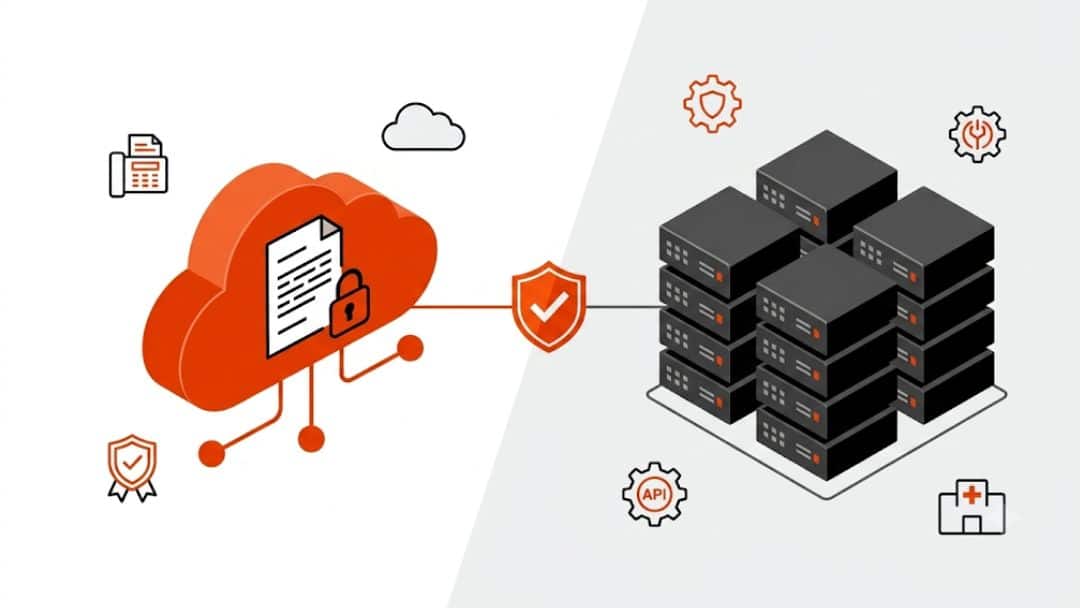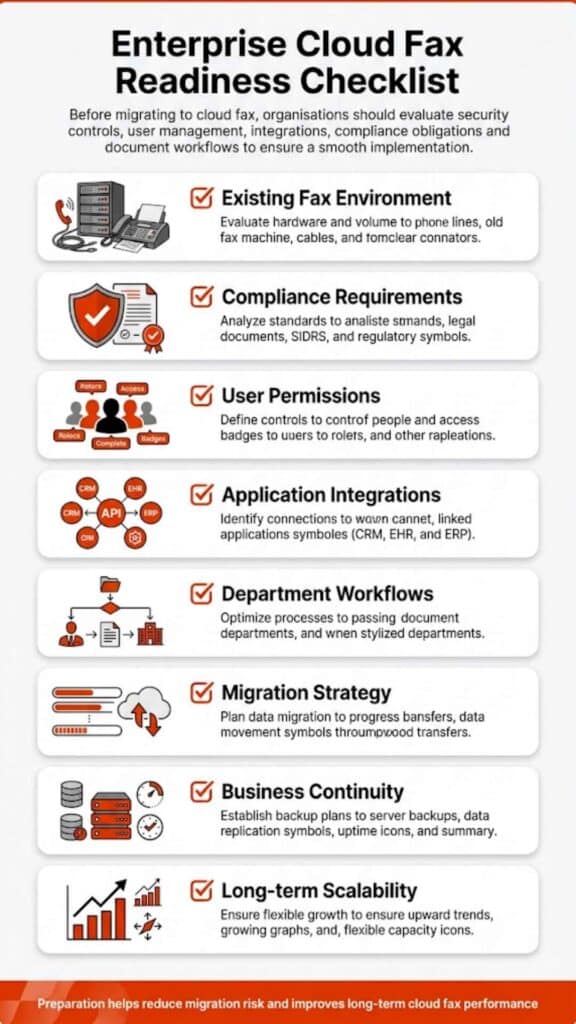
Yes, multiple departments can share one cloud fax system when the platform is set up with department-level routing, secure user access, audit trails, and clear administrative control. The real issue is not whether one system can support several teams. It is whether each department can send, receive, track, and manage fax communications without exposing sensitive documents to the wrong people.
In this article, we’ll explore how a shared cloud fax system works across departments, what controls matter most, and how organizations can keep fax communications secure, organized, and easy to manage.
How Shared Cloud Fax Works Across Departments
Yes. In fact, for many organizations, one well-managed system is far more practical than scattered fax machines, separate accounts, loose email workarounds, or department-by-department fax tools that no one fully controls.
But here’s the thing: “shared” should not mean “open to everyone.” A shared cloud fax system should give each department its own space, rules, fax numbers, user permissions, and routing paths. Billing should not need to sift through HR documents. Medical records should not appear in a general inbox. Finance should not depend on a front desk user to forward a time-sensitive document.
A proper enterprise cloud fax setup gives every team its own lane inside one secure environment. Admissions can have one fax number. Billing can have another. Compliance can restrict access to approved users. Medical records can receive incoming faxes in a secure queue. IT and operations can still manage the broader system from one place.
That matters because business faxes have not disappeared. Healthcare providers, insurers, financial institutions, government offices, universities, manufacturers, and other document-heavy organizations still use fax communications for records, authorizations, claims, forms, reports, and partner correspondence. The old fax model, though, creates too many weak points: physical fax machines, phone lines, paper trays, manual sorting, misplaced pages, and limited visibility after a fax is sent.
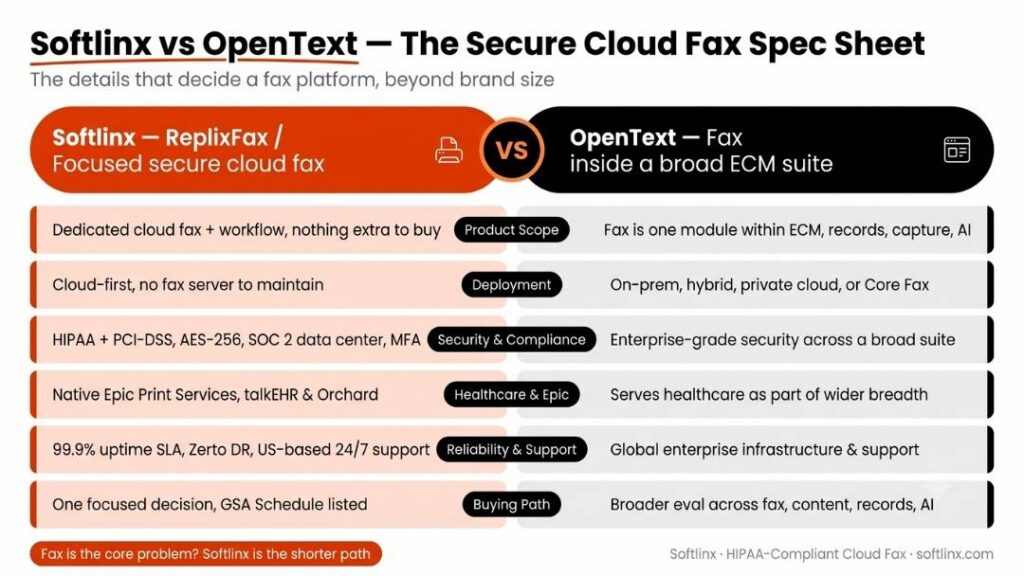
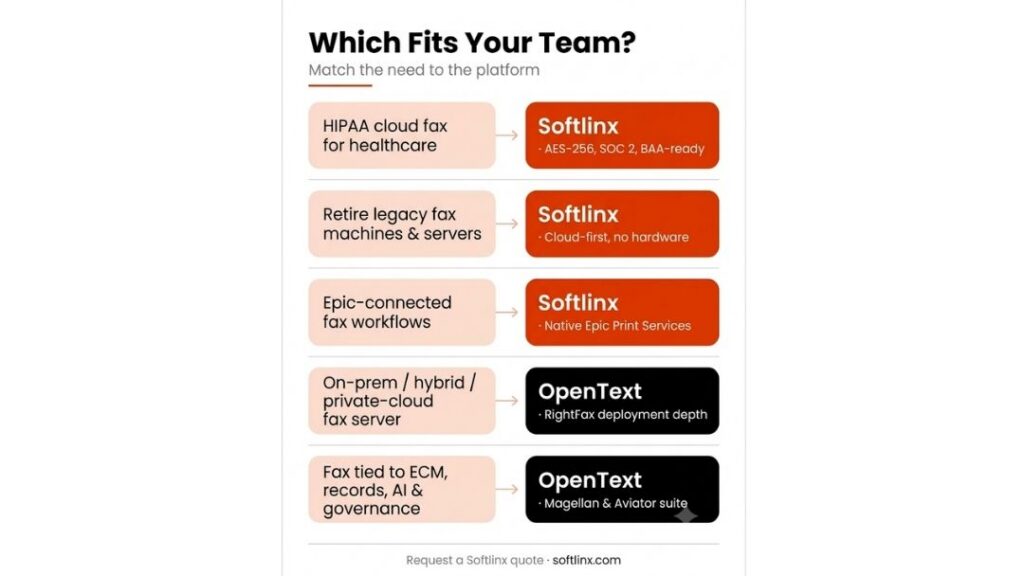
A shared cloud fax system can help replace that fragmented process with cleaner control. Softlinx’s enterprise cloud fax service is built around that idea: centralized fax administration, department-aware workflows, secure communications, and flexible user access for organizations that need fax to fit modern operations.
What Is Cloud Fax and Why Departments Share It
What is cloud fax? In plain language, cloud fax is digital fax through internet-based infrastructure. Instead of relying on a physical fax machine, analog phone lines, or a local fax server, users can send and receive fax documents through a secure online platform.
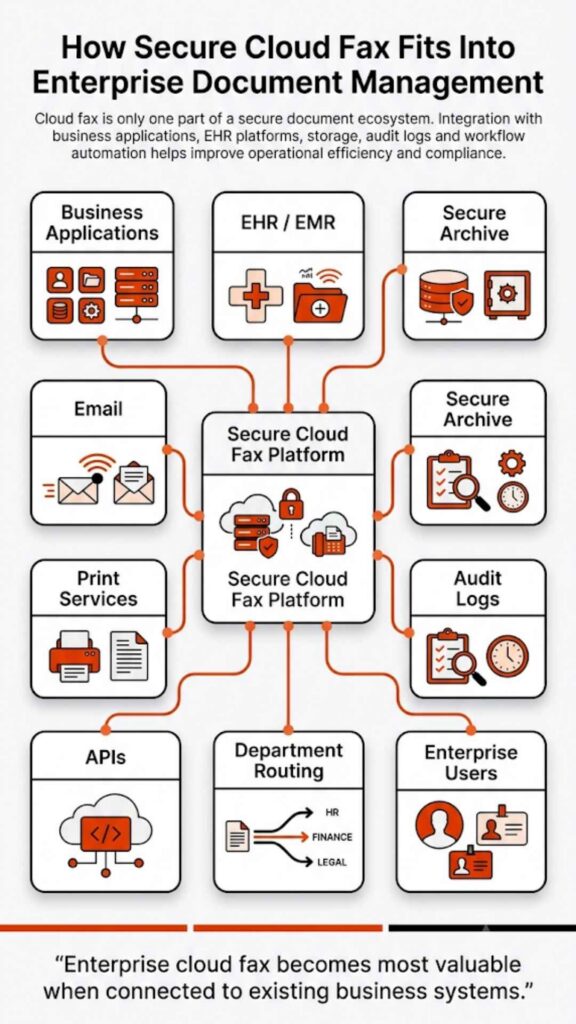
Cloud faxing keeps the business function of fax, but changes how the work gets done. A user may send a document from a web portal. Another may use email to fax. A healthcare user may send from an electronic health record or print workflow. A developer team may use fax APIs for application-driven delivery. Incoming faxes can route to department inboxes, secure folders, workflow queues, or integrated systems.
That is why multiple departments often share one cloud fax system. A hospital may need fax access for referrals, radiology, labs, billing, patient access, and medical records. A financial services firm may use cloud fax for lending, account documents, compliance records, and customer service. A university may need secure document exchange for admissions, student records, HR, finance, and health services.
In each case, the organization does not need a separate fax system for every team. It needs one cloud-based fax solution with enough structure to keep teams separate where they should be separate.
The shift is less about “going paperless” and more about getting control. Fax still serves a role. The difference is that a modern fax system can give administrators better routing, access control, search, reporting, and accountability than traditional faxing ever could.
How One Cloud Fax System Separates Departments
A cloud fax system works across departments only when separation is designed into the setup. That separation can happen through department fax numbers, user groups, permissions, inboxes, queues, routing rules, and audit reports.
Without those controls, one shared platform can become the digital version of a messy paper tray. With the right controls, it can give IT and operations teams a cleaner way to manage fax systems across an entire organization.
| Department Setup | How It Works | Why It Matters |
| Shared main fax number | Incoming faxes route to a central intake queue before staff assign or forward them | Useful for reception, front desk teams, and simple intake workflows |
| Department fax numbers | Each department has its own fax number and secure inbox | Keeps billing, records, HR, finance, and operations documents easier to separate |
| Role-based access | Users see only the fax queues, folders, or tools tied to their role | Supports privacy, security and compliance, and internal accountability |
| Individual user numbers | A person or role has a dedicated number for direct fax communication | Useful for case managers, executives, legal teams, or specialized staff |
| Rules-based routing | Faxes route by number, department, metadata, barcode, or workflow logic | Reduces manual handoffs and gives teams clearer document visibility |
This is where enterprise cloud fax differs from basic online faxing. A small office may get by with one number and a few users. A multi-department organization needs more than that. It needs user groups, department queues, reporting, admin rights, routing logic, and integration options.
Softlinx’s cloud fax API for developers and workflow tools support more advanced department structures, especially where organizations need to integrate with existing business systems rather than treat fax as a separate side task.
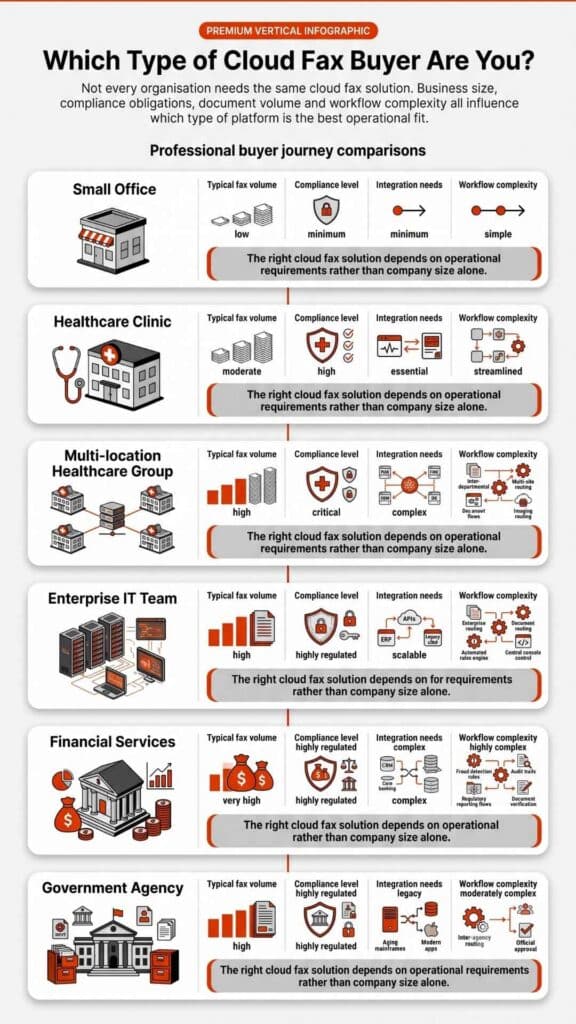
Best Cloud Fax Setup by Department Size
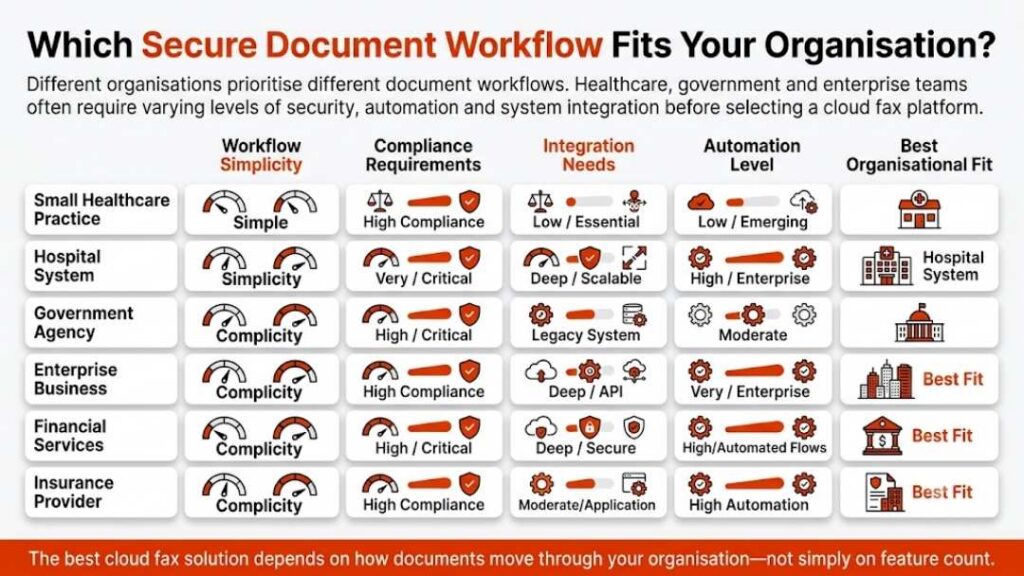
The best setup depends on how many departments need fax access, how sensitive the documents are, and how much routing control the organization needs. A clinic with three departments will not need the same structure as a hospital network or a national insurance operation.
| Organization Type | Best Setup | Why This Works |
| Small office with two or three teams | One shared number with clearly assigned users and folders | Keeps the setup simple while avoiding a single unmanaged inbox |
| Mid-size business or clinic | One main number plus department numbers for billing, records, and operations | Gives teams separation without overcomplicating administration |
| Regulated multi-department organization | Department numbers, role-based permissions, audit trails, and routing rules | Protects sensitive records and gives managers better control |
| Enterprise or multi-location organization | Hybrid setup with shared, department, and user-level numbers plus API/workflow integration | Supports complex workflows across sites, teams, and business applications |
This table is important because many buyers ask the wrong question. They ask, “Can everyone use one fax number?” A better question is, “Which setup gives every department the right access without creating document confusion?”
Shared Fax Number, Department Fax Number, or Individual Fax Number?
Can multiple departments share one cloud fax system if they all use the same fax number? They can, but that does not mean it is the best choice. The right model depends on fax volume, privacy needs, department structure, and how much control the organization wants over incoming faxes.
A shared fax number may work for a small team or a basic intake process. Once different departments handle different records, a department-based setup often works better. It lets staff know where documents belong before anyone opens, forwards, prints, or files them.
| Fax Number Model | Best Fit | Main Risk |
| One shared fax number | Small teams, front desks, simple intake, low-volume workflows | Documents may need more manual sorting |
| One number per department | Healthcare, insurance, finance, government, higher education, and multi-location teams | Requires clear naming rules and admin oversight |
| One number per user | Private or role-specific fax communication | Can become harder to manage without central reporting |
| Hybrid model | Enterprise cloud fax environments with varied department needs | Needs a consistent access and routing policy |
For many organizations, the hybrid model makes the most sense. A medical center may use one main fax number for general intake, department numbers for radiology and medical records, and direct numbers for certain administrative users. An insurance company may use department fax numbers for claims, underwriting, and provider communications, while limiting management access to approved users.
This also answers the search intent behind terms like efax multiple users. Multi-user access is useful, but enterprise cloud fax should go further. It should help an organization decide who can send, who can receive, who can view, who can route, and who can review fax activity.
Security and Compliance When Departments Share Fax Access
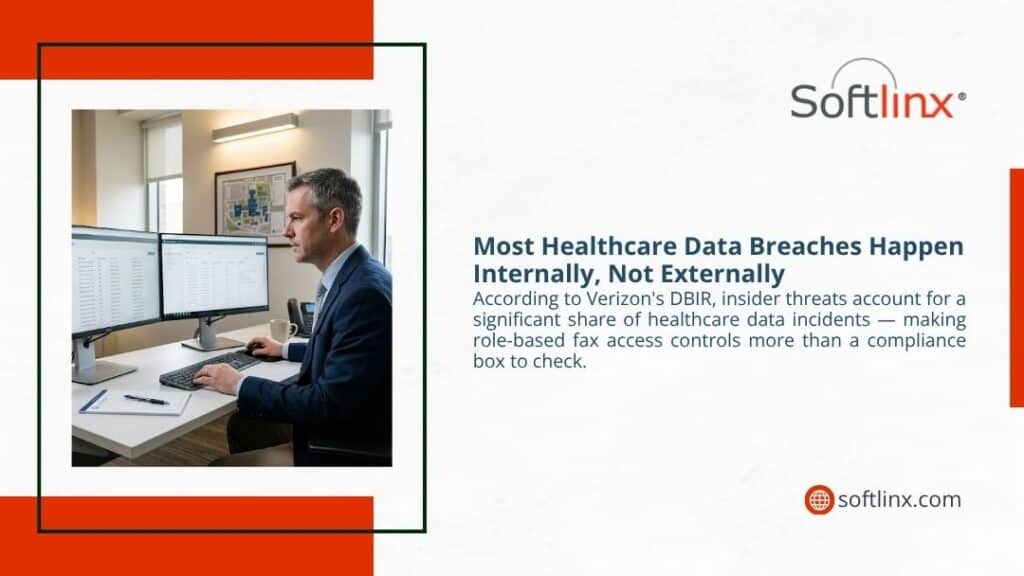
When several departments share one fax platform, access cannot be casual. That is especially true in healthcare, insurance, financial services, government, and education, where documents may include protected health information, account records, student files, claims packets, legal forms, or personally identifiable information.
HHS states that covered entities must use “reasonable and appropriate administrative, technical, and physical safeguards” when protected health information is disclosed by fax. That is the key point for shared fax systems: fax itself is not the issue. Weak controls are the issue.
A shared cloud fax system should support administrative, technical, and physical safeguards in practical ways. That may include user authentication, role-based permissions, encryption, audit logs, secure storage, delivery reporting, access reviews, and documented department rules. For healthcare organizations, it may also include HIPAA-focused workflows and a business associate agreement where needed.
Softlinx’s HIPAA-compliant cloud fax for healthcare is designed for secure healthcare faxing, protected health information, auditability, encryption, and compliance-aware workflows. For organizations operating across regulated sectors, broader industry compliance for cloud fax information is also relevant.
So, can multiple departments share one cloud fax system securely? Yes, but only when the system is not treated like a shared mailbox with no lock. Each department should have access based on job role, document type, and operational need.
How Department Routing Works for Incoming Faxes
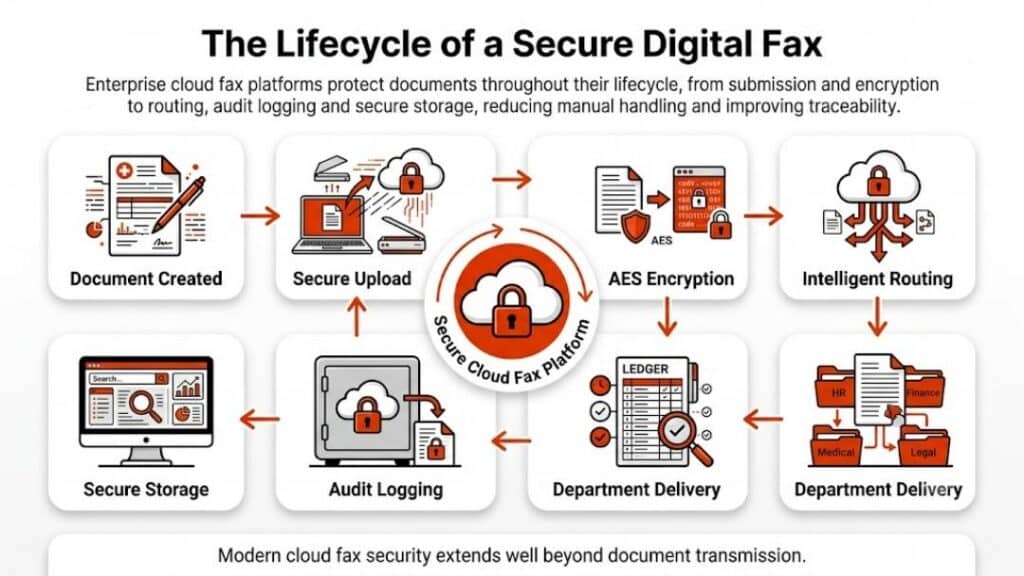
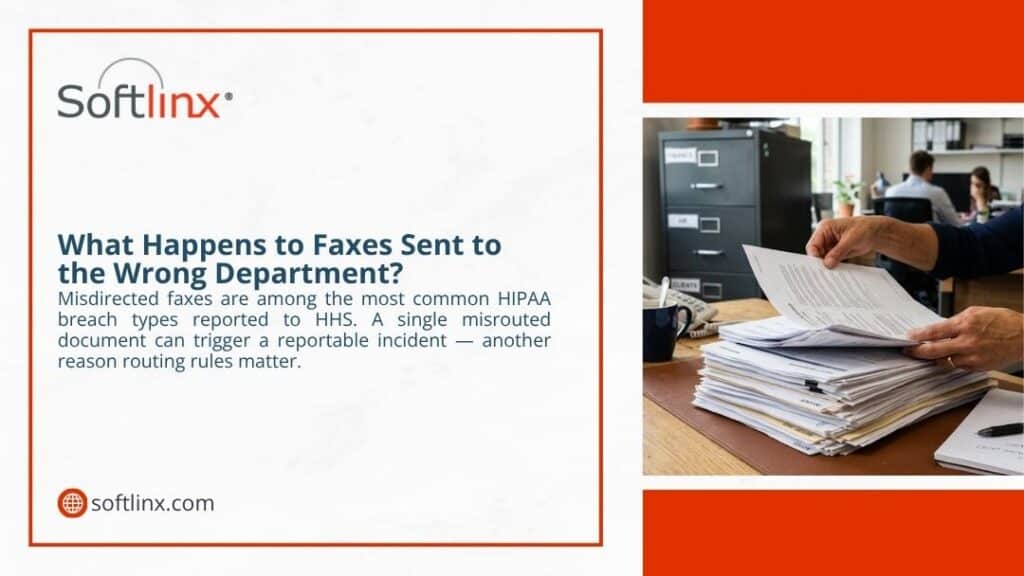
Incoming faxes are where shared systems either help or hurt. If every fax lands in one general inbox, staff must open, read, rename, print, forward, or file documents before the right team sees them. That slows down work and can create privacy concerns.
A better model uses routing rules. Incoming faxes can route to a department by assigned fax number. They can route to a folder for billing, referrals, claims, or records. In more advanced workflows, barcode fax, metadata, or network-folder delivery can help move documents to the right queue with less manual handling.
For example, a medical center could route radiology orders to imaging, lab results to a clinical lab queue, and referral documents to patient access. An insurance company could route claims packets to claims operations and provider documents to a separate reimbursement queue. A government office could route permit forms, procurement documents, HR records, and citizen submissions to different groups.
Softlinx’s fax workflow solutions support this kind of operational structure. The goal is not just to send and receive faxes online. The goal is to make fax communications fit the way departments already work.
How Users Send Faxes From the Same System
A shared cloud fax system should not force every department to use the same sending method. Different teams work in different tools. A billing clerk may prefer email to fax. An EHR user may send from a print workflow. An administrator may use a browser-based portal. A developer team may need API access for high-volume document delivery.
That flexibility is one reason cloud faxing works well across departments. With a web fax portal, users can send faxes from a secure browser interface, manage fax history, use contacts, and send documents without standing beside a physical fax machine.
With email-to-fax, users can send a fax from their email account by attaching a document and addressing it to a fax number format supported by the fax service. This feels familiar to staff because it aligns with how they already send business documents.
With print-to-fax, users can fax from applications that already have a print function. That matters for organizations with legacy systems, Windows-based tools, EMR/EHR software, or Citrix environments. Some teams may ask about a print2fax download because print-to-fax workflows often use a driver or client. The better question is whether IT can manage that setup cleanly across departments.
Can Cloud Fax Work With EHR, EMR, and Business Applications?
For many organizations, the best fax system is the one staff do not have to fight with. It should sit inside normal work. It should integrate with existing software. It should send documents from business applications, return delivery status, and support reporting without forcing users to jump between disconnected tools.
This is especially important in healthcare. A hospital, clinic, or medical center may need fax communication tied to an electronic health record, referral platform, billing system, or document management process. If users have to download files, print pages, scan records, and manually send faxes, the process adds friction and risk.
ONC data shows why this still matters. In 2019, about seven in ten U.S. non-federal acute care hospitals still used mail or fax to send and receive health information, even as electronic exchange improved. In other words, fax has not vanished from healthcare workflows. It has simply become one of several exchange methods that organizations still need to manage carefully.
Softlinx supports healthcare and enterprise integration use cases through EHR integration, Epic-focused fax workflows, and API options. Its API capabilities are especially relevant for teams that need application-driven fax, production faxing, or bulk document delivery. That is where integration cloud features become more than a technical add-on. They become part of daily operations.
A shared cloud fax system can also support non-healthcare applications. Financial teams may connect fax to loan or account workflows. Insurance teams may connect fax to claims platforms. Manufacturing teams may use fax for purchase orders, supplier documents, or compliance records. Government offices may connect fax to case files, permits, or records systems.
Department Use Cases Across Regulated Industries
The reason multiple departments share one cloud fax system is not always the same. Each industry has its own paperwork habits, privacy concerns, and operational pressure points.
In healthcare, fax still plays a role in referrals, prior authorizations, lab reports, radiology reports, discharge documents, patient records, and billing. A clinic may need one workflow for front desk intake and another for medical records. A hospital may need stricter routing across admissions, radiology, pharmacy, surgery, and care coordination. Softlinx’s healthcare faxing solutions speak to this environment, where secure communications and department control matter.
In insurance, departments may handle claims forms, provider records, policy documents, authorization requests, and reimbursement packets. A shared system can keep claims workflows separate from underwriting or customer service. Softlinx’s cloud fax for insurance workflows is a natural fit for organizations that deal with sensitive, document-heavy exchanges.
Financial services teams may need cloud fax for account records, loan files, customer forms, compliance packets, and back-office approvals. Here, the priority is not only speed. It is also access control, audit history, and secure document handling. Softlinx’s cloud fax for financial services can support that kind of departmental separation.
Government agencies often deal with public records, permits, case files, procurement forms, citizen documents, and interagency communication. A single platform with separate queues can make fax systems easier to manage across offices, divisions, and public-facing departments. Softlinx’s government cloud fax solutions address those needs.
Manufacturing companies may use fax for supplier records, purchase orders, logistics documents, safety forms, or customer paperwork. Higher education teams may use fax for admissions, registrar documents, student records, HR files, finance, and health services. In both cases, one shared system with department-level rules is usually easier to govern than scattered traditional fax machines.
Common Mistakes When Multiple Departments Share One Fax System
Can multiple departments share one cloud fax system without confusion? They can, but not if the setup copies the bad habits of traditional faxing.
The first mistake is treating one cloud inbox like the paper tray on a fax machine. If every incoming fax lands in one place, users still need to sort documents by hand. That may work for a very small office. It does not work well for a busy healthcare organization, insurer, financial institution, university, manufacturer, or public agency.
The second mistake is giving too many users too much access. Convenience feels harmless until sensitive records reach the wrong inbox. In a shared system, access should follow job duties. A billing user does not need to view HR faxes. A front desk user does not need full access to compliance records. A manager may need reports, while a standard user may only need send-and-receive access.
The third mistake is using unclear names for departments, queues, and workflows. If one team calls a folder “Records,” another calls it “Med Rec,” and a third calls it “Patient Files,” staff will eventually send something to the wrong place. Clean naming rules may seem small, but they matter during a busy workday.
The fourth mistake is keeping physical fax machines active without a clear policy. Some organizations move to cloud fax but leave old devices in place. That can create gaps in tracking and accountability. If traditional fax machines remain in use, staff should know when to use them, who monitors them, and how those documents enter the official workflow.
The fifth mistake is failing to review the setup after launch. A shared cloud fax system should not be set once and forgotten. Admins should review users, inactive accounts, department access, routing rules, and audit reports on a regular schedule.
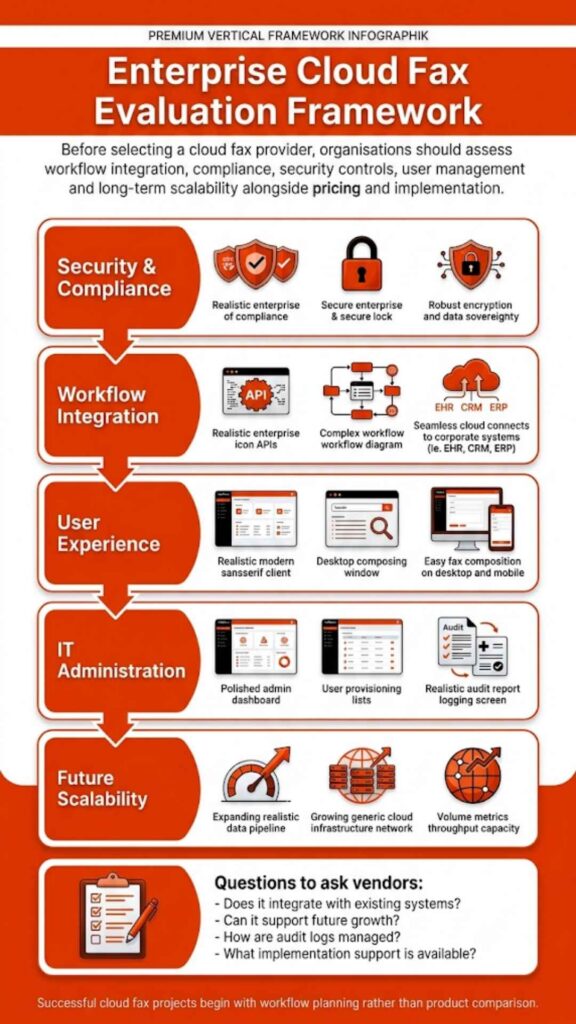
What to Look for in an Enterprise Cloud Fax System
A shared fax system is only as strong as its controls. For multi-department use, basic online faxing may not be enough. The platform should support the way departments operate, not force every team into one rigid process.
| Feature | Why It Matters for Multiple Departments |
| Department-level administration | Lets IT and operations teams manage users, groups, and queues across the organization |
| Shared and individual fax numbers | Supports central intake, department workflows, and direct fax communication |
| Role-based access | Helps limit sensitive documents to authorized users |
| Audit trails and reports | Gives administrators visibility into fax activity and delivery status |
| Web, email, and print-to-fax options | Allows different departments to work from familiar tools |
| API access | Helps integrate cloud fax technology with business applications |
| Barcode or metadata routing | Supports structured, high-volume, or document-specific workflows |
| Secure storage and encryption | Helps protect confidential records across departments |
| Support and monitoring | Matters when fax communications are time-sensitive |
For organizations with high-volume needs, production faxing may also matter. A business that sends many statements, reports, notices, claims packets, or records may need more than manual fax features. Softlinx’s production faxing solution is built for application-driven document delivery at scale.
For teams that process structured documents, barcode fax workflows can also help route and manage incoming records with more control. That matters when departments handle large numbers of forms, claims, or packets that need to reach the right place without unnecessary manual steps.
Can Multiple Departments Share One Cloud Fax System Without Losing Control?
Can multiple departments share one cloud fax system and still keep control over sensitive documents? Yes, when control is built into the design from the start.
The right structure usually has four parts. Each department needs a clear identity inside the system. Each user needs the correct access level. Incoming faxes need routing logic that matches real workflows. Administrators need reporting and audit visibility.
That may sound simple, but it is where many organizations slip. They focus on the fax number, not the workflow. They ask whether one number can serve everyone, when the better question is whether one platform can serve each department properly.
A cloud fax system should not make departments fight over one inbox. It should give each team its own controlled space while letting IT, compliance, and operations manage the whole environment from one place.
FAQ
Can multiple departments share one cloud fax system?
Yes. Multiple departments can share one cloud fax system when it supports department routing, user permissions, secure inboxes, and central administration.
Can different departments have different fax numbers?
Yes. Many organizations use one fax number per department, while others use a hybrid setup with shared, department, and individual numbers.
Can one fax number be shared by multiple users?
Yes. One number can serve multiple users, but the setup needs access rules, ownership, and routing controls to avoid confusion.
Is cloud fax secure for healthcare departments?
Cloud fax can support secure healthcare workflows when encryption, authentication, audit trails, access controls, and HIPAA-focused safeguards are in place.
Can cloud fax integrate with an electronic health record?
Yes. Enterprise cloud fax systems may connect with EHR, EMR, print workflows, APIs, or document systems, depending on the platform and setup.
Do departments need physical fax machines?
Not usually. Users can often fax through a web portal, email to fax, print to fax, or an integrated application without relying on physical fax machines.
What is the difference between cloud fax and LAN fax?
LAN fax usually depends on local network or server infrastructure. Cloud fax uses internet-based infrastructure and central administration through a cloud platform.
Is eFax multiple users the same as enterprise cloud fax?
Not always. A multi-user fax account may handle basic shared use, while enterprise cloud fax adds deeper controls for departments, compliance, routing, reporting, and integration.
Do users need a print2fax download?
Some print-to-fax workflows use a driver or client download. Web portal fax and email-to-fax options may not require that same setup.
A Shared Fax System Works Best When Every Department Has Its Own Rules
So, can multiple departments share one cloud fax system? Yes. For many organizations, one well-managed platform is cleaner than scattered fax machines, separate accounts, disconnected phone lines, and informal department workarounds.
The important part is structure. Departments need their own routing rules. Users need the right level of access. Administrators need audit trails and reports. Sensitive documents need secure handling. Business applications need integration paths where manual fax steps slow staff down.
That is where a cloud fax system becomes more than a replacement for traditional faxing. It becomes a controlled document exchange layer for the departments that still rely on fax communications every day.
For healthcare providers, insurers, financial institutions, government agencies, manufacturers, and education teams, Softlinx offers secure cloud faxing, workflow automation, API options, and department-aware fax tools built for regulated business environments. If your organization needs one fax system that can serve several departments without losing control, you can request a cloud fax consultation with Softlinx.