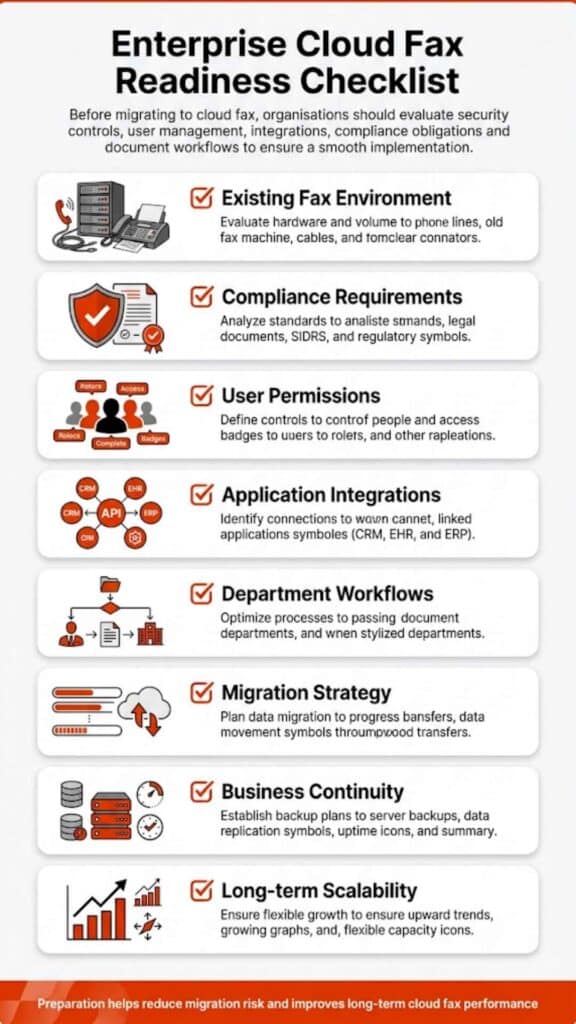
Softlinx is a strong fit for healthcare, finance, insurance, government, manufacturing, higher education, ISVs, developers, and enterprise teams that need secure cloud fax through ReplixFax. Concord is a strong option for organizations that want cloud fax as part of a wider document automation and healthcare data exchange platform. In this article, we explore Softlinx vs Concord for buyers who need secure cloud fax, HIPAA-aware workflows, APIs, and enterprise fax support without getting lost in sales noise.
Softlinx vs Concord
Softlinx vs Concord is not a casual “which online fax app is cheaper?” comparison. This is a buyer’s question for organizations that still depend on fax for sensitive documents, regulated records, high-volume traffic, and application-connected workflows.
Both companies serve serious business users. Both talk about secure cloud fax. Both appeal to healthcare and enterprise buyers. The difference is where each one puts its weight.
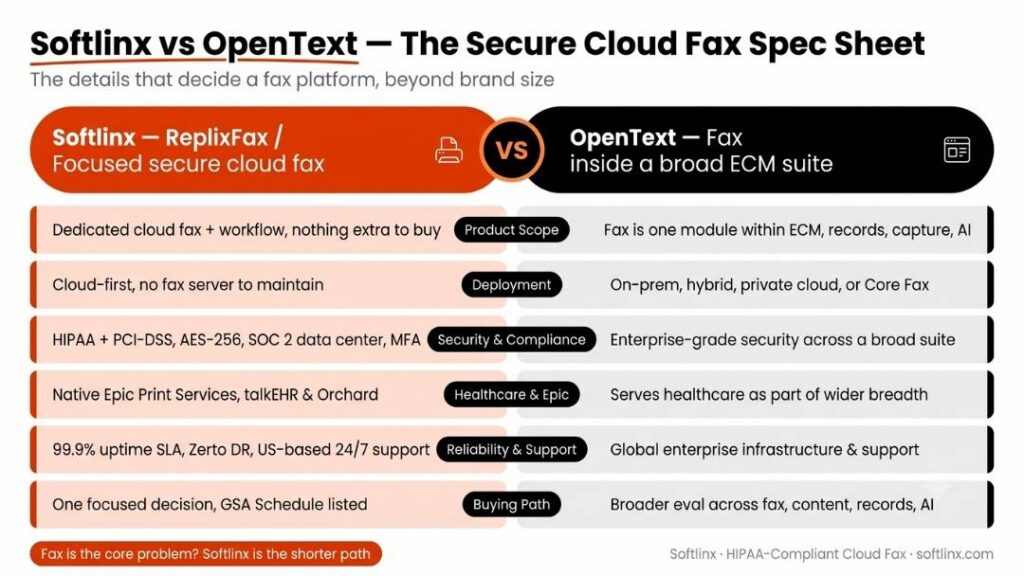
Softlinx positions ReplixFax as a secure cloud fax service for healthcare and enterprise businesses, with support for web portal fax, email-to-fax, print-to-fax, production faxing, workflow automation, barcode fax workflow, industry compliance, and API-based fax integration. Its own site presents Softlinx as a provider for ISVs, enterprise businesses, developers, IT service providers, and healthcare IT teams through its secure cloud fax services.
Concord positions Concord Cloud Fax as part of a broader secure data exchange and document automation platform. Its cloud fax section highlights HIPAA-compliant fax, migration from fax servers, AI-powered data capture, document routing, and cloud fax for healthcare and other enterprise environments through Concord Cloud Fax.
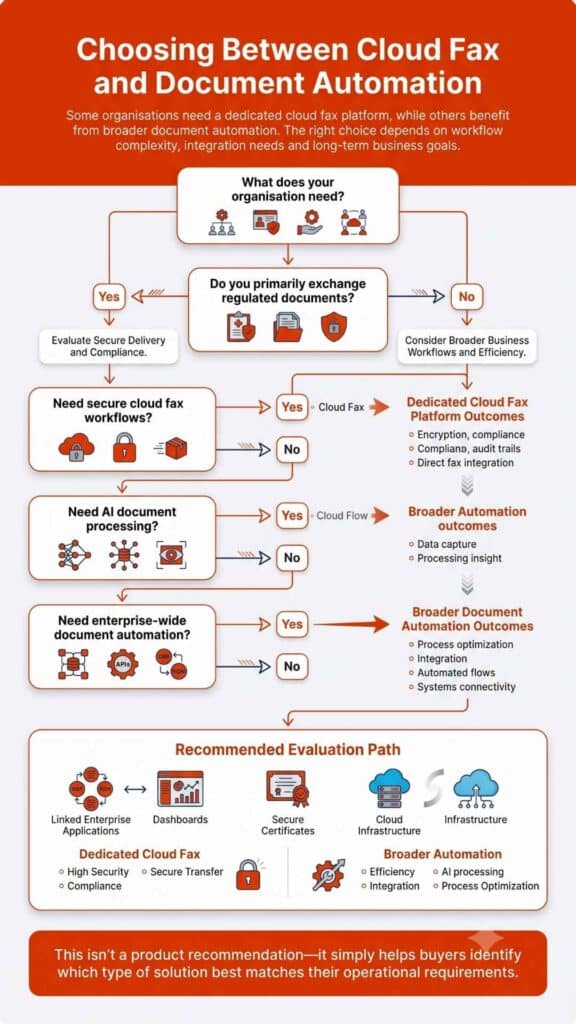
That makes the Softlinx vs Concord decision less about which company “does fax” and more about which platform matches your workflow. If your team wants a focused cloud fax service with practical user tools and strong application-fax support, Softlinx deserves a close look. If your team wants cloud fax wrapped into a broader document automation and healthcare intake strategy, Concord may fit the conversation.
| Comparison Area | Softlinx | Concord |
| Best fit | Regulated businesses that need secure cloud fax, workflow tools, and application fax integration | Healthcare and enterprise teams that want cloud fax plus broader document automation |
| Core product angle | ReplixFax for cloud fax, enterprise fax, healthcare fax, APIs, and workflow | Concord Cloud Fax plus secure data exchange, Concord Connect, and intelligent document processing |
| Strong use cases | Healthcare faxing, enterprise faxing, production faxing, barcode routing, web fax, email-to-fax, print-to-fax, fax APIs | Healthcare intake, referral workflows, document automation, high-scale secure fax, AI-assisted data capture |
| Pricing visibility | Quote-based approach for business and enterprise needs | Public FaxPro rates for some plans, with enterprise quote options |
| Main buyer | Healthcare IT, enterprise IT, compliance-heavy teams, ISVs, developers, operations teams | Large healthcare organizations, enterprise operations teams, document processing leaders |
| Watch point | Public pricing is not as visible, so buyers should request a tailored quote | The platform may be broader than some fax-first teams need |
What Is Cloud Fax and Why This Comparison Matters
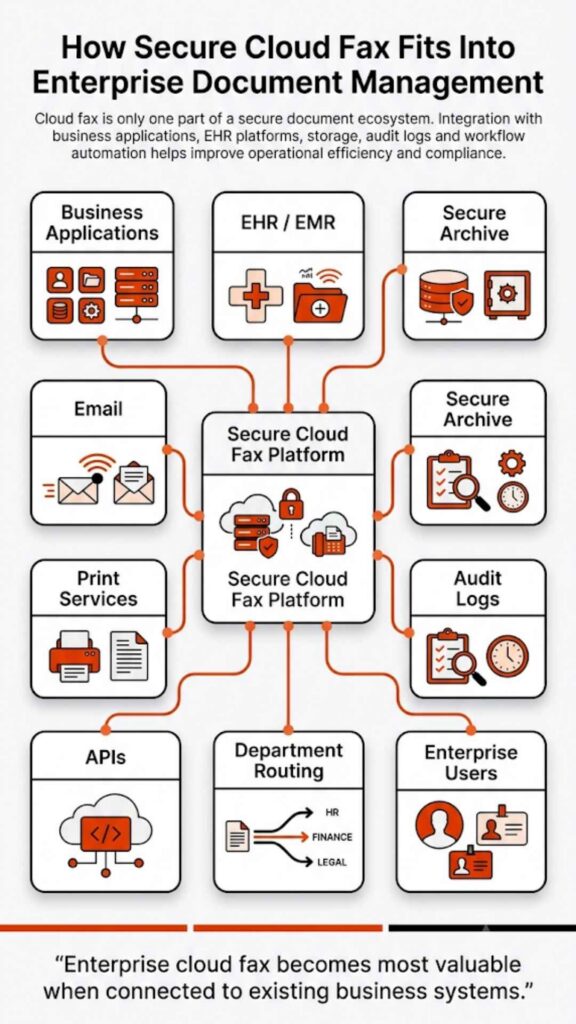
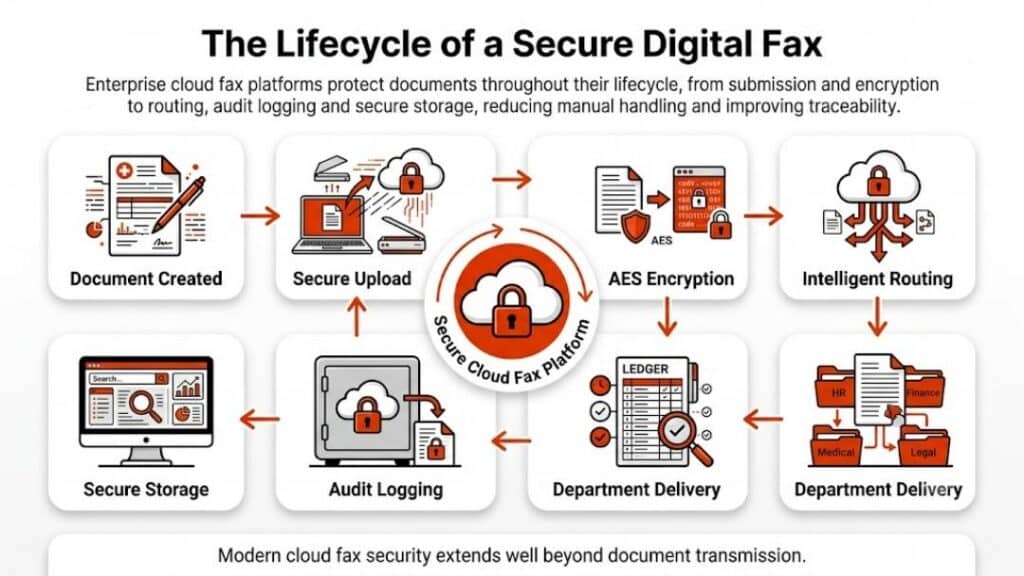
Cloud fax is a digital fax solution that lets users send, receive, route, manage, and store faxes through cloud-based infrastructure instead of a physical fax machine or traditional fax server software. For many organizations, cloud faxing is not just a way to remove hardware. It is a way to manage secure document exchange, user access, audit history, application workflows, and departmental fax traffic from one controlled environment.
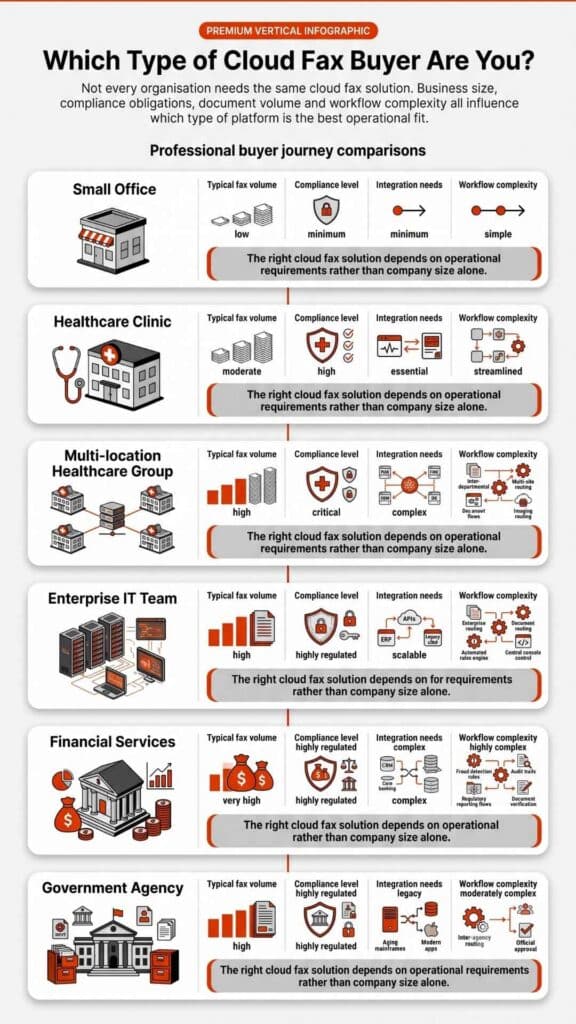
That is why Softlinx vs Concord matters for serious buyers. A small office may only need a simple hosted fax service. A hospital, payer, public agency, university, manufacturer, or financial services firm usually needs more than that. It may need secure cloud fax, enterprise cloud fax solutions, cloud fax APIs, multiple user roles, automated routing, EHR integration, production fax, document workflow, and compliance support.
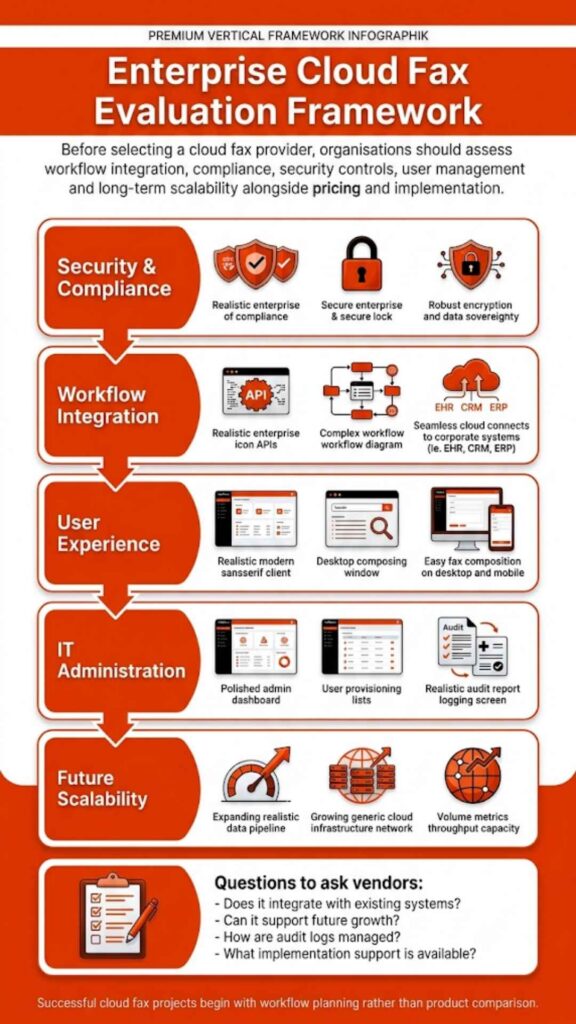
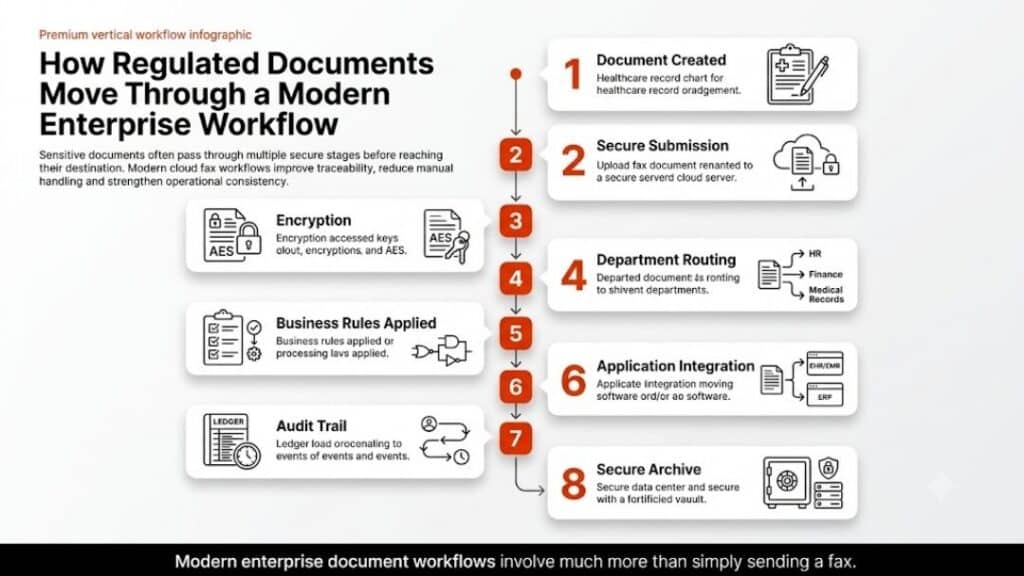
For healthcare teams, this decision carries extra weight. The U.S. Department of Health and Human Services explains that the HIPAA Security Rule requires regulated entities to use reasonable and appropriate administrative, physical, and technical safeguards to protect electronic protected health information. That is why cloud-based fax solutions for healthcare should not be judged only by monthly price or page count. Security design, controls, routing, access, and auditability matter just as much as basic send-and-receive features.
Secure Cloud Fax for Healthcare, Finance, Insurance, and Government
Softlinx has a clear regulated-industry angle. Its healthcare faxing solution describes ReplixFax as a HIPAA-compliant electronic fax service for healthcare, with security features such as encryption, secure IP transmission, multi-factor authentication, centralized storage, fax logs, and audit trails.
That matters because healthcare fax is still used for referrals, authorizations, lab results, discharge paperwork, billing documents, pharmacy records, and clinical documentation. In that type of environment, a cloud fax service has to do more than send a file from one point to another. It has to support the way real departments work.
Softlinx also has a wider business audience. Its site includes dedicated industry sections for healthcare, financial services, insurance, government, manufacturing, and higher education. That broader footprint helps position Softlinx as a secure cloud fax option for organizations that may have different departments, locations, and document types under one fax environment.
Concord also has strong healthcare credibility. Its company history says the company opened in Seattle in 1996, built more than 20 years of healthcare experience, reached a milestone of more than 3 billion pages of protected health information processed each year in 2023, and acquired Biscom in 2024. Concord’s current platform language leans heavily into secure data exchange, intelligent document processing, interoperability, and healthcare straight-through processing.
Here’s the thing. Concord may appeal more to buyers who want cloud fax as one part of a larger data and document automation strategy. Softlinx may appeal more to teams that want secure cloud fax with practical tools for business users, developers, and departments that still depend on fax-heavy workflows.
Cloud Fax Service Features, APIs, and Workflow Automation
Softlinx covers the everyday fax methods that enterprise users tend to ask for first. It lists email, print-to-fax, web fax, self-service fax administration, high-volume fax support, cloud fax APIs, automation tools, and HIPAA- and PCI-DSS-compliant secure fax service as core enterprise cloud fax features.
For teams that need user-facing tools, Softlinx provides a web fax portal, email-to-fax, and print-to-fax. For workflow-heavy environments, Softlinx supports fax workflow automation and a developer fax API for application integration.
Concord’s feature story is different. It still covers secure cloud fax, but its site puts more emphasis on cloud migration, better data management, AI-powered data capture, secure exchange, and document automation. Concord also says its cloud fax service is built for organizations that need to send hundreds, thousands, or millions of faxes every day.
| Feature Area | Softlinx ReplixFax | Concord Cloud Fax |
| Web fax | Strong fit through web portal fax | Available through cloud fax platform |
| Email-to-fax | Strong fit for users who work inside email | Supported as part of cloud fax workflows |
| Print-to-fax | Useful for Windows apps, legacy workflows, and EHR-style print output | Supported, with more emphasis on cloud migration and broader automation |
| Fax APIs | Strong developer and ISV fit through API integration | API access available for fax and document automation |
| Healthcare integration | EHR, EMR, PM, LIS, Epic-related workflows, and healthcare fax use cases | Healthcare systems, referral intake, document automation, interoperability |
| Workflow automation | Fax routing, production fax, barcode fax, folder fax, metadata, reports | Straight-through processing, document capture, AI-driven extraction |
| Compliance story | HIPAA, PCI-DSS, encryption, MFA, logs, audit trails, secure storage | HIPAA, HITRUST, PCI DSS, SOC 2, and secure document exchange |
Softlinx Pros and Cons
Softlinx vs Concord becomes clearer when the buyer looks at workflow fit instead of brand size alone. Softlinx is not trying to be a broad healthcare AI platform first. Its strength is secure cloud fax for business teams that need several ways to send, receive, route, track, and integrate fax documents.
| Pros | Cons |
| Strong fit for healthcare and regulated business fax needs | Public pricing is less visible than some competitors |
| Supports web, email, print-to-fax, production fax, workflow, and APIs | Buyers may need a sales conversation to map complex needs |
| Useful for ISVs, developers, IT service providers, and enterprise teams | Less public third-party review volume than larger software categories |
| Good match for HIPAA-focused and compliance-aware fax workflows | Broader document AI capabilities are not the main public message |
| Industry pages cover healthcare, finance, insurance, government, manufacturing, and higher education | Some website claims should be verified with sales before procurement |
Need secure cloud fax built around healthcare, enterprise workflows, APIs, and compliance-heavy document exchange? Softlinx can review your current fax process and help you compare the right setup for your team. Request a tailored review before you choose between Softlinx vs Concord.
Concord Pros and Cons
Concord is a credible option in the same category, especially for larger healthcare organizations that want cloud fax to sit beside secure data exchange and document automation. Its public materials highlight long healthcare experience, AI-driven workflows, interoperability, and large-scale secure document transmission.
| Pros | Cons |
| Strong healthcare document automation position | May feel broader than needed for fax-first buyers |
| Public company history and scale signals | Enterprise quote process can add steps for buyers |
| Supports secure cloud fax, APIs, interoperability, and AI document processing | Some messaging centers on ROI and cost reduction, which may not fit every compliance-first article |
| Public rates exist for some FaxPro plans | Rate pages may not reflect every enterprise use case |
| Biscom acquisition expanded secure communication footprint | More platform complexity may require deeper implementation review |
Concord’s Biscom acquisition announcement says the combined organizations serve more than 4,500 customers and process more than 4 billion pages of protected information every year. Its security and compliance section also says Concord has exceeded its 99.9% uptime guarantee every month for more than three years and that Concord Cloud Fax is HIPAA compliant and SOC 2 audited.
These are useful trust signals, but buyers should still compare them against their actual use case. A vendor’s scale does not always mean the platform is the cleanest fit for a department that simply needs secure, dependable cloud faxing with flexible user tools.
Cloud-Based Fax Pricing and Buyer Caution
Pricing is often the most tempting part of a Softlinx vs Concord comparison, but it needs careful treatment. Concord publishes some FaxPro rates for U.S. and Canadian fax use, including monthly plan examples and per-page details. Softlinx, by contrast, is better treated as a quote-based option for business and enterprise needs, especially when workflow, compliance, volume, users, numbers, APIs, and integration requirements may vary.
That does not automatically make one cloud-based fax service better than the other. Public pricing helps quick comparison, but enterprise fax cost can depend on fax volume, inbound and outbound mix, departments, numbers, storage, support model, API use, number porting, implementation, and compliance scope.
For Softlinx content, avoid claims such as “Softlinx saves X%” or “Softlinx costs less than Concord.” Softlinx gives regulated teams a way to centralize fax workflows, support secure document exchange, and connect fax to existing business systems through several end-user and application-based methods.
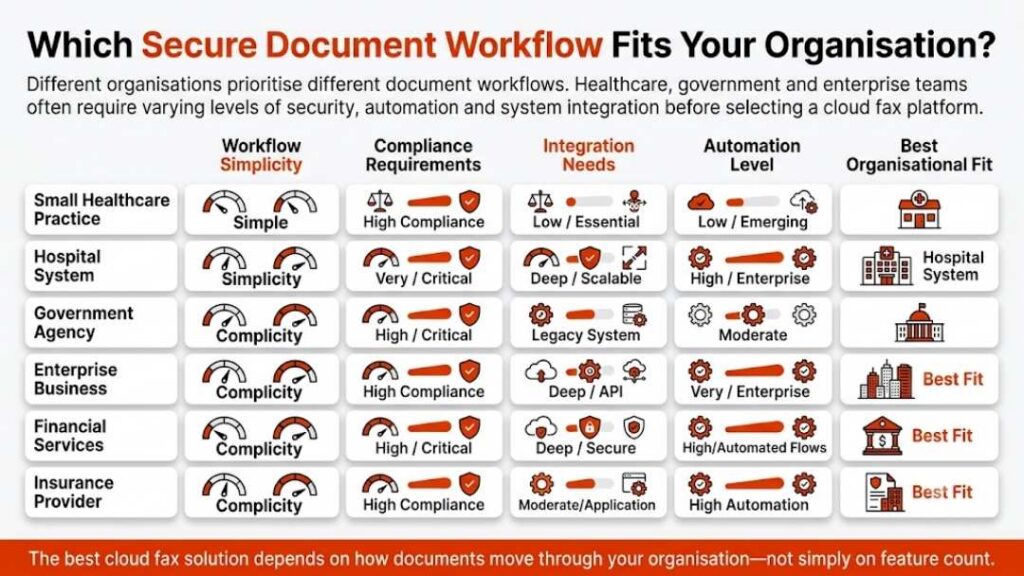
Best Fit by Business Type
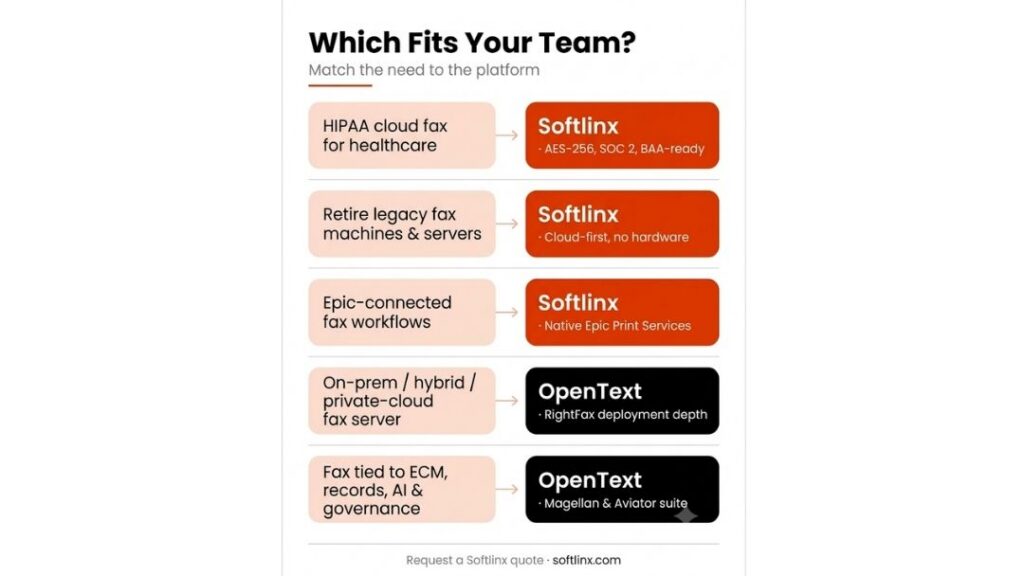
Softlinx vs Concord is not a winner-takes-all choice. It depends on what the buyer actually needs.
A hospital, clinic, medical center, lab, pharmacy, or medical billing company that wants HIPAA-conscious cloud fax, secure document transmission, and practical end-user tools should give Softlinx serious attention. Softlinx’s healthcare industry cloud fax materials support this angle well, especially when the discussion highlights PHI, routing, audit trails, and EHR-adjacent workflows.
A large healthcare system that wants cloud fax inside a wider intake, referral, AI document processing, and structured-data workflow may want to evaluate Concord closely. Concord’s platform story is built around more than fax, which can be useful for organizations that want to rethink document intake across departments.
A financial services team that sends sensitive account forms, transaction documents, loan files, or compliance records may find Softlinx relevant through its financial services fax solution. An insurance company that still handles claims, authorizations, policy records, and provider documents may want to review Softlinx’s insurance fax workflows. A public-sector organization can also evaluate Softlinx through its government cloud fax solutions.
Manufacturers and higher education teams should not ignore this comparison either. Fax still appears in procurement, vendor documents, student records, HR files, health records, and administrative workflows.
Epic Integration, EHR Fax, and Application Workflows
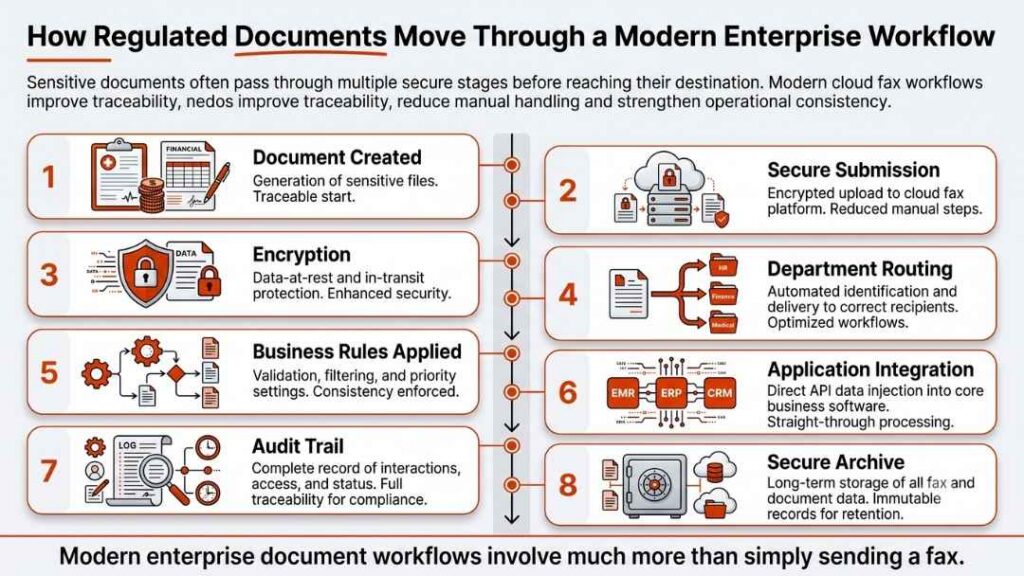
The most valuable part of a secure cloud fax comparison is often not the basic fax feature list. It is how well the system fits existing software. Softlinx supports application faxing and healthcare workflows, including direct transmission from EMR, PM, and LIS systems. It also highlights specific capabilities for Epic cloud fax integration, aligning with the needs of healthcare environments that require seamless and secure data exchange. For developers and ISVs, Softlinx’s fax API story is also useful because software teams often need fax functions inside existing apps rather than a separate portal.
Concord also supports API access and document automation. Its broader platform language may suit teams that want to move unstructured documents into structured workflows. That can be valuable, but it can also be more than a fax-first team needs.
This is where buyers should slow down and ask better questions. Can the fax solution connect to the existing EHR or enterprise application? Can it route inbound faxes by department? Can it pass metadata? Can it support batch fax or high-volume outbound jobs? Can users work from email, web, or print workflows? Can IT control roles, access, and audit logs? The better fit will be the provider that answers those questions without forcing major workflow disruption.
The Better Choice Comes Down to Workflow Fit
Softlinx vs Concord comes down to product fit, not hype. Concord is a strong option for large healthcare organizations that want cloud fax as part of a broader secure document exchange and intelligent document processing platform. It has strong public scale signals, a long company history, and clear healthcare automation messaging.
Softlinx is a strong option for organizations that want focused secure cloud fax solutions for real business fax workflows. ReplixFax fits teams that need web fax, email-to-fax, print-to-fax, production faxing, fax workflow automation, API access, compliance support, and secure document delivery across regulated industries.
For a fax-first organization, Softlinx may be the cleaner choice. For a document-automation-first organization, Concord may deserve a deeper review. For a healthcare or enterprise team that wants secure fax without making the project larger than it needs to be, Softlinx deserves a direct look.
Softlinx vs Concord FAQs
Is Softlinx better than Concord?
Softlinx may be better for organizations that want a focused secure cloud fax service with web fax, email-to-fax, print-to-fax, production fax, workflow automation, and API integration. Concord may be better for organizations that want cloud fax as part of a wider document automation and healthcare data exchange platform.
Does Softlinx support HIPAA-conscious cloud fax workflows?
Yes. Softlinx positions ReplixFax around HIPAA-compliant cloud fax for healthcare and enterprise businesses. Its healthcare faxing content mentions security controls such as encryption, secure transmission, multi-factor authentication, centralized storage, fax logs, and audit trails.
Does Concord publish pricing?
Concord publishes FaxPro pricing information for some plans and also supports quote-based enterprise evaluation. Buyers should review plan limits, inbound and outbound page terms, overtime charges, user needs, and enterprise requirements before they compare Concord pricing with Softlinx.
Which platform is better for healthcare fax workflows?
Softlinx is a strong fit for healthcare teams that want secure cloud fax, EHR-adjacent workflows, practical fax methods, and API support. Concord is a strong fit for healthcare organizations that want cloud fax linked to larger intake, referral, data extraction, and document automation goals.
Which option is better for enterprise fax integration?
Softlinx has a strong case for enterprise fax integration because it supports APIs, print-to-fax, email-to-fax, web fax, workflow automation, and production fax. Concord also supports enterprise use cases, but its messaging leans more heavily into secure data exchange and intelligent document processing.
A Practical Next Step for Secure Cloud Fax Buyers
The best way to settle Softlinx vs Concord is to map your actual fax workflow before you compare demos. Count the departments that use fax, list the systems that generate documents, identify which documents contain PHI or other sensitive data, check which users need web, email, or print-to-fax access, and note whether your team needs APIs, production fax, barcode routing, or EHR integration.
If your organization wants a focused secure cloud fax service for regulated business use, start with the Softlinx cloud fax service overview and then request a tailored review. A clear workflow review will help you compare Softlinx vs Concord on the details that matter most: security, compliance fit, user experience, implementation, integrations, support, and long-term fax reliability.