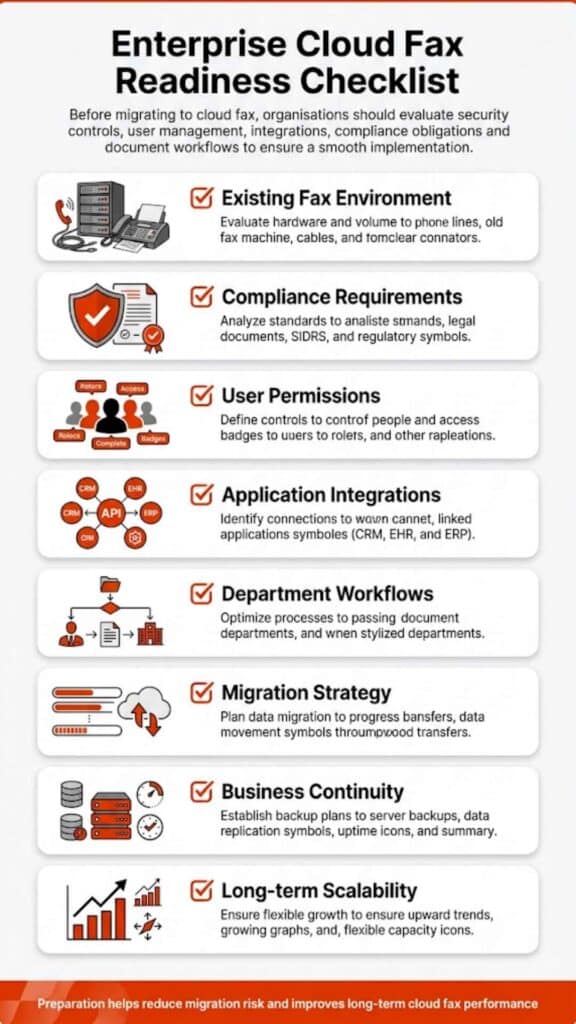
Most businesses can switch a basic fax workflow to cloud fax in a few days. Larger organizations may need several weeks, especially when they have existing fax numbers, multiple departments, high-volume document traffic, EHR or application links, HIPAA controls, or a formal IT review process. So, how long does it take to switch to cloud fax? The honest answer is simple: the tool may be ready fast, but the workflow must be moved with care.
For a small office, the move may feel close to a normal software setup. For a hospital, insurance carrier, financial institution, university, public agency, or manufacturer, the switch is less about “turning on fax online” and more about replacing a business-critical document channel without losing inbound faxes, breaking routing rules, or leaving staff unsure where documents land.
That’s why timing matters. Fax may look old on the surface, but in regulated work, it still carries medical records, claims, authorizations, purchase orders, contracts, lab results, signed forms, and time-sensitive approvals. A rushed cutover can create confusion. A staged move can help teams keep daily work steady while they shift away from physical fax machines, analog fax lines, and manual paper handling.
In this article, we’ll explore how long it takes to switch to cloud fax, what can speed up or delay the process, and how organizations can plan a smoother move without disrupting daily fax workflows.
How Long Does It Take to Switch to Cloud Fax?
A simple switch to cloud fax can take one to three business days when a team starts fresh with a new fax number, a small user list, and basic email-to-fax or web portal access. A more common business migration, where the company keeps an existing fax number and moves daily users into a cloud fax system, often takes several days to two weeks. Enterprise fax solutions can take two to six weeks or more when the project includes multiple fax numbers, department-level routing, production fax, compliance review, or application integration.
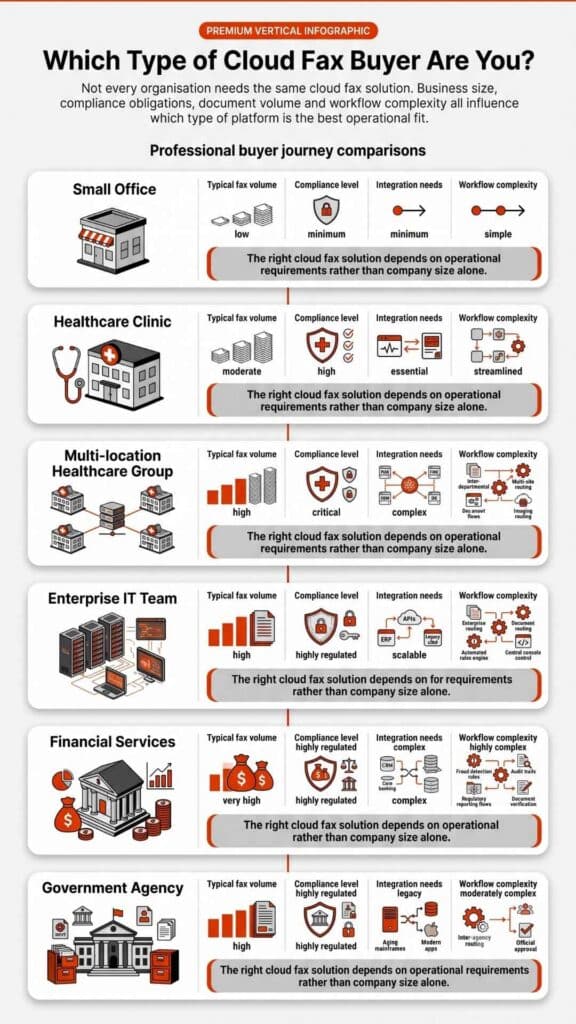
That range may sound broad, but it reflects real business conditions. A two-person clinic that sends a few referrals each day has a different setup than a regional health system that routes thousands of pages through Epic, shared folders, staff queues, and audit controls. The same applies to finance, insurance, government, higher education, and manufacturing teams. The more fax supports core operations, the more carefully the migration plan should be built.
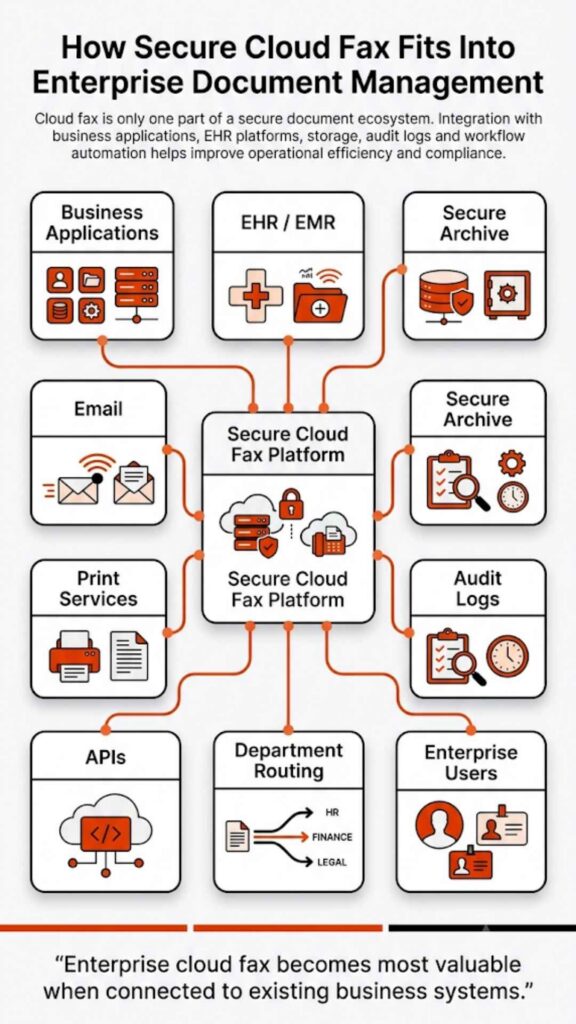
Softlinx’s own cloud fax approach fits this type of environment because it supports secure cloud fax, web portal fax, email-to-fax, print-to-fax, production fax, API-based delivery, and workflow automation. That mix matters because most businesses do not fax from one place only. A front-desk employee may use email. A billing team may fax from a shared inbox. A healthcare team may need EHR-connected fax. An IT team may need audit logs and access controls. A developer may need a fax API.
| Cloud Fax Move | Likely Timeline | Best Fit | What Usually Shapes the Schedule |
| New cloud fax account with a new fax number | Same day to 2 business days | Small offices, new departments, low-complexity teams | User setup, basic testing, email or portal access |
| Existing fax number moved to cloud fax | Several days to 2 weeks | Most offices that want to keep their fax number | Number porting, carrier coordination, inbound route checks |
| Multi-department business rollout | 1 to 3 weeks | Mid-size organizations with shared fax use | User permissions, routing rules, training, old fax inventory |
| Enterprise fax server migration | 2 to 6+ weeks | Healthcare, finance, insurance, government, manufacturing | Compliance review, multiple locations, high-volume use, cutover plan |
| EHR, API, or production fax setup | Several weeks, based on scope | Hospitals, clinics, ISVs, high-volume document teams | Application mapping, testing, audit trails, workflow approval |
For most organizations, the question is not only how long it takes to switch to cloud fax. The better question is how long it takes to switch without missed faxes, confused staff, or broken document routes.
What Is Cloud Fax, and Why Is Setup Different From Sending One Fax?
Cloud fax is a digital fax method that lets people send and receive faxes through an internet-based platform instead of a traditional fax machine, local fax server, or dedicated phone line. A user may send a fax by email, a web portal, print-to-fax, an application, or an API. Inbound faxes can arrive in an email inbox, shared folder, web portal, routed queue, or connected system.
That range may sound broad, but it reflects real business conditions. A two-person clinic that sends a few referrals each day has a different setup than a regional health system that routes thousands of pages through Epic, shared folders, staff queues, and audit controls. Many of these organizations rely on Healthcare Fax Solutions to support secure document exchange and workflow automation. The same applies to finance, insurance, government, higher education, and manufacturing teams. The more fax supports core operations, the more carefully the migration plan should be built.
Softlinx’s secure cloud fax service is built for organizations that need those controls in real workflows, not just a basic online faxing service. That includes healthcare groups that handle PHI, finance firms that send account documents, insurance teams that process claims, government agencies that route formal records, and manufacturers that still use fax for purchase orders or supply chain paperwork.
Here’s the thing. Sending one fax is a transmission task. Switching to cloud fax is an operational move. It may include number porting, staff access, compliance checks, workflow design, and testing. A single fax might take minutes. A safe cloud fax migration takes as long as the business process behind it demands.
How Long Does a Fax Take to Send During and After Migration?
A standard fax sent through a traditional fax machine often takes around 30 seconds to one minute per page, though real timing varies by fax speed, page resolution, phone line quality, file type, and whether the receiving fax machine answers right away. A ten-page document may take several minutes in normal conditions. A large medical record packet, claim file, or image-heavy document can take longer, especially if the fax line is busy or the call drops.
Cloud fax can reduce several old friction points because users do not have to stand at a physical fax machine, wait through retries, print every document, or collect pages from a tray. Still, fax delivery is not magic. If the receiving side uses an older device, has a busy fax line, or fails to answer, the system may need retries. If a file is large, image-heavy, or routed through several business rules, total time can vary.
So, how long does a fax take after a business moves to cloud fax? The user experience is often faster because the person can send a fax from a computer, email, portal, or business application. The actual fax transmission still depends on the destination, page count, file quality, and whether the receiving endpoint accepts the fax.
| Fax Scenario | Typical Time | What Can Slow It Down |
| One-page traditional fax | About 30 seconds to 1 minute per page | Handshake delay, line quality, old hardware, busy signal |
| Ten-page traditional fax | Often 5 to 10 minutes | Page count, high resolution, poor phone line, retries |
| Long medical record packet | Can take much longer in unstable conditions | Large scans, images, busy receiving fax machine, failed attempts |
| Cloud fax from email or portal | Often quicker for the sender to start and track | File size, destination availability, retry logic |
| Cloud fax receipt | Usually visible once transmission and routing are complete | Inbound rules, user permissions, shared queues, system checks |
This distinction matters for searchers who ask how long does it take to fax something, how long a fax takes to go through, how long it takes to receive a fax, or is faxing instant. A fax can move quickly, but it still has to complete a valid transmission. Cloud fax improves control and access around that process. It does not remove every limit on the recipient side.

The Main Factors That Decide the Cloud Fax Migration Timeline
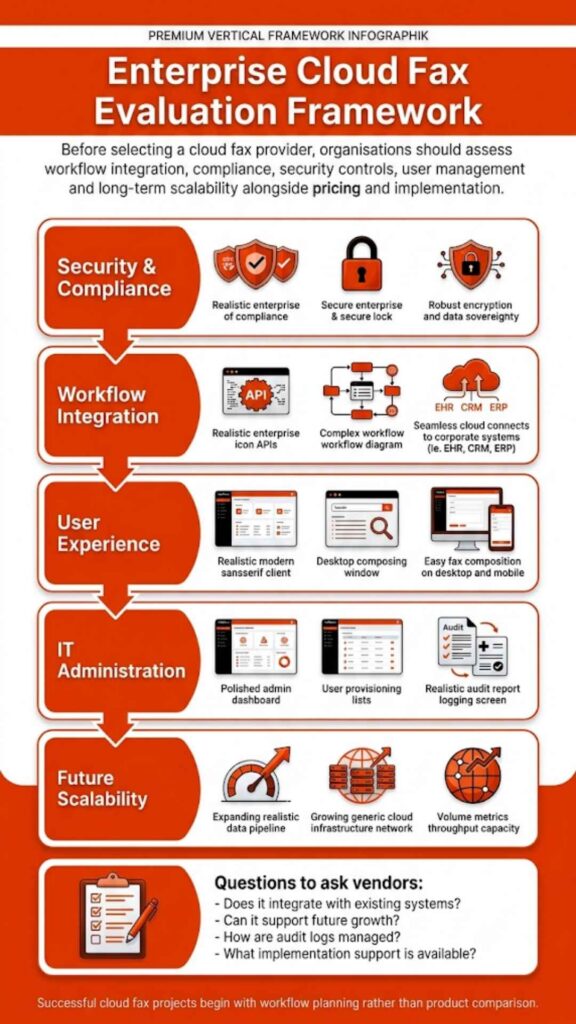
The timeline usually depends on what the organization is moving, not just the cloud fax platform itself. Before a switch begins, it helps to look at the parts of the fax workflow that can add time, require testing, or need approval from IT, compliance, or department leaders.
| Factor | Why It Affects the Timeline | What to Check Before Migration |
| Current fax setup | A single fax number is easier to move than several fax lines, shared devices, or an old fax server. | List every active fax number, location, user group, and device tied to daily fax work. |
| Number porting | Keeping an existing fax number can take longer because carrier records and authorization details must match. | Confirm account ownership, current provider details, and which numbers must stay active. |
| Department routing | Incoming faxes need to reach the right team after the switch, especially when one number serves several workflows. | Map each fax number to a department, inbox, folder, or user queue. |
| User access | Staff need the right permissions to send, receive, view, or manage faxes without exposing sensitive documents. | Decide who needs sender access, inbox access, admin rights, and audit visibility. |
| Compliance needs | Healthcare, finance, insurance, and government teams often need extra review before changing document workflows. | Review HIPAA, audit logs, access controls, encryption, retention, and BAA needs where relevant. |
| Application links | EHR, EMR, billing, document management, or production systems can add setup and test time. | Identify which systems send or receive faxes today and whether API, print-to-fax, or workflow automation is needed. |
| Fax volume | High-volume fax workflows need more planning than occasional fax use. | Review daily volume, peak hours, large document types, and retry patterns. |
| Testing requirements | A cloud fax move should be tested with real documents before old fax tools are retired. | Test inbound fax, outbound fax, delivery status, routing, permissions, and long document packets. |
For healthcare organizations, compliance review deserves early attention. The U.S. Department of Health and Human Services explains that the HIPAA Security Rule requires administrative, physical, and technical safeguards to help protect electronic protected health information. In a cloud fax migration, that makes access control, audit activity, transmission security, and user permissions part of the rollout plan, not an afterthought.
Once these details are clear, the migration plan becomes much easier to size. A small office may only need basic setup and testing, while a regulated enterprise may need a phased rollout so daily fax traffic keeps moving without confusion.
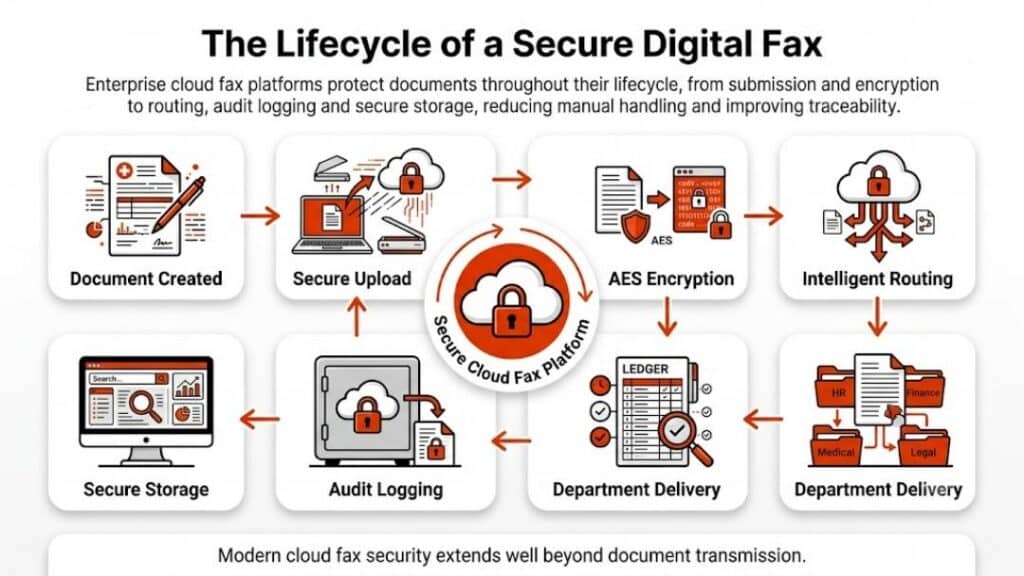
A Practical Cloud Fax Implementation Timeline
A practical cloud fax implementation timeline usually starts with discovery. This is where the team identifies fax numbers, fax lines, departments, users, peak volume, failure points, and old hardware. It may feel tedious, but it prevents trouble later. The fax machine in the corner may not look important until it turns out to receive lab reports, signed care plans, vendor orders, or time-sensitive approvals every day.
After discovery, the project moves to workflow design. This is where the business decides how incoming faxes should route, how outbound faxes should be sent, who should view each inbox, which numbers need to be ported, and which workflows require special controls. For example, a clinic may want referrals routed to one queue, billing documents to another, and pharmacy messages to a specific team. A manufacturer may want purchase orders sent to a shared folder. An enterprise may need separate rights for users, managers, and administrators.
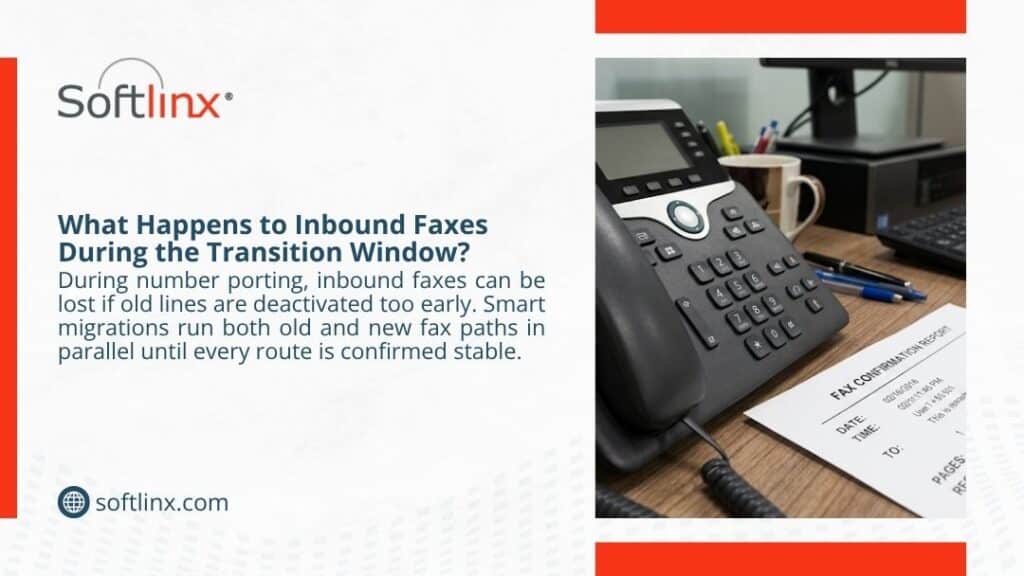
The next phase is number porting or number setup. New fax numbers are usually faster. Existing fax numbers can take longer because the number must move from the old carrier or provider to the new cloud fax service. During this stage, smart teams avoid turning off old fax infrastructure too soon. The safer move is to run a controlled transition, test both inbound and outbound fax transmission, and confirm that the fax number reaches the right destination after the port.
Integration comes next for teams that need more than a portal or email. A healthcare organization may need Epic fax integration or an EHR-connected workflow. A high-volume business may need production faxing for business applications. Another team may need fax workflow automation for routing, filing, barcode recognition, or shared-folder delivery. These setups deserve more time because they touch daily operations.
Testing should never be skipped. A clean test checks outbound delivery, inbound receipt, retry status, user rights, routing rules, audit logs, document quality, and real file types. This is also where teams should test a normal one-page fax, a multi-page packet, an image-heavy PDF, a medical record sample, and any forms used in daily work. If something fails during testing, the team still has time to fix it before staff depends on the new system.
Rollout is the last visible phase. Users receive access, learn how to fax online, and start to use the approved method for daily work. The old fax machine, phone line, or fax server should only be retired when the business has confirmed that all needed fax routes are stable.
| Phase | Estimated Time | What Happens |
| Discovery | 1 to 3 business days | Review fax numbers, users, locations, fax volume, device inventory, and department ownership |
| Workflow design | 2 to 5 business days | Plan routing, permissions, inboxes, outbound methods, retention needs, and user roles |
| Number porting or number setup | Several days to 2 weeks | Move an existing fax number or prepare new cloud fax numbers for use |
| Integration | 3 to 14+ business days | Connect email, print, portal, EHR, API, shared folders, or business applications |
| Testing | 2 to 5 business days | Confirm send, receive, retries, logs, routing, user access, and document quality |
| Rollout | 1 to 3 business days | Train users, monitor traffic, resolve early issues, and retire old tools when safe |
This is why how long does it take to switch to cloud fax has no single universal answer. A business can create a faster path by preparing details before the provider begins setup. Missing details slow the work down.
How Long Does It Take to Fax Medical Records After the Switch?
Faxing medical records can take longer than faxing a simple one-page form because records often include many pages, scanned images, authorizations, cover sheets, lab reports, physician notes, and supporting documents. If the file is large or image-heavy, transmission may take longer. If the receiving side is busy, the system may need retries. If staff route documents through an EHR or shared department queue, receipt may also depend on internal workflow rules.
After a healthcare team moves to cloud fax, staff may spend less time standing at a traditional fax machine or sorting paper from an output tray. A cloud fax platform can also help route incoming faxes to the right inbox, folder, or application. Still, the record packet itself must travel through a valid fax transmission path. That means a large packet is still a large packet, even when the sender uses a digital fax system.
This is where secure healthcare design matters. Softlinx’s Healthcare Cloud Fax Services support healthcare teams that need encrypted communications, audit controls, and compliance-aware workflows. For hospitals, clinics, pharmacies, labs, imaging centers, billing companies, and physician offices, the goal is not merely speed. The goal is a process that helps staff send and receive documents with proper access, traceability, and reliability.
So, how long does it take to fax medical records? A short packet may take only a few minutes. A large file may take much longer, especially if the receiving fax machine has line issues or the pages include detailed scans. After a cloud fax switch, the sender’s work can become easier to manage, but delivery time still depends on page count, file quality, destination availability, and routing design.
Why Number Porting Often Controls the Schedule
Number porting is one of the most common reasons a cloud fax switch takes longer than expected. A business fax number is often embedded in daily operations. It may appear on referral forms, patient instructions, invoices, claim forms, websites, vendor profiles, intake packets, supplier portals, and printed stationery. Changing that number can create avoidable confusion, so many organizations prefer to move the existing fax number into the new cloud fax system.
That is usually the right choice, but it takes coordination. The old provider, carrier records, account ownership, authorization forms, and port schedule all matter. If account details do not match, the port can stall. If a business forgot about a rarely used line, inbound faxes may arrive in the wrong place after cutover. If no one tests the number after the move, the error may not appear until a customer, patient, vendor, or partner complains.
A careful port plan should confirm which numbers must move, who owns each number, what department uses it, where inbound faxes should route, and how long the old fax line should remain available.
The short version is this: if a company can use a new fax number, setup can move faster. If the company must keep a known number, the migration may take longer, but the continuity is often worth the added care.
What Can Delay a Cloud Fax Switch?
The biggest delay is often poor discovery. Many businesses think they know how faxing works inside the organization, then find out that each department has its own habits. One team may fax through a physical fax machine. Another may scan documents first. Another may use a shared email inbox. Another may rely on a vendor portal that still expects a fax number. Old habits hide in plain sight.
Another delay is unclear ownership. If nobody knows who owns a fax number, nobody knows where inbound documents should go. This can create routing mistakes after migration. A cloud fax solution can route documents with more control than traditional faxing, but the system still needs accurate business rules.
EHR and application dependencies can also stretch the timeline. In healthcare, fax may connect to EHR, EMR, referral, billing, imaging, pharmacy, or lab workflows. In finance, it may link to loan documents, account files, signatures, or compliance records. In manufacturing, it may support purchase orders, shipping records, or supplier documents. If the fax process touches software, it needs proper testing before go-live.
Compliance review can add time too. That is not a bad thing. Regulated businesses should confirm encryption, audit logs, access controls, retention expectations, user roles, and vendor documentation. A rushed setup may look fast on a calendar, but it can create risk if sensitive information lands in the wrong place.
Staff readiness is another practical issue. People do not need a long class to use cloud fax, but they do need to know where to send a fax, where to find received documents, how to check delivery status, and what to do if a fax fails. A short rollout plan can prevent help-desk noise after launch.
Cloud Fax for Enterprise Teams: Why Bigger Setups Take Longer
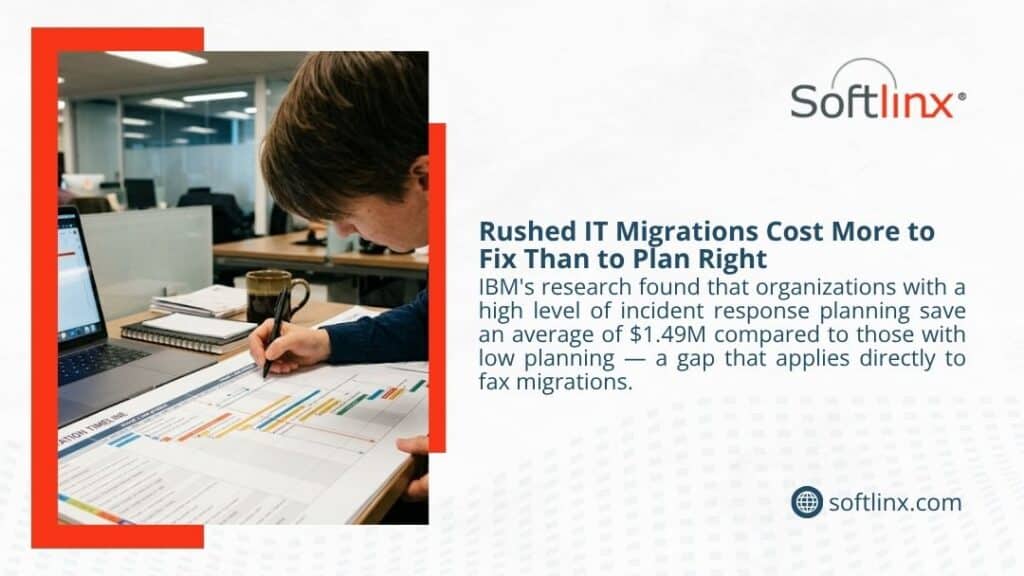
Enterprise fax solutions take longer because the fax environment is rarely simple. A large organization may have hundreds of users, dozens of fax numbers, multiple locations, shared queues, old fax servers, analog phone lines, vendor dependencies, and several ways to send documents. Some teams may need a web portal. Others may prefer email. Some may need print-to-fax from business applications. A high-volume department may need automated production fax. IT may need API control and audit reporting.
That complexity is why enterprise teams should avoid a one-day, all-at-once cutover unless the environment is already well mapped. A phased rollout is usually safer. One department can move first, then another, then higher-volume or more sensitive workflows. This allows the business to test real traffic, correct routing, and support users before the next group moves.
Softlinx’s enterprise fax solutions support this type of use case because enterprise fax is about more than sending and receiving faxes. It includes user control, administrative visibility, secure delivery, workflow fit, and the ability to support high-volume document exchange. For organizations with heavier traffic, Softlinx’s cloud fax APIs for bulk and broadcast faxing can also support application-driven fax delivery.
A strong enterprise rollout answers several questions before launch. Which fax numbers are active? Which departments own them? Which documents are sensitive? Which workflows need audit logs? Which users need send access? Which users need receive access? Which systems create faxes automatically? Which reports prove delivery? Without those answers, the migration timeline grows because the provider and internal team have to solve business process gaps during setup.
Is Faxing Instant After You Move to Cloud Fax?
Faxing is not always instant, even with cloud fax. Cloud fax can make the sender’s side faster and cleaner because staff can fax online without paper, a physical fax machine, or a walk to a shared device. It can also make receipt easier because inbound faxes can route to email, shared folders, web portals, or connected systems. But a fax still depends on the destination endpoint.
If the receiving fax machine is busy, the fax may retry. If the recipient has poor line quality, transmission may fail or take longer. If the file has many pages or detailed images, send time can increase. If inbound routing sends faxes through a review queue, the document may be delivered to the system before a staff member sees it.
That is why questions like how long does it take for a fax to go through, how fast does a fax go through, how long to receive a fax, and do faxes go through immediately need a careful answer. Cloud fax can make business fax easier to start, track, route, and manage. It does not guarantee that every recipient device, line, or workflow will behave perfectly.
For regulated teams, that caution is useful. A realistic answer builds trust. A promise that every fax is instant does not.
How to Make the Switch Faster Without Cutting Corners
The fastest safe cloud fax switch starts before the setup call. A business should first list every active fax number and match each number to a department or workflow. It should then decide which numbers must be ported, which numbers can retire, and which teams need access on day one. This simple preparation can prevent a lot of back-and-forth later.
Next, the team should decide how users will fax. Some may need email-to-fax because they already work from inboxes. Some may need print-to-fax because they send documents from desktop applications. Some may need a browser-based web portal. Developers or IT teams may need API access. A provider can configure the system more cleanly when the business knows which send method belongs to each workflow.
The business should also prepare test cases. A one-page fax is not enough. Test the real work: a patient referral, a billing packet, a purchase order, a claim form, a signed contract, a scanned PDF, a long packet, and any document type the team sends often. This is where errors appear before they affect customers, patients, partners, or staff.
For healthcare, compliance preparation should happen early. The team should confirm the BAA process, user access rules, audit needs, and any EHR or EMR requirements. Softlinx’s information on cloud fax compliance controls and how to connect fax to EHR helps clarify why a secure setup is not only a technical step.
Speed is useful. A clean handoff is better. The best timeline is the one that moves fax workflows forward without forcing staff to guess where documents went.
Cloud Fax Migration Checklist for Regulated Businesses
A regulated business should treat cloud fax migration as a controlled workflow change. That does not mean the process has to be slow. It means the right details should be clear before the switch.
| Before the Switch | Why It Matters |
| Confirm every active fax number | Prevents missed inbound faxes after cutover |
| Match each number to a department | Helps route received documents to the right team |
| Review daily and peak fax volume | Helps plan capacity, rollout order, and support needs |
| Map current send methods | Shows whether users need email, portal, print, API, or application fax |
| Identify compliance requirements | Supports HIPAA, audit, access, encryption, and retention expectations |
| Test real document types | Finds file, routing, or quality issues before launch |
| Train users on the approved process | Reduces confusion after staff stop using physical fax machines |
| Keep old fax paths active during validation | Helps avoid disruption while the new route proves stable |
This table may look basic, but it often decides whether migration feels smooth or chaotic. A company that completes these steps may switch faster because it gives the provider clear instructions. A company that skips them may lose time during setup because every answer has to be found under pressure.
FAQs About How Long It Takes to Switch to Cloud Fax
How long does it take to switch to cloud fax for a small office?
A small office can often switch to cloud fax within one to three business days when it uses a new fax number and a basic setup such as web portal fax or email-to-fax. If the office wants to keep an existing fax number, the timeline may extend while the number port takes place.
How long does a fax take to send after cloud fax setup?
A simple fax may send in a few minutes, depending on page count, file size, and destination availability. Cloud fax can make the sender’s work faster because there is no need for a traditional fax machine, paper, or a physical phone line, but the receiving side can still affect delivery time.
How long does it take to receive a fax through cloud fax?
A received fax is usually available after the sender’s transmission completes and the cloud fax system routes it to the correct inbox, folder, portal, or application. The time can vary if the sender’s fax line is slow, the document has many pages, or inbound routing rules require extra steps.
Do faxes go through immediately with cloud fax?
Not always. Cloud fax may let staff send a fax faster and track status more easily, but delivery still depends on the receiving system. A busy receiving fax machine, poor line quality, large file, or retry process can affect how long the fax takes to arrive.
How long does it take to fax medical records?
A short medical record packet may take only a few minutes. A long packet with scanned pages, images, authorizations, and clinical notes can take much longer. After a cloud fax switch, staff may manage the process more easily, but page count, file type, and recipient availability still matter.
What slows down a fax migration?
The most common delays are incomplete fax number lists, unclear department ownership, hidden fax machines, old analog lines, compliance review, EHR dependencies, user access decisions, and lack of testing. Most of these delays can be reduced through better discovery before setup starts.
Can cloud fax work with email and print workflows?
Yes. A cloud fax solution can support email-to-fax, print-to-fax, web portal fax, and application-based fax workflows. That flexibility helps staff keep familiar habits while the business moves away from physical fax machines and traditional fax lines.
When should a business retire its physical fax machines?
A business should retire physical fax machines only after it confirms that cloud fax send, receive, routing, retry, and user access all work as expected. For critical workflows, it is safer to keep the old path available during validation rather than remove it on the first day.
A Safer Way to Move Fax Workflows Forward
So, how long does it take to switch to cloud fax? For a simple setup, the answer may be a few days. For a larger business with existing fax numbers, multiple users, compliance needs, and system integrations, the answer may be several weeks. The timeline depends less on the word “cloud” and more on the work behind the fax: who sends it, who receives it, where it must go, and how sensitive the document is.
Cloud fax is not just a way to send a fax without a machine. For regulated and document-heavy organizations, it can help bring fax into a more controlled digital environment. Staff can fax online, receive documents in approved destinations, track delivery, and reduce dependence on old fax hardware. IT teams can gain clearer administration. Compliance teams can ask better questions about access, audit trails, and secure document flow.
Softlinx is built for that kind of move. Its cloud fax services support healthcare, finance, insurance, government, manufacturing, higher education, enterprise teams, developers, and IT service providers that need secure fax workflows without the limits of traditional faxing.
If your organization is still tied to phone lines, paper trays, fax servers, or scattered fax workflows, now is a good time to map what you have and decide what should move first. Start with the fax numbers. Follow the documents. Test the real workflows. Then move with a plan that protects daily operations.
To review your current fax setup and plan a secure migration path, request a cloud fax quote from Softlinx.