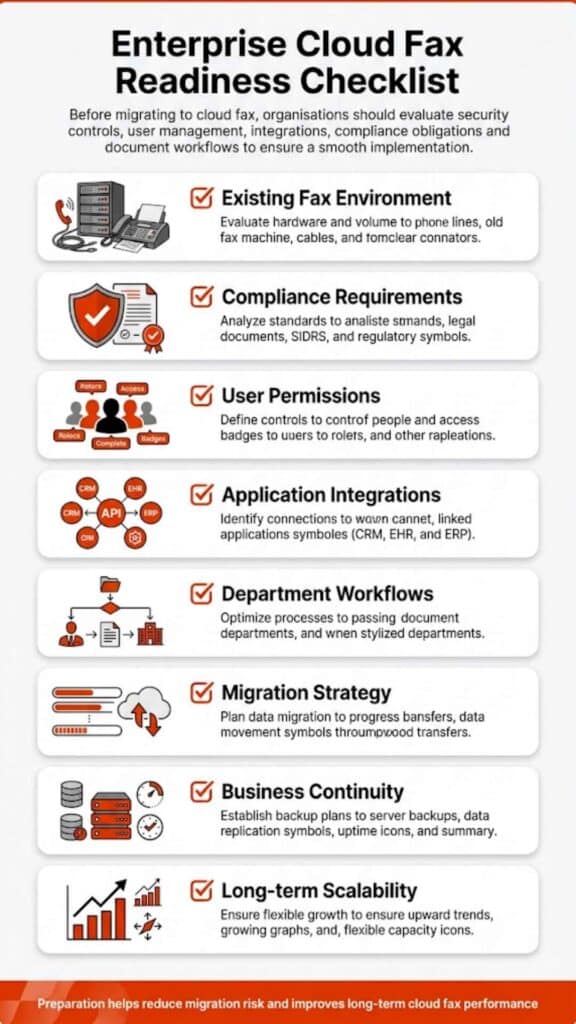
Organizations searching for SRFax alternatives often need more than basic fax delivery. They want dependable online fax infrastructure, clear compliance controls, modern integration options, and predictable performance.
This guide reviews 6 leading providers in depth, compares strengths and tradeoffs, and explains how to evaluate the right solution for healthcare, enterprise, and regulated environments.
SRFax alternatives: what businesses are really looking for
When companies begin comparing SRFax alternatives, the trigger is rarely cosmetic. It usually stems from workflow limits, integration gaps, or pricing structures that no longer align with usage. While sr fax has built a reputation in secure faxing, the market has evolved.
Today’s buyers expect cloud-native deployment, API connectivity, flexible routing logic, and straightforward compliance documentation. In 2026, Fax-to-Everything connectivity, where faxes automatically populate CRM or ERP fields, is no longer a luxury but a standard requirement for efficiency.
Healthcare organizations, in particular, continue to depend on fax. The U.S. Centers for Disease Control and Prevention has documented persistent fax reliance in healthcare data exchange due to interoperability barriers across EHR systems, highlighting the ongoing importance of Healthcare Cloud Fax Solutions.
That reliance explains why searches for SRFax alternatives often overlap with terms like HIPAA fax, online fax, and receive faxes securely. Recent industry surveys indicate that nearly 70-90% of healthcare providers still use fax as their primary mode of PHI (Protected Health Information) exchange.
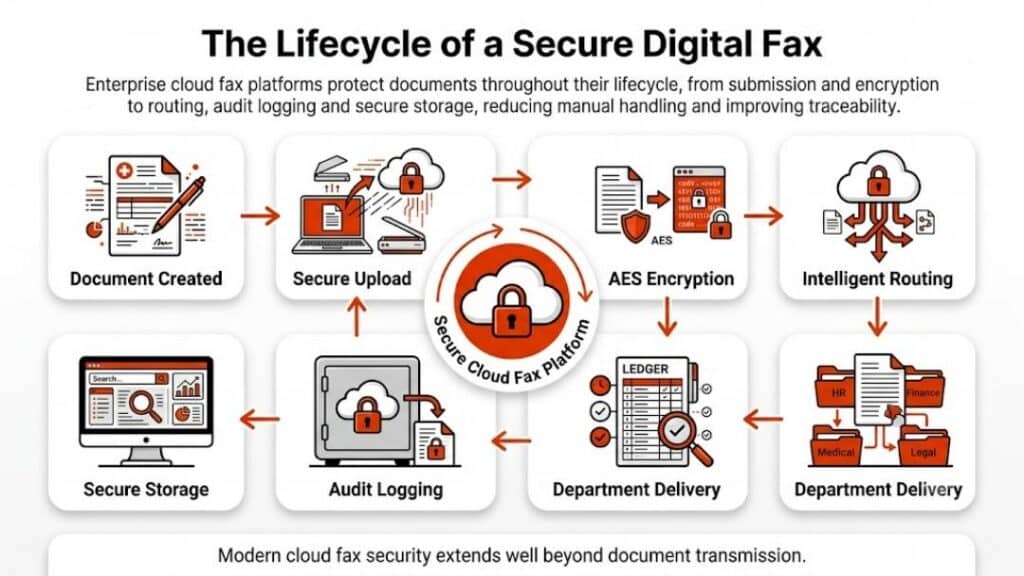
In short, the demand is not for cheap fax. It is for structured, dependable, compliant document transmission that fits modern infrastructure. A critical factor is Data Sovereignty, ensuring that faxed data is encrypted at rest and in transit within specific geographic jurisdictions to satisfy regional privacy laws.
Before reviewing alternatives, it helps to understand the difference between traditional fax server systems and cloud-based platforms. If you are evaluating on-premise replacements, this overview of a fax server explains how legacy environments differ from hosted solutions. Many buyers instead move toward secure cloud fax platforms that eliminate hardware overhead and simplify deployment.
Quick comparison of the top 6 SRFax alternatives
| Provider | Deployment Model | Healthcare Compliance Focus | API / Integration | Best For |
| Softlinx – ReplixFax | Cloud / Hybrid | Extensive (BAA included) | High (REST/SOAP/Direct) | Healthcare & enterprise workflows |
| Documo (mFax) | Cloud | HIPAA-ready | Developer tools | Mid-size medical groups |
| eFax Corporate | Cloud | Varies by plan | Basic integrations | General business use |
| Fax.Plus | Cloud | Optional compliance | Limited API depth | Small business & remote teams |
| iFax | Cloud | HIPAA option | API access | Mobile-first users |
| RingCentral Fax | Cloud | Compliance tiers | Unified comms integration | Businesses already on RingCentral |
1. Softlinx – ReplixFax
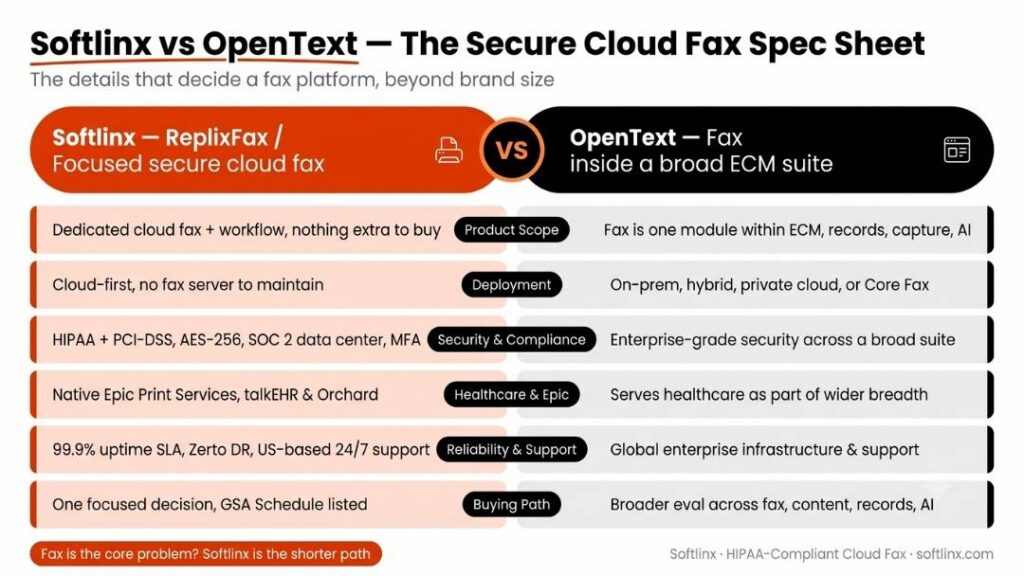
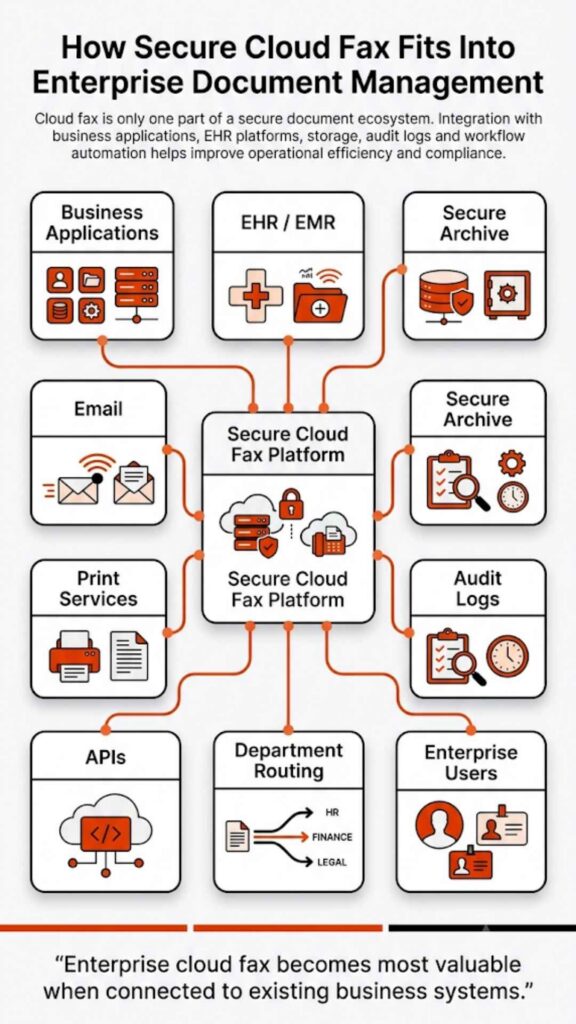
ReplixFax from Softlinx appears frequently in discussions around SRFax alternatives because it leans heavily into integration and enterprise-grade workflow control. Unlike consumer-grade tools, ReplixFax offers a High Availability architecture with 99.9% uptime SLAs, ensuring faxes are delivered even during peak traffic surges or carrier outages. Rather than focus only on sending documents, it addresses routing, audit logging, and application-level connectivity.
Healthcare remains a core focus. Organizations exploring hospital cloud fax solutions or clinic cloud fax solutions often look at platforms that integrate directly into EHR systems. ReplixFax supports that through documented API frameworks and structured routing logic, specifically offering native connectivity with major platforms like Epic, Cerner, and Orchard Software.
Key Features
| Capability | Details |
| Online fax delivery | Web portal, email-to-fax, print-to-fax, and MFP integration |
| EHR connectivity | Supports structured EHR integration via HL7 and XML metadata passing |
| Compliance support | SOC 2 Type II and HIPAA-aligned with PCI-DSS certification for finance |
| Routing control | Automated inbound routing logic, including barcode recognition and OCR triage |
| API ecosystem | REST & SOAP options with dedicated developer sandbox environments |
Best For hospitals, outpatient networks, specialty clinics, and enterprises managing high-volume inbound workflows that require 24/7 technical support and real-time disaster recovery.
Why Choose This: If your priority extends beyond SR Fax login access and into system-level integration, ReplixFax positions itself as a structured alternative. It aligns with environments that require documented audit controls and automated inbound handling, particularly where managing high-volume faxes in healthcare environments is a daily reality.
Pros & Cons
| Pros | Cons |
| Deep healthcare focus | May exceed the needs of very small firms |
| Advanced routing tools | Requires onboarding planning |
| API flexibility | Not positioned as a consumer fax |
2. Documo (mFax)
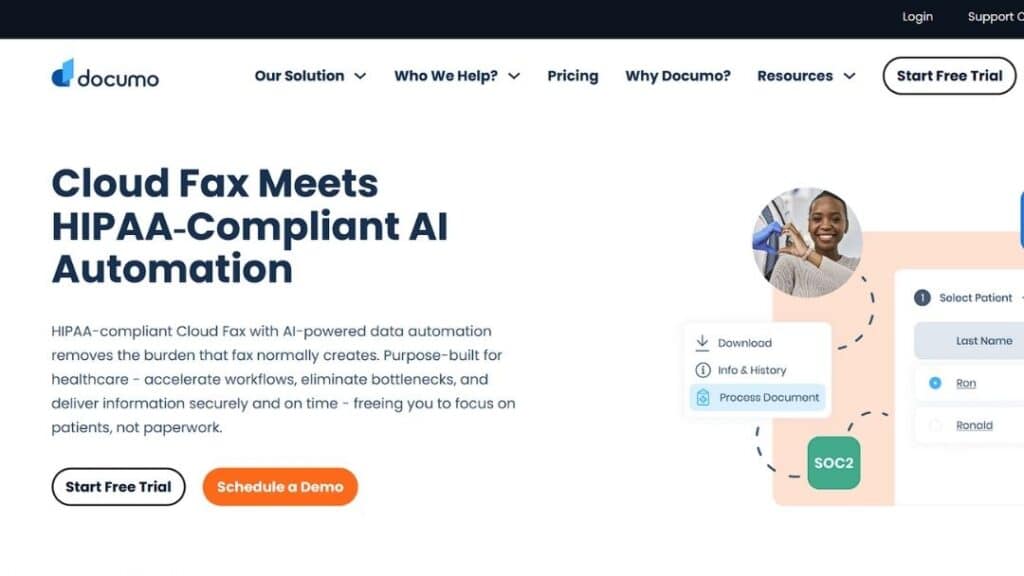
Documo markets its mFax platform as healthcare-ready and developer-friendly. It often appears in comparisons when users want something cloud-based with built-in optical character recognition (OCR) capabilities for searchable faxes and other Healthcare Fax Services.
As of 2026, the company has shifted from a standalone fax provider to a comprehensive Intelligent Document Processing (IDP) platform, leveraging AI to automate data extraction from clinical documents.
Key Features
| Capability | Details |
| Cloud-native fax | Fully hosted infrastructure with 99.9% uptime and 99.8% delivery rate guarantees. |
| HIPAA compliance | Available under BAA; also SOC 2 Type II, PIPEDA, and PCI compliant. |
| Annotation tools | Built-in document editing and integrated “mSign” for legal electronic signatures. |
| API access | REST-based API with sandbox environments, SDKs for Python/Node.js, and webhooks. |
Best for mid-size healthcare groups, specialty practices, and health-tech developers needing to embed fax into custom applications.
Why Choose This: Documo often appeals to practices transitioning from hardware-based fax to fully digital workflows without building custom integrations. In 2026, AI-powered Smart Routing allows clinics to automatically sort inbound faxes into specific patient folders based on extracted text data.
Pros & Cons
| Pros | Cons |
| Strong healthcare positioning | Interface preference varies by user |
| Easy onboarding | API depth moderate |
| Digital workflow features | Pricing tiers can scale quickly |
3. eFax Corporate
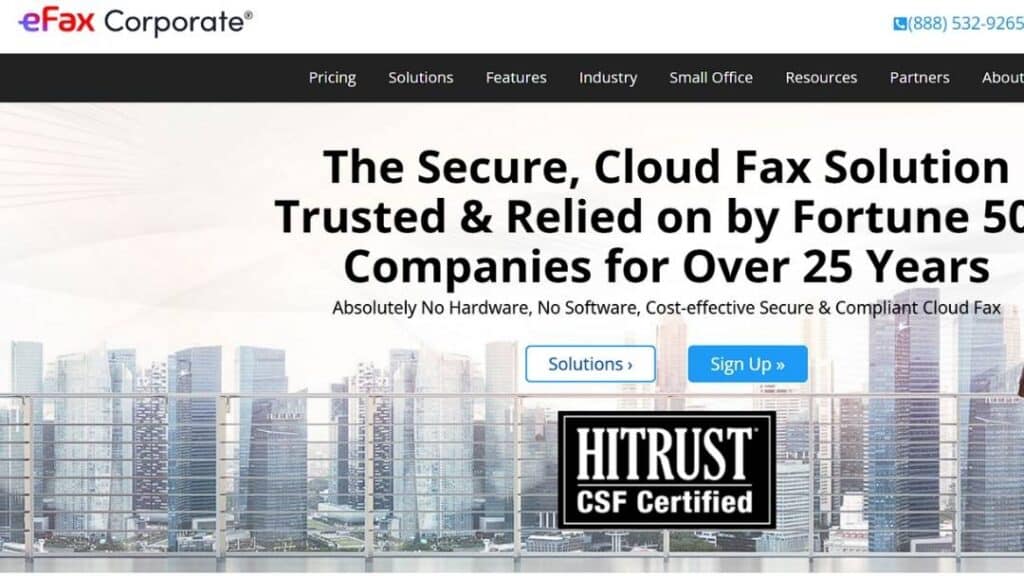
eFax is one of the longest-standing online fax brands. It frequently appears in broad comparisons and in discussions around eFax alternatives. Its corporate tier targets larger organizations by providing HITRUST CSF® certified infrastructure, specifically engineered for Fortune scalability and high-volume data exchange.
Key Features
| Capability | Details |
| Online fax | Email and portal access with TLS 1.2 encryption protocols |
| International numbers | Global reach across 100 countries |
| Document archiving | Unlimited cloud storage for the life of the subscription |
| Enterprise API | RESTful API for direct EHR integration |
Best for general business users, regulated healthcare entities, and international teams.
Why Choose This: Organizations that prioritize global coverage and familiar branding may consider eFax as one of several SRFax alternatives. It is particularly suited for enterprises replacing physical fax servers to reduce operational costs by up to 70%.
Pros & Cons
| Pros | Cons |
| Recognized brand | Healthcare compliance varies by plan |
| Global availability | Add-ons increase cost |
| Simple setup | Less customization depth |
4. Fax.Plus
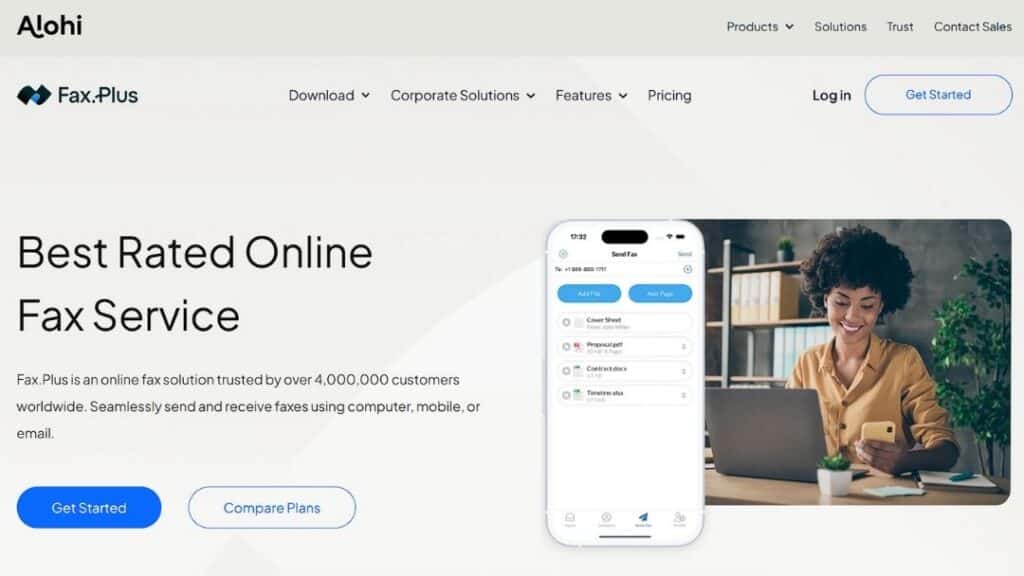
Fax.Plus emphasizes user-friendly design and app accessibility. For companies evaluating SRFax app alternatives, it often enters consideration due to its Swiss-based infrastructure and 4 million+ user base.
Key Features
| Capability | Details |
| Web & mobile access | iOS and Android support with built-in document scanning |
| Cloud-based delivery | No hardware required; 99.99% uptime reliability |
| Document storage | AES-256 encrypted cloud archive |
| API | Programmable REST API and Zapier connectivity |
| Electronic Signature | Sign.Plus integration for legally binding signatures |
Best for small businesses, distributed teams, and individual professionals.
Why Choose This: Teams needing quick online fax deployment without deep workflow logic may prefer Fax.Plus, for its seamless integration with Google Workspace, Slack, and Microsoft 365.
Pros & Cons
| Pros | Cons |
| Simple UI | Advanced Healthcare Routing Limited |
| Competitive pricing | Less enterprise depth |
| Mobile convenience | Compliance tiers optional |
5. iFax
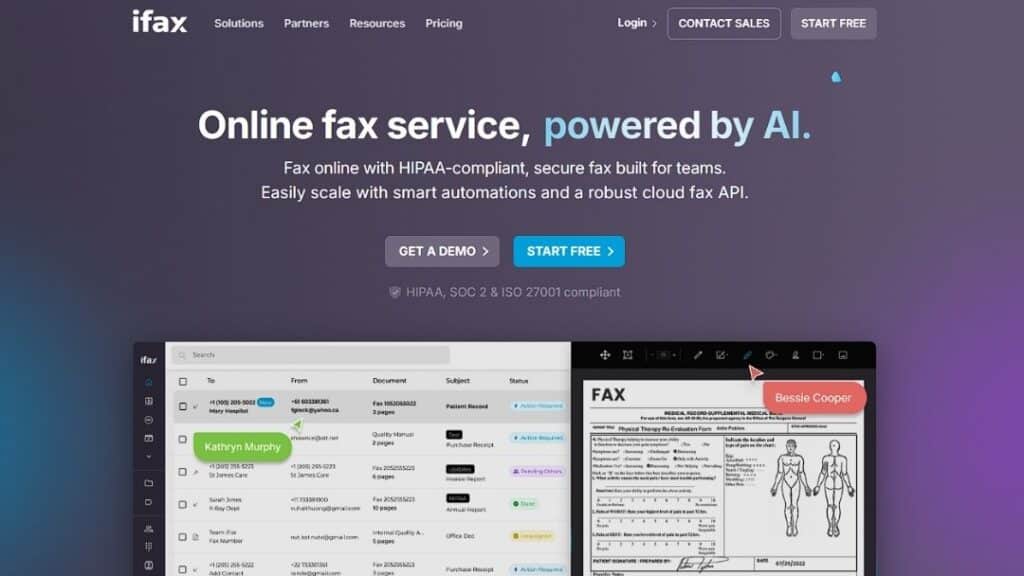
iFax markets heavily toward mobile-first professionals and organizations transitioning from legacy systems like SRFax, which lacks a dedicated mobile app. It supports HIPAA-ready configurations and programmable RESTful API connections for custom software integrations.
Key Features
| Capability | Details |
| Mobile fax | Cross-platform support for iOS, Android, and Windows |
| HIPAA option | Available on Plus/Pro plans with 256-bit AES encryption |
| API support | Programmable JSON-based API with SDKs |
| Electronic signatures | HIPAA-compliant digital signing tool built directly into the app |
| Fax Broadcasting | Send unlimited concurrent faxes (compared to SRFax’s 50-recipient limit) |
| AI Features | AI-powered OCR and smart document indexing for automated routing |
Best for professionals who need to receive faxes while traveling.
Why Choose This: If mobility matters more than depth of system integration, iFax may meet that requirement.
Pros & Cons
| Pros | Cons |
| Mobile strength | Less enterprise routing control |
| Flexible plans | Some features add cost |
| HIPAA option | Interface preference subjective |
6. RingCentral Fax
RingCentral integrates fax into its unified communications suite. Companies already using RingCentral voice often compare it against srxfax or srsfax.
Key Features
| Capability | Details |
| VoIP fax | Integrated with a voice platform |
| Cloud deployment | No hardware |
| Admin console | Centralized control |
| Compliance tiers | Enterprise options available |
If you are reviewing VoIP fax capabilities, understanding how VoIP transmission differs from analog lines is essential. RingCentral specifically utilizes T.38 protocol support to improve reliability over IP networks.
Best for organizations already invested in RingCentral’s communications platform or those needing high-volume broadcasting capabilities.
Why Choose This: Consolidation with a single communications vendor may reduce vendor complexity and simplify user management through Single Sign-On (SSO) and centralized billing.
Pros & Cons
| Pros | Cons |
| Unified communications | Fax is not the primary focus |
| Enterprise ecosystem | Requires RingCentral subscription |
| Central admin control | Limited healthcare routing tools |
Pricing and cost considerations
Cost comparisons around SRFax alternatives often start with a monthly subscription number and end there. That approach misses the broader financial picture. Fax platforms affect administrative labor, compliance risk, IT overhead, and workflow speed. In regulated industries, a minor configuration gap can carry regulatory exposure that far outweighs subscription fees.
According to guidance from the U.S. Department of Health & Human Services, HIPAA compliance is not just about technology selection but also safeguards, audit controls, and transmission security. That context matters when reviewing pricing models. A lower-cost plan without audit tracking or encryption standards may introduce risk.
Beyond compliance, infrastructure models also affect expense. On-premise fax server environments require hardware, telephony lines, and ongoing maintenance. Cloud-based online fax services shift those responsibilities to the provider. When evaluating SRFax alternatives, decision-makers should look beyond sticker pricing and examine the total cost of ownership.
The table below outlines cost dimensions that frequently influence purchasing decisions.
| Cost Factor | SRFax Model Consideration | Cloud-Based Alternative Consideration | Financial Impact Insight |
| Subscription Structure | Tiered monthly pricing | Tiered or usage-based | Volume affects long-term scalability |
| Hardware Requirements | None (cloud-based) | None (cloud-based) | Eliminates equipment refresh costs |
| API / Integration Access | Available | Varies by provider | Integration depth may affect IT labor |
| Compliance Documentation | HIPAA-ready | Varies by vendor | Gaps can increase risk exposure |
| Scalability | Plan-based expansion | Flexible scaling tiers | Impacts long-term growth alignment |
| Admin & Routing Tools | Standard routing | Advanced workflow options in some vendors | Automation may reduce manual review time |
| Support Levels | Business-hour support tiers | Enterprise support options vary | Downtime affects productivity cost |
Pricing reviews should also factor in workflow efficiency. Platforms that support automated routing of incoming faxes can reduce staff review time. Organizations managing high document volume should assess whether the provider offers dependable uptime guarantees and structured audit logs.
For healthcare entities, evaluating the broader benefits of cloud fax can clarify operational tradeoffs. The goal is not merely to reduce a monthly invoice. It ensures that compliance, performance, and scalability align with institutional needs.
Choosing Among SRFax Alternatives in 2026
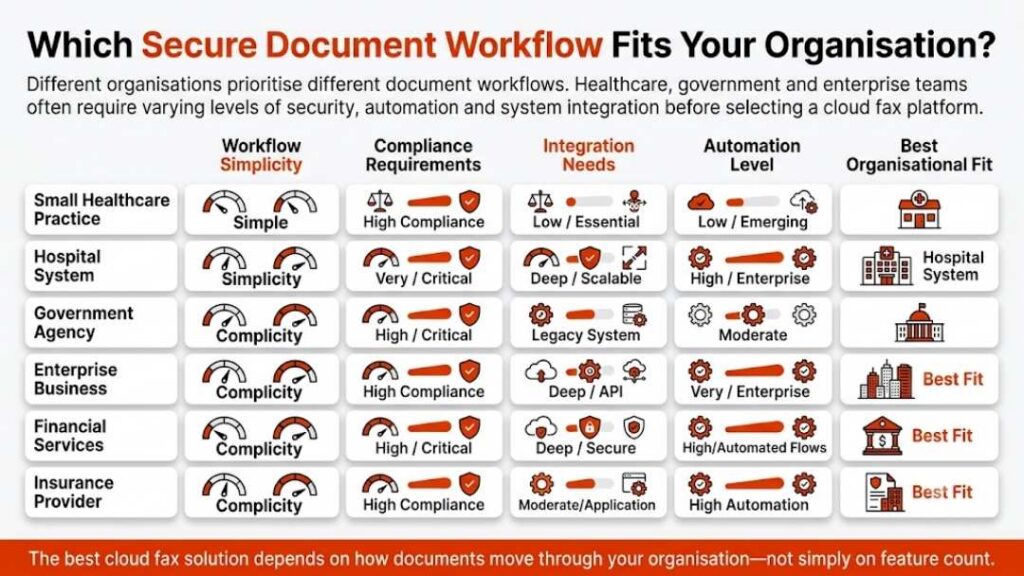
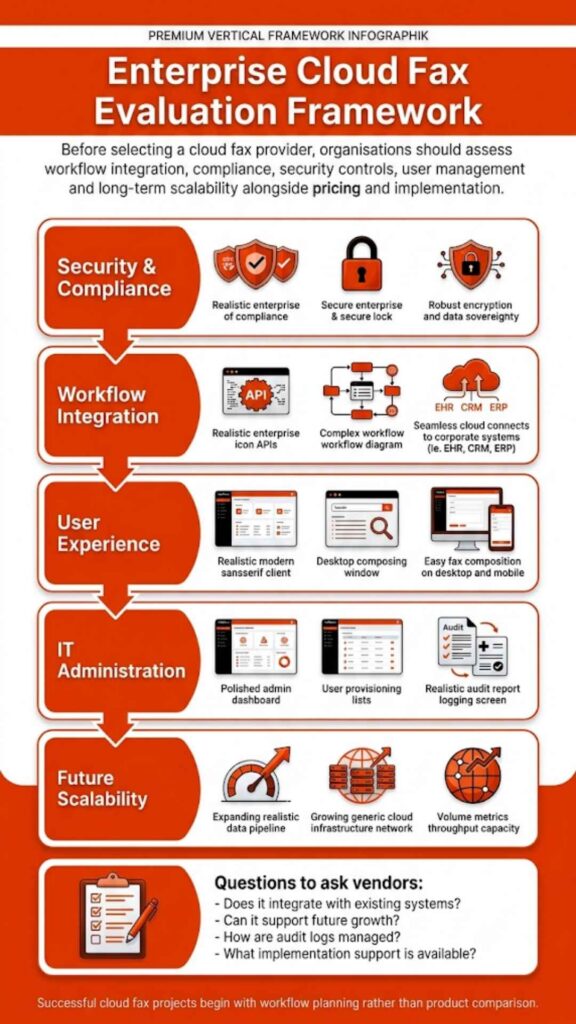
Selecting between SRFax alternatives requires clarity about operational priorities. One organization may prioritize deep healthcare integration, while another values mobility or global number coverage. In 2026, buyers typically evaluate platforms across five structural dimensions: integration depth, compliance safeguards, scalability, usability, and ecosystem alignment.
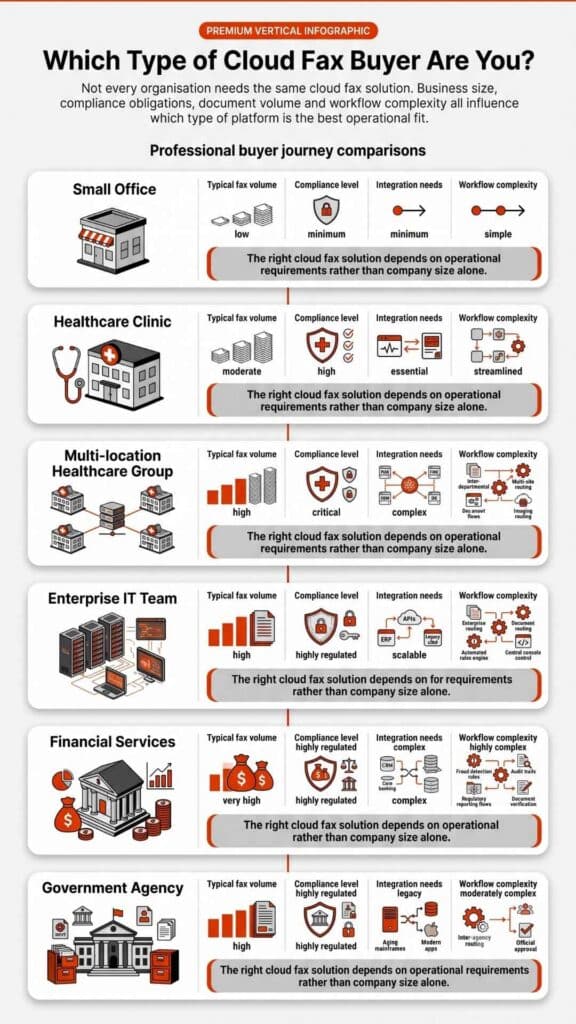
For healthcare environments, integration with electronic health records is often decisive. Facilities reviewing hospital cloud fax solutions or physician cloud fax solutions must confirm structured API support. Enterprises handling distributed communications may instead focus on administrative controls and unified communication systems.
The following table summarizes decision drivers and how different provider profiles tend to align.
| Evaluation Priority | Best-Suited Provider Profile | Why It Matters |
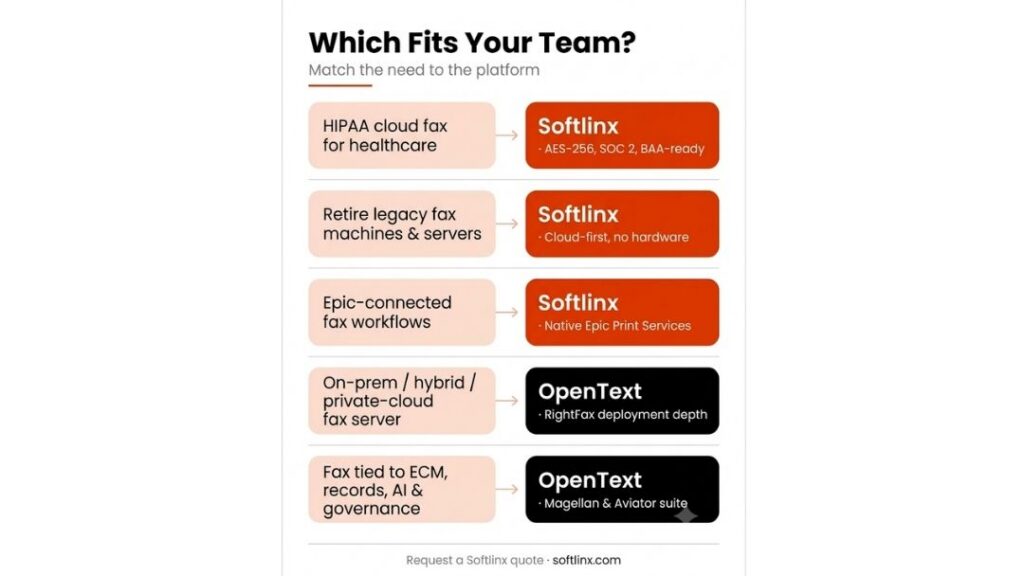
| Advanced Healthcare Integration | ReplixFax (Softlinx) | Designed to support structured EHR connectivity and workflow routing |
| Mid-Size Clinical Deployment | Documo | Healthcare-ready without enterprise complexity |
| General Business Fax Needs | eFax Corporate | Broad availability and familiar brand recognition |
| Small Business & Remote Teams | Fax.Plus | Simple deployment with mobile support |
| Mobile-First Professionals | iFax | Strong app ecosystem |
| Unified Communications Integration | RingCentral Fax | Consolidated communications environment |
Healthcare administrators must also consider regulatory interpretation. The question Is fax HIPAA compliant? depends not only on the vendor but also on internal safeguards. Reviewing HIPAA rules for faxing medical records before selecting a provider can prevent compliance missteps.
Enterprises handling large fax volumes should evaluate whether enterprise fax solutions offer reliable uptime for high-volume needs. A service interruption during peak intake hours can affect patient scheduling, billing documentation, or contract processing.
Choosing among SRFax alternatives ultimately requires aligning technical capabilities with operational realities. The best vendor for a single-location office may not serve a multi-state health network.
Make the Right Move with Confidence
Evaluating SRFax alternatives in 2026 demands more than a feature checklist. It calls for a practical assessment of compliance discipline, integration flexibility, scalability, and administrative control. Fax remains deeply embedded in healthcare, finance, and regulated industries. The provider you choose influences not only document transmission but also workflow reliability and risk exposure.
If your organization requires structured EHR integration, secure cloud deployment, automated routing, and enterprise-grade oversight, Softlinx and its ReplixFax platform merit serious consideration. Its focus on healthcare and high-volume environments reflects the operational realities many institutions face today. Explore how Softlinx can support your transition to a more resilient, compliance-focused fax environment. Review its cloud fax capabilities, integration options, and healthcare solutions to determine whether it aligns with your long-term strategy.