Healthcare revenue cycle management (RCM) is a critical part of the healthcare industry. It’s responsible for managing the financial processes associated with patient care. From the initial patient registration and appointment scheduling to billing and payment collection, RCM ensures that healthcare providers receive timely and accurate payments for the services they deliver. Effective RCM is essential for maintaining financial stability and operational efficiency of healthcare organizations.
Challenges in Traditional Faxing Methods for Revenue Cycle Management
Traditional faxing methods have long been a cornerstone of healthcare revenue cycle management. They serve as a primary means of communication between healthcare providers, billing departments, and insurance companies. However, these conventional processes come with challenges that hinder efficiency and increase the risk of errors. Manual data entry, paper-based systems, and the physical handling of documents often lead to delays, miscommunications, and potential loss of critical information. As the healthcare industry continues to shift, there is a growing need to modernize these outdated methods.
What Is Healthcare Revenue Cycle Management?
Healthcare revenue cycle management involves overseeing and managing the financial aspects of patient care. It is defined by all administrative and clinical functions that contribute to the capture, management, and collection of patient service revenue.
This process begins with patient registration and appointment scheduling, continues through coding and billing, and concludes with payment collection. Effective RCM ensures that healthcare providers are reimbursed for their services promptly and accurately.
Importance of RCM In Healthcare
The importance of healthcare revenue cycle management cannot be overstated. It plays a vital role in ensuring that healthcare providers maintain a steady flow of revenue, which is essential for sustaining operations, investing in new technologies, and delivering high-quality patient care. Key benefits of effective RCM include:
Timely and Accurate Billing: Properly managed RCM ensures that billing processes are efficient, accurate, and compliant with regulatory requirements, reducing the likelihood of claim denials and delays in payment.
Optimized Revenue Collection: By streamlining the revenue cycle, healthcare organizations can optimize their revenue collection efforts, reducing the risk of unpaid claims and improving cash flow.
Improved Financial Stability and Operational Efficiency: A well-functioning RCM system contributes to the overall financial stability of the healthcare organization. It enables it to allocate resources more effectively and focus on delivering quality patient care.
Traditional RCM Methods
Traditional revenue cycle management methods rely on manual processes and paper-based systems. These systems are prone to inefficiencies and errors. Common challenges associated with conventional RCM processes include:
Manual Data Entry: The manual input of patient information, billing codes, and other data increases the risk of errors. This can lead to claim denials and delays in payment processing.
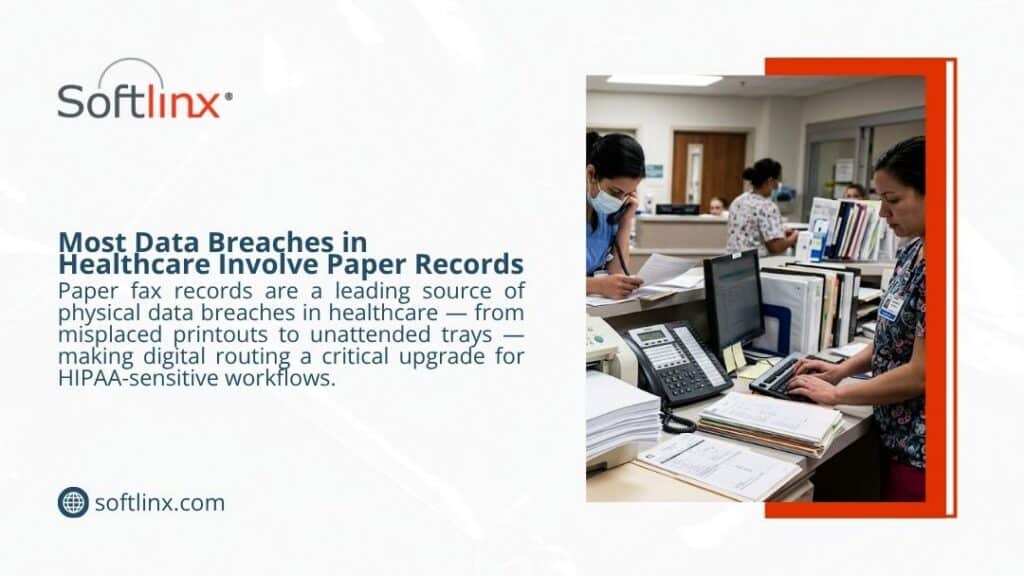
Paper-Based Systems: Paper records are easily lost, misplaced, or damaged. This can compromise the integrity of the RCM process and lead to financial losses.
Lack of Integration: Traditional RCM systems often operate in silos, with limited integration between different departments and systems. This can result in fragmented workflows and communication breakdowns.
Modern RCM
The advent of digital technology has transformed healthcare revenue cycle management. New solutions are available that address the limitations of traditional methods. Modern RCM systems leverage advanced technologies, such as:
Digital solutions have revolutionized healthcare revenue cycle management by providing tools that automate and optimize various aspects of the process. Key benefits of these solutions include:
Enhanced Efficiency: Automated systems reduce the need for manual data entry, minimizing errors and speeding up the RCM process.
Improved Accuracy: Digital solutions ensure that billing and coding are accurate and compliant with industry standards, reducing the risk of claim denials.
Better Integration: Modern RCM systems integrate seamlessly with other healthcare management software, facilitating smooth communication and collaboration between different departments.
Cloud fax technology, in particular, is a powerful tool in the modernization of RCM. It offers numerous advantages over traditional faxing methods.
Benefits of Cloud Fax Technology
Enhanced Accessibility and Collaboration
One of the main benefits of cloud fax technology is its ability to enhance accessibility and collaboration. Unlike traditional faxing, which requires physical access to fax machines and paper documents, cloud faxing allows authorized personnel to access documents from anywhere, at any time. This capability is especially valuable in a healthcare setting, where timely access to information is crucial for patient care and revenue cycle management.
Cloud fax technology also facilitates better collaboration among healthcare providers, billing departments, and insurance companies. By enabling the quick and secure exchange of documents, cloud faxing ensures that all parties involved in the RCM process are on the same page.
Scalability and Flexibility
Healthcare organizations often experience fluctuations in fax traffic, depending on the volume of patients and the complexity of their billing processes. Healthcare Cloud Fax Solutions offer scalable capabilities that can grow with the needs of the organization. This allows them to handle varying volumes of fax traffic without the need for additional hardware investments.
Streamlined Workflow Integration
Cloud fax technology integrates with existing electronic health record (EHR) systems and other healthcare management software. This ensures that faxes are automatically routed to the correct electronic folders. This integration reduces the risk of lost or misplaced documents.
Reduced Environmental Impact
Traditional faxing methods rely heavily on paper. This contributes to waste and environmental degradation. By eliminating the need for paper-based faxing, cloud fax technology supports more environmentally friendly healthcare operations. This shift aligns with the broader trend toward sustainable practices within the healthcare industry.
Improved Efficiency and Productivity
Cloud fax technology automates the faxing process. This eliminates the need for manual handling of paper faxes. This automation speeds up the entire RCM process, from patient registration to claims processing, allowing healthcare staff to focus on critical tasks rather than administrative burdens. As a result, organizations can improve productivity and ensure that their revenue cycle runs smoothly and efficiently.
Implementing Cloud Fax Technology in RCM
Successfully implementing cloud fax technology in healthcare revenue cycle management requires careful planning and execution. The following steps outline the key considerations for a smooth transition:
Assessment and Planning
The first step in implementing cloud fax technology is to evaluate the current faxing processes and identify inefficiencies. By understanding the specific needs and goals of the organization, healthcare providers can develop a tailored plan for integrating Healthcare Fax Solutions into their RCM workflow.
Choosing the Right Cloud Fax Provider
Selecting the right cloud fax provider is crucial for the success of the implementation. Healthcare organizations should research and compare different providers based on features, security, compliance, and scalability. Choosing a provider that meets the organization’s requirements ensures a smooth and secure transition to cloud fax technology.
Integration with Existing Systems
To maximize the benefits of cloud fax technology, it is essential to ensure compatibility with existing EHR systems and other healthcare management software. Working with your cloud fax provider during the integration process can help ensure that the new system integrates seamlessly with existing workflows.
Staff Training and Education
Proper training is essential for the successful adoption of cloud fax technology. Healthcare organizations should provide comprehensive training for all relevant staff members, offering ongoing support and resources to address any questions or issues that may arise during the transition.
Data Migration
Migrating existing fax data to the new cloud fax system is a critical step in the implementation process. Careful planning and execution are required to ensure data integrity and security during the migration, with thorough verification to confirm that all necessary data has been successfully transferred.
Implementation and Testing
Rolling out the cloud fax system in phases can help minimize disruption to the organization’s operations. Conducting thorough testing at each phase allows healthcare providers to identify and resolve any issues before fully implementing the system.
Monitoring and Optimization
Continuous monitoring and optimization of the cloud fax system are essential to ensure its ongoing performance and security. Gathering feedback from staff and stakeholders can help identify areas for improvement, allowing the organization to regularly update and optimize the system to meet evolving needs.
In Conclusion
Cloud fax technology is revolutionizing healthcare revenue cycle management. It does this by addressing the inefficiencies and challenges of traditional faxing methods. By enhancing accessibility, scalability, workflow integration, and environmental sustainability, cloud faxing offers a powerful solution for modernizing RCM processes. Healthcare organizations looking to optimize their revenue cycle management should explore and implement cloud fax solutions to stay ahead in an increasingly digital world.
Contact Softlinx
Softlinx offers secure cloud fax solutions designed to meet the unique needs of healthcare and enterprise businesses. With a focus on security, compliance, and scalability, Softlinx provides a reliable and efficient cloud fax service that can transform your revenue cycle management processes. For more information or to schedule a demonstration, please contact Softlinx today. You can also request a quote via our website.
Yes, in most business settings, cloud fax is more secure than traditional fax when it is built with encryption, access controls, audit trails, secure storage, and compliance-focused administration. That answer matters because fax has not disappeared from healthcare, insurance, finance, government, education, or manufacturing. It still carries referrals, claims, signed forms, authorizations, medical records, account documents, and time-sensitive business paperwork every day.
The real issue is not whether fax still works. It does. The issue is whether the way a business sends, receives, stores, and tracks faxes still fits modern security expectations. Traditional fax machines rely on paper, shared trays, phone lines, manual pickup, and office habits. A secure cloud fax service gives teams more control over who can send documents, who can view them, where they are stored, and how delivery is tracked.
In this article, we’ll explore how cloud fax and traditional fax compare across encryption, access control, audit trails, document handling, compliance needs, and everyday business security risks.
Is Cloud Fax More Secure Than Traditional Fax for Businesses?
For regulated organizations, the practical answer is usually yes. That does not mean every online fax service is safe by default. It means a well-managed cloud fax platform can offer stronger protection than a physical fax machine in a shared office.
Traditional fax machines were built for document delivery, not today’s cybersecurity standards. A fax arrives, prints, and waits. Someone has to collect it. If the wrong person walks by, the document is visible. If a number is mistyped, sensitive information may reach the wrong destination. If the machine stores images or connects to a networked printer, there may be added device risk. None of this looks dramatic from the outside. In real offices, though, small mistakes are often where privacy problems start.
A cloud fax service changes that setup. Instead of routing every document through one physical device, approved users can send and receive faxes through a secure web portal, email-to-fax, print-to-fax, application workflow, or API. The right platform can support authentication, access controls, delivery records, audit trails, encryption, and secure digital storage. For healthcare, financial services, insurance, government, manufacturing, and higher education, those controls can make fax less dependent on paper and more accountable.
Softlinx’s secure cloud fax services for regulated teams fit that need. The goal is not to dress up fax as something new. The goal is to keep fax usable for business while reducing the weak points that come with paper-heavy, machine-based faxing.
Why Traditional Fax Still Feels Secure But Often Isn’t
Traditional fax still has a reputation for privacy because it feels separate from email. It does not sit in a crowded inbox. It does not invite a reply-all mistake. It does not look like a file attachment that can be forwarded across departments in seconds. For years, that gave fax a sense of trust. But “familiar” is not the same as secure.
Traditional fax security depends on a chain of human and physical controls. The sender must dial the correct number. The recipient must keep the machine in a protected area. Staff must collect pages quickly. Printed documents must be filed, shredded, or routed without delay. The device must not expose stored images. The office must prevent visitors, vendors, patients, students, or unauthorized employees from seeing incoming faxes. That is a lot to ask of a busy workplace.
The American Dental Association’s privacy guidance for fax machines reflects this reality. It recommends confirming fax numbers, placing fax machines in secure locations, using confidential cover sheets, pre-programming common numbers, and avoiding risky redial behavior when sensitive information is involved. Those steps are useful, but they also show the core weakness of traditional fax: safety depends heavily on staff discipline and physical surroundings.
A traditional fax machine may produce a transmission report, but that report does not always answer the questions compliance and IT teams care about. Who viewed the document? Who downloaded it? Where was it stored? Was it routed to the right department? Did anyone access it after delivery? In a high-volume clinic, billing office, insurance department, public agency, or enterprise team, that visibility gap can become a real operational risk.
How Secure Cloud Fax Works
Cloud-based faxing moves the fax process into a controlled digital environment. A user may send a document through web portal faxing, email-to-fax workflows, print-to-fax from business applications, a workflow queue, or a developer API. The cloud fax service then manages the transmission, delivery status, routing, storage, and records.
From the recipient’s side, the fax may still arrive at a normal fax number. From the sender’s side, the process is less like walking to a machine and more like using a managed business system.
That shift matters. A cloud fax platform can require user logins. It can limit access by role. It can track who sent a fax, when it was sent, what number received it, and whether delivery failed or completed. It can route inbound faxes to an approved inbox instead of a paper tray. It can also help teams send and receive faxes without paper jams, toner problems, dedicated phone lines, or one shared machine that everyone depends on.
This is where secure cloud faxing earns its value: it does not simply move fax online; it gives fax a control layer.
Fax Security Comparison: Cloud Fax vs Traditional Fax
The easiest way to compare fax security is to look at where information can leak. Traditional fax exposes documents through paper output, phone-line dependence, machine access, device memory, and manual handling. A secure cloud fax workflow can reduce many of those exposure points.
Security Area
Traditional Fax
Secure Cloud Fax
Transmission
Often depends on analog fax protocols, phone lines, and legacy hardware
Can use secure digital transmission methods, depending on provider and workflow
Encryption
Traditional fax is not usually encrypted in the modern cybersecurity sense
A business-grade cloud fax service may support encryption in transit and at rest
Access control
Anyone near the machine may see incoming pages
Users can be managed with logins, roles, permissions, and administrative controls
Audit trail
Sent reports may exist, but user-level visibility is often limited
Digital records can track sent, received, failed, routed, and accessed faxes
Document storage
Paper folders, local drives, or device memory may create exposure
Controlled digital storage can support retention and access policies
Human error
Misdialed numbers, unattended pages, and misplaced files remain common concerns
Verified contacts, routing rules, and digital queues can reduce avoidable mistakes
Remote work
Staff may need office access or a workaround
Approved users can fax through secure portals or connected workflows
Business continuity
Broken machines, busy lines, paper jams, or office access issues may delay work
Cloud fax can keep fax workflows available without depending on one physical device
This is why the question “is cloud fax more secure than traditional fax” deserves more than a yes-or-no answer. Security comes from controls. Traditional fax has fewer built-in controls. A secure cloud fax platform can add more of them.
Are Faxes Encrypted?
Many buyers ask this before they replace a fax machine: are faxes encrypted?
For traditional fax, the answer is usually no, not in the way modern security teams use the word. A standard fax sent over a phone line may feel private because it is not email, but that does not mean the document has cryptographic protection. If someone asks, “Is fax encrypted?” the safer answer is that traditional fax generally should not be treated as encrypted communication.
Cloud fax is different when the provider has the right safeguards. A business-grade service may protect documents through encryption in transit, encryption at rest, secure communication protocols, controlled access, and logged activity.
Softlinx positions its healthcare fax solution around secure, HIPAA-compliant transmission, encryption, business continuity, and compliance-focused safeguards for healthcare data.
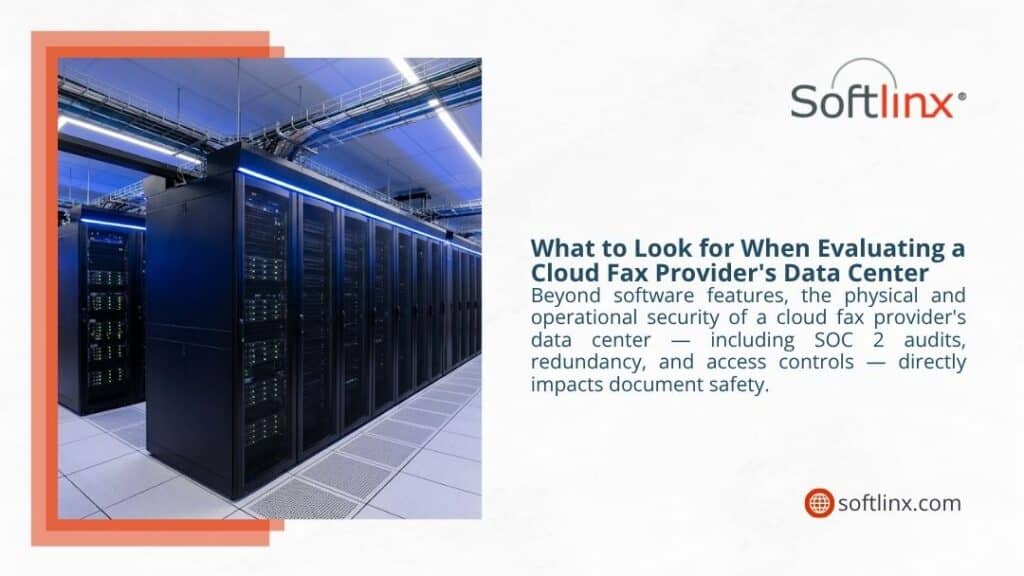
Softlinx states that its healthcare fax solution uses AES 256-bit encryption and TLS protocols over a secure communication link, with its ReplixFax service hosted in a HIPAA-compliant, SOC 2-audited data center.
There is still one practical nuance. If a cloud fax reaches a recipient’s physical fax machine, the receiving environment still matters. The sender may use a secure cloud fax platform, but the recipient may print the fax in a shared office. Fax security is not only about the sending tool. It covers the full path: prepare, send, transmit, receive, route, store, and access.
Can Faxes Be Intercepted or Hacked?
Can faxes be intercepted? With traditional fax, the risk can exist. A standard phone-line fax is not the same as an encrypted digital channel. In everyday business, the more common problem may be less technical: a wrong number, an exposed tray, an unattended machine, or a document picked up by the wrong person.
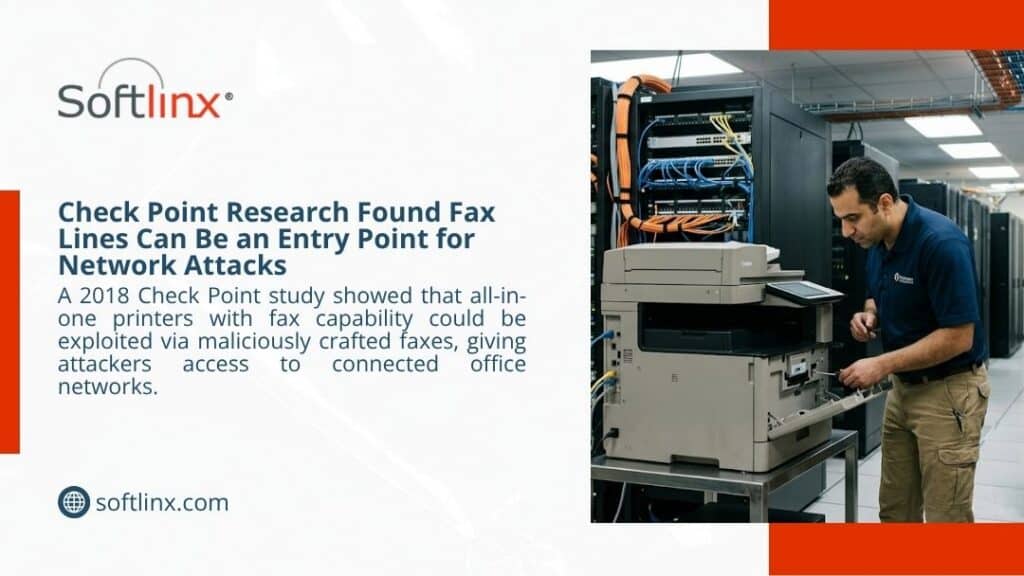
Can fax machines be hacked? Yes, fax-capable devices can create security risk, especially when a fax function is built into an all-in-one printer connected to a network.
Fax is perceived as a secure method of data transmission. That’s a huge misconception; it’s absolutely not secure. Check Point researcher Yaniv Balmas told the BBC in its report on fax machine vulnerabilities.
That does not mean every fax machine is under attack. It means the old assumption that fax is automatically safe does not hold up. A fax machine can sit quietly in the corner and still create risk if it stores data, connects to a network, lacks updates, or gives unauthorized people access to printed documents.
This is one reason IT teams often prefer to reduce dependence on physical fax machines. Cloud fax gives them a more manageable place to set controls, review logs, and guide users into a safer process.
Is Faxing More Secure Than Email?
The fax vs email security debate gets messy fast. Some people say fax is safer than email because it avoids inbox forwarding, phishing messages, and accidental reply-all exposure. Others say email can be safer because it may support encryption, identity controls, and modern security tools. Both claims can be true in the right context.
Is fax more secure than email? Traditional fax may avoid some email-specific problems, but it has its own risks. Paper can sit in a tray. A number can be mistyped. A shared fax machine may not show who handled a document. A networked fax device may create technical exposure. Ordinary email can also expose attachments through compromised accounts, careless forwarding, or weak access control.
A better way to frame it is this: secure cloud fax may be safer than ordinary email for certain regulated document workflows, but no channel is safe by default. The process has to be protected.
For businesses that still need fax interoperability, cloud fax can be a practical middle ground. It keeps fax delivery available while adding security controls that traditional fax machines do not offer on their own.
What Makes a Fax Secure?
A secure fax is not just a document that reaches the right number. It is a controlled process that protects the document before, during, and after delivery.
A strong secure fax workflow should verify recipients, protect files from unauthorized access, encrypt data where possible, track activity, limit users by role, apply retention rules, and support compliance requirements. In healthcare, that may also mean working with a provider that can support Business Associate Agreement needs and HIPAA-focused safeguards.
The U.S. Department of Health and Human Services explains that the HIPAA Security Rule requires regulated entities to use administrative, physical, and technical safeguards to protect electronic protected health information.
That framework is helpful outside healthcare, too. Strong fax security is not one feature hidden in a settings menu. It is a mix of technology, policy, vendor controls, staff behavior, and proof.
For healthcare organizations that handle PHI, a HIPAA-compliant fax service can bring fax workflows closer to the level of control expected in modern clinical and administrative systems.
Cloud Fax Security for Regulated Industries
Cloud fax business needs vary by industry. A small office with one low-risk fax a month does not face the same pressure as a health system, payer, lender, public agency, university, or claims operation. The more sensitive the document, the more important the control layer becomes.
Healthcare
Healthcare faxing still supports referrals, medical records, lab results, prescriptions, billing documents, authorizations, and EHR workflows. These documents may contain PHI, so careless faxing can create privacy and compliance concerns.
Secure cloud fax helps by moving inbound and outbound fax activity into a managed environment with access limits, records, encryption options, and routing rules. Softlinx offers healthcare cloud faxing for organizations that need secure fax communication across clinical and administrative workflows. For teams that need fax inside health IT systems, EHR fax integration can also reduce manual document handling and support more consistent routing.
Insurance
Insurance teams handle claims, policy documents, supporting records, authorizations, medical files, and benefit details. A lost or misdirected fax can slow a case and expose private information. Secure fax workflows can help route documents into controlled inboxes and defined queues rather than loose paper stacks. For claims-heavy teams, secure fax workflows for insurance teams can support better document control without asking every partner to abandon fax.
Financial Services
Banks, brokers, lenders, and finance teams often manage identity documents, signed authorizations, account forms, loan files, and transaction records. In this setting, fax security should include controlled access, delivery records, careful retention, and clear administrative oversight. Cloud fax for financial services helps maintain fax compatibility while giving teams a more manageable document trail.
Government and Education
Government offices process applications, permits, contracts, public records, HR files, and case documents. Higher education teams may handle student records, financial aid paperwork, employment forms, and department files. Both sectors need controlled access and reliable records. Government fax workflows and higher education fax solutions can support fax use where legacy processes still exist, but stronger oversight is needed.
Traditional Fax vs Cloud Fax: Practical Risk Table
Fax risks tend to show up in ordinary moments. A page waits too long. A number is typed wrong. A machine runs out of paper. A document reaches the wrong department. A compliance team later asks who saw the fax, and no one can say for sure.
Risk
Why It Matters
Better Practice
Unattended fax pages
Sensitive information may sit where unauthorized people can see it
Route inbound faxes to secure digital inboxes
Misdialed numbers
One wrong digit can expose private records
Use verified address books and destination controls
Shared fax machines
Many users may send, collect, or view pages without clear accountability
Use individual user accounts and permission settings
Limited audit trails
It can be hard to prove who sent, received, or accessed a document
Use fax logs, reports, and delivery records
Device compromise
All-in-one fax devices may connect phone lines with office networks
Reduce dependence on physical fax machines where possible
Paper storage
Printed faxes can be copied, misplaced, scanned again, or misfiled
Store documents in controlled digital repositories
Workflow delays
Paper jams, busy signals, office access issues, and device failures can interrupt fax work
Use cloud fax with business continuity controls
This is where a cloud fax platform can give a business more room to manage risk. It does not remove every problem, but it gives teams more practical controls than a stand-alone machine can provide.
Is Online Fax Secure?
It can be, but not every online fax service deserves the same level of trust. A consumer fax app may be fine for occasional low-risk use. It may not be enough for healthcare, finance, insurance, government, or enterprise document exchange. Are online fax services secure? The answer depends on encryption, access control, authentication, audit logs, retention options, compliance support, infrastructure, and vendor accountability.
This is why businesses should look beyond labels like cloudfax, fax app, or online fax. The safer question is: what controls sit behind the service?
A secure cloud faxing solution for regulated teams should show how it protects sensitive documents, how users are managed, how activity is logged, how inbound faxes are routed, and how stored records are handled. Softlinx’s enterprise cloud faxing is positioned for organizations that need more than casual fax delivery. It supports business users, high-volume workflows, administration, application faxing, and secure document communication across enterprise settings.
Fax Machine Alternatives for Businesses That Still Need Fax
What has replaced fax machines? In some workflows, secure portals, encrypted email, EDI, direct messaging, and document exchange platforms have replaced fax. In other workflows, fax is still required because partners, providers, payers, agencies, suppliers, or legacy systems still rely on fax numbers. That is why the best alternative to fax machine hardware is often not ‘no fax at all.’ It is cloud fax.
The scan vs fax comparison explains the difference. Scanning creates a digital copy. Faxing sends that document through a fax channel. Scan-to-email can work in some offices, but it may introduce email security concerns when attachments are sent without proper controls. Traditional fax sends the document, but it may expose it through paper handling. Cloud fax bridges the two by allowing digital document handling while keeping fax delivery available where required.
Traditional fax may still be acceptable in narrow situations. A low-volume office may use a physical fax machine in a locked room, with trained staff, verified numbers, cover sheets, secure pickup procedures, and limited document sensitivity. In that setting, traditional fax can be managed with care.
But many organizations no longer work that way. Staff may work across locations. Fax volume may be high. Documents may need to move into EHRs, claims platforms, billing systems, document repositories, or departmental queues. Teams may need logs, user accountability, secure access, and proof of delivery. A single machine in one corner of the office does not support that reality very well.
So, is cloud fax more secure than traditional fax in every possible case? Not automatically. A poorly configured cloud fax service can still create risk. But for most regulated business workflows, cloud fax gives teams more control than traditional fax machines can provide.
How to Choose a Secure Cloud Fax Service
Choosing a cloud faxing solution should start with risk, not features. The right question is not only, “Can it send a fax?” The better question is, “Can it protect the document, prove delivery, control access, and fit our workflow?”
Feature
Why It Matters
Encryption in transit and at rest
Helps protect sensitive information during movement and storage
Role-based access controls
Limits who can view, send, download, route, or manage faxes
User authentication
Reduces anonymous or unauthorized fax activity
Audit trails
Supports accountability, review, and compliance documentation
Delivery confirmations
Shows whether a document reached the destination or failed
BAA support for healthcare
Matters when a provider handles PHI for covered entities or business associates
API access
Lets software teams add fax to business applications without manual steps
Workflow integration
Helps route inbound and outbound faxes through existing business processes
Business continuity controls
Keeps fax available when office devices, paper, or phone lines interrupt work
Responsive support
Helps regulated teams resolve fax issues that affect live operations
Developers and software vendors may also need cloud fax APIs for developers so fax can work inside business applications rather than as a separate manual task. Operations teams may need automated fax workflow tools to route documents to the right queue, department, or system.
FAQs About Fax Security
Is faxing secure?
Faxing can be secure, but the method matters. Traditional fax depends on physical safeguards, correct numbers, staff discipline, and secure machine placement. Cloud fax can add encryption, access controls, audit trails, and digital routing, which often makes it stronger for sensitive business documents.
Are fax machines secure?
Fax machines are not secure by default. They can expose documents through printed pages, shared access, local memory, wrong numbers, and device-level vulnerabilities. Offices that still use them need strict handling procedures.
Can faxes be intercepted?
Yes, faxes can be intercepted under certain conditions, especially when traditional fax lines or weak office controls are involved. In daily business, misdirected faxes and exposed printed pages are often more likely than advanced interception.
Is sending a fax secure for personal information?
It can be secure if the sender verifies the number, limits the information to what is necessary, uses a secure fax method, and confirms that the recipient can protect the document. For personal information, a controlled cloud fax workflow is often safer than a shared office fax machine.
Which is more secure, fax or email?
Secure cloud fax with encryption, access controls, and audit trails may be stronger than ordinary email for sensitive business documents. Secure email with encryption and strict identity controls can also be strong. The channel matters less than the safeguards around it.
A Safer Way to Keep Fax in Modern Workflows
Is cloud fax more secure than traditional fax? For most healthcare, finance, insurance, government, education, manufacturing, and enterprise teams, yes. A secure cloud fax service gives organizations more ways to protect sensitive information, control user access, reduce paper exposure, track delivery, and support audit-ready workflows.
Traditional fax is not useless. It still works, and in limited settings it may be acceptable. But it was not built for today’s security expectations. It relies too much on shared devices, physical pages, phone lines, manual pickup, and office habits. When the document contains PHI, financial records, claim details, student data, contracts, or government forms, that can be a weak foundation.
Cloud fax keeps the part businesses still need: the ability to send and receive faxes across partners that rely on fax numbers. Then it adds the controls modern teams expect, including permissions, routing, reporting, digital storage, and integration with business systems.
For organizations that still need fax but want stronger control, Softlinx provides cloud fax for business communication across regulated workflows. To review the right setup for your environment, start with Softlinx’s quote and discuss secure cloud fax options for your team.
June 23, 2026
Can Multiple Departments Share One Cloud Fax System?
Yes, multiple departments can share one cloud fax system when the platform is set up with department-level routing, secure user access, audit trails, and clear administrative control. The real issue is not whether one system can support several teams. It is whether each department can send, receive, track, and manage fax communications without exposing sensitive documents to the wrong people.
In this article, we’ll explore how a shared cloud fax system works across departments, what controls matter most, and how organizations can keep fax communications secure, organized, and easy to manage.
How Shared Cloud Fax Works Across Departments
Yes. In fact, for many organizations, one well-managed system is far more practical than scattered fax machines, separate accounts, loose email workarounds, or department-by-department fax tools that no one fully controls.
But here’s the thing: “shared” should not mean “open to everyone.” A shared cloud fax system should give each department its own space, rules, fax numbers, user permissions, and routing paths. Billing should not need to sift through HR documents. Medical records should not appear in a general inbox. Finance should not depend on a front desk user to forward a time-sensitive document.
A proper enterprise cloud fax setup gives every team its own lane inside one secure environment. Admissions can have one fax number. Billing can have another. Compliance can restrict access to approved users. Medical records can receive incoming faxes in a secure queue. IT and operations can still manage the broader system from one place.
That matters because business faxes have not disappeared. Healthcare providers, insurers, financial institutions, government offices, universities, manufacturers, and other document-heavy organizations still use fax communications for records, authorizations, claims, forms, reports, and partner correspondence. The old fax model, though, creates too many weak points: physical fax machines, phone lines, paper trays, manual sorting, misplaced pages, and limited visibility after a fax is sent.
A shared cloud fax system can help replace that fragmented process with cleaner control. Softlinx’s enterprise cloud fax service is built around that idea: centralized fax administration, department-aware workflows, secure communications, and flexible user access for organizations that need fax to fit modern operations.
What Is Cloud Fax and Why Departments Share It
What is cloud fax? In plain language, cloud fax is digital fax through internet-based infrastructure. Instead of relying on a physical fax machine, analog phone lines, or a local fax server, users can send and receive fax documents through a secure online platform.
Cloud faxing keeps the business function of fax, but changes how the work gets done. A user may send a document from a web portal. Another may use email to fax. A healthcare user may send from an electronic health record or print workflow. A developer team may use fax APIs for application-driven delivery. Incoming faxes can route to department inboxes, secure folders, workflow queues, or integrated systems.
That is why multiple departments often share one cloud fax system. A hospital may need fax access for referrals, radiology, labs, billing, patient access, and medical records. A financial services firm may use cloud fax for lending, account documents, compliance records, and customer service. A university may need secure document exchange for admissions, student records, HR, finance, and health services.
In each case, the organization does not need a separate fax system for every team. It needs one cloud-based fax solution with enough structure to keep teams separate where they should be separate.
The shift is less about “going paperless” and more about getting control. Fax still serves a role. The difference is that a modern fax system can give administrators better routing, access control, search, reporting, and accountability than traditional faxing ever could.
How One Cloud Fax System Separates Departments
A cloud fax system works across departments only when separation is designed into the setup. That separation can happen through department fax numbers, user groups, permissions, inboxes, queues, routing rules, and audit reports.
Without those controls, one shared platform can become the digital version of a messy paper tray. With the right controls, it can give IT and operations teams a cleaner way to manage fax systems across an entire organization.
Department Setup
How It Works
Why It Matters
Shared main fax number
Incoming faxes route to a central intake queue before staff assign or forward them
Useful for reception, front desk teams, and simple intake workflows
Department fax numbers
Each department has its own fax number and secure inbox
Keeps billing, records, HR, finance, and operations documents easier to separate
Role-based access
Users see only the fax queues, folders, or tools tied to their role
Supports privacy, security and compliance, and internal accountability
Individual user numbers
A person or role has a dedicated number for direct fax communication
Useful for case managers, executives, legal teams, or specialized staff
Rules-based routing
Faxes route by number, department, metadata, barcode, or workflow logic
Reduces manual handoffs and gives teams clearer document visibility
This is where enterprise cloud fax differs from basic online faxing. A small office may get by with one number and a few users. A multi-department organization needs more than that. It needs user groups, department queues, reporting, admin rights, routing logic, and integration options.
Softlinx’s cloud fax API for developers and workflow tools support more advanced department structures, especially where organizations need to integrate with existing business systems rather than treat fax as a separate side task.
Best Cloud Fax Setup by Department Size
The best setup depends on how many departments need fax access, how sensitive the documents are, and how much routing control the organization needs. A clinic with three departments will not need the same structure as a hospital network or a national insurance operation.
Organization Type
Best Setup
Why This Works
Small office with two or three teams
One shared number with clearly assigned users and folders
Keeps the setup simple while avoiding a single unmanaged inbox
Mid-size business or clinic
One main number plus department numbers for billing, records, and operations
Gives teams separation without overcomplicating administration
Regulated multi-department organization
Department numbers, role-based permissions, audit trails, and routing rules
Protects sensitive records and gives managers better control
Enterprise or multi-location organization
Hybrid setup with shared, department, and user-level numbers plus API/workflow integration
Supports complex workflows across sites, teams, and business applications
This table is important because many buyers ask the wrong question. They ask, “Can everyone use one fax number?” A better question is, “Which setup gives every department the right access without creating document confusion?”
Shared Fax Number, Department Fax Number, or Individual Fax Number?
Can multiple departments share one cloud fax system if they all use the same fax number? They can, but that does not mean it is the best choice. The right model depends on fax volume, privacy needs, department structure, and how much control the organization wants over incoming faxes.
A shared fax number may work for a small team or a basic intake process. Once different departments handle different records, a department-based setup often works better. It lets staff know where documents belong before anyone opens, forwards, prints, or files them.
Fax Number Model
Best Fit
Main Risk
One shared fax number
Small teams, front desks, simple intake, low-volume workflows
Documents may need more manual sorting
One number per department
Healthcare, insurance, finance, government, higher education, and multi-location teams
Requires clear naming rules and admin oversight
One number per user
Private or role-specific fax communication
Can become harder to manage without central reporting
Hybrid model
Enterprise cloud fax environments with varied department needs
Needs a consistent access and routing policy
For many organizations, the hybrid model makes the most sense. A medical center may use one main fax number for general intake, department numbers for radiology and medical records, and direct numbers for certain administrative users. An insurance company may use department fax numbers for claims, underwriting, and provider communications, while limiting management access to approved users.
This also answers the search intent behind terms like efax multiple users. Multi-user access is useful, but enterprise cloud fax should go further. It should help an organization decide who can send, who can receive, who can view, who can route, and who can review fax activity.
Security and Compliance When Departments Share Fax Access
When several departments share one fax platform, access cannot be casual. That is especially true in healthcare, insurance, financial services, government, and education, where documents may include protected health information, account records, student files, claims packets, legal forms, or personally identifiable information.
HHS states that covered entities must use “reasonable and appropriate administrative, technical, and physical safeguards” when protected health information is disclosed by fax. That is the key point for shared fax systems: fax itself is not the issue. Weak controls are the issue.
A shared cloud fax system should support administrative, technical, and physical safeguards in practical ways. That may include user authentication, role-based permissions, encryption, audit logs, secure storage, delivery reporting, access reviews, and documented department rules. For healthcare organizations, it may also include HIPAA-focused workflows and a business associate agreement where needed.
Softlinx’s HIPAA-compliant cloud fax for healthcare is designed for secure healthcare faxing, protected health information, auditability, encryption, and compliance-aware workflows. For organizations operating across regulated sectors, broader industry compliance for cloud fax information is also relevant.
So, can multiple departments share one cloud fax system securely? Yes, but only when the system is not treated like a shared mailbox with no lock. Each department should have access based on job role, document type, and operational need.
How Department Routing Works for Incoming Faxes
Incoming faxes are where shared systems either help or hurt. If every fax lands in one general inbox, staff must open, read, rename, print, forward, or file documents before the right team sees them. That slows down work and can create privacy concerns.
A better model uses routing rules. Incoming faxes can route to a department by assigned fax number. They can route to a folder for billing, referrals, claims, or records. In more advanced workflows, barcode fax, metadata, or network-folder delivery can help move documents to the right queue with less manual handling.
For example, a medical center could route radiology orders to imaging, lab results to a clinical lab queue, and referral documents to patient access. An insurance company could route claims packets to claims operations and provider documents to a separate reimbursement queue. A government office could route permit forms, procurement documents, HR records, and citizen submissions to different groups.
Softlinx’s fax workflow solutions support this kind of operational structure. The goal is not just to send and receive faxes online. The goal is to make fax communications fit the way departments already work.
How Users Send Faxes From the Same System
A shared cloud fax system should not force every department to use the same sending method. Different teams work in different tools. A billing clerk may prefer email to fax. An EHR user may send from a print workflow. An administrator may use a browser-based portal. A developer team may need API access for high-volume document delivery.
That flexibility is one reason cloud faxing works well across departments. With a web fax portal, users can send faxes from a secure browser interface, manage fax history, use contacts, and send documents without standing beside a physical fax machine.
With email-to-fax, users can send a fax from their email account by attaching a document and addressing it to a fax number format supported by the fax service. This feels familiar to staff because it aligns with how they already send business documents.
With print-to-fax, users can fax from applications that already have a print function. That matters for organizations with legacy systems, Windows-based tools, EMR/EHR software, or Citrix environments. Some teams may ask about a print2fax download because print-to-fax workflows often use a driver or client. The better question is whether IT can manage that setup cleanly across departments.
Can Cloud Fax Work With EHR, EMR, and Business Applications?
For many organizations, the best fax system is the one staff do not have to fight with. It should sit inside normal work. It should integrate with existing software. It should send documents from business applications, return delivery status, and support reporting without forcing users to jump between disconnected tools.
This is especially important in healthcare. A hospital, clinic, or medical center may need fax communication tied to an electronic health record, referral platform, billing system, or document management process. If users have to download files, print pages, scan records, and manually send faxes, the process adds friction and risk.
ONC data shows why this still matters. In 2019, about seven in ten U.S. non-federal acute care hospitals still used mail or fax to send and receive health information, even as electronic exchange improved. In other words, fax has not vanished from healthcare workflows. It has simply become one of several exchange methods that organizations still need to manage carefully.
Softlinx supports healthcare and enterprise integration use cases through EHR integration, Epic-focused fax workflows, and API options. Its API capabilities are especially relevant for teams that need application-driven fax, production faxing, or bulk document delivery. That is where integration cloud features become more than a technical add-on. They become part of daily operations.
A shared cloud fax system can also support non-healthcare applications. Financial teams may connect fax to loan or account workflows. Insurance teams may connect fax to claims platforms. Manufacturing teams may use fax for purchase orders, supplier documents, or compliance records. Government offices may connect fax to case files, permits, or records systems.
Department Use Cases Across Regulated Industries
The reason multiple departments share one cloud fax system is not always the same. Each industry has its own paperwork habits, privacy concerns, and operational pressure points.
In healthcare, fax still plays a role in referrals, prior authorizations, lab reports, radiology reports, discharge documents, patient records, and billing. A clinic may need one workflow for front desk intake and another for medical records. A hospital may need stricter routing across admissions, radiology, pharmacy, surgery, and care coordination. Softlinx’s healthcare faxing solutions speak to this environment, where secure communications and department control matter.
In insurance, departments may handle claims forms, provider records, policy documents, authorization requests, and reimbursement packets. A shared system can keep claims workflows separate from underwriting or customer service. Softlinx’s cloud fax for insurance workflows is a natural fit for organizations that deal with sensitive, document-heavy exchanges.
Financial services teams may need cloud fax for account records, loan files, customer forms, compliance packets, and back-office approvals. Here, the priority is not only speed. It is also access control, audit history, and secure document handling. Softlinx’s cloud fax for financial services can support that kind of departmental separation.
Government agencies often deal with public records, permits, case files, procurement forms, citizen documents, and interagency communication. A single platform with separate queues can make fax systems easier to manage across offices, divisions, and public-facing departments. Softlinx’s government cloud fax solutions address those needs.
Manufacturing companies may use fax for supplier records, purchase orders, logistics documents, safety forms, or customer paperwork. Higher education teams may use fax for admissions, registrar documents, student records, HR files, finance, and health services. In both cases, one shared system with department-level rules is usually easier to govern than scattered traditional fax machines.
Common Mistakes When Multiple Departments Share One Fax System
Can multiple departments share one cloud fax system without confusion? They can, but not if the setup copies the bad habits of traditional faxing.
The first mistake is treating one cloud inbox like the paper tray on a fax machine. If every incoming fax lands in one place, users still need to sort documents by hand. That may work for a very small office. It does not work well for a busy healthcare organization, insurer, financial institution, university, manufacturer, or public agency.
The second mistake is giving too many users too much access. Convenience feels harmless until sensitive records reach the wrong inbox. In a shared system, access should follow job duties. A billing user does not need to view HR faxes. A front desk user does not need full access to compliance records. A manager may need reports, while a standard user may only need send-and-receive access.
The third mistake is using unclear names for departments, queues, and workflows. If one team calls a folder “Records,” another calls it “Med Rec,” and a third calls it “Patient Files,” staff will eventually send something to the wrong place. Clean naming rules may seem small, but they matter during a busy workday.
The fourth mistake is keeping physical fax machines active without a clear policy. Some organizations move to cloud fax but leave old devices in place. That can create gaps in tracking and accountability. If traditional fax machines remain in use, staff should know when to use them, who monitors them, and how those documents enter the official workflow.
The fifth mistake is failing to review the setup after launch. A shared cloud fax system should not be set once and forgotten. Admins should review users, inactive accounts, department access, routing rules, and audit reports on a regular schedule.
What to Look for in an Enterprise Cloud Fax System
A shared fax system is only as strong as its controls. For multi-department use, basic online faxing may not be enough. The platform should support the way departments operate, not force every team into one rigid process.
Feature
Why It Matters for Multiple Departments
Department-level administration
Lets IT and operations teams manage users, groups, and queues across the organization
Shared and individual fax numbers
Supports central intake, department workflows, and direct fax communication
Role-based access
Helps limit sensitive documents to authorized users
Audit trails and reports
Gives administrators visibility into fax activity and delivery status
Web, email, and print-to-fax options
Allows different departments to work from familiar tools
API access
Helps integrate cloud fax technology with business applications
Barcode or metadata routing
Supports structured, high-volume, or document-specific workflows
Secure storage and encryption
Helps protect confidential records across departments
Support and monitoring
Matters when fax communications are time-sensitive
For organizations with high-volume needs, production faxing may also matter. A business that sends many statements, reports, notices, claims packets, or records may need more than manual fax features. Softlinx’s production faxing solution is built for application-driven document delivery at scale.
For teams that process structured documents, barcode fax workflows can also help route and manage incoming records with more control. That matters when departments handle large numbers of forms, claims, or packets that need to reach the right place without unnecessary manual steps.
Can Multiple Departments Share One Cloud Fax System Without Losing Control?
Can multiple departments share one cloud fax system and still keep control over sensitive documents? Yes, when control is built into the design from the start.
The right structure usually has four parts. Each department needs a clear identity inside the system. Each user needs the correct access level. Incoming faxes need routing logic that matches real workflows. Administrators need reporting and audit visibility.
That may sound simple, but it is where many organizations slip. They focus on the fax number, not the workflow. They ask whether one number can serve everyone, when the better question is whether one platform can serve each department properly.
A cloud fax system should not make departments fight over one inbox. It should give each team its own controlled space while letting IT, compliance, and operations manage the whole environment from one place.
FAQ
Can multiple departments share one cloud fax system?
Yes. Multiple departments can share one cloud fax system when it supports department routing, user permissions, secure inboxes, and central administration.
Can different departments have different fax numbers?
Yes. Many organizations use one fax number per department, while others use a hybrid setup with shared, department, and individual numbers.
Can one fax number be shared by multiple users?
Yes. One number can serve multiple users, but the setup needs access rules, ownership, and routing controls to avoid confusion.
Is cloud fax secure for healthcare departments?
Cloud fax can support secure healthcare workflows when encryption, authentication, audit trails, access controls, and HIPAA-focused safeguards are in place.
Can cloud fax integrate with an electronic health record?
Yes. Enterprise cloud fax systems may connect with EHR, EMR, print workflows, APIs, or document systems, depending on the platform and setup.
Do departments need physical fax machines?
Not usually. Users can often fax through a web portal, email to fax, print to fax, or an integrated application without relying on physical fax machines.
What is the difference between cloud fax and LAN fax?
LAN fax usually depends on local network or server infrastructure. Cloud fax uses internet-based infrastructure and central administration through a cloud platform.
Is eFax multiple users the same as enterprise cloud fax?
Not always. A multi-user fax account may handle basic shared use, while enterprise cloud fax adds deeper controls for departments, compliance, routing, reporting, and integration.
Do users need a print2fax download?
Some print-to-fax workflows use a driver or client download. Web portal fax and email-to-fax options may not require that same setup.
A Shared Fax System Works Best When Every Department Has Its Own Rules
So, can multiple departments share one cloud fax system? Yes. For many organizations, one well-managed platform is cleaner than scattered fax machines, separate accounts, disconnected phone lines, and informal department workarounds.
The important part is structure. Departments need their own routing rules. Users need the right level of access. Administrators need audit trails and reports. Sensitive documents need secure handling. Business applications need integration paths where manual fax steps slow staff down.
That is where a cloud fax system becomes more than a replacement for traditional faxing. It becomes a controlled document exchange layer for the departments that still rely on fax communications every day.
For healthcare providers, insurers, financial institutions, government agencies, manufacturers, and education teams, Softlinx offers secure cloud faxing, workflow automation, API options, and department-aware fax tools built for regulated business environments. If your organization needs one fax system that can serve several departments without losing control, you can request a cloud fax consultation with Softlinx.
June 18, 2026
How Long Does It Take to Switch to Cloud Fax in 2026?
Most businesses can switch a basic fax workflow to cloud fax in a few days. Larger organizations may need several weeks, especially when they have existing fax numbers, multiple departments, high-volume document traffic, EHR or application links, HIPAA controls, or a formal IT review process. So, how long does it take to switch to cloud fax? The honest answer is simple: the tool may be ready fast, but the workflow must be moved with care.
For a small office, the move may feel close to a normal software setup. For a hospital, insurance carrier, financial institution, university, public agency, or manufacturer, the switch is less about “turning on fax online” and more about replacing a business-critical document channel without losing inbound faxes, breaking routing rules, or leaving staff unsure where documents land.
That’s why timing matters. Fax may look old on the surface, but in regulated work, it still carries medical records, claims, authorizations, purchase orders, contracts, lab results, signed forms, and time-sensitive approvals. A rushed cutover can create confusion. A staged move can help teams keep daily work steady while they shift away from physical fax machines, analog fax lines, and manual paper handling.
In this article, we’ll explore how long it takes to switch to cloud fax, what can speed up or delay the process, and how organizations can plan a smoother move without disrupting daily fax workflows.
How Long Does It Take to Switch to Cloud Fax?
A simple switch to cloud fax can take one to three business days when a team starts fresh with a new fax number, a small user list, and basic email-to-fax or web portal access. A more common business migration, where the company keeps an existing fax number and moves daily users into a cloud fax system, often takes several days to two weeks. Enterprise fax solutions can take two to six weeks or more when the project includes multiple fax numbers, department-level routing, production fax, compliance review, or application integration.
That range may sound broad, but it reflects real business conditions. A two-person clinic that sends a few referrals each day has a different setup than a regional health system that routes thousands of pages through Epic, shared folders, staff queues, and audit controls. The same applies to finance, insurance, government, higher education, and manufacturing teams. The more fax supports core operations, the more carefully the migration plan should be built.
Softlinx’s own cloud fax approach fits this type of environment because it supports secure cloud fax, web portal fax, email-to-fax, print-to-fax, production fax, API-based delivery, and workflow automation. That mix matters because most businesses do not fax from one place only. A front-desk employee may use email. A billing team may fax from a shared inbox. A healthcare team may need EHR-connected fax. An IT team may need audit logs and access controls. A developer may need a fax API.
Cloud Fax Move
Likely Timeline
Best Fit
What Usually Shapes the Schedule
New cloud fax account with a new fax number
Same day to 2 business days
Small offices, new departments, low-complexity teams
User setup, basic testing, email or portal access
Existing fax number moved to cloud fax
Several days to 2 weeks
Most offices that want to keep their fax number
Number porting, carrier coordination, inbound route checks
Multi-department business rollout
1 to 3 weeks
Mid-size organizations with shared fax use
User permissions, routing rules, training, old fax inventory
For most organizations, the question is not only how long it takes to switch to cloud fax. The better question is how long it takes to switch without missed faxes, confused staff, or broken document routes.
What Is Cloud Fax, and Why Is Setup Different From Sending One Fax?
Cloud fax is a digital fax method that lets people send and receive faxes through an internet-based platform instead of a traditional fax machine, local fax server, or dedicated phone line. A user may send a fax by email, a web portal, print-to-fax, an application, or an API. Inbound faxes can arrive in an email inbox, shared folder, web portal, routed queue, or connected system.
That range may sound broad, but it reflects real business conditions. A two-person clinic that sends a few referrals each day has a different setup than a regional health system that routes thousands of pages through Epic, shared folders, staff queues, and audit controls. Many of these organizations rely on Healthcare Fax Solutions to support secure document exchange and workflow automation. The same applies to finance, insurance, government, higher education, and manufacturing teams. The more fax supports core operations, the more carefully the migration plan should be built.
Softlinx’s secure cloud fax service is built for organizations that need those controls in real workflows, not just a basic online faxing service. That includes healthcare groups that handle PHI, finance firms that send account documents, insurance teams that process claims, government agencies that route formal records, and manufacturers that still use fax for purchase orders or supply chain paperwork.
Here’s the thing. Sending one fax is a transmission task. Switching to cloud fax is an operational move. It may include number porting, staff access, compliance checks, workflow design, and testing. A single fax might take minutes. A safe cloud fax migration takes as long as the business process behind it demands.
How Long Does a Fax Take to Send During and After Migration?
A standard fax sent through a traditional fax machine often takes around 30 seconds to one minute per page, though real timing varies by fax speed, page resolution, phone line quality, file type, and whether the receiving fax machine answers right away. A ten-page document may take several minutes in normal conditions. A large medical record packet, claim file, or image-heavy document can take longer, especially if the fax line is busy or the call drops.
Cloud fax can reduce several old friction points because users do not have to stand at a physical fax machine, wait through retries, print every document, or collect pages from a tray. Still, fax delivery is not magic. If the receiving side uses an older device, has a busy fax line, or fails to answer, the system may need retries. If a file is large, image-heavy, or routed through several business rules, total time can vary.
So, how long does a fax take after a business moves to cloud fax? The user experience is often faster because the person can send a fax from a computer, email, portal, or business application. The actual fax transmission still depends on the destination, page count, file quality, and whether the receiving endpoint accepts the fax.
Fax Scenario
Typical Time
What Can Slow It Down
One-page traditional fax
About 30 seconds to 1 minute per page
Handshake delay, line quality, old hardware, busy signal
Ten-page traditional fax
Often 5 to 10 minutes
Page count, high resolution, poor phone line, retries
Long medical record packet
Can take much longer in unstable conditions
Large scans, images, busy receiving fax machine, failed attempts
Cloud fax from email or portal
Often quicker for the sender to start and track
File size, destination availability, retry logic
Cloud fax receipt
Usually visible once transmission and routing are complete
Inbound rules, user permissions, shared queues, system checks
This distinction matters for searchers who ask how long does it take to fax something, how long a fax takes to go through, how long it takes to receive a fax, or is faxing instant. A fax can move quickly, but it still has to complete a valid transmission. Cloud fax improves control and access around that process. It does not remove every limit on the recipient side.
The Main Factors That Decide the Cloud Fax Migration Timeline
The timeline usually depends on what the organization is moving, not just the cloud fax platform itself. Before a switch begins, it helps to look at the parts of the fax workflow that can add time, require testing, or need approval from IT, compliance, or department leaders.
Factor
Why It Affects the Timeline
What to Check Before Migration
Current fax setup
A single fax number is easier to move than several fax lines, shared devices, or an old fax server.
List every active fax number, location, user group, and device tied to daily fax work.
Number porting
Keeping an existing fax number can take longer because carrier records and authorization details must match.
Confirm account ownership, current provider details, and which numbers must stay active.
Department routing
Incoming faxes need to reach the right team after the switch, especially when one number serves several workflows.
Map each fax number to a department, inbox, folder, or user queue.
User access
Staff need the right permissions to send, receive, view, or manage faxes without exposing sensitive documents.
Decide who needs sender access, inbox access, admin rights, and audit visibility.
Compliance needs
Healthcare, finance, insurance, and government teams often need extra review before changing document workflows.
Review HIPAA, audit logs, access controls, encryption, retention, and BAA needs where relevant.
Application links
EHR, EMR, billing, document management, or production systems can add setup and test time.
Identify which systems send or receive faxes today and whether API, print-to-fax, or workflow automation is needed.
Fax volume
High-volume fax workflows need more planning than occasional fax use.
Review daily volume, peak hours, large document types, and retry patterns.
Testing requirements
A cloud fax move should be tested with real documents before old fax tools are retired.
Test inbound fax, outbound fax, delivery status, routing, permissions, and long document packets.
For healthcare organizations, compliance review deserves early attention. The U.S. Department of Health and Human Services explains that the HIPAA Security Rule requires administrative, physical, and technical safeguards to help protect electronic protected health information. In a cloud fax migration, that makes access control, audit activity, transmission security, and user permissions part of the rollout plan, not an afterthought.
Once these details are clear, the migration plan becomes much easier to size. A small office may only need basic setup and testing, while a regulated enterprise may need a phased rollout so daily fax traffic keeps moving without confusion.
A Practical Cloud Fax Implementation Timeline
A practical cloud fax implementation timeline usually starts with discovery. This is where the team identifies fax numbers, fax lines, departments, users, peak volume, failure points, and old hardware. It may feel tedious, but it prevents trouble later. The fax machine in the corner may not look important until it turns out to receive lab reports, signed care plans, vendor orders, or time-sensitive approvals every day.
After discovery, the project moves to workflow design. This is where the business decides how incoming faxes should route, how outbound faxes should be sent, who should view each inbox, which numbers need to be ported, and which workflows require special controls. For example, a clinic may want referrals routed to one queue, billing documents to another, and pharmacy messages to a specific team. A manufacturer may want purchase orders sent to a shared folder. An enterprise may need separate rights for users, managers, and administrators.
The next phase is number porting or number setup. New fax numbers are usually faster. Existing fax numbers can take longer because the number must move from the old carrier or provider to the new cloud fax service. During this stage, smart teams avoid turning off old fax infrastructure too soon. The safer move is to run a controlled transition, test both inbound and outbound fax transmission, and confirm that the fax number reaches the right destination after the port.
Integration comes next for teams that need more than a portal or email. A healthcare organization may need Epic fax integration or an EHR-connected workflow. A high-volume business may need production faxing for business applications. Another team may need fax workflow automation for routing, filing, barcode recognition, or shared-folder delivery. These setups deserve more time because they touch daily operations.
Testing should never be skipped. A clean test checks outbound delivery, inbound receipt, retry status, user rights, routing rules, audit logs, document quality, and real file types. This is also where teams should test a normal one-page fax, a multi-page packet, an image-heavy PDF, a medical record sample, and any forms used in daily work. If something fails during testing, the team still has time to fix it before staff depends on the new system.
Rollout is the last visible phase. Users receive access, learn how to fax online, and start to use the approved method for daily work. The old fax machine, phone line, or fax server should only be retired when the business has confirmed that all needed fax routes are stable.
Phase
Estimated Time
What Happens
Discovery
1 to 3 business days
Review fax numbers, users, locations, fax volume, device inventory, and department ownership
Workflow design
2 to 5 business days
Plan routing, permissions, inboxes, outbound methods, retention needs, and user roles
Number porting or number setup
Several days to 2 weeks
Move an existing fax number or prepare new cloud fax numbers for use
Integration
3 to 14+ business days
Connect email, print, portal, EHR, API, shared folders, or business applications
Testing
2 to 5 business days
Confirm send, receive, retries, logs, routing, user access, and document quality
Rollout
1 to 3 business days
Train users, monitor traffic, resolve early issues, and retire old tools when safe
This is why how long does it take to switch to cloud fax has no single universal answer. A business can create a faster path by preparing details before the provider begins setup. Missing details slow the work down.
How Long Does It Take to Fax Medical Records After the Switch?
Faxing medical records can take longer than faxing a simple one-page form because records often include many pages, scanned images, authorizations, cover sheets, lab reports, physician notes, and supporting documents. If the file is large or image-heavy, transmission may take longer. If the receiving side is busy, the system may need retries. If staff route documents through an EHR or shared department queue, receipt may also depend on internal workflow rules.
After a healthcare team moves to cloud fax, staff may spend less time standing at a traditional fax machine or sorting paper from an output tray. A cloud fax platform can also help route incoming faxes to the right inbox, folder, or application. Still, the record packet itself must travel through a valid fax transmission path. That means a large packet is still a large packet, even when the sender uses a digital fax system.
This is where secure healthcare design matters. Softlinx’s Healthcare Cloud Fax Services support healthcare teams that need encrypted communications, audit controls, and compliance-aware workflows. For hospitals, clinics, pharmacies, labs, imaging centers, billing companies, and physician offices, the goal is not merely speed. The goal is a process that helps staff send and receive documents with proper access, traceability, and reliability.
So, how long does it take to fax medical records? A short packet may take only a few minutes. A large file may take much longer, especially if the receiving fax machine has line issues or the pages include detailed scans. After a cloud fax switch, the sender’s work can become easier to manage, but delivery time still depends on page count, file quality, destination availability, and routing design.
Why Number Porting Often Controls the Schedule
Number porting is one of the most common reasons a cloud fax switch takes longer than expected. A business fax number is often embedded in daily operations. It may appear on referral forms, patient instructions, invoices, claim forms, websites, vendor profiles, intake packets, supplier portals, and printed stationery. Changing that number can create avoidable confusion, so many organizations prefer to move the existing fax number into the new cloud fax system.
That is usually the right choice, but it takes coordination. The old provider, carrier records, account ownership, authorization forms, and port schedule all matter. If account details do not match, the port can stall. If a business forgot about a rarely used line, inbound faxes may arrive in the wrong place after cutover. If no one tests the number after the move, the error may not appear until a customer, patient, vendor, or partner complains.
A careful port plan should confirm which numbers must move, who owns each number, what department uses it, where inbound faxes should route, and how long the old fax line should remain available.
The short version is this: if a company can use a new fax number, setup can move faster. If the company must keep a known number, the migration may take longer, but the continuity is often worth the added care.
What Can Delay a Cloud Fax Switch?
The biggest delay is often poor discovery. Many businesses think they know how faxing works inside the organization, then find out that each department has its own habits. One team may fax through a physical fax machine. Another may scan documents first. Another may use a shared email inbox. Another may rely on a vendor portal that still expects a fax number. Old habits hide in plain sight.
Another delay is unclear ownership. If nobody knows who owns a fax number, nobody knows where inbound documents should go. This can create routing mistakes after migration. A cloud fax solution can route documents with more control than traditional faxing, but the system still needs accurate business rules.
EHR and application dependencies can also stretch the timeline. In healthcare, fax may connect to EHR, EMR, referral, billing, imaging, pharmacy, or lab workflows. In finance, it may link to loan documents, account files, signatures, or compliance records. In manufacturing, it may support purchase orders, shipping records, or supplier documents. If the fax process touches software, it needs proper testing before go-live.
Compliance review can add time too. That is not a bad thing. Regulated businesses should confirm encryption, audit logs, access controls, retention expectations, user roles, and vendor documentation. A rushed setup may look fast on a calendar, but it can create risk if sensitive information lands in the wrong place.
Staff readiness is another practical issue. People do not need a long class to use cloud fax, but they do need to know where to send a fax, where to find received documents, how to check delivery status, and what to do if a fax fails. A short rollout plan can prevent help-desk noise after launch.
Cloud Fax for Enterprise Teams: Why Bigger Setups Take Longer
Enterprise fax solutions take longer because the fax environment is rarely simple. A large organization may have hundreds of users, dozens of fax numbers, multiple locations, shared queues, old fax servers, analog phone lines, vendor dependencies, and several ways to send documents. Some teams may need a web portal. Others may prefer email. Some may need print-to-fax from business applications. A high-volume department may need automated production fax. IT may need API control and audit reporting.
That complexity is why enterprise teams should avoid a one-day, all-at-once cutover unless the environment is already well mapped. A phased rollout is usually safer. One department can move first, then another, then higher-volume or more sensitive workflows. This allows the business to test real traffic, correct routing, and support users before the next group moves.
Softlinx’s enterprise fax solutions support this type of use case because enterprise fax is about more than sending and receiving faxes. It includes user control, administrative visibility, secure delivery, workflow fit, and the ability to support high-volume document exchange. For organizations with heavier traffic, Softlinx’s cloud fax APIs for bulk and broadcast faxing can also support application-driven fax delivery.
A strong enterprise rollout answers several questions before launch. Which fax numbers are active? Which departments own them? Which documents are sensitive? Which workflows need audit logs? Which users need send access? Which users need receive access? Which systems create faxes automatically? Which reports prove delivery? Without those answers, the migration timeline grows because the provider and internal team have to solve business process gaps during setup.
Is Faxing Instant After You Move to Cloud Fax?
Faxing is not always instant, even with cloud fax. Cloud fax can make the sender’s side faster and cleaner because staff can fax online without paper, a physical fax machine, or a walk to a shared device. It can also make receipt easier because inbound faxes can route to email, shared folders, web portals, or connected systems. But a fax still depends on the destination endpoint.
If the receiving fax machine is busy, the fax may retry. If the recipient has poor line quality, transmission may fail or take longer. If the file has many pages or detailed images, send time can increase. If inbound routing sends faxes through a review queue, the document may be delivered to the system before a staff member sees it.
That is why questions like how long does it take for a fax to go through, how fast does a fax go through, how long to receive a fax, and do faxes go through immediately need a careful answer. Cloud fax can make business fax easier to start, track, route, and manage. It does not guarantee that every recipient device, line, or workflow will behave perfectly.
For regulated teams, that caution is useful. A realistic answer builds trust. A promise that every fax is instant does not.
How to Make the Switch Faster Without Cutting Corners
The fastest safe cloud fax switch starts before the setup call. A business should first list every active fax number and match each number to a department or workflow. It should then decide which numbers must be ported, which numbers can retire, and which teams need access on day one. This simple preparation can prevent a lot of back-and-forth later.
Next, the team should decide how users will fax. Some may need email-to-fax because they already work from inboxes. Some may need print-to-fax because they send documents from desktop applications. Some may need a browser-based web portal. Developers or IT teams may need API access. A provider can configure the system more cleanly when the business knows which send method belongs to each workflow.
The business should also prepare test cases. A one-page fax is not enough. Test the real work: a patient referral, a billing packet, a purchase order, a claim form, a signed contract, a scanned PDF, a long packet, and any document type the team sends often. This is where errors appear before they affect customers, patients, partners, or staff.
For healthcare, compliance preparation should happen early. The team should confirm the BAA process, user access rules, audit needs, and any EHR or EMR requirements. Softlinx’s information on cloud fax compliance controls and how to connect fax to EHR helps clarify why a secure setup is not only a technical step.
Speed is useful. A clean handoff is better. The best timeline is the one that moves fax workflows forward without forcing staff to guess where documents went.
Cloud Fax Migration Checklist for Regulated Businesses
A regulated business should treat cloud fax migration as a controlled workflow change. That does not mean the process has to be slow. It means the right details should be clear before the switch.
Before the Switch
Why It Matters
Confirm every active fax number
Prevents missed inbound faxes after cutover
Match each number to a department
Helps route received documents to the right team
Review daily and peak fax volume
Helps plan capacity, rollout order, and support needs
Map current send methods
Shows whether users need email, portal, print, API, or application fax
Identify compliance requirements
Supports HIPAA, audit, access, encryption, and retention expectations
Test real document types
Finds file, routing, or quality issues before launch
Train users on the approved process
Reduces confusion after staff stop using physical fax machines
Keep old fax paths active during validation
Helps avoid disruption while the new route proves stable
This table may look basic, but it often decides whether migration feels smooth or chaotic. A company that completes these steps may switch faster because it gives the provider clear instructions. A company that skips them may lose time during setup because every answer has to be found under pressure.
FAQs About How Long It Takes to Switch to Cloud Fax
How long does it take to switch to cloud fax for a small office?
A small office can often switch to cloud fax within one to three business days when it uses a new fax number and a basic setup such as web portal fax or email-to-fax. If the office wants to keep an existing fax number, the timeline may extend while the number port takes place.
How long does a fax take to send after cloud fax setup?
A simple fax may send in a few minutes, depending on page count, file size, and destination availability. Cloud fax can make the sender’s work faster because there is no need for a traditional fax machine, paper, or a physical phone line, but the receiving side can still affect delivery time.
How long does it take to receive a fax through cloud fax?
A received fax is usually available after the sender’s transmission completes and the cloud fax system routes it to the correct inbox, folder, portal, or application. The time can vary if the sender’s fax line is slow, the document has many pages, or inbound routing rules require extra steps.
Do faxes go through immediately with cloud fax?
Not always. Cloud fax may let staff send a fax faster and track status more easily, but delivery still depends on the receiving system. A busy receiving fax machine, poor line quality, large file, or retry process can affect how long the fax takes to arrive.
How long does it take to fax medical records?
A short medical record packet may take only a few minutes. A long packet with scanned pages, images, authorizations, and clinical notes can take much longer. After a cloud fax switch, staff may manage the process more easily, but page count, file type, and recipient availability still matter.
What slows down a fax migration?
The most common delays are incomplete fax number lists, unclear department ownership, hidden fax machines, old analog lines, compliance review, EHR dependencies, user access decisions, and lack of testing. Most of these delays can be reduced through better discovery before setup starts.
Can cloud fax work with email and print workflows?
Yes. A cloud fax solution can support email-to-fax, print-to-fax, web portal fax, and application-based fax workflows. That flexibility helps staff keep familiar habits while the business moves away from physical fax machines and traditional fax lines.
When should a business retire its physical fax machines?
A business should retire physical fax machines only after it confirms that cloud fax send, receive, routing, retry, and user access all work as expected. For critical workflows, it is safer to keep the old path available during validation rather than remove it on the first day.
A Safer Way to Move Fax Workflows Forward
So, how long does it take to switch to cloud fax? For a simple setup, the answer may be a few days. For a larger business with existing fax numbers, multiple users, compliance needs, and system integrations, the answer may be several weeks. The timeline depends less on the word “cloud” and more on the work behind the fax: who sends it, who receives it, where it must go, and how sensitive the document is.
Cloud fax is not just a way to send a fax without a machine. For regulated and document-heavy organizations, it can help bring fax into a more controlled digital environment. Staff can fax online, receive documents in approved destinations, track delivery, and reduce dependence on old fax hardware. IT teams can gain clearer administration. Compliance teams can ask better questions about access, audit trails, and secure document flow.
Softlinx is built for that kind of move. Its cloud fax services support healthcare, finance, insurance, government, manufacturing, higher education, enterprise teams, developers, and IT service providers that need secure fax workflows without the limits of traditional faxing.
If your organization is still tied to phone lines, paper trays, fax servers, or scattered fax workflows, now is a good time to map what you have and decide what should move first. Start with the fax numbers. Follow the documents. Test the real workflows. Then move with a plan that protects daily operations.
To review your current fax setup and plan a secure migration path, request a cloud fax quote from Softlinx.