Managing High Volume Faxes Healthcare Without Compromising Security or Speed
Managing high volume faxes healthcare remains a daily reality for hospitals, clinics, and specialty practices. This guide explains how healthcare organizations handle scale, security, compliance, and workflow control without disruption.
Managing High Volume Faxes Healthcare
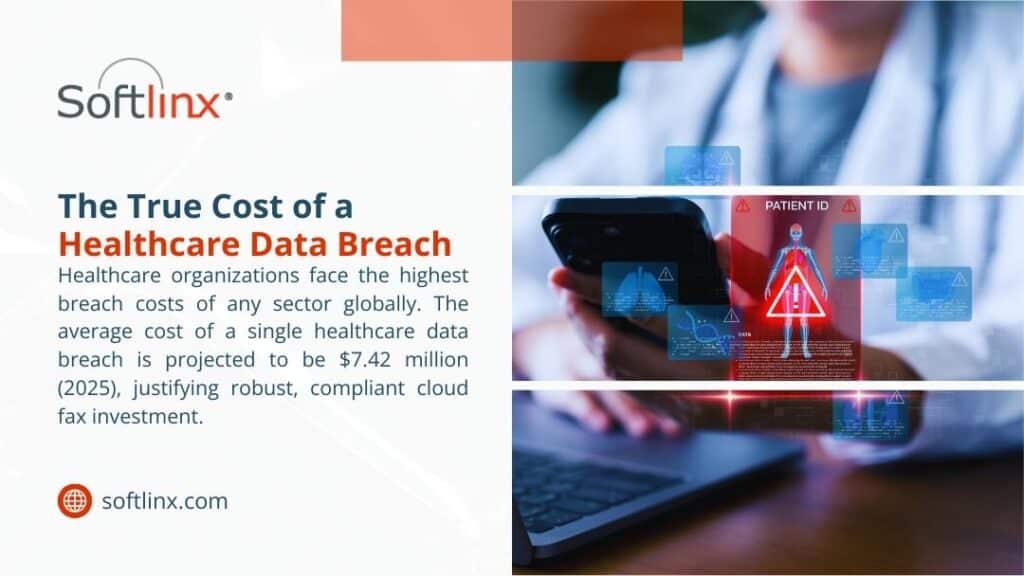
Managing high volume faxes healthcare teams depend on is not a legacy nuisance; it’s a core operational challenge. Despite widespread adoption of electronic health records, fax traffic continues to move patient records, referrals, lab results, authorizations, and discharge summaries. The difference today lies in volume. Healthcare organizations no longer send a few dozen fax documents a day. Many manage thousands, sometimes tens of thousands, of incoming faxes every month.
When fax systems fail to scale, delays surface fast. Patient records stall. Staff manually sort incoming faxes. Sensitive information sits exposed. HIPAA compliance risks climb quietly. Managing high volume faxes healthcare environments requires systems designed for throughput, not improvisation.
According to the industrial analysis, over 70% of healthcare organizations still rely on fax to exchange clinical information, even alongside EHR platforms. That reliance intensifies during care transitions, referrals, and billing cycles.
Why Fax Volume Still Strains Modern Healthcare Organizations
Here’s the thing. Fax never disappeared because it still works across disconnected systems. Hospitals communicate with small practices, labs, pharmacies, payers, and government agencies that operate on different platforms. Fax remains the lowest common denominator.
The strain comes from scale. A single referral department can receive hundreds of incoming faxes daily. Multiply that across departments, locations, and specialties, and managing high volume faxes healthcare teams face becomes a logistical burden. Traditional fax machines choke under load. Paper queues grow. Staff burn time searching, sorting, and re-faxing documents that never landed where they should.
The American Hospital Association reports that administrative tasks consume nearly one-quarter of clinical staff time, much of it tied to document handling and communication.
Where Traditional Fax Systems Break Under High Volume
When fax traffic spikes beyond a manageable threshold, traditional fax systems reveal structural limits that healthcare environments can’t afford to ignore.
Operational Area
Traditional Fax Behavior Under High Volume
Resulting Impact on Healthcare Workflows
Transmission Capacity
Limited phone lines cause busy signals and failed sends
Delayed patient records and repeated transmissions
Document Handling
Paper-based intake requires manual sorting and filing
Increased staff workload and higher error rates
Scalability
Fixed hardware cannot absorb sudden fax surges
Bottlenecks during peak referral and discharge periods
Security Controls
Physical access and shared machines expose documents
Greater risk of unauthorized access to sensitive information
System Reliability
Hardware failures halt all send and receive activity
Downtime disrupts clinical and administrative operations
Audit Visibility
Minimal logging of fax activity
Limited traceability for compliance and investigations
These breakdowns explain why managing high volume faxes healthcare organizations depend on has shifted away from physical machines toward scalable, digitally controlled fax environments.
The Operational Risks Tied To Unmanaged Healthcare Faxing
But here’s the problem. When healthcare faxing operates without structured controls, the damage rarely appears all at once. It shows up in fragments, missed referrals, duplicated patient records, unexplained delays, and staff confusion that no one traces back to fax volume until it becomes unavoidable.
Unmanaged fax traffic quietly disrupts continuity of care. Incoming faxes arrive without context, ownership, or prioritization. Time-sensitive documents sit unread because no routing logic exists. Staff members open, forward, or reprint fax documents simply to keep work moving, often without realizing they’ve created parallel versions of the same patient record. Over time, this fragmentation erodes data integrity inside electronic health records.
There’s also an operational drag that leadership tends to underestimate. High fax volume forces clinical and administrative teams into reactive behavior. Instead of reviewing patient information, they hunt for it. Instead of focusing on care coordination, they troubleshoot missing documents. That lost time compounds, especially in referral-heavy specialties and revenue cycle departments where incoming faxes determine next steps.
Security exposure grows in subtler ways. Shared inboxes blur accountability. Printed faxes sit unattended. Access logs fail to capture who viewed what and when. None of these gaps alone guarantees a HIPAA violation, but together they widen the margin for error.
Risk Category
How It Manifests Without Fax Controls
Long-Term Operational Effect
Workflow Ownership
No clear responsibility for incoming faxes
Documents stall or move inconsistently
Data Integrity
Duplicate or misfiled fax documents
Inaccurate patient records
Staff Efficiency
Manual triage replaces structured routing
Rising administrative burden
Compliance Oversight
Limited tracking of document access
Increased audit exposure
Patient Experience
Delays in referrals and authorizations
Slower care progression
So here’s what happened in many healthcare organizations. Fax was treated as a utility rather than a workflow. As volume increased, the absence of structure turned faxing into an invisible operational risk, one that affects care quality, compliance posture, and staff sustainability all at once.
How Cloud-Based Fax Management Changes the Equation
When fax systems move off physical infrastructure and into a controlled cloud environment, the shift affects more than capacity; it reshapes how healthcare teams interact with information.
Capability Area
Cloud-Based Fax Behavior
Operational Effect in Healthcare
Capacity Handling
Fax volume adjusts dynamically without manual intervention
Consistent intake during peak demand
Access Model
Secure access from approved devices and locations
Reduced dependency on shared equipment
Document Flow
Digital delivery replaces physical handoff
Faster internal distribution
Oversight
Centralized visibility across fax activity
Clear status awareness
System Continuity
Redundant infrastructure supports uptime
Fewer interruptions to care processes
Adaptability
Configuration updates occur without hardware changes
Easier response to workflow changes
This shift matters because cloud-based fax management turns faxing from a physical task into a governed digital process, giving healthcare organizations predictable control even as volume and complexity increase.
Fax Automation and Intelligent Routing for Incoming Faxes
Manual sorting fails at scale. That’s why fax automation now sits at the center of managing high volume faxes healthcare teams rely on. Automated routing uses rules, metadata, barcodes, and sender information to direct incoming faxes instantly.
Instead of a shared inbox, documents arrive where they belong. Referral faxes move to intake. Lab results reach clinicians. Billing documents route to revenue cycle teams. This approach reduces human error and improves turnaround time.
According to the studies, healthcare organizations that automate incoming fax routing see measurable reductions in misfiled patient records.
Integrating fax traffic into electronic health records
Fax volume peaks when the fax remains disconnected from EHR systems. Staff print, scan, upload, and tag documents manually. That loop wastes time and introduces risk.
Modern healthcare fax solutions integrate directly with electronic health records. Faxed documents attach automatically to patient charts. Indexing occurs at intake. Clinicians review information without leaving their workflow.
This approach becomes critical during high-volume periods, especially for organizations managing referrals, discharge documentation, or insurance communication at scale.
Security Measures that Protect Sensitive Information at Scale
High volume does not excuse weak security. Managing high volume faxes healthcare organizations requires layered protection. Encryption in transit and at rest matters. Role-based access matters. Audit trails matter.
HIPAA requires safeguards proportional to risk. When fax volume increases, exposure increases. Cloud fax platforms designed for healthcare maintain compliance by enforcing access controls, logging every transmission, and supporting retention policies aligned with regulatory guidance.
High-Volume Fax Workflows Across Healthcare Settings
Healthcare Setting
Fax Volume Characteristics
Workflow Focus
Hospitals
Thousands daily
Departmental routing, EHR attachment
Clinics
Moderate to high
Referral intake, results delivery
Labs
Burst-driven
Automated routing, audit trails
These environments share one reality: unmanaged fax volume slows care delivery.
Comparing Fax Approaches Under Heavy Load: Manual/Traditional vs Automated
Capability
Traditional Fax
Cloud Fax
Scalability
Fixed
Elastic
Security
Limited
HIPAA-aligned
Routing
Manual
Automated
Integration
None
EHR-ready
Managing high volume faxes healthcare operations becomes predictable once systems align with scale.
Choosing Healthcare Fax Solutions Built for Sustained Growth
The strongest healthcare fax solutions prioritize reliability, compliance, automation, and integration. They support high throughput without sacrificing control. They adapt as organizations grow, merge, or expand service lines.
Preparing Healthcare Organizations For Future Fax Demand
Fax volume in healthcare does not rise evenly. It increases in bursts, often tied to growth, regulatory shifts, or expanded care networks. Organizations that plan only for current demand often find themselves reacting instead of adapting.
Future readiness depends on treating fax as a governed communication channel rather than a temporary workaround. Clear intake standards, consistent access controls, and scalable infrastructure allow fax workflows to absorb change without disruption. This approach supports continuity even as teams grow, locations multiply, or care models shift.
Healthcare organizations that prepare early avoid scrambling later. When fax systems anticipate volume rather than chase it, operational stability follows.
Conclusion
Managing high volume faxes healthcare environments generate no longer needs to feel chaotic. With scalable infrastructure, automated routing, and secure integration, fax traffic becomes manageable rather than disruptive.
Healthcare organizations that address fax at the system level protect patient records, support staff efficiency, and reduce compliance exposure. That’s why investing in the right fax management approach still matters in 2026.
If your organization handles sustained fax volume and expects growth, now is the moment to evaluate whether your fax workflows support care delivery or quietly hold it back.
For healthcare teams ready to bring structure, security, and control to high-volume fax operations, Softlinx provides cloud-based fax solutions built specifically for regulated healthcare environments.
Their focus on reliability, compliance, and integration helps organizations modernize fax workflows without disrupting care delivery, making them a practical partner for healthcare leaders planning for scale.
January 12, 2026
How to Connect Fax to EHR
Understanding how to connect fax to EHR systems remains a global challenge for healthcare organizations that still use fax to communicate patient data. Electronic health records have transformed documentation in clinical medicine, but fax continues to be a crucial communication method between hospitals, labs, pharmacies, insurance companies, and diverse medical practices.
This guide explains how EHR systems are integrated with fax, how health care providers would be able to integrate fax with electronic health records, and why it still matters, hopefully without outdated fax machines.
Why Fax Still Exists in EHR Workflows
Healthcare has embraced digital transformation, yet fax machines continue to appear in clinical offices worldwide. This is not due to technological resistance, but rather, fragmentation. Electronic health record systems are notorious for their lack of interoperability across organizations, geographies, and vendors. Fax is the only way to send and receive lab results, referrals, authorizations, and patient records, which is why it is so pervasive.
As of 2021, roughly 70% of U.S. hospitals were engaging in all four major domains of interoperable electronic health information exchange: finding, sending, receiving, and integrating patient data with external providers, reflecting substantial digital exchange activity. Similar reliance is observed in European and Asian countries, in particular, in cross-border and independent provider network segments. This explains why the connection of fax to EHR is still a pertinent question in even the most sophisticated healthcare systems.
Traditional fax machines persist because they are legally accepted, widely compatible, and familiar to clinical staff. However, paper-based workflows introduce delays, manual data entry, and a higher risk of human error. Modern healthcare environments now address these challenges by replacing hardware fax machines with digital fax solutions that integrate directly into EHR systems
What Integrated Fax Means in an EHR Environment
Integrated fax refers to the ability to send and receive faxes directly within an electronic health record system or through connected workflows that automatically route documents into patient records. Instead of printing faxes and scanning them back into record EHRs, digital fax services convert incoming transmissions into secure electronic files.
When healthcare teams ask about the meaning of integrated fax, the answer is fax automation. A cloud-based fax service captures incoming faxes as they enter the system, where metadata, bar codes, or optical character recognition classify documents. Those files are then attached to the appropriate electronic health records, minimizing the manual processing of patient data.
This method integrates fax into the electronic health record system rather than treating it as an isolated tool. It also removes the dependency on physical fax machines while maintaining the legal and operational benefits of faxing in healthcare.
How to Connect Fax to EHR Systems Step by Step
How fax is connected to EHR platforms is determined by the technical sophistication of the organization and the functionality of the EHR system. Some contain native fax functionality while others depend on third-party integrations. The table below summarizes the most predominant connection methods used around the world.
Integration Method
How It Works
Operational Impact
Native EHR Fax Integration
Fax features are built directly into the EHR interface
External fax service routes documents into EHR folders
Strong automation and scalability
API-Based Fax Integration
Fax APIs exchange data directly with the EHR
Deep workflow control and custom routing
Healthcare organizations working with Epic often inquire about how to fax from Epic EMR or how to fax in Epic. In these places, cloud-based fax integrations link Epic workflows with external fax services so healthcare providers can fax and receive faxes from within the EHR interface. Platforms like Epic use document routing that can automatically link faxed lab results or referrals to a patient’s chart. This is possible when the integration is set up optimally.
For organizations that want to achieve greater interoperability, linking fax through cloud fax integration allows EHRs to receive documents electronically, even when faxing is the only option available from external partners. A healthcare-focused cloud fax solution designed for secure document exchange supports this approach seamlessly and at scale.
Security, Compliance, and Patient Data Protection
Any discussion about how to connect a fax to EHR must address compliance. Fax remains accepted under HIPAA because it is a point-to-point transmission method. Issues only arise when organizations fail to protect patient data after receipt.
Digital fax solutions designed for health care utilize encryption, access controls, and audit trails to ensure patient data continues to be protected. The U. S. Department of Health and Human Services offers guidance suggesting HIPAA violations occur far more frequently because of the improper handling of faxed documentation rather than the actual transmission of the fax.
Implementing a HIPAA-compliant fax service to replace physical fax machines decreases exposure risks by limiting unauthorized access, preventing lost and misplaced faxed documents, and establishing permanent and secure audit trails of all faxed documents. These issues extend far beyond the United States, where most countries are increasingly adopting health care data protection legislation that is akin to HIPAA.
Common Fax-to-EHR Workflows in Healthcare
Once fax integration is set up, healthcare organizations utilize established and predictable workflows to transfer data into electronic health records. The table below reflects some of the actual implementations that can be found in hospitals, clinics, and specialty practices.
Workflow Type
Description
Referral Intake
Faxed referrals route directly into patient records for review
Lab Results
Incoming lab reports are attached to the correct electronic health record
Insurance Documentation
Authorization forms are stored securely within patient files
These workflows minimize the data entry work to be done while guaranteeing that the continuity of care is not interrupted. Clinics that used to rely on staff to physically scan and upload faxes are able to provide documents to their customers fast with little to no indexing errors. Volume production fax systems provide flexibility and adaptability for administrative teams managing a high volume of outgoing faxes.
Choosing the Right Fax Integration for Your EHR
Selecting the right approach to fax integration depends on several factors. Smaller practices may prioritize simplicity, while large health systems often require advanced routing and automation. Organizations with multiple departments or locations benefit from enterprise faxing capabilities that support centralized control.
Healthcare IT teams should also consider whether the fax solution supports future interoperability goals. Cloud-based fax services that offer developer tools and flexible integrations allow organizations to adapt as EHR platforms evolve. An overview of EHR integration capabilities highlights how fax can remain compatible with modern healthcare infrastructure.
Why Cloud-Based Fax Is Replacing Fax Machines
The shift away from physical fax machines reflects broader changes in healthcare operations. Cloud-based fax eliminates maintenance, phone line dependency, and device failures. More importantly, it supports remote work, disaster recovery, and centralized access to patient records.
Industry sources note that digital fax and capture solutions can streamline communication workflows and integrate with electronic records, helping reduce manual steps and support greater operational efficiency in healthcare settings. While fax machines still exist, their role continues to diminish as integrated fax solutions become standard practice.
This evolution explains why healthcare leaders increasingly focus on integrating cloud fax rather than eliminating fax. By connecting fax directly to EHR systems, organizations preserve a trusted communication channel while modernizing workflow efficiency.
Moving Forward with Fax and EHR Integration
Learning how to connect fax and EHR systems is a requirement for scalable healthcare organizations. Healthcare faxing is deeply embedded in the industry, but that does not mean it should be the bottleneck in clinical workflows or compromise data security. Cloud-based, integrated faxing allows healthcare organizations the ability to send and receive secure, processed faxes without workflow slow-downs resulting in less fragmented patient records.
Organizations should assess how their existing fax workflows relate to electronic health records and investigate how such workflows can be automated. A healthcare fax solution that integrates with EHR systems facilitates compliance, operational efficiencies, and sustainable interoperability and addresses global healthcare communications challenges.
For Staff prepared to implement the next generation of their fax infrastructure, investigating secure healthcare cloud faxing systems integrates smoothly and offers an effective solution without interrupting ongoing clinical workflows.
December 30, 2025
How to Reduce Fax Costs Healthcare Without Undermining Patient Care
U.S. healthcare organizations face mounting pressure to manage administrative spending while navigating regulatory demands and rising patient volumes. Faxing remains deeply embedded in daily operations, yet outdated equipment and fragmented workflows make it one of the most expensive communication channels hospitals and clinics rely on.
This guide explains how providers across the country can reduce fax costs healthcare by replacing legacy systems with secure digital tools, integrating data exchange with clinical systems, and eliminating manual processes that drain staff time. The insights draw on national data, industry research, and current practices across health systems.
The Hidden Cost of Legacy Faxing in Healthcare
Even as health information technology accelerates, most hospitals and medical practices still depend on fax machines for clinical correspondence. Paper-based transmission remains common for referrals, prior authorization documents, medical record requests, and dozens of administrative exchanges. The costs tied to this infrastructure are rarely simple line items; they accumulate across supplies, repairs, telecom fees, and the daily labor demanded by traditional faxing.
A 2019 report found that more than 70% of U.S. providers regularly exchange patient information by fax. Each transmission is inexpensive on its own, yet the operational burden grows with scale.
Healthcare experts note that traditional faxing consumes significant staff time and resources because each transmission requires printing, walking to the fax device, dialing, waiting for confirmation, retrieving documents, and secure filing, illustrating how labor becomes a major cost driver in paper-based communication workflows.
Cost Impact of Traditional Faxing vs. Digital Fax Systems
The gap between legacy workflows and modern healthcare communications is illustrated below.
Cost Category
Traditional Faxing
Digital Fax Replacement Effect
Hardware & Repairs
Recurring maintenance and machine failures
Removed with cloud-based delivery
Telecom Lines
Dedicated fax numbers and analog lines
VoIP or internet delivery eliminates these
Labor Hours
Staff spend significant time managing paper
Automated routing reduces manual work
Compliance Risk
Risk of exposed documents
Encrypted, HIPAA-aligned protection
Across the United States, health systems estimate that dependence on paper faxing costs millions per year in avoidable overhead. This is one reason organizations now seek more reliable, secure ways to move clinical content without sacrificing compliance requirements tied to medical records.
Many hospitals now look specifically for ways to reduce fax costs healthcare organizations face each year, focusing on digital infrastructure to replace aging equipment.
Why Healthcare Still Relies on Fax Machines, and the Financial Impact
The Centers for Medicare & Medicaid Services (CMS) and federal initiatives promoting interoperability have attempted to move providers toward digital record exchange for more than a decade.
Yet many workflows remain anchored to fax machines because partners outside a primary health system may lack compatible technology. Pharmacies, small clinics, insurers, and community organizations continue to rely on faxing because it remains universally accessible.
The use of fax machines in pharmacy operations continues due to prescription transfers, medication confirmations, and communication between providers and dispensing facilities. Traditional faxing creates bottlenecks when transmission errors occur or when staff must locate missing pages. These delays ripple through patient care, affecting medication access and increasing administrative load for medical assistants and pharmacy technicians. This reliance has real financial consequences. Manual fax activity pulls clinical professionals away from direct patient support. Studies published show that administrative waste accounts for up to one-quarter of total healthcare spending, and fragmented communication channels play a measurable role. Legacy faxing also contributes to misplaced documents, repeated requests, and slow turnaround times for insurance decisions.
Workflow Comparison in Legacy vs. Integrated Fax Environments
The following table shows a typical breakdown of operational friction experienced by U.S. healthcare organizations.
Workflow Example
Legacy Process
Integrated Digital Workflow
Patient Referrals
Print, fax, wait for confirmation
EHR-linked fax routing with digital receipt
Prior Authorization
Fax packets are exchanged repeatedly
Automated transmission with audit logging
Insurance Verification
Manual documents exchanged
Secure digital document delivery
Pharmacy Communication
Paper-based exchanges
Encrypted electronic transfer
Digital Faxing as a Practical Strategy for Cutting Costs
Digital faxing replaces outdated hardware with modern, internet-based transmission tools that preserve the familiarity of fax but eliminate the waste. This shift removes supplies, phone lines, and the physical bottlenecks of paper handling. More importantly, cloud fax services support encrypted exchange, which is critical to maintaining HIPAA-compliant communication.
A cloud-based service allows clinicians and administrative teams to send documents through secure web portals, email-to-fax channels, or direct integration within electronic systems. Organizations transitioning away from legacy devices also eliminate the risk of sensitive healthcare information being left on output trays or misdelivered.
Health systems frequently adopt these digital tools to manage claims, communicate with insurers, and transfer clinical information safely. This modernization also supports communication with Medicaid services and commercial health insurance partners that require consistent, timestamped documentation.
Digital transformation initiatives increasingly focus on tools that help leaders reduce fax costs healthcare settings struggle with, especially in high-volume communication departments.
Integrating Fax with EHR Systems and Clinical IT
One of the strongest pathways to cost reduction is integrating document transmission directly into electronic health record platforms. When faxing connects to an EHR rather than a standalone machine, data moves automatically through established clinical workflows.
Integrated systems reduce duplicate data entry, which is a major source of administrative burden. They also extend security protocols because the transmission process inherits the protections already applied within clinical information systems. This alignment supports compliance expectations from HHS, insurers, and accreditation bodies while reducing the risk of document misplacement.
EHR integration also strengthens audit capabilities. Healthcare organizations must show clear documentation trails, particularly for tasks involving clinical decision support, authorizations, or continuity of care. A digital platform delivers timestamps, delivery receipts, and accessible logs without paper storage.
Operational and Clinical Benefits When Moving Away from Legacy Faxing
Healthcare organizations evaluating their communication strategies increasingly view digital faxing as more than a cost-saving choice. It directly influences the quality and speed of patient care. When documentation moves without delay, clinicians receive the information they need for appointments, medication decisions, and transitions of care.
A study published found that slower administrative exchanges can delay treatment decisions and prolong time to diagnosis. Reducing manual fax workflows removes obstacles that contribute to care delays. Automated routing also minimizes document loss, a problem frequently cited by hospitals managing high volumes of inbound paper.
In high-acuity environments, incomplete or delayed medical records can influence patient risk. By deploying secure digital communication channels, health systems reduce turnaround time for clinical information exchange and lessen the administrative load on nurses, medical assistants, and support staff. The result is more time directed toward patient care rather than document handling.
Improved operations help organizations reduce fax costs healthcare teams encounter by shrinking the hours dedicated to paper-based tasks each week.
Financial Return on Investment for Digital Fax Technology
When evaluating digital fax adoption, executives often focus on the financial outcomes. The cost of maintaining a fax machine seems trivial until the associated labor, support contracts, supplies, and repairs are examined in full.
Studies show that about 75% of all medical communication in the U.S. occurs via fax, which underscores how dominant faxing remains across providers. Even small improvements in process efficiency translate into meaningful savings over time. Digital fax solutions turn fixed costs into predictable operating expenses and often reduce total spending by eliminating analog lines and the downtime caused by failed transmissions.
Organizations participating in HHS’s interoperability programs report significant gains in administrative efficiency when communication channels move online. Several medical centers documented double-digit reductions in processing time for referrals and authorizations once digital workflows took over.
Incorporating automation amplifies these savings. Tools capable of sorting, tagging, and routing inbound documents reduce the need for manual triage. Healthcare information teams gain faster access to data, and clinical staff avoid repetitive tasks that do not contribute to patient outcomes.
Financial modeling often shows that organizations can reduce fax costs healthcare budgets allocate by shifting to modernized, digitally managed communication.
A Practical Transition Path for Healthcare Organizations
Transitioning away from legacy fax systems does not require a dramatic overhaul. Most organizations begin by replacing analog lines with secure digital services while maintaining familiar workflows. Once staff adjust to the new process, administrators integrate additional features such as automated routing, electronic signature support, or advanced analytics.
Successful transitions typically involve training, phased deployment, and careful selection of vendors with proven healthcare expertise. Cloud fax solutions designed specifically for medical environments accommodate HIPAA requirements, support encryption protocols, and provide clear documentation trails. These elements are essential for health systems that exchange sensitive patient information with payers, pharmacies, state agencies, and long-term care facilities.
Healthcare organizations often begin modernization within departments that handle the highest document volumes, such as referral management or prior authorization teams. Once efficiencies are established, broader system-level adoption becomes easier.
Given the compliance, clinical, and financial considerations discussed above, and including the required phrase once in this section, health systems increasingly turn to digital tools to reduce fax costs healthcare facilities face as operational pressures grow.
Moving Toward a More Efficient Communication Future
Healthcare continues to rely on faxing because it remains a universal channel for transmitting medical information across diverse systems. Yet the cost of maintaining traditional devices and the operational strain they create are no longer sustainable for many providers. Digital faxing offers a secure, compliant, and practical alternative that reduces administrative waste while strengthening clinical workflows.
By integrating fax exchange with EHR platforms, automating document routing, and adopting encrypted cloud services, healthcare organizations free staff from repetitive tasks and tighten control over sensitive patient data. Improved accuracy, faster transmission, and predictable operational costs support better patient care and a more resilient communication infrastructure.
Healthcare leaders evaluating modernization strategies can learn more about advanced cloud fax service options through the Softlinx platform.
As organizations across the United States continue searching for ways to reduce overhead, improve patient access, and meet regulatory expectations, transforming fax communication stands out as one of the most effective opportunities to cut costs without disrupting clinical delivery.
December 12, 2025
How Much Can You Save Switching to Cloud Fax in the USA?
Many US organizations still depend on fax every day, even though the copper phone lines that support analog fax are retiring faster each year. At the same time, finance teams face higher line fees, more maintenance, and more labor tied up in manual fax workflows. The real question leaders now ask is simple but pointed: how much can you save switching to cloud fax, and how fast does that shift pay off? This article walks through actual cost components, realistic scenarios, and long-term numbers so you can put a dollar value on that shift rather than guess.
A modern digital fax setup does more than move pages over the internet. It replaces physical fax machines, dedicated phone lines, and a lot of wasted staff time, while a secure cloud platform reduces the risk of data exposure and compliance failures.
By the end, you will see how much you can save switching to cloud fax for a small clinic, a mid-sized office, or a large hospital or agency in the USA, and what to look for when you choose a provider such as Softlinx.
Why Fax Still Matters For US Organizations In 2025
People often treat fax as a relic, yet in healthcare, insurance, government, finance, and manufacturing, it still sits inside core workflows. Medical referrals, lab orders, claims packets, loan documents, procurement forms, and bid responses still travel by fax because regulations, contracts, and counterparties often prefer or require it. In other words, fax never left; only the technology changed around it.
That legacy shows up in infrastructure. Many offices still run physical fax machines or multi-function copiers tied to analog fax lines, even as carriers accelerate copper retirement. The Federal Communications Commission relaxed key rules on copper networks, which allowed providers to retire POTS lines more quickly and push businesses toward newer options. As copper disappears, the cost to keep old fax lines alive often jumps, with some providers charging several hundred dollars per month for a single analog line.
So fax remains essential, but the foundation under traditional fax systems grows more fragile and more expensive. That reality underpins the core question: how much can you save switching to cloud fax once you add every piece of the current picture, not just the monthly phone bill.
What Cloud Fax Really Replaces In Your Budget
Cloud fax not only moves faxes into a browser or email inbox. It takes the place of specific, recurring expenses that sit behind a conventional fax setup, from physical devices and analog lines to toner, paper, maintenance, and IT time. When you look at the major cost elements next to each other, the financial impact becomes much clearer.
Here is how the shift usually looks in a US organization:
Cost element
Traditional fax system (typical USA ranges)
Secure cloud fax solution (typical USA ranges)
Key change
Hardware (fax machine or MFP fax)
150–500 USD upfront per fax machine; multi-function devices with fax features can add a high yearly cost in fax-specific expenses.
No dedicated fax hardware; users rely on existing computers, mobile devices, or line-of-business applications.
Upfront capital and hardware support largely disappear.
Phone lines/telephony
20–50 USD per month for a basic fax line, often higher as POTS lines are retired and surcharges rise.
Virtual fax numbers run over IP, with capacity built into the subscription rather than tied to one line per machine.
Line charges and POTS exposure move to the provider.
Toner and paper
Ongoing spend on fax-related toner and paper that grows with volume and number of devices.
Printing becomes optional; most users view or file digital fax images and only print what they truly need.
Supplies shrink substantially, especially for inbound fax.
Maintenance and repairs
Periodic repairs for stand-alone machines and service contracts for multi-function devices.
Maintenance and upgrades are handled centrally by the cloud fax provider.
Mechanical risk and service contracts come off your books.
IT management and support
Fax servers, gateways, drivers, and telephony issues require configuration, patching, and troubleshooting.
Administrators manage users and policies through an online console, while the provider maintains the underlying infrastructure.
Internal IT time devoted to fax drops sharply.
Staff time and manual handling
Staff walk to devices, monitor send status, re-fax after busy signals, and manually file or scan incoming pages.
Staff send and receive faxes via email, web portals, or applications, with automated routing and indexing.
Less time tied up in mechanical steps and more time on core work.
Compliance and audit capabilities
Printed faxes can sit on trays; audit trails may depend on manual logs or custom server configuration.
Encryption, role-based access, and event logs show exactly when faxes are sent and received.
Lower risk of unauthorized access and stronger evidence for regulators and auditors.
In practice, that means switching to cloud fax converts a stack of fragmented, sometimes unpredictable costs into a single, recurring service that folds telephony, security, and reliability into one line item.
How Much Can You Save Switching To Cloud Fax? Three US Scenarios
Savings depend on volume, number of locations, and how deeply Fax sits inside your workflows, but the pattern across US organizations is consistent. Several cloud fax providers report that customers can save up to 50–70% on fax-related costs when they retire fax machines, analog lines, and on-premise infrastructure, although actual savings depend heavily on fax volume, line costs, and how fully an organization decommissions legacy systems. The best way to see how much you can save switching to cloud fax is to look at representative scenarios and then compare them in one view.
Scenario 1: Small Healthcare Clinic
A typical outpatient clinic in the USA relies on a small number of fax devices and a modest but steady fax volume. Two physical machines with dedicated analog lines, a few thousand pages per month, and shared front-desk responsibility for sending and receiving documents describe a common pattern. When you add hardware, line charges, supplies, and routine maintenance, direct yearly spending usually lands a little above two thousand dollars.
A healthcare-grade cloud fax subscription that supports the same page volume and keeps existing fax numbers in place tends to cost well under a thousand dollars per year. Digital workflows significantly reduce the time clinics spend on manual tasks such as walking to devices, checking send status, and filing paper, allowing staff to focus more on patient care.
For a small healthcare practice, the practical answer to how much can you save switching to cloud fax usually reaches into the low thousands of dollars per year once both cash outlay and labor are considered, especially when fax flows through a dedicated healthcare cloud fax service.
Scenario 2: Mid-Sized Insurance Or Financial Office
A regional insurance or financial office often maintains a small fax server, several fax-enabled multi-function devices, and multiple analog lines. Fax volumes are higher, and documents frequently touch regulated processes such as claims handling, loan evaluation, and compliance reporting. Traditional costs reflect not only lines and supplies but also server upkeep and IT time.
When such an office moves to a secure cloud fax solution sized for its traffic, the fax server and analog lines disappear from the budget, and the organization pays a predictable subscription tied to page volume and number of fax numbers.
In these environments, the answer to how much can you save switching to cloud fax can easily reach five figures annually when you combine infrastructure savings with reduced manual effort, particularly when fax integrates with enterprise cloud faxing and finance-specific applications.
Scenario 3: Large Hospital Or Government Department
Large hospitals and public agencies handle very high fax volumes and face strict regulatory expectations. They typically operate central fax servers, maintain dozens of fax lines, and rely on fax for referrals, orders, authorizations, and legal or contractual documents. Here, both the financial stakes and the risk implications are significant.
Analysts note that switching from on-premises fax systems to a cloud fax platform can lead to meaningful cost reductions and workflow improvements, particularly as organizations eliminate hardware, maintenance, and manual processing overhead.
When a large organisation is already spending six figures a year on fax operations, the move to cloud fax can free up a significant portion of that budget. While results vary, many companies report annual savings in the tens of thousands as on-premises equipment and telecom charges are retired.
Beyond Direct Costs: Time, Risk, And Compliance
Hard cost reduction grabs attention first, yet digital fax also changes the risk profile and daily experience for staff.
Healthcare research from 2025 found that 88% of practitioners saw fax-related delays affect patient care. In many organizations, staff still chase lost pages, re-fax lab results, or wait by a machine while critical documents go through. A secure cloud fax setup that routes documents into clinical systems, revenue cycle tools, or secure inboxes cuts that friction. Faxes are sent and received within controlled workflows, not lost in a pile.
Risk also shifts. Printed faxes left on trays or stored in filing cabinets raise the odds that protected health information or financial data ends up in the wrong hands. Material that passes through a secure cloud fax platform travels over encrypted channels and lands in systems with access controls and audit trails.
That structure reduces the risk of a reportable breach and provides better proof for regulators. For US healthcare entities, HIPAA-compliant fax service reduces both exposure and the cost of evidence when questions arise.
Compliance costs extend beyond healthcare. Financial institutions face record-keeping and supervision rules. Government bodies handle confidential records where unauthorized disclosure carries legal and political consequences.
Securing fax traffic in a secure cloud fax environment that logs when faxes are sent and received provides traceability that physical fax machines simply do not match.
Long-Term ROI Of A Secure Cloud Fax Solution
Short-term savings matter, but fax systems behave like infrastructure. They sit in the background for years, and small monthly deltas compound over time.
Legacy fax servers and analog lines lock organizations into peak-capacity planning. On-premises fax systems are often sized for the busiest hours and then sit underused at night or during quiet months.
Some analyses note that large organizations can see their yearly fax volumes swing from roughly half a million pages to well over a million, which means on-premises systems have to be built to handle peak demand even when day-to-day usage varies. That overbuild pushes cost up even when volume drops.
Cloud fax operates differently. Capacity scales elastically, and many providers charge by page volume or offer tiers that reflect actual usage bands, not hypothetical peaks. Analyst guidance on cloud fax solutions notes that enterprises that adopt cloud fax avoid on-premises telephony costs tied to fax lines and reduce IT overhead for fax infrastructure, which helps long-term return on investment as more workflows shift toward digital channels.
Organizations that rely on high-volume outbound fax for statements, orders, or notifications can also push more volume into automated flows when they adopt production fax automation and barcode-based fax workflow rather than manual processes. Those changes further raise the long-term gap between traditional and cloud models.
How To Estimate Your Own Cloud Fax Savings
Each organization carries a unique mix of lines, hardware, and workflows, so the most precise answer to how much can you save switching to cloud fax comes from your own numbers. A practical estimate starts with a simple inventory.
First, collect data on every fax number and line on your invoices. That includes individual POTS lines, analog ports on multi-function devices, and any dedicated trunks used solely for fax. Recent industry commentary highlights that many businesses still pay for dormant fax lines because no one tracks them closely, which inflates spend with no benefit. For each line, note the monthly fee, any surcharges, and any long-distance or per-minute charges.
Second, list hardware tied to fax: stand-alone machines, fax-enabled copiers, and fax boards in servers. For each, estimate the share of cost and maintenance that relates directly to fax rather than printing or other functions, drawing on the hardware and service figures already discussed.
Add supplies such as toner and paper used solely for fax. This step gives you an annualized figure for traditional fax machines and multi-function devices as part of your fax system.
Third, talk with staff about the time they spend each week on fax tasks. That includes walking to devices, checking whether faxes are sent and received, re-sending after busy signals, separating inbound faxes by recipient, and filing.
Healthcare and IT surveys consistently show that manual fax work consumes significant hours and often delays downstream work. Convert those hours into a dollar figure with a reasonable average loaded rate. Even if you treat this as a softer saving, it still reflects the real capacity you could redirect.
Once you have those totals, ask what a secure cloud fax plan would cost for the same page volume and number of fax numbers. When you plug that subscription figure into your model in place of lines, fax hardware, and much of the support load, you see the annual and five-year gap between old and new.If you want that estimate with more precision and built-in workflow advice, a specialist vendor can walk through your environment. Providers that support deep workflow integration, such as enterprise cloud faxing and fax workflow automation tools, usually help customers turn rough inventories into concrete ROI models.
Turning Fax Into A Predictable, Low-Risk Line Item
As organizations retire analog lines and replace aging hardware, the question of how much can you save switching to cloud fax becomes far more concrete. The pattern is clear across healthcare, finance, government, manufacturing, and education: once fax moves into a secure cloud environment, spending stabilizes, operational friction drops, and teams no longer lose time to devices, busy signals, or manual routing. Cloud fax shifts faxing from a resource-heavy legacy system into a predictable, low-risk part of everyday operations.
The real calculation depends on your own mix of fax numbers, line charges, volumes, and internal workflows. To see what that looks like in dollars, not estimates, you can request a tailored savings review from a provider experienced in regulated industries. A focused assessment turns the question of how much can you save switching to cloud fax into a clear set of numbers tied to your environment.
If you’re ready to quantify the savings and modernize your fax operations with a secure, industry-compliant platform, you can request a personalized cloud fax savings estimate through Softlinx.
December 10, 2025
The Benefits of Cloud Fax for Modern U.S. Businesses
Cloud fax has become essential for U.S. organizations that handle regulated data, high-volume fax communications, or multi-location operations. This article explains how benefits of cloud fax works, why it outperforms traditional fax methods, and what advantages it brings to healthcare systems, financial institutions, insurers, government agencies, enterprises, and educational institutions.
Additionally, it also examines security, compliance, scalability, workflow integration, and advanced enterprise features that older fax systems cannot match.
What Cloud Fax Is and Why It Still Matters in the U.S. Market
Despite constant talk about “paperless offices,” fax remains a core communication tool across many American industries. Healthcare facilities depend on fax for clinical notes, orders, and records.
Insurers process claims through fax. Government agencies depend on fax for sensitive communications. Financial institutions and legal offices use fax because it ensures traceability and secure document transfer.
Cloud fax builds on these needs without the drawbacks of legacy fax equipment. Instead of a physical fax machine linked to a dedicated phone line, cloud fax uses an internet-based infrastructure to send and receive documents.
Users upload a file through a web portal, an email client, a print driver, or an API. The cloud fax provider handles delivery to the recipient’s fax number, even if that recipient uses a traditional machine.
Cloud fax eliminates physical devices, toner, paper jams, and line congestion. It also removes the need for telecom services dedicated only to fax. More importantly, cloud-based fax systems introduce digital-level transparency, audit visibility, automation, and compliance safeguards that legacy machines cannot provide.
For a detailed breakdown of cloud fax capabilities, Softlinx outlines them under its cloud fax service section, including options for healthcare faxing, enterprise faxing, and specialized production fax.
Traditional Fax Limitations That Cloud Fax Eliminates
Legacy fax systems have survived for decades, but their weaknesses have become obvious, especially for U.S. organizations with remote staff or multi-site operations. The biggest limitations include hardware breakdowns, rising telecom costs, long-distance surcharges, unpredictable line congestion, and misdirected printouts.
A traditional fax machine requires a dedicated phone line. That line becomes a bottleneck when volumes spike. Faxes print on hardcopy paper unless someone scans them manually. If the device jams, overheats, or runs out of toner, business stops. Physical faxing exposes sensitive documents to anyone who walks by a machine. In regulated industries, that risk can trigger compliance violations.
Storage is another pain point. Physical fax files pile up quickly, and many U.S. organizations still devote closets or entire alcoves to paper archives. This is costly and inefficient.Cloud fax removes all of these problems. No physical hardware. No paper output trays. No line issues. Documents routed digitally. Incoming faxes arrive in email inboxes or secure portals. Outgoing faxes leave through email-to-fax, print-to-fax, or a web portal.
Core Benefits of Cloud Fax for U.S. Businesses
The following are the core benefits of cloud fax for businesses.
1. Security and Compliance Improvements
Security has become the top concern for U.S. organizations, especially those in healthcare, finance, insurance, and government. Cloud fax platforms secure documents end-to-end with encryption during transmission and storage. Access to fax files requires authenticated login credentials, cutting the risk of unauthorized access.
Unlike a physical fax machine that prints documents openly, cloud fax keeps all files in secure digital form. Audit trails show who accessed each file and when. This is essential for HIPAA compliance, which requires strict control over patient information. Softlinx provides thorough guidance on this topic through its HIPAA fax and HIPAA-compliant fax service pages.
According to a 2023 data-exfiltration report from the U.S. Department of Health and Human Services, 79% of large healthcare breaches reported in 2022 were caused by hacking or other IT incidents, while only 5% involved paper or film records such as printed charts or documents. Cloud fax eliminates that risk because documents never sit on a printer tray.
Financial institutions also benefit from secure transmission. The Federal Financial Institutions Examination Council (FFIEC) highlights digital audit trails and encrypted communication as required data-protection measures. Cloud fax aligns with these requirements and reduces compliance risk.
2. Consistent Cost Structure Without Hardware Complexity
Cloud fax simplifies cost management. The organization no longer buys fax machines, pays for repairs, or stocks toner. Dedicated phone lines disappear. Long-distance charges vanish. Cloud fax pricing follows a predictable monthly or annual structure.
While cost claims must remain general rather than promotional, it is widely documented that fax hardware maintenance accounts for a significant portion of fax-related expenses. A 2024 IDC MarketScape report confirms that digital fax infrastructure can deliver lower costs, greater reliability, better scalability, and enhanced workflow integration compared with traditional analog fax over telephone lines. Cloud fax stabilizes costs by eliminating those variables.
Enterprise teams also avoid downtime caused by broken machines or telecom issues. This matters for hospitals, financial firms, and government agencies that communicate time-sensitive information daily.
3. Remote Access and Support for Distributed Workforces
The shift to remote and hybrid work across the U.S. pushed many organizations to review their communication infrastructure. Employees needed to fax documents without visiting a physical office. Cloud fax enables staff to send and receive documents securely from any internet-connected location.
A nurse working at a satellite clinic, a claims processor working from home, or a case manager coordinating services across states can all access the same cloud fax platform. This makes cloud fax valuable for organizations with multiple campuses or large geographic footprints. Softlinx addresses these use cases through its healthcare-focused pages, including hospital cloud fax solutions and clinic cloud faxing.
4. Scalability for High-Volume and Enterprise Operations
Cloud fax adapts to any volume. A healthcare system transmitting thousands of daily orders, a financial institution processing loan packets, or a government department distributing compliance notices can scale up instantly.
Enterprise cloud fax services support high throughput, bulk faxing, broadcast fax, and automated workflows. Production faxing is especially useful for organizations that send large batches of patient forms, claim letters, HR notices, or regulatory alerts.
For example, insurance companies often send large numbers of policy updates at once. Bulk fax eliminates the need to schedule these transmissions manually. Similarly, manufacturing plants use broadcast fax to distribute process changes across multiple locations.
5. Automation and Workflow Integration
Cloud fax integrates with existing systems through APIs. Instead of manually uploading every document, organizations automate fax workflows from within their EHR, CRM, ERP, or document management platform. Softlinx documents these capabilities under cloud fax APIs and broadcast faxing, and its broader developer API section.
Automation allows organizations to route incoming faxes into specific folders, workflows, or queues. Healthcare providers use barcode routing to distribute orders and results to the right clinical departments. Insurance companies automate claims routing. Government agencies distribute forms digitally without human intervention.
6. Digital Document Management and Searchability
Traditional faxing produces a stack of paper that must be filed manually. Cloud fax stores every document digitally. Users search by date, sender, or subject. Audit logs track activity. Storage no longer requires back rooms, file cabinets, or off-site archiving. Recovery becomes simple, since every document remains stored in an encrypted cloud space.
7. Better Control Over Fax Communications
Organizations that rely on legacy fax machines struggle with unpredictable logs, busy signals, and long-distance failures. Cloud fax eliminates “fax uncertainty.” Web dashboards show real-time status, delivery confirmation, timestamps, and failed attempts. IT teams gain visibility into usage trends and volumes, which helps with planning and compliance documentation.
Hospitals and clinics often need evidence that a referral, radiology order, or authorization request was delivered. Cloud fax provides that proof instantly. Financial or legal teams benefit from the same visibility.
Cloud Fax Advantages for Regulated U.S. Industries
Some industries rely on fax more than others. Healthcare, insurance, banking, government, manufacturing, and education face strict requirements for data protection.
Healthcare Providers
Clinical workflows still depend heavily on fax. Cloud fax allows providers to manage referrals, test results, lab orders, discharge summaries, authorizations, and insurance communications securely and efficiently. Softlinx offers detailed guidance through healthcare faxing solutions and its EHR integration pages, including EPIC integration and EHR integration.
Insurance and Financial Services
Insurers manage claims, forms, policy updates, and medical necessity reviews. Financial firms transmit sensitive loan packets or customer records. Both sectors require encryption and audit logs. Softlinx addresses these industries through financial services, faxing, and insurance faxing.
Government Agencies
Government departments exchange secure documents with citizens, businesses, and internal stakeholders. Fax remains widely used for regulatory compliance, recordkeeping, and secure communication. Cloud fax improves transparency and offers secure audit trails that traditional fax machines lack.
Manufacturing and Education
Manufacturing firms use fax for supply chain coordination, order confirmations, and regulatory documentation. Colleges and universities rely on fax for records processing, admissions documents, and departmental communications.
Advanced Enterprise Features That Strengthen Cloud Fax Value
Feature
Description
Who Benefits Most
Bulk and Broadcast Fax Capability
Allows organizations to transmit large volumes of documents in one action, supporting high-volume outreach and operational communication.
Insurance companies distributing notices, manufacturers sharing updated SOPs, and healthcare networks issuing policy changes across multiple clinics.
Barcode-Based Fax Workflow
Uses barcode identifiers to route incoming fax documents to correct destinations automatically, improving accuracy and speed in document distribution.
Hospitals, outpatient clinics, billing departments, and administrative teams handling high-volume clinical or claims documentation.
Fax Server Replacement
Replaces aging on-site fax servers with a secure cloud-based system, eliminating hardware maintenance and telecom dependencies.
IT departments, enterprise organizations are retiring legacy fax servers, and teams are consolidating communication infrastructure.
Automated Digital Queues
Incoming faxes enter pre-assigned digital folders or workflow queues based on pre-set rules such as sender or document type.
Healthcare operations, insurance processing teams, government agencies, and any organization receiving high volumes of inbound faxes require fast sorting.
What to Look for When Choosing a Cloud Fax Provider?
Organizations evaluating cloud fax options benefit from focusing on measurable, verifiable criteria rather than broad claims. The priority is proven compliance support, especially for sectors that handle protected or regulated information.
A reliable provider must offer encrypted transmission and secure storage to protect documents in transit and at rest. High availability and strong service reliability also matter, since downtime interrupts essential communication flows and creates operational risk.
A thorough audit trail is another important factor because it provides transparency for security teams and compliance auditors. For enterprise-level operations, true scalability is essential; the system must handle fluctuating or high-volume fax activity without congestion or performance delays.
Integration flexibility should also be a central requirement. Effective cloud fax platforms connect smoothly with existing systems through APIs, EHR platforms, CRM tools, ERP systems, and other workflow environments.
Customer support remains a deciding factor for many organizations, particularly those migrating away from legacy fax servers or coordinating multi-site transitions. Lastly, a provider should maintain clear, well-defined data retention and storage policies so organizations understand where information resides, how long it remains accessible, and how it will be handled throughout the document lifecycle.
Addressing Common Cloud Fax Concerns
Some organizations hesitate due to familiarity with legacy fax machines or concern about internet outages. Modern cloud fax providers use redundant infrastructure, secure architecture, and well-documented workflows that minimize downtime and ensure continuity. Staff training also tends to be straightforward because email-to-fax and web portal workflows mirror familiar processes.
Concerns about privacy or phishing diminish with secure authentication, encryption, and audit logging. For healthcare organizations, the availability of HIPAA-compliant fax safeguards gives leadership confidence in cloud adoption.
Conclusion: The Benefits of Cloud Fax for U.S. Organizations Today
The benefits of cloud fax reflect the realities of modern business operations in the United States. Organizations need secure, compliant, scalable communication tools that work across multiple locations and support both remote and onsite staff. Cloud fax offers improved security, audit trails, workflow automation, predictable expenses, and scalability that traditional fax machines cannot match.
For industries that depend on fax as part of daily workflows, healthcare, finance, insurance, government, education, and manufacturing, cloud fax is no longer optional. It has become an essential component of secure and efficient communication. Organizations ready to upgrade can review the cloud fax options described across Softlinx’s ecosystem, including healthcare faxing, enterprise faxing, and workflow automation. A modern system provides the reliability and compliance safeguards that U.S. businesses need to operate efficiently in a digital-first environment.
December 4, 2025
Do Enterprise Fax Solutions Offer Reliable Uptime for High-Volume Needs? A Clear Technical Review
Do Enterprise Fax Solutions Offer Reliable Uptime for High-Volume Needs? This article explains how enterprise fax platforms maintain the level of uptime required by healthcare networks, financial institutions, insurers, and government agencies that process thousands of documents per hour.
It covers the architectural requirements behind consistent availability, the difference between legacy servers and modern enterprise cloud fax, and the role of virtual channels, redundant carrier paths, and secure data centers in stabilizing high-volume fax traffic.
Additionally, the article also examines how reliable uptime supports clinical workflows, EHR data movement, claims routing, prior authorization, financial approvals, and regulated document exchanges.
Readers will see why modern cloud fax systems routinely reach SLA commitments of 99.95% availability and how platforms such as Softlinx sustain that performance during peak demand periods without hardware congestion or line saturation.
The Role of Uptime in Enterprise Fax Operations
Large organizations conduct essential communication through fax. Hospitals send and receive faxes for referrals, lab results, authorizations, and discharge documents across systems that integrate with EHR workflows supported by platforms such as HIPAA fax.
Financial institutions depend on fax for confidential forms, signatures, and regulatory communication. Insurance carriers move high-volume documentation across internal and external parties. These workflows depend on uninterrupted transport, which makes uptime a foundational part of any enterprise fax solution.
Enterprise cloud fax systems anchor reliability on secure routing, carrier-grade SIP networks, and multiple gateway paths. This eliminates the bottlenecks found in physical fax machines and on-prem fax servers.
When questions arise, such as do enterprise fax solutions offer reliable uptime for high-volume needs, the answer centers on whether the platform uses scalable virtual channels, redundant telephony paths, and continuous monitoring to prevent congestion or downtime.
Traditional technology often restricts throughput. Legacy servers depend on analog trunks that cap capacity, while fax machines slow high-volume workflow cycles and introduce manual work.
Large organizations with variable daily volume often face busy signals, delays, and hardware issues. In contrast, enterprise cloud fax systems operate inside highly redundant environments engineered to support constant availability.
How Modern Enterprise Cloud Fax Platforms Maintain High Uptime?
The best way to assess reliability is to evaluate the architecture behind enterprise cloud fax. Platforms built for high-volume traffic rely on virtual fax channels that expand capacity without requiring additional hardware.
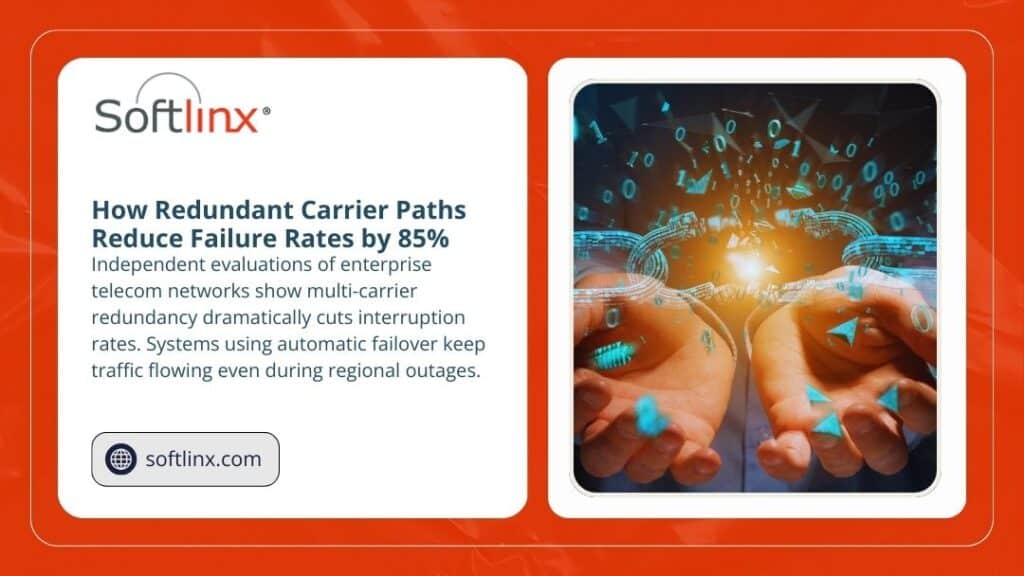
Telephony gateways maintain multiple redundant paths for outbound and inbound calls, allowing traffic to shift automatically if one route experiences congestion.
To make the comparison clear, the table below contrasts core components of modern cloud fax with traditional fax servers found in older environments.
Component
Enterprise Cloud Fax
Traditional Fax Servers
Capacity Handling
Virtual channels scale instantly
Fixed physical lines limit volume
Routing Behavior
Dynamic failover maintains uptime
Single-path routing increases downtime risk
System Maintenance
No internal hardware or phone lines
IT teams manage boards, trunks, and updates
Throughput
Supports large daily volume without congestion
Bottlenecks appear in peak hours
Security Standards
Hosted in audited U.S. data centers
Local security varies widely
Interruption Points
Minimal failure points
Hardware, trunks, and machines can fail
Organizations that routinely process thousands of daily faxes across clinical, financial, and operational systems benefit from this type of scalable architecture. Continuous monitoring detects irregularities, while automated recovery paths preserve uptime without intervention.
This allows high-volume teams to move away from the limits of older systems, such as on-prem fax servers, now replaced by cloud alternatives outlined in resources like the fax server guide.
Softlinx supports this model through secure cloud fax services that remove the dependency on internal servers and analog lines. The platform routes fax traffic across redundant systems tested against healthcare-level requirements. Facilities such as hospitals, clinics, surgery centers, and outpatient practices benefit from consistent uptime through specialized solutions, including hospital cloud fax solutions and other clinical service options.
Do Enterprise Fax Solutions Offer Reliable Uptime for High-Volume Needs as Required by Healthcare and Regulated Sectors?
Enterprise fax performance carries direct consequences for patient records, claims handling, financial document movement, and regulated workflows. For this reason, healthcare organizations adopt enterprise cloud fax at a rapid pace, replacing traditional faxing with secure and scalable platforms.
The question of do enterprise fax solutions offer reliable uptime for high-volume needs becomes even more relevant in environments where fax volume peaks during emergencies, seasonal surges, and cross-department communication cycles.
Healthcare organizations often work with sensitive data protected by HIPAA requirements, which have strict expectations for secure fax transport. Platforms built for HIPAA-related workflows highlight secure routing, encryption, audit trails, and continuous availability.
Several groups use specialized services based on facility type, such as clinic cloud fax solutions, and many prefer cloud models over on-site systems due to their reliability under pressure.
Regulated industries outside healthcare share similar expectations. Enterprise cloud fax supports secure document routing for financial services, insurance underwriting, government agencies, and multinational institutions where large-scale faxing remains part of compliance and audit requirements. These organizations need assurance that uptime remains steady during peak periods, when thousands of documents must move without interruption.
The Influence of Workflow Automation on Uptime Stability
High-volume workflows benefit from automation features that reduce manual intervention. Automated routing places incoming documents into specific network folders, EHR modules, or departmental queues.
Barcode-based processing scans incoming pages for identifiers that categorize documents without human review, which reduces bottlenecks and speeds downstream tasks.
When organizations automate fax steps, the stability of the underlying system carries greater weight. Automated systems depend on continuous availability, accurate routing, and proper document recognition.
Softlinx’s routing capabilities support traffic allocation across secure endpoints and provide consistent performance through its enterprise cloud fax platform. Healthcare and operational workflows integrate with systems such as EHR and practice-management platforms through resources like EHR integration.
Automation strengthens uptime because it decreases manual retry cycles, reduces user-related delays, and eliminates the disruptions created by congested local hardware. The more automated the process, the more uptime matters, because even small outages affect entire document chains.
The Difference Between Cloud Fax and On-Prem Faxing in High-Volume Settings
On-prem fax servers rely on physical trunks and analog pathways. These infrastructures can fail due to power issues, network interruptions, or equipment breakdowns. Physical machines also remain vulnerable to hardware faults, paper jams, or toner shortages. When organizations attempt to scale, they face rising costs and maintenance requirements.
Enterprise cloud fax systems remove these constraints. Documents travel through monitored, redundant telephony channels and encrypted paths secured inside U.S. data centers. Cloud environments operate with multiple layers of protection, including intrusion detection, auditing, and continuous health checks. This structure provides a more stable foundation, especially for facilities with diverse endpoints such as dental clinics, veterinary offices, or rehabilitation centers supported by services like rehabilitation center cloud fax solutions.
Softlinx supports secure cloud fax capabilities that allow healthcare facilities, financial institutions, government departments, and large enterprise groups to use a single platform for high-volume faxing without managing hardware or telephony.
The platform supports document transport through encrypted channels, making it suitable for HIPAA-related environments that depend on a HIPAA-compliant fax service.
Organizations often evaluate performance metrics before selecting an enterprise cloud fax solution. They review availability targets, telephony redundancy, failover paths, data center certifications, and integration support. These elements shape overall reliability and determine whether the platform can maintain constant throughput.
The table below outlines the main factors that influence uptime in enterprise settings.
Factor
Impact on High-Volume Workflows
Telephony Redundancy
Multiple carrier paths prevent interruptions.
Virtual Channel Capacity
Supports simultaneous high-volume traffic.
Data Center Standards
HIPAA, SOC 2, and audited infrastructure ensure secure uptime.
Workflow Routing
Automated routing reduces manual errors and retry cycles.
Integration Support
Direct EHR, financial, and government integration reduces delays.
Monitoring Systems
Continuous monitoring detects and corrects issues early.
Softlinx supports large organizations with routing options across healthcare, insurance, and government channels. These include specialized workflows for teams that need secure cloud-based routing without the congestion common in older systems.
For example, many practices adopt specialized services for chiropractic, dermatology, orthopedic, or cardiology groups, supported by offerings such as cardiology practice cloud fax solutions.
Choosing a Reliable Enterprise Cloud Fax Platform for High-Volume Use
When evaluating enterprise cloud fax platforms, organizations look for stable availability, scalable architecture, and strong compliance infrastructure. High-volume environments depend on continuous uptime due to the number of documents transmitted across departments each hour. Softlinx supports these needs through secure routing, reliable SIP gateways, and automated workflows capable of supporting thousands of daily transactions.
Teams that continue to use older systems often explore cloud alternatives by reviewing guidance such as fax through the internet, or by comparing performance against VoIP-based systems, including the overview at VoIP fax.
Many also shift from traditional email-based workflows into structured fax transport using references like How to email to a fax number. These transitions usually occur when high-volume requirements begin to strain legacy fax environments.
To support rapid operational needs, organizations that depend on specialized routing and automated processing often adopt enterprise cloud fax solutions designed for scalability. Softlinx provides an established framework for these scenarios and supports cloud fax routing, encrypted transport, and compliant document handling across large networks.
For teams evaluating options, the main question remains: do enterprise fax solutions offer reliable uptime for high-volume needs? Platforms with the right infrastructure, routing logic, and security posture consistently meet this standard.An evaluation of Softlinx cloud fax services can be found at cloud fax, where organizations can review architecture details, secure routing, and compliance support required for enterprise-level fax operations.
What This Means for Enterprises That Depend on Large-Scale Fax Workflows
Enterprise fax solutions built on cloud architecture routinely meet high-volume demands by using redundant carrier paths, scalable virtual channels, and protected routing environments. These systems outperform legacy fax servers by reducing interruptions, lowering congestion, and removing the hardware limitations that create downtime.
Organizations that depend on consistent throughput, whether clinical, financial, or operational, gain stability from platforms designed to deliver continuous availability.
Enterprises evaluating their next step can review Softlinx’s broader capabilities through its dedicated cloud fax platform at Softlinx.
For teams that want to adopt a secure, scalable, and high-availability fax environment, the most direct path is to request a tailored solution through Softlinx cloud fax services.