In the healthcare industry, efficient medical billing processes are crucial for maintaining the financial health of medical practices and ensuring the smooth operation of patient care services. A well-structured billing system not only guarantees that healthcare providers are compensated for the services they deliver, but it also plays a significant role in the overall patient experience. Slow or inaccurate billing processes can lead to delayed payments, financial strain on healthcare organizations, and frustration for patients who may face unexpected or incorrect charges.
As healthcare providers seek to streamline their operations, adopting technological solutions that enhance billing efficiency is critical. One such tool gaining widespread attention is cloud faxing, a modern solution designed to overcome many of the challenges associated with traditional billing methods. Read on to learn more from Softlinx.
Cloud Fax Solutions as a Tool for Streamlining Billing Operations
Cloud fax solutions provide a digital alternative to the traditional fax machines that have long been a staple in medical billing offices. With cloud fax, documents can be securely transmitted and received over the internet. This eliminates the need for physical machines, paper, and ink. This transition from manual, paper-based faxing to cloud-based systems has a profound impact on the efficiency of billing departments. By integrating cloud fax with existing medical billing software, healthcare providers can automate the transfer of billing documents, reduce errors, and accelerate the payment process.
Cloud faxing helps solve many of the challenges that plague traditional billing processes, such as:
Manual paper handling
Payment delays
Compliance issues
Lost or misplaced documents
Time-consuming data entry
High operational costs related to paper and fax machine maintenance
Security risks from unauthorized access to physical documents
Difficulty tracking document status and submission timelines
What is the Medical Billing Process?
Overview of Medical Billing
Medical billing is the process through which healthcare providers submit claims to insurance companies or patients to receive payment for services rendered. It is an integral part of the healthcare revenue cycle, which involves everything from patient registration to the collection of payments. The goal of medical billing is to ensure that healthcare providers are accurately reimbursed for the care they provide, while also managing patient accounts and addressing any discrepancies in billing or payments.
Key Steps in the Medical Billing Process
Patient Registration: The billing process begins with patient registration. At this point, essential information such as personal details, insurance coverage, and contact information is collected. This step ensures that the healthcare provider has the necessary information to submit claims to the correct insurance companies.
Insurance Verification: Before medical services are provided, the billing department verifies the patient’s insurance eligibility and coverage to avoid potential issues with denied claims later on.
Charge Entry: After services are provided, the healthcare provider documents the care given and assigns appropriate billing codes based on the services rendered. These codes are essential for creating accurate claims.
Claim Submission: Once all the relevant information has been collected, the medical billing department prepares and submits claims to the insurance company for payment.
Payment Posting: After the insurance company processes the claim, payments are posted to the patient’s account. Any discrepancies between the billed amount and the paid amount are resolved at this stage.
Denial Management: In cases where a claim is denied or rejected, the billing team must investigate the reason for denial, correct any errors, and resubmit the claim if necessary.
Patient Billing: Finally, once insurance payments are received, patients are billed for any remaining balances, such as copayments or deductibles.
Challenges in Traditional Medical Billing Processes
Manual Paper Handling
Handling physical documents in medical billing processes can be both time-consuming and error-prone. Paperwork can be lost, damaged, or incorrectly filed, leading to delays in claim submissions and payment processing. Manual data entry further increases the risk of human error, resulting in incorrect billing information being submitted to insurance companies.
Delays in Payment Processing
Traditional billing processes often rely on slow document transmission methods, such as physical fax machines, which can significantly delay the submission of claims and subsequent payment. These delays negatively impact the cash flow of healthcare providers, potentially leading to financial difficulties.
Compliance and Security Concerns
Ensuring compliance with regulations like the Health Insurance Portability and Accountability Act (HIPAA) is a significant concern in traditional billing processes. Traditional fax machines can pose security risks, as they often transmit sensitive patient information without encryption, leaving it vulnerable to unauthorized access.
Errors and Miscommunication
Billing errors, whether due to incorrect documentation or miscommunication between departments, can result in claim denials or patient dissatisfaction. These errors complicate the revenue cycle and can lead to financial losses for healthcare providers.
Claim Dispute Reconciliation
A significant challenge in traditional medical billing processes is the time-consuming task of reconciling claim disputes. When claims are denied or discrepancies arise between the billed and paid amounts, healthcare providers must engage in back-and-forth communication with insurance companies to resolve the issue. This process can lead to delays in payment, increased administrative workload, and frustration for both providers and patients.
With cloud fax solutions, claim dispute reconciliation is made more efficient by providing a secure and organized method of transmitting and receiving all necessary documentation. This includes:
Sending additional records, corrections, or justifications
Ensuring that claims are processed faster
Resolving disputes in a timely manner
How Cloud Fax Solutions Enhance Medical Billing Processes
Document Workflow
Cloud fax streamlines the flow of billing documents from healthcare providers to insurers, enabling a more efficient workflow. Instead of manually faxing or mailing documents, medical billing teams can quickly and securely send digital faxes through cloud-based systems, ensuring faster and more reliable transmission of claims and patient information.
Billing Accuracy and Efficiency
One of the key benefits of cloud fax is its ability to reduce manual entry errors by automating the transmission and storage of billing documents. Cloud fax systems can integrate seamlessly with existing billing software, ensuring that data is accurate and up-to-date without manual intervention. This synchronization reduces the chances of errors and improves the overall efficiency of the billing process.
Data Protection and Compliance
Cloud fax solutions are designed with security in mind, ensuring that sensitive patient and billing information is protected through encryption and access controls. This feature helps healthcare providers comply with HIPAA regulations and reduces the risk of non-compliance penalties. Cloud fax also ensures that only authorized personnel can access billing data, further safeguarding patient privacy.
The Financial Impact of Cloud Fax on Medical Billing
Reduced Operational Costs
Switching to cloud fax eliminates the need for traditional fax machines, paper, and maintenance, resulting in immediate cost savings. Additionally, by speeding up the billing process, healthcare providers can reduce the need for short-term loans or credit to cover expenses, improving overall cash flow.
Improved Revenue Cycle Management
Efficient billing processes are essential for ensuring timely payments and reducing outstanding receivables. Cloud fax contributes to better revenue cycle management by accelerating the submission of claims and minimizing the risk of errors, leading to faster reimbursements and more predictable revenue streams.
Enhanced Patient Satisfaction
Accurate and timely billing improves patient trust and satisfaction. When patients receive transparent, error-free invoices, they are more likely to feel confident in the healthcare provider’s professionalism, ultimately leading to higher retention rates.
The Future of Medical Billing with Cloud Fax
Emerging Trends
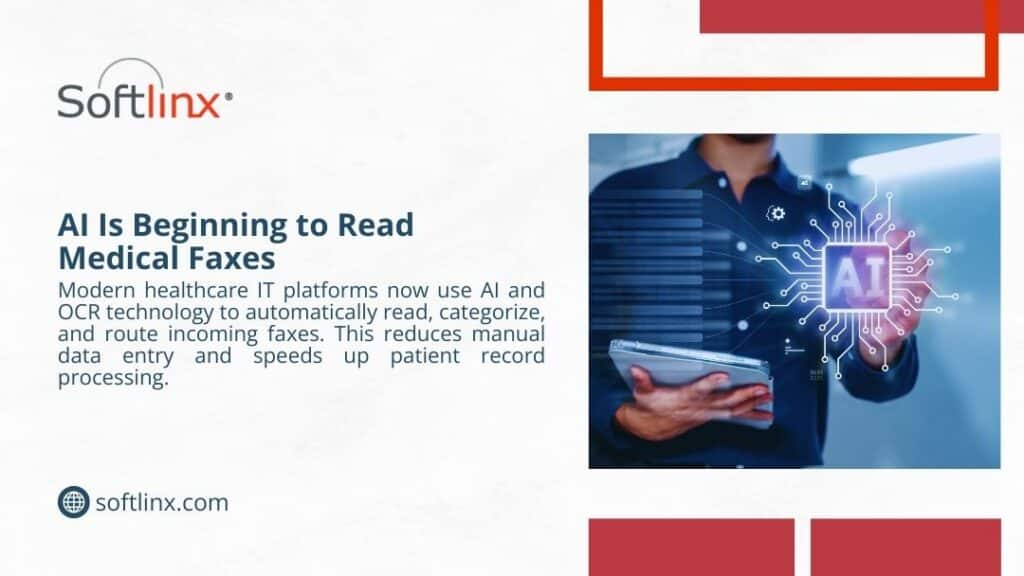
Cloud fax technology is always evolving to meet medical billing needs. Innovations such as integration with artificial intelligence (AI) and machine learning are expected to further automate billing processes, reducing the need for manual intervention and enhancing accuracy.
In Summary
Efficient medical billing processes are critical to the financial health of healthcare providers and the satisfaction of patients. Cloud fax technology plays a pivotal role in improving the speed, accuracy, and security of billing operations. By adopting cloud fax solutions, healthcare organizations can reduce operational costs, enhance revenue cycle management, and ensure compliance with industry regulations.
Contact Softlinx
If you’re looking to enhance your medical billing processes, consider cloud fax as a modern solution. Contact Softlinx today to learn more about how our healthcare cloud fax solutions can streamline your billing operations and improve your financial outcomes. Request a quote now.
Fax Interoperability Healthcare: Why Fax Still Connects Medical Systems
Fax interoperability healthcare continues to play a central role in modern medical communication. Despite the expansion of electronic health records, healthcare organizations still rely on fax systems to exchange clinical documents, referrals, prescriptions, and patient records. The reason is simple: fax works across different technologies without requiring compatible platforms.
This guide explains how fax interoperability healthcare functions inside hospitals, clinics, laboratories, and pharmacies. It also explores why fax machines still exist, how cloud fax modernizes document exchange, and how healthcare organizations use modern faxing to connect EHR systems securely while maintaining HIPAA compliance.
Why Fax Interoperability Still Shapes Healthcare Communication
Healthcare technology has changed dramatically during the last two decades. Hospitals now use electronic health records, digital imaging, telemedicine platforms, and connected medical devices. Yet a technology invented in the nineteenth century still handles a significant portion of healthcare communication. That technology is a fax.
Fax interoperability healthcare refers to the ability of fax systems to exchange patient information across different organizations, systems, and software platforms without compatibility barriers. Hospitals, laboratories, insurance providers, pharmacies, and physician offices rely on fax because it provides a universal communication layer when other systems cannot easily share data.
The numbers support this reality. According to a healthcare interoperability study, approximately 70% of healthcare organizations still use fax to exchange medical information across institutions.
While many industries abandoned fax machines decades ago, healthcare continues to depend on them because secure document exchange remains a complex challenge. Fax interoperability in healthcare allows organizations with different electronic health records to send and receive clinical information without technical barriers. And that is why fax remains part of the healthcare ecosystem.
Fax Interoperability Healthcare
Fax interoperability in healthcare describes the use of fax systems as a universal bridge between healthcare technologies. In practice, it allows hospitals, clinics, laboratories, and pharmacies to exchange patient documents even when their systems cannot communicate directly.
Healthcare interoperability usually refers to the ability of different health information systems to share data electronically. Ideally, electronic health records would communicate seamlessly through standardized protocols. However, healthcare systems often operate on different platforms and vendor software. This is where fax becomes valuable.
Fax systems allow healthcare organizations to send and receive documents regardless of software compatibility. A physician using one electronic health record system can transmit patient records to a hospital using another system without requiring integration.
In many healthcare operations, inbound documents such as referrals, discharge summaries, insurance forms, and lab results arrive through healthcare fax channels. Staff then upload the documents into electronic health records or document management systems.
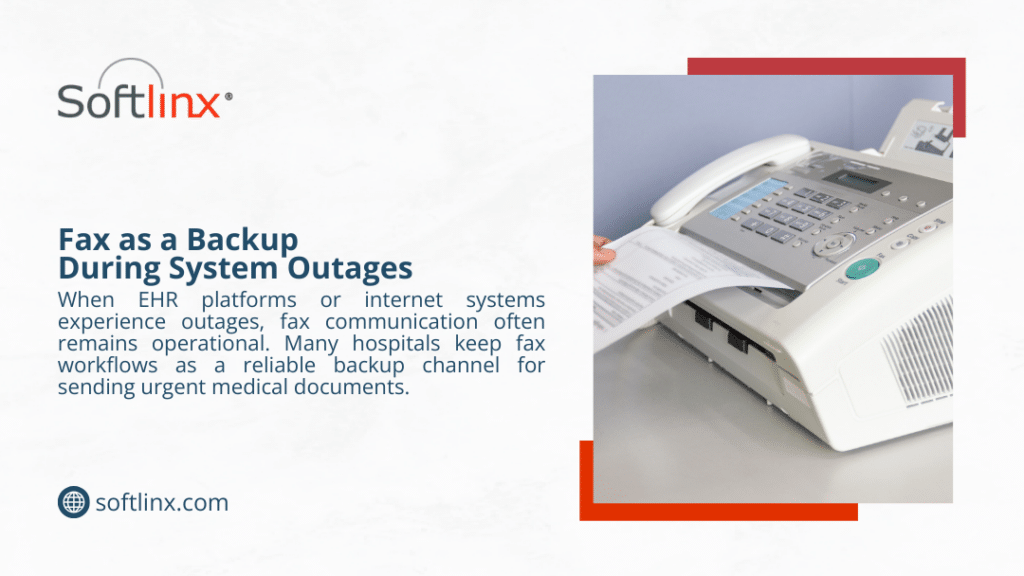
Because fax operates over universal communication networks, fax interoperability enables healthcare functions even when other digital communication methods fail.
What Is a Fax Machine and Why Fax Machines Still Exist in Healthcare
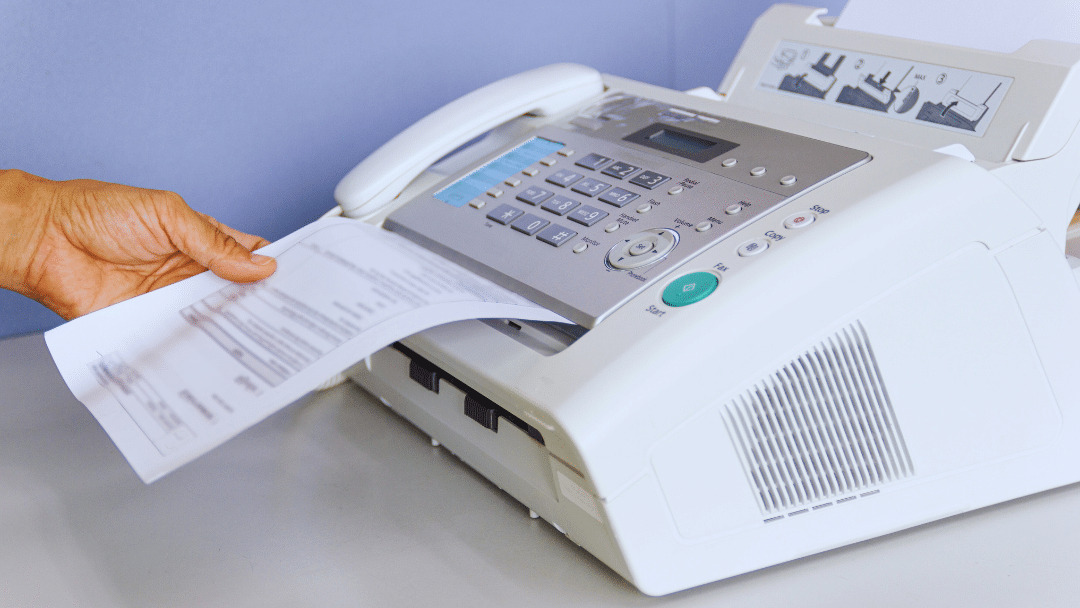
To understand fax interoperability in healthcare, it helps to revisit a basic question: What is a fax machine? A fax machine is a device that converts printed documents into electronic signals transmitted over telephone networks. The receiving machine reconstructs the signals into a printed or digital copy.
Although fax machines may appear outdated, the technology behind them remains reliable and widely supported. Many healthcare organizations still use fax machines because the infrastructure already exists and the workflow fits medical documentation requirements.
This leads to a common question: Are fax machines obsolete? In most industries, the answer might be yes. But in healthcare, the situation differs.
Fax machines still exist because they offer several advantages in medical environments. They provide a standardized method for document exchange, and they remain compatible with legacy systems that hospitals still operate.
Another factor that explains why fax machines still work well in healthcare communication is reliability. Unlike email systems that rely on internet protocols and security layers, fax transmissions follow a consistent process that has remained stable for decades.
This explains why healthcare providers continue to rely on fax machines for clinical documentation and why fax interoperability in healthcare still supports daily medical operations.
Why Healthcare Organizations Still Use Fax Machines
Healthcare professionals often ask why fax machines are still used when modern digital communication technologies exist. The answer lies in operational realities inside healthcare organizations.
Medical communication involves sensitive patient data, strict regulatory requirements, and complex networks of independent institutions. Fax systems continue to function within these constraints because they provide universal compatibility and predictable transmission.
Physicians still use fax when sending referrals to specialists, transmitting prescription documentation, or exchanging laboratory results. Pharmacies also rely on fax for prescription verification and medication authorization.
A pharmacy may receive prescription information through healthcare fax systems because many physician offices still rely on fax workflows. The use of fax machines in pharmacy communication helps pharmacists confirm prescription details and maintain documentation records.
Healthcare communication often involves multiple organizations. Hospitals exchange patient information with outpatient clinics, diagnostic centers, and rehabilitation facilities. Because these organizations may use different electronic health record platforms, fax interoperability enables reliable document exchange.
Another reason fax remains widely used relates to compliance. Healthcare regulations require strict control over patient data transmission. Fax systems provide documented communication channels that healthcare organizations trust.
For these reasons, healthcare fax systems continue to support medical operations even in an era dominated by digital technology.
How Fax Interoperability Supports Healthcare Communication
Fax interoperability healthcare enables critical communication across the healthcare ecosystem. Hospitals, physicians’ offices, diagnostic laboratories, pharmacies, and insurance companies rely on fax systems to exchange patient information.
Healthcare organizations use fax to send and receive medical records, insurance authorization documents, referral forms, laboratory results, and imaging reports. Many healthcare operations depend on inbound documents arriving through fax channels.
When a physician refers a patient to a specialist, the referral documents often travel through fax communication. The receiving clinic then processes the documents and uploads them into the patient’s electronic health record.
Insurance providers also communicate with healthcare organizations through fax systems when verifying coverage or approving procedures.
The ability to transmit documents without requiring compatible software systems explains why fax interoperability healthcare remains valuable in medical environments.
Healthcare Communication Methods
Communication Method
Compatibility
Security
Interoperability
Fax systems
Universal
High
High
Email
Limited
Moderate
Low
EHR messaging
Platform dependent
High
Medium
Health information exchange networks
Limited adoption
High
Medium
Fax remains the most universally compatible communication method among healthcare organizations.
The Relationship Between Fax, EHR Systems, and Healthcare Interoperability
Electronic health records transformed how healthcare organizations manage patient data. Yet interoperability between EHR systems remains limited.
Healthcare software vendors often design systems that operate best within their own ecosystems. When organizations use different EHR platforms, direct communication between them becomes difficult.
Fax interoperability healthcare solves this challenge by acting as a neutral communication layer. Documents generated within electronic health records can be transmitted via fax and received by organizations using different software platforms. Staff members then attach the received documents to patient records inside their own systems.
Healthcare organizations also integrate fax services directly with electronic health record systems. For example, a hospital may connect its fax system to its EHR platform so staff can send documents without leaving the patient record interface.
Interoperability standards also play a role in healthcare communication. The HL7 standard defines messaging protocols used by healthcare applications. Another modern interoperability standard, FHIR, enables structured healthcare data exchange across digital platforms.
Despite these standards, healthcare organizations still rely on fax interoperability because not all systems support the same protocols.
Traditional Fax Machines vs Modern Cloud Fax in Healthcare
Healthcare communication has evolved beyond traditional fax machines. Many organizations now adopt cloud fax solutions that provide digital faxing capabilities without physical hardware.
Cloud fax platforms allow healthcare organizations to send and receive documents through secure internet networks. Staff can access fax services from electronic health records, web portals, or email systems.
Organizations interested in modernizing healthcare fax infrastructure often explore secure cloud fax services designed for healthcare communication to reduce reliance on physical fax machines.
The transition from traditional fax machines to cloud fax improves healthcare interoperability because digital fax platforms integrate with existing software systems.
Traditional Fax vs Cloud Fax
Feature
Traditional Fax Machine
Cloud Fax
Hardware
Required
Not required
Paper usage
Required
Digital
Integration with EHR
Limited
Supported
Security
Phone network
Encrypted internet transmission
Automation
Manual workflows
Automated routing
Cloud fax solutions extend the capabilities of fax interoperability healthcare by allowing healthcare organizations to manage document workflows digitally.
Healthcare Faxing Workflows That Depend on Interoperability
Healthcare faxing workflows support several clinical operations. These workflows rely on fax interoperability healthcare to transmit patient information across institutions.
One of the most common workflows involves patient referrals. When primary care physicians refer patients to specialists, the referral documentation often travels through fax communication.
Laboratories also send test results to physicians through healthcare fax systems. Diagnostic centers frequently transmit imaging reports and test summaries using fax because the receiving physician may use a different software platform.
Pharmacies represent another example. Pharmacists communicate with physician offices through fax when verifying prescriptions, requesting clarifications, or receiving prescription authorization forms.
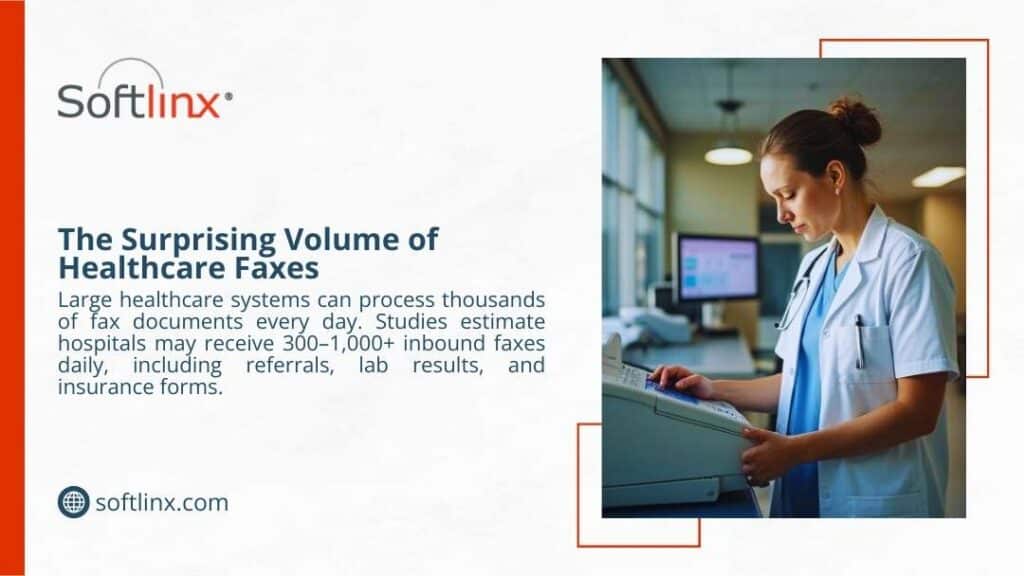
Healthcare organizations often process high volumes of fax documents each day. Hospitals may receive hundreds of inbound faxes containing referrals, patient records, or administrative documentation.
Organizations seeking to improve document handling frequently explore methods for managing high-volume faxes in healthcare environments to prevent delays in clinical workflows. These operational realities illustrate why fax interoperability healthcare continues to support essential medical communication processes.
Security and HIPAA Compliance in Healthcare Faxing
Security remains a major concern in healthcare communication. Medical records contain protected health information that must remain confidential during transmission.
Healthcare organizations must follow regulations established by the Health Insurance Portability and Accountability Act. HIPAA requires healthcare providers to implement safeguards that protect patient information from unauthorized access.
Fax communication can satisfy these regulatory requirements when healthcare organizations implement proper security controls. Fax transmissions occur over dedicated communication channels, and many organizations treat fax documents as secure records.
Healthcare providers often review guidelines explaining whether fax meets HIPAA compliance requirements to ensure their fax workflows follow regulatory standards.
Modern digital fax systems provide additional security features such as encryption, authentication controls, and secure document storage. These capabilities strengthen fax interoperability in healthcare by allowing organizations to exchange patient data safely.
How Cloud Fax Improves Healthcare Interoperability
Cloud fax technologies extend the benefits of fax interoperability healthcare while eliminating the limitations of traditional fax machines. Modern digital fax platforms allow healthcare organizations to route inbound documents automatically, categorize patient records, and integrate fax data directly into electronic health records.
Cloud fax services also support integration with healthcare applications through software interfaces. Developers can build communication workflows that send and receive fax documents automatically when certain events occur in electronic health records.
Organizations developing healthcare software sometimes explore cloud fax APIs that support bulk or broadcast faxing when they need to automate high-volume document delivery. These capabilities allow healthcare organizations to maintain the interoperability advantages of fax while modernizing document workflows.
Healthcare Interoperability Technologies
Technology
Role in Healthcare
HL7
Standard messaging for healthcare applications
FHIR
API-based healthcare interoperability
Electronic health records
Patient record management
Cloud fax
Universal document exchange
Each technology contributes to healthcare interoperability, but fax systems remain one of the few methods compatible with every organization.
Challenges in Healthcare Fax Interoperability
Despite its advantages, fax interoperability healthcare also presents operational challenges. Traditional fax machines require manual document handling, which increases administrative workload.
Healthcare staff must often review inbound documents, categorize patient records, and upload files into electronic health record systems. This process consumes time and increases the possibility of human error.
Misrouted documents can create delays in patient care, especially when healthcare organizations handle high volumes of fax communication.
Another challenge involves the cost of maintaining traditional fax machines. Hardware maintenance, paper supplies, and dedicated communication lines create operational expenses.
Healthcare communication continues to evolve as digital technologies improve interoperability between medical systems. Electronic health record vendors now support more standardized communication protocols. Government initiatives also promote health information exchange networks designed to enable secure patient data sharing across institutions.
Even with these advances, fax interoperability in healthcare remains relevant because healthcare organizations still operate diverse software environments. Until universal interoperability becomes reality, fax will continue to bridge communication gaps.
The future of healthcare faxing, therefore, involves modernization rather than elimination. Cloud fax systems, automated document processing, and EHR integrations allow healthcare organizations to maintain interoperability while reducing manual workload.
Why Fax Remains a Universal Bridge in Healthcare Communication
Fax interoperability healthcare persists because it solves a problem that modern technologies have not fully addressed: universal compatibility.
Hospitals, clinics, laboratories, pharmacies, and insurance providers operate different information systems. These systems cannot always communicate directly due to vendor differences, regulatory constraints, and infrastructure limitations.
Fax systems bypass these barriers. They allow healthcare organizations to transmit patient documents without requiring shared platforms or software integration. As long as healthcare organizations operate diverse systems, fax will continue to function as a universal communication bridge.
Moving Toward Modern Healthcare Communication
Fax interoperability healthcare will remain critical as long as healthcare organizations operate different systems and need a reliable way to exchange patient information. What’s changing isn’t the need for fax; it’s how fax operates in modern healthcare environments.
Legacy fax machines are giving way to secure, integrated platforms that connect directly with healthcare systems and electronic health records. Modern solutions allow organizations to maintain the interoperability of fax while eliminating manual workflows, paper handling, and fragmented communication.
For healthcare providers looking to modernize without disrupting established workflows, platforms from Softlinx offer a practical path forward. Their healthcare-focused cloud fax technology helps organizations maintain secure document exchange while bringing fax communication fully into today’s digital healthcare ecosystem.
March 20, 2026
On-Premise vs Cloud Fax: Infrastructure, Security, and Cost Comparison for 2026
Organizations that still rely on fax, especially in healthcare, finance, and government, often face a fundamental infrastructure decision: maintain an on-premise fax server or adopt a cloud-based fax platform. Understanding on-premise vs cloud fax systems is no longer just an IT concern. It directly affects compliance, operational efficiency, document workflows, and long-term infrastructure costs. This guide examines both technologies, explains how they work, and evaluates the practical implications for enterprises and healthcare organizations.
Why Fax Infrastructure Decisions Matter in 2026
Fax remains surprisingly resilient in regulated industries. Healthcare organizations in the United States still exchange billions of faxed documents annually because fax supports secure document transmission and standardized workflows. According to the research, nearly 70% of healthcare providers still rely on fax during patient information exchange.
Because of that reality, IT teams continue to evaluate on-premise vs cloud fax infrastructure. The decision affects network architecture, compliance obligations, integration capabilities, and system reliability. Some organizations still maintain premise servers connected to phone lines and telephony hardware. Others rely on cloud fax service platforms that deliver fax through the internet.
Understanding the differences between on-premises and cloud fax systems helps organizations choose the model that fits operational requirements, compliance policies, and future scalability.
On-Premise vs Cloud Fax
The phrase on-premise vs cloud fax describes two fundamentally different ways organizations send and receive fax documents.
In an on-premise model, fax infrastructure resides inside the organization’s network. A premise fax server manages fax routing, telephony hardware, and communication with external fax numbers.
Cloud fax uses a cloud-based platform hosted in external infrastructure. Instead of local hardware and phone lines, fax transmission occurs through encrypted internet connections managed by the provider.
The difference affects nearly every operational factor: infrastructure complexity, IT workload, scalability, compliance management, and long-term system reliability.
What Is an On-Premise Fax Server?
An on-premise fax system places the entire fax infrastructure within a company’s local network. IT teams maintain hardware, install software, and manage telecommunications connectivity.
Organizations often deploy a dedicated fax server within their network environment. The system connects to the telephony infrastructure and routes inbound and outbound faxes.
To understand the mechanics behind traditional infrastructure, it helps to review how a typical fax server architecture works through an enterprise fax platform. In a typical deployment, the server connects to analog lines or VoIP gateways and handles document conversion before transmitting the fax through telecommunication networks.
Core Infrastructure Requirements
On-premise environments rely on several components working together.
Component
Purpose
Premise servers
Host fax management software
Telephony boards
Interface with phone lines
Phone lines or SIP trunks
Enable fax transmission
Storage infrastructure
Archive inbound and outbound faxes
IT administration
Maintain updates and reliability
Each component must remain operational for the system to function. Maintenance, updates, and troubleshooting become part of the organization’s ongoing IT workload.
Typical Deployment Environments
On-premise systems historically appeared in organizations with strict internal infrastructure policies. Large enterprises or hospitals often prefer full control over document routing and local storage.
However, maintaining premise servers can introduce operational complexity over the long term, particularly as telecommunication technologies evolve away from analog networks.
What Is a Cloud-Based Fax Service?
A cloud fax service replaces local infrastructure with hosted systems that transmit fax documents through secure internet connections. Instead of maintaining premise servers, organizations connect to a provider’s cloud platform using web portals, email gateways, or application integrations.
Many organizations now send documents through a dedicated cloud fax platform. This approach removes the need for telephony hardware and reduces reliance on traditional phone lines.
How Cloud Fax Works
Cloud fax platforms convert digital documents into fax transmissions within secure data centers. The process typically involves document encryption, routing through redundant infrastructure, and delivery confirmation once the recipient system accepts the transmission.
Many organizations also rely on fax through the internet, which uses secure IP networks rather than analog telephony lines.
Architecture of Cloud Fax Platforms
Layer
Function
Web portal interface
Allows users to send and manage faxes
Cloud processing engine
Converts documents and handles routing
Secure network transmission
Encrypts documents during delivery
Storage and logging systems
Maintain audit trails and archives
This architecture allows organizations to send fax documents without maintaining hardware or managing telecom connectivity.
Cloud Fax vs On-Premise Fax Servers: Core Differences
Understanding on-premise vs cloud fax becomes easier when the two systems are compared directly.
Category
On-Premise Fax
Cloud Fax
Infrastructure
Premise servers and telephony hardware (PSTN/PRI lines).
Hosted a cloud-based platform
Connectivity
Phone lines or SIP trunks
Internet-based delivery (example, email or HTTPS)
IT maintenance
The internal IT team is responsible
Managed by the provider
Scalability
Limited by hardware capacity
Easily expanded
Remote access
Often restricted to the internal network
Accessible from secure portals
These differences explain why many organizations now reassess on-premise vs cloud fax infrastructure when modernizing communication workflows.
Infrastructure and IT Management Comparison
Maintaining traditional fax infrastructure requires continuous oversight. IT teams must manage hardware, telephony services, and software updates while ensuring that systems remain compatible with modern networks.
The operational differences between on-premises and cloud fax environments become clearer when examining infrastructure responsibilities.
Infrastructure Element
On-Premise Fax System
Cloud Fax System
Hardware management
Internal servers and telephony boards are required
Hosted infrastructure maintained by the provider
Phone line management
Requires analog or SIP telephony lines
No phone lines required
Software maintenance
IT staff responsible for updates and patches
Updates handled by the provider
System monitoring
Internal monitoring required
Managed monitoring and uptime tracking
Capacity scaling
Additional hardware required
Scales automatically through cloud infrastructure
Cloud fax removes many operational responsibilities. Infrastructure upgrades, system monitoring, and capacity management occur within the provider’s platform rather than the organization’s network. These differences explain why organizations evaluating on-premise vs cloud fax often consider the operational burden of maintaining premise servers.
Security, Compliance, and HIPAA Considerations
Security plays a central role when organizations compare on-premise vs cloud fax infrastructure. Sensitive documents, including patient records, financial data, and legal documents, must remain protected during transmission.
Healthcare providers in particular must comply with HIPAA regulations governing protected health information.
Security Factor
On-Premise Fax
Cloud Fax
Data encryption
Depends on local configuration
Typically encrypted by default (Uses AES 256-bit encryption for storage and Transport Layer Security (TLS) for transmission)
Access control
Managed internally
Centralized identity management
Audit logging
Requires internal configuration
Automated audit tracking
Compliance monitoring
Internal responsibility
Often supported by the provider (example, BAA for HIPAA).
Disaster recovery
Local backup infrastructure required
Redundant cloud infrastructure
Organizations that require compliant healthcare communication often rely on dedicated HIPAA-compliant fax services. Understanding how security responsibilities differ helps organizations determine which approach better supports compliance requirements.
Cost Structure: Infrastructure vs Operational Model
Cost considerations frequently influence decisions involving on-premises vs cloud fax infrastructure. On-premise systems often require significant upfront investment in hardware, telephony connectivity, and server infrastructure.
Cost Category
On-Premise Fax
Cloud Fax
Hardware
Required
Not required
Telephony lines
Required
Not required
Maintenance
Internal IT costs
Included in service
Upgrades
Hardware replacement
Provider managed
Organizations that evaluate the hidden costs of traditional fax infrastructure often discover that maintaining premise servers can become expensive over time. The difference in cost models is one of the most visible factors when comparing on-premises vs cloud fax systems.
Reliability, Scalability, and High-Volume Fax Workflows
Large enterprises often transmit thousands of fax documents daily. Systems must handle peak workloads without delays or failed transmissions. The operational differences between on-premise vs cloud fax become particularly evident when examining system capacity.
Performance Factor
On-Premise Fax
Cloud Fax
Transmission capacity
Limited by local hardware
Scales through distributed infrastructure
System redundancy
Requires duplicate servers
Built-in redundancy
Downtime recovery
The IT team is responsible for restoration
Managed failover systems
Queue management
Limited by server capacity
High-volume processing support
Organizations that process high document volumes frequently explore enterprise fax platforms capable of supporting large workloads. For healthcare organizations exchanging clinical documentation, reliable fax transmission remains essential.
Integration With Business Applications and EHR Systems
Modern organizations rarely rely on fax alone. Fax systems must integrate with electronic health records, document management platforms, and business applications. When comparing on-premise vs cloud fax, integration capabilities often influence the final decision.
Integration Feature
On-Premise Fax
Cloud Fax
Application integration
Custom development often required
API-based integrations available
EHR connectivity
Requires internal configuration
Often built-in support
Workflow automation
Limited capabilities
Advanced routing and automation
Remote access
Restricted network access
Accessible through secure portals
Healthcare organizations frequently connect fax systems with clinical software to streamline patient information exchange. Automation can also route incoming documents to appropriate departments. These integration capabilities illustrate why cloud infrastructure often simplifies document workflows.
Healthcare Industry Considerations
Healthcare organizations represent one of the largest users of fax technology. Patient referrals, insurance authorizations, laboratory reports, and prescription documents often travel through fax networks.
The Office of the National Coordinator for Health IT acknowledges that fax remains a widely used method of exchanging medical information during healthcare coordination. Hospitals and clinics, therefore, evaluate on-premise vs cloud fax systems carefully before adopting new communication platforms.
Many providers now deploy specialized hospital cloud fax solutions that support secure healthcare workflows. These systems often integrate with clinical applications and patient record systems.
Hidden Costs of Traditional Fax Infrastructure
Organizations often underestimate the operational costs associated with premise servers. Hardware maintenance, telecom contracts, and infrastructure upgrades can accumulate over time.
Hidden Cost Category
Description
Hardware replacement
Servers and telephony boards require periodic replacement
Telecom services
Analog or VoIP lines create recurring expenses
IT administration
Staff time spent on maintenance and troubleshooting
Downtime impact
System outages disrupt communication workflows
Infrastructure upgrades
Network compatibility updates may require hardware replacement
Many organizations examining on-premise vs cloud fax discover that traditional infrastructure carries long-term operational costs. Healthcare providers also evaluate strategies for reducing fax costs in healthcare environments. Understanding these financial factors helps organizations make informed infrastructure decisions.
When On-Premise Fax Still Makes Sense
Despite the growth of cloud services, some organizations continue to maintain on-premise fax infrastructure. These deployments usually occur in environments where strict network isolation policies apply.
Certain government agencies, defense contractors, and financial institutions operate closed network environments that restrict external connectivity. In such cases, maintaining premise servers allows administrators to control every aspect of document routing and storage.
Organizations with long-standing telecom infrastructure investments may also retain on-premise systems. Hospitals that installed fax servers years ago sometimes continue using them because they remain integrated with legacy clinical applications.
Another factor involves organizational policy. Some institutions maintain internal infrastructure standards that prioritize local data storage over external hosting.
However, even in these environments, organizations still evaluate on-premise vs cloud fax options as part of long-term modernization strategies.
When Cloud Fax Is the Better Option
Cloud infrastructure becomes particularly valuable when organizations operate across multiple locations or support remote staff. Employees can send documents through secure portals or email interfaces without requiring local hardware.
Cloud platforms also simplify document workflows by allowing organizations to transmit files directly from business applications. Many enterprises rely on email-to-fax workflows to streamline document delivery.
Healthcare organizations frequently adopt cloud fax systems because they support secure document exchange between clinics, hospitals, laboratories, and insurance providers. Hospitals often deploy hospital cloud fax solutions designed to support secure patient data exchange across clinical departments. These capabilities make cloud infrastructure a practical option for organizations seeking scalable communication systems.
Migration Strategy: Moving From Fax Servers to Cloud Platforms
Transitioning from premise servers to cloud infrastructure requires careful planning. Organizations must migrate fax numbers, configure integrations, and ensure compliance during the transition.
A typical migration strategy begins with infrastructure assessment. IT teams review existing fax servers, telecommunication connections, and application integrations to determine which components require modification.
Next comes number porting. Organizations usually retain existing fax numbers when moving to cloud platforms to avoid disrupting external communication workflows. Integration testing follows. Systems must connect correctly with email gateways, document management platforms, and business applications.
Organizations considering this transition often evaluate the benefits of cloud fax for enterprise communication. By approaching migration strategically, organizations can transition to cloud infrastructure without disrupting document workflows.
Choosing the Right Fax Infrastructure
Selecting the right system requires evaluating operational priorities. The debate around on-premise vs cloud fax often comes down to infrastructure control versus operational simplicity.
Organizations that prioritize full control over hardware and network configuration may continue using premise servers. These environments allow IT teams to customize system behavior and maintain direct oversight of infrastructure.
However, organizations focused on scalability and workflow automation often favor cloud platforms. Cloud infrastructure reduces hardware dependencies and simplifies system maintenance.
Healthcare organizations, in particular, often choose cloud fax platforms because they support secure communication between multiple facilities and clinical applications. Ultimately, evaluating on-premise vs cloud fax involves balancing infrastructure control with long-term operational efficiency.
Where Fax Infrastructure Is Headed
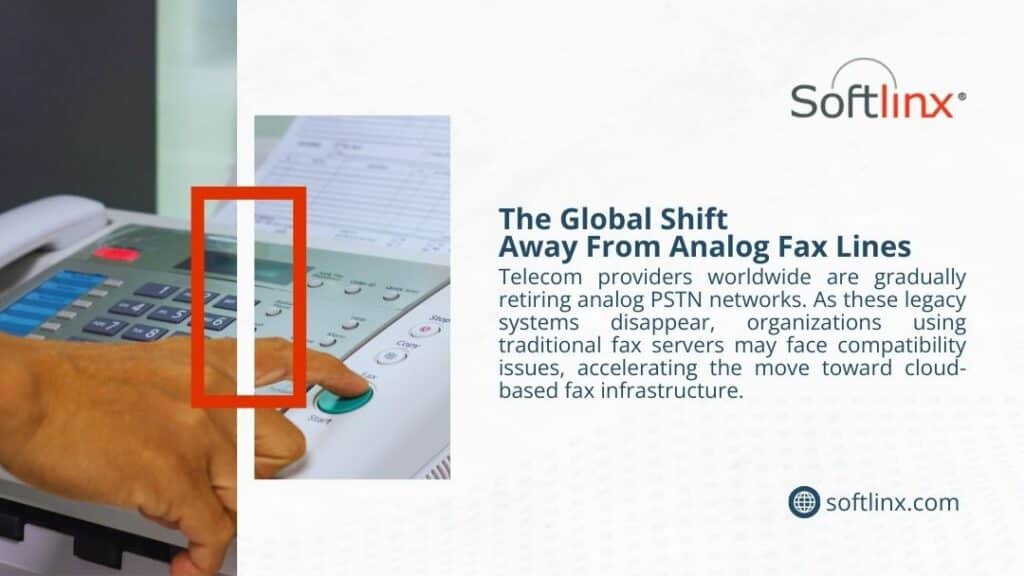
Enterprise communication systems continue to move toward cloud infrastructure. Telecommunication networks are gradually shifting away from analog technologies, and organizations increasingly rely on internet-based communication platforms.
As this shift continues, many enterprises are reassessing on-premise vs cloud fax strategies to ensure their systems remain compatible with modern infrastructure and compliance standards.
Organizations that rely on secure document exchange, especially healthcare providers, often benefit from platforms designed specifically for regulated industries.
Softlinx provides secure cloud fax solutions built for organizations that require reliable document transmission across healthcare, finance, education, and government sectors. Its platform supports secure workflows, integration with business systems, and scalable fax infrastructure designed for modern enterprise environments.
Organizations evaluating on-premise vs cloud fax can explore how Softlinx cloud fax services support secure and compliant communication across distributed teams and regulated industries.
March 16, 2026
Can I Use My Existing Fax Number With a Cloud Fax Service?
Yes, in many cases, you can use your existing fax number with a cloud fax service. The usual path is number porting, which lets you move the number from a legacy fax line or landline setup to an online fax service without changing the digits your customers, referral partners, and staff already know.
The catch is that port approval depends on accurate carrier records, an active line, and a clean porting request. And one rule matters more than most: do not cancel your current fax service before the port is complete, because FCC guidance warns that early termination can disrupt the transfer process.
When businesses ask, Can I use my existing fax number with a cloud fax service?, they are usually asking two things at once. First, can the number stay the same? Second, will the switch break the workflow that keeps documents moving every day?
For most U.S. businesses, the short answer is yes, an existing fax number can often be retained by porting it to a cloud fax provider. But here’s the problem: a number port is not just a formality. It is a carrier-level process tied to account data, service eligibility, and timing. If any of those pieces are off, the move can stall.
That is exactly why this topic matters more in healthcare, finance, insurance, government, and other document-heavy sectors. A fax number is not just a line on a business card. It may already be part of referral workflows, EHR templates, intake forms, directories, and established partner records. Softlinx positions its cloud fax platform around those business needs, with support for healthcare IT providers, enterprises, software vendors, secure document exchange, EHR integration, email to fax, web portal faxing, and HIPAA-aligned workflows.
Can I use my existing fax number with a cloud fax service?
Yes, in many situations, you can use your existing fax number with a cloud fax service by submitting a number porting request through the new provider. FCC guidance says customers who switch providers and remain in the same geographic area can generally keep their existing number, and the FCC also warns customers not to terminate service with the old provider before the new service is in place. That same logic applies when a business moves a fax line from a traditional setup to a digital fax service or online fax service.
That said, can I use my existing fax number with a cloud fax service? does not always have a blanket yes attached to it. Some numbers are easy to port. Others get delayed because the business name does not match the carrier record, the line was canceled too early, the account number is wrong, or the number sits in a rate-center setup that the new provider cannot support. So the better answer is this: in many cases, yes, but only if the porting process is handled carefully and the provider has a dependable process for validation, coordination, and cutover.
What number porting really means for your fax line
A lot of people still think the fax number lives with the fax machine. It does not. The number is tied to the telephone carrier record, not the hardware itself. That is why businesses can move from a fax machine and landline to a cloud fax platform while keeping the same fax number. The device changes. The number often does not.
So here’s how it works. Your new provider submits a porting request to take control of the number. Once the transfer is approved and completed, the number routes through the new cloud fax service instead of the old fax line. After that, your team can usually manage fax traffic through a browser, email workflow, API, mobile device, or application integration rather than a stand-alone fax machine. Softlinx’s platform, for example, supports web portal faxing, email to fax, print to fax, and integration-driven workflows designed for enterprise operations and healthcare environments.
When a port usually works, and when it can hit a wall
Most ports go through when the number is active, the business stays within the relevant geographic framework, and the submitted account details match the current carrier record. That is the clean version. The messy version is more common than many provider pages admit. A porting request can fail or slow down if the authorized contact is incorrect, the billing address is outdated, the line has a carrier freeze, or account changes are made midway through the request.
Businesses moving from a legacy landline, fax server, or analog fax machine should be especially careful. If the fax number is bundled with a broader telephone service package, a careless port request can affect more than the fax line. If someone cancels service before the number porting is complete, the number may no longer be eligible for transfer. That one mistake causes a lot of unnecessary pain.
Fax setup
Can the number usually be ported?
What to verify first
Stand-alone business fax line
Often yes
Active status, account number, service address
Fax number tied to a landline
Often yes, but may need extra review
Whether other services are attached to the line
Multi-line business account
Often yes, though slower
Authorized contact, cutover timing, and carrier records
Disconnected fax number
Often no
Whether the carrier can restore the line first
Legacy fax machine with analog line
Often yes
Whether the new provider supports that number’s location
This is why the question is not only about whether a number can move. It is really a question about eligibility, documentation, timing, and how well the new provider manages business continuity during the transition.
What you need before you submit a porting request
Most providers ask for the same core details. They typically need a signed authorization, the current provider name, the fax number to be ported, the account number, and the exact billing or service address on file. The typical process involves signing up for the service, reviewing the authorization document, and, in some cases, receiving a temporary fax number while the transfer is in progress.
The exact paperwork varies a bit, but the principle stays the same. The new provider needs enough information to prove you control the number and to ask the old provider to release it. If anything is off by even a small margin, the request can bounce back. That is why businesses should pull a recent invoice and use the account data exactly as the current carrier has it on record. This is one of the most common reasons number ports are delayed.
Document or detail
Why it matters
Common issue
Signed porting authorization
Let the new provider act on your behalf
Missing signature or wrong signer
Recent bill copy
Confirms account and service details
Outdated or incomplete invoice
Exact business name on record
Must match the carrier database
Trade name used instead of legal name
Service address
Validates ownership and location
Old office address still on file
Account number
Identifies the current service
Entered incorrectly or omitted
How the porting process usually unfolds
First, the business opens the new cloud fax service account. Next comes the porting request, with the supporting records attached. Then the new provider sends the request to the current carrier. If the old carrier approves it, both sides coordinate a cutover date. During the transition period, some vendors may provide a temporary fax number so teams can begin sending faxes immediately, while incoming faxes continue to arrive on the existing line until the porting process is fully completed.
In practical terms, that means your team can start testing the new online fax service before the permanent fax number fully lands there. That helps a lot. It lets staff learn the new workflow, check user permissions, confirm email-to-fax behavior, and verify whether inbound documents are routing to the right inboxes or folders. If your business relies on cloud fax or needs to fax through the internet, that overlap period can reduce risk during the move. That kind of controlled transition matters far more to business users than a simple promise that porting is easy.
How long does number porting take?
FCC material says simple ports have specific timing rules, but real-world business ports are not always simple. A single-line transfer with clean records is usually faster than a port tied to a larger business telephone setup, a bundled service, or multiple lines. The FCC’s own consumer guidance notes that simple ports are governed by FCC rules, while the old and new providers coordinate the actual move.
So here’s what happened in the market: fax service providers often describe number porting as quick and straightforward, and in some cases, it can be. But business buyers should still expect variance. A clean request may move without much drama. A messy one can drag because one detail in the record does not match. That is why the safest planning approach is not to promise a rigid deadline internally until the new provider confirms it. For organizations with shared workflows, compliance requirements, or multiple departments, realistic planning is more valuable than optimistic estimates.
The mistakes that delay ports most often
The biggest issue is bad data. A billing address mismatch, a wrong account number, or a signer who is not authorized can stop the process cold. Early cancellation is another one. The FCC explicitly warns against terminating service before the new service is established, and other provider guidance says the same thing in plain terms: never cancel before the port completes.
There is also the internal side of the problem. Teams sometimes update stationery, directories, contact records, or workflow rules before the port is finished. That creates confusion if the number does not move on the expected date. The cleaner route is to treat number porting like a controlled change, not a casual provider swap. If your business uses VoIP fax or is weighing whether to modernize from analog infrastructure to digital fax, planning matters just as much as the provider choice.
Delay trigger
What causes it
How to avoid it
Account mismatch
Carrier records and submitted data do not match
Use a recent bill and copy the details exactly
Service was canceled too early
The number becomes unavailable for transfer
Keep the old line active until completion
Wrong authorized contact
Carrier rejects the request
Use a signer with account authority
Bundled services on the line
Other phone services complicate the release
Review everything attached to the line first
No testing plan
Problems show up only after cutover
Run send/receive tests before and after port
What changes after the number moves to cloud fax
Once the fax number ports successfully, the number stays familiar, but the workflow changes quite a bit. Instead of standing by a fax machine, users usually send and receive through a browser, email inbox, mobile app, or integrated business application. That is the real operational value. A cloud fax service keeps the public-facing number stable while changing the back-end process into something easier to track, route, and secure.For many organizations, that also means the fax process can move closer to daily work instead of living off to the side. Staff can send from desktops, receive by email, or route documents into a workflow. Businesses that need to email to a fax number or want a stronger fax server alternative usually care less about the device and more about continuity, auditability, and convenience. That is where cloud fax becomes more than a hardware replacement. It becomes part of a broader document workflow strategy.
Why this matters even more in healthcare
Healthcare has its own twist on this question. When a practice asks, can I use my existing fax number with a cloud fax service?, it is not just trying to preserve convenience. It is trying to avoid disruption to referrals, records exchange, orders, authorizations, and care coordination.
The HHS HIPAA Security Rule says electronic protected health information must be protected with administrative, physical, and technical safeguards. That does not mean every cloud fax product is automatically appropriate. It means the provider and the workflow both need to support those safeguards.
For healthcare organizations, keeping the number is only one part of the decision. The larger issue is whether the service can support secure document delivery, access controls, auditability, and dependable routing.
That is one reason healthcare still leans on fax more than many outsiders expect. An ASTP/ONC Quick Stat updated in February 2026 shows hospitals still often or sometimes use mail or fax to exchange health information. In 2025, 40% of hospitals reported they often used mail or fax to send information, and 35% said they often used it to receive information; another 34% said they sometimes used it to send, and 46% said they sometimes used it to receive. So yes, digital exchange is rising, but fax remains part of real clinical operations.
That makes the cloud fax move less about replacing communication and more about modernizing it. Softlinx leans into that angle by emphasizing secure transmission, audit trails, BAA support, encryption, and EHR integration with healthcare systems such as Epic, Cerner, and Allscripts.
If a healthcare organization is evaluating HIPAA fax, whether fax is HIPAA compliant, or HIPAA-compliant fax services, the number port is only one part of the decision. The larger issue is whether the new system protects PHI and fits the clinical workflow.
EHR workflows, continuity, and the hidden cost of switching badly
A fax number may already be embedded in EHR templates, contact directories, referral instructions, and medical records processes. If the number changes, someone must update all of that. If the number stays the same, the change is much easier to absorb. That is why many healthcare buyers ask whether they can keep their current fax number when moving to cloud fax before they ask almost anything else. Keeping the number can reduce operational friction during the switch.That is also where integration matters. Softlinx positions its platform for EHR integration and offers content around how to connect fax to EHR and how to prevent HIPAA violations when faxing medical records. For a medical office, hospital, or clinic, the goal is not merely to keep sending faxes. The goal is to keep documents moving without losing visibility, accountability, or control.
What businesses should check before they switch
Before a business ports a number, it should confirm who owns the line, which services are attached to it, what the exact billing record says, and how inbound fax traffic will be handled during the transition. It should also test what the new platform will feel like after cutover. Can users send from email? Can they send from a browser? Can the team receive documents securely on multiple devices? Can admins track activity? Those questions matter more than marketing promises.
For healthcare organizations, one more layer belongs in the review: whether the service supports a business associate agreement, audit trails, encryption, and practical controls around user access and routing. HHS makes clear that ePHI requires safeguards, and Softlinx’s healthcare content consistently emphasizes those operational controls rather than generic convenience claims. That makes the cloud fax decision part compliance issue, part workflow decision, and part migration project.
So, can you keep the number and lose the hassle?
Yes, in many cases, you can. That is the plain answer to can I use my existing fax number with a cloud fax service? But the better takeaway is this: number porting is not just about keeping digits. It is about preserving business continuity while replacing the old fax line, fax machine, or landline process with something more flexible and easier to manage. FCC guidance supports number portability in many cases, and healthcare guidance from HHS makes clear that the security side of the workflow matters just as much as the transport method.
For Softlinx, the strongest brand-safe message is straightforward. Businesses often can port an existing fax number to cloud fax, but they should choose a provider that can handle the transfer carefully, keep traffic moving during the change, and support the security and integration demands behind that number.
That is the real differentiator: not simply offering online fax, but supporting a reliable transition, compliant workflows, and integration-ready document delivery for organizations that cannot afford disruption. If the goal is to keep the number, modernize the workflow, and reduce disruption, this can help you start in the right place: evaluate the porting process, review your current line records, and look closely at the broader benefits of cloud fax before making the move.